

guys does anyone knows what a gtx580 idle temp shud be? roughly i mean. coz mine is idling around 55c
NVIDIA Graphics Card Overclocking V1, OC Your Card and Post Results Here
NVIDIA Graphics Card Overclocking V1, OC Your Card and Post Results Here
|
|
 Mar 6 2012, 01:09 PM Mar 6 2012, 01:09 PM
|
 
Senior Member
992 posts Joined: Sep 2010 
|
guys does anyone knows what a gtx580 idle temp shud be? roughly i mean. coz mine is idling around 55c
|
|
|
|
|
|
Mar 6 2012, 07:04 PM
|

Senior Member
1,288 posts Joined: Apr 2009
|
QUOTE(kakicam @ Mar 6 2012, 01:09 PM) guys does anyone knows what a gtx580 idle temp shud be? roughly i mean. coz mine is idling around 55c Mine is around 43-45'c. But that is when I just boot it up. When I start to play a game then finish up. It will drop to around 48-50, it will take some time to drop till around 45'c. |
|
|
Mar 6 2012, 07:42 PM
|
|
Senior Member
992 posts Joined: Sep 2010
|
QUOTE(Vigilant @ Mar 6 2012, 07:04 PM) Mine is around 43-45'c. But that is when I just boot it up. When I start to play a game then finish up. It will drop to around 48-50, it will take some time to drop till around 45'c. weird.. mine boot up already 50c ++ then it will maintain at 55c. even when i on ac it will only drop 'til 52c. is there sumthing wrong with this card?Added on March 6, 2012, 7:44 pmowh ya btw mine is asus reference which is factory clocked to 782mhz. but i dont see how 10mhz can increase so much temp This post has been edited by kakicam: Mar 6 2012, 07:44 PM |
|
|
Mar 6 2012, 08:50 PM
|
|
Senior Member
1,288 posts Joined: Apr 2009
|
QUOTE(kakicam @ Mar 6 2012, 07:42 PM) weird.. mine boot up already 50c ++ then it will maintain at 55c. even when i on ac it will only drop 'til 52c. is there sumthing wrong with this card? I don't really know, but if you refer to other reviews on the web the idle temp should be lower than 50'c. How about you try to run your system outside the casing to rule out that the airflow might be the culprit. I'm using 2 reference GTX580s as well.Added on March 6, 2012, 7:44 pmowh ya btw mine is asus reference which is factory clocked to 782mhz. but i dont see how 10mhz can increase so much temp This post has been edited by Vigilant: Mar 6 2012, 08:51 PM |
|
|
Mar 6 2012, 09:29 PM
|

Senior Member
1,360 posts Joined: Oct 2009 
|
i'm using gtx570..the question is why when i play bf3 on ultra setting at 1920*1080, the screen is flickering ea? Is it the gpu no power enuf or need to overclock? TQ. my processor is i52500k, 4gb of ram and asrock z68.
|
|
|
Mar 6 2012, 10:31 PM
|
|
Senior Member
1,288 posts Joined: Apr 2009
|
QUOTE(vivakarna @ Mar 6 2012, 09:29 PM) i'm using gtx570..the question is why when i play bf3 on ultra setting at 1920*1080, the screen is flickering ea? Is it the gpu no power enuf or need to overclock? TQ. my processor is i52500k, 4gb of ram and asrock z68. There is no overclocking needed to fix BF3 screen flicker. There should be no flickering issue anymore on BF3 because Nvidia had released many drivers until now. The only fix I could suggest is reinstall BF3 & download the latest driver.Unless if the flickering happens on other games as well, then it might be other issue other than the driver. Additionally, you can try to click the game on the taskbar when it starts to launch rather than waiting for it to load up and pops up into fullscreen by itself. This post has been edited by Vigilant: Mar 6 2012, 10:34 PM |
|
|
|
|
|
Mar 6 2012, 11:12 PM
|
|
Senior Member
992 posts Joined: Sep 2010
|
QUOTE(Vigilant @ Mar 6 2012, 08:50 PM) I don't really know, but if you refer to other reviews on the web the idle temp should be lower than 50'c. How about you try to run your system outside the casing to rule out that the airflow might be the culprit. I'm using 2 reference GTX580s as well. its open case. i dont even put the side panels on. so i doubt its the airflow |
|
|
Mar 6 2012, 11:43 PM
|
|
Senior Member
1,360 posts Joined: Oct 2009
|
QUOTE(Vigilant @ Mar 6 2012, 10:31 PM) There is no overclocking needed to fix BF3 screen flicker. There should be no flickering issue anymore on BF3 because Nvidia had released many drivers until now. The only fix I could suggest is reinstall BF3 & download the latest driver. and i'm using windows 7 32bit, is it the culprit? Actually i download the game via origin and when i need to play, i must login first the account and the web will load first and then only i can play it..is it contribute to the problem? TQ.Unless if the flickering happens on other games as well, then it might be other issue other than the driver. Additionally, you can try to click the game on the taskbar when it starts to launch rather than waiting for it to load up and pops up into fullscreen by itself. |
|
|
Mar 7 2012, 01:07 PM
|
|
Senior Member
1,288 posts Joined: Apr 2009
|
QUOTE(kakicam @ Mar 6 2012, 11:12 PM) its open case. i dont even put the side panels on. so i doubt its the airflow Then I guess it's the card then. 10MHz overclock won't make any differences at all.QUOTE(vivakarna @ Mar 6 2012, 11:43 PM) and i'm using windows 7 32bit, is it the culprit? Actually i download the game via origin and when i need to play, i must login first the account and the web will load first and then only i can play it..is it contribute to the problem? TQ. No it shouldn't be. Everyone launches the game via the battlelog. It just that, for certain people, texture flicker does happen, the only fix for that is to click on the game on the taskbar once it's being launched from the battlelog. So this will make you to enter a blank fullscreeen and you'll have to wait it to load.This post has been edited by Vigilant: Mar 7 2012, 01:08 PM |
|
|
Mar 8 2012, 02:34 AM
|
|
Senior Member
992 posts Joined: Sep 2010
|
QUOTE(Vigilant @ Mar 7 2012, 01:07 PM) Then I guess it's the card then. 10MHz overclock won't make any differences at all. do u think i shud return the card or how? any solution? |
|
|
Mar 8 2012, 07:44 PM
|
 
Elite
8,711 posts Joined: Nov 2007 From: Butterworth, PG / Machang, Kelantan 
|
QUOTE(kakicam @ Mar 6 2012, 07:42 PM) weird.. mine boot up already 50c ++ then it will maintain at 55c. even when i on ac it will only drop 'til 52c. is there sumthing wrong with this card? what temp monitoring tool u used to check the GPU temp?Added on March 6, 2012, 7:44 pmowh ya btw mine is asus reference which is factory clocked to 782mhz. but i dont see how 10mhz can increase so much temp try using different tools & see. u might wanna try re-applying TIM in which i believe would reduce the temp. |
|
|
Mar 9 2012, 12:09 AM
|
|
Senior Member
1,288 posts Joined: Apr 2009
|
QUOTE(kakicam @ Mar 8 2012, 02:34 AM) do u think i shud return the card or how? any solution? I would suggest you to try to RMA. But don't expect a good outcome. Based on my experience this kind of case is hardly will be entertained by the shop or distro. But you could try to push your luck, clearly 55'c is not the right idle temperature for the card especially in air-conditioned room. That's if the monitoring software that you are using is displaying the temperature correctly  If RMA fails, you could try as owikh suggested. But bear in mind the risk if you don't have any experiences doing this, perhaps you could try to find someone that have experience in stripping naked a GTX 580. This is my current temps, with the casing's side panel opened using MSI Afterburner BETA  This post has been edited by Vigilant: Mar 9 2012, 12:17 AM |
|
|
Mar 9 2012, 04:27 AM
|
|
Senior Member
992 posts Joined: Sep 2010
|
QUOTE(owikh84 @ Mar 8 2012, 07:44 PM) what temp monitoring tool u used to check the GPU temp? i am using afterburner and gpuz. both showing the same temp.try using different tools & see. u might wanna try re-applying TIM in which i believe would reduce the temp. also already tried reapplying TIM and managed to reduce 3-4c QUOTE(Vigilant @ Mar 9 2012, 12:09 AM) I would suggest you to try to RMA. But don't expect a good outcome. Based on my experience this kind of case is hardly will be entertained by the shop or distro. But you could try to push your luck, clearly 55'c is not the right idle temperature for the card especially in air-conditioned room. That's if the monitoring software that you are using is displaying the temperature correctly here is my temp now, open case and in A/C. is this considered ok with stock cooling?If RMA fails, you could try as owikh suggested. But bear in mind the risk if you don't have any experiences doing this, perhaps you could try to find someone that have experience in stripping naked a GTX 580. This is my current temps, with the casing's side panel opened using MSI Afterburner BETA 
This post has been edited by kakicam: Mar 9 2012, 04:28 AM |
|
|
|
|
|
Mar 9 2012, 09:47 PM
|
|
Senior Member
1,288 posts Joined: Apr 2009
|
QUOTE(kakicam @ Mar 9 2012, 04:27 AM) i am using afterburner and gpuz. both showing the same temp. Should be okay. Mine is around that temp too when I'm not using my own fan profile also already tried reapplying TIM and managed to reduce 3-4c here is my temp now, open case and in A/C. is this considered ok with stock cooling?
|
|
|
Mar 10 2012, 01:25 AM
|
|
Senior Member
992 posts Joined: Sep 2010
|
QUOTE(Vigilant @ Mar 9 2012, 09:47 PM) Should be okay. Mine is around that temp too when I'm not using my own fan profile but mine is in a/c like that.. if no a/c will be a bit toasty |
|
|
Mar 13 2012, 04:50 PM
|

Junior Member
415 posts Joined: Dec 2008 From: KL
|
QUOTE(kakicam @ Mar 6 2012, 07:42 PM) weird.. mine boot up already 50c ++ then it will maintain at 55c. even when i on ac it will only drop 'til 52c. is there sumthing wrong with this card? i also got the same asus reference gc & same clock as yours @kakicamAdded on March 6, 2012, 7:44 pmowh ya btw mine is asus reference which is factory clocked to 782mhz. but i dont see how 10mhz can increase so much temp the temp also the same..  btw the gc i bought 2nd from lyn forumer.. btw the gc i bought 2nd from lyn forumer..GTX680 wooot woott  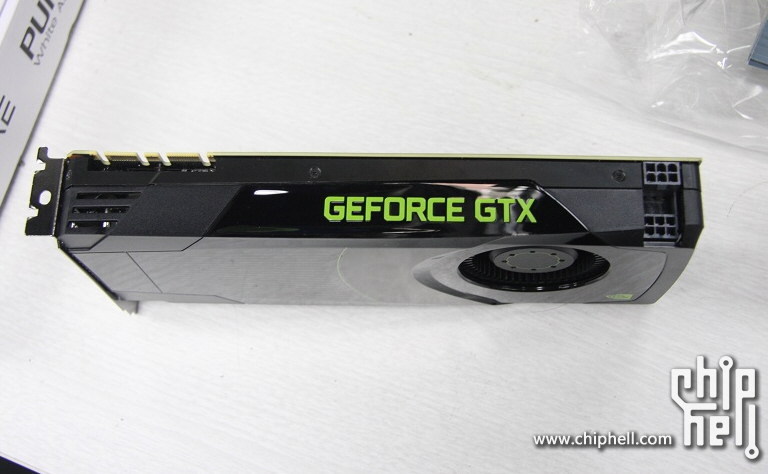 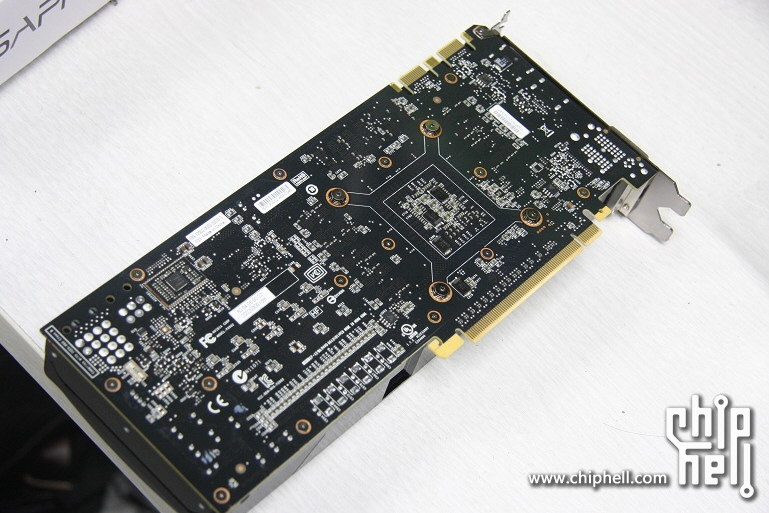 This post has been edited by DzX: Mar 13 2012, 04:57 PM |
|
|
Mar 13 2012, 05:11 PM
|
|
Senior Member
1,288 posts Joined: Apr 2009
|
Just try to setup your own fan speed profile according to your noise tolerance level for your GTX 580. It helps
This post has been edited by Vigilant: Mar 18 2012, 02:01 AM |
|
|
Mar 13 2012, 06:08 PM
|
|
Senior Member
992 posts Joined: Sep 2010
|
QUOTE(DzX @ Mar 13 2012, 04:50 PM) i also got the same asus reference gc & same clock as yours @kakicam ic thanks dude. i just tot ,mine was damaged or somthing coz i search around net mostly people idling below 40c guess we both got bad card hahahahathe temp also the same.. btw the gc i bought 2nd from lyn forumer..GTX680 wooot woott » Click to show Spoiler - click again to hide... « btw that is a sexy card.. QUOTE(Vigilant @ Mar 13 2012, 05:11 PM) Just try to setup your own fan speed profile accordance to your noise tolerance level for your GTX 580. It helps thanks i already did that and now i can manage to cool it around 45c in a/c and around 48 no a/cThis post has been edited by kakicam: Mar 13 2012, 06:08 PM |
|
|
Mar 13 2012, 11:49 PM
|
|
Elite
8,711 posts Joined: Nov 2007 From: Butterworth, PG / Machang, Kelantan
|
QUOTE(kakicam @ Mar 13 2012, 06:08 PM) ic thanks dude. i just tot ,mine was damaged or somthing coz i search around net mostly people idling below 40c guess we both got bad card hahahaha don't compare with overseas.btw that is a sexy card.. thanks i already did that and now i can manage to cool it around 45c in a/c and around 48 no a/c my watercooled GTX580 (no AC) was idling at 40C. On stock cooling was 50C. |
|
|
Mar 25 2012, 06:58 AM
|

Senior Member
1,023 posts Joined: Mar 2012 From: Land of Malay legendary™
|
my gtx680 temp idling at 35c to 45c
load temp hehe.... 50 to 65c in AC room Attached thumbnail(s) 
|
| Change to: |  0.0276sec 0.0276sec
 0.32 0.32
 6 queries 6 queries
 GZIP Disabled GZIP Disabled
Time is now: 23rd December 2025 - 09:08 AM |
 Quote
Quote