Outline ·
[ Standard ] ·
Linear+
DELL Studio XPS™ 13 & 16 Notebooks [V3], powered by Intel C2D, Core i5 n Core i7
|
xKAIZERUx
|
 Mar 15 2010, 05:28 PM Mar 15 2010, 05:28 PM
|

|
I actually controlled my laptop from my phone. go give this app a try. http://www.mobilewitch.com/Mobilewitch-Blu...e_details_2.htmand also, why want to undervolt? |
|
|
|
|
|
Fantasia
|
Mar 15 2010, 06:16 PM
|
|
|
i normally use my laptop as speakers to play songs from my handphone ^^
|
|
|
|
|
|
xKAIZERUx
|
Mar 15 2010, 07:03 PM
|
|
|
QUOTE(Fantasia @ Mar 15 2010, 06:16 PM) i normally use my laptop as speakers to play songs from my handphone ^^ at first also use that, also, use the laptop mic and speaker to asnwer phonecalls, quite cool actually, but later on, too much hassle... |
|
|
|
|
|
TSoutlife11
|
Mar 15 2010, 08:19 PM
|
|
|
QUOTE(xKAIZERUx @ Mar 15 2010, 07:03 PM) at first also use that, also, use the laptop mic and speaker to asnwer phonecalls, quite cool actually, but later on, too much hassle... what software u use ? any specific setup ? |
|
|
|
|
|
xKAIZERUx
|
Mar 15 2010, 08:27 PM
|
|
|
just pair your hanset with your laptop using bluetooth, and then control it in "devices and printers" » Click to show Spoiler - click again to hide... « This post has been edited by xKAIZERUx: Mar 15 2010, 08:27 PM |
|
|
|
|
|
TSoutlife11
|
Mar 15 2010, 08:52 PM
|
|
|
tqtq this really suit lazy ppl like me
|
|
|
|
|
|
TSoutlife11
|
Mar 15 2010, 09:49 PM
|
|
|
@xKAIZERUx double click the device this msg come out, even after restart !  This post has been edited by outlife11: Mar 15 2010, 10:51 PM
 |
|
|
|
|
|
Fantasia
|
Mar 15 2010, 11:59 PM
|
|
|
ur phone bluetooth got on?
|
|
|
|
|
|
xKAIZERUx
|
Mar 16 2010, 09:40 AM
|
|
|
enable the option "automatic connection, no confirmation" inside your phone bluetooth setting. it will just act as you bluetooth handsfree. also, make sure that no other handsfree (bluetooth or wired) are connected to your phone.
|
|
|
|
|
|
TSoutlife11
|
Mar 16 2010, 12:05 PM
|
|
|
guy how to turn on the bluetooth ? accidentally switch off
taskbar not showing the bluetooth icons
|
|
|
|
|
|
xKAIZERUx
|
Mar 16 2010, 12:33 PM
|
|
|
push that anntenna like icon in quick bar above the keyboard. it will either turn on all our radio (WiFi, BT, HSDPA-if any) or turn it off. but if pressing wont do anything, press Win+X, and select the radio control options, and make sure that the key control your BT.
(i still dunno what the official name of that shiny multimedia bar, care to enlighten me?)
|
|
|
|
|
|
TSoutlife11
|
Mar 16 2010, 01:08 PM
|
|
|
don have bluetooth Attached thumbnail(s)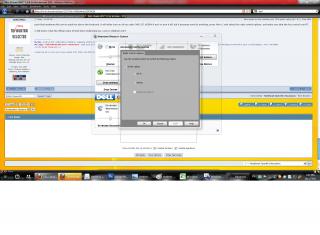
|
|
|
|
|
|
xKAIZERUx
|
Mar 16 2010, 01:31 PM
|
|
|
the WPAN is the bluetooth. the mobile one is the HSDPA. most of us dont have tis yet, remember the WWAN pcie slot is empty? that is where we can put our 3.5G aka HSDPA module.
hmm... weird your hanset cannot be controlled, I myself have made calls dialling from that. my hanset is Nokia 7210 Supernova, using Series 40 OS. yours?
Added on March 16, 2010, 1:33 pmtry to double click your other handphone, maybe can. both of your hanphone using bluetooth? if yes, try to remove one of them, and try again.
This post has been edited by xKAIZERUx: Mar 16 2010, 01:33 PM
|
|
|
|
|
|
TSoutlife11
|
Mar 16 2010, 01:40 PM
|
|
|
still not showing my bluetooth icon + cant detect any device
|
|
|
|
|
|
KHOdin
|
Mar 16 2010, 01:58 PM
|
|
|
is there any isu about dell studio xps 16 ? planning to get a i5-430M~
|
|
|
|
|
|
TSoutlife11
|
Mar 16 2010, 03:18 PM
|
|
|
QUOTE(xKAIZERUx @ Mar 16 2010, 01:31 PM) the WPAN is the bluetooth. the mobile one is the HSDPA. most of us dont have tis yet, remember the WWAN pcie slot is empty? that is where we can put our 3.5G aka HSDPA module. hmm... weird your hanset cannot be controlled, I myself have made calls dialling from that. my hanset is Nokia 7210 Supernova, using Series 40 OS. yours?
Added on March 16, 2010, 1:33 pmtry to double click your other handphone, maybe can. both of your hanphone using bluetooth? if yes, try to remove one of them, and try again. still cannot ! every time same error msg, no problem with pc suite
Added on March 16, 2010, 3:21 pmboth with bluetooth nokia6600i n n70, remove 1 also same
Added on March 16, 2010, 3:23 pmpossible phone driver problem? This post has been edited by outlife11: Mar 16 2010, 03:23 PM |
|
|
|
|
|
Fantasia
|
Mar 16 2010, 03:33 PM
|
|
|
QUOTE(KHOdin @ Mar 16 2010, 01:58 PM) is there any isu about dell studio xps 16 ? planning to get a i5-430M~ air ventilation not that good but still i dont encounter serious overheating problem when i make my laptop fully load(cpu and gpu 100%) other than that, it's perfect QUOTE(outlife11 @ Mar 16 2010, 03:18 PM) still cannot ! every time same error msg, no problem with pc suite
Added on March 16, 2010, 3:21 pmboth with bluetooth nokia6600i n n70, remove 1 also same
Added on March 16, 2010, 3:23 pmpossible phone driver problem? if u r using vista, then u can make bluetooth icon show at ur notification bar there by going to control panel and then click bluetooth device then click bluetooth setting. not sure about windows 7 |
|
|
|
|
|
TSoutlife11
|
Mar 16 2010, 03:41 PM
|
|
|
sorry i mean unable display Bluetooth Operations and Settings after double click the device
|
|
|
|
|
|
Fantasia
|
Mar 16 2010, 03:55 PM
|
|
|
huh? ur bluetooth got on or not?? not sure this help or not 
|
|
|
|
|
|
TSoutlife11
|
Mar 16 2010, 04:13 PM
|
|
|
i can transfer file using pc suite = on !
y turn off adapter ?
|
|
|
|
|



 Quote
Quote




 0.0307sec
 0.24
0.24
 6 queries
 GZIP Disabled