

u press the compose space there longer then will appear the input method option!
This post has been edited by paul86: Nov 1 2010, 09:12 PM
Sony Ericsson XPERIA™ X10, SE 1st Andriod Phone!!!
Sony Ericsson XPERIA™ X10, SE 1st Andriod Phone!!!
|
|
 Nov 1 2010, 09:10 PM Nov 1 2010, 09:10 PM
|
 
Junior Member
198 posts Joined: Nov 2004  
|
u press the compose space there longer then will appear the input method option!
This post has been edited by paul86: Nov 1 2010, 09:12 PM |
|
|
|
|
|
Nov 1 2010, 09:22 PM
|

Senior Member
1,458 posts Joined: Nov 2006 From: Selangor
|
According to SE website... X10 update already ready for SEA sets...
http://www.sonyericsson.com/update/?lc=en&cc=my |
|
|
Nov 1 2010, 09:35 PM
|

Senior Member
6,077 posts Joined: Mar 2010 From: Anywhere But Here 
|
just came back n saw the 2.1
chargin my batt to 60% then backup n its time to meet eclair |
|
|
Nov 1 2010, 11:10 PM
|

Senior Member
2,414 posts Joined: Feb 2009 From: the beginning 
|
QUOTE(FallenOut @ Nov 1 2010, 09:35 PM) just came back n saw the 2.1 keep us updatedchargin my batt to 60% then backup n its time to meet eclair  |
|
|
Nov 1 2010, 11:10 PM
|

Senior Member
1,446 posts Joined: Jan 2003
|
QUOTE(paul86 @ Nov 1 2010, 09:10 PM) u press the compose space there longer then will appear the input method option! got it..thanks.... |
|
|
Nov 1 2010, 11:10 PM
|

Senior Member
890 posts Joined: Nov 2008
|
can some 1 help me root 1.6 ??? i wan upgrade to 2.1 today ... im noob on this ...
|
|
|
|
|
|
Nov 1 2010, 11:18 PM
|
|
Senior Member
1,446 posts Joined: Jan 2003
|
QUOTE(Spetre @ Nov 1 2010, 11:10 PM) can some 1 help me root 1.6 ??? i wan upgrade to 2.1 today ... im noob on this ... wat's your x10 set from? |
|
|
Nov 1 2010, 11:21 PM
|
|
Senior Member
890 posts Joined: Nov 2008
|
i dunno ... it ap set , R2BA020
|
|
|
Nov 1 2010, 11:22 PM
|

Junior Member
535 posts Joined: Oct 2009 From: QWERTY
|
a post from tot31 stated that u nid root explorer
root explorer is a paid application >.< |
|
|
Nov 1 2010, 11:22 PM
|
|
Senior Member
890 posts Joined: Nov 2008
|
yup , tat the reason i cant root it ...
|
|
|
Nov 1 2010, 11:22 PM
|

Senior Member
2,451 posts Joined: Jan 2003 From: GOD's Land
|
I have posted another link which is using XFlash method and you don't need root to update to 2.1...pls refer a few pages back...
Added on November 1, 2010, 11:25 pmthere's also another method using adb shell which I used to update mine..no need root explorer..I just copy and paste.. » Click to show Spoiler - click again to hide... « This post has been edited by tot31: Nov 1 2010, 11:25 PM |
|
|
Nov 1 2010, 11:25 PM
|
|
Senior Member
890 posts Joined: Nov 2008
|
he was mention tat old 1.6 Firmware can not be flashed with this at the moment
Added on November 1, 2010, 11:26 pmhav i take this risk ??? lol This post has been edited by Spetre: Nov 1 2010, 11:26 PM |
|
|
Nov 1 2010, 11:27 PM
|
|
Senior Member
2,451 posts Joined: Jan 2003 From: GOD's Land
|
QUOTE(Spetre @ Nov 1 2010, 11:25 PM) he was mention tat old 1.6 Firmware can not be flashed with this at the moment The guy already solve the Xflash method problem and now it can be done..just go to the link I posted and follow the instructions, many ppl have succeeded with this method too..Added on November 1, 2010, 11:26 pmhav i take this risk ??? lol |
|
|
|
|
|
Nov 1 2010, 11:30 PM
|
|
Senior Member
890 posts Joined: Nov 2008
|
well , i giv it a try ...
|
|
|
Nov 1 2010, 11:33 PM
|
|
Senior Member
2,451 posts Joined: Jan 2003 From: GOD's Land
|
here's my default.prop before edited
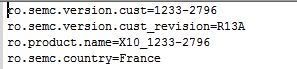 and here's is default.prop after edited 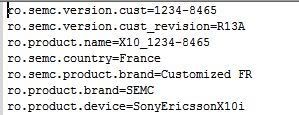 Added on November 1, 2010, 11:37 pmmore info... 1. Free market apps works..I can download and install applications from free Market. 2. Wifi works like a charm, can browse and FB. 3. GPS also works fine only Papago just wouldn't run... 4. The built in 3D gallery is awesome just like Cooliris for PC..yeah cooliris developed this 3D gallery for android. Some screenshots of 3D Gallery 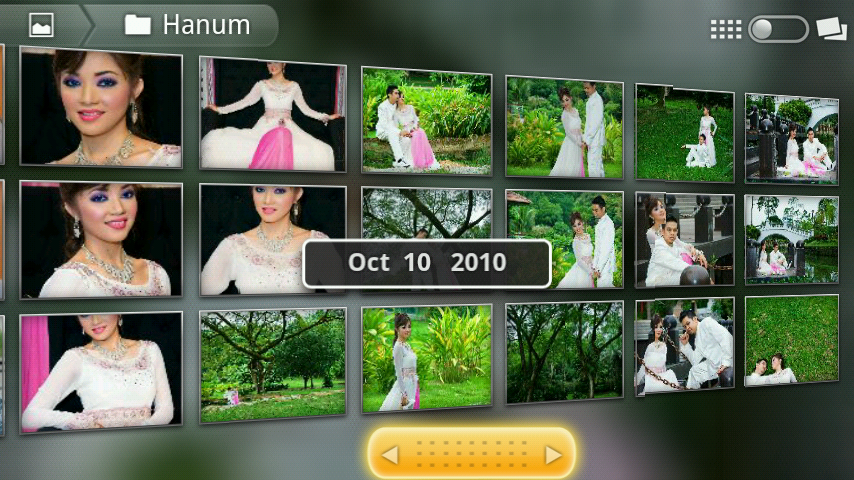 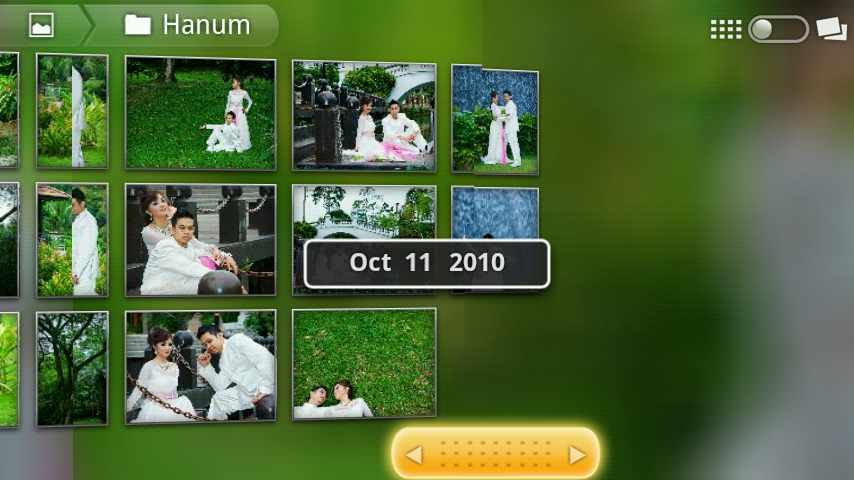 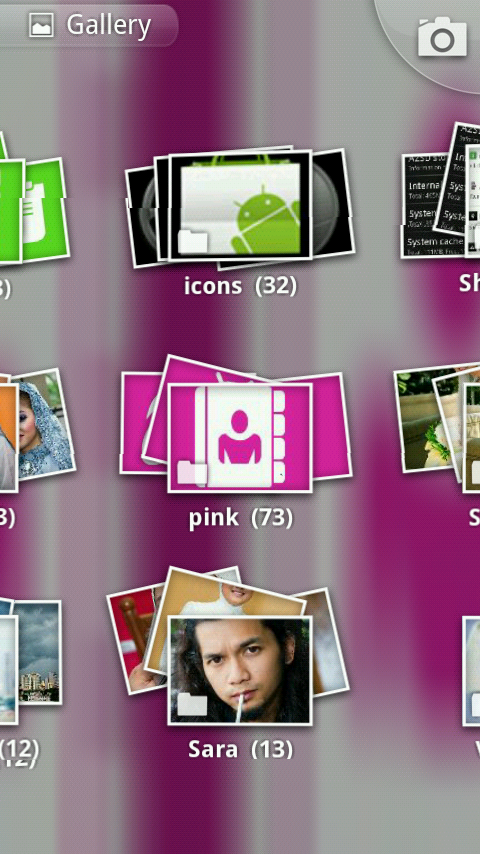 This post has been edited by tot31: Nov 1 2010, 11:55 PM |
|
|
Nov 1 2010, 11:45 PM
|
|
Senior Member
890 posts Joined: Nov 2008
|
how to in debugging mode ??? i hav tick/untick the usb debugging mode already ... just dunno how to open n type the code ...
|
|
|
Nov 1 2010, 11:53 PM
|
|
Senior Member
2,451 posts Joined: Jan 2003 From: GOD's Land
|
QUOTE(Spetre @ Nov 1 2010, 11:45 PM) how to in debugging mode ??? i hav tick/untick the usb debugging mode already ... just dunno how to open n type the code ... Go to Settings --> Applications --> Development --> USB Debugging (tick this box)You also need adb shell which you can get by downloading the android sdk (google it). Once you have downloaded it, extract it and go to the android sdk folder go to "tools" folder but you must use the dos box or windows command shell....sound geeky right? if you never use a dos box before then this method is not for you... here's my dos box prompt 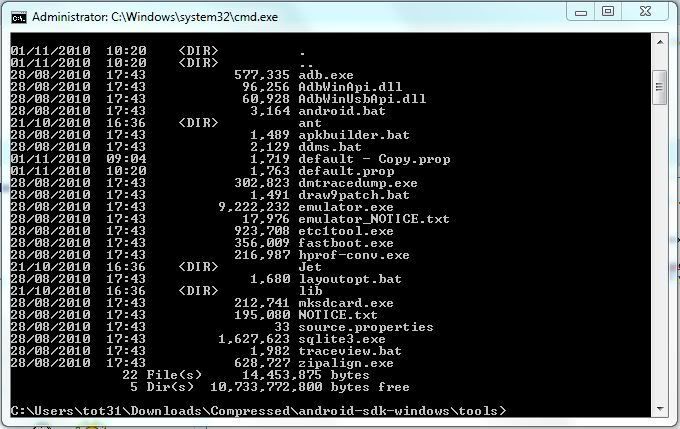 |
|
|
Nov 1 2010, 11:56 PM
|
|
Senior Member
890 posts Joined: Nov 2008
|
huh ... then i better flash it to 2.1 ...
|
|
|
Nov 2 2010, 12:02 AM
|
|
Senior Member
2,451 posts Joined: Jan 2003 From: GOD's Land
|
QUOTE(Spetre @ Nov 1 2010, 11:56 PM) huh ... then i better flash it to 2.1 ... the XFlash method also needs to be done using the dos box and you must install Java Runtime i.e the jre and the jdk on your pc...if all these methods are really confusing for you,  then better wait for the official regional update.... then better wait for the official regional update....  |
|
|
Nov 2 2010, 12:04 AM
|
|
Senior Member
890 posts Joined: Nov 2008
|
nvm , i giv it a try ... if the phone was brick , send to hp shop to unbrick it ... lol
|
|
Topic ClosedOptions
|
| Change to: |  0.0301sec 0.0301sec
 0.69 0.69
 6 queries 6 queries
 GZIP Disabled GZIP Disabled
Time is now: 13th December 2025 - 02:12 PM |
 Quote
Quote