Outline ·
[ Standard ] ·
Linear+
AMD® Socket-AM2&AM2+ Overclocking V15, More to come..Becareful..
|
shinjun
|
 Mar 27 2009, 12:40 PM Mar 27 2009, 12:40 PM
|

|
QUOTE(stardust_kkk @ Mar 27 2009, 12:38 PM) ur ram is kvr 667, the bios will select the best cpu:ram speed ratio to match it..and it will try to be less than 667 usually The RAM that I currently using it KVR800 actually. I got it mix previously 2x1gb KVR667 and 2x1gb KVR800.  |
|
|
|
|
|
fuzore
|
Mar 27 2009, 12:42 PM
|
|
|
QUOTE(verdict @ Mar 27 2009, 12:38 PM) Is this a some sort of bug that haunting the 720 series???  it is more to an Ant rather than a Bug .....  dont know actually but its normal for all 720be when the 4th is unlocked.... |
|
|
|
|
|
shinjun
|
Mar 27 2009, 12:43 PM
|
|
|
QUOTE(fuzore @ Mar 27 2009, 12:40 PM) and ur setting is ? HTTxMultiplier ? the ratio u meant is which ratio... The ratio I mean is FSB:DRAM. 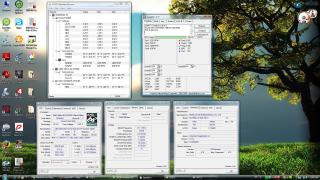
|
|
|
|
|
|
stardust_kkk
|
Mar 27 2009, 12:43 PM
|
Getting Started

|
ic..then it should be 400...maybe u can check in bios to set the ratio manually. its better for ur ram to be lower frequency if u wan to overclock..cause as u increase the FSB, the ram speed increases as well.. too bad my motherboard dun hav option to set the CPU:RAM ratio..at 3125mhz my ram running 893mhz..  dunno is my ram kenot take it or my processor kenot take it.. |
|
|
|
|
|
mozact89
|
Mar 27 2009, 12:44 PM
|
|
|
QUOTE(cloudwan @ Mar 27 2009, 11:22 AM) Happy birthday TS..
Added on March 27, 2009, 11:23 amHow come ur 9800GT can get so high 3dmark06 eh?? Last time i benchie with my HD4850 i can only get 11k..  Then again i was running my gpu stock.. Owhhh ok i just notice i ran my cpu stock also i dunno laa.. but from what i see, if i increase more memory and shader, it will increase ur result... first, my proc set to 3.0ghz vcore 1.28v.. gpu set to GPU clock-675 memory-1100 shader-1720 result - 13068 second, my proc set to 3.0ghz vcore 1.28v..(same as first) gpu set to GPU clock-675 memory-1125 shader-170 result - 13108
Added on March 27, 2009, 12:45 pmBTW, Happy Birhtday TS.. This post has been edited by mozact89: Mar 27 2009, 12:45 PM |
|
|
|
|
|
astria
|
Mar 27 2009, 12:46 PM
|
|
|
QUOTE(fuzore @ Mar 27 2009, 12:37 PM) bro its normal bro see my screenies same what no temp reading for all 4 cores only the core temp is readable in everest but in AOD the temp is visible... [attachmentid=870147] ah rit, thx a lot... AOD didn't come across my mind since it seems to have some problem when using with Biostar board... guess i will juz use it for temp reading then... |
|
|
|
|
|
stardust_kkk
|
Mar 27 2009, 12:46 PM
|
Getting Started
|
bro..u using wat power supply?? +12V at 9.5V +5V at 3.03V?? u sure ur computer still working?? or the motherboard take the wrong reading?? |
|
|
|
|
|
shinjun
|
Mar 27 2009, 12:49 PM
|
|
|
QUOTE(stardust_kkk @ Mar 27 2009, 12:46 PM) bro..u using wat power supply?? +12V at 9.5V +5V at 3.03V?? u sure ur computer still working?? or the motherboard take the wrong reading?? I think it's wrong reading, using FSP blue storm. 
Look at the MSI software for the reading, it's different. |
|
|
|
|
|
astria
|
Mar 27 2009, 12:49 PM
|
|
|
btw, ve another problem (not a big one though)
after unlocking the 4th core, there seems to be some problem with using SidePort... if i set to SidePort only, Windows will refuse to load, and upon the next successful login, it would report that there was an error with the display driver...
issit juz me or other 720BE users are having the same problem?
|
|
|
|
|
|
fuzore
|
Mar 27 2009, 12:49 PM
|
|
|
QUOTE(astria @ Mar 27 2009, 12:46 PM) ah rit, thx a lot... AOD didn't come across my mind since it seems to have some problem when using with Biostar board... guess i will juz use it for temp reading then... nvm bro glad to help and glad to see ah_khoo ex-720be in good hands...
Added on March 27, 2009, 12:51 pmQUOTE(astria @ Mar 27 2009, 12:49 PM) btw, ve another problem (not a big one though) after unlocking the 4th core, there seems to be some problem with using SidePort... if i set to SidePort only, Windows will refuse to load, and upon the next successful login, it would report that there was an error with the display driver... issit juz me or other 720BE users are having the same problem? i havent encounter this kind of problem coz i'm not using the onboard gc and i even disabled it.... maybe u could seek the same problem either in Rabelshaven or extremsys ..... This post has been edited by fuzore: Mar 27 2009, 12:51 PM |
|
|
|
|
|
stardust_kkk
|
Mar 27 2009, 12:53 PM
|
Getting Started
|
QUOTE(shinjun @ Mar 27 2009, 01:49 PM) I think it's wrong reading, using FSP blue storm.
Look at the MSI software for the reading, it's different. ic..try play around with the memory clock multiplier in the bios..tat might help ur ram back to normal..u need a ratio of cpu/7 2800/7=400 2800/9=311 is ur current speed |
|
|
|
|
|
astria
|
Mar 27 2009, 12:55 PM
|
|
|
QUOTE(fuzore @ Mar 27 2009, 12:49 PM) nvm bro glad to help and glad to see ah_khoo ex-720be in good hands...
Added on March 27, 2009, 12:51 pmi havent encounter this kind of problem coz i'm not using the onboard gc and i even disabled it.... maybe u could seek the same problem either in Rabelshaven or extremsys ..... 
everywhere wrong reading... crap sia... well, the SidePort problem is not a big issue to me, since i ve loads of RAM... now juz waiting for Radeon HD 4770 to complete my setup... |
|
|
|
|
|
shinjun
|
Mar 27 2009, 12:55 PM
|
|
|
QUOTE(stardust_kkk @ Mar 27 2009, 12:53 PM) ic..try play around with the memory clock multiplier in the bios..tat might help ur ram back to normal..u need a ratio of cpu/7 2800/7=400 2800/9=311 is ur current speed Yup currently lazy..got time 1st..now running prime95. |
|
|
|
|
|
fuzore
|
Mar 27 2009, 12:55 PM
|
|
|
QUOTE(shinjun @ Mar 27 2009, 12:49 PM) I think it's wrong reading, using FSP blue storm.
Look at the MSI software for the reading, it's different. damn that temp on stock cooler ke.... 58c @ 1.36 .... bro better get a good hsf 1st then continued ur ocing ..... |
|
|
|
|
|
stardust_kkk
|
Mar 27 2009, 12:57 PM
|
Getting Started
|
QUOTE(astria @ Mar 27 2009, 01:55 PM) AMD processor seems to always hav problem with the core temperature..mine core 1 core 2 report temperature was less than 20 degree when i was in a room of about 34degree.. get use to it bro.. |
|
|
|
|
|
shinjun
|
Mar 27 2009, 12:57 PM
|
|
|
QUOTE(fuzore @ Mar 27 2009, 12:55 PM) damn that temp on stock cooler ke.... 58c @ 1.36 .... bro better get a good hsf 1st then continued ur ocing ..... Yup, now shot to 60c d. Looking forward to get a cooler but not as big as those 12cm fan 1. Any good idea? maybe a HDT-S963? |
|
|
|
|
|
fuzore
|
Mar 27 2009, 12:58 PM
|
|
|
QUOTE(astria @ Mar 27 2009, 12:55 PM) wow that is crap bro.... what version is ur AOD .... have u tried using everest.... maybe it just wont go with onboard i think... |
|
|
|
|
|
astria
|
Mar 27 2009, 12:59 PM
|
|
|
QUOTE(stardust_kkk @ Mar 27 2009, 12:57 PM) AMD processor seems to always hav problem with the core temperature..mine core 1 core 2 report temperature was less than 20 degree when i was in a room of about 34degree.. get use to it bro.. well, at least u can agar know wat's ur temp... i here is as if i using liquid nitrogen liddat... how to oc sia... |
|
|
|
|
|
XiuKeong
|
Mar 27 2009, 12:59 PM
|
|
|
QUOTE(shinjun @ Mar 27 2009, 12:57 PM) Yup, now shot to 60c d. Looking forward to get a cooler but not as big as those 12cm fan 1. Any good idea? maybe a HDT-S963? Why not 12cm? Can't fit in the casing? |
|
|
|
|
|
astria
|
Mar 27 2009, 01:00 PM
|
|
|
QUOTE(fuzore @ Mar 27 2009, 12:58 PM) wow that is crap bro.... what version is ur AOD .... have u tried using everest.... maybe it just wont go with onboard i think... it's AOD 2.1.6... downloaded from here: http://game.amd.com/us-en/drivers_overdrive.aspx?p=1 |
|
|
|
|





 Quote
Quote


 0.0229sec
 0.52
0.52
 6 queries
 GZIP Disabled