

QUOTE(8tvt @ Sep 12 2008, 02:34 PM)
seriously.. CF also not more than 400W..
don't scare him la..

Dude, you are right. But the problem is the PSU +12V (which is what GPU want) does not total up to 400W. don't scare him la..

AMD® Socket-AM2&AM2+ Overclocking V10, ~overcooking ur proc here~
|
|
 Sep 12 2008, 02:56 PM Sep 12 2008, 02:56 PM
|
 
Senior Member
4,672 posts Joined: Jan 2003  
|
QUOTE(8tvt @ Sep 12 2008, 02:34 PM) seriously.. CF also not more than 400W.. Dude, you are right. But the problem is the PSU +12V (which is what GPU want) does not total up to 400W. don't scare him la.. |
|
|
|
|
|
Sep 12 2008, 03:10 PM
|

Senior Member
8,753 posts Joined: Jan 2003
|
QUOTE(davidletterboyz @ Sep 12 2008, 02:56 PM) Dude, you are right. But the problem is the PSU +12V (which is what GPU want) does not total up to 400W. that's the total system power consumption while benchmarking..i'm using 3870 and pair with 3ghz brisbane with 400W still ok.. 3870 n 4850 not much differ on power usage.. thus 450W still ok for him.. unless we always arguing on it's not pure power.. |
|
|
Sep 12 2008, 03:18 PM
|

Senior Member
2,484 posts Joined: Nov 2007 From: Nilai,N.S.D.K
|
QUOTE(8tvt @ Sep 12 2008, 03:10 PM) that's the total system power consumption while benchmarking.. OF coz becoz u using enermax ...and da guy using cm Extreme 460W...different quality different performi'm using 3870 and pair with 3ghz brisbane with 400W still ok.. 3870 n 4850 not much differ on power usage.. thus 450W still ok for him.. unless we always arguing on it's not pure power.. if he Extreme is 1st batch (more then 2 year ) wat i can say is good ..coz i hv da 1 also ...but i think da time no hv 460w or 460w is not Extreme 1st batch u can see from my siggy y 550w use in 4200+ rig and 430w using in 5000+ rig This post has been edited by digswell: Sep 12 2008, 03:21 PM |
|
|
Sep 12 2008, 03:28 PM
|

Junior Member
418 posts Joined: Jun 2008 From: penang
|
what should i do now???
  just wanna learn how to oc... b4 dis i just oc using the gigabyte software which bundle along wif the mobo... it reach 3.2GHz... so now wanna learn using bios(if not mistaken)...  |
|
|
Sep 12 2008, 03:37 PM
|
|
Senior Member
2,484 posts Joined: Nov 2007 From: Nilai,N.S.D.K
|
QUOTE(hazwan_aviator @ Sep 12 2008, 03:28 PM) what should i do now??? how long u hv be use 3.2ghz ?? 1,2 hour or 24/7 ?? just wanna learn how to oc... b4 dis i just oc using the gigabyte software which bundle along wif the mobo... it reach 3.2GHz... so now wanna learn using bios(if not mistaken)... if u really wan we can teach u ...bout ur psu ..u must take ur own risky |
|
|
Sep 12 2008, 03:39 PM
|
|
Senior Member
8,753 posts Joined: Jan 2003
|
if 400W is ok (actually less) for 4850 CF..
then single gpu will be ok with oc cpu.. on 450W psu.. *please bear in mind CF was tested on 4ghz OCed wolfdale |
|
|
|
|
|
Sep 12 2008, 03:39 PM
|
 
Elite
8,103 posts Joined: Jan 2003 From: Tanah Lot @ Dungun, Terengganu.
|
QUOTE(digswell @ Sep 12 2008, 03:37 PM) how long u hv be use 3.2ghz ?? 1,2 hour or 24/7 ?? yup, later mite end up like bro wan fryin d mosfets on his board... if u really wan we can teach u ...bout ur psu ..u must take ur own risky  |
|
|
Sep 12 2008, 03:44 PM
|
|
Senior Member
2,484 posts Joined: Nov 2007 From: Nilai,N.S.D.K
|
QUOTE(ah_khoo @ Sep 12 2008, 03:39 PM) yup, later mite end up like bro wan fryin d mosfets on his board...  Smile good Smile good   |
|
|
Sep 12 2008, 04:04 PM
|
|
Senior Member
8,753 posts Joined: Jan 2003
|
EXAMPLE for the newbie
AMD 5600+ (200x14 = 2800Mhz) HTT = 200 CPU MUL = 14 refer to the divider chart for cpu multiplier 14 becoz non BE (Black Edition) have been locked upwards multiplier so we cannot increase the value to multiply with HTT in order to increase the cpu speed the only option we need to increase cpu speed is by the increase of HTT ie : 215x14 = 3010Mhz in AMD RAM/ddr2 divider often stated in bios as 1 or 400 2 or 533 3 or 667 (normally we choose this) 4 or 800 how the ram divider related to HTT? and how to choose correct RAM speed? look again on the chart below multiplier 14 we can see 400->/14 533->/11 667->/9 800->/7 the numbers in bold above are the value that we need to divide with cpu speed in order to obtain the memory speed - if we set 4 or 800 in bios the value we have is 7 since we chose 3 or 667 in bios the value is 9 ie: 3010/9 = 334Mhz (memory speed) on ddr2 must multiply by 2 so 668 is ddr2 speed (this is where ur ram capable of) we can choose different -ram divider -increase the HTT -change cpu multiplier downward to search the balance of our cpu/ram speed... so we knew how to calculate.. later we can slowly learn on bios/ram tweak |
|
|
Sep 12 2008, 04:23 PM
|
|
Elite
8,103 posts Joined: Jan 2003 From: Tanah Lot @ Dungun, Terengganu.
|
QUOTE(8tvt @ Sep 12 2008, 04:04 PM) EXAMPLE for the newbie well said bro... AMD 5600+ (200x14 = 2800Mhz) HTT = 200 CPU MUL = 14 refer to the divider chart for cpu multiplier 14 becoz non BE (Black Edition) have been locked upwards multiplier so we cannot increase the value to multiply with HTT in order to increase the cpu speed the only option we need to increase cpu speed is by the increase of HTT ie : 215x14 = 3010Mhz in AMD RAM/ddr2 divider often stated in bios as 1 or 400 2 or 533 3 or 667 (normally we choose this) 4 or 800 how the ram divider related to HTT? and how to choose correct RAM speed? look again on the chart below multiplier 14 we can see 400->/14 533->/11 667->/9 800->/7 the numbers in bold above are the value that we need to divide with cpu speed in order to obtain the memory speed - if we set 4 or 800 in bios the value we have is 7 since we chose 3 or 667 in bios the value is 9 ie: 3010/9 = 334Mhz (memory speed) on ddr2 must multiply by 2 so 668 is ddr2 speed (this is where ur ram capable of) we can choose different -ram divider -increase the HTT -change cpu multiplier downward to search the balance of our cpu/ram speed... so we knew how to calculate.. later we can slowly learn on bios/ram tweak |
|
|
Sep 12 2008, 04:53 PM
|
|
Junior Member
418 posts Joined: Jun 2008 From: penang
|
HTT and HT link if same??
mine it fix like 200,400,500...max is 1GHz.... when im look in the cpu-z,the multiplier is 14.5 but in bios(correct me if wrong) then max multiplier is 14 only..... |
|
|
Sep 12 2008, 04:56 PM
|

Elite
8,545 posts Joined: Aug 2006 From: 224.0.0.6
|
HTT != HT.
-pWs- |
|
|
Sep 12 2008, 05:01 PM
|
|
Senior Member
2,484 posts Joined: Nov 2007 From: Nilai,N.S.D.K
|
QUOTE(-pWs- @ Sep 12 2008, 04:56 PM) HTT != HT. bro PWS he is Newbie ...teach him laaaaa dont make him blur blur ... -pWs-  |
|
|
|
|
|
Sep 12 2008, 05:04 PM
|
|
Junior Member
418 posts Joined: Jun 2008 From: penang
|
TQ!!!...
then how to increase it to number like 215...the counter is fix to 200,400,etc... |
|
|
Sep 12 2008, 05:12 PM
|
|
Senior Member
2,484 posts Joined: Nov 2007 From: Nilai,N.S.D.K
|
QUOTE(hazwan_aviator @ Sep 12 2008, 05:04 PM) TQ!!!... HTT=FSB in bios is fsb .....so increase this 1then how to increase it to number like 215...the counter is fix to 200,400,etc... |
|
|
Sep 12 2008, 06:38 PM
|
|
Elite
8,545 posts Joined: Aug 2006 From: 224.0.0.6
|
Ermm... I think you should read through those guides.
Those will help you a lot a lot. -pWs- |
|
|
Sep 12 2008, 09:32 PM
|

Senior Member
7,318 posts Joined: Nov 2006 From: Pulau Sipadan 
|
yup mastery that first.. learning can help alot.. then tweaking u can find here..
|
|
|
Sep 12 2008, 09:58 PM
|
|
Junior Member
418 posts Joined: Jun 2008 From: penang
|
TQ...!!!!
 |
|
|
Sep 12 2008, 10:33 PM
|
|
Elite
8,103 posts Joined: Jan 2003 From: Tanah Lot @ Dungun, Terengganu.
|
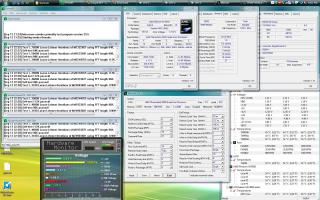
looks like burn in does work for phenoms... even thou it is just a notch less...
This post has been edited by ah_khoo: Sep 12 2008, 10:33 PM |
|
|
Sep 12 2008, 10:48 PM
|
|
Senior Member
2,484 posts Joined: Nov 2007 From: Nilai,N.S.D.K
|
QUOTE(ah_khoo @ Sep 12 2008, 10:33 PM) looks like burn in does work for phenoms... even thou it is just a notch less... Push harder la bro.....3GhZ!!!!!!!
  |
|
Topic ClosedOptions
|
| Change to: |  0.0233sec 0.0233sec
 0.42 0.42
 6 queries 6 queries
 GZIP Disabled GZIP Disabled
Time is now: 14th December 2025 - 04:21 PM |
 Quote
Quote