

 Aug 22 2008, 11:52 AM, updated 14y ago


Please feel free to correct me if you see something not right please

Types of general TVs currently in the market:
CRT - Full term is Cathode-Ray-Tube. This is the TV that's big and bulky, often cheaper too. The main advantage of CRTs are their flexibility in handling different resolutions. This kind of TV is best viewed in darker environment because it's screen is too reflective of external lightings.
LCD - Everyone knows, it's Liquid Crystal Display. Its main advantage is it consumes less power and no radiation. Best viewed in very bright environment but long time viewing may cause discomfort to the viewer.
Plasma - A 1964 technology that not fully utilized for display until recent years. Very wide color gamut, and usually accompanied by reasonable scaling regardless. Not recommended to be viewed in bright environment which can cause an artificial white layer coating. Limited life span and prone to screen burn-ins (leftover marks like the life bar on Street Fighter will stick on the screen after long playing session).
Types of definitions:
Standard Definition (SDTV) - Well, this is the most common TV we used to find in the shops.It display 480i (640 x480 interlaced resolution).
Enhanced Definition (EDTV) - Display 640 x 480 progressive resolution (480p). Wii owners please note, this is the best you can get out from the console.
High Definition (HDTV) - This is where most people are interested in. Industry standard includes 720p, 1080i and 1080p, all 16:9 screen ratio (PC monitors normally uses 16:10 ratio). Can come in the form of either CRT, LCD or Plasma but since CRTs usually come in 4:3 you'd get black borders both on top and bottom. Note that HDTV comes in 2 kind, HD Ready and Full HD. HD Ready means the TVs native resolution isn't 1920 x 1080 and can display 720p and 1080i through scaling. Full HD TVs native is 1920 x 1080 and everything will be scaled unless displaying 1080i and 1080p. Some, normally older, Full HD TVs upscale 720p/1080i to display it as 1080p, so what you see is really 1080p (anything displayed is the 1080p anyway) but in reality you are not getting 1080p from the source itself.
As you can see, there's no rocket science in differentiating the different definitions of display. Only those marketers and sales persons make a big fuss of how godly and advance HDTVs are which in fact newer, bigger PC monitors are 1200p, even better than those >RM10,000 Full HD TVs except in size.
Defining specs:
Screen size - Although this is very general but your viewing distance plays a very important role here. It is suggested to view from 5 times the height of the TV to get the best PQ and view capture. A 32" is about 5 feet away.
Resolution - This is the TVs native resolution. Can't usually find this on CRT as their flexible to switch other resolution. LCDs either come in 1366 x 768 or 1920 x 1080, while plasmas 800 x 600, 1024 x 768 or 1920 x 1080. Any other resolution you plug to the TV will be scaled and displayed as the native resolution.
Contrast ratio - This is supposed to be a very important spec as contrast ration determines the difference of dark and bright objects. However there's no way to determine what's the real contrast ratio and manufacturers using this to exploit consumers by putting in very attractive numbers. Again, can't usually find this on CRT but they are certainly best even compared to a 3,000,000,000:1 contast TV.
Brightness - Uses nit as denominator. The higher the number the brighter the screen can display naturally. Some people complain of discomfort watching brighter TVs.
Engine - This is the core translator of input to the screen. Different companies have different engines. Better engine can do better scaling and PQ.
Warranty - Newer technologies are more prone to failures due to smaller and moving components. So the longer the warranty the better it is (duh). But one thing that hardly mention in the warranty is the dead pixel issues. Some companies offer better coverage for this as low as 20 dead pixels while some requires more to be able to claim warranty. Make sure to ask for this when buying.
So many cables:
Radio frequency (RF) - The first cable created to be mass produced for use on televisions and still commonly used for VCR or free air channels like RTM1. It incorporates mono sound and picture into one cable. Very low quality.
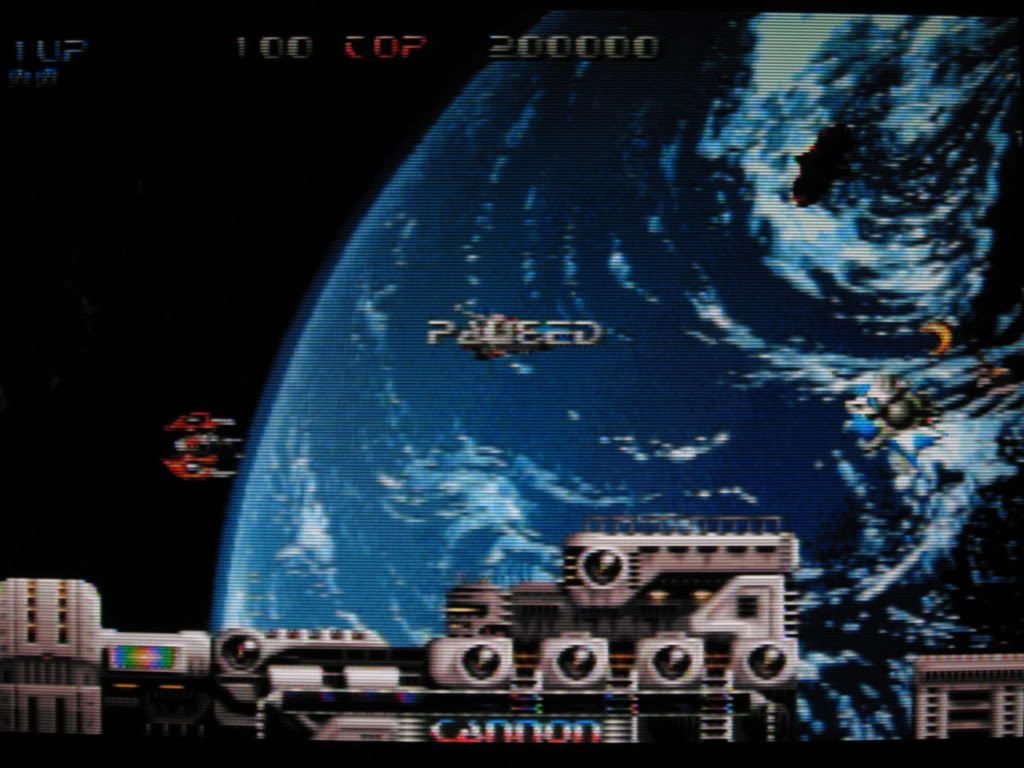
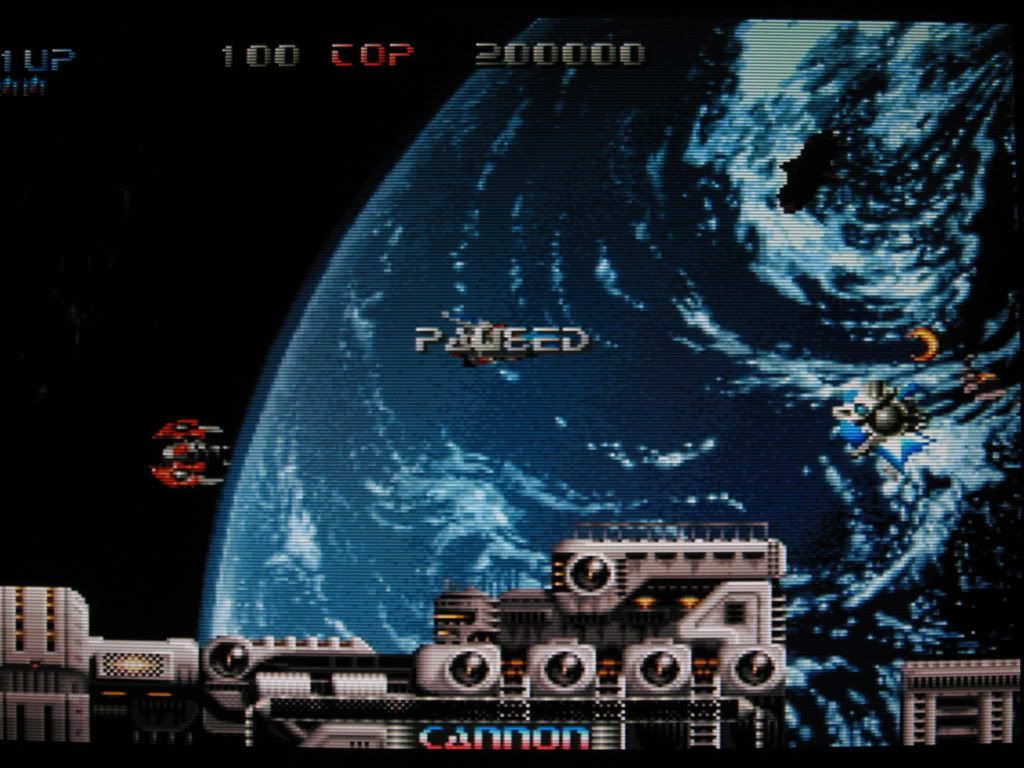
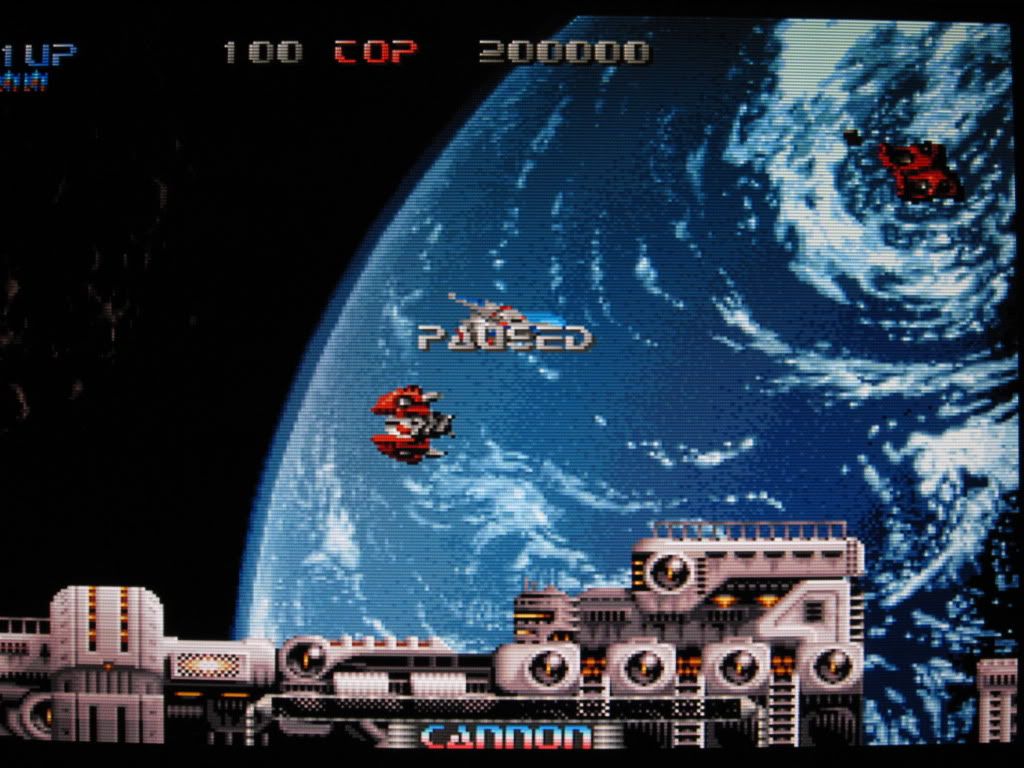
Composite - Usually comes in yellow, white and red, and composite is the yellow one while red and white are for the audio. Improves over RF but since it cramped all the visual details into one cable the quality is low. Main issue here is "dot crawling" or "color bleeding" where colors (especially red) doesn't stay where they are and "crawl" to other places thus blurring the image.
S-Video - Another step towards better visual quality. This time, black & white and color are separated to get rid of "bleeding". This is the best you can get from viewing Astro unless you hack your Astro receiver (highly advanced skill).
Component - This is not RGB, I repeat, this is NOT RGB. A technology as old as RF, it was first introduced to the general market during the invention of DVDs. All forms of DVDs are optimized into component display (because they are using this method when making the DVD). Color is very accurate and capable of displaying 1080p image. Green color dominates other colors (but not noticeable unless compared with RGB since human eyes are more sensitive to green than red or blue) and thus purist like me doesn't like it as much. Consoles that uses DVD software can get the best out from this output method most of the time.
RGB - RGB is a term for red, green and blue. This is the purest form of video and all colors are evenly distributed. There are many ways to get RGB. On computer you have 15 pin D-Sub, in Europe they have SCART, in Japan they have RGB cable and even the arcade machines are displaying RGB. This is a rarer display output found on local A/V products (close to none actually). Classic consoles, Dreamcast and before, have their best performance using this output.
DVI/HDMI - Digital output. Don't think I need to say more on these. Best if supported.
That's all the output method I can think of.. If I miss any please let me know. Now to comment on cables, all analog cables will suffer signal loss and to reduce the loss is through gold plated cables (need not be those expensive ones, I bought my component cables for RM5.50, 3 meters long) and thicker if you need a really long one (more than 5 meters). For digital cables, screw those expensive cables. In digital world, it's either 1 or 0, yes or no. Thousand ringgit monster cables is performing the same as RM5 cable. Don't listen to those ridiculous comments "Oh you need this high performance cable for this and that", especially those selling Sony's HDMI cables. but then again, look for thicker ones if it's long.
Composite VS S-Video VS RGB comparison






This post has been edited by gundamalpha: Feb 4 2010, 10:07 AM
 Quote
Quote




 0.0238sec
 0.96
0.96
 6 queries
 GZIP Disabled