Outline ·
[ Standard ] ·
Linear+
Windows 2008 x86/x64, Free trial 60days (240days max)
|
sniper69
|
 May 18 2008, 10:01 AM May 18 2008, 10:01 AM
|

|
QUOTE(duncan880409 @ May 18 2008, 12:03 AM) i dont care that,,lol, warcraft III (i wan connect to BS3) supported? from the link given, that game of yours, should be working just fine, otherwise... check the tutorial given in there... @kitsuna eh i thought we can't disable that DEP   |
|
|
|
|
|
TSkitsuna
|
May 18 2008, 10:05 AM
|
Getting Started

|
wrong word used  since the tutorial also said "disable", it should be change dep setting  fixed, lol  This post has been edited by kitsuna: May 18 2008, 10:09 AM This post has been edited by kitsuna: May 18 2008, 10:09 AM |
|
|
|
|
|
Shengz
|
May 18 2008, 10:28 AM
|
|
|
Anyone of you have problem with nvidia driver/software?
Mine will crash when I click certain things.
Faulting application Explorer.EXE, version 6.0.6001.18000, time stamp 0x47918e5d, faulting module nview.dll_unloaded, version 0.0.0.0, time stamp 0x47fda858, exception code 0xc0000005, fault offset 0x0676178b, process id 0x1b90, application start time 0x01c8b88bb41d7aaa.
Weird, couldn't find any info on google either.
|
|
|
|
|
|
TSkitsuna
|
May 18 2008, 11:13 AM
|
Getting Started
|
no problem here with nforce 15.01 for chipset from nvidia
nview.dll < geforce driver
which driver version do u use?
make sure u install right driver type for 2008 = vista 32bit (since u use 32bit ver)
This post has been edited by kitsuna: May 18 2008, 11:30 AM
|
|
|
|
|
|
Shengz
|
May 18 2008, 11:41 AM
|
|
|
QUOTE(kitsuna @ May 18 2008, 11:13 AM) no problem here with nforce 15.01 for chipset from nvidia nview.dll < geforce driver which driver version do u use? make sure u install right driver type for 2008 = vista 32bit (since u use 32bit ver) nforce 15.01?  I'm using 169.25 WHQL vista 32-bit for my 7600gs. Well, will try reformat again later if no solutions found. |
|
|
|
|
|
TSkitsuna
|
May 18 2008, 11:54 AM
|
Getting Started
|
nforce for mobo try geforce latest driver = 175.16 dl from here : http://www.techpowerup.com/downloads/Drivers/NVIDIA/since nvidia page under maintenance make sure uninstall the older driver n use drivercleaner in save-mode to remove any geforce driver traces also, install dx9 1st b4 install new geforce driver This post has been edited by kitsuna: May 18 2008, 11:56 AM |
|
|
|
|
|
Shengz
|
May 24 2008, 09:02 AM
|
|
|
Hmm.. I've reformat, was kind of a hassle. Have to call microsoft to get my new installation ID, anyway I'm glad it does not crash randomly now. Memory limits for windows server is different from workstation os? I've seen this awhile back. But don't understand why. I've upgraded to Enterprise version in case my heart got itchy and buy more ram to slot in. LOL! http://msdn.microsoft.com/en-us/library/aa366778(VS.85).aspx |
|
|
|
|
|
dopodplaya
|
May 24 2008, 10:48 AM
|
|
|
QUOTE(Shengz @ May 24 2008, 09:02 AM) Hmm.. I've reformat, was kind of a hassle. Have to call microsoft to get my new installation ID, anyway I'm glad it does not crash randomly now. Memory limits for windows server is different from workstation os? I've seen this awhile back. But don't understand why. I've upgraded to Enterprise version in case my heart got itchy and buy more ram to slot in. LOL! http://msdn.microsoft.com/en-us/library/aa366778(VS.85).aspxyup the memory support features are different from different versions of the Windows Server OS. reading the the details at Microsoft Windows Server website is enough information. |
|
|
|
|
|
Irishcoffee
|
May 25 2008, 03:03 PM
|
|
|
so win2008 x86 will support up to 4gb ram???unlike vista x86?
|
|
|
|
|
|
TSkitsuna
|
May 25 2008, 04:56 PM
|
Getting Started
|
if x86 Enterprise, yes but never tried yet http://msdn.microsoft.com/en-us/library/aa366778(VS.85).aspx This post has been edited by kitsuna: May 25 2008, 05:04 PM
 |
|
|
|
|
|
sniper69
|
Jun 11 2008, 12:00 PM
|
|
|
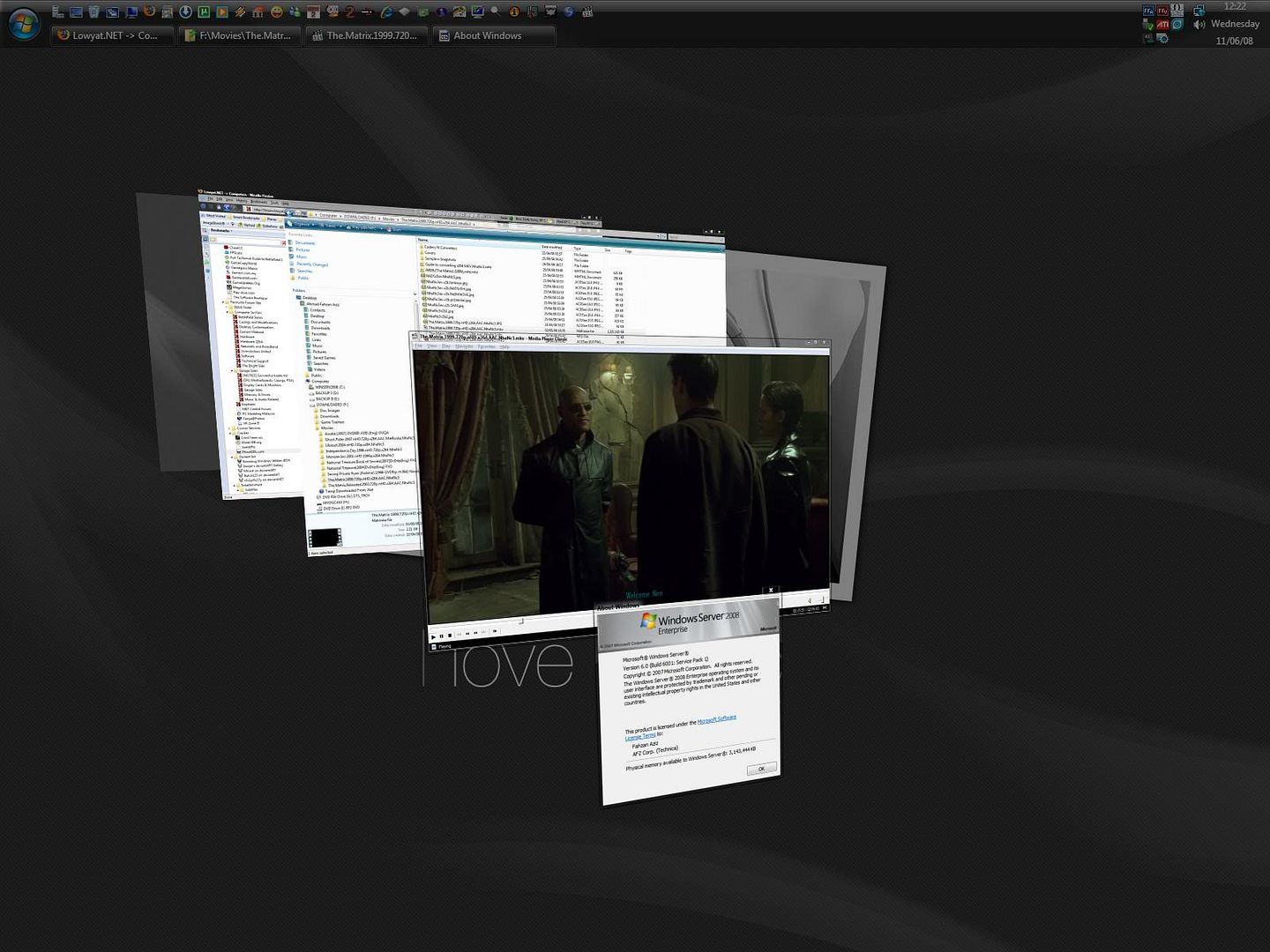
it's been like ±60 days already testing Windows Server 2008 Enterprise Edition and i must say, it's a good OS...  This post has been edited by sniper69: Jun 11 2008, 12:24 PM This post has been edited by sniper69: Jun 11 2008, 12:24 PM |
|
|
|
|
|
TSkitsuna
|
Jun 11 2008, 09:56 PM
|
Getting Started
|
nice  played Assassin Creed DX10 & Race Driver GRID on win2k8, no problem  This post has been edited by kitsuna: Jun 11 2008, 09:56 PM This post has been edited by kitsuna: Jun 11 2008, 09:56 PM |
|
|
|
|
|
zubai
|
Jun 12 2008, 12:56 AM
|
|
|
Taken from techarp.comQUOTE Myth #1 : Formatting a hard drive will kill it!
Truth : To put it shortly, formatting your hard drive will NOT reduce its lifespan. Yes, formatting is popularly thought to reduce hard drive's lifespan but that is nothing more than a myth. Formatting is NOT a stressful event for a hard drive. The read/write heads do NOT touch the platter surface, so damage to the platter only occurs if there is any shock to the drive during operation. You can format your hard drive 20 times a day, 365 days a year and it will be no more likely to fail than a hard drive that is not formatted at all. I never tried a server os. Might as well try this and maybe do some benchmarking  . This post has been edited by zubai: Jun 12 2008, 12:58 AM |
|
|
|
|
|
fat16
|
Jul 10 2008, 09:23 AM
|
|
|
i have use nt4.0, windows 2000, windows 2003 than windows 2008 for home use. Not all people use pc to play game or any entertaiment. server or not it our choice.
If u like vista go for it. I never try vista but very like windows 2008.
|
|
|
|
|
|
voscar
|
Aug 5 2008, 11:58 PM
|
|
|
Hi, I've installed windows server 2008 enterprise 32bit on my laptop. Everything runs fine and I am able to make it like vista interface.
However, when I run the counter-strike reloaded, it become very lag! I found that I can't use the D3D renderer as it will lags. However, if I use OpenGL renderer, the game will runs smooth. Usually in Windows XP, both D3D or OpenGL renderer will runs smoothly without problem.
So, I have update the display driver, but it does not help. Why ar? Btw, my laptop is using the SiS672 graphic.
|
|
|
|
|
|
rkwan67
|
Oct 28 2008, 04:28 PM
|
|
|
wau, this is a good topic.. thx bro..
|
|
|
|
|



 Quote
Quote






 0.3317sec
 0.81
0.81
 6 queries
 GZIP Disabled