Outline ·
[ Standard ] ·
Linear+
Unifi Official TM UniFi High Speed Broadband Thread V42, READ 1ST PAGE FOR RELEVANT WIFI INFO!
|
Omochao
|
 Mar 2 2024, 04:35 PM Mar 2 2024, 04:35 PM
|

|
QUOTE(Rgwn @ Mar 1 2024, 05:40 PM) Hi guys, need some advise, just relocated my unifi-100mbps plan to my new house (DST). TM offering RM79@100mbps under SWU 4.0 since I said might want to change to different provider. Firstly is 100mbps speed sufficient for DST ? Only two person using..Will need to add netflix as well. Is there any better deal out for internet & netflix ? I limit my TV to 20Mbps, so far not much lagging or buffering on youtube or netflix. 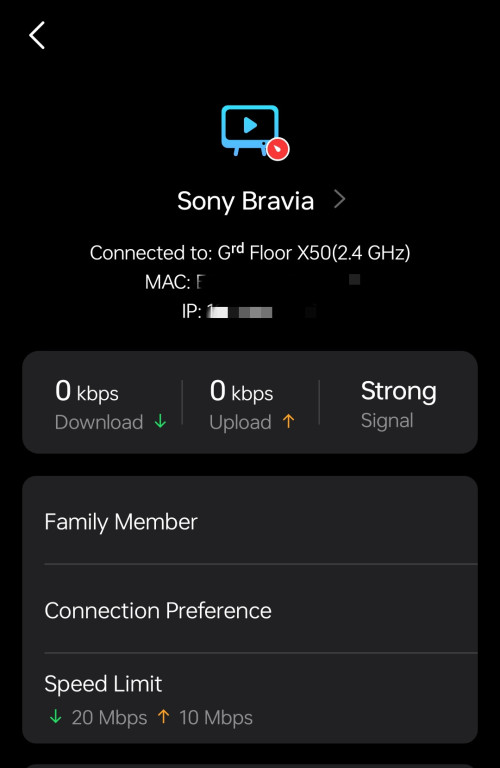 |
|
|
|
|
|
Omochao
|
May 10 2024, 06:45 PM
|
|
|
If the wan port is 2.5gbps but the lan port is only limited to 1gbps, i think it defeats the purpose of giving it out.
You can only achieve max speed just by connecting to that combo modem/router SSID , for lan ethernet connection ,I dont think you are able to reach more than 1Gbps.
|
|
|
|
|
|
Omochao
|
May 10 2024, 06:49 PM
|
|
|
QUOTE(yolldddd @ May 10 2024, 06:35 PM) Currently using my own asus router with huawei white btu I didn't do anything special like set up bridge mode i just replace the provided tmnet dlink router with my own asus router input my user and pass and that about it Is this consider bridge mode? Izit Now new setup need special config to use own router? Bridge mode is only applicable when you don't intend to use that device to do routing (DHCP and NAT) for all your internet devices. Your current setup is the correct setup . The setup process is still the same as always, fill in the right details for PPPOE and password and select the correct VLan profile. |
|
|
|
|
|
Omochao
|
May 17 2024, 10:30 AM
|
|
|
QUOTE(Anime4000 @ May 17 2024, 01:00 AM) Today I received new ONR and straight away Reverse Engineer, this B1 hardware quite different layout but still using same SoC 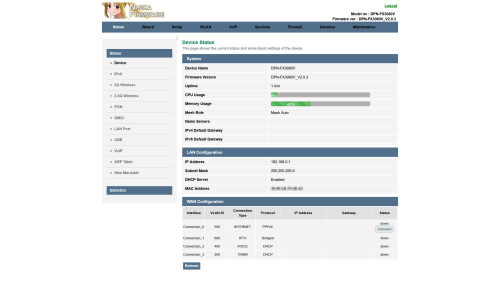 Also, I managed to extract out and repackage as firmware file, change the Theme to Lowyat Blue Theme  planning to add Proprietary Huawei ME from my PON Stick, so, TIME and Maxis can use this ONR Inside D-Link ONR B1Firmware File: DPN-FX3060V-B1_V2.0.3_20240516_NIJIKA.binSize: 27.7 MB (29,112,320 bytes) MD5: 2A8FE8991D673F8ED2CEFF5FC15E9CEC SHA2: F89F4E78D8EB9007FF1AAFA94CD0426BB2A635D2DEE038D9308CB337ACB1AE31 This for B1 hardware, since my old D-Link no longer with me, can't test it, this has disable HW Check, before flash, please enable SSH just in caseLogo Sauce: Pixiv Id 103567703good to know , hopefully there will be a highly customizable firmware with more options to set around it. But don't think TM will just let it slip pass by so easily. Subsequent firmware release might further lock it down to user mode. |
|
|
|
|
|
Omochao
|
May 27 2024, 01:20 PM
|
|
|
QUOTE(satcure645 @ May 26 2024, 03:11 PM) Possible to ask for the firmware? Thanks what model are you on and what firmware are you using? |
|
|
|
|
|
Omochao
|
May 28 2024, 12:24 PM
|
|
|
QUOTE(satcure645 @ May 27 2024, 01:35 PM) Fibrehome SR1041F Firrmware RP0103 Bought from Shopee, SR1041F AX3000, 5 antennas model (3 at the back 2 at side) 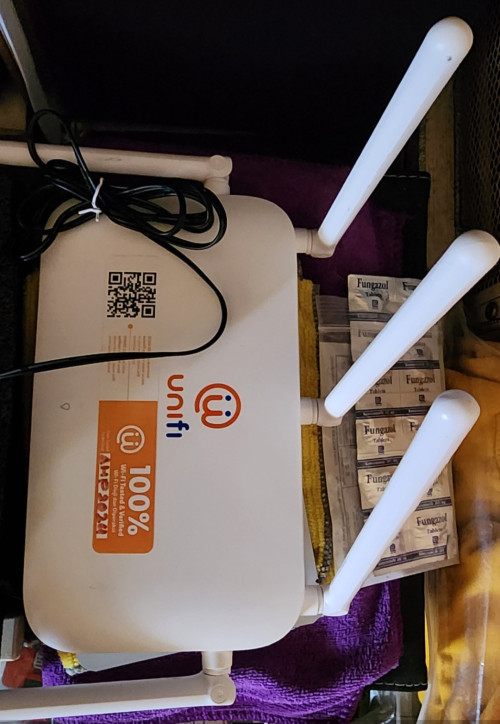 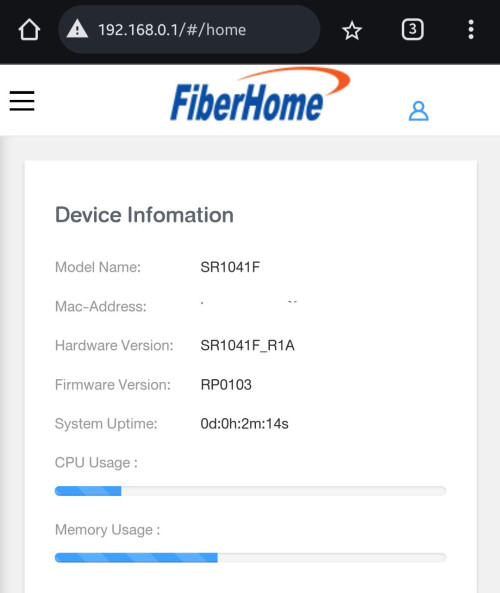 drop you a pm kindly check |
|
|
|
|
|
Omochao
|
Sep 2 2024, 04:59 PM
|
|
|
Did unifi just change their settings?
Using google dns or one dns, seems to be unable to access certain streaming websites be it adult or anime. are they outright banning some websites?
|
|
|
|
|
|
Omochao
|
Sep 2 2024, 05:08 PM
|
|
|
QUOTE(Jeffreynsx @ Sep 2 2024, 05:04 PM) Yes. You may click on this link https://browserleaks.com/dns to find out whether Google, Cloudflare, OpenDNS or etc still running as per usual or all redirected to TM DNS? Yup, running the test and with your link keep showing TM dns server results. Guess this it ? Malaysian internet censorship at its full force? My router doesn't supports DoH or other method, just plain old dns address, anyway to bypass this besides using VPN? |
|
|
|
|
|
Omochao
|
Sep 2 2024, 05:11 PM
|
|
|
QUOTE(Jeffreynsx @ Sep 2 2024, 05:09 PM) Are you using your own router or stock router? Even DOH and DOT both is not working. I already tested. own router, Deco X50. Ahh, then is game over for all of us who wants to go further in the web? |
|
|
|
|
|
Omochao
|
Sep 2 2024, 05:13 PM
|
|
|
QUOTE(Jeffreynsx @ Sep 2 2024, 05:12 PM) I think for the time being only can use VPN. They hard coded it. lmao, not even google dns is allowed? can DNS screw up their servers? |
|
|
|
|
|
Omochao
|
Sep 2 2024, 05:20 PM
|
|
|
Yes, gotta use VPN for the moment. Seems like they patch out all DNS to fail, no wonder my I had notifications that it couldnt be connected last night about my Private DNS settings on mobile devices which has set to ad guard dns profile.
|
|
|
|
|
|
Omochao
|
Sep 2 2024, 05:24 PM
|
|
|
QUOTE(countingcrows @ Sep 2 2024, 05:18 PM) Go into Chrome Settings and turn on Secure DNS 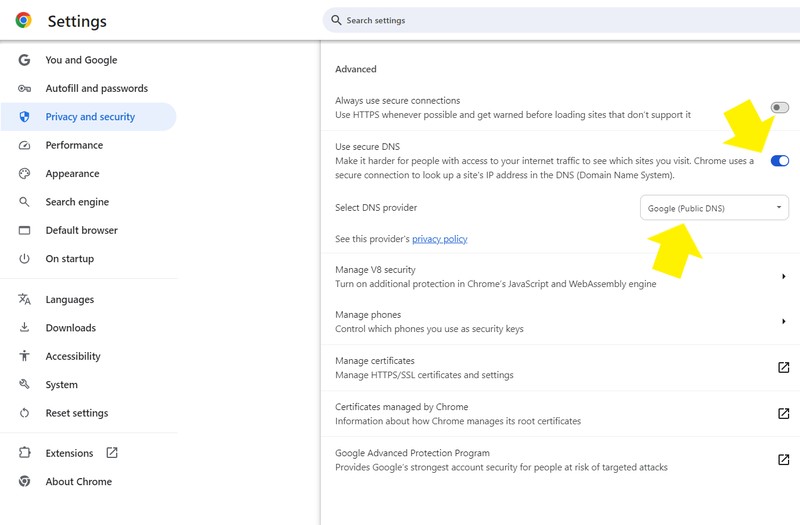 can't even load at all when set to OPENdns.... |
|
|
|
|
|
Omochao
|
Sep 2 2024, 05:27 PM
|
|
|
The only way for the moment, hopefully VPN don't block this method. 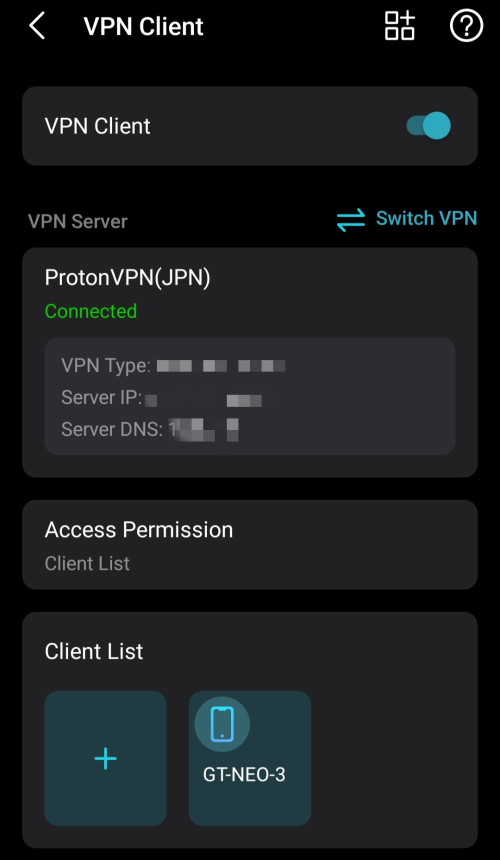 |
|
|
|
|
|
Omochao
|
Sep 2 2024, 08:07 PM
|
|
|
QUOTE(BladeRider88 @ Sep 2 2024, 06:23 PM) Bro If you willing to learn a bit of Linux, i can suggest you setup your own DNS server which can support DoH out of the box. Sorry to say many TP Link WiFi 6 product does not support DoH/DoT out of the box, so external device are recommended. You can even host a VM if your PC is on 24/7. I need to get a Pi right? They have been requesting for DoH and DoT to be included into decos, but i read somewhere it will take a toll on the CPU and RAM. Only time will tell, as Tplink is a pain in the butt when it comes to new features. |
|
|
|
|
|
Omochao
|
Sep 2 2024, 08:37 PM
|
|
|
QUOTE(dev/numb @ Sep 2 2024, 08:18 PM) You don’t really need to have encrypted DNS capabilities on your router (although it’s good to have, no doubt) since any modern OS or browser can do it. In fact, most would recommend setting DoH/DoT on a per-device basis even if you have the feature on the router anyway, simply as an extra layer and also for when you’re outside your local network (eg: using mobile data). most time it will only be me who's the one using it anyway. So would just require on the router should be enough for me to access some websites that are not so friendly. |
|
|
|
|
|
Omochao
|
Sep 2 2024, 08:38 PM
|
|
|
QUOTE(The.Lucas.DaY @ Sep 2 2024, 08:37 PM) I wonder what websites blocked by the isp dns, mind to share ?so i can test mine dns as well anything that may deem to be not so safe for work. |
|
|
|
|
|
Omochao
|
Sep 2 2024, 08:53 PM
|
|
|
QUOTE(BladeRider88 @ Sep 2 2024, 08:50 PM) Bro you are getting the hang of it hahaha 😆 Yeah a Pi will get you started 😜 never although I know it can do a lot of blocking of ads even for non android TV. |
|
|
|
|
|
Omochao
|
Sep 2 2024, 09:03 PM
|
|
|
QUOTE(dev/numb @ Sep 2 2024, 09:00 PM) Means they haven’t implemented it for everyone or you already have secure/private DNS set in your Android (Connections/Network settings) or Chrome (Privacy & Security settings) setup. I think with some Android OEMs, the “Automatic” setting in the Private DNS section will default to Google DNS (using DoT) without any user interaction. automatic will work, but private fails for now. |
|
|
|
|
|
Omochao
|
Sep 3 2024, 12:32 PM
|
|
|
Setting DoH on my Windows 11, also still fail, dnsleaktest showing DNS server at Bentong..
|
|
|
|
|
|
Omochao
|
Sep 3 2024, 03:04 PM
|
|
|
QUOTE(Jeffreynsx @ Sep 3 2024, 12:52 PM) It is a waste of time to enable secured DNS for both DOH and DOT as both of it is not working. For those who yet to take any SWU package, please hold on first as this Transparent Proxy thingy will apply to those who signed the new contract with TM. This is what I noticed so far among the users out there. I am kind of regret to take the SWU package that being treated just like that. Imagine you pay every month to your ISP and they put poison to your DNS without seeking your advise. It is against our personal rights already. Yes, I'm a user of SWU as well, funnily my posting in TM fb group got deleted when talking about external DNS getting block. Seems like they are sweeping it under the carpet, we all know TM dns is really bad at routing during peak usage period, and at times not consistent. Good luck to their customer service answering bombarding calls about browsing/downloading speed. QUOTE(BladeRider88 @ Sep 3 2024, 12:58 PM) Have you try to disable & re-enable back your NIC after you set the DoH in Windows? I've done disabling my wireless adapter, renable. Flush dns, restart even the laptop. still same result to TM dns . |
|
|
|
|





 Quote
Quote
 0.2486sec
 1.12
1.12
 7 queries
 GZIP Disabled