

 Feb 6 2024, 06:22 PM


QUOTE(yenchenje @ Jan 10 2024, 06:39 PM)
Are you already using new ONR?
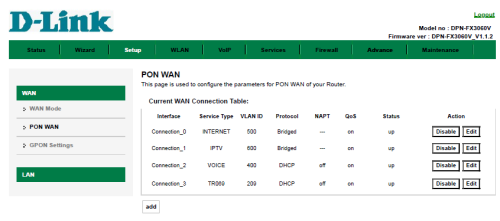
If so, go to Setup > Ethernet WAN > Connection_0 - Edit > PPPoE drop down change to bridge > to whichever router you want (From ETH port 1 to another router WAN)
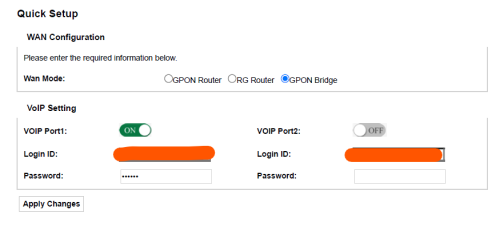
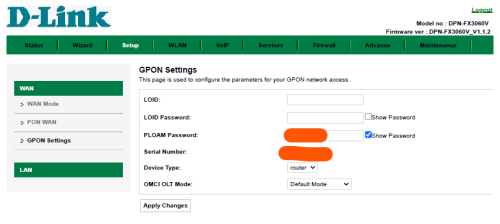
You’ll turn the ONR into basically ONU again, it’s just handling VLAN segregation from TM (209,400,500) and ATA (VoIP), you can also leave the 5GHz WiFi band turned on so that you can connect to the WiFi to configure whenever when needed and no need to use any LAN cable
I’d find my post of screenshots but should be quite easily understandable
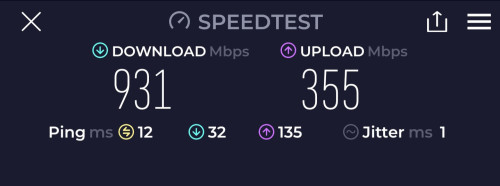
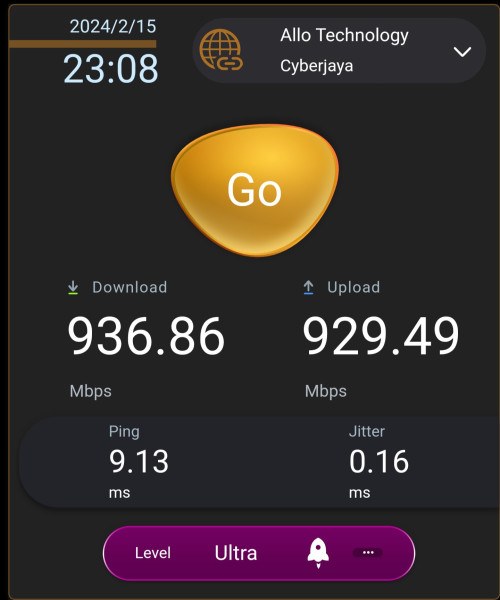
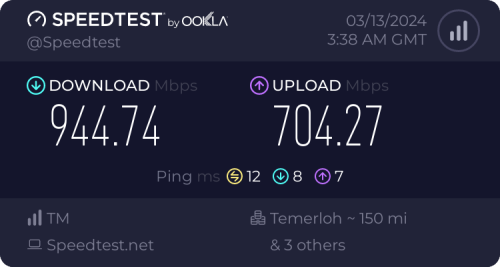
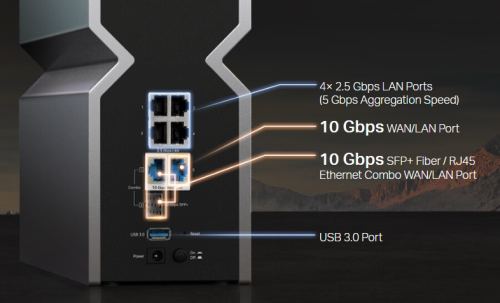
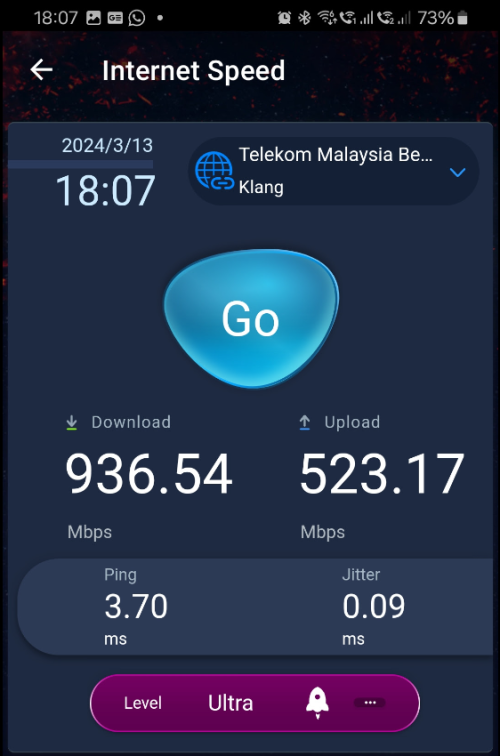
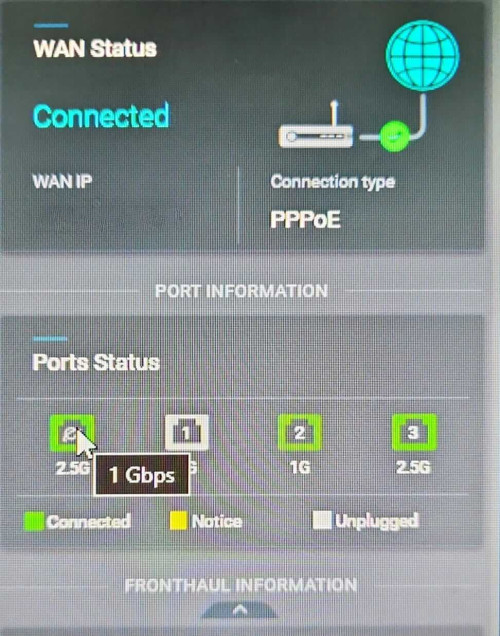
Also a reminder that doing this will limit your top speed to 940mbps due to TCP/IP transport overhead due to the presence of 1G port instead of 2.5G, so you won’t get the up to 1030Mbps limit of DL speed if you’re on 1Gbps plan and was expecting that

If so, go to Setup > Ethernet WAN > Connection_0 - Edit > PPPoE drop down change to bridge > to whichever router you want (From ETH port 1 to another router WAN)
You’ll turn the ONR into basically ONU again, it’s just handling VLAN segregation from TM (209,400,500) and ATA (VoIP), you can also leave the 5GHz WiFi band turned on so that you can connect to the WiFi to configure whenever when needed and no need to use any LAN cable
I’d find my post of screenshots but should be quite easily understandable
Also a reminder that doing this will limit your top speed to 940mbps due to TCP/IP transport overhead due to the presence of 1G port instead of 2.5G, so you won’t get the up to 1030Mbps limit of DL speed if you’re on 1Gbps plan and was expecting that
 For the ppl on D-Link ONR
 Quote
Quote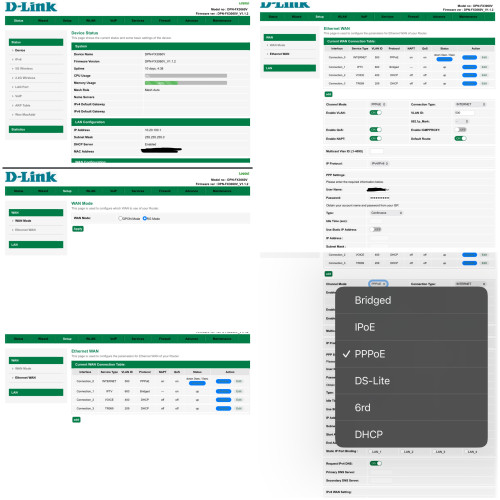





 0.0299sec
 0.81
0.81
 7 queries
 GZIP Disabled