

my kaon WPS led keep blinking despite disabling it … is this normal?
Maxis Kaon AR2140 Wifi 6 Router, Horrible Router
Maxis Kaon AR2140 Wifi 6 Router, Horrible Router
|
|
 Sep 19 2022, 11:27 PM Sep 19 2022, 11:27 PM
|
 
Senior Member
1,298 posts Joined: May 2005 From: HamuHamu Chan DeKukuMalu 
|
my kaon WPS led keep blinking despite disabling it … is this normal?
|
|
|
|
|
|
Sep 20 2022, 09:41 AM
Show posts by this member only | IPv6 | Post
#62
|

Senior Member
1,873 posts Joined: Nov 2010 
|
QUOTE(netken @ Sep 19 2022, 11:27 PM) my kaon WPS led keep blinking despite disabling it … is this normal? Did you using it as mesh? It can be mesh connecting, else, someone might trying to break your WiFi via WPS, but as long as you disabled WPS static pin, it will be fine. Because you can only connect WiFi by clicking WPS on your device + router to pair without password, not WPS static pin anymore. https://www.maxis.com.my/content/dam/mxs/do...2140_Manual.pdf This post has been edited by BenYeeHua: Sep 20 2022, 09:42 AM |
|
|
Sep 20 2022, 03:21 PM
|
|
Senior Member
1,298 posts Joined: May 2005 From: HamuHamu Chan DeKukuMalu
|
QUOTE(BenYeeHua @ Sep 20 2022, 09:41 AM) Did you using it as mesh? I disable the WPS from the admin page - but i think it still looking for Mesh to connect - it keeps blinking.It can be mesh connecting, else, someone might trying to break your WiFi via WPS, but as long as you disabled WPS static pin, it will be fine. Because you can only connect WiFi by clicking WPS on your device + router to pair without password, not WPS static pin anymore. https://www.maxis.com.my/content/dam/mxs/do...2140_Manual.pdf i can't see any option to disable mesh - but i think should be safe - it is inside the house and i only use WIFI from ASUS connected to the Kaon router via LAN. KAON wifi both 2.4ghz and 5.0ghz is disabled - just irritating OCD see that WPS keep blinking ... lol .... |
|
|
Sep 20 2022, 03:47 PM
|
|
Senior Member
1,298 posts Joined: May 2005 From: HamuHamu Chan DeKukuMalu
|
QUOTE(BenYeeHua @ Sep 20 2022, 09:41 AM) Did you using it as mesh? Somehow it is connected on as mesh - i already set as router mode and also disable WPS.It can be mesh connecting, else, someone might trying to break your WiFi via WPS, but as long as you disabled WPS static pin, it will be fine. Because you can only connect WiFi by clicking WPS on your device + router to pair without password, not WPS static pin anymore. https://www.maxis.com.my/content/dam/mxs/do...2140_Manual.pdf just OCD that is it is still blinking - any idea where to disable Mesh at the admin page? but should be safe since i disable all SSID WIFI by Kaon only use it as a connecting router and LAN to another Asus router (WIFI from there). |
|
|
Sep 20 2022, 05:02 PM
|

Senior Member
1,602 posts Joined: Jan 2016
|
QUOTE(netken @ Sep 20 2022, 03:47 PM) Somehow it is connected on as mesh - i already set as router mode and also disable WPS. just OCD that is it is still blinking - any idea where to disable Mesh at the admin page? but should be safe since i disable all SSID WIFI by Kaon only use it as a connecting router and LAN to another Asus router (WIFI from there). 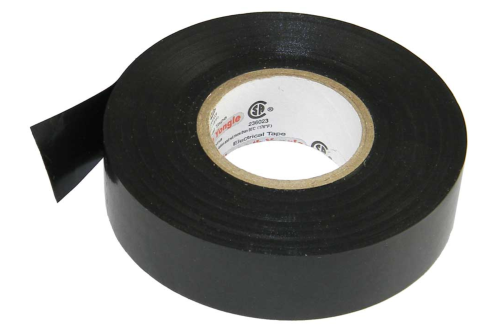 Tape it over  |
|
|
Sep 20 2022, 06:38 PM
|
|
Senior Member
1,298 posts Joined: May 2005 From: HamuHamu Chan DeKukuMalu
|
QUOTE(QuantumEdge @ Sep 20 2022, 05:02 PM) Tape it over |
|
|
|
|
|
Sep 21 2022, 05:47 AM
Show posts by this member only | IPv6 | Post
#67
|
|
Senior Member
1,873 posts Joined: Nov 2010
|
QUOTE(netken @ Sep 20 2022, 03:47 PM) Somehow it is connected on as mesh - i already set as router mode and also disable WPS. As saw in Page 2 of the pdf, don't select repeater mode(mean stay as "Router (AP)"), then disable DHCP + connect both router via LAN port, which also act like a switch instead of router. just OCD that is it is still blinking - any idea where to disable Mesh at the admin page? but should be safe since i disable all SSID WIFI by Kaon only use it as a connecting router and LAN to another Asus router (WIFI from there).  This post has been edited by BenYeeHua: Sep 21 2022, 05:47 AM |
|
|
Sep 21 2022, 08:03 AM
|
|
Senior Member
1,298 posts Joined: May 2005 From: HamuHamu Chan DeKukuMalu
|
QUOTE(BenYeeHua @ Sep 21 2022, 05:47 AM) As saw in Page 2 of the pdf, don't select repeater mode(mean stay as "Router (AP)"), then disable DHCP + connect both router via LAN port, which also act like a switch instead of router. ahhhh okay ... went back last night and confirmed i selected Router (AP) ... but maintain DHCP on and connect another ASUS router via LAN (running the WIFI SSID) ... perhaps this is the cause .... |
|
|
Sep 21 2022, 01:06 PM
|
|
Probation
9 posts Joined: Nov 2021
|
QUOTE(PRSXFENG @ Sep 20 2021, 09:36 PM) This is just my guess but all those options could be hidden behind an admin/root account that we don't know have anyone tried for this newer version?on the old TP-Link Archer c5v, there were 3 levels user/user - basic, not much, can change wifi name and setup internet and that's about it administrator/[serial number] - most know this, unlocks most but not all settings MaxSysAdm/Ng88Mxs@2019! - the "ultimate" root account, has every setting possible on the router afaik. The problem is getting said credentials for that top tier account for the new Kaon router |
|
|
Sep 21 2022, 01:21 PM
Show posts by this member only | IPv6 | Post
#70
|
|
Senior Member
1,873 posts Joined: Nov 2010
|
QUOTE(netken @ Sep 21 2022, 08:03 AM) ahhhh okay ... went back last night and confirmed i selected Router (AP) ... but maintain DHCP on and connect another ASUS router via LAN (running the WIFI SSID) ... perhaps this is the cause .... Then maybe try select as repeater mode?  As it can be bug only happen when you using router mode as repeater, but it should not be the case la, can be crappy firmware lol.  |
|
|
Sep 21 2022, 01:22 PM
Show posts by this member only | IPv6 | Post
#71
|
|
Senior Member
2,615 posts Joined: Nov 2020
|
QUOTE(thpace1 @ Sep 21 2022, 01:06 PM) have anyone tried for this newer version? it has been changed, the ultimate credentials for the Kaon router areMaxARSysOpr !!bestHOME!!XXXX XXXX is last 4 of serial This post has been edited by PRSXFENG: Sep 21 2022, 01:23 PM |
|
|
Sep 21 2022, 02:53 PM
|
|
Senior Member
1,298 posts Joined: May 2005 From: HamuHamu Chan DeKukuMalu
|
QUOTE(BenYeeHua @ Sep 21 2022, 01:21 PM) Then maybe try select as repeater mode? if i set as repeater mode - can it still control the WAN dialup with PPPOE? As it can be bug only happen when you using router mode as repeater, but it should not be the case la, can be crappy firmware lol. |
|
|
Sep 21 2022, 02:53 PM
|
|
Senior Member
1,298 posts Joined: May 2005 From: HamuHamu Chan DeKukuMalu
|
QUOTE(PRSXFENG @ Sep 21 2022, 01:22 PM) it has been changed, the ultimate credentials for the Kaon router are yes thanks to this - i using admin interface.MaxARSysOpr !!bestHOME!!XXXX XXXX is last 4 of serial |
|
|
|
|
|
Sep 22 2022, 01:31 AM
|
|
Probation
9 posts Joined: Nov 2021
|
QUOTE(PRSXFENG @ Sep 21 2022, 01:22 PM) it has been changed, the ultimate credentials for the Kaon router are wow. Thank you very muchMaxARSysOpr !!bestHOME!!XXXX XXXX is last 4 of serial very diff feature available |
|
|
Sep 22 2022, 11:40 PM
Show posts by this member only | IPv6 | Post
#75
|
|
Senior Member
1,873 posts Joined: Nov 2010
|
QUOTE(netken @ Sep 21 2022, 02:53 PM) if i set as repeater mode - can it still control the WAN dialup with PPPOE? It is main router with WiFi disabled?Then no.  |
|
|
Sep 27 2022, 12:51 AM
Show posts by this member only | IPv6 | Post
#76
|
|
Newbie
4 posts Joined: Nov 2008
|
All the sifus here, just installed maxis fibre and got the AR2140 router, but I cannot find the DMZ function to put one my servers there, even using the root admin trick someone mentioned above also doesn't reveal that function, is it totally not available on this router? What would be my best option if I need the DMZ function? If the answer involves getting a new router, then would I still be able to use the 3 units of AR2140 (signed up for the 800mbps service) as mesh units for extra signal coverage?
|
|
|
Sep 27 2022, 01:41 PM
Show posts by this member only | IPv6 | Post
#77
|
|
Senior Member
2,615 posts Joined: Nov 2020
|
QUOTE(he1008 @ Sep 27 2022, 12:51 AM) All the sifus here, just installed maxis fibre and got the AR2140 router, but I cannot find the DMZ function to put one my servers there, even using the root admin trick someone mentioned above also doesn't reveal that function, is it totally not available on this router? What would be my best option if I need the DMZ function? If the answer involves getting a new router, then would I still be able to use the 3 units of AR2140 (signed up for the 800mbps service) as mesh units for extra signal coverage? Not sure on the DMZ fucntion as I dont have the routerfor the other units as mesh, you MUST get a router that supports Wifi Alliance EasyMesh So far the only ones I've seen on the market are Maxis provided routers + some D-Link COVR models |
|
|
Oct 3 2022, 11:48 PM
Show posts by this member only | IPv6 | Post
#78
|
|
Newbie
10 posts Joined: Feb 2012
|
QUOTE(PRSXFENG @ Sep 21 2022, 01:22 PM) it has been changed, the ultimate credentials for the Kaon router are Oh yeah, found what i needed after my router get replaced today! MaxARSysOpr !!bestHOME!!XXXX XXXX is last 4 of serial  Any one tried the mesh feature? Is it stable for 2 storey house? Any recommendation for mesh wifi to pair with? |
|
|
Nov 2 2022, 05:04 PM
|
|
Probation
1 posts Joined: Nov 2022
|
Came across this when I upgraded maxis plan from 100mbps to 300mbps, but seems like LAN port is limiting my speed, so want to get root account.
Came to surprise it's on Astro's website. Username: administrator Password: Router S/N (Available on the sticker at the back of the router) But anyhow still need solutions to bypass LAN port speed limit. Anyone knows how do let me know. |
|
|
Nov 2 2022, 06:19 PM
|
|
Senior Member
2,615 posts Joined: Nov 2020
|
QUOTE(ND2909 @ Nov 2 2022, 05:04 PM) Came across this when I upgraded maxis plan from 100mbps to 300mbps, but seems like LAN port is limiting my speed, so want to get root account. the true root account is above, MaxARSysOpr and !!bestHOME!!XXXX (SN)Came to surprise it's on Astro's website. Username: administrator Password: Router S/N (Available on the sticker at the back of the router) But anyhow still need solutions to bypass LAN port speed limit. Anyone knows how do let me know. as for lan speed problem, have you tried other lan cables? make sure its cat5e or cat6 if its only cat5 it will only go up to 100mbps |
| Change to: |  0.0149sec 0.0149sec
 1.08 1.08
 6 queries 6 queries
 GZIP Disabled GZIP Disabled
Time is now: 23rd December 2025 - 04:27 AM |
 Quote
Quote