QUOTE(choo907 @ Feb 15 2025, 01:25 PM)
Bro I need this badly. Can you tell the steps in detail please
TIME router side:
1. Login to the router using admin username and pwd
Username: telecomadmin
Password: TIMExxxx (xxxx is last 4 digit of main router's MAC address in capital letter)
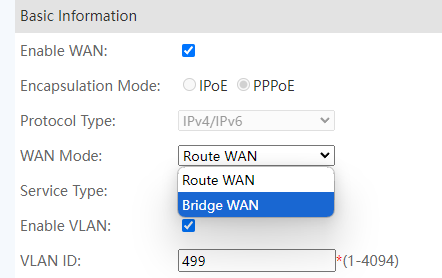
2. Under WAN, click Internet VLAN
3. WAN Mode change from Router WAN to Bridge WAN
4. Binding Options tick the box LAN 1 (most important step)
5. Save the settings
One more thing, remember to turn off 2 in 1's WiFi once you are done modifying the mode, it can be done by pressing the WLAN button beside the router
KAON router side:
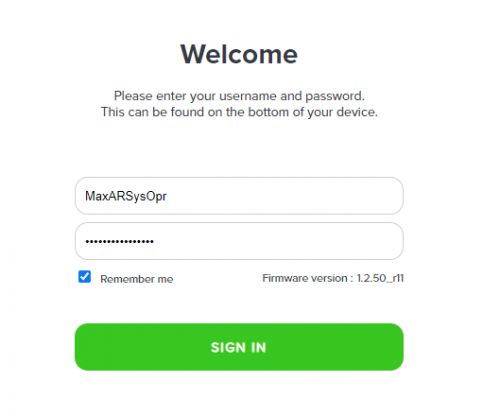
1. Login to the router using admin username and pwd
username: MaxARSysOpr
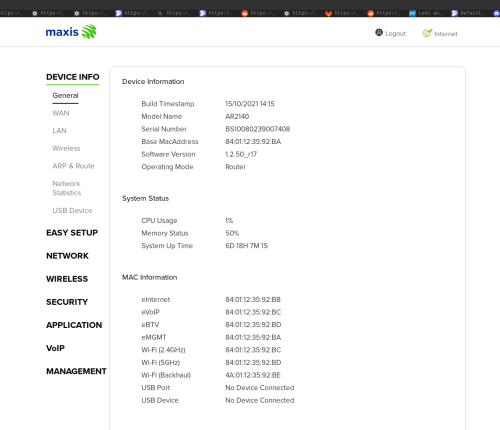
pwd: !!bestHOME!!xxxx (serial number last 4 digits)
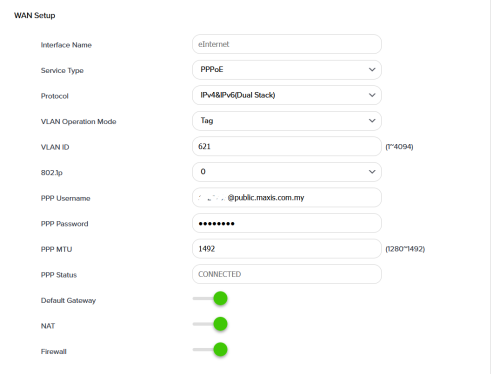
2. Network>WAN Setup>choose any of your preferred eMGMT profile>press the gear icon
3. PPP username put in your time pppoe username, PPP password your pppoe password
4.VLAN ID set to 0
5. Save the settings
Connect your TIME 2 in 1's LAN 1 to Kaon's WAN
Should be working fine
I dont have the devices with me at the moment, these are all the steps I remember...
If it doesnt work, try changing the VLAN settings in KAON (set it to 499)


 Dec 29 2021, 10:36 PM



 Quote
Quote


 0.0263sec
 0.86
0.86
 7 queries
 GZIP Disabled