QUOTE(Rudd @ Jun 5 2021, 02:56 PM)
Yeah. It worked.
But, once in awhile there will be error message popup when using Netflix, "Device failure occurred. Please try again. (500-116)."
Apps then restarted, playback turn SD.
QUOTE(mitodna @ Feb 1 2021, 12:23 PM)
Step 1. Make sure the Auto-sync data is turned on
Go to Settings and scroll down to Accounts and sync >> Auto-sync data.
Step 2. Still in Settings, navigate to password & security>> fingerprint>> fingerprint payment>> download the latest Widevine L1 certificate.
Step 3. Reboot your device and check the Widevine security level, it should upgrade to L1.
QUOTE(aduhai @ Feb 1 2021, 02:50 PM)
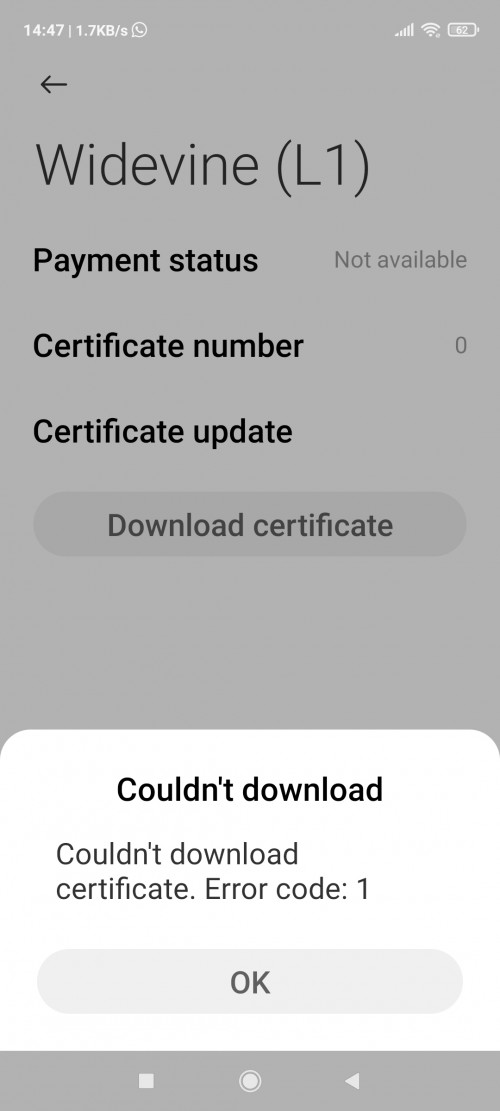
After trying download several times, sussed, and my Wife one now L1 thanks.
Seems MIUI

has this Widevine downgrade issue quite common, happened before in Redmi Note 9s
Try few times, hope you can get back L1
I don't have L3 downgrade on F3 12.5.1 RKHMIXM so far, I guess it might happened, don't know what reason,


 Jun 4 2021, 07:59 AM


 Quote
Quote










 0.0255sec
 0.72
0.72
 6 queries
 GZIP Disabled