Welcome Guest ( Log In | Register )

4 Pages < 1 2 3 4 >Bottom

Outline · [ Standard ] · Linear+

 HP Pavilion Tablet PC TX series, Discussion TX 1000, TX 2000 TX 2500

views
     
obm_nlh
post Jan 3 2009, 04:41 PM

Casual
***
Junior Member
473 posts

Joined: Jun 2007


QUOTE(yiks01 @ Jan 3 2009, 04:19 PM)
ya i know.. I just had to run thru the process to make sure it's hardware and not software.  Which is hardware in this case. As such HP have fixed my notebook with a faulty mobo. What a service center HP has.

Ok am on CS1.6 now. High Performance let it run.

Cleared the area. Hope I don't burn down the house.  rclxm9.gif
*
How many months or days left for your warranty? heheheheehe
obm_nlh
post Jan 3 2009, 06:01 PM

Casual
***
Junior Member
473 posts

Joined: Jun 2007


QUOTE(yiks01 @ Jan 3 2009, 05:03 PM)
2 more years laugh.gif
can u imagine I playing CS for two years...hahaha

am running CS in a window so I can watch the temp.
CS at 800x600 window push the GPU temp to about 100C only
CS at 1024x768 window push the GPU to just below 110C

so am amazed how some web pages can push the GPU over 110C think I hit 120C b4 web pages only...what????!!!!
*
Just imagine that you have a source of heat that can be use to boil water underneath the keyboard is really something. Hey, who took my Nescafe..

obm_nlh
post Jan 3 2009, 06:56 PM

Casual
***
Junior Member
473 posts

Joined: Jun 2007


QUOTE(yiks01 @ Jan 3 2009, 06:30 PM)
maybe I'm using nvidia latest drivers 15.24 so temp dont overshoot. ...who knows.
*
I wish that I can help you there .. but mine is an ATI one.. no more Nvidia..
obm_nlh
post Jan 3 2009, 08:45 PM

Casual
***
Junior Member
473 posts

Joined: Jun 2007


QUOTE(yiks01 @ Jan 3 2009, 07:29 PM)
Anyhow will have to send notebook back in for missing wifi.
*
Like me, we rely heavily on wi-fi, for networking and internet access. If kaput, big problem.. Hopefully, HP will not take long to repair the baby..


obm_nlh
post Jan 5 2009, 12:27 PM

Casual
***
Junior Member
473 posts

Joined: Jun 2007


QUOTE(Deani_77 @ Jan 3 2009, 11:39 PM)
l think if the tempature still within allowed tempature range, it is OK dough...
*
True but I tend to operate the baby on the lower side of the permissible range. Talking about the cooler, anybody has the temperature statistics - with and without cooler?

This post has been edited by obm_nlh: Jan 5 2009, 01:26 PM
obm_nlh
post Jan 5 2009, 06:35 PM

Casual
***
Junior Member
473 posts

Joined: Jun 2007


QUOTE(yiks01 @ Jan 5 2009, 04:55 PM)
I'm just curious why he just tell me he update driver everything ok.

Anyhow am glad that they fixed it there and then.  Hopefully it remains fixed this time.  no doubt I'll have to add additional fans for better cooling to make it last.
*
15 minutes or so for a motherboard change? At least, you manage to get it back on the same day.. not, eh.. come back next week.. heheheehe..
obm_nlh
post Jan 6 2009, 12:25 PM

Casual
***
Junior Member
473 posts

Joined: Jun 2007


QUOTE(demio121 @ Jan 6 2009, 07:17 AM)
can sum1 pls help the menu path in vista to check the mic volume?  I am oversea now and my own laptop is running XP.  its hard for me to imagine the Vista menu path to check the mic volume.
Q1: Is your built-in mic working?
Q2: Is your jack-in mic working?
Q3: Which version of SkyPe you are using?

For SkyPe, I think it works for most versions:

1. From menu option, select Tools->Options->Audio Settings
2. Uncheck automatic adjust microphone settings option
3. Slide the microphone sensitivity bar to your comfort level
4. Advisable if you use headset with microphone option for this


obm_nlh
post Jan 7 2009, 02:00 PM

Casual
***
Junior Member
473 posts

Joined: Jun 2007


QUOTE(demio121 @ Jan 7 2009, 01:25 PM)
i think that extended is important.  when u buy anything, u are not sure of the quality.  the extended warraty will be able to take care of any surprise later.

this HP service level is pretty bad la... i buy that extended warranty.  I was told i will get a letter from HP to confirm.  I got nothing.  I go to HP MY website to put in a complaint but nothing happen.  I gotta go to HP Golbal website, write a nasty complaint and sum1 fr India call to confirm my extended warranty.

sori to say this la but wif the service center opening hour, the extended serivce confirmation, my TX prob... its safe to say my TX will be my first and only HP product.
*
To me, extended or not - depends on you? Is the extended warranty transferrable if you decided to sell the unit while it is still under coverage?

For me, when I buy or invest on an equipment, I will set the duration for its useful life span. Mind you, nothing will go on forever. Once it has passed its "useful" or "estimated" lifespan, I don't feel much if it started to breakdown or not. Nevertheless, I'll still maintain it for longevity. My main concern is the data.. backup as much as possible externally.

If you use and maintain it diligently, 12 months warranty should suffice unless you got one from the "bad" batch.. That's our bad luck..


obm_nlh
post Jan 8 2009, 12:19 AM

Casual
***
Junior Member
473 posts

Joined: Jun 2007


QUOTE(Travies @ Jan 7 2009, 11:11 PM)
i juz sent my tx to hp service center at bukit damansara. need around next tuesday only can get back. sad...
*
Yep, you gonna missed the baby. Hopefully, the problem will go away.. sometimes another will resurface as they rectified the old one.. hahahahaha!

obm_nlh
post Jan 15 2009, 05:59 PM

Casual
***
Junior Member
473 posts

Joined: Jun 2007


QUOTE(Deani_77 @ Jan 14 2009, 07:40 PM)
Anybody ever user docking station for your lappy...

I saw this and this at HP site. Look nice and planning to get it someday.

Anybody ever user or try this docking station can share their experience...  thumbup.gif
*
Just like my query before also.. Maybe nobody used the docking station at all.. rclxms.gif
obm_nlh
post Jan 15 2009, 09:01 PM

Casual
***
Junior Member
473 posts

Joined: Jun 2007


QUOTE(Enigmare @ Jan 15 2009, 07:45 PM)
I doubt anybody uses a docking station for a TX, it's just too small... laugh.gif
*
Actually, the usage docking unit is VERY good as it will avoid wear and tear of our existing ports. Right now, I normally use external keyboard and mouse. I can offer to thump the external keyboard better than the baby's fragile one.

It does not take that long to reset the external peripherals once you get back home using docking option. I usually hate to coil and uncoil the power adapter everytime I changed my venue.. Too much cumbersome to me.


obm_nlh
post Jan 16 2009, 07:15 AM

Casual
***
Junior Member
473 posts

Joined: Jun 2007


QUOTE(Deani_77 @ Jan 15 2009, 10:43 PM)
That was my intention to get the docking station. i can just leave my mouse and power adapter at the office or in the back. While at home I can just plug-in my lappy to docking station and everything was there plus additional USB port could come in handy. The only thing that worried me was, if I'm usinh docking station. I cannot use laptop cooler anymore since my lappy will be put on the docking station.
*
I think you can still use the port replicator type especially if you have space on your table. The elevated one may be difficult unless you can somehow get the cooler sticked to your laptop while in that position.


obm_nlh
post Jan 17 2009, 12:59 PM

Casual
***
Junior Member
473 posts

Joined: Jun 2007


QUOTE(Deani_77 @ Jan 16 2009, 06:00 PM)
I think HP already stop producing this model due to introduction of TX2 model. Not much shop still have stock at their shop. You are lucky if could find one.

Like myself in Bintulu, after I bought this lappy. One of my friend also search the same model as mine. But unlucky it already out of stock.

May be you can try ask bro from KL and JB about availability of this lappy.
*
Yes, that's what happened to me too when trying to upgrading from TX1000 to TX2000. Virtually, most of the shops only carry enough stock for its short term sales. As HP is known to ditch the older models once the new version is released, the resellers are behaving accordingly as expected.


obm_nlh
post Jan 18 2009, 08:47 PM

Casual
***
Junior Member
473 posts

Joined: Jun 2007


QUOTE(Travies @ Jan 18 2009, 08:36 PM)
okay, i got back my TX from HP center few days ago, they helped to change my motherboard, thus my wireless issue solved. now so far so good. when i got back from them, they gave me 3 packets of ang pow and 2009 calender as freebies. i pay Rm 0 as i bought extended carepack for my lappy last year.. hehe
*
Which power plan are you using now?


obm_nlh
post Jan 21 2009, 08:28 AM

Casual
***
Junior Member
473 posts

Joined: Jun 2007


QUOTE(new in IT @ Jan 18 2009, 10:42 PM)
I heard HP service center sucks when my friend said that he keep sending his tablet to 'operation' after the first time 'operation'.

Now his Wifi got problem, last time is the burner problem...

Is HP service center sucks?
*
He's having problem with which model?


obm_nlh
post Jan 21 2009, 08:49 PM

Casual
***
Junior Member
473 posts

Joined: Jun 2007


QUOTE(ChillyPepper @ Jan 21 2009, 08:06 PM)
Does the disappearance of the Wireless Adapter usually lead to the ultimate kaboom of the motherboard?

My friend's TX1000's wireless adapter disappeared, tried reinstalling the drivers and all but nothing seem to be working. Checked HP Centre Forum, seems that it usually leads to motherboard kabooming. Does anyone know how much they charge for the motherboard?

Any temporary solutions to the disappearing wireless adapter? CNY coming soon.
*
If you read the previous forum discussions, problem of overheating tend to lead to potential motherboard failure. This is further compounded by the so-called potentially faulty video chipset (Nvidia).

If you have the so-called potentially problematic motherboard, please do take care on how fast you "drive" your TX. I do recommend you to use "HP Recommended" profile as it's a combination of both speed and battery saving settings.


obm_nlh
post Jan 22 2009, 01:43 PM

Casual
***
Junior Member
473 posts

Joined: Jun 2007


To my surprise, HP has launched or annouced the availability of TX2-1000 series for the Middle East market. There are 3 models are available (prices not sure yet). Timing end of January 2009 or by early February if adequate stocks will arrive.

Mode CPU RAM HDD Video
----------- ------- ----- ------- ---------
TX2-1035 RM-74 2GB 250GB 958MB
TX2-1055 ZM-82 2GB 250GB 958MB
TX2-1075 ZM-82 3GB 320GB 1470MB

At last, I would say as this development will dictate some movement for Oz market and eventually Malaysia. Sorry guys, maybe they are still sleeping in Oz - so, don't expect any time sooner for Malaysian market, I think.

Out of curiousity, I have checked the internal specifications. About the same as before BUT heck, they are only supporting maximum 4GB-DDR2 memory onboard. In USA, they have two models, TX2 and TX2z. TX2z is capable of supporting maximum 8GB-DDR2 onboard.

Ok, better go to sleep now while waiting for the 8GB model to be released ... zzzzzzzzzz

---

UPDATES:

From the website, the cost is say to start from RM5,400. I rest my peace rclxub.gif


Added on January 29, 2009, 6:14 amSorry, just play with one TX2 just now at Dubai International Airport. Heck, still the old X2 processor.. Too slow but looks slick. Price AED3,999.. So, I bet you that it will be around this mark if it reaches Malaysia. Need more time to save now..


This post has been edited by obm_nlh: Jan 29 2009, 06:14 AM

obm_nlh
post Jan 30 2009, 01:06 PM

Casual
***
Junior Member
473 posts

Joined: Jun 2007


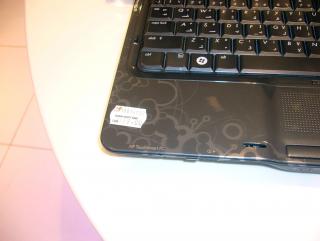
My first rendevouz with the baby at Dubai Duty Free ...

Attached Image

Engine underneath the hood ...

Attached Image

How much you are going to be poorer ...

» Click to show Spoiler - click again to hide... «


This post has been edited by obm_nlh: Jan 31 2009, 07:02 AM
obm_nlh
post Feb 1 2009, 11:33 AM

Casual
***
Junior Member
473 posts

Joined: Jun 2007


QUOTE(hhoong @ Jan 31 2009, 09:47 PM)
well obm_nlh, 4gb or 8gb ram make not much different since we still running on 32 bit windows right ?
i dont really know when will we be running 64 bit windows ... i dont think will be that soon also >.<

i guess tx2 or tx2z make not much different ... for me la ...

bad to know have to wait some more ... T_T
*
Actually, it does make a difference. Just imagine that just around the corner, you want to run 64bit, a 4GB is a bad choice compared to a 8GB one. Since money does not grow on trees (or does it?), getting the appropriate laptop which can last you longer in terms of time usage is very helpful or convenience.

Like me, if a 8GB motherboard is just a slight difference in terms of price, it's worth the wait. From my TX1000 experience, change from a unit with 2GB to 4GB motherboard still being sold with the same price tag. Just need to wait slightly (<3 months).

Don't worry, 64bit OS mast usage will come soon. The response from TX2's screen is a lot better than TX2000 series. Just need to know the extend of power usage from the new screen compared to the old one. Well, now need to wait longer.. zzzzZZZZZ...


obm_nlh
post Feb 2 2009, 10:17 PM

Casual
***
Junior Member
473 posts

Joined: Jun 2007


QUOTE(laytiong @ Feb 2 2009, 09:52 PM)
i would say 50% failure rate is unacceptable and coupled with incompetent techs servicing my PC its a receipe for me not every buying HP again.
*
I agree with you - the serviceman is very vital for PR and recurring business for HP. A pity that some do not have the experience or flare to be one. They should treat the serviced unit as if it's theirs. With tender loving care, they should fixup the faulty unit.


4 Pages < 1 2 3 4 >Top
 

Change to:
| Lo-Fi Version
0.0305sec    0.15    7 queries    GZIP Disabled
Time is now: 7th December 2025 - 06:48 AM