QUOTE(Zot @ Feb 21 2020, 08:22 AM)
Yes, I'd just do that 20MHz for 2.4GHz band.
Less than 100Mbps is low. Something is not right. I think you have fixed the bandwidth to 80Mhz, right? I get around 470Mbps on my 500Mbps service with both laptop and my phone. I forget what my setting was anyway.
Since wireless is half-duplex, I guess that is why the cs said you should get above 50%, generally around 60% I believe due to protocol overhead, etc.
20MHz for 2.4GHz is narrow band you can only reach max about 50-75Mbps on speedtest if you choose this setting.
Increase it to 40MHz you'll probably get max 125Mbps if you have a supported wifi client/device that supports it. Most newer equipment nowadays already support this unless you have very old outdated stuff at home that'll need Wi-Fi connectivity.
Then there's 2x2 MIMO on top of the 40MHz 2.4GHz Wifi which claims to oduble the speed with 2 parallel antennas.
Do remember that even though your router/AP supports newer technologies such as 2.4GHz wide band Wifi and MIMO 2x2, you need a client that matches it as well.
For 300Mbps plans above, it's recommended that you use 5GHz WiFi instead to gain the extra bandwidth and take advantage of the speed.
For 100Mbps plans below, 40MHz 2.4GHz will be good enough for most people.
My stock router at home is capable of AC1200, it makes sense to get a AC1200 rated wifi adapter or a matching capable device to take advantage of the speed which is 1.2Gbps via wireless.
Do note that speeds are theoretical speeds, give or take 20% overhead with published speeds on the tech sheet, that's what'll get in real time conditions.


 Feb 20 2020, 09:24 PM


 . If you want to buy an ASUS router (just incase you don't care about budget at all), I can suggest a few models for you ranging from AC86U (Wi-Fi 5 router) or if you want to futureproof your home-network, give AX56U a try. It is an entry level Wi-Fi 6 router.
 Quote
Quote


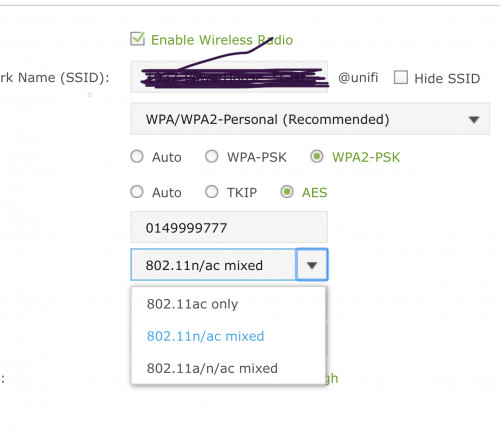


 . If you have many devices on WiFi, each one have to wait for their turn


 0.0244sec
 0.48
0.48
 5 queries
 GZIP Disabled