Welcome Guest ( Log In | Register )

Outline · [ Standard ] · Linear+

 Just upgraded to 300mbps unifi, Need sifus advise on best router to get

views
     
Jjuggler
post Feb 19 2020, 03:04 PM

Narcissistic Genius
******
Senior Member
1,341 posts

Joined: Dec 2016
QUOTE(Grayson @ Feb 19 2020, 12:36 PM)
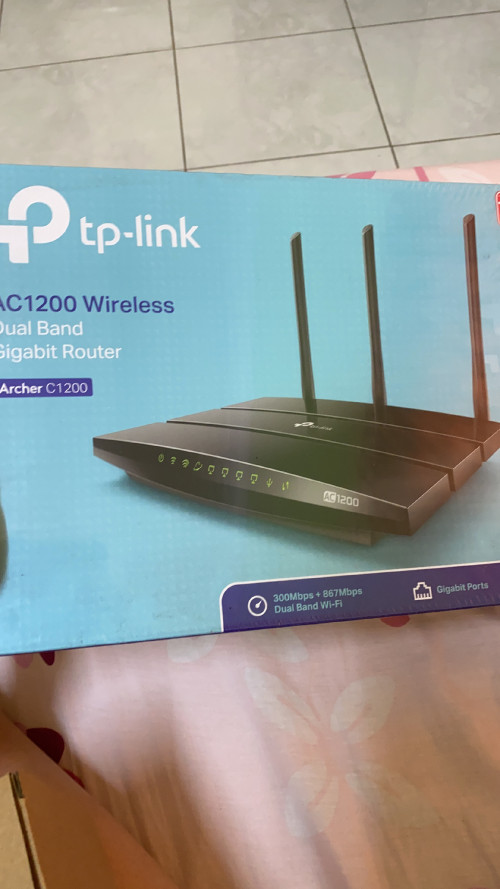
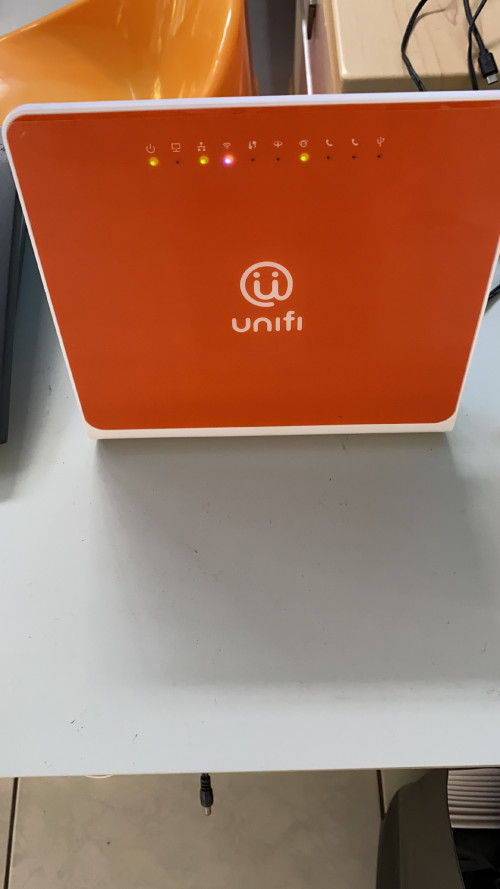
Hi dear sifus, so I just upgraded to 300mbps, any recommendation for which router to get in the market besides this 2 for best gaming experience with minimum lag or dc..

Currently I’m using this 2 router which is given to me by Abang tm, one is when I’m using 100mbps, another is when I upgraded to 300mpbs.
Thanks sifus!
user posted image
user posted image
*
The archer c1200 certainly better than the Netis but not good enough, yet. If you're committed to use a router for long term, pick ASUS. Their routers may be pricey locally, but it is worth because you can always get firmware upgrades (if you don't familiar with firmware word, firmware = software in general term for non-tech enthusiasts). If you're following the trend, lets say migrating from Wi-Fi 5 (AC) routers to Wi-Fi 6 (AX) routers then after four years switch to Wi-Fi 7 (BE) routers, then pick TP-LINK. They're famous for giving a good farewell to their premium models after two years of launch. Some even lasted until a year. Example, C3150v1 & v2. TP-LINK focusing more on their new ax line-up models, comparing to ASUS, their AC routers still getting firmware upgrades. Well, you get for what you paid for.
Jjuggler
post Feb 19 2020, 08:58 PM

Narcissistic Genius
******
Senior Member
1,341 posts

Joined: Dec 2016
QUOTE(Grayson @ Feb 19 2020, 07:20 PM)
Sorry but what you meant by following the trend? As in changing routers or firmware?  hmm.gif
*
Routers. Routers is a type of investment to secure your home from cybercriminals. Cheaper brands do offer a router with good hardware, but limited support (usually range in between 1 to 2 year). Most of the forumers here ditch out those two brands and invest more in buying ASUS router. Means, for the next 7 to 8 years, you will receive updates every month, sometime four intervals in the year.
Jjuggler
post Feb 20 2020, 06:31 AM

Narcissistic Genius
******
Senior Member
1,341 posts

Joined: Dec 2016
QUOTE(Grayson @ Feb 19 2020, 11:02 PM)
I see.. how do we update it? Through ip adress? Thanks sifu
*
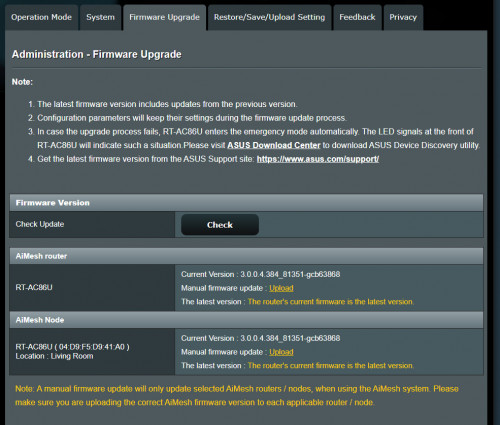
Brother junclj has shown the method. You don't really have to go to ASUS's official site to check if any latest firmware is issued to your router as you can do this by logging in to your router to check it. But, you have to be diligent to always check if there is any firmware issued twice in a month. biggrin.gif

» Click to show Spoiler - click again to hide... «


Jjuggler
post Feb 20 2020, 07:58 PM

Narcissistic Genius
******
Senior Member
1,341 posts

Joined: Dec 2016
QUOTE(Grayson @ Feb 20 2020, 10:33 AM)
Cool!  biggrin.gif thanks for the info bro.. do you know how to change the mhz for tp-link router?
*
Brother 1mr3tard3d has showed you dae way.. tongue.gif . If you want to buy an ASUS router (just incase you don't care about budget at all), I can suggest a few models for you ranging from AC86U (Wi-Fi 5 router) or if you want to futureproof your home-network, give AX56U a try. It is an entry level Wi-Fi 6 router.
Jjuggler
post Feb 20 2020, 09:46 PM

Narcissistic Genius
******
Senior Member
1,341 posts

Joined: Dec 2016
QUOTE(Grayson @ Feb 20 2020, 09:24 PM)
All right brother, will take note on these few model for research.
*
Always read on the reviews before buying. It is for your own satisfaction so that, you know, you've invested on a right gear.
Jjuggler
post Feb 20 2020, 11:05 PM

Narcissistic Genius
******
Senior Member
1,341 posts

Joined: Dec 2016
QUOTE(Grayson @ Feb 20 2020, 11:00 PM)
Right on! I’ve always been like that.. want all my money well spent wink.gif
*
ASUS is the only 'premium' consumer networking gear, that worth to spent money on.
Jjuggler
post Feb 21 2020, 08:11 AM

Narcissistic Genius
******
Senior Member
1,341 posts

Joined: Dec 2016
QUOTE(Grayson @ Feb 20 2020, 11:13 PM)
Just bought desktop with rog mobo and gpu biggrin.gif
*
Nice. Hope you enjoy your pick.

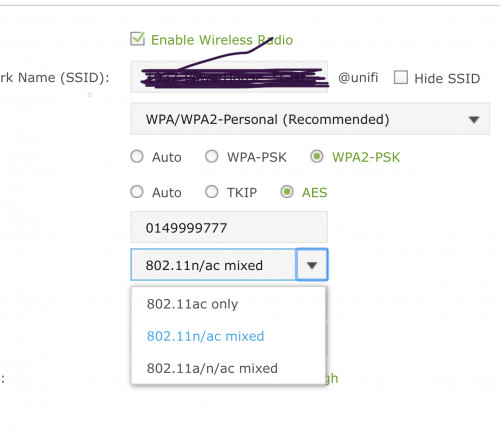
QUOTE(Grayson @ Feb 20 2020, 11:21 PM)
Am I correct? Wifi mode as in this;

user posted image

And channel static as in this;

user posted image

Correct? Thanks..
*
Yes. You are correct. Try to use the channel in between 36, 40, 44, and 48, but bear in the mind, these channels often congested ya. If your router supports DFS and TPC, then you can use these channels 52, 56, 60, and 64, indeed.
Jjuggler
post Feb 21 2020, 10:44 AM

Narcissistic Genius
******
Senior Member
1,341 posts

Joined: Dec 2016
QUOTE(Grayson @ Feb 21 2020, 10:26 AM)
Sorry for asking, why use 36, 40, 44 and 48? Why not use others and what’s the difference between these channels? And I’m using tplink right now how do I know if it’s support dfs nd tpc? Thank you for your time. notworthy.gif
*
Because channel 36 to 48 is the recommended channels for 5GHz. If you hover over the channel drop down menu, you can see the available channels there. If you can't see channels in between 52 up until 140, then your router don't support DFS channel. To make you understand a bit further, the DFS channel often regarded as the WLANs utilizes 5GHz frequencies that made available only for radars. The 5GHz frequencies often operates in between 5250 – 5330 MHz and 5490 – 5710 MHz.

This post has been edited by Jjuggler: Feb 21 2020, 10:45 AM


Change to:
| Lo-Fi Version
0.0184sec    0.69    6 queries    GZIP Disabled
Time is now: 2nd December 2025 - 08:55 AM