Welcome Guest ( Log In | Register )

Outline · [ Standard ] · Linear+

Virus/Malware Virus /Rootkits Thread, Work In Progress

views
     
TSAsenDURE
post Jun 18 2007, 04:11 PM, updated 19y ago

je suis desole. je n'y crois pas a ces conneries!!
Group Icon
VIP
2,496 posts

Joined: Jan 2003
From: LowYatDotNet Status:Agast
Virus Removal Steps

Keep the infection local.
Disconnect from the network/internet. I mean physically pull out your RJ45/RJ11 plug. This stops the virus from progating throughout your network or over the internet (worms/viruses), stop your data from leaving (calling home) your compromized system (trojans) through backdoors and stops your machine from participating in a zombie mob DOS attack.

Perform a Virus Scan.
This is the first attempt to determine if your system is truly infected. Do a deep scan of every single file and folder on the system. This may take several hours but it is necessary. Make sure your virus definition(Database) is updated. Many of them can update the database locally via a update file you can grab off the offical website.

Grab the prescribed removal tool. Once you've identified the virus infecting your system. you can now better deal with the particular infection by administering the proper "vaccine". You can go to any of the known antivirus companies website and grab a removal tool. This tool will delete any of the known virus-infected files and registry entry made by the virus. Take not of the virus "version" and download the corresponding tool. It will require you to do a scan and then reboot into safe mode and perform the scan again.

Removal Tools:
• AVG
http://free.grisoft.com/doc/8/lng/us/tpl/v5
• Kaspersky
http://www.kaspersky.com/removaltools
• Norton
http://www.symantec.com/enterprise/securit...emovaltools.jsp
• McAfee
http://us.mcafee.com/virusInfo/default.asp?id=vrt
• Panda
http://www.pandasoftware.com/download/utilities/

I also suggest downloading McAfee's Stinger and PC-Cilin's Virus Cleanup template (and their respective virus definition files) which are standalone/install-less virus removal engine.
• McAfee Stinger
http://vil.nai.com/vil/stinger/
• PC-Cilin VCT
http://www.trendmicro.com/download/dcs.asp

Additionally, you can scan your PC online with
• PC-Cilin Trendmicro's Housecall
http://housecall.trendmicro.com/
• Panda Antivirus Active Scan
http://www.pandasoftware.com/products/ActiveScan.htm
• Kaspersky Online Scanner
http://www.kaspersky.com/virusscanner
• McAfee File Scan
http://us.mcafee.com/root/mfs/default.asp
• Norton Fee Online Virus Scanner
http://kb.wisc.edu/helpdesk/page.php?id=2389

It is very important that you place any media you're using to trasfer the Removal tool, virus database update file or when performing a scan to read-only-mode until you are certain that your system is no longer infected. If you're media does not have read-only option then don't use it. If you have no choice, once it is put in the system, assume that it is also infected and treat it accordingly. These devices can be put into read-only mode by the sliding button on your device. Read your manual. Any portable media not on read-only mode are susceptible to being infected by the virus.

Check for unusual applications and processes.
A virus is just like a regular application and need to be running in order to work. It should also have a way to start itself up again when the system is rebooted (taking advantage of many of the ways programs automatically start-up in Windows). There are typically five ways that programs start-up automatically in windows and we need to look at these five ways to look for the virus.

1. The most rudimery is the Startup folder. Any application or shortcut that is located in the Startup folder will automatically start-up each time the system is booted into Windows. There are several of these folders located throughout the system notebly each user’s profile

• C:\Documents and Settings\<username>\Start Menu\Programs\Starup
(this includes Default and All Users profiles as well)
• C:\Documents and Settings\Default User\Start Menu\Programs\Startup and;
• C:\Documents and Settings\All Users\Start Menu\Programs\Startup

and Windows system files such as;

• c:\autoexec.bat
• c:\config.sys
• Windows\win.ini, wininit.ini, system.ini
• Windows\system\autoexec.nt, config.nt

more reading: http://www.aumha.org/a/loads.php

2. The most typically is from the Registry. Several locations in the registry that controls auto-startup of applications are contained. The HKEY_USERS and HKEY_CURRENT_USER run when the user logs in while settings under HKEY_LOCAL_MACHINE run when the system starts up. Some of the registry keys that you need to look it include:

Local User
HKEY_USERS\<User UID>\Software\Microsoft\Windows\CurrentVersion\Run
HKEY_CURRENT_USER\Software\Microsoft\Windows\CurrentVersion\RunServicesOnce
HKEY_CURRENT_USER\Software\Microsoft\Windows\CurrentVersion\RunServices
HKEY_CURRENT_USER\Software\Microsoft\Windows\CurrentVersion\Run
HKEY_USERS\.DEFAULT\Software\Microsoft\Windows\CurrentVersion\Run
HKEY_CURRENT_USER\Software\Microsoft\Windows NT\CurrentVersion\Windows\load
HKEY_CURRENT_USER\Software\Microsoft\Windows\CurrentVersion\Policies\Explorer\Run
HKEY_CURRENT_USER\Software\Microsoft\Windows\*CurrentVersion\RunOnce

Local Machine
HKEY_LOCAL_MACHINE\Software\Microsoft\Windows\CurrentVersion\RunServicesOnce
HKEY_LOCAL_MACHINE\Software\Microsoft\Windows\CurrentVersion\RunServices
HKEY_LOCAL_MACHINE\SOFTWARE\Microsoft\Windows\CurrentVersion\Run
HKEY_LOCAL_MACHINE\SOFTWARE\Microsoft\Windows NT\CurrentVersion\Terminal Server\Install\Software\Microsoft\Windows\CurrentVersion\Run
HKEY_LOCAL_MACHINE\Software\Microsoft\Windows NT\CurrentVersion\Windows
HKEY_LOCAL_MACHINE\SOFTWARE\Microsoft\Windows NT\CurrentVersion\Winlogon\Notify
HKEY_LOCAL_MACHINE\SOFTWARE\Microsoft\Windows\CurrentVersion\ShellServiceObjectDelayLoad
HKEY_LOCAL_MACHINE\SOFTWARE\Microsoft\Windows\CurrentVersion\Explorer\SharedTaskScheduler
HKEY_LOCAL_MACHINE\Software\Microsoft\Windows\CurrentVersion\Policies\Explorer\Run
HKEY_LOCAL_MACHINE\Software\Microsoft\Windows NT\CurrentVersion\Winlogon\Userinit

a more extensive list of launch point can be found here:
http://www.silentrunners.org/sr_launchpoints.html

3. The current favorite is as a Service. Just like running from the registry, any viruses that installs itself as a service can run without user intervention upon start-up. It can also start back up when when you kill it because the service control has the option to restart the service upon a failure (in which case, manually killing it constitutes a failure).

user posted image

4. Less common is from a Script. The GPO is an enterprise-wide feature that enables the network administrator to write a script to perform certain tasks upon start-up/shutdown on multiple computers in a network/domain using scripting language such as VB, JS,etc. Your computer also has a local GPO and you need to launch the GPO editor console and to check if there are any suspicious scripts running on your system.

Running Scripts are located in

• Local Computer Policy\Computer Configuration\Windows Settings\Scripts (Startup/Shutdown)\Startup for programs that run when the computer is started and;

• Local Computer Policy\User Configuration\Windows Settings\Scripts (Logon/Logoff)\Logon for programs that run when the user logs in.

user posted image

If you don't do any scripting, aren't on a domain, then anything in here is considered highly suspicious.

5. Possibly, but rarely, from a Scheduled Task. A scheduled task has the ability to run applications on start up and on log in of a user. They also have the ability to run a program as a different user or as the system itself. The Scheduled Tasks can be found under the Control Panel.

it is very common to see virus writers use a combination of these steps so you need to cover all these basics.

Using Msconfig,Gpedit.msc,Services.msc
The Microsoft System Configuration Utility or simply MSCONFIG is a tool built into Windows that is designed to help you troubleshoot problems with your computer. You can see some of the programs that run in the background upon startup here together with some registry entries and it's a good place to start. To check your services you need to use Services.msc and to check scripts, as mentioned before, Gpedit.msc. All are run from Start > RUn >

user posted image

more information:
http://support.microsoft.com/kb/310560

for a more extensive utitily I would recommend AutoRuns from Sysinternals.
http://www.microsoft.com/technet/sysintern...s/Autoruns.mspx

Turn off System Restore.
There is some debate about whether to turn off system restore or not when during an infection. The reason why we need to be concerned with system restore is because system restore can at certain times cache a virus which will be restored with the other windows system state files during a system restore operation. Often times you will also get the AV complaining that it is unable to clean one or more files in the System Volume Information data store. The downside is that when you purge the restore points, you will be unable to restore your system to a previous system state if anything goes wrong.

QUOTE(http://support.microsoft.com/kb/831829)
Remove infected files that you cannot clean in the System Restore data archive
If you suspect that previous restore points contain copies of infected monitored files that your antivirus program was not able to clean, you can remove these files and all the related restore points from the System Restore archive. To do so, turn off System Restore, and then turn it on again.

Notes: When you turn off System Restore, you remove all the restore points. When you turn on System Restore again, new restore points are created as the schedule and events require.  Verify that all the signature or the definition files are current. Make sure that your antivirus program is configured to exclude the System Volume Information (SVI) folder (a hidden computer folder that is located in the computer root, or %SYSTEMDRIVE%).

To completely and immediately remove any infected file or files in the data store, turn off and then turn on System Restore. To do so, follow these steps:
1. Click Start, and then click Control Panel.
2. Click Performance and Maintenance, and then double-click System.
3. Click the System Restore tab, and then click to select the Turn off System Restore for all drives check box.
4. Click OK, and then click Yes to initiate the restore point deletion.
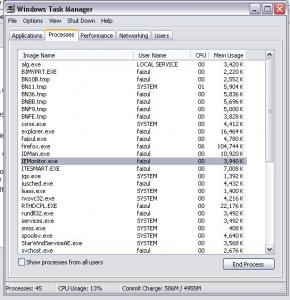
Use Task Manager
Get familiar with process running in the background on your own PC. once you're familiar with all the usual process then anything out of the ordinary will stand out like a sore thumb. most (not all) viruses tend to have weird filenames like Age_of_empire.exe (huh? i didn't play that game) and some try to look legitimate by taking similar names to common Windows processes. eg. svchost.exe instead of scvhost.exe.

Once you're comfortable with processes, you can opt to use Process Explorer from Sysinternal. Downloadable from here: http://www.microsoft.com/technet/sysintern...ssExplorer.mspx

this are normal processes
QUOTE(homenetworking help)
"System Idle Process"
"System" The Windows System Process
"SMSS.EXE" Session Manager Subsystem
"CSRSS.EXE" Client Server Runtime Subsystem
"WinLOGON.EXE" The Windows Logon process
"SERVICES.EXE" Services Control Manager
"LSASS.EXE" Local Security Authentication Server Service
"svchost.exe" Service Host
"spoolsv.exe" The print spooler service
"explorer.exe" Windows Explorer
"TASKMGR.EXE" The Task Manager
"regsvc.exe" Remote Registry Service
user posted image

as a general rule, take extra interest in any processes don't have a company name (with the exception of DPCs, Interrupts, System, SMSS, Services, System Idle Process and things mentioned above), verification signer (Process explorer auto verifies images) and version number attached to it. you can kill the process by right-clicking on it selecting Kill. process explorer also allows you to search for a specific process. you should also be interested in purple threaded processes.

QUOTE(mark russ ppt presentation slide)
Purple highlighting indicates an image is “packed”
Packed can mean compressed or encrypted
Malware commonly uses packing (e.g. UPX) to make antivirus signature matching more difficult
Packing and encryption also hides strings from view
user posted image

If you're unsure what a process is responsible for you can check it out here:
http://www.liutilities.com/products/wintas...ibrary/scvhost/

This post has been edited by AsenDURE: Jun 20 2007, 02:53 PM
TSAsenDURE
post Jun 19 2007, 08:33 PM

je suis desole. je n'y crois pas a ces conneries!!
Group Icon
VIP
2,496 posts

Joined: Jan 2003
From: LowYatDotNet Status:Agast
Rootkits

what are rootkits?
normally only sysadmins are concerned with these, but i'm seeing alot of these crap floating around in the home networking environment. could be coz alot of current Windows version seem to be based on NT/Server platform. a rootkit is program that that allows the a hacker to mask intrusion and gain root or privileged access to the computer. rootkits can then monitor traffic, grab keystrokes, steal passwords, or create a "backdoor" into the system for the hacker to administer the infected system remotely for almost anything he wishes to.

because rootkits can run at the kernel & API level, it can be hidden from the OS & the upper layer utils like Explorer (file viewers), does not show up in Task Manager (process viewers), will not leave visible entries in the startup folders or common startup locations mentioned above. It will also not show up on most antivirus scanners & antispyware. rootkits not only take advantage of the vulnerbilities in your OS but even in your antispyware/antivirus detector as well.

rootkits are not themselves not malware programs but ofthen times are used to hide the presence of malware programs/trojans/worms. detecting rootkits requires a specialist rootkit detector.

check rootkit threat alerts from here:
http://www.rootkit.com/board.hot.php

types of rootkit-run levels
QUOTE(M'zoft Technet)
The term rootkit is used to describe the mechanisms and techniques whereby malware, including viruses, spyware, and trojans, attempt to hide their presence from spyware blockers, antivirus, and system management utilities. There are several rootkit classifications depending on whether the malware survives reboot and whether it executes in user mode or kernel mode.

Persistent Rootkits
A persistent rootkit is one associated with malware that activates each time the system boots. Because such malware contain code that must be executed automatically each system start or when a user logs in, they must store code in a persistent store, such as the Registry or file system, and configure a method by which the code executes without user intervention.

Memory-Based Rootkits
Memory-based rootkits are malware that has no persistent code and therefore does not survive a reboot.

User-mode Rootkits
There are many methods by which rootkits attempt to evade detection. For example, a user-mode rootkit might intercept all calls to the Windows FindFirstFile/FindNextFile APIs, which are used by file system exploration utilities, including Explorer and the command prompt, to enumerate the contents of file system directories. When an application performs a directory listing that would otherwise return results that contain entries identifying the files associated with the rootkit, the rootkit intercepts and modifies the output to remove the entries.

The Windows native API serves as the interface between user-mode clients and kernel-mode services and more sophisticated user-mode rootkits intercept file system, Registry, and process enumeration functions of the Native API. This prevents their detection by scanners that compare the results of a Windows API enumeration with that returned by a native API enumeration.

Kernel-mode Rootkits
Kernel-mode rootkits can be even more powerful since, not only can they intercept the native API in kernel-mode, but they can also directly manipulate kernel-mode data structures. A common technique for hiding the presence of a malware process is to remove the process from the kernel's list of active processes. Since process management APIs rely on the contents of the list, the malware process will not display in process management tools like Task Manager or Process Explorer.


rootkit detectors

M'zoft's Sysinternal RootkitRevealer [from sysinternal, 'nuff said]
http://www.microsoft.com/technet/sysintern...itRevealer.mspx

X-Focus's Ice Sword [chinese, very good and for experienced users only]
http://www.xfocus.net/tools/200509/

M'zoft's Malicious Software Removal Tool
http://www.microsoft.com/downloads/details...&displaylang=en

Blacklight from F-Secure [non-free]
http://www.f-secure.com/blacklight/

Sophos Anti-Rootkit [Release Candidate 1]
http://sophos.com/products/free-tools/soph...ti-rootkit.html

RKDetector
http://www.rkdetector.com/

RootKit Hook Analyzer
http://www.resplendence.com/hookanalyzer

Rootkit removal
The difficulty with rootkit removal is lies problem that rootkits work by changing the OS itself at the kernal level, it may not be possible to remove the rootkit without causing Windows to become unstable or non-functioning.

For rootkits that are 'bundled' with spyware/malware, removing the malware hidden by the rootkit presents the normal problems of removing any malware but removing the rootkit itself may unstabilize your entire system to the point that the malware can not be completely removed.

This post has been edited by AsenDURE: Jun 20 2007, 11:08 AM
TSAsenDURE
post Jun 20 2007, 11:02 AM

je suis desole. je n'y crois pas a ces conneries!!
Group Icon
VIP
2,496 posts

Joined: Jan 2003
From: LowYatDotNet Status:Agast
ok folks, comment, correct, discuss, contribute...

Update
=====

• Panda Rootkit cleaner is in Alpha Stage (credits to havuk)
http://research.pandasoftware.com/blogs/re...it-cleaner.aspx

• GMER (credits to havuk)
http://www.gmer.net

• DarkSpy (credits to havuk)
http://www.softpedia.com/get/Antivirus/Dar...i-Rootkit.shtml

• Trendmicro's Rootkit Cleaner is in Beta Stage
http://www.trendmicro.com/download/rbuster.asp

• McAfee's Rootkit Detective is in Beta Stage
http://vil.nai.com/vil/stinger/rkstinger.aspx

It's good that alot of security/AV companies are taking rootkit seriously. In your next AV upgrade/purchase/license renewal, you may want to seriously consider this feature included in your AV package. smile.gif

This post has been edited by AsenDURE: Jun 21 2007, 10:32 AM
spayre
post Jun 20 2007, 09:45 PM

hush puppy
******
Senior Member
1,251 posts

Joined: Jan 2003
i would like to suggest
1. avs for antivirus (www.activevirusshield.com)
2. steps on how to remove and create new system restore points as virus normally lurks there...
danixal
post Jul 31 2007, 02:40 PM

Getting Started
**
Junior Member
66 posts

Joined: Aug 2005


sometimes u come across viruses that disable your taskmanager, msconfig and regedit. You can use this to regain access to your registry
http://www.symantec.com/security_response/...-050614-0532-99

or, the direct link to the file

http://securityresponse.symantec.com/avcenter/UnHookExec.inf

(same thing)

This post has been edited by danixal: Jul 31 2007, 02:41 PM
KLKS
post Jul 31 2007, 07:53 PM

Getting Started
**
Junior Member
292 posts

Joined: Jan 2003


If you have a copy of the virus, upload it here so antivirus companies can study it and make signatures, also good to see if files are infected by viruses if your antivirus dosent detect it yet . XD

http://www.virustotal.com/

or

http://virusscan.jotti.org/
rich8833
post Aug 1 2007, 12:09 PM

Look at my stars!
*******
Senior Member
2,194 posts

Joined: Nov 2006
From: Beach Town


AVG Anti-Rootkit Free

This post has been edited by rich8833: Aug 1 2007, 12:10 PM
richie86
post Aug 25 2007, 05:11 AM

Getting Started
**
Junior Member
212 posts

Joined: Aug 2007


Ice Sword is good in handling running process. You can view the process that hide with rootkits.
kennykck
post Nov 7 2007, 06:20 PM

!!!~~<((Bankai))>~~!!!
******
Senior Member
1,711 posts

Joined: Sep 2006


Add microworld e'scan antivirus. Quite good and fast too.
emiya_shin
post Dec 3 2007, 10:17 AM

Getting Started
**
Junior Member
128 posts

Joined: Oct 2007


Thanks for the info mod. By the way, I have a question. My computer has been infected by something( don't know how to call it and it is invisible to my Kaspersky and Adaware and Spybot ), when I delete the folder, minutes later it pops out. The folder name's is MSOCache. Any ideas?
tan_pang
post Dec 3 2007, 11:42 AM

Look at all my stars!!
*******
Senior Member
3,110 posts

Joined: Jun 2005


QUOTE(emiya_shin @ Dec 3 2007, 10:17 AM)
Thanks for the info mod. By the way, I have a question. My computer has been infected by something( don't know how to call it and it is invisible to my Kaspersky and Adaware and Spybot ), when I delete the folder, minutes later it pops out. The folder name's is MSOCache. Any ideas?
*
everybody who using Microsoft Office 2003 also will have this folder (including the computer I using now)
no need to remove it because it is legit

and please use google next times
http://www.theeldergeek.com/msocache_folder.htm

btw, that folder should located in the systemroot and is a hidden system folder...
HanevE
post Dec 22 2007, 08:34 AM

Getting Started
**
Junior Member
125 posts

Joined: Aug 2005
From: 2°49'8"N 101°44'1"E


Since many AV cant detect KAVO / NTDELECT, I've show how to remove it manually

~~~~~~~~~~~~~
Remove kavo / kava / ntdelect

**DELETE**

run CMD,

Type this to show hidden and system files since ur regedit n folder opt has been kacau by kavo0.dll,
CD \windows\system32
ATTRIB kavo.exe -R -A -S -H
ATTRIB kavo0.dll -R -A -S -H
ATTRIB kavo1.dll -R -A -S -H

Delete
"\windows\system32\kavo.exe",
"\windows\system32\kavo0.dll",
"\windows\system32\kavo1.dll"
by using unlocker (DL Here)

**REGISTRY**

Change Value
HKEY_LOCAL_MACHINE\SOFTWARE\Microsoft\Windows\CurrentVersion\Explorer\Advanced\Folder\Hidden\NOHIDDEN
"CheckedValue" to 2
"DefaultValue" to 2

HKEY_LOCAL_MACHINE\SOFTWARE\Microsoft\Windows\CurrentVersion\Explorer\Advanced\Folder\Hidden\SHOWALL
"CheckedValue" to 1
"DefaultValue" to 2


Kagaya
post Dec 29 2007, 02:01 PM

Bad-Badtz Maru FREAK !!!
Group Icon
Elite
2,396 posts

Joined: Jan 2003
From: Pandan Perdana, Cheras, KL


Dear Mod/Enthusiast/Sifu,

I've got a case of virus infection date back last Tuesday which is spread through email with an .exe attachment entitled Princess.Diana.Killing.Revealed.exe

According to the user, she didn't even double-click on the email, just highlighting (system on double-click settings, not single-click mode) it and the attachment triggered. Some of the symptoms are:

1. Floppy drive keeps on running intermittenly with or without any diskette inserted.
2. Unable to use Task Manager
3. Unable to use the Run command box
4. Unable to use Ctrl-Alt-Del for Task Manager too
5. Command prompt had been disabled by Administrator (I'm the Administrator and it was never set to disabled)
6. Trying to run any .exe (programs) will be terminated in split-seconds blink.
7. When attempt to use Safe Mode, all the 3 Safe Mode options were not successful only Boot Windows Normally enabled.
8. Folder Options to view Hidden Files were disabled.
9. The PC is connected to a Domain and after the infection, a force restart of the PC leads to the removal of the PC from the Domain. Since logging in as a Domain user is impossible, I can only log in as Local but the PC name had been changed to "VirusBenci". Due to the use of Malay language and the email also sent from a user with email address who83@yahoo.com I suspect that it's another Indonesian creation of Brontok.
10. When plugged in a USB drive and view the content, it'll infect file within and append the .exe extention to some documents within. When plugged to a healthy PC without using the Autoplay or viewing under Windows Explorer, the virus will not be triggered. An attempt to view the content within the USB drive with Command Prompt didn't show any hidden files at all except when the syntax "dir /ah" is used to view files with hidden attribute. There were 2 files shown within the infected USB key, Word.exe and autorun.inf. Using Microsoft Editor, the autorun.inf file content shows that it's pointing to the Word.exe file. The file itself is Read-Only attribute therefore the file cannot be edit. I manage to create 2 blank text file and change the extention and filename same like the 2 and overwrite 2 virus file before deleting both safely. Somehow, I should have tried a different way like changing the file attributes so that I can see the files and the Antivirus software would be able to detect it.

NOW I NEED SOME HELP HERE.

I planned to removed the infected HDD, and use it as external drive and perform a scan via a healthy PC. But virus were not detected as I suspect it's a new strain.

Also, I would like to know if there's anyway I can access to the registry of the OS installed on the external HDD? Where is the location and how to edit it so that the BRontok will be crippled?
SUSfred_lee
post Jan 11 2008, 02:23 PM

New Member
*
Junior Member
6 posts

Joined: Jan 2008
From: KL


help!

recently my friend's pc infected a virus named "W32.mamuwow.Flint" that named on his Norton Anti Virus.

have anyone know how to kill this??
syhs89
post Jan 13 2008, 04:18 PM

Getting Started
**
Junior Member
111 posts

Joined: Sep 2005


AVR CAN FOUND IT MUST CAN KILL IT LARH.. -.-
IwanAGP
post Jan 24 2008, 10:00 AM

Nothing is Possible!
*******
Senior Member
9,590 posts

Joined: Jan 2008
From: S'wak||KL||SG


Er... My comp got 36 virus healed by AVG... One of them is explorer... My explorer infected by trojan/virus... After AVG healed it, a pop up ask me insert Windows XP SP2 CD because my explorer is unrecognized version?? I got no taskbar now... Desktop is so clean... How to handle this? I'm thinking to reformat it...
nostradamus
post Jan 24 2008, 10:17 AM

Casual
***
Junior Member
344 posts

Joined: Feb 2006
From: Klang, Kuala Lumpur


hmm.. explorer deleted.. best way it reinstall your OS.. but repairing your OS can work too i think. i never facing this prob, hope expert will guide u better
Grand Inquisitor
post Jan 30 2008, 01:54 PM

Casual
***
Junior Member
403 posts

Joined: Jan 2008
As you said that youe explorer.exe was infected by virus. In that case your explore.exe backup files in dllcache also deleted by AVG. This thing only can be fix by installing or repairing your Windows.

PS: For me I just reformat it.
amysiko
post Feb 15 2008, 05:54 PM

New Member
*
Junior Member
8 posts

Joined: Jul 2006
From: hidden directory,
before that try this, copy any explorer.exe form any pc but have the same version with ur winxp...it might work, but try it first....if the prob still contineu..repair or format ur pc...thx

This post has been edited by amysiko: Feb 15 2008, 05:55 PM
sunakujiro^^
post Feb 23 2008, 01:38 AM

schutzstaffel
****
Senior Member
652 posts

Joined: Jan 2003
From: ãƒžãƒ¬ãƒ¼ã‚·ã‚¢ã¨æ—¥æœ¬ã¨ãƒ‰ã‚¤ãƒ„ã§ã™


QUOTE(respectMYprivacy @ Feb 20 2008, 10:37 PM)
i guess reformat is the solution for all troubleshootings.
*
I think everyone knows that.
Still, there are alternatives to counter this issue rather than format it. Easier, reliable if you ask me.
niny_laiho
post Mar 7 2008, 11:21 AM

New Member
*
Newbie
3 posts

Joined: Mar 2008
From: jalan duta


i cant format my thumbdrive...
i cant even delete or copy the file inside it...
y?

Guenhwyvar
post Mar 7 2008, 10:57 PM

Might be on tilt. Might be, I don't care.
******
Senior Member
1,672 posts

Joined: Jan 2003

Hi sifu/brothers, I am having a problem here. A message popped out after I download a torrent file. The message ask me to delete or disable this file in order to download. The problem is I dunno how to delete this file any idea? Here's the file.


Here's the file.


This post has been edited by Guenhwyvar: Mar 7 2008, 10:58 PM


Attached thumbnail(s)
Attached Image Attached Image
raymannlucas
post Mar 19 2008, 08:25 PM

One Life, One Chance, One Try, No Retry
*******
Senior Member
2,080 posts

Joined: Aug 2007
From: Current: PJ, Hometown: PG


theres some file in system cannor be deleted....play safe...back up the file before delete it...
Intrigue
post Apr 19 2008, 11:13 PM

L O W Y A T E R
*******
Senior Member
3,943 posts

Joined: Jan 2003
From: - Johore -


Any idea to remove a virus named Virut without having to reinstall all *.exe files that is infected
KooHei
post Apr 21 2008, 11:02 AM

Casual
***
Junior Member
431 posts

Joined: Apr 2008
registry editor... remove it from there.
ningyozukai
post May 2 2008, 04:33 PM

New Member
*
Newbie
1 posts

Joined: Apr 2008


I come across the worm Allapple-Gen which attacks my services.exe and forcing my computer to restart in 45 seconds.

It also duplicates a lot of htm or html files in all over random files.

Since I am at work today, I just gather enough information to go home to battle it again tonight.

1) look for service.exe or services.exe besides the one in C:\Windows\System32
2) Look around registry editor at the Run section.
2) Turn off system restore
3) Scan the computer in safe mode. I am using NOD32

Wish me luck.
bean_man
post May 2 2008, 05:01 PM

Casual
***
Junior Member
371 posts

Joined: Aug 2006


QUOTE(ningyozukai @ May 2 2008, 04:33 PM)
I come across the worm Allapple-Gen which attacks my services.exe and forcing my computer to restart in 45 seconds.

It also duplicates a lot of htm or html files in all over random files.

Since I am at work today, I just gather enough information to go home to battle it again tonight.

1) look for service.exe or services.exe besides the one in C:\Windows\System32
2) Look around registry editor at the Run section.
2) Turn off system restore
3) Scan the computer in safe mode. I am using NOD32

Wish me luck.
*
remember to sent samples of the infected file to samples@eset.sk so that other users of NDO32 can stay protected.
Kamling
post May 2 2008, 07:29 PM

im getting old
****
Senior Member
657 posts

Joined: Jan 2006
From: Somewhere On Selangor


Hello Master Sifoo. Ineed Help Here...
How I want Remove The Virus Name "JambanMuV2"
I see it On System Properties. Please Help Me...
eclectice
post May 12 2008, 12:16 AM

Look at all my stars!!
*******
Senior Member
2,734 posts

Joined: Mar 2008
QUOTE(Kamling @ May 2 2008, 07:29 PM)
Hello Master Sifoo. Ineed Help Here...
How I want Remove The Virus Name "JambanMuV2"
I see it On System Properties. Please Help Me...
*
I can't believe it! What a name...LOL

http://help.wugnet.com/vista/JamBanMuV2-ftopict108264.html
hagiwara
post May 12 2008, 09:20 AM

- YUI -
*****
Senior Member
777 posts

Joined: Mar 2006
From: Me to YUI
QUOTE(Kamling @ May 2 2008, 07:29 PM)
Hello Master Sifoo. Ineed Help Here...
How I want Remove The Virus Name "JambanMuV2"
I see it On System Properties. Please Help Me...
*
use KillFlash ( right click save-as )

to change ur registration name & company ,

Start >> Run >> type regedit

HKLM >> Software >> Microsoft >> Windows NT >> Current Version

find "RegisteredOwner" .. double click it and fill in watever u want .. do the same for "RegisteredOrganization" ..
safone
post Jun 2 2008, 10:52 PM

5 STAR only..huhu
*****
Senior Member
976 posts

Joined: Feb 2008
From: KU1TAN PHG


U should try this too..simple step and it always help to get rid of virus form pendrive
How to prevent the virus
NickCls
post Jun 5 2008, 02:23 AM

New Member
*
Junior Member
15 posts

Joined: Nov 2006
Hey guys,
i got a problem over here.
U see, i think i have downloaded some serial keys or something like that,
and from that day onwards,
I cant browse webs at all,
i thought it was my line problem bt when i connect the modem to other pc,
is working fine!
I tried having full scan with kaspersky and Adaware,
But is still the same problem!
I can enter my homepage, Google.
But i cant google search, and enter other webs as well.
Seriously Need Help.
>.<
Thanks alot!
jcln2
post Jun 13 2008, 01:49 AM

Getting Started
**
Junior Member
190 posts

Joined: Jan 2003
From: KL near Mid Valley


Use this scanner. It is free.

Quite reliable I think.

http://onecare.live.com/site/en-US/default.htm?s_cid=sah

It help me remove virtumonde trojans. icon_rolleyes.gif
min_min
post Jun 23 2008, 02:01 PM

New Member
*
Junior Member
29 posts

Joined: Dec 2007
From: Kajang


Anyone heard of a virus called "Nadiah" ?
Room mate's lappie infected by it i think, C drive n D drive can't open sad.gif
Any solutions in removing the virus? AVG can't detect..Thanks!
eXPeri3nc3
post Jun 23 2008, 04:57 PM

It's coming! 3É”u3ıɹÇdxÇ â™¥
*******
Senior Member
9,257 posts

Joined: Aug 2005
From: Not so sure myself Status: 1+3+3=7


QUOTE(min_min @ Jun 23 2008, 02:01 PM)
Anyone heard of a virus called "Nadiah" ?
Room mate's lappie infected by it i think, C drive n D drive can't open sad.gif
Any solutions in removing the virus? AVG can't detect..Thanks!
*
Run flash disinfector, and then run an online scan and manually delete the virus. smile.gif

Please download Flash_Disinfector.exe by sUBs and save it to your desktop:
Note: Please delete any existing copy of Flash Disinfector(if any) on your pc and download this one.
  • Double-click Flash_Disinfector.exe to run it.
  • Follow any prompts that may appear.
  • Your desktop will vanish for a while, and then reappear. This is normal.
  • Wait until the program has finished scanning, then please exit the program.
  • Restart your computer and see if problem still persists.

dan137
post Jun 24 2008, 01:12 AM

I don't need a parachute
*****
Senior Member
874 posts

Joined: Feb 2008
uwlmj.com
path: C:\uwlmj.com and D:\uwlmj.com

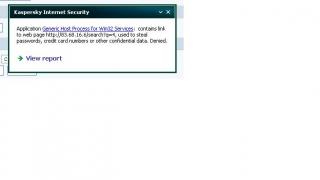
Popup from Kaspersky Internet Security 2009 ver8.0 (trial version) detect this as Potentially Dangerous Program when i want to open my C:\ or D:\
I deny the access, but then i can open both HDD.
other than that, i can't view the "Protected Operating system file" and any hidden file even though i've uncheck the required box.
Goolge bout uwlmj.com but no result.

so how i want to removed this uwlmj.com
is it a virus or worst?
please help..

This post has been edited by dan137: Jun 24 2008, 10:30 AM
cimox
post Jul 6 2008, 10:31 AM

Getting Started
**
Junior Member
178 posts

Joined: Nov 2007
From: Sijangkang,Selangor


http://spywaredlls.prevx.com/RRFHGH44829215/UWLMJ.COM.html
bagata
post Jul 9 2008, 11:23 AM

Enthusiast
*****
Senior Member
804 posts

Joined: Sep 2006


erm... sorry if its inappropriate for this post to b at here...

i wanna ask for help as my comp was infected by a trojan named PSW.OnlineGames.AWIU (thread detected by my AVG free version) is there anyway to remove this trojan as my AVG keeps detect this trojan access my comp files... and another matter is tat now i cant open my C and D drive directly, when i click the driver (C and D Drive) a windows will pop out (sumthng lik "open with" window) and i hav to access my C and D drive using explore option... icon_question.gif
Irenelim
post Aug 4 2008, 06:42 PM

Getting Started
**
Junior Member
191 posts

Joined: Nov 2006
Currently using Active virus shield ... but recently they shut the services down not sure why ?

Any recommendations as something similar and good as active virus shield ? Now using Avira AntiVir ... not sure if its good enuf ?
piraslod
post Aug 23 2008, 12:10 PM

New Member
*
Junior Member
25 posts

Joined: Oct 2007
i'm using avast, so far no prob n most worms/trojan was cleared, last time my office pc installed wit norton but sucks... after installed avast no prob til now..

sifu any opinion on avast??
Deani_77
post Aug 27 2008, 05:38 PM

Luaskan Kuasamu...
*******
Senior Member
3,251 posts

Joined: Nov 2006
From: Kuala Rompin, Pahang


QUOTE(bagata @ Jul 9 2008, 11:23 AM)
erm... sorry if its inappropriate for this post to b at here...

i wanna ask for help as my comp was infected by a trojan named PSW.OnlineGames.AWIU (thread detected by my AVG free version) is there anyway to remove this trojan as my AVG keeps detect this trojan access my comp files... and another matter is tat now i cant open my C and D drive directly, when i click the driver (C and D Drive) a windows will pop out (sumthng lik "open with" window) and i hav to access my C and D drive using explore option... icon_question.gif
*
Mine was infected by that virus too. Been detected by Eset. But new problem occured, I cannot enable option to show my hidden file. Anybody have the solution?

jovi
post Sep 3 2008, 11:54 PM

New Member
*
Junior Member
15 posts

Joined: May 2005
From: Kuala Terengganu


QUOTE(bagata @ Jul 9 2008, 11:23 AM)
erm... sorry if its inappropriate for this post to b at here...

i wanna ask for help as my comp was infected by a trojan named PSW.OnlineGames.AWIU (thread detected by my AVG free version) is there anyway to remove this trojan as my AVG keeps detect this trojan access my comp files... and another matter is tat now i cant open my C and D drive directly, when i click the driver (C and D Drive) a windows will pop out (sumthng lik "open with" window) and i hav to access my C and D drive using explore option... icon_question.gif
*
QUOTE(Deani_77 @ Aug 27 2008, 05:38 PM)
Mine was infected by that virus too. Been detected by Eset. But new problem occured, I cannot enable option to show my hidden file. Anybody have the solution?
*
hi,
for bagata's problem i think any new antivirus can handle that problem. it is actually a problem that cause by a file named 'autorun.inf'. if antivirus cannot delete the file, you can delete it manually. the file attribute is hidden and system. so therefore you need to show hidden file and uncheck hide protected operating system file to see it.you'll be warn when you uncheck the hide protected operating system file but it's ok. when u the file just delete it. restart the pc then it'll be just fine.

but when u effected by kavo like worm-trojan. it patch ntdetect file so that you cannot see the hidden file. to solve this
you need to follow the instruction below. this tool only can be run in windows xp and 2000 only.


1. Disable “System Restore†on your System (Accessories > System Tools > System Restore)
2. Click here to download this file - kavo killer
3. Unzip and extract it anywhere
4. Restart your PC in safe mode (for WinXP, before the WinXP screen comes in, press F8 repeatedly until you come to the start-up options)
5. Locate the exe file and double-click on it
6. Click on the top right-most button (the only button with an icon)
user posted image
7. When finished. Reboot
8. Just to be sure, set your anti-virus to scan at boot time and restart again to make sure the Kavo.exe is no more

That’s it. Let me know if this post has helped you.

(courtesy of http://mrbadak.com/2008/01/11/remove-kavo-easily/)
Deani_77
post Sep 4 2008, 10:03 AM

Luaskan Kuasamu...
*******
Senior Member
3,251 posts

Joined: Nov 2006
From: Kuala Rompin, Pahang


» Click to show Spoiler - click again to hide... «

Bro...

When I downloading the kavo killer file, it detected containing a virus... How? hmm.gif


Added on September 5, 2008, 8:40 amFind this while goggling around looking for my problem solution. Hope this help...

» Click to show Spoiler - click again to hide... «


This post has been edited by Deani_77: Sep 5 2008, 08:41 AM
jovi
post Sep 5 2008, 11:01 AM

New Member
*
Junior Member
15 posts

Joined: May 2005
From: Kuala Terengganu


ok Deani, sory for that. i did not check the file.BTW this should be ok. i upload it myself.

download link
http://rapidshare.com/files/142720162/kavo_killer.rar.html

i'm using kaspersky Internet security 2009 and it's ok. eset sometime detect apps like this as virus. i don' know why. but if its still detected it as virus please turn off ur antivirus.

if u worried being infected, please change ur antivirus first.

please follow the instruction for further steps

hope this will do.

keep updating so i can give more support. TQ

bean_man
post Sep 7 2008, 12:16 AM

Casual
***
Junior Member
371 posts

Joined: Aug 2006


QUOTE(jovi @ Sep 5 2008, 11:01 AM)
ok Deani, sory for that. i did not check the file.BTW this should be ok. i upload it myself.

download link
http://rapidshare.com/files/142720162/kavo_killer.rar.html

i'm using kaspersky Internet security 2009 and it's ok. eset sometime detect apps like this as virus. i don' know why. but if its still detected it as virus please turn off ur antivirus.

if u worried being infected, please change ur antivirus first.

please follow the instruction for further steps

hope this will do.

keep updating so i can give more  support. TQ
*
Hi Jovi,
asking the TS to disable his antivirus without checking first is a bad advice. You should ask the TS to check the file content by uploading to Jotti or Virustotal for results that are more affirmative.
jovi
post Sep 10 2008, 09:19 AM

New Member
*
Junior Member
15 posts

Joined: May 2005
From: Kuala Terengganu


QUOTE(bean_man @ Sep 7 2008, 12:16 AM)
Hi Jovi,
asking the TS to disable his antivirus without checking first is a bad advice. You should ask the TS to check the file content by uploading to Jotti or Virustotal for results that are more affirmative.
*
Thx bean_man for ur advice. it is actually my bad by advising Deani to do that, but i do that with a very good reason. i've been using the program for almost a year now for virus removing service and it works just fine. even for the second link i, upload it myself. it's the same tools that i've using for almost a year. the steps that i have copy from other site is the same steps that i have been using. it just a fast way to write an instruction without writing it. biggrin.gif

BTW thx for ur advice. i'm sending this app to Jotti or Virustotal as u advised for more confirmation. i'm new here and looking forward for more reply TQ


Added on September 10, 2008, 9:41 ami've send the file to Jotti and Virustotal and both give partially bad result. sad.gif . some detected it as trojan. but from my experience it will not effected your windows. i'm using Kaspersky Internet Security which is i' ve red the no 1 internet security app for now, and KIS detect nothing. lastly it may be up to Deani to decide weather to try it or not. biggrin.gif . for me b4 i found this tools, the only way to resolve the prob is to reinstall the windows icon_rolleyes.gif

This post has been edited by jovi: Sep 10 2008, 09:41 AM
bean_man
post Sep 10 2008, 10:35 AM

Casual
***
Junior Member
371 posts

Joined: Aug 2006


QUOTE(jovi @ Sep 10 2008, 09:19 AM)
Thx bean_man for ur advice. it is actually my bad by advising Deani to do that, but i do that with a very good reason. i've been using the program for almost a year now for virus removing service and it works just fine. even for the second link i, upload it myself. it's the same tools that i've using for almost a year. the steps  that i have copy from other site is the same steps that i have been using. it just a fast way to write an instruction without writing it. biggrin.gif

BTW thx for ur advice. i'm sending this app to Jotti or Virustotal as u advised for more confirmation.  i'm new here and looking forward for more reply TQ


Added on September 10, 2008, 9:41 ami've send the file to Jotti and Virustotal and both give partially bad result. sad.gif . some detected it as trojan. but from my experience it will not effected your windows. i'm using Kaspersky Internet Security which is i' ve red the no 1 internet security app for now, and KIS detect nothing. lastly it may be up to Deani to decide weather to try it or not.  biggrin.gif  . for me b4 i found this tools, the only way to resolve the prob is to reinstall the windows  icon_rolleyes.gif
*
I DL the file and checked an indeed it is a partial result. But the classification of trojan means to me that i should be aware about running it as it could very well install a backdoor that you did not know about.
jovi
post Sep 10 2008, 12:05 PM

New Member
*
Junior Member
15 posts

Joined: May 2005
From: Kuala Terengganu


QUOTE(bean_man @ Sep 10 2008, 10:35 AM)
I DL the file and checked an indeed it is a partial result. But the classification of trojan means to me that i should be aware about running it as it could very well install a backdoor that you did not know about.
*
Yap u should be aware for that situation. maybe i'll start google around the net to find new safer solution for this. its involve some registry modification and maybe replace new ntdetect file on the system using bart pe will do. But i'll try find it first.TQ biggrin.gif
Jass
post Sep 11 2008, 10:35 AM

New Member
*
Newbie
2 posts

Joined: May 2008
Hi All,

My pc was infected by virus, i guess. When i shut down, it prompt me "rundll32.exe" not responding. When start up, it will prompt up "error loading c:\windows/system32/ccwld16_080326.dll" and "error loading c:\windows/system32/3fadll" saying that this specified module could not be found. My pc will keep on pop up "error loading c\:windows/downlo~1/621sc.dll when i'm using it.

Beside the above, when i suft net, my IE will freezed when i click on any link or when i type in the address in IE tab bar. For example: when i sign up for lowyat, i need to confirm my registration by clicking some link from my email, but it freeze and i have us use ctrl & alt to close it. Otherwise, it will freeze there loading. It cause lots of inconvenience to me.

I've scanned using Spyeraser but the free version only allowed me to scan but no remove service provided. Other software like adaware and avg, avast can't help my problem. Please refer to the below for the log file from spyeraser software:

Start Date:September 10, 2008 at 03:06:45PM

End Date:September 10, 2008 at 03:12:24PM

Total Time:5 Mins 39 Secs
Detected Infections

Cookie.Tracking-Cookie
Details: A Tracking Cookie is any cookie that is installed on a computer to save and access various activities of the user. It may be used by web sites to identify returning visitors who have registered for special services; to monitor, measure, and scrutinize visitors' navigation and use of web site features. It can also count the number of visitors to web sites and allow web surfers to use virtual "shopping carts". All this information is saved for future target advertising and marketing campaigns by various internet Advertising and Marketing companies. Though these cookies do not pose immediate threats but they can be misused to capture confidential information like user names and passwords.
Status:No Action taken
Category: Tracking Cookie


Infected Cookies
C:\Documents and Settings\user\Cookies\user@ad.yieldmanager[1].txt
C:\Documents and Settings\user\Cookies\user@ad.yieldmanager[2].txt
C:\Documents and Settings\user\Cookies\user@xiti[1].txt
C:\Documents and Settings\user\Cookies\user@ad.yieldmanager[4].txt

Cookie.DoubleClick
Details: A Tracking Cookie is any cookie that is installed on a computer to save and access various activities of the user. It may be used by web sites to identify returning visitors who have registered for special services; to monitor, measure, and scrutinize visitors' navigation and use of web site features. It can also count the number of visitors to web sites and allow web surfers to use virtual "shopping carts". All this information is saved for future target advertising and marketing campaigns by various internet Advertising and Marketing companies. Though these cookies do not pose immediate threats but they can be misused to capture confidential information like user names and passwords.
Status:No Action taken
Category: Tracking Cookie


Infected Cookies
C:\Documents and Settings\user\Cookies\user@doubleclick[2].txt

Malware (General Components)
Details: Malware is a malicious program that is developed to seriously harm and damage the targeted system and may be installed on it without the knowledge or consent of the user. It can change system settings, corrupt the registry and destroy personal data. The Programs that cannot be classified in other categories or carry more than one traits which belong to different categories have been categorized under this categories.
Status:No Action taken
Category: Malware (General)


Infected files detected

FileName: c:\windows\system32\kavo1.dll
MD5: b60e1b788b0d248305dff1a7e4cc6048 (187392 Bytes)

FileName: c:\windows\system32\kavo.exe
MD5: 6651fcbbcb100f9b608e47a503588690 (117194 Bytes)

FileName: c:\windows\system32\kavo0.dll
MD5: b859812358da146372ff243edc8341a3 (187392 Bytes)
Infected registry keys/values detected
hkey_classes_root\appid\activex.dll\
hkey_classes_root\appid\activex.dll\appid\
hkey_classes_root\iehpr.invoke.1\
hkey_classes_root\iehpr.invoke\
hkey_local_machine\software\classes\iehpr.invoke.1\clsid\
hkey_local_machine\software\classes\iehpr.invoke.1\
hkey_local_machine\software\classes\iehpr.invoke\clsid\
hkey_local_machine\software\classes\iehpr.invoke\curver\
hkey_local_machine\software\classes\iehpr.invoke\


Details:
Status:No Action taken
Category:


RCS.TeamViewer
Details: A Remote Control Software is a network program that is used by administrators to control computers in a network from a remote location. Though not harmful in itself but if used with malicious intent, such programs may cause damage to system files and other data. Hence, users are advised to remove this program from their system immediately upon detection.

Status:No Action taken
Category: RemoteControlSoftware


Infected registry keys/values detected
hkey_current_user\appevents\schemes\apps\vncviewer\vncviewerbell\.current\
hkey_current_user\appevents\schemes\apps\vncviewer\vncviewerbell\.default\

RCS.TightVNC
Details: A Remote Control Software is a network program that is used by administrators to control computers in a network from a remote location. Though not harmful in itself but if used with malicious intent, such programs may cause damage to system files and other data. Hence, users are advised to remove this program from their system immediately upon detection.
Status:No Action taken
Category: RemoteControlSoftware


Infected registry keys/values detected
hkey_current_user\software\orl\vnchooks\application_prefs\winvnc.exe\
hkey_current_user\software\orl\vnchooks\application_prefs\winvnc.exe\use_deferral\
hkey_current_user\software\orl\vnchooks\application_prefs\winvnc.exe\use_getupdaterect\
hkey_current_user\software\orl\vnchooks\application_prefs\winvnc.exe\use_keypress\
hkey_current_user\software\orl\vnchooks\application_prefs\winvnc.exe\use_lbuttonup\
hkey_current_user\software\orl\vnchooks\application_prefs\winvnc.exe\use_mbuttonup\
hkey_current_user\software\orl\vnchooks\application_prefs\winvnc.exe\use_rbuttonup\
hkey_current_user\software\orl\vnchooks\application_prefs\winvnc.exe\use_timer\
hkey_current_user\software\orl\vnchooks\application_prefs\
hkey_current_user\software\orl\winvnc3\autoportselect\
hkey_current_user\software\orl\winvnc3\idletimeout\
hkey_current_user\software\orl\winvnc3\inputsenabled\
hkey_current_user\software\orl\winvnc3\localinputsdisabled\
hkey_current_user\software\orl\winvnc3\locksetting\
hkey_current_user\software\orl\winvnc3\onlypollconsole\
hkey_current_user\software\orl\winvnc3\onlypollonevent\
hkey_current_user\software\orl\winvnc3\password\
hkey_current_user\software\orl\winvnc3\passwordviewonly\
hkey_current_user\software\orl\winvnc3\pollforeground\
hkey_current_user\software\orl\winvnc3\pollfullscreen\
hkey_current_user\software\orl\winvnc3\pollundercursor\
hkey_current_user\software\orl\winvnc3\removewallpaper\
hkey_current_user\software\orl\winvnc3\socketconnect\
hkey_local_machine\software\orl\winvnc3\default\

Adware.FlashEnhancer
Details: Adware programs secretly embed themselves on the victim抯 computer, hijack the browsing habits and search keywords and then display advertisements accordingly. The ads can include pop-ups, pop-unders, banners, or links etc. It may launch at system startup and modify the browser settings such as the home page, search page and the error page. It results in the browser as well as the system slow down and hence the user is recommended to remove this program.
Status:No Action taken
Category: Adware


Infected registry keys/values detected
hkey_current_user\software\xml\

RCS.UltraVNC
Details: A Remote Control Software is a network program that is used by administrators to control computers in a network from a remote location. Though not harmful in itself but if used with malicious intent, such programs may cause damage to system files and other data. Hence, users are advised to remove this program from their system immediately upon detection.
Status:No Action taken
Category: RemoteControlSoftware


Infected registry keys/values detected
hkey_current_user\appevents\eventlabels\vncviewerbell\
hkey_current_user\appevents\schemes\apps\vncviewer\vncviewerbell\
hkey_current_user\appevents\schemes\apps\vncviewer\
hkey_current_user\software\orl\winvnc3\
hkey_local_machine\software\orl\winvnc3\

RAT.WinVNC-based.h
Details: A remote administration tool is a program that enables a user to control a system remotely. It can access files, restart ?shutdown the system and even format the hard drive of the victim抯 machine. Such programs are basically used by administrators of a network to keep a watch on the peers. It generally works in the stealth mode and can start automatically at system boot-up. This program may pose grave security and privacy threats and hence the user is advised to remove this program from the system if not installed for a legitimate purpose.
Status:No Action taken
Category: Remote Administration Tool


Infected registry keys/values detected
hkey_current_user\software\orl\winvnc3\querysetting\
hkey_current_user\software\orl\winvnc3\querytimeout\

RAT (General Components)
Details: A remote administration tool is a program that enables a user to control a system remotely. It can access files, restart ?shutdown the system and even format the hard drive of the victim抯 machine. Such programs are basically used by administrators of a network to keep a watch on the peers. It generally works in the stealth mode and can start automatically at system boot-up. This program may pose grave security and privacy threats and hence the user is advised to remove this program from the system if not installed for a legitimate purpose.
Status:No Action taken
Category: Remote Administration Tool


Infected registry keys/values detected
hkey_current_user\software\orl\vnchooks\

RCS.RealVNC
Details: A Remote Control Software is a network program that is used by administrators to control computers in a network from a remote location. Though not harmful in itself but if used with malicious intent, such programs may cause damage to system files and other data. Hence, users are advised to remove this program from their system immediately upon detection.
Status:No Action taken
Category: RemoteControlSoftware


Infected registry keys/values detected
hkey_local_machine\software\orl\

Malware.Malware-(General-Components)
Details: Malware is a malicious program that is developed to seriously harm and damage the targeted system and may be installed on it without the knowledge or consent of the user. It can change system settings, corrupt the registry and destroy personal data. The Programs that cannot be classified in other categories or carry more than one traits which belong to different categories have been categorized under this categories.
Status:No Action taken
Category: Malware (General)


Infected files detected

FileName: c:\windows\6.tmp
MD5: d41d8cd98f00b204e9800998ecf8427e (0 Bytes)

Trojan-Downloader (General Components)
Details: A Trojan Downloader is a program that is usually installed through an exploit or some other erroneous channels. The key objective of this program is to download malevolent code or other malwares and unwanted softwares on the user抯 system. Downloaders can also be written in script languages such as VB Script and Java Script. These programs often make use of Microsoft Internet Explorer vulnerabilities. A Trojan downloader, when executed, normally installs itself on to the system and waits for the user to connect to the Internet. Once the internet connection is available, it endeavors to connect to a web or ftp site, download specific file or files and run them. These downloaded files may harm the system and result in malfunctioning of the system.
Status:No Action taken
Category: Trojan-Downloader


Infected files detected

FileName: c:\windows\2.tmp
MD5: 4316e55df1b80f5bd5f143bfffd271ef (24576 Bytes)

Trojan-Downloader.Adload.ko
Details: A Trojan Downloader is a program that is usually installed through an exploit or some other erroneous channels. The key objective of this program is to download malevolent code or other malwares and unwanted softwares on the user抯 system. Downloaders can also be written in script languages such as VB Script and Java Script. These programs often make use of Microsoft Internet Explorer vulnerabilities. A Trojan downloader, when executed, normally installs itself on to the system and waits for the user to connect to the Internet. Once the internet connection is available, it endeavors to connect to a web or ftp site, download specific file or files and run them. These downloaded files may harm the system and result in malfunctioning of the system.
Status:No Action taken
Category: Trojan-Downloader


Infected files detected

FileName: c:\documents and settings\user\local settings\temp\cml23.tmp
MD5: 58f95f1d32ffdfb817600d73a259ce8c (450560 Bytes)

FileName: c:\documents and settings\user\local settings\temp\cml3a.tmp
MD5: ce3a554190f6f1b89ef686a654855dac (860160 Bytes)

Adware.bho.jw
Details: Adware programs secretly embed themselves on the victim抯 computer, hijack the browsing habits and search keywords and then display advertisements accordingly. The ads can include pop-ups, pop-unders, banners, or links etc. It may launch at system startup and modify the browser settings such as the home page, search page and the error page. It results in the browser as well as the system slow down and hence the user is recommended to remove this program.
Status:No Action taken
Category: Adware


Infected files detected

FileName: c:\documents and settings\user\local settings\temp\cml25.tmp
MD5: 604f615bf7963c2f7015db84236b646c (450560 Bytes)


--------------------------------------------------------------------------------

Start Date:September 11, 2008 at 10:23:46AM

End Date:September 11, 2008 at 10:27:52AM

Total Time:4 Mins 6 Secs
Detected Infections

Cookie.Tracking-Cookie
Details: A Tracking Cookie is any cookie that is installed on a computer to save and access various activities of the user. It may be used by web sites to identify returning visitors who have registered for special services; to monitor, measure, and scrutinize visitors' navigation and use of web site features. It can also count the number of visitors to web sites and allow web surfers to use virtual "shopping carts". All this information is saved for future target advertising and marketing campaigns by various internet Advertising and Marketing companies. Though these cookies do not pose immediate threats but they can be misused to capture confidential information like user names and passwords.
Status:No Action taken
Category: Tracking Cookie


Infected Cookies
C:\Documents and Settings\user\Cookies\user@ad.yieldmanager[1].txt
C:\Documents and Settings\user\Cookies\user@ad.yieldmanager[2].txt
C:\Documents and Settings\user\Cookies\user@xiti[1].txt
C:\Documents and Settings\user\Cookies\user@ad.yieldmanager[4].txt
C:\Documents and Settings\user\Cookies\user@apmebf[1].txt
C:\Documents and Settings\user\Cookies\user@ad.yieldmanager[5].txt

Cookie.FastClick.com
Details: A Tracking Cookie is any cookie that is installed on a computer to save and access various activities of the user. It may be used by web sites to identify returning visitors who have registered for special services; to monitor, measure, and scrutinize visitors' navigation and use of web site features. It can also count the number of visitors to web sites and allow web surfers to use virtual "shopping carts". All this information is saved for future target advertising and marketing campaigns by various internet Advertising and Marketing companies. Though these cookies do not pose immediate threats but they can be misused to capture confidential information like user names and passwords.
Status:No Action taken
Category: Tracking Cookie


Infected Cookies
C:\Documents and Settings\user\Cookies\user@fastclick[2].txt

Cookie.BS.Serving-Sys
Details: A Tracking Cookie is any cookie that is installed on a computer to save and access various activities of the user. It may be used by web sites to identify returning visitors who have registered for special services; to monitor, measure, and scrutinize visitors' navigation and use of web site features. It can also count the number of visitors to web sites and allow web surfers to use virtual "shopping carts". All this information is saved for future target advertising and marketing campaigns by various internet Advertising and Marketing companies. Though these cookies do not pose immediate threats but they can be misused to capture confidential information like user names and passwords.
Status:No Action taken
Category: Tracking Cookie


Infected Cookies
C:\Documents and Settings\user\Cookies\user@bs.serving-sys[2].txt

RCS.TeamViewer
Details: A Remote Control Software is a network program that is used by administrators to control computers in a network from a remote location. Though not harmful in itself but if used with malicious intent, such programs may cause damage to system files and other data. Hence, users are advised to remove this program from their system immediately upon detection.
Status:No Action taken
Category: RemoteControlSoftware


Infected registry keys/values detected
hkey_current_user\appevents\schemes\apps\vncviewer\vncviewerbell\.current\
hkey_current_user\appevents\schemes\apps\vncviewer\vncviewerbell\.default\

RCS.TightVNC
Details: A Remote Control Software is a network program that is used by administrators to control computers in a network from a remote location. Though not harmful in itself but if used with malicious intent, such programs may cause damage to system files and other data. Hence, users are advised to remove this program from their system immediately upon detection.
Status:No Action taken
Category: RemoteControlSoftware


Infected registry keys/values detected
hkey_current_user\software\orl\vnchooks\application_prefs\winvnc.exe\
hkey_current_user\software\orl\vnchooks\application_prefs\winvnc.exe\use_deferral\
hkey_current_user\software\orl\vnchooks\application_prefs\winvnc.exe\use_getupdaterect\
hkey_current_user\software\orl\vnchooks\application_prefs\winvnc.exe\use_keypress\
hkey_current_user\software\orl\vnchooks\application_prefs\winvnc.exe\use_lbuttonup\
hkey_current_user\software\orl\vnchooks\application_prefs\winvnc.exe\use_mbuttonup\
hkey_current_user\software\orl\vnchooks\application_prefs\winvnc.exe\use_rbuttonup\
hkey_current_user\software\orl\vnchooks\application_prefs\winvnc.exe\use_timer\
hkey_current_user\software\orl\vnchooks\application_prefs\
hkey_current_user\software\orl\winvnc3\autoportselect\
hkey_current_user\software\orl\winvnc3\idletimeout\
hkey_current_user\software\orl\winvnc3\inputsenabled\
hkey_current_user\software\orl\winvnc3\localinputsdisabled\
hkey_current_user\software\orl\winvnc3\locksetting\
hkey_current_user\software\orl\winvnc3\onlypollconsole\
hkey_current_user\software\orl\winvnc3\onlypollonevent\
hkey_current_user\software\orl\winvnc3\password\
hkey_current_user\software\orl\winvnc3\passwordviewonly\
hkey_current_user\software\orl\winvnc3\pollforeground\
hkey_current_user\software\orl\winvnc3\pollfullscreen\
hkey_current_user\software\orl\winvnc3\pollundercursor\
hkey_current_user\software\orl\winvnc3\removewallpaper\
hkey_current_user\software\orl\winvnc3\socketconnect\
hkey_local_machine\software\orl\winvnc3\default\

Adware.FlashEnhancer
Details: Adware programs secretly embed themselves on the victim抯 computer, hijack the browsing habits and search keywords and then display advertisements accordingly. The ads can include pop-ups, pop-unders, banners, or links etc. It may launch at system startup and modify the browser settings such as the home page, search page and the error page. It results in the browser as well as the system slow down and hence the user is recommended to remove this program.
Status:No Action taken
Category: Adware


Infected registry keys/values detected
hkey_current_user\software\xml\

RCS.UltraVNC
Details: A Remote Control Software is a network program that is used by administrators to control computers in a network from a remote location. Though not harmful in itself but if used with malicious intent, such programs may cause damage to system files and other data. Hence, users are advised to remove this program from their system immediately upon detection.
Status:No Action taken
Category: RemoteControlSoftware


Infected registry keys/values detected
hkey_current_user\appevents\eventlabels\vncviewerbell\
hkey_current_user\appevents\schemes\apps\vncviewer\vncviewerbell\
hkey_current_user\appevents\schemes\apps\vncviewer\
hkey_current_user\software\orl\winvnc3\
hkey_local_machine\software\orl\winvnc3\

RAT.WinVNC-based.h
Details: A remote administration tool is a program that enables a user to control a system remotely. It can access files, restart ?shutdown the system and even format the hard drive of the victim抯 machine. Such programs are basically used by administrators of a network to keep a watch on the peers. It generally works in the stealth mode and can start automatically at system boot-up. This program may pose grave security and privacy threats and hence the user is advised to remove this program from the system if not installed for a legitimate purpose.
Status:No Action taken
Category: Remote Administration Tool


Infected registry keys/values detected
hkey_current_user\software\orl\winvnc3\querysetting\
hkey_current_user\software\orl\winvnc3\querytimeout\

RAT (General Components)
Details: A remote administration tool is a program that enables a user to control a system remotely. It can access files, restart ?shutdown the system and even format the hard drive of the victim抯 machine. Such programs are basically used by administrators of a network to keep a watch on the peers. It generally works in the stealth mode and can start automatically at system boot-up. This program may pose grave security and privacy threats and hence the user is advised to remove this program from the system if not installed for a legitimate purpose.
Status:No Action taken
Category: Remote Administration Tool


Infected registry keys/values detected
hkey_current_user\software\orl\vnchooks\

Malware (General Components)
Details: Malware is a malicious program that is developed to seriously harm and damage the targeted system and may be installed on it without the knowledge or consent of the user. It can change system settings, corrupt the registry and destroy personal data. The Programs that cannot be classified in other categories or carry more than one traits which belong to different categories have been categorized under this categories.
Status:No Action taken
Category: Malware (General)


Infected files detected

FileName: c:\windows\system32\kavo.exe
MD5: 6651fcbbcb100f9b608e47a503588690 (117194 Bytes)

FileName: c:\windows\system32\kavo0.dll
MD5: b859812358da146372ff243edc8341a3 (187392 Bytes)

FileName: c:\windows\system32\kavo1.dll
MD5: b60e1b788b0d248305dff1a7e4cc6048 (187392 Bytes)
Infected registry keys/values detected
hkey_classes_root\appid\activex.dll\
hkey_classes_root\appid\activex.dll\appid\

RCS.RealVNC
Details: A Remote Control Software is a network program that is used by administrators to control computers in a network from a remote location. Though not harmful in itself but if used with malicious intent, such programs may cause damage to system files and other data. Hence, users are advised to remove this program from their system immediately upon detection.
Status:No Action taken
Category: RemoteControlSoftware


Infected registry keys/values detected
hkey_local_machine\software\orl\

Malware.Malware-(General-Components)
Details: Malware is a malicious program that is developed to seriously harm and damage the targeted system and may be installed on it without the knowledge or consent of the user. It can change system settings, corrupt the registry and destroy personal data. The Programs that cannot be classified in other categories or carry more than one traits which belong to different categories have been categorized under this categories.
Status:No Action taken
Category: Malware (General)


Infected files detected

FileName: c:\windows\6.tmp
MD5: d41d8cd98f00b204e9800998ecf8427e (0 Bytes)

Trojan-Downloader (General Components)
Details: A Trojan Downloader is a program that is usually installed through an exploit or some other erroneous channels. The key objective of this program is to download malevolent code or other malwares and unwanted softwares on the user抯 system. Downloaders can also be written in script languages such as VB Script and Java Script. These programs often make use of Microsoft Internet Explorer vulnerabilities. A Trojan downloader, when executed, normally installs itself on to the system and waits for the user to connect to the Internet. Once the internet connection is available, it endeavors to connect to a web or ftp site, download specific file or files and run them. These downloaded files may harm the system and result in malfunctioning of the system.
Status:No Action taken
Category: Trojan-Downloader


Infected files detected

FileName: c:\windows\2.tmp
MD5: 4316e55df1b80f5bd5f143bfffd271ef (24576 Bytes)

Trojan-Downloader.Adload.ko
Details: A Trojan Downloader is a program that is usually installed through an exploit or some other erroneous channels. The key objective of this program is to download malevolent code or other malwares and unwanted softwares on the user抯 system. Downloaders can also be written in script languages such as VB Script and Java Script. These programs often make use of Microsoft Internet Explorer vulnerabilities. A Trojan downloader, when executed, normally installs itself on to the system and waits for the user to connect to the Internet. Once the internet connection is available, it endeavors to connect to a web or ftp site, download specific file or files and run them. These downloaded files may harm the system and result in malfunctioning of the system.
Status:No Action taken
Category: Trojan-Downloader


Infected files detected

FileName: c:\documents and settings\user\local settings\temp\cml23.tmp
MD5: 58f95f1d32ffdfb817600d73a259ce8c (450560 Bytes)

FileName: c:\documents and settings\user\local settings\temp\cml3a.tmp
MD5: ce3a554190f6f1b89ef686a654855dac (860160 Bytes)

Adware.bho.jw
Details: Adware programs secretly embed themselves on the victim抯 computer, hijack the browsing habits and search keywords and then display advertisements accordingly. The ads can include pop-ups, pop-unders, banners, or links etc. It may launch at system startup and modify the browser settings such as the home page, search page and the error page. It results in the browser as well as the system slow down and hence the user is recommended to remove this program.
Status:No Action taken
Category: Adware


Infected files detected

FileName: c:\documents and settings\user\local settings\temp\cml25.tmp
MD5: 604f615bf7963c2f7015db84236b646c (450560 Bytes)

Can anyone suggested what should i do to deleted the virus DIY? FYI this is company pc and we will be issued a warning letter if our pc found to be infected by virus.

Your assistance on the above is highly appreciated.

Thank you.


Jass
post Sep 11 2008, 11:00 AM

New Member
*
Newbie
2 posts

Joined: May 2008
QUOTE(HanevE @ Dec 22 2007, 08:34 AM)
Since many AV cant detect KAVO / NTDELECT, I've show how to remove it manually

~~~~~~~~~~~~~
Remove kavo / kava / ntdelect

**DELETE**

run CMD,

Type this to show hidden and system files since ur regedit n folder opt has been kacau by kavo0.dll,
CD \windows\system32
ATTRIB kavo.exe -R -A -S -H
ATTRIB kavo0.dll -R -A -S -H
ATTRIB kavo1.dll -R -A -S -H

Delete
"\windows\system32\kavo.exe", 
"\windows\system32\kavo0.dll", 
"\windows\system32\kavo1.dll"
by using unlocker (DL Here)

**REGISTRY**

Change Value
HKEY_LOCAL_MACHINE\SOFTWARE\Microsoft\Windows\CurrentVersion\Explorer\Advanced\Folder\Hidden\NOHIDDEN
"CheckedValue" to 2
"DefaultValue" to 2

HKEY_LOCAL_MACHINE\SOFTWARE\Microsoft\Windows\CurrentVersion\Explorer\Advanced\Folder\Hidden\SHOWALL
"CheckedValue" to 1
"DefaultValue" to 2
*
Hi,
I failed to perform the above. when i type in attrib kavo.exe -r -a -s -h when i run CMD as instructed, it said file not found - kavo.exe. I've scanned my pc using spyeraser, it listed out the file infected are:
c:\windows\system32\kavo1.dll
c:\windows\system32\kavo.exe
c:\windows\system32\kavo0.dll

Please refer to the attached for log file.

Now, my pc has problem to click link from the website. It will freeze when i click on link. I've to use ctrl & alt to close the IE otherwise my pc will hang.


Attached File(s)
Attached File  log_file.htm ( 36.63k ) Number of downloads: 46
bean_man
post Sep 11 2008, 04:01 PM

Casual
***
Junior Member
371 posts

Joined: Aug 2006


QUOTE(Jass @ Sep 11 2008, 11:00 AM)
Hi,
I failed to perform the above. when i type in attrib kavo.exe -r -a -s -h when i run CMD as instructed, it said file not found - kavo.exe.  I've scanned my pc using spyeraser, it listed out the file infected are:
c:\windows\system32\kavo1.dll
c:\windows\system32\kavo.exe
c:\windows\system32\kavo0.dll

Please refer to the attached for log file.

Now, my pc has problem to click link from the website. It will freeze when i click on link. I've to use ctrl & alt to close the IE otherwise my pc will hang.
*
Looking at this. I would suggest that you look for an emergency boot Cd such as Avira rescue system CD and burn a copy and run that. Run a scan and it should pick some of the viruses up. But bear in mind that you may lose some functionality as the damage from the virus would most likely be done.
sgwc
post Nov 4 2008, 12:31 PM

New Member
*
Junior Member
18 posts

Joined: Jan 2006
From: inside a palace with ephemeral darkness embrace


I need help regarding my situation right now. To keep it simple I write the details in points.

EDITED:

1. There's a shady program running in my pc. I found it in my Task Manager and the program is tyjkfww.exe or something like that. So I just kill the process but it still keep on opening itself.

2. The "virus" disabling my antivirus. I even fiin out that my antivirus's .exe file has been deleted.

3. I noticed that i have that program "tyjkfww.exe" at any root folder of any drive (like C://,D:// except for CD/DVDROM drive) with its own autorun.inf. Yeah, they're hidden but luckily my ACDSee program can 'see' them. I tried to unhide them but can't because they keep on hiding. I tried to delete them but they still exist. And here i thought that there is no use for me to format my pc.

4. I also noticed that the program "tyjkfww.exe" will not open if i use "right click-->explore" a root folder rather than double clicking the root folder.

5. I still have my folder options but can't unhide hidden files and folders.

6. I no longer can view any pictures using the usual windows picture preview.

Are there any cleaner for this?

Oh my... i keep on editing my post...

7. It seems that my pc keeps on utilizing its cpu at 50% even though i have closed all programs.

This post has been edited by sgwc: Nov 4 2008, 12:40 PM
bean_man
post Nov 5 2008, 09:56 AM

Casual
***
Junior Member
371 posts

Joined: Aug 2006


QUOTE(sgwc @ Nov 4 2008, 12:31 PM)
I need help regarding my situation right now. To keep it simple I write the details in points.

EDITED:

1. There's a shady program running in my pc. I found it in my Task Manager and the program is tyjkfww.exe or something like that. So I just kill the process but it still keep on opening itself.

2. The "virus" disabling my antivirus. I even fiin out that my antivirus's .exe file has been deleted.

3. I noticed that i have that program "tyjkfww.exe" at any root folder of any drive (like C://,D:// except for CD/DVDROM drive) with its own autorun.inf. Yeah, they're hidden but luckily my ACDSee program can 'see' them. I tried to unhide them but can't because they keep on hiding.  I tried to delete them but they still exist. And here i thought that there is no use for me to format my pc.

4. I also noticed that the program "tyjkfww.exe" will not open if i use "right click-->explore" a root folder rather than double clicking the root folder.

5. I still have my folder options but can't unhide hidden files and folders.

6. I no longer can view any pictures using the usual windows picture preview.

Are there any cleaner for this?

Oh my... i keep on editing my post...

7. It seems that my pc keeps on utilizing its cpu at 50% even though i have closed all programs.
*
Please post this on the tech support corner. A malware helper will aid you.
Benny-T
post Nov 8 2008, 12:51 AM

Casual
***
Junior Member
450 posts

Joined: Aug 2008
From: Ipoh,Perak


have anyone encountered this problem before?
swsyorn.exe
i cant open up my system restore,it'll close it down immediately
same goes for antivirus
disabled my safe mode as well
radioactive
post Nov 24 2008, 05:55 PM

Regular
******
Senior Member
1,857 posts

Joined: Dec 2005
guys....i found out combofix written by subs, its pretty good.
warning: its very good but its rather intrusive in its way.

it changes my desktop and closes everything before running, but everything will be back to normal after restart. i was infected with win32/heur type virus. blocked my avg from updating, blocked most rootkits scanners from installing. downloaded it from my laptop copied into my pc...changed it to a generic name so that the virus doesn't detect it.

killed the rootkit on the first run, then leaved behind the rest of the cleaning job to my avg.
waruna
post Nov 25 2008, 10:28 PM

On my way
****
Junior Member
543 posts

Joined: Mar 2005
From: Cyberjaya | Kota Bharu | Republic of Terengganu


izzit true we have to have very good internet connection to update karpersky antivirus?
Faiza|
post Nov 30 2008, 02:26 PM

Getting Started
**
Junior Member
117 posts

Joined: Feb 2006
From: Ipoh


sifu(s),

my laptop have been infected with worm.win32.autorun.scw virus.
i got the virus name after i scanned with my kaspersky anti virus 7
unfortunately, it cannot be removed by kav7 due to my c drive have been corrupted with the virus already.
any suggestion what should i do to make my vista is ok all over again instead of formatting c drive?
attached here is the hijackthis log for sifu(s) referrence.

thank you in advance for helping me out.

Logfile of Trend Micro HijackThis v2.0.2
Scan saved at 2:21:52 PM, on 11/30/2008
Platform: Windows Vista (WinNT 6.00.1904)
MSIE: Internet Explorer v7.00 (7.00.6000.16757)
Boot mode: Normal

Running processes:
C:\Windows\system32\Dwm.exe
C:\Windows\Explorer.EXE
C:\Windows\system32\taskeng.exe
C:\Program Files\Kaspersky Lab\Kaspersky Anti-Virus 7.0\avp.exe
C:\Windows\System32\igfxtray.exe
C:\Windows\System32\hkcmd.exe
C:\Windows\System32\igfxpers.exe
C:\Program Files\Launch Manager\LaunchAp.exe
C:\Program Files\Launch Manager\HotkeyApp.exe
C:\Program Files\Launch Manager\WButton.exe
C:\Program Files\Microsoft Office\Office12\GrooveMonitor.exe
C:\Program Files\Windows Sidebar\sidebar.exe
C:\Windows\ehome\ehtray.exe
C:\Program Files\Google\GoogleToolbarNotifier\1.2.1128.5462\GoogleToolbarNotifier.exe
C:\Program Files\Toshiba\Bluetooth Toshiba Stack\TosBtMng.exe
C:\Program Files\Windows Sidebar\sidebar.exe
C:\Program Files\Toshiba\Bluetooth Toshiba Stack\TosA2dp.exe
C:\Program Files\Toshiba\Bluetooth Toshiba Stack\TosBtHid.exe
C:\Program Files\Toshiba\Bluetooth Toshiba Stack\TosBtHsp.exe
C:\Program Files\Launch Manager\WLBTTray.exe
C:\Program Files\Internet Download Manager\IEMonitor.exe
C:\Windows\system32\sdclt.exe
C:\Program Files\IObit\Advanced WindowsCare V2\Awcl.exe
C:\Windows\Explorer.exe
C:\Program Files\Trend Micro\HijackThis\HijackThis.exe

R1 - HKCU\Software\Microsoft\Internet Explorer\Main,Search Bar = http://us.rd.yahoo.com/customize/ie/defaul...rch/search.html
R1 - HKCU\Software\Microsoft\Internet Explorer\Main,Search Page = http://us.rd.yahoo.com/customize/ie/defaul...//www.yahoo.com
R0 - HKCU\Software\Microsoft\Internet Explorer\Main,Start Page = http://www.yahoo.com/
R1 - HKLM\Software\Microsoft\Internet Explorer\Main,Default_Page_URL = http://www.yahoo.com/
R1 - HKLM\Software\Microsoft\Internet Explorer\Main,Default_Search_URL = http://us.rd.yahoo.com/customize/ie/defaul...//www.yahoo.com
R1 - HKLM\Software\Microsoft\Internet Explorer\Main,Search Bar = http://us.rd.yahoo.com/customize/ie/defaul...rch/search.html
R1 - HKLM\Software\Microsoft\Internet Explorer\Main,Search Page = http://us.rd.yahoo.com/customize/ie/defaul...//www.yahoo.com
R0 - HKLM\Software\Microsoft\Internet Explorer\Main,Start Page = http://www.yahoo.com/
R0 - HKLM\Software\Microsoft\Internet Explorer\Search,SearchAssistant =
R0 - HKLM\Software\Microsoft\Internet Explorer\Search,CustomizeSearch =
R1 - HKCU\Software\Microsoft\Internet Explorer\SearchURL,(Default) = http://us.rd.yahoo.com/customize/ie/defaul...//www.yahoo.com
R0 - HKCU\Software\Microsoft\Internet Explorer\Toolbar,LinksFolderName =
R3 - URLSearchHook: Yahoo! Toolbar - {EF99BD32-C1FB-11D2-892F-0090271D4F88} - C:\PROGRA~1\Yahoo!\Companion\Installs\cpn0\yt.dll
O1 - Hosts: ::1 localhost
O2 - BHO: IDM Helper - {0055C089-8582-441B-A0BF-17B458C2A3A8} - C:\Program Files\Internet Download Manager\IDMIECC.dll
O2 - BHO: &Yahoo! Toolbar Helper - {02478D38-C3F9-4efb-9B51-7695ECA05670} - C:\PROGRA~1\Yahoo!\Companion\Installs\cpn0\yt.dll
O2 - BHO: Adobe PDF Reader Link Helper - {06849E9F-C8D7-4D59-B87D-784B7D6BE0B3} - C:\Program Files\Common Files\Adobe\Acrobat\ActiveX\AcroIEHelper.dll
O2 - BHO: (no name) - {1CB20BF0-BBAE-40A7-93F4-6435FF3D0411} - C:\PROGRA~1\Crawler\Toolbar\ctbr.dll
O2 - BHO: Groove GFS Browser Helper - {72853161-30C5-4D22-B7F9-0BBC1D38A37E} - C:\PROGRA~1\MICROS~2\Office12\GrooveShellExtensions.dll
O2 - BHO: SSVHelper Class - {761497BB-D6F0-462C-B6EB-D4DAF1D92D43} - C:\Program Files\Java\jre1.6.0_07\bin\ssv.dll
O2 - BHO: Google Toolbar Helper - {AA58ED58-01DD-4d91-8333-CF10577473F7} - c:\program files\google\googletoolbar2.dll
O2 - BHO: Adobe PDF Conversion Toolbar Helper - {AE7CD045-E861-484f-8273-0445EE161910} - C:\Program Files\Adobe\Acrobat 8.0\Acrobat\AcroIEFavClient.dll
O3 - Toolbar: Adobe PDF - {47833539-D0C5-4125-9FA8-0819E2EAAC93} - C:\Program Files\Adobe\Acrobat 8.0\Acrobat\AcroIEFavClient.dll
O3 - Toolbar: Yahoo! Toolbar - {EF99BD32-C1FB-11D2-892F-0090271D4F88} - C:\PROGRA~1\Yahoo!\Companion\Installs\cpn0\yt.dll
O3 - Toolbar: &Crawler Toolbar - {4B3803EA-5230-4DC3-A7FC-33638F3D3542} - C:\PROGRA~1\Crawler\Toolbar\ctbr.dll
O3 - Toolbar: &Google - {2318C2B1-4965-11d4-9B18-009027A5CD4F} - c:\program files\google\googletoolbar2.dll
O4 - HKLM\..\Run: [MSConfig] "C:\Windows\system32\msconfig.exe" /auto
O4 - HKLM\..\Run: [AVP] "C:\Program Files\Kaspersky Lab\Kaspersky Anti-Virus 7.0\avp.exe"
O4 - HKLM\..\Run: [IgfxTray] C:\Windows\system32\igfxtray.exe
O4 - HKLM\..\Run: [HotKeysCmds] C:\Windows\system32\hkcmd.exe
O4 - HKLM\..\Run: [Persistence] C:\Windows\system32\igfxpers.exe
O4 - HKLM\..\Run: [LaunchAp] "C:\Program Files\Launch Manager\LaunchAp.exe"
O4 - HKLM\..\Run: [HotkeyApp] "C:\Program Files\Launch Manager\HotkeyApp.exe"
O4 - HKLM\..\Run: [Wbutton] "C:\Program Files\Launch Manager\Wbutton.exe"
O4 - HKLM\..\Run: [GrooveMonitor] "C:\Program Files\Microsoft Office\Office12\GrooveMonitor.exe"
O4 - HKCU\..\Run: [Sidebar] C:\Program Files\Windows Sidebar\sidebar.exe /autoRun
O4 - HKCU\..\Run: [IDMan] C:\Program Files\Internet Download Manager\IDMan.exe /onboot
O4 - HKCU\..\Run: [Messenger (Yahoo!)] "C:\Program Files\Yahoo!\Messenger\YahooMessenger.exe" -quiet
O4 - HKUS\S-1-5-19\..\Run: [Sidebar] %ProgramFiles%\Windows Sidebar\Sidebar.exe /detectMem (User 'LOCAL SERVICE')
O4 - HKUS\S-1-5-19\..\Run: [WindowsWelcomeCenter] rundll32.exe oobefldr.dll,ShowWelcomeCenter (User 'LOCAL SERVICE')
O4 - HKUS\S-1-5-20\..\Run: [Sidebar] %ProgramFiles%\Windows Sidebar\Sidebar.exe /detectMem (User 'NETWORK SERVICE')
O4 - HKUS\S-1-5-21-2756381265-1365012787-916203025-1003\..\Run: [Sidebar] C:\Program Files\Windows Sidebar\sidebar.exe /autoRun (User 'weMA')
O4 - HKUS\S-1-5-21-2756381265-1365012787-916203025-1003\..\Run: [swg] C:\Program Files\Google\GoogleToolbarNotifier\1.2.1128.5462\GoogleToolbarNotifier.exe (User 'weMA')
O4 - HKUS\S-1-5-21-2756381265-1365012787-916203025-1003\..\Run: [IDMan] C:\Program Files\Internet Download Manager\IDMan.exe /onboot (User 'weMA')
O4 - Global Startup: Bluetooth Manager.lnk = ?
O8 - Extra context menu item: Append to existing PDF - res://C:\Program Files\Adobe\Acrobat 8.0\Acrobat\AcroIEFavClient.dll/AcroIEAppend.html
O8 - Extra context menu item: Convert link target to Adobe PDF - res://C:\Program Files\Adobe\Acrobat 8.0\Acrobat\AcroIEFavClient.dll/AcroIECapture.html
O8 - Extra context menu item: Convert link target to existing PDF - res://C:\Program Files\Adobe\Acrobat 8.0\Acrobat\AcroIEFavClient.dll/AcroIEAppend.html
O8 - Extra context menu item: Convert selected links to Adobe PDF - res://C:\Program Files\Adobe\Acrobat 8.0\Acrobat\AcroIEFavClient.dll/AcroIECaptureSelLinks.html
O8 - Extra context menu item: Convert selected links to existing PDF - res://C:\Program Files\Adobe\Acrobat 8.0\Acrobat\AcroIEFavClient.dll/AcroIEAppendSelLinks.html
O8 - Extra context menu item: Convert selection to Adobe PDF - res://C:\Program Files\Adobe\Acrobat 8.0\Acrobat\AcroIEFavClient.dll/AcroIECapture.html
O8 - Extra context menu item: Convert selection to existing PDF - res://C:\Program Files\Adobe\Acrobat 8.0\Acrobat\AcroIEFavClient.dll/AcroIEAppend.html
O8 - Extra context menu item: Convert to Adobe PDF - res://C:\Program Files\Adobe\Acrobat 8.0\Acrobat\AcroIEFavClient.dll/AcroIECapture.html
O8 - Extra context menu item: Crawler Search - tbr:iemenu
O8 - Extra context menu item: Download all links with IDM - C:\Program Files\Internet Download Manager\IEGetAll.htm
O8 - Extra context menu item: Download FLV video content with IDM - C:\Program Files\Internet Download Manager\IEGetVL.htm
O8 - Extra context menu item: Download with IDM - C:\Program Files\Internet Download Manager\IEExt.htm
O8 - Extra context menu item: E&xport to Microsoft Excel - res://C:\PROGRA~1\MICROS~2\OFFICE11\EXCEL.EXE/3000
O9 - Extra button: (no name) - {08B0E5C0-4FCB-11CF-AAA5-00401C608501} - C:\PROGRA~1\Java\JRE16~1.0_0\bin\ssv.dll
O9 - Extra 'Tools' menuitem: Sun Java Console - {08B0E5C0-4FCB-11CF-AAA5-00401C608501} - C:\PROGRA~1\Java\JRE16~1.0_0\bin\ssv.dll
O9 - Extra button: Web Anti-Virus statistics - {1F460357-8A94-4D71-9CA3-AA4ACF32ED8E} - C:\Program Files\Kaspersky Lab\Kaspersky Anti-Virus 7.0\SCIEPlgn.dll
O9 - Extra button: Send to OneNote - {2670000A-7350-4f3c-8081-5663EE0C6C49} - C:\PROGRA~1\MICROS~2\Office12\ONBttnIE.dll
O9 - Extra 'Tools' menuitem: S&end to OneNote - {2670000A-7350-4f3c-8081-5663EE0C6C49} - C:\PROGRA~1\MICROS~2\Office12\ONBttnIE.dll
O9 - Extra button: Research - {92780B25-18CC-41C8-B9BE-3C9C571A8263} - C:\PROGRA~1\MICROS~2\Office12\REFIEBAR.DLL
O13 - Gopher Prefix:
O18 - Protocol: grooveLocalGWS - {88FED34C-F0CA-4636-A375-3CB6248B04CD} - C:\PROGRA~1\MICROS~2\Office12\GrooveSystemServices.dll
O18 - Protocol: tbr - {4D25FB7A-8902-4291-960E-9ADA051CFBBF} - C:\PROGRA~1\Crawler\Toolbar\ctbr.dll
O20 - AppInit_DLLs: C:\PROGRA~1\KASPER~1\KASPER~2.0\r3hook.dll
O23 - Service: Ad-Aware 2007 Service (aawservice) - Unknown owner - C:\Program Files\Lavasoft\Ad-Aware 2007\aawservice.exe (file missing)
O23 - Service: Autodesk Licensing Service - Autodesk - C:\Program Files\Common Files\Autodesk Shared\Service\AdskScSrv.exe
O23 - Service: Kaspersky Anti-Virus 7.0 (AVP) - Kaspersky Lab - C:\Program Files\Kaspersky Lab\Kaspersky Anti-Virus 7.0\avp.exe
O23 - Service: FLEXnet Licensing Service - Macrovision Europe Ltd. - C:\Program Files\Common Files\Macrovision Shared\FLEXnet Publisher\FNPLicensingService.exe
O23 - Service: Google Updater Service (gusvc) - Google - C:\Program Files\Google\Common\Google Updater\GoogleUpdaterService.exe
O23 - Service: LckFldService - Unknown owner - C:\Windows\system32\LckFldService.exe
O23 - Service: SONbuddyDriverService - Green Packet Inc. - C:\Program Files\iTalk\iTalk Buddy For Windows\SONbuddyDriverService.exe
O23 - Service: SONNonAdminService - Green Packet - C:\Program Files\iTalk\iTalk Buddy For Windows\SONNonAdminService.exe
O23 - Service: TOSHIBA Bluetooth Service - TOSHIBA CORPORATION - C:\Program Files\Toshiba\Bluetooth Toshiba Stack\TosBtSrv.exe
O23 - Service: WisLMSvc - TODO: <Company name> - C:\Program Files\Launch Manager\WisLMSvc.exe

--
End of file - 10394 bytes


Added on November 30, 2008, 7:40 pmdear sifu jovi,

u rocks!!!! thank you bro!!


This post has been edited by Faiza|: Nov 30 2008, 07:40 PM
shally87
post Dec 1 2008, 07:51 AM

Getting Started
**
Junior Member
232 posts

Joined: Nov 2008
From: Penampang Sabah


There is a good combination of antivirus that i always do.
Install AVG then Install Avast then Install Bit Defender. The process is ligther than installing Kaspersky alone.
This works well for my PC and 4 years old Laptop. smile.gif
eltaria
post Dec 13 2008, 12:52 PM

GO GO GO
******
Senior Member
1,040 posts

Joined: Apr 2005


Hi guys, just wondering, I'm an IT guy as well, I practice safe computing, which practically eliminates 95% of the viruses. Using non admin account, and not opening unsafe files, right click explore /disable autorun pendrives etc..

Problem is, if the virus is written effectively.
How would you know if you got hit with a virus?

Case in point is the me_cute.exe virus that some of my colleagues got hit with. In this case, the me_cute.exe virus writer actually made a mistake in the registry field, which tried to load c:\windows\system32userinit.exe
instead of c:\windows\system32\userinit.exe

Ofcourse, the file doesn't exists and windows can't load normally. which gives a tell tale sign that something is a miss, and the troubleshooting steps begins.

Whether this was a typo by the virus writer, or he did it on purpose, we'll never know. BUT if he DID typed the path to userinit.exe correctly, the girls will never even know they got hit with a virus. they'll happily reboot, and use their pc continuosly, and passing their pendrives around infecting others in the process.

Which leads me to the question, how would you know if your PC has been compromised? If the virus is written cleverly, and is local to a specific region. the latest updates on AVG8 paid version didn't even catch the virus. and uploading the file to virus total, i noticed a lot of other AVs don't even have the signature for it yet.

A virus which spreads by pendrive, properly written, limited to a specific local, KL/PJ/Ipoh. it'll be hard for people to even notice it's there until it's too late (IE the pen drive reaching our hands, and we right click, and noticed the hidden autorun.inf inside it.....)


Added on December 13, 2008, 12:57 pmIs there steps that we can do manually, to ensure our PC is safe?

Even for us IT ppl, sometimes we accidentally do double click the pendrive, and that's all it takes for the virus to get in.

In my case, I noticed it due to my firewall alerting me of outgoing communications.

Layered defense. But again, what if it escaped my firewall too, then I'd have no idea I've already been compromised.

This post has been edited by eltaria: Dec 13 2008, 12:57 PM
saintangelius
post Dec 26 2008, 02:55 AM

New Member
*
Junior Member
46 posts

Joined: Oct 2005
From: KL


Greetings and Happy Holidays!

I come baring a not so delightful little 'gift'

At the end of last week I notice something strange with my desktop and my laptop. A series of scans showed me that I have been infected by a virus called Trojan Horse Crypt.AYG. I tried many means possible. Even took my lappy over to my IT guy in the office and the 2 of us couldn't crack it at all. Here is a summary of what I've done so far.

1. unplugged desktop from internet to stop it from further infestation. Since the lappy was newer and had less important stuff on it, I kinda used it to search around the net for solutions but to no avail.

2. I took the comps off the router and went direct dial but internet would cut itself off every 20 minutes because the dialer would have hung.
Noted an extra svchost.exe process running with massive mem usage. java.exe also takes more mem than usual. The only way to get back online was the restart the comp. It seems that if I'm on the LAN there is no problems with the connection but when I do direct dial it happens. At times FF3 would even autoshutdown.

3. AVG 8 picks up the virus, says it healed it/dumped it in the vault but then it pops up all over again. I have...
a) cleaning the vaults
b) manually deleting the folders/files and emptying the recycle bin each time. They come out in these:

C:\Documents and Settings\LocalService\Local Settings\Temporary Internet Files\Content.IE5

C:\Documents and Settings\LocalService\Network Settings\Temporary Internet Files\Content.IE5

folders inside them would be in random 8 letter alpha numeric names( e.g. TwEot5FY) and the files in them would be 4 letter 1 number in bracket jpegs(e.g.rspw[1].jpg).

After healing/vaulting, a popup appears 10 minutes later with the same infection but a slightly dissimilar file name.


4. Tried the following without much luck:
a) AVG 8
b) hijack this (nothing unusual showed up)
c) system restore (no difference)
d)Panda online scan (wants me to pay to disinfect)
e)Tea Timer spybot search and destroy (couldn't find it)
f)Geekz Virus remover (couldn't even run the program for some strange reason says it's a runtime error)
g)a number of other BIOS and windows based ones my IT just has on his super secret weapon CD virus annihilator! (couldn't find it-it hides too well)

5. In my frustration I deleted all the contents of the C:\Documents and Settings\NetworkService\Local Settings\Temporary Internet Files\Content.IE5 above (specifically the desktop.ini and index.dat) and it seems to have stopped popping up on AVG now whenever I run a scan.

I'm not sure if what I did was right or wrong. I feel like I've just kinda put a lid on it but haven't cleared it out entirely. Please correct me if I'm wrong. My main desktop is still in suspended animation. I fear turning it on. Because it has less ram and processing power than my lappy, explorer.exe hangs every time the dialer dies.

This is a pretty obscure version of the crypt virus. I haven't been able to find one similar to it on google or trendmicro. Can it possibly be a dialer virus? I'm at my wits end trying to understand this one.

super macgyver
post Dec 27 2008, 04:41 PM

★~13k Spam Club~★
********
All Stars
19,323 posts

Joined: Jan 2003


QUOTE(saintangelius @ Dec 26 2008, 02:55 AM)
Greetings and Happy Holidays!

I come baring a not so delightful little 'gift'

At the end of last week I notice something strange with my desktop and my laptop. A series of scans showed me that I have been infected by a virus called Trojan Horse Crypt.AYG. I tried many means possible. Even took my lappy over to my IT guy in the office and the 2 of us couldn't crack it at all. Here is a summary of what I've done so far.

1. unplugged desktop from internet to stop it from further infestation. Since the lappy was newer and had less important stuff on it, I kinda used it to search around the net for solutions but to no avail.

2. I took the comps off the router and went direct dial but internet would cut itself off every 20 minutes because the dialer would have hung.
Noted an extra svchost.exe process running with massive mem usage. java.exe also takes more mem than usual. The only way to get back online was the restart the comp. It seems that if I'm on the LAN there is no problems with the connection but when I do direct dial it happens. At times FF3 would even autoshutdown.

3. AVG 8 picks up the virus, says it healed it/dumped it in the vault but then it pops up all over again. I have...
a) cleaning the vaults
b) manually deleting the folders/files and emptying the recycle bin each time. They come out in these:

C:\Documents and Settings\LocalService\Local Settings\Temporary Internet Files\Content.IE5

C:\Documents and Settings\LocalService\Network Settings\Temporary Internet Files\Content.IE5

folders inside them would be in random 8 letter alpha numeric names( e.g. TwEot5FY) and the files in them would be 4 letter 1 number in bracket jpegs(e.g.rspw[1].jpg).

After healing/vaulting, a popup appears 10 minutes later with the same infection but a slightly dissimilar file name.
4. Tried the following without much luck:
a) AVG 8
b) hijack this (nothing unusual showed up)
c) system restore (no difference)
d)Panda online scan (wants me to pay to disinfect)
e)Tea Timer spybot search and destroy (couldn't find it)
f)Geekz Virus remover (couldn't even run the program for some strange reason says it's a runtime error)
g)a number of other BIOS and windows based ones my IT just has on his super secret weapon CD virus annihilator! (couldn't find it-it hides too well)

5. In my frustration I deleted all the contents of the C:\Documents and Settings\NetworkService\Local Settings\Temporary Internet Files\Content.IE5 above (specifically the desktop.ini and index.dat) and it seems to have stopped popping up on AVG now whenever I run a scan.

I'm not sure if what I did was right or wrong. I feel like I've just kinda put a lid on it but haven't cleared it out entirely. Please correct me if I'm wrong. My main desktop is still in suspended animation. I fear turning it on. Because it has less ram and processing power than my lappy, explorer.exe hangs every time the dialer dies.

This is a pretty obscure version of the crypt virus. I haven't been able to find one similar to it on google or trendmicro. Can it possibly be a dialer virus? I'm at my wits end trying to understand this one.
*
Did u ever tried to scan it during safe mode?
i think ur avg couldnt lean it properly becoz it was already loaded during windows startup.
*-a|i3n-*
post Dec 29 2008, 12:51 PM

I'm who i'm
****
Senior Member
681 posts

Joined: Nov 2006
From: Lowyat.net Malacca Status: Ultra Active


Topic starter can add Smart Virus Remover on it. it's just a small antivirus...but it can restore window defults...like cant view folder option...run...all and etc etc
Shafique
post Dec 30 2008, 01:43 PM

Casual
***
Junior Member
381 posts

Joined: Feb 2006
From: Somewhere Over The Rainbow


i check my autorun file in my usb drive and i found this:

CODE
[autorun]
open=RECYCLER\S-1-5-21-1482476501-1644491937-682003330-1013\e32.exe
icon=%SystemRoot%\system32\SHELL32.dll,4
action=Open folder to view files
shell\open=Open
shell\open\command=RECYCLER\S-1-5-21-1482476501-1644491937-682003330-1013\e32.exe
shell\open\default=1


How cani fix this? Everytime i plug in the usb drive the auto run refer to "Program". I left click and explore and find this file. I format it twice.. same problem happen.


Added on December 30, 2008, 1:57 pmUpdate: problem solved using Smart Virus Remover smile.gif

This post has been edited by Shafique: Dec 30 2008, 01:57 PM
mynewuser
post Jan 6 2009, 10:02 PM

Look at all my stars!!
*******
Senior Member
2,549 posts

Joined: Dec 2004
From: Sungai Petani, Kedah


QUOTE(saintangelius @ Dec 26 2008, 02:55 AM)
Greetings and Happy Holidays!

I come baring a not so delightful little 'gift'

At the end of last week I notice something strange with my desktop and my laptop. A series of scans showed me that I have been infected by a virus called Trojan Horse Crypt.AYG. I tried many means possible. Even took my lappy over to my IT guy in the office and the 2 of us couldn't crack it at all. Here is a summary of what I've done so far.

1. unplugged desktop from internet to stop it from further infestation. Since the lappy was newer and had less important stuff on it, I kinda used it to search around the net for solutions but to no avail.

2. I took the comps off the router and went direct dial but internet would cut itself off every 20 minutes because the dialer would have hung.
Noted an extra svchost.exe process running with massive mem usage. java.exe also takes more mem than usual. The only way to get back online was the restart the comp. It seems that if I'm on the LAN there is no problems with the connection but when I do direct dial it happens. At times FF3 would even autoshutdown.

3. AVG 8 picks up the virus, says it healed it/dumped it in the vault but then it pops up all over again. I have...
a) cleaning the vaults
b) manually deleting the folders/files and emptying the recycle bin each time. They come out in these:

C:\Documents and Settings\LocalService\Local Settings\Temporary Internet Files\Content.IE5

C:\Documents and Settings\LocalService\Network Settings\Temporary Internet Files\Content.IE5

folders inside them would be in random 8 letter alpha numeric names( e.g. TwEot5FY) and the files in them would be 4 letter 1 number in bracket jpegs(e.g.rspw[1].jpg).

After healing/vaulting, a popup appears 10 minutes later with the same infection but a slightly dissimilar file name.
4. Tried the following without much luck:
a) AVG 8
b) hijack this (nothing unusual showed up)
c) system restore (no difference)
d)Panda online scan (wants me to pay to disinfect)
e)Tea Timer spybot search and destroy (couldn't find it)
f)Geekz Virus remover (couldn't even run the program for some strange reason says it's a runtime error)
g)a number of other BIOS and windows based ones my IT just has on his super secret weapon CD virus annihilator! (couldn't find it-it hides too well)

5. In my frustration I deleted all the contents of the C:\Documents and Settings\NetworkService\Local Settings\Temporary Internet Files\Content.IE5 above (specifically the desktop.ini and index.dat) and it seems to have stopped popping up on AVG now whenever I run a scan.

I'm not sure if what I did was right or wrong. I feel like I've just kinda put a lid on it but haven't cleared it out entirely. Please correct me if I'm wrong. My main desktop is still in suspended animation. I fear turning it on. Because it has less ram and processing power than my lappy, explorer.exe hangs every time the dialer dies.

This is a pretty obscure version of the crypt virus. I haven't been able to find one similar to it on google or trendmicro. Can it possibly be a dialer virus? I'm at my wits end trying to understand this one.
*
This a bit similar to what my company currently facing. Even we had install with antivirus software, it also cannot stop this virus from spread to others.

Worm:W32/Downadup.AL => http://www.f-secure.com/v-descs/worm_w32_downadup_al.shtml

am3433
post Jan 12 2009, 12:52 PM

New Member
*
Newbie
1 posts

Joined: Jan 2009
thank
zaff1984
post Jan 14 2009, 04:22 PM

Getting Started
**
Junior Member
187 posts

Joined: Jul 2006


Hi, my pc infected by Win32.Worm.Downadup.Gen detected by Bitdefender, its ruining my network software. and my AV still cannot clean them.
gyver
post Jan 14 2009, 04:29 PM

Regular
******
Senior Member
1,067 posts

Joined: Mar 2005
Don't use AVG. It's crap! A lot of virus such as the one spread by usb stick or thumbdrive cannot be clean. Do yourself a favor and buy Kaspersky (KIS 2009) license.

This post has been edited by gyver: Jan 14 2009, 04:30 PM
Shinnen
post Jan 21 2009, 01:41 PM

Getting Started
**
Junior Member
84 posts

Joined: Jun 2006
Got this article from my IT regional department.

http://www.computerworld.com/action/articl...&intsrc=kc_feat

FAQ: How to protect your PC against the Downadup worm
Biggest worm in years hits millions of PCs, but you can fend off attack
Gregg Keizer
January 20, 2009 (Computerworld) Security experts say it's the biggest worm attack in years, call it "amazing" and report that it infected nearly 9 million PCs in just two weeks.

Downadup is downright nasty. And that's even before it does much more than just spread.

But as analysts argue about how the compromised computers will be used -- to build a massive botnet, perhaps -- or how much information hackers will steal from infected machines, users like you have a more immediate concern: "How do I keep my PC from joining the ranks of the hacked?"

That's a simple question. Unfortunately, because of this worm's flexibility, the answers aren't.

What's the worm again? Thanks to the lack of an industry-wide labeling system, the worm goes by more than one name. Some companies dub it "Downadup," others call it "Conficker."

No matter the name, it's the same threat.

When did Downadup first appear? Security companies warned of the worm in late November 2008; Symantec Corp. was one of the first to sound the alarm when it raised its ThreatCon security alert level on Nov. 21. Within a week, Microsoft Corp. had added its voice to the chorus as it acknowledged a significant uptick in attacks.

However, the worm only really took off about a week ago as newer variations struck users and resulted in millions of infections.

How does it spread? One of Downadup's most intriguing aspects, say security researchers, is its multipronged attack strategy: It can spread three different ways.

The one that's gotten the most attention exploits a vulnerability in Windows that Microsoft patched nearly four months ago. The bug, which is in a file-sharing service that's included in all versions of the operating system, can be exploited remotely just by sending a malformed data packet to an unpatched PC.

But the worm can also spread by brute-force password attacks, and by copying itself to any removable USB-based devices such as flash drives and cameras. More on those two in a moment.

What machines are most vulnerable to Downadup attack? According to Microsoft, unpatched Windows 2000, Windows XP and Windows Server 2003 machines are at the greatest risk to exploits of the bug patched in October. That gibes with reports from security companies, which have highlighted the danger to PCs running Windows XP Service Pack 2 and XP SP3. Not coincidentally, those versions account for the bulk of Windows' market share.

Unpatched Windows Vista and Server 2008 systems, meanwhile, are less likely to fall victim to attack, since hackers must have authenticated access to the computer, or in other words, know the log-in username and password.

Any Windows-powered machines, however, can be compromised by the worm's password and USB attack strategies.

I'm running Windows 7 beta... am I safe? According to the Microsoft support document that details the October patch, yes you are.

Microsoft offered the fix as a security patch to users of the Windows 7 "pre-beta," the version it gave developers in late October and early November. It then integrated the patch into Windows 7 before it launched the public beta on Jan. 10.

OK, so how do I protect my PC? Because this thing is a triple threat, you'll need to take more than one defensive measure.

First of all, if you haven't already done so, apply the October fix that Microsoft tagged as MS08-067. If you have Windows Update set to automatically download and install patches, you should be protected, but it never hurts to double-check. You can verify that the patch has been installed by bringing up Windows Update, then clicking "Review your update history" and looking for a security update labeled as "KB958644."

If you are only now installing the patch, you might want to take Microsoft's advice and also download and install the January edition of its free Malicious Software Removal Tool (MSRT), which was updated last week so that it can detect, and then delete, Downadup infections.

What's this about password attacks? Although most of the news about Downadup's spread has focused on its exploitation of a patched bug in Windows, the worm also propagates by trying to guess other machines' administrative passwords.

Once the worm penetrates a corporate network -- perhaps by infecting a single unpatched machine, say a laptop, that is later connected to that network -- it tries to break into other PCs, including those that have been patched with the October emergency fix.

"One of the ways in which the Conficker worm (also known as Confick or Downadup) uses to spread is to try and batter its way into ADMIN$ shares using a long list of different passwords," said Graham Cluley, a senior technology consultant at Sophos, in an entry to a company blog last Friday. Cluley included the list of passwords that Downadup tries, which range from the ubiquitous password and the moronic secure to the slightly-more-clever letmein and nimda, or admin spelled backward.

Cluley urged users to steer clear of what he called "poorly-chosen passwords," while other security companies recommended that users not only pick stronger passwords but change them periodically as well.

Obviously, if you're using a password that's on the Downadup list, you should change it immediately.

And the worm can spread from flash drives, too? Yes.

From the moment Downadup infects a PC, it copies a file, named "autorun.inf" to the root of any USB storage devices, typically flash drives, that are connected to the compromised computer. That file name takes advantage of Windows' Autorun and Autoplay features to copy the worm to any machine that a flash drive, camera or other USB device is plugged into. Downadup will infect that PC when the drive or device is connected, or when the user double-clicks the device's icon within Windows Explorer or from the desktop.

Security experts have recommended that users disable both Autorun and Autoplay in Windows.

A December blog post by Symantec researcher Ben Nahorney spells out how to disable Autoplay, while a separate post on the Hackology blog outlines how to turn off Autorun by editing the registry.

What are the signs that my PC has been hit? Microsoft's advisory about Downadup lists several symptoms of infection, including these:


Account lockout policies are being tripped (because your password's been hijacked, and changed, by the attacker).
Automatic Updates are disabled (because Downadup tries to keep the PC unpatched by turning off Windows Update's automatic update, as well as Background Intelligent Transfer Service (BITS), the Windows component used by Windows Update to actually deliver the updates).
Various security-related Web sites cannot be accessed (because Downadup blocks access to a whole host of security companies' sites in an effort to prevent antivirus software from being updated, which could result in the worm's detection and eradication).
If your PC is exhibiting any of these symptoms -- or the others that Microsoft spells out here -- the company recommends that you immediately use the MSRT to clean the machine.

You can download the MSRT from Microsoft's site, or follow these instructions, posted at its support site, that walk administrators through the steps to deploy the tool in enterprise environments.

This post has been edited by Shinnen: Jan 21 2009, 01:43 PM
O-haiyo
post Jan 25 2009, 08:40 PM

Enthusiast
*****
Senior Member
857 posts

Joined: Jan 2005
From: Mlk, Klang


QUOTE(mynewuser @ Jan 6 2009, 10:02 PM)
This a bit similar to what my company currently facing. Even we had install with antivirus software, it also cannot stop this virus from spread to others.

Worm:W32/Downadup.AL => http://www.f-secure.com/v-descs/worm_w32_downadup_al.shtml
*
I think the file is corrupted. Can't open. sad.gif
felnarix
post Feb 1 2009, 11:15 PM

Casual
***
Junior Member
455 posts

Joined: Jan 2009
From: Ladies Room, KL


I just wondering if BitDefender really is the best anti virus ever..?
I googled it and the software list as the top antivirus remover.
I used it once. Kinda heavy and laggy
lasthopez
post Feb 3 2009, 06:02 PM

New Member
*
Newbie
2 posts

Joined: Feb 2009
Try this few anti virus scanner maybe it can help you solve your problems...

Unemployed Software


Just try to help smile.gif
toothfairy
post Feb 3 2009, 08:38 PM

New Member
*
Newbie
3 posts

Joined: Aug 2008
just want to share

i using clamwin portable av and a-square free ver to remove virus/spyware/etc..(both are standalone)
update it..
run the clamwin to remove the virus in ram(make sure change the setting to move to quarantine)
run the a-square..
remover the pest...
put both them in pendrive(format it)...

setel..

tx_2642
post Feb 13 2009, 01:15 AM

New Member
*
Junior Member
7 posts

Joined: Sep 2008
lately i always found virus with name.. sality.. can anybody help me..
felnarix
post Mar 2 2009, 11:54 PM

Casual
***
Junior Member
455 posts

Joined: Jan 2009
From: Ladies Room, KL


Sality is a low risk virus

Sality
fenzodahl512
post Mar 3 2009, 08:19 AM


Group Icon
Elite
1,089 posts

Joined: Jun 2008
Hello.. Sality is a polymorphic virus that infects Win32 PE executable files, or in other words, infects each .exe and .scr files..

If your computer has Sality on it, I recommend you to go to any Malware Removal forum for further assistance.. The list can be found in website below..

http://www.uniteagainstmalware.com/schools.php

http://asap.maddoktor2.com/

To be honest, the most efficient way to combat Sality is just to do a full-reformat to your computer.. If you choose to reformat the computer, please don't forget to backup all of your data first.. Do NOT include any .exe and .scr files.. Meaning that do not include any screensaver, installer, applications in your backup.. You risk infecting other computers as well..
shahlanibrahim
post Mar 11 2009, 08:41 PM

New Member
*
Junior Member
37 posts

Joined: Jan 2009


W32.Downadup/conficker prevention


Disable Autorun on ALL drives
- using tweak ui
http://www.pcdoctor-guide.com/wordpress/?page_id=1546
- using registry editor and gpedit.msc
http://antivirus.about.com/od/securitytips/ht/autorun.htm

(prevent most virus/worm/trojan that propogated through USB drives)

Disable System Restore

Disable hidden administrative share
http://www.petri.co.il/disable_administrative_shares.htm

Install Microsoft Patch MS08-067,
http://www.microsoft.com/technet/security/...n/MS08-067.mspx

Have w32.downadup remover handy
- http://www.symantec.com/security_response/...-011316-0247-99

Use strong password with all windows accounts

Read this thread, Virus Removal steps

Read Microsoft conficker guide

Fast detection of w32.downadup / conficker
1. Open Windows Explorer
2. Right click at any folder, click search
3. With normal uninfected system the folder you choose will appear in 'Look in:' , but with infected system, there will be nothing.


Anybody else have some more ideas?

This post has been edited by shahlanibrahim: Mar 11 2009, 10:38 PM
kekacang
post Mar 25 2009, 05:46 PM

Getting Started
**
Junior Member
175 posts

Joined: May 2008
Now i have this problem.

user posted image

damn that ACL.
i need to delete "$Secure" in ntfs partition.
is there is other solution?

This post has been edited by kekacang: Mar 25 2009, 05:47 PM
nicholas88
post Apr 4 2009, 07:50 AM

Enthusiast
*****
Senior Member
872 posts

Joined: Mar 2008
Does AVG really useful ?
bulkbiz
post Apr 29 2009, 11:22 AM

Be Wise
******
Senior Member
1,203 posts

Joined: Dec 2007
From: Bumi Kenyalang, Kuala Lumpur


QUOTE(nicholas88 @ Apr 4 2009, 07:50 AM)
Does AVG really useful ?
*
Try Node32 or kapersky, I have bad experience with AVG and I will never use it anymore.
dopeycheese
post Apr 30 2009, 01:00 AM

Getting Started
**
Junior Member
90 posts

Joined: Mar 2009


not sure if its been posted, but i have this "system.exe" which they say is a spyware

so i tried:
1-scanning using adware = failed(dling bitdefender now)
2-tried the solution frm majorgeeks by using killbox - failed
3-booting safe mode and killing the process then del the file in system32 = failed
4-Did step (2) in safe mode = failed
5-Tried Unlocker in safe mode = failed
6-AVG = failed

any more suggestions? cry.gif

maybe i should try spybot? kapersky? is the free version enough?


*update* = ahh nvm solved it with spybot S&D

This post has been edited by dopeycheese: May 2 2009, 01:24 PM


Attached thumbnail(s)
Attached Image
matyrze
post May 18 2009, 12:48 PM

Historical tears
****
Senior Member
678 posts

Joined: Dec 2007
From: Shah Alam


Hi guys, please help me. There are some weird process in my task manager.
Attached Image

As you can see, there are some process named BN***.tmp. I've googled it, and maybe it is some sort of spyware.

Story:

My PC got BSOD. After some checking, I thought there may be some virus. So I uninstalled my blacklisted NOD32, and tried to install KIS and NIS. But the installer won't start.

I've scanned my harddisk using my friend's PC, and it found virus in my HDD, and it deleted them. But I still can't intall any AV. When I reonline back, the BN***.tmp files will appear again. How can I delete them altogether?

Thx in advance. notworthy.gif notworthy.gif


Added on May 19, 2009, 12:58 amProblems solved smile.gif

This post has been edited by matyrze: May 19 2009, 12:58 AM
ronzai89
post Jun 4 2009, 01:47 PM

Getting Started
**
Junior Member
158 posts

Joined: Apr 2009
From: Kuala Lumpur.... Status: 32Bit Mode ON


QUOTE(matyrze @ May 18 2009, 12:48 PM)
Hi guys, please help me. There are some weird process in my task manager.
Attached Image

As you can see, there are some process named BN***.tmp. I've googled it, and maybe it is some sort of spyware.

Story:

My PC got BSOD. After some checking, I thought there may be some virus. So I uninstalled my blacklisted NOD32, and tried to install KIS and NIS. But the installer won't start.

I've scanned my harddisk using my friend's PC, and it found virus in my HDD, and it deleted them. But I still can't intall any AV. When I reonline back, the BN***.tmp files will appear again. How can I delete them altogether?

Thx in advance. notworthy.gif  notworthy.gif


Added on May 19, 2009, 12:58 amProblems solved smile.gif
*
usually got BSOD shud be virus, spywares. clean up ur PC.
8u8u
post Jun 10 2009, 01:53 PM

Regular
******
Senior Member
1,249 posts

Joined: Mar 2008
From: (_!_)


guys...i hav a problem too...hope u guys can help me solve it out...
i hav a virus in my comp...the virus i think is win32/parite...
anywayz...i cant jus del the virus...cuz my comp wil crash...
so,all sifu at here...what shud i do??
raptor_cZn
post Jun 13 2009, 04:55 PM

Regular
******
Senior Member
1,404 posts

Joined: Feb 2006
From: KL


I am having problems in removing a trojan horse from my comp. AVG detects it as Generic Trojan Horse 10.ALLI but after I click heal for AVG, it still pops up from time to time while using my computer. Do I have to turn off system restore so that AVG can get rid of it properly?

This is my HijackThis log
» Click to show Spoiler - click again to hide... «


This post has been edited by raptor_cZn: Jun 13 2009, 04:56 PM
frequencysaver
post Jun 14 2009, 04:26 PM

New Member
*
Junior Member
26 posts

Joined: Jun 2009


QUOTE(8u8u @ Jun 10 2009, 01:53 PM)
guys...i hav a problem too...hope u guys can help me solve it out...
i hav a virus in my comp...the virus i think is win32/parite...
anywayz...i cant jus del the virus...cuz my comp wil crash...
so,all sifu at here...what shud i do??
*
my advise is once you get infected with any spyware / malware / rootkit then the best and safest way is to format hard disk and do a clean fresh install smile.gif this way you are definitely sure you won't leave any traces of the malicious codes behind. but a fresh reformat and reinstall takes a lot of time especially if you have other software installed too like Adobe or Office

I always play safe meaning I have a Windows work computer which is very secure. I won't simply copy files to it from any USB drive or CD and I only surf 100% trusted websites. this computer i will use to access all my confidential data like paypal, liberty reserve, bank accounts & others

But for play play, I have another computer which use Linux to surf those cheap and untrustable websites. because eventhough I am infected, the Linux platform will easily cope with it. some malwares like to infect windows platform but did not manage to infect Linux rolleyes.gif
iceman31
post Jun 14 2009, 04:32 PM

Mewtwotwotwotwo
*******
Senior Member
2,631 posts

Joined: Dec 2005
From: Keramat


hi guys...

i would like to ask... how to clean up virus from pen drive without deleting all the files inside it...

is it possible?? any software?? need to pay for the software also don't mind cuz i got like 10 pen drive need to be clean... without

deleting all the important files inside...
darrenwong
post Jun 14 2009, 07:34 PM

New Member
*
Junior Member
31 posts

Joined: May 2008


QUOTE(iceman31 @ Jun 14 2009, 04:32 PM)
hi guys...

i would like to ask... how to clean up virus from pen drive without deleting all the files inside it...

is it possible?? any software?? need to pay for the software also don't mind cuz i got like 10 pen drive need to be clean... without

deleting all the important files inside...
*
why don't you try to use effective antivirus software (avira, avast, kaspersky.....) to remove it? free or trial versions of it...just make sure you update their virus signatures/definitions..

This post has been edited by darrenwong: Jun 14 2009, 07:42 PM
iceman31
post Jun 14 2009, 08:15 PM

Mewtwotwotwotwo
*******
Senior Member
2,631 posts

Joined: Dec 2005
From: Keramat


QUOTE(darrenwong @ Jun 14 2009, 07:34 PM)
why don't you try to use effective antivirus software (avira, avast, kaspersky.....) to remove it? free or trial versions of it...just make sure you update their virus signatures/definitions..
*
er wont is delet the files to??
darrenwong
post Jun 14 2009, 08:42 PM

New Member
*
Junior Member
31 posts

Joined: May 2008


hmm....basically most of the viruses in flash drives wouldn't affect the current files in the drive. they copy another malicious file to the flash drive. i hope those are the viruses which are infected.
iceman31
post Jun 14 2009, 09:10 PM

Mewtwotwotwotwo
*******
Senior Member
2,631 posts

Joined: Dec 2005
From: Keramat


QUOTE(darrenwong @ Jun 14 2009, 08:42 PM)
hmm....basically most of the viruses in flash drives wouldn't affect the current files in the drive. they copy another malicious file to the flash drive. i hope those are the viruses which are infected.
*
sry... i think wat i ment is... how to clean virus of the pen drive without deleting the files in the pen drive wich is infected...

sry if i have poor english....

This post has been edited by iceman31: Jun 14 2009, 09:11 PM
darrenwong
post Jun 14 2009, 09:34 PM

New Member
*
Junior Member
31 posts

Joined: May 2008


QUOTE(iceman31 @ Jun 14 2009, 09:10 PM)
sry... i think wat i ment is... how to clean virus of the pen drive without deleting the files in the pen drive wich is infected...

sry if i have poor english....
*
oh...never mind...hmm....you mean actually in the drive there's a virus affecting one or several files for example? and you don't want to delete them?

actually it's possible for antiviruses to clean the virus from the file(s), but with a low chance for the file to be recovered. cause most antiviruses put delete as the main or the only possible action in order to remove the virus from the flash drive.
iceman31
post Jun 14 2009, 11:39 PM

Mewtwotwotwotwo
*******
Senior Member
2,631 posts

Joined: Dec 2005
From: Keramat


QUOTE(darrenwong @ Jun 14 2009, 09:34 PM)
oh...never mind...hmm....you mean actually in the drive there's a virus affecting one or several files for example? and you don't want to delete them?

actually it's possible for antiviruses to clean the virus from the file(s), but with a low chance for the file to be recovered. cause most antiviruses put delete as the main or the only possible action in order to remove the virus from the flash drive.
*
yup... that's the problem... i keep telling my mum... it will delete the files... she wont believe it because she send the pen drive to a shop... n the shop clean without deleting the files...
darrenwong
post Jun 15 2009, 12:03 AM

New Member
*
Junior Member
31 posts

Joined: May 2008


QUOTE(iceman31 @ Jun 14 2009, 11:39 PM)
yup... that's the problem... i keep telling my mum... it will delete the files... she wont believe it because she send the pen drive to a shop... n the shop clean without deleting the files...
*
hmmm....actually it really depends on the virus lo...but nowadays almost all common viruses have to be deleted...sadly to say...the thing is...back up your documents if possible...maybe make an extra copy to the hard disk would be the fastest and easiest way which most people do lo... smile.gif
zagary
post Jun 19 2009, 11:12 AM

Getting Started
**
Junior Member
217 posts

Joined: Nov 2008


try superantispyware, update the definitions and scan your pc in safe mood. if possible, install clamav in a pendrive and scan from it.
pergilahsayang
post Jun 27 2009, 01:32 PM

Casual
***
Junior Member
359 posts

Joined: Dec 2008
From: NoT WoRTh TelLiNg


Guys,i have some concern with my pc.

3 days ago, my AVG detected trojan backdoor generic11.XY0 in several of my files ( huhu my assignment ) . But what makes me confuse + weird is, i've set AVG to scan my pc once everyday. It detected no virus at all from the day i format my pc ( which is 2 month ago ) until 3 days ago, it detected this virus, although before this it says it was clean. Where does this virus come from? That assignment of mine was not infected and was not use for 4 month. AVG dint tell me it was infected at all untill 3 days ago lol.


Not only that, today i scan one more time, got the same trojan backdoorgeneric11.XY0 infected several of my system volume information. THis is really weird, before this my AVG dint detect this infection before. Why only several days ago detected this trojan ya? Got the feeling that got a loophole in my protection and if this keep up, more of my file will b infected.......

( Anyway, i always downloading file 24 hours from the internet )
spoon2272
post Jun 27 2009, 10:58 PM

Regular
******
Senior Member
1,117 posts

Joined: May 2006
guys help me when i wanna to log in got loginui.exe error msg have to reboot pc 10+ times then can and some of my programs cant use anymore!!is it a virus or something??help me!! cry.gif cry.gif
nxgame
post Jun 29 2009, 09:49 AM

Getting Started
**
Junior Member
85 posts

Joined: Apr 2007
normally this problem is cuse by either is VIRUS or Torjan Worms ~

i would perfer , take your infected HDD to the other PC which is well safe and has a super anti-virus to do a "deep scan" and it will solve the problem .


mucha_wan
post Jul 7 2009, 07:08 PM

Getting Started
**
Junior Member
84 posts

Joined: May 2009
From: Damansara


hi everyone..
since yesterday, my nod32 keep on detecting this Kryptik.VO trojan:
user posted image
nod32 keep on constantly giving the alert but with a different exe name..
example, in the picture is 911311.exe..later on i will get other name like 123456.exe from the same folder (system32)..
ive done scanning the whole computer - but no virus detected!
wtf it is actually??? dangg!!
can anyone help me to solve this problem? icon_question.gif sad.gif


nvm..problem solved after eset emailed me n asked to update the av databse n done full computer scan..
after restart, there is no logger kryptik.VO!!
beware if one of this exe is running on ur computer:
- ngppx.exe
- aceipda.exe
- NOD4CD3.tmp
(im not quite sure abt this one!!)
no wonder when i googling abt ngppx.exe b4, 0 result...

This post has been edited by mucha_wan: Jul 9 2009, 08:58 AM
kingkingyyk
post Jul 23 2009, 12:08 AM

10k Club
Group Icon
Elite
15,694 posts

Joined: Mar 2008
Easy to prevent pendrive's virus...
If the pendrive is fresh, u can put a folder named autorun.inf in the root of it. When the virus is gonna to copy itself as autorun.inf, it can't because same name!!!! Yeah!
(Do this on harddisks also)(It helps me prevent many time from infecting)

If the pendrive is suspicious, you can google Autorun Preventer and run it.
It will removes autorun.inf file.

This post has been edited by kingkingyyk: Jul 23 2009, 12:09 AM
dopeycheese
post Jul 23 2009, 07:46 PM

Getting Started
**
Junior Member
90 posts

Joined: Mar 2009


nid help her, anyone gt any idea how to remove:-

reader_s.exe
1.exe
44.tmp
ms18_word.exe
servises.exe

i tried spybot countless times, keep poppin back up, prevx 3.0 jz wont update
formulaoag
post Jul 26 2009, 08:56 PM

Getting Started
**
Junior Member
114 posts

Joined: Jun 2007
my pc has been infected b virus. right now, i cant open any files. any solution 4 me?
FiF2
post Aug 6 2009, 06:07 PM

Getting Started
**
Junior Member
211 posts

Joined: Apr 2009


QUOTE(sniperz @ Aug 3 2009, 01:36 PM)
Get ComboFix. Google up that 300kb+ program. It deletes rootkits,viruses.

My latest log was cleared all thanks to ComboFix. Below.

(((((((((((((((((((((((((((((((((((((((  被刪除的檔案  )))))))))))))))))))))))))))))))))))))))))))))))))
.

C:\_desktop.ini
c:\windows\Installer\146725.msi
c:\windows\Installer\210c5c8.msi
c:\windows\Installer\2811a70.msi
D:\install.exe
D:\lsfjg.com
D:\nqgcd.com
D:\resycled
*
yea ComboFix FTW, but for me, it automatic change the wallpaper though and i noticed some minor changes in my settings after combo fix
midnest
post Aug 8 2009, 08:15 AM

Getting Started
**
Junior Member
62 posts

Joined: Jan 2003
From: Kedah or Butterworth, Malaysia


AVG seems like not so effective, Kaspersky would be better for me.... thanks for sharing this useful thread....
FiF2
post Aug 10 2009, 12:22 AM

Getting Started
**
Junior Member
211 posts

Joined: Apr 2009


QUOTE(midnest @ Aug 8 2009, 08:15 AM)
AVG seems like not so effective, Kaspersky would be better for me.... thanks for sharing this useful thread....
*
AVG is seriously not good.

tapi kaspersky sometimes cause lagginess too in some PC , i prefer ESET
gnush85
post Aug 10 2009, 01:02 AM

Customizy
******
Senior Member
1,012 posts

Joined: Aug 2007
From: Heaven of Hell


do you know there is some kind of virus infecting ESET? smile.gif i think kaspersky is still the best in term of performance, the lagginess is acceptable for me, unless the processors are not made of 2 or more cores..

This post has been edited by gnush85: Aug 10 2009, 01:02 AM
FiF2
post Aug 10 2009, 01:02 AM

Getting Started
**
Junior Member
211 posts

Joined: Apr 2009


QUOTE(gnush85 @ Aug 10 2009, 01:02 AM)
do you know there is some kind of virus infecting ESET? smile.gif  i think kaspersky is still the best in term of performance, the lagginess is acceptable for me, unless the processors are not made of 2 or more cores..
*
hmm i didn't notice tho, can explain more bout that virus?
gnush85
post Aug 10 2009, 01:14 AM

Customizy
******
Senior Member
1,012 posts

Joined: Aug 2007
From: Heaven of Hell


hmm, last time i got infected and it close the ESET antivirus, unable to load, then i use other antivirus installed and scan, found out the virus is IN the ESET antivirus folder....if not infected, i think is ok smile.gif
FiF2
post Aug 10 2009, 01:28 AM

Getting Started
**
Junior Member
211 posts

Joined: Apr 2009


QUOTE(gnush85 @ Aug 10 2009, 01:14 AM)
hmm, last time i got infected and it close the ESET antivirus, unable to load, then i use other antivirus installed and scan, found out the virus is IN the ESET antivirus folder....if not infected, i think is ok smile.gif
*
serious?

well i have not encounter such prob yet, hopefully won't hehe

but there was a virus, disabling most antivirus from opening/appearing. was quite dangerous


gnush85
post Aug 10 2009, 10:31 AM

Customizy
******
Senior Member
1,012 posts

Joined: Aug 2007
From: Heaven of Hell


it was earlier version of ESET, i think around 1 years ago, but now, i'm not sure how good it is smile.gif
boon641
post Aug 11 2009, 12:50 PM

New Member
*
Junior Member
13 posts

Joined: Oct 2008
my pc cant online..
but i use d other but same router then can..
wat is the problem?
gnush85
post Aug 15 2009, 12:31 AM

Customizy
******
Senior Member
1,012 posts

Joined: Aug 2007
From: Heaven of Hell


cant online or cant access certain website?if cant online, can be virus or hardware problem or driver problem...if it's virus, use other pc download combofix and run it on ur pc.
and go %systemdirectory%windows/system32/drivers/etc/host, check the host file as well, should be only 1 address written in it, 127.0.0.1 localhost
check as well ur network data sent/received, see if it's running or not.
Ensu7
post Aug 15 2009, 01:52 AM

Getting Started
**
Junior Member
65 posts

Joined: Apr 2008


Hi all. Im using AVG right now. Last time I run full system scan, there's no virus but theres 4 warnings.. Just now the it increases to 16 warnings. Is it potentially harmful? I can post a screenshot of the scan report if that can help. Thanks in advance. biggrin.gif
gnush85
post Aug 15 2009, 08:45 AM

Customizy
******
Senior Member
1,012 posts

Joined: Aug 2007
From: Heaven of Hell


the warnings usually are for the dangerous cache, delete it wont harm your OS/comp. to confirm, better show screenshot smile.gif
fiqir
post Aug 15 2009, 11:28 AM

BE YOURSELF
*******
Senior Member
3,810 posts

Joined: Jan 2006


my pc been infected by trojan, backdoor last few days ago.

using AVIRA free with latest update, but that trojan already that over my computer.

already tries plenty of trojan, malware remover. last solution, just format mt pc.

i won't use avira again anymore. wink.gif


Ensu7
post Aug 15 2009, 04:06 PM

Getting Started
**
Junior Member
65 posts

Joined: Apr 2008


Heres the screen schot of the end part of the report, scanned just now after I installed and run Spybot S&D:

» Click to show Spoiler - click again to hide... «


@fiqir: But if I scan my pc after every online session that wouldnt be a problem, would it? What antivirus program are you using now?
fiqir
post Aug 15 2009, 04:33 PM

BE YOURSELF
*******
Senior Member
3,810 posts

Joined: Jan 2006


Now using kaspersky internet security 2010 sweat.gif
Chyan
post Aug 26 2009, 06:10 PM

Look at all my stars!!
*******
Senior Member
4,222 posts

Joined: Apr 2007

OMG.

I've been infected with reader_s.exe file.
It kept blowing up nasty files like .tmp [number].EXE
also because of this servises.exe

Reboot then hang after the startup sound vmad.gif

*using malwarebytes and super.

I read somewhere that reader_s.exe is damn bad one. rclxub.gif
fenzodahl512
post Aug 26 2009, 08:18 PM


Group Icon
Elite
1,089 posts

Joined: Jun 2008
QUOTE(Chyan @ Aug 26 2009, 06:10 PM)
OMG.

I've been infected with reader_s.exe file.
It kept blowing up nasty files like .tmp [number].EXE
also because of this servises.exe

Reboot then hang after the startup sound  vmad.gif

*using malwarebytes and super.

I read somewhere that reader_s.exe is damn bad one.  rclxub.gif
*
Most probably Virut.. If you're not sure, just upload and scan it at either VirSCAN.org or VirusTotal

If there's detect it as either Virut/Virtob, then its Virut.. Look at below link for Virut..

http://forum.lowyat.net/index.php?showtopi...post&p=23701573
jomanchi
post Aug 27 2009, 06:29 PM

New Member
*
Junior Member
15 posts

Joined: Oct 2006
so it will totally remove?!
Adii
post Sep 5 2009, 02:42 PM

Casual
***
Junior Member
300 posts

Joined: Aug 2009
From: Kajang Area...


just want ask...
before scan use kaspersky should
turn off system restore?
gnush85
post Sep 6 2009, 03:07 PM

Customizy
******
Senior Member
1,012 posts

Joined: Aug 2007
From: Heaven of Hell


i think it's not an issue, kaspersky will scan restored file as well and deleted the part infected, even the system doing backup point, should be a clean backup as well..
Kobis Bunga
post Sep 6 2009, 09:50 PM

Getting Started
**
Junior Member
128 posts

Joined: Jul 2009
I've problem when I want to open my modem software. I use Vodafone mobile connect and it state that some error occur? Does it has to do with virus?

Anyone know how to fix it?


Attached thumbnail(s)
Attached Image
Adii
post Sep 6 2009, 10:05 PM

Casual
***
Junior Member
300 posts

Joined: Aug 2009
From: Kajang Area...


install net framework 2.0...
check ur service pack...1 or 2..


Added on September 6, 2009, 10:06 pmnme file dotnetfx (net framework)

This post has been edited by Adii: Sep 6 2009, 10:06 PM
Kobis Bunga
post Sep 6 2009, 10:09 PM

Getting Started
**
Junior Member
128 posts

Joined: Jul 2009
QUOTE(Adii @ Sep 6 2009, 10:05 PM)
install net framework 2.0...
check ur service pack...1 or 2..


Added on September 6, 2009, 10:06 pmnme file dotnetfx (net framework)
*
I use SP 2, where I can get the file, mind share the link. Anyway, thanks in advance....
Adii
post Sep 6 2009, 10:12 PM

Casual
***
Junior Member
300 posts

Joined: Aug 2009
From: Kajang Area...


Click this Link


ur download and install k

This post has been edited by Adii: Sep 6 2009, 10:12 PM
Kobis Bunga
post Sep 10 2009, 03:55 PM

Getting Started
**
Junior Member
128 posts

Joined: Jul 2009
I don't know where to post, But recently my laptop've been infectecte by codec.exe virus.

It will cause your media file become application file and cause to reduce the size to few K only.

Can someone help me to remove this virus/trojan/?? manually...

Or there's any standalone rootkit to get rid from it..
xixo_12
post Sep 10 2009, 03:59 PM

i!Retired!i
*******
Senior Member
7,318 posts

Joined: Nov 2006
From: Pulau Sipadan

QUOTE(Kobis Bunga @ Sep 10 2009, 03:55 PM)
I don't know where to post, But recently my laptop've been infectecte by codec.exe virus.

It will cause your media file become application file and cause to reduce the size to few K only.

Can someone help me to remove this virus/trojan/?? manually...

Or there's any standalone rootkit to get rid from it..
*
download hijackthis 2.0.2 and open new thread with that log
Kobis Bunga
post Sep 10 2009, 04:42 PM

Getting Started
**
Junior Member
128 posts

Joined: Jul 2009
my hijacklist log:

http://forum.lowyat.net/index.php?showtopic=1159142

This post has been edited by Kobis Bunga: Sep 10 2009, 06:26 PM
kianweic
post Sep 11 2009, 05:31 PM

Work hard, play hard.
*******
Senior Member
3,809 posts

Joined: Sep 2007
From: Jakarta


Hi,

I have recently encounter a virus which I can't find the name via google. My Comodo Internet Security (free version) didn't not pick it up and it has infected all my home PCs via shared internet connection (there were no physical media exchange for all the PCs)

The offending files are as follows:
1. Luxor .exe
2. Usdxxrates.exe

Both files appears to be in the My documents folder in all PCs.

Has anyone encounter this before? If so how did you remove it?

Thanks in advance.

This post has been edited by kianweic: Sep 11 2009, 05:32 PM
e_trade_pj
post Sep 12 2009, 02:47 PM

Buy the best and you only cry once.. :)
****
Senior Member
662 posts

Joined: Feb 2008
From: Kelana Jaya, Petaling Jaya..


now everytime i plug any USB device it will show this, any solution beside format? thanks in advance.. and how come like this..
but when i scan the USB device, it don't show any virus in the device..

Attached Image

Attached Image

Attached Image

Attached Image
flybee
post Sep 14 2009, 04:34 PM

Getting Started
**
Junior Member
64 posts

Joined: Jul 2009
e-trade-pj..
i think u can try rising antivirus (top in china)
or maybe try avira (top in germany)
they might b useful
e_trade_pj
post Sep 14 2009, 05:16 PM

Buy the best and you only cry once.. :)
****
Senior Member
662 posts

Joined: Feb 2008
From: Kelana Jaya, Petaling Jaya..


QUOTE(flybee @ Sep 14 2009, 04:34 PM)
e-trade-pj..
i think u can try rising antivirus (top in china)
or maybe try avira (top in germany)
they might b useful
*
okay, i'll try on this.. thanks..
gnush85
post Sep 14 2009, 08:37 PM

Customizy
******
Senior Member
1,012 posts

Joined: Aug 2007
From: Heaven of Hell


QUOTE(flybee @ Sep 14 2009, 04:34 PM)
e-trade-pj..
i think u can try rising antivirus (top in china)
or maybe try avira (top in germany)
they might b useful
*
the AI of rising antivirus is weak...it need more on human decision than depends on the antivirus
it could end up windows crash if make the wrong decision..
Peterdp
post Sep 16 2009, 11:19 PM

Getting Started
**
Junior Member
135 posts

Joined: Sep 2009
tried malwarebytes antimalware yet? wink.gif
e_trade_pj
post Sep 21 2009, 04:49 PM

Buy the best and you only cry once.. :)
****
Senior Member
662 posts

Joined: Feb 2008
From: Kelana Jaya, Petaling Jaya..


after i run the Avira antivirus (free version) the problem solved..
but just curious to know, is it means even have antivirus (full version), still have chance kena virus also?
Miracles
post Sep 26 2009, 03:22 AM

★ Detective /K ★
******
Senior Member
1,171 posts

Joined: Dec 2006
Need help here.

http://forum.lowyat.net/topic/1173846


I tried removing and deleting the virus. But it keep coming back! sad.gif
felnarix
post Sep 26 2009, 03:29 AM

Casual
***
Junior Member
455 posts

Joined: Jan 2009
From: Ladies Room, KL


Hmm, know where the source..?
SkywalkerxX
post Sep 26 2009, 07:24 AM

Protection & Control
****
Senior Member
590 posts

Joined: Feb 2008
From: Ampang


QUOTE(e_trade_pj @ Sep 21 2009, 04:49 PM)
after i run the Avira antivirus (free version) the problem solved..
but just curious to know, is it means even have antivirus (full version), still have chance kena virus also?
*
every AV has their own detection engine. like scanning bit by bit in hdd disk sector or only potential files that can be infected.

QUOTE(Miracles @ Sep 26 2009, 03:22 AM)
Need help here.

http://forum.lowyat.net/topic/1173846
I tried removing and deleting the virus. But it keep coming back! sad.gif
*
try to scan in safe mode. in safe mode, virus movements will be freezed.
aLittleMisfit
post Sep 28 2009, 01:06 PM

Honorary Lifetime Misfit
*****
Senior Member
886 posts

Joined: Jun 2006
From: MSG Land


guys... need help... anyone being infected by virus that make your thumbdrive write protected?!

It was infected by csrcs.exe ealier with i was able to remove. but now the thumbdrive cannot be used... can read, cannot write

I used kapersky viral cleaner... avg.. norton... all in safe mode but still came back.

Any other suggestion other than format?
unrealweapon
post Sep 28 2009, 05:47 PM

it's painful.
*****
Senior Member
865 posts

Joined: Jan 2008
From: Paradise City


QUOTE(aLittleMisfit @ Sep 28 2009, 01:06 PM)
guys... need help... anyone being infected by virus that make your thumbdrive write protected?!

It was infected by csrcs.exe ealier with i was able to remove. but now the thumbdrive cannot be used... can read, cannot write

I used kapersky viral cleaner... avg.. norton... all in safe mode but still came back.

Any other suggestion other than format?
*
all antivirus websites allow u to send the suspected exe to their website and allow them to check and update the antivirus definition . (it's your job to report new virus or malware if found or suspected !)

I did this once with avira. after my computer was infected with a strange exe, i mailed them in passworded zipped and within that week, the new updates was released and completely remove the virus.
AmHunter
post Nov 23 2009, 10:36 AM

New Member
*
Junior Member
36 posts

Joined: Oct 2008
I have a virus similar to Brontok (I think so)

It has a picture of a guy and message as this:

Promosi!!! x 5

Bla bla [insert his message here] bla bla

Masih Single!!!

You can't close it.

File name: Services.exe, jpeg icon.

Folder: OOBE


Is there an easy way to delete it?

I'm still looking for the solutions.
sammesul81
post Nov 25 2009, 06:40 PM

Getting Started
**
Junior Member
67 posts

Joined: Apr 2009
From: Ipoh to Kulim


hello, whats ur recommendation for antivirus? which 1 is ok? thanks
gnush85
post Nov 26 2009, 11:07 AM

Customizy
******
Senior Member
1,012 posts

Joined: Aug 2007
From: Heaven of Hell


QUOTE(AmHunter @ Nov 23 2009, 10:36 AM)
I have a virus similar to Brontok (I think so)

It has a picture of a guy and message as this:

Promosi!!! x 5

Bla bla [insert his message here] bla bla

Masih Single!!!

You can't close it.

File name: Services.exe, jpeg icon.

Folder: OOBE
Is there an easy way to delete it?

I'm still looking for the solutions.
*
hhmm, you can try malwarebytes coz there is another similiar spyware like this, just the different text
if malwarebytes cant fix it, open new thread and ask for help

as for my recommendation, free AntiVirus=avira
paid AntiVirus=kaspersky
AmHunter
post Nov 26 2009, 03:08 PM

New Member
*
Junior Member
36 posts

Joined: Oct 2008
Ok, thanks. I'll try that.
SUSd3m0n
post Jan 24 2010, 02:03 AM

Just A Member
*****
Senior Member
898 posts

Joined: Apr 2009
From: Space


Great thread here friend. Very helpful and full of information. Keep it up!


Added on January 24, 2010, 2:04 am
QUOTE(sammesul81 @ Nov 25 2009, 06:40 PM)
hello, whats ur recommendation for antivirus? which 1 is ok? thanks
*
I personally recommend Avira. But Kaspersky is not bad, if you're willing to pay. Avira is much lighter for your system though.

This post has been edited by d3m0n: Jan 24 2010, 02:04 AM
kl8610
post Jan 25 2010, 05:02 PM

New Member
*
Junior Member
26 posts

Joined: Sep 2008
From: Kuching


anyone know how to remove TR/Spy.53248??
antivirus365
post Feb 8 2010, 01:56 PM

New Member
*
Junior Member
32 posts

Joined: Feb 2010
From: Malaysia
Hi kl8610,

Download our Kaspersky Anti-Virus 2010- http://antivirus365.net/products/anti-virus.php
or Kaspersky Internet Security- http://antivirus365.net/products/internet_security.php

It should be able to remove any type of malwares on your PC... thumbup.gif
digitalove_70s
post Feb 24 2010, 10:44 AM

ore-wa gandamu!
******
Senior Member
1,353 posts

Joined: Apr 2009
From: Ptolemaios
any decent free version portable anti-virus other than Stinger AV and trendmicro sysclean?
the thing is i can't install any AV on my company PC (company policy) but there's a lot of virus in the system.
xixo_12
post Feb 24 2010, 10:50 AM

i!Retired!i
*******
Senior Member
7,318 posts

Joined: Nov 2006
From: Pulau Sipadan

QUOTE(digitalove_70s @ Feb 24 2010, 10:44 AM)
any decent free version portable anti-virus other than Stinger AV and trendmicro sysclean?
the thing is i can't install any AV on my company PC (company policy) but there's a lot of virus in the system.
*
suggest you to bring to the IT department rather than you try to solve it.. smile.gif
digitalove_70s
post Feb 24 2010, 11:01 AM

ore-wa gandamu!
******
Senior Member
1,353 posts

Joined: Apr 2009
From: Ptolemaios

QUOTE(xixo_12 @ Feb 24 2010, 10:50 AM)
suggest you to bring to the IT department rather than you try to solve it.. smile.gif
*
how do i say this
urm
we have an internal av server
but some of the pc in my dept bypass the server through VPN
the vpn pc's is maintained by our dept only (P&C matters)
right now im using sysclean and singer av

Halia
post Feb 25 2010, 01:17 AM

New Member
*
Junior Member
49 posts

Joined: Aug 2009


I am affected with Zydxc1221.dll but I can't seem to find a free malware/trogen removal. Please help. Millions thanks
lclylee
post Mar 3 2010, 11:48 PM

New Member
*
Junior Member
29 posts

Joined: Jan 2010
Hey guys, i think i hacked by a virus n i cant file it to delete, my kaspersky 2010 cant detect it too. rclxub.gif

here is the location that it list:(virus name:patch.exe)
C:\Users\Lee\AppData\Roaming\Microsoft\Windows\Start Menu\Programs\Startup


user posted image


here is the error that pop out :
user posted image


anybody can help me? hmm.gif

This post has been edited by lclylee: Mar 3 2010, 11:57 PM
BlueWind
post Mar 4 2010, 02:08 PM

Sianzation
*******
Senior Member
2,901 posts

Joined: Jan 2007


QUOTE(lclylee @ Mar 3 2010, 11:48 PM)
Hey guys, i think i hacked by a virus n i cant file it to delete, my kaspersky 2010 cant detect it too. rclxub.gif

here is the location that it list:(virus name:patch.exe)
C:\Users\Lee\AppData\Roaming\Microsoft\Windows\Start Menu\Programs\Startup
user posted image
here is the error that pop out :
user posted image
anybody can help me? hmm.gif
*
I'll have a look in it.
  • Download OTL to your desktop.
  • Double click on the icon to run it. Make sure all other windows are closed and to let it run uninterrupted.
  • When the window appears, underneath Output at the top change it to Minimal Output.
  • Check the boxes beside LOP Check and Purity Check.
  • Click the Run Scan button. Do not change any settings unless otherwise told to do so. The scan wont take long.
    • When the scan completes, it will open two notepad windows. OTL.Txt and Extras.Txt.
      Note:These logs can be located in the OTL. folder on you C:\ drive if they fail to open automatically.
    • Please copy (Edit->Select All, Edit->Copy) the contents of these files, one at a time, and post it with your next reply. You may need two posts to fit them both in.

lclylee
post Mar 4 2010, 03:55 PM

New Member
*
Junior Member
29 posts

Joined: Jan 2010
too long ..i try upload wif attachment.


Added on March 4, 2010, 4:05 pm
QUOTE(BlueWind @ Mar 4 2010, 02:08 PM)
I'll have a look in it.

  • Download OTL to your desktop.
  • Double click on the icon to run it. Make sure all other windows are closed and to let it run uninterrupted.
  • When the window appears, underneath Output at the top change it to Minimal Output.
  • Check the boxes beside LOP Check and Purity Check.
  • Click the Run Scan button. Do not change any settings unless otherwise told to do so. The scan wont take long.

    • When the scan completes, it will open two notepad windows. OTL.Txt and Extras.Txt.
      Note:These logs can be located in the OTL. folder on you C:\ drive if they fail to open automatically.
    • Please copy (Edit->Select All, Edit->Copy) the contents of these files, one at a time, and post it with your next reply. You may need two posts to fit them both in.


*
thx for ur help wink.gif

This post has been edited by lclylee: Mar 4 2010, 04:05 PM
BlueWind
post Mar 4 2010, 08:08 PM

Sianzation
*******
Senior Member
2,901 posts

Joined: Jan 2007


Run OTL.exe
  • Copy/paste the following text written inside of the code box into the Custom Scans/Fixes box located at the bottom of OTL

    CODE
    :OTL
    PRC - C:\WINDOWS\explorer.exe (Microsoft Corporation)
    O4 - Startup: C:\Users\Lee\AppData\Roaming\Microsoft\Windows\Start Menu\Programs\Startup\Patch.exe ()

    :Commands
    [purity]
    [emptytemp]
    [start explorer]
    [Reboot]

  • Then click the Run Fix button at the top
  • Let the program run unhindered, reboot when it is done
  • Then post a new OTL log ( don't check the boxes beside LOP Check or Purity this time )

And hope it disappears. smile.gif
lclylee
post Mar 4 2010, 10:21 PM

New Member
*
Junior Member
29 posts

Joined: Jan 2010
QUOTE(BlueWind @ Mar 4 2010, 08:08 PM)
Run OTL.exe

  • Copy/paste the following text written inside of the code box into the Custom Scans/Fixes box located at the bottom of OTL

    CODE
    :OTL
    PRC - C:\WINDOWS\explorer.exe (Microsoft Corporation)
    O4 - Startup: C:\Users\Lee\AppData\Roaming\Microsoft\Windows\Start Menu\Programs\Startup\Patch.exe ()

    :Commands
    [purity]
    [emptytemp]
    [start explorer]
    [Reboot]


  • Then click the Run Fix button at the top
  • Let the program run unhindered, reboot when it is done
  • Then post a new OTL log ( don't check the boxes beside LOP Check or Purity this time )

And hope it disappears.  smile.gif
*
THX a lot thumbup.gif
it's work!! i go chck my startup list ard, the "patch.exe" had been removed!!

here is the content showed after i reboot my comp:

All processes killed
========== OTL ==========
No active process named explorer.exe was found!
C:\Users\Lee\AppData\Roaming\Microsoft\Windows\Start Menu\Programs\Startup\Patch.exe moved successfully.
========== COMMANDS ==========

[EMPTYTEMP]

User: All Users

User: Default
->Temp folder emptied: 0 bytes
->Temporary Internet Files folder emptied: 0 bytes
->Flash cache emptied: 41620 bytes

User: Default User
->Temp folder emptied: 0 bytes
->Temporary Internet Files folder emptied: 0 bytes
->Flash cache emptied: 0 bytes

User: Lee
->Temp folder emptied: 55010813 bytes
->Temporary Internet Files folder emptied: 148601602 bytes
->FireFox cache emptied: 93575044 bytes
->Flash cache emptied: 52954 bytes

User: Public

%systemdrive% .tmp files removed: 0 bytes
%systemroot% .tmp files removed: 0 bytes
%systemroot%\System32 .tmp files removed: 0 bytes
%systemroot%\System32\drivers .tmp files removed: 0 bytes
Windows Temp folder emptied: 14923333 bytes
RecycleBin emptied: 4511068980 bytes

Total Files Cleaned = 4,600.00 mb


OTL by OldTimer - Version 3.1.33.0 log created on 03042010_215016

Files\Folders moved on Reboot...
File\Folder C:\Users\Lee\AppData\Local\Temp\~DF1D29639413222689.TMP not found!
File\Folder C:\Users\Lee\AppData\Local\Temp\~DF403DA6E012C43398.TMP not found!
File\Folder C:\Users\Lee\AppData\Local\Temp\~DF44A3A56915BFAFA9.TMP not found!
File\Folder C:\Users\Lee\AppData\Local\Temp\~DF515314D054D257B9.TMP not found!
File\Folder C:\Users\Lee\AppData\Local\Temp\~DFC923FB8AA1599A6B.TMP not found!
File\Folder C:\Users\Lee\AppData\Local\Temp\~DFF38F1EAF11CF03C7.TMP not found!
C:\Users\Lee\AppData\Local\Microsoft\Windows\Temporary Internet Files\Low\Content.IE5\OA0BDLL5\index[2].htm moved successfully.
C:\Users\Lee\AppData\Local\Microsoft\Windows\Temporary Internet Files\Low\Content.IE5\LUIWZZKC\adframe[4].htm moved successfully.
C:\Users\Lee\AppData\Local\Microsoft\Windows\Temporary Internet Files\Low\Content.IE5\IKUG2LAX\ads[1].htm moved successfully.
C:\Users\Lee\AppData\Local\Microsoft\Windows\Temporary Internet Files\Low\Content.IE5\DYU1MEIW\ads[1].htm moved successfully.
C:\Users\Lee\AppData\Local\Microsoft\Windows\Temporary Internet Files\Low\MSIMGSIZ.DAT moved successfully.

Registry entries deleted on Reboot...

azam_halim
post Mar 6 2010, 11:58 PM

Casual
***
Junior Member
451 posts

Joined: Jan 2006


i'm using kaspersky internet security. yesterday, it detected a file k1d.exe containing a trojan-gamethief.win32.magania.cxkx. kaspersky is updated, but it cant delete the trojan. can anyone help me to get rid of this trojan? kaspersky keep reporting about detecting the virus, trying to remove it and cant remove it, over and over and over..

btw, today i install avg free without uninstalling kaspersky. for about 2-3 hours, it seems fine coz kaspersky didnt report about the trojan. after that, it come out again...very annoying..pls help..
lclylee
post Mar 7 2010, 01:39 AM

New Member
*
Junior Member
29 posts

Joined: Jan 2010
QUOTE(azam_halim @ Mar 6 2010, 11:58 PM)
i'm using kaspersky internet security. yesterday, it detected a file k1d.exe containing a trojan-gamethief.win32.magania.cxkx. kaspersky is updated, but it cant delete the trojan. can anyone help me to get rid of this trojan? kaspersky keep reporting about detecting the virus, trying to remove it and cant remove it, over and over and over..

btw, today i install avg free without uninstalling kaspersky. for about 2-3 hours, it seems fine coz kaspersky didnt report about the trojan. after that, it come out again...very annoying..pls help..
*
report the virus to kaspersky official website lo...den thy ll fix it asap.
X3RXUS
post Mar 7 2010, 06:41 PM

Advanced Assassin
*****
Senior Member
802 posts

Joined: Jun 2009
From: Cheras, Kuala Lumpur


Hi there!
I would like to ask if any of you who are using Windows XP have this file "WMSysPr9.prx" in your windows folder?
I have tried googling but found some confusing answers.
So, is it a malware worm or just an ordinary file?
xixo_12
post Mar 7 2010, 06:58 PM

i!Retired!i
*******
Senior Member
7,318 posts

Joined: Nov 2006
From: Pulau Sipadan

QUOTE(X3RXUS @ Mar 7 2010, 06:41 PM)
Hi there!
I would like to ask if any of you who are using Windows XP have this file "WMSysPr9.prx" in your windows folder?
I have tried googling but found some confusing answers.
So, is it a malware worm or just an ordinary file?
*
http://www.prevx.com/filenames/X3584158549...SYSPR9.PRX.html

you always can upload the file at here :
http://virusscan.jotti.org/
X3RXUS
post Mar 7 2010, 08:56 PM

Advanced Assassin
*****
Senior Member
802 posts

Joined: Jun 2009
From: Cheras, Kuala Lumpur


QUOTE(xixo_12 @ Mar 7 2010, 06:58 PM)
you always can upload the file at here :
http://virusscan.jotti.org/
*
Thanks for the link. biggrin.gif

Goodness, it turnout to be a normal file. laugh.gif
xixo_12
post Mar 8 2010, 11:54 AM

i!Retired!i
*******
Senior Member
7,318 posts

Joined: Nov 2006
From: Pulau Sipadan

glad to know wink.gif
darkshadow
post Mar 19 2010, 11:38 PM

New Member
*
Junior Member
36 posts

Joined: Jun 2009


that's a useful URL.thanks.
phreakout
post Mar 24 2010, 03:10 PM

New Member
*
Junior Member
38 posts

Joined: Mar 2008
My AV detected trojan in C:\System Volume Information\_restore{...
And the access is denied.
How can I correct this?


Added on March 24, 2010, 3:53 pmI found the answer to my own questions... thank you.

This post has been edited by phreakout: Mar 24 2010, 03:53 PM
kuch
post Mar 31 2010, 01:42 PM

Getting Started
**
Junior Member
127 posts

Joined: Jan 2010


C:\Windows\system32\sshnas21.dll
the specific module cannot be found

this error message come out when ever i turn my laptop on
how to fix this??
is this virus??
armadasaxon
post Mar 31 2010, 04:09 PM

Casual
***
Junior Member
488 posts

Joined: May 2009
From: damansara


My whole company infected by this worm w2.downadup.b..I used the symantec tool also unable to clean.Install the ms08-67 patches also cannot.How to get rid of the worm?..My antivirus is symantec...also used the kaspersky kido removal tool and bitdefender one oso cannot..How ah?
I am really out of ideas and my boss is soo damm pissed off.
fenzodahl512
post Mar 31 2010, 10:55 PM


Group Icon
Elite
1,089 posts

Joined: Jun 2008
QUOTE(armadasaxon @ Mar 31 2010, 04:09 PM)
My whole company infected by this worm w2.downadup.b..I used the symantec tool also unable to clean.Install the ms08-67 patches also cannot.How to get rid of the worm?..My antivirus is symantec...also used the kaspersky kido removal tool and bitdefender one oso cannot..How ah?
I am really out of ideas and my boss is soo damm pissed off.
*
That particular worm will infected any computer that connected to your office network..

My recommendation to follow the "kidokiller" instruction from Kaspersky below.. Read from the "For corporate users (to remove the Net-Worm.Win32.Kido via Administration Kit)" part...

http://support.kaspersky.com/faq/?qid=208279973

If above is not working, my second recommendation is to install "kidokiller" in ALL computer in the office >> stay until after office hour >> disconnect ALL computer from network (just plug out the network cable or turn off the "switch" and "router") >> run "kidokiller" as per instructed in the link I give above..
umikosan
post Apr 11 2010, 02:14 PM

On my way
****
Senior Member
698 posts

Joined: Jan 2003


So far i think the best freeware available are combofix u can get the info from google
BlueWind
post Apr 11 2010, 05:43 PM

Sianzation
*******
Senior Member
2,901 posts

Joined: Jan 2007


As powerful as it is, you will need to have a certain level of knowledge to use CF in order to deal with malware you have in your computer. You can definitely run it by yourself for the first run and get rid of the skunks but that alone doesn't guarantee it will totally clear off a malware and you might not even know it because you don't know how to interpret the log generated from CF at all. lol
xeNOS
post Apr 12 2010, 02:45 PM

.:floccinaucinihilipilification:.
******
Senior Member
1,194 posts

Joined: Nov 2006
do you guys know how to remove MSN worm? the 1 which sends out random msgs using ur MSN account. thx !
X3RXUS
post Apr 13 2010, 05:51 PM

Advanced Assassin
*****
Senior Member
802 posts

Joined: Jun 2009
From: Cheras, Kuala Lumpur


My anti-virus detected JS:MalHead-CL (Trj) virus. I tried googling around but couldn't
find it in any virus database. I think this is a new virus.
toby.c13
post May 6 2010, 09:54 PM

Please enter custom member title
******
Senior Member
1,580 posts

Joined: Aug 2006
my avg detected an infection (hidden driver) in my system32 folder.
after i do a system check and remove it, it will automatically appear back after rebooting.
and the file name will always be different but with a .SYS ext.
how? sad.gif

This post has been edited by toby.c13: May 6 2010, 10:26 PM
kokwei2004
post May 7 2010, 12:11 PM

Getting Started
**
Junior Member
122 posts

Joined: Mar 2007
From: Kota Kinabalu, Sabah


Delete the files at System.32 , show hidden files....
dEviLs
post Sep 13 2010, 11:17 PM

Three Suns~
*******
Senior Member
2,811 posts

Joined: Jan 2003
From: Selayang


Help my pc is detected by AVG free edition with the following icon_question.gif

QUOTE
"C:\WINDOWS\system32\svchost.exe (3256):\memory_00fe0000";"Trojan horse Cryptic.AMH";"Object is inaccessible."

"C:\WINDOWS\system32\svchost.exe (3256)";"Trojan horse Cryptic.AMH";""

"C:\WINDOWS\system32\services.exe (1040):\memory_00fe0000";"Trojan horse Cryptic.AMH";"Object is inaccessible."

"C:\WINDOWS\system32\services.exe (1040):\memory_00950000";"Trojan horse Rootkit-Agent.EM";"Object is inaccessible."

"C:\WINDOWS\system32\services.exe (1040)";"Trojan horse Rootkit-Agent.EM";""

"C:\WINDOWS\system32\drivers\cdrom.sys";"Trojan horse Rootkit-Agent.EU";"Object is white-listed (critical/system file that should not be removed)"

"C:\WINDOWS\system32\dllcache\cdrom.sys";"Trojan horse Rootkit-Agent.EU";"Moved to Virus Vault"

"C:\System Volume Information\_restore{45A9D499-1BFF-476E-B844-7497ABA126A5}\RP1232\A0099402.sys";"Trojan horse Rootkit-Agent.EU";"Moved to Virus Vault"

"C:\Documents and Settings\kaihongt\Local Settings\Temp\NS53.tmp";"Trojan horse Cryptic.AMH";"Moved to Virus Vault"
samirah2009
post Sep 18 2010, 01:03 AM

Getting Started
**
Junior Member
58 posts

Joined: Oct 2009
there are so many virus effecting my computer. where are actually there coming from? Really makes people in trouble!


samirah2009
post Sep 18 2010, 01:04 AM

Getting Started
**
Junior Member
58 posts

Joined: Oct 2009
QUOTE(toby.c13 @ May 6 2010, 09:54 PM)
my avg detected an infection (hidden driver) in my system32 folder.
after i do a system check and remove it, it will automatically appear back after rebooting.
and the file name will always be different but with a .SYS ext.
how? sad.gif
*
so do mine. huh!
akkihiko
post Sep 18 2010, 05:38 PM

アキヒコ
******
Senior Member
1,602 posts

Joined: Apr 2007
From: KL


my pc have a problem
it automatically call regedit.exe on startup

I already disable it on msconfig but again after I shut it down the pc run regedit again on startup

rclxub.gif
super macgyver
post Sep 20 2010, 03:50 PM

★~13k Spam Club~★
********
All Stars
19,323 posts

Joined: Jan 2003


QUOTE(akkihiko @ Sep 18 2010, 05:38 PM)
my pc have a problem
it automatically call regedit.exe on startup

I already disable it on msconfig but again after I shut it down the pc run regedit again on startup

rclxub.gif
*
try scan ur pc wit antivirus first, so easier for u to figure out whether it is virus or other issues tat causing it.
kenneth
post Sep 22 2010, 09:56 PM

Getting Started
**
Junior Member
240 posts

Joined: Jan 2003
From: Ampang


Even i use those remove tools delete the rest of virus,it does'nt working, feel irritating ! no choices just reformat,maybe wrong using ?
leyley
post Sep 30 2010, 12:57 PM

Look at all my stars!!
*******
Senior Member
2,096 posts

Joined: May 2008
QUOTE(samirah2009 @ Sep 18 2010, 01:03 AM)
there are so many virus effecting my computer. where are actually there coming from? Really makes people in trouble!
*
Once you connected to the internet, you are already risk having your computer infected. Just install firewall for more secure protection.
wxqnyjs
post Oct 27 2010, 02:25 PM

New Member
*
Junior Member
22 posts

Joined: Oct 2010


QUOTE(samirah2009 @ Sep 18 2010, 01:03 AM)
there are so many virus effecting my computer. where are actually there coming from? Really makes people in trouble!
*
PC may get infected when open attachment, browse untrusted site, using portable storage media like pendrive and etc.

U might need to install antivirus and constantly update the antivirus database. Perform full scan periodically as well and always scan pendrive before using it. Another important thing is do not click or open any untrusted attachment and link.

Do remember prevent is better than cure. Good luck fren~
andyang
post Oct 30 2010, 01:58 AM

Getting Started
**
Junior Member
125 posts

Joined: Jul 2009
Helo there.

i dono if my pc got virus. I using Window 7.

just spotted a so call virus name xviewer.exe

keep on heard the sound of opening IE in my desktop. But cannot see any IE opening.

Went into Start Task Manager. saw a new of the list name xviewer.exe and discription is xviewer Microsoft then continue with some chinese works.

try scan using avira and Eset as well. cannot detected this.

Please help!!!!!!!!!!!!!!!!!!!!!!!!
wxqnyjs
post Oct 30 2010, 02:46 PM

New Member
*
Junior Member
22 posts

Joined: Oct 2010


QUOTE(andyang @ Oct 30 2010, 01:58 AM)
Helo there.

i dono if my pc got virus. I using Window 7.

just spotted a so call virus name xviewer.exe

keep on heard the sound of opening IE in my desktop. But cannot see any IE opening.

Went into Start Task Manager. saw a new of the list name xviewer.exe and discription is xviewer Microsoft then continue with some chinese works.

try scan using avira and Eset as well. cannot detected this.

Please help!!!!!!!!!!!!!!!!!!!!!!!!
*
Ya it is worms. sad.gif Try search keyword "xviewer.exe" in internet for solutions. Common way is to delete the xviewer.exe file using command prompt or delete it in safe mode.

This post has been edited by wxqnyjs: Oct 30 2010, 02:47 PM
MTE
post Nov 10 2010, 01:00 PM

New Member
*
Junior Member
12 posts

Joined: May 2010
From: Town Under Lake
hello...

i need some help how to remove Mars1.exe.Cant delete from my directory. Currently my pc monitored by Microworld - eScan AV.
BlueWind
post Nov 10 2010, 08:41 PM

Sianzation
*******
Senior Member
2,901 posts

Joined: Jan 2007


Malwarebytes' Anti-Malware
Download Malwarebytes' Anti-Malware here and save to your desktop.
  • Double-click mbam-setup.exe and follow the prompts to install the program. (Note to Vista users, please right-click and select Run as Administrator.)
  • At the end, be sure a checkmark is placed next to:
    • Update Malwarebytes' Anti-Malware
    • Launch Malwarebytes' Anti-Malware
  • Then click Finish.
  • If an update is found, it will download and install the latest version.
  • Once the program has loaded, select Perform quick scan, then click Scan.
  • When the scan is complete, click OK, then Show Results to view the results.
  • Be sure that everything is checked, and click Remove Selected.
  • When completed, a log will open in Notepad. Please copy and paste the log back into your next reply
Note:
  • The log can also be found here:
    C:\Documents and Settings\Username\Application Data\Malwarebytes\Malwarebytes' Anti-Malware\Logs\mbam-log-date (time).txt
  • Or via the Logs tab when Malwarebytes' Anti-Malware is started.
Note: If MBAM encounters a file that is difficult to remove, you will be presented with 1 of 2 prompts.
Click OK to either and let MBAM proceed with the disinfection process.
If asked to restart the computer, please do so. Failure to reboot will prevent MBAM from removing all the malware.

applefreak
post Nov 17 2010, 03:06 PM

Getting Started
**
Junior Member
86 posts

Joined: Jul 2008


Hi guys,

I need your help. After I uninstall my antivirus (for online game purpose) I can't access any antivirus websites eg. Avg. Normal website like facebook still can be access.

After the next day, I can't even access google. Now my laptop only can be used to play game.

Can you guys help me to clarify the problem ?

Thanks alot !
takiya_genji
post Nov 23 2010, 08:46 PM

Getting Started
**
Junior Member
79 posts

Joined: Jul 2010
From: Kuala Terengganu


tq 4 infomation..
k59
post Nov 25 2010, 05:02 PM

Getting Started
**
Junior Member
172 posts

Joined: Jul 2010
E:\rasipamse\idumigodine.exe

this file can't be open after scanning with free avira .
is it a threat for my thumbdrive.
icon for t thumbdrive also not as usual.

try to find the file but cant find.
pls help?

This post has been edited by k59: Nov 29 2010, 11:54 AM
rockyjohn
post Nov 25 2010, 10:34 PM

New Member
*
Newbie
3 posts

Joined: Nov 2010
I think the this is nice inforation for me. But I think you should do use only antivirus software because they are give good facility and destroy your computer virus. I think this is best idea for destroy to virus. If you want save your PC you should use antivirus software.
fenzodahl512
post Nov 27 2010, 12:05 AM


Group Icon
Elite
1,089 posts

Joined: Jun 2008
QUOTE(k59 @ Nov 25 2010, 05:02 PM)
E:\rasipamse\idumigodine.exe

this file can't be open after scanning with free avira .
is it a thread for my thumbdrive.
icon for t thumbdrive also not as usual.

try to find the file but cant find.
pls help?
*
Go to Windows XP computer and then remove the rasipamse folder via IceSword
raul88
post Jan 29 2011, 06:06 PM

â–‘â–‘Madridista â–‘â–‘
*******
Senior Member
2,280 posts

Joined: Jul 2008
From: マレーシア


thanks to all that help me solves this...

user posted image
link to thread

cool_kenjing
post Feb 24 2011, 10:43 AM

New Member
*
Junior Member
5 posts

Joined: Nov 2008


a bit help here.....
can anyone teach me how to remove win32/heur virus?
SUSngkhanmein
post Mar 23 2011, 05:32 PM

カラカラ Karakara
*******
Senior Member
7,727 posts

Joined: Jan 2010
From: Ara Damansara, Petaling Jaya & Batu Pahat, Johor.


how to del my autorun.Vinf?
fiqir
post May 11 2011, 11:06 PM

BE YOURSELF
*******
Senior Member
3,810 posts

Joined: Jan 2006


QUOTE(ngkhanmein @ Mar 23 2011, 05:32 PM)
how to del my autorun.Vinf?
*
use avira version 10.
H4XF4XTOR
post May 26 2011, 03:32 PM

ã€ãƒ„】PANDAMON ã€ãƒ„】
*******
Senior Member
3,081 posts

Joined: May 2011
From: â– â–‚ â–ƒ â–„ â–… â–† â–ˆ 100 %


some people forgot about something when removing virus..
-disabling system restore. that's why the virus can reincarnate
-safe mode . why it's called "SAFE"
-recovery disk. most AV provide their own recovery disk.just need to burn it

prevent>cure = Malwarebyte+MSE or AVIRA or AVG or KARSP etc

and please.. format as last option.. yes... unless you've infected with virut.yeah just format your pc

correct me if im wrong. thanks smile.gif
BlueWind
post May 27 2011, 06:19 PM

Sianzation
*******
Senior Member
2,901 posts

Joined: Jan 2007


I beg to differ on your first point. I don't generally advise people to disable system restore simply because for the fear of reinfection. The risk is getting reinfected is there, yes, but what happens if you fail to boot up your computer as a result of performing deletion process? Not every security suite in the world can 100% sure what it should be doing. There is always a chance that an AV WILL remove a legit file whether it's a false alarm or malware replaces itself in drivers/services.

Probably for others, in a worse case scenario would be just reformat. Now here's what you have to think, there are other people who least to hope to reformat their computer and that would be the very last resort like you said.

I agree prevention is better than cure, but I can't help but to say most of the time people get infected because of their surfing habit. Can't blame them entirely either as people have different interests to each of their own.
kechic
post Sep 4 2011, 08:30 PM

Getting Started
**
Junior Member
53 posts

Joined: Oct 2008
From: none
QUOTE(H4XF4XTOR @ May 26 2011, 03:32 PM)
some people forgot about something when removing virus..
-disabling system restore. that's why the virus can reincarnate
-safe mode . why it's called "SAFE"
-recovery disk. most AV provide their own recovery disk.just need to burn it

prevent>cure = Malwarebyte+MSE or AVIRA or AVG or KARSP etc

and please.. format as last option.. yes... unless you've infected with virut.yeah just format your pc

correct me if im wrong. thanks smile.gif
*
i'll do the same
yybb
post Sep 18 2011, 04:21 PM

New Member
*
Junior Member
18 posts

Joined: Oct 2005
I would like to ask, if the folders in my computer are set to READ-ONLY, and i cannot unset it, is it caused by virus or malware/worm ?

how can i restore the attributes of all the folders to default other than the way proposed at Microsoft website which is to use cmd and -r each folder.

FYI
i am running on Win7 Ultimate tgt w. nod32 version4.x
diadokmai
post Oct 5 2011, 11:19 AM

Enthusiast
*****
Senior Member
941 posts

Joined: Sep 2008


my fav removal - ComboFix

used it when im working at my previous company
introduced by my friend there which work as Computer Technician
i can say he is very expert!!
thank you my friend!! notworthy.gif

http://www.combofix.org/

u need extra effort to remove it manually coz combofix will lets u know which and where the infection occurred

This post has been edited by diadokmai: Oct 5 2011, 11:20 AM
shinjite
post Oct 6 2011, 09:58 AM

�ŞħĬΩĵÎŦ��
********
All Stars
19,321 posts

Joined: Jan 2003
From: Klang


Only use Combofix IF you have no more options to go too

nazrul90
post Nov 8 2011, 10:38 PM

Casual
***
Junior Member
302 posts

Joined: Sep 2009
user posted image

is this dangerous virus?
trying to dwnload game but suddenly my av popup this
BlazeHee
post Nov 19 2011, 10:34 AM

Getting Started
**
Junior Member
64 posts

Joined: Mar 2011
From: Kajang


hi there, recently when i plug in my external hard disk, there will be a file called New Folder(1) inside there, didn't know wats that and how it get there, but according to my friend, that is a worm and it slows down my computer performance to half, any idea how to get rid of that worm??

btw i using the avira antivirus, can it remove the worm?
super macgyver
post Nov 20 2011, 05:28 PM

★~13k Spam Club~★
********
All Stars
19,323 posts

Joined: Jan 2003


QUOTE(nazrul90 @ Nov 8 2011, 10:38 PM)
user posted image

is this dangerous virus?
trying to dwnload game but suddenly my av popup this
*
mind asking r u downloading the ahem games? sweat.gif if yes, usually av will detect the patch file as trojan

QUOTE(BlazeHee @ Nov 19 2011, 10:34 AM)
hi there, recently when i plug in my external hard disk, there will be a file called New Folder(1) inside there, didn't know wats that and how it get there, but according to my friend, that is a worm and it slows down my computer performance to half, any idea how to get rid of that worm??

btw i using the avira antivirus, can it remove the worm?
*
you can download the kaspersky virus removal tool and scan it.
Werrity
post Nov 22 2011, 03:15 PM

New Member
*
Newbie
1 posts

Joined: Nov 2011
Hello!!!!!!!!!!!!!!!!!!!!!!!!!!!!!!!!!!!!!!!!!1
de|phantom
post Nov 23 2011, 11:42 AM

▣⌇▣ Rest In Peace ▣⌇▣
*****
Senior Member
891 posts

Joined: Sep 2011
From: Ù©Í¡[à¹Ì¯Í¡à¹]Û¶ Purgatory©


QUOTE(nazrul90 @ Nov 8 2011, 10:38 PM)
user posted image

is this dangerous virus?
trying to dwnload game but suddenly my av popup this
*
yes.. it's a virus..
nklreds
post Nov 29 2011, 01:11 PM

New Member
*
Junior Member
9 posts

Joined: Aug 2009
bro, pls recommend a shop to send for cleanup. not computer savvy.
somewhere in lowyat.
Romarus90
post Dec 9 2011, 12:29 AM

New Member
*
Junior Member
32 posts

Joined: Apr 2010
From: Land of the Legion


anyone know how to fix this?

» Click to show Spoiler - click again to hide... «
Romarus90
post Dec 9 2011, 08:32 PM

New Member
*
Junior Member
32 posts

Joined: Apr 2010
From: Land of the Legion


QUOTE(Romarus90 @ Dec 9 2011, 12:29 AM)
anyone know how to fix this?

» Click to show Spoiler - click again to hide... «
sorry for not giving the details..
this pendrive is from my staff which his using win xp pro sp3 infected with this virus..
i have installed 2 antivirus and 1 anti malware in my pc:

avast! free antivirus 6.0.1367
microsoft security essential beta 4.0.1111.0 (real time shield disable)
malwarebytes anti malware 1.51.2.1300

none of the above could detect any virus.. i try to compress using winrar to virustotal to check but
it gave this error..
» Click to show Spoiler - click again to hide... «
prestigio
post Jan 8 2012, 04:11 PM

On my way
****
Senior Member
549 posts

Joined: Aug 2009


Hi just sharing here...

My sister laptop was hit by virus..
i thinks it was poron virus.
i get from her college laptop
she was copy lab sheet,
but when plug usb on laptop

it show 4 thing...
1. porn.mvw
2. porn.txt
4. porn.mp3
5. porn.avi

the size are rely small and that was not movie or mp3 files just gimmick i think... BTW all lab sheet she copy all missing, i try found with hidden item but still cant detect..

at last i get new antivirus called.... AVIRA FREE 2012.
Update and Scan.. then virus gone and laptop free.. biggrin.gif

Just sharing...
leoyew
post Jan 11 2012, 05:33 PM

Don't suffer your limited life ; Enjoy every moment!
*******
Senior Member
2,021 posts

Joined: May 2009
From: Kℓαทg å§ç”Ÿ


Nice thread learned something
pcminc
post Jan 21 2012, 09:57 AM

Casual
***
Junior Member
313 posts

Joined: Jun 2010
From: JB to Shah Alam


most virus in Asia is to harmful and decrease performance of computer..but the stupid antivirus might scan everything,virus become a legend today.. no use antivirus is the best choice i think..
imran
post Feb 14 2012, 02:26 PM

Casual
***
Junior Member
312 posts

Joined: Feb 2009
i had problem with virus/trojan before.its call UPS.exe..anyone know how to solve it?

This post has been edited by imran: Feb 14 2012, 02:27 PM
super macgyver
post Feb 15 2012, 03:15 PM

★~13k Spam Club~★
********
All Stars
19,323 posts

Joined: Jan 2003


QUOTE(imran @ Feb 14 2012, 02:26 PM)
i had problem  with virus/trojan before.its call UPS.exe..anyone know how to solve it?
*
do u have any antivirus software installed into ur system ?
de|phantom
post Feb 15 2012, 06:17 PM

▣⌇▣ Rest In Peace ▣⌇▣
*****
Senior Member
891 posts

Joined: Sep 2011
From: Ù©Í¡[à¹Ì¯Í¡à¹]Û¶ Purgatory©


QUOTE(imran @ Feb 14 2012, 02:26 PM)
i had problem  with virus/trojan before.its call UPS.exe..anyone know how to solve it?
*
first you need to check and clean registry.. then use malwarebytes to remove it..
imran
post Feb 16 2012, 12:19 AM

Casual
***
Junior Member
312 posts

Joined: Feb 2009
QUOTE(de|phantom @ Feb 15 2012, 06:17 PM)
first you need to check and clean registry.. then use malwarebytes to remove it..
*
thanks for sharing rclxms.gif
fnixirix
post Feb 20 2012, 10:29 PM

☻neKo 猫, ã­ã“ neKo☻
****
Senior Member
577 posts

Joined: Aug 2007
From: Petaling Jaya


so far, i no longer install anti-virus, just keep my SUPERAntiSpyware Professional do the job... so far im satisfied with it,
pandah
post Mar 2 2012, 04:15 PM

Enthusiast
*****
Senior Member
719 posts

Joined: Jul 2011

hi, i would like to ask, i use firefox with google as the main page, recently when i try to search something using google, it will use the ask.com to search, instead of google own page.

i have try to reset the internet option but still can revert back.

however if search using the google toolbar it will use google.


is there any way to remove the ask.com?
syarif
post Mar 10 2012, 09:48 AM

Casual
***
Junior Member
345 posts

Joined: Apr 2008
From: Selangor


QUOTE(nazrul90 @ Nov 8 2011, 10:38 PM)
user posted image

is this dangerous virus?
trying to dwnload game but suddenly my av popup this
*
All crack, patch are detected as dangerous program.
Sometime some hackers put some malicious code for RAT(remote Administration).] too. Firewall might help in that case.


QUOTE(nklreds @ Nov 29 2011, 01:11 PM)
bro, pls recommend a shop to send for cleanup.  not computer savvy.
somewhere in lowyat.
*
Why dont you try cleaning it yourself? U will learn something new too smile.gif


QUOTE(prestigio @ Jan 8 2012, 04:11 PM)
Hi just sharing here...

My sister laptop was hit by virus..
i thinks it was poron virus.
i get from her college laptop
she was copy lab sheet,
but when plug usb on laptop

it show 4 thing...
1. porn.mvw
2. porn.txt
4. porn.mp3
5. porn.avi

the size are rely small and that was not movie or mp3 files just gimmick i think... BTW all lab sheet she copy all missing, i try found with hidden item but still cant detect..

at last i get new antivirus called.... AVIRA FREE 2012.
Update and Scan.. then virus gone and laptop free.. biggrin.gif

Just sharing...
*
Some virus will hide original data to attract us to click at "her". CMD might help to unhidden the data back.

Copy the code below in notepad and save as unhidden.bat:

CODE
attrib -r -s -h *.* /s /d


Put the unhidden.bat in your pendrive and run it.
The size of the 4 file is so small and may be a server of a RAT too. This may expose the laptop to more dangerous situation.
The hacker able to take full control of the laptop like open the webcam, DDOS, copy a file and many more.


QUOTE(pcminc @ Jan 21 2012, 09:57 AM)
most virus in Asia is to harmful and decrease performance of computer..but the stupid antivirus might scan everything,virus become a legend today..  no use antivirus is the best choice i think..
*
Agreed. because Malaysian peoples are more creative than others.


QUOTE(pandah @ Mar 2 2012, 04:15 PM)
hi, i would like to ask, i use firefox with google as the main page, recently when i try to search something using google, it will use the ask.com to search, instead of google own page.

i have try to reset the internet option but still can revert back.

however if search using the google toolbar it will use google.
is there any way to remove the ask.com?
*
Click at the ask.com icon (beside the search bar at the right) and choose google.
Hope this may help.

This post has been edited by syarif: Mar 10 2012, 10:00 AM
pandah
post Mar 11 2012, 09:03 AM

Enthusiast
*****
Senior Member
719 posts

Joined: Jul 2011

QUOTE(syarif @ Mar 10 2012, 09:48 AM)

Click at the ask.com icon (beside the search bar at the right) and choose google.
Hope this may help.
*
but it doesn't appear at the search bar, it redirect me to ask.com when i search using my google homepage @@

if use search bar it goes to normal google search hmm.gif
syarif
post Mar 11 2012, 11:11 AM

Casual
***
Junior Member
345 posts

Joined: Apr 2008
From: Selangor


In firefox:

1 . Go to Options menu
2. In General category > When firefox starts : Show a blank page


Did you install any software before this? Some software will ask you to install ask.com toolbar or not.
If you agreed to install, then your case happened.

This reference may help you:

https://support.mozilla.org/en-US/kb/How%20...e%20home%20page
pandah
post Mar 12 2012, 03:03 PM

Enthusiast
*****
Senior Member
719 posts

Joined: Jul 2011

It works! By dragging google to the home button and apply as homepage.

Ya the toolbar comes with u torrent i think, but i have uninstall it and the search function still remains, i guess it is not clean totally sad.gif


now i hope the it is just the setting problem and no remaining viruses in the computer biggrin.gif
sI Taufu
post Mar 13 2012, 07:33 PM

getting higher and higher
******
Senior Member
1,597 posts

Joined: Aug 2010
From: Taufu Kingdom


QUOTE(Romarus90 @ Dec 9 2011, 08:32 PM)
sorry for not giving the details..
this pendrive is from my staff which his using win xp pro sp3 infected with this virus..
i have installed 2 antivirus and 1 anti malware in my pc:

avast! free antivirus 6.0.1367
microsoft security essential beta 4.0.1111.0 (real time shield disable)
malwarebytes anti malware 1.51.2.1300

none of the above could detect any virus.. i try to compress using winrar to virustotal to check but
it gave this error.. 
» Click to show Spoiler - click again to hide... «
sorry to said but those file with weird symbols indicate they are corrupted, maybe the pendrive had been unplugged WHEN file transfer is in process.
danielcmugen
post Mar 30 2012, 11:58 PM

Look at all my stars!!
*******
Senior Member
5,538 posts

Joined: Apr 2011


Is scanning the file before u transfer it to another device enough to ensure that there's no virus in it? Trend micro antivirus.
acid_head
post Apr 1 2012, 11:53 PM

Enthusiast
*****
Senior Member
809 posts

Joined: Jun 2007
hello sifus here... I have encountered a stubborn trojan which my Nod32 5 could get rid of this win64/sirefef.g. Basically my NOD32 detected it and clean it, but the trojan seems tried to create every 15mins, although it doesn't affected my cpu performance so far, but i wish to clear it before it getting worse, but So far I still cant manage to find the best way to clear it off. Personally i suspected this trojan was accidentally rooted by the Babylon toolbar, and when i had formatted my pc it still come back again but being blocked by NOD32. Can anyone help me?


Attached thumbnail(s)
Attached Image
sI Taufu
post Apr 2 2012, 11:20 PM

getting higher and higher
******
Senior Member
1,597 posts

Joined: Aug 2010
From: Taufu Kingdom


QUOTE(acid_head @ Apr 1 2012, 11:53 PM)
hello sifus here... I have encountered a stubborn trojan which my Nod32 5 could get rid of this win64/sirefef.g. Basically my NOD32 detected it and clean it, but the trojan seems tried to create every 15mins, although it doesn't affected my cpu performance so far, but i wish to clear it before it getting worse, but So far I still cant manage to find the best way to clear it off. Personally i suspected this trojan was accidentally rooted by the Babylon toolbar, and when i had formatted my pc it still come back again but being blocked by NOD32. Can anyone help me?
*
Simple google search lead me to this page:

virus removal


dealer.merchant
post May 10 2012, 09:19 PM

On my way
****
Senior Member
508 posts

Joined: Mar 2009

user posted image

HELP sad.gif MY FILES ARE GONE...

I inserted my thumb drive in my school lab. now they're are like this. any solution ? cry.gif
syarif
post May 10 2012, 10:15 PM

Casual
***
Junior Member
345 posts

Joined: Apr 2008
From: Selangor


Thats not your actual files.
your actual files has been hidden.

Windows itself said that, the file is an application.
Your documents should not be an application.

Copy this code to notepad:

CODE
attrib -r -s -h *.* /s /d


Save as unhidden.bat to your pendrive.

Run the unhidden.bat .

You should see your original files then.
After that, delete all the application files for the safety.
carbonytte
post Aug 8 2012, 01:13 PM

On my way
****
Senior Member
659 posts

Joined: Jan 2003
From: PNG / PJ


QUOTE(syarif @ Jul 24 2012, 11:18 PM)
windows wont let you to simply replace the explorer.exe since it being used.
need to use live cd to do that.
*
you can try killing explorer.exe i guess. ctrl+alt+del, and then look for process explorer.exe and kill it. then try copying using cmd.exe. it could work that way.
syarif
post Aug 10 2012, 04:00 PM

Casual
***
Junior Member
345 posts

Joined: Apr 2008
From: Selangor


if using cmd.exe, it may help smile.gif
sI Taufu
post Sep 9 2012, 09:46 PM

getting higher and higher
******
Senior Member
1,597 posts

Joined: Aug 2010
From: Taufu Kingdom


Something to share:

Some of the pendrive virus will not do anything on folder with "special" name like this:

QUOTE
(C70) (åŒäººéŸ³æ¥½) (æ§æ–¹) [SOUND HOLIC] SOUND HOLIC MEETS TOHO ï½žæ§æ–¹çš„幻想四撃蹴~


if want to prevent your folders in the pendrive from being turned into shortcut, just create a new folder in your pendrive root directory (example>> G:\) and name it with the "phrase" above, then put anything inside that folder.

The directory should be similar as below:

G:\ (C70) (åŒäººéŸ³æ¥½) (æ§æ–¹) [SOUND HOLIC] SOUND HOLIC MEETS TOHO ï½žæ§æ–¹çš„幻想四撃蹴~

Then, put watever you want into that 'weird' folder.

I found out such condition in past few month in my campus, as all of the folder inside my pendrive had been infected and turned into shortcuts except a single folder with the above "weird name". I think it is due to the virus cannot recognize the folder name properly, thus failed to 'transformed' it into super hidden and create a shortcut link with its name.

This post has been edited by sI Taufu: Sep 24 2012, 02:08 AM
stevanistelrooy
post Sep 28 2012, 04:18 AM

Ten seconds you won't believe what's gonna happen.
Group Icon
VIP
2,450 posts

Joined: Sep 2005
A new variant of MAL_OTORUN has appeared and trend micro already has provided the latest patch for this.

It will disabled all your filer share and infecting other clients that are connected to it.


nazrul90
post Nov 24 2012, 07:30 PM

Casual
***
Junior Member
302 posts

Joined: Sep 2009
anyone encountered with this trojan before?

user posted image

it now keep infecting my system32 files sad.gif

This post has been edited by nazrul90: Nov 24 2012, 09:22 PM
-Franc-
post Dec 8 2012, 12:41 AM

On my way
****
Senior Member
544 posts

Joined: Jun 2010
From: KL


is anyone have browser that have been effected by ihavenet problem?
each time I do a search at Google, and click the result of the search, the first 2 or 3 click will redirect me to ihavenet link sweat.gif
my avira dont detect anything in my lappy tho...
roytomas8998
post Jan 10 2013, 10:34 AM

Casual
***
Junior Member
336 posts

Joined: May 2011
QUOTE(-Franc- @ Dec 8 2012, 12:41 AM)
is anyone have browser that have been effected by ihavenet problem?
each time I do a search at Google, and click the result of the search, the first 2 or 3 click will redirect me to ihavenet link  sweat.gif
my avira dont detect anything in my lappy tho...
*
have you tried malwarebytes? do a full scan. if that don't work try superantispyware, spybot and spy emergency.
The Red Giant Warrior
post Feb 8 2013, 04:25 AM

New Member
*
Junior Member
13 posts

Joined: Oct 2012
From: Kuala Lumpur


Anybody please help me...my problem is any USB drives that got inserted into my laptop will be infected with Shortcut Virus. I've try many antivirus/anti spyware/anti malware but none of it works sad.gif Before, I'm able to clean the virus from the USB by using attrib -h -r -s /s /d g:\*.* and malware protection.

But now the problem become worsen. After being infected with virus at Cyber cafe, I can no longer using the same method as I stated above. The virus still exist even after I'm using many anti virus/malware/spyware...So I guess the problem now lies on my laptop. But NONE of my files on laptop (videos, pictures, etc) were changed into shortcut, not even on my external hard disk and SD card got infected by the virus. The virus only infect the USB. So what should I do to solve this problem? sad.gif I've try formating the USB but when I copy something into USB, the virus will appear. But it didn't happen on my External hard disk

This post has been edited by The Red Giant Warrior: Feb 8 2013, 04:27 AM
sI Taufu
post Feb 8 2013, 07:44 PM

getting higher and higher
******
Senior Member
1,597 posts

Joined: Aug 2010
From: Taufu Kingdom


QUOTE(The Red Giant Warrior @ Feb 8 2013, 04:25 AM)
Anybody please help me...my problem is any USB drives that got inserted into my laptop will be infected with Shortcut Virus. I've try many antivirus/anti spyware/anti malware but none of it works  sad.gif  Before, I'm able to clean the virus from the USB by using attrib -h -r -s /s /d g:\*.* and malware protection.

But now the problem become worsen. After being infected with virus at Cyber cafe, I can no longer using the same method as I stated above. The virus still exist even after I'm using many anti virus/malware/spyware...So I guess the problem now lies on my laptop.  But NONE of my files on laptop (videos, pictures, etc) were changed into shortcut, not even on my external hard disk and SD card got infected by the virus. The virus only infect the USB. So what should I do to solve this problem?  sad.gif  I've try formating the USB but when I copy something into USB, the virus will appear. But it didn't happen on my External hard disk
*
try my tutorial:
http://forum.lowyat.net/index.php?showtopic=2591662&hl=

Put the unhidden.bat into your pendrive and external HDD as well. I hope my batch file can at least reveal the hidden malware/virus files.
scottyvstheworld
post Mar 31 2013, 02:03 PM

Getting Started
**
Junior Member
191 posts

Joined: Jan 2012
Hey guys I was just spending time viewing videos on dailymotion then suddenly everything thing getting redirected to this seth.avazutracking.net. Did a google search this virus kinda serious so I just turn off laptop straight. Now need to ask ur:
1. How bad is this virus? I have 1 wifi router which my whole family using, will my sisters computer & router get infected by this virus too? Will it spread to them, oh boy I sure will kena from them.
syarif
post Apr 1 2013, 08:09 PM

Casual
***
Junior Member
345 posts

Joined: Apr 2008
From: Selangor


QUOTE(scottyvstheworld @ Mar 31 2013, 02:03 PM)
Hey guys I was just spending time viewing videos on dailymotion then suddenly everything thing getting redirected to this seth.avazutracking.net. Did a google search this virus kinda serious so I just turn off laptop straight. Now need to ask ur:
1. How bad is this virus? I have 1 wifi router which my whole family using, will my sisters computer & router get infected by this virus too? Will it spread to them, oh boy I sure will kena from them.
*
Use "spyware doctor", "spybot search and destroy" or any spyware killer u prefered.
Im using Ad-Aware and my laptop working fine now.
ally19
post Apr 3 2013, 10:34 PM

New Member
*
Junior Member
25 posts

Joined: Feb 2008
hi, i hope im posting in the correct thread. please guide to the proper thread if im not.

My dad's pc (windows 7) has been infected with some virus.

I installed Malwarebytes and these are the 2 virus it found. I removed it and then restarted according to the instructions. I did a re-scan and the virus is still there.
1. PUM.UserWLoad
2. Trojan.Ransom

This lead to another problem as 3 of our thumb drive was also infected with "Backdoor.Bot". This got me worried as I did a search and it says it can compromise security. For some reason our thumb drive files changed into a "shortcut". I transferred some files from the pc to my ex-hd before realising it was infected. When I plugged my ex-hd into my mac laptop, it became a ".lnk" file.

I myself is using a mac and I'm wondering when I plugged my ex-hd in, would it infect my mac too.

I'm not really an IT person so I'm thinking of sending it to a professional to clean the pc and thumb drives and my mac to the service center.

chrisling
post Apr 4 2013, 10:47 AM

Helper Trainee+
******
Senior Member
1,684 posts

Joined: Nov 2006
From: KL


QUOTE(ally19 @ Apr 3 2013, 10:34 PM)
hi, i hope im posting in the correct thread. please guide to the proper thread if im not.

My dad's pc (windows 7) has been infected with some virus.

I installed Malwarebytes and these are the 2 virus it found. I removed it and then restarted according to the instructions. I did a re-scan and the virus is still there.
1. PUM.UserWLoad
2. Trojan.Ransom

This lead to another problem as 3 of our thumb drive was also infected with "Backdoor.Bot". This got me worried as I did a search and it says it can compromise security. For some reason our thumb drive files changed into a "shortcut". I transferred some files from the pc to my ex-hd before realising it was infected. When I plugged my ex-hd into my mac laptop, it became a ".lnk" file.

I myself is using a mac and I'm wondering when I plugged my ex-hd in, would it infect my mac too.

I'm not really an IT person so I'm thinking of sending it to a professional to clean the pc and thumb drives and my mac to the service center.
*
A result log from MBAM posted over here would be much helpful and at least can let us go through which entries or value did not get cleared.

Malware that infects Windows has different execution method and Mac is running in a totally different environment. So do not worry the Mac will get infected, instead, if you send your Windows PC to any shop, people will just ask you to format it. sweat.gif That would be last resort for you if the malware could not be got rid.
ally19
post Apr 4 2013, 07:34 PM

New Member
*
Junior Member
25 posts

Joined: Feb 2008
QUOTE(chrisling @ Apr 4 2013, 10:47 AM)
A result log from MBAM posted over here would be much helpful and at least can let us go through which entries or value did not get cleared.

Malware that infects Windows has different execution method and Mac is running in a totally different environment. So do not worry the Mac will get infected, instead, if you send your Windows PC to any shop, people will just ask you to format it.  sweat.gif  That would be last resort for you if the malware could not be got rid.
*
My dad has already sent it to the shop. He always goes there whenever the pc/printer has problems.
Anyways I've posted both mbam report.

MBAM log (pc)
» Click to show Spoiler - click again to hide... «


MBAM log (pendrive)
» Click to show Spoiler - click again to hide... «


chrisling
post Apr 4 2013, 09:52 PM

Helper Trainee+
******
Senior Member
1,684 posts

Joined: Nov 2006
From: KL


QUOTE(ally19 @ Apr 4 2013, 07:34 PM)
My dad has already sent it to the shop. He always goes there whenever the pc/printer has problems.
Anyways I've posted both mbam report.

MBAM log (pc)
» Click to show Spoiler - click again to hide... «


MBAM log (pendrive)
» Click to show Spoiler - click again to hide... «

*
It shouldn't be "Quick Scan" though when you want to clean the culprit. Next time use Full System Scan instead. Scanning on the pen drive is needed when you had inserted the pen drive at another PC, and it should be scanned after the PC is cleaned. It's useless to scan the pen drive while the PC is still infected.

Anyway, good luck to you as you have already sent the PC to the shop smile.gif

ally19
post Apr 4 2013, 11:20 PM

New Member
*
Junior Member
25 posts

Joined: Feb 2008
QUOTE(chrisling @ Apr 4 2013, 09:52 PM)
It shouldn't be "Quick Scan" though when you want to clean the culprit. Next time use Full System Scan instead. Scanning on the pen drive is needed when you had inserted the pen drive at another PC, and it should be scanned after the PC is cleaned. It's useless to scan the pen drive while the PC is still infected.

Anyway, good luck to you as you have already sent the PC to the shop smile.gif
*
Ah, I see. I googled on how to clean and found one that had a step by step instructions (with picture guide). It said to select "Quick Scan".
Anyways will keep this in mind in case it happens again (hopefully NOT!). Thanks.

BlueWind
post Apr 6 2013, 02:05 PM

Sianzation
*******
Senior Member
2,901 posts

Joined: Jan 2007


Full scan option is there for the paranoids. In most cases quick scan is more than enough.
davidliew21
post Apr 8 2013, 12:54 AM

New Member
*
Junior Member
36 posts

Joined: Apr 2007


Hi, I wish i had post my problem on the right thread
yesterday I discovered my browser homepage had been change to www.qv06.com.
I search thru google and found that that is a hijacker.the solution provided such as spyhunter require payment.
I wonder is there any way to remove it manually.
thanks for the very appreciate help.
sI Taufu
post Apr 8 2013, 02:42 AM

getting higher and higher
******
Senior Member
1,597 posts

Joined: Aug 2010
From: Taufu Kingdom


QUOTE(davidliew21 @ Apr 8 2013, 12:54 AM)
Hi, I wish i had post my problem on the right thread
yesterday I discovered my browser homepage had been change to www.qv06.com.
I search thru google and found that that is a hijacker.the solution provided such as spyhunter require payment.
I wonder is there any way to remove it manually.
thanks for the very appreciate help.
*
a bit tedious and risky but if you want to:

Before try the following method make sure you quit Google Chrome and Internet Explorer 1st.

1 - First search for "regedit" via RUN or START SEARCH
2 - From regedit, find with the keyword "qv06.com" then CHANGE the keyword to "google.com.my"
3 -go to <C: \ Users \ xxxxx \ AppData \ LocalLow \ Microsoft \ Internet Explorer \ Services>. Once you reach there, DELETE THOSE FILES which
come from address "qv06"

unless it got registry with other key string, i think it can tapao your case oledi.
davidliew21
post Apr 8 2013, 06:09 PM

New Member
*
Junior Member
36 posts

Joined: Apr 2007


QUOTE(sI Taufu @ Apr 8 2013, 02:42 AM)
a bit tedious and risky but if you want to:

Before try the following method make sure you quit Google Chrome and Internet Explorer 1st.

1 - First search for "regedit" via RUN or START SEARCH
2 - From regedit, find with the keyword "qv06.com" then CHANGE the keyword to "google.com.my"
3 -go to <C: \ Users \ xxxxx \ AppData \ LocalLow \ Microsoft \ Internet Explorer \ Services>. Once you reach there, DELETE THOSE FILES which
come from address "qv06"

unless it got registry with other key string, i think it can tapao your case oledi.
*
Firstly thanks alot for the advice. sadly I cant local the file in the after i followed all the instructions with the regedit.
Is there any solution to fix it?
thank you
davidliew21
post Apr 8 2013, 06:10 PM

New Member
*
Junior Member
36 posts

Joined: Apr 2007


QUOTE(davidliew21 @ Apr 8 2013, 06:09 PM)
Firstly thanks alot for the advice. sadly I cant local the file in the after i followed all the instructions with the regedit.
Is there any solution to fix it?
thank you
*
basically i use chrome and firefox browser only. and currently it affects both of it
sI Taufu
post Apr 8 2013, 06:30 PM

getting higher and higher
******
Senior Member
1,597 posts

Joined: Aug 2010
From: Taufu Kingdom


QUOTE(davidliew21 @ Apr 8 2013, 06:10 PM)
basically i use chrome and firefox browser only. and currently it affects both of it
*
your internet browser still showing hijacked homepage after those instructions?
davidliew21
post Apr 9 2013, 12:03 AM

New Member
*
Junior Member
36 posts

Joined: Apr 2007


QUOTE(sI Taufu @ Apr 8 2013, 06:30 PM)
your internet browser still showing hijacked homepage after those instructions?
*
no, I cant even found the qv06.com keyword in the regedit
Step 3 also cant found the file in the internet explorer folder. cry.gif
sI Taufu
post Apr 9 2013, 12:43 AM

getting higher and higher
******
Senior Member
1,597 posts

Joined: Aug 2010
From: Taufu Kingdom


QUOTE(davidliew21 @ Apr 9 2013, 12:03 AM)
no, I cant even found the qv06.com keyword in the regedit
Step 3 also cant found the file in the internet explorer folder. cry.gif
*
qvo6.com doh.gif doh.gif doh.gif doh.gif doh.gif
keyword wrong edi, no wonder cannot dig it out doh.gif
davidliew21
post Apr 10 2013, 10:47 PM

New Member
*
Junior Member
36 posts

Joined: Apr 2007


is there any other solution can be share by others?
BlueWind
post Apr 11 2013, 06:04 PM

Sianzation
*******
Senior Member
2,901 posts

Joined: Jan 2007


davidliew,

Run these tools. Hope this helps.

-AdwCleaner-

Please download AdwCleaner by Xplode onto your desktop.
  • Close all open programs and internet browsers.
  • Double click on AdwCleaner.exe to run the tool.
  • Click on Delete.
  • Confirm each time with Ok.
  • Your computer will be rebooted automatically. A text file will open after the restart. Close it.
===================================================

Please download Junkware Removal Tool to your desktop.
  • Shutdown your antivirus to avoid any conflicts.
  • Right-mouse click JRT.exe and select Run as administrator
  • The tool will open and start scanning your system.
  • Please be patient as this can take a while to complete.
  • On completion, a log (JRT.txt) is saved to your desktop and will automatically open. Close it.

davidliew21
post Apr 12 2013, 10:12 PM

New Member
*
Junior Member
36 posts

Joined: Apr 2007


QUOTE(BlueWind @ Apr 11 2013, 06:04 PM)
davidliew,

Run these tools. Hope this helps.

-AdwCleaner-

Please download AdwCleaner  by Xplode onto your desktop.

  • Close all open programs and internet browsers.
  • Double click on AdwCleaner.exe to run the tool.
  • Click on Delete.
  • Confirm each time with Ok.
  • Your computer will be rebooted automatically. A text file will open after the restart. Close it.
===================================================

Please download Junkware Removal Tool to your desktop.

  • Shutdown your antivirus to avoid any conflicts.
  • Right-mouse click JRT.exe and select Run as administrator
  • The tool will open and start scanning your system.
  • Please be patient as this can take a while to complete.
  • On completion, a log (JRT.txt) is saved to your desktop and will automatically open. Close it.

*
thank you so much Bluewind, it fixed the problem..thank u so much.. icon_rolleyes.gif rclxm9.gif
thank you to sI Taufu as well for the advise and solution
sI Taufu
post Apr 18 2013, 01:11 PM

getting higher and higher
******
Senior Member
1,597 posts

Joined: Aug 2010
From: Taufu Kingdom


If your pendrive suddenly got strange shortcut like this and nothing else:
user posted image

Here is the complete solution which i found from this website:
http://blog.piratelufi.com/2013/02/usb-fla...ingle-shortcut/

This post has been edited by sI Taufu: May 1 2013, 04:00 PM
syawal286
post Apr 20 2013, 05:16 PM

Getting Started
**
Junior Member
104 posts

Joined: Sep 2010
From: Seberang Jaya


QUOTE(BlueWind @ Apr 11 2013, 06:04 PM)
davidliew,

Run these tools. Hope this helps.

-AdwCleaner-

Please download AdwCleaner  by Xplode onto your desktop.


  • Close all open programs and internet browsers.

  • Double click on AdwCleaner.exe to run the tool.

  • Click on Delete.

  • Confirm each time with Ok.

  • Your computer will be rebooted automatically. A text file will open after the restart. Close it.

===================================================

Please download Junkware Removal Tool to your desktop.


  • Shutdown your antivirus to avoid any conflicts.

  • Right-mouse click JRT.exe and select Run as administrator

  • The tool will open and start scanning your system.

  • Please be patient as this can take a while to complete.

  • On completion, a log (JRT.txt) is saved to your desktop and will automatically open. Close it.


*
thank you so much.. it worked on my brother laptop..

can this method remove search conduit and globososo? these 2 thing were on my laptop for years.. tried mny things.. still cant remove it..

This post has been edited by syawal286: Apr 20 2013, 11:00 PM
BlueWind
post Apr 21 2013, 01:31 PM

Sianzation
*******
Senior Member
2,901 posts

Joined: Jan 2007


Including JRT and AdwCleaner?
syawal286
post Apr 23 2013, 12:24 AM

Getting Started
**
Junior Member
104 posts

Joined: Sep 2010
From: Seberang Jaya


yes.. tried the adw n jrt severaltimes..
still cant remove that search conduit thing..
tried doing full scan of my laptop with avast n also KIS..
tried malwarebyte n some other thing that involved editing something in my firefox..
it still there..

sI Taufu
post Apr 23 2013, 06:32 PM

getting higher and higher
******
Senior Member
1,597 posts

Joined: Aug 2010
From: Taufu Kingdom


QUOTE(syawal286 @ Apr 23 2013, 12:24 AM)
yes.. tried the adw n jrt severaltimes..
still cant remove that search conduit thing..
tried doing full scan of my laptop with avast n also KIS..
tried malwarebyte n some other thing that involved editing something in my firefox..
it still there..
*
for firefox, try the reset add-on:
https://addons.mozilla.org/en-US/firefox/addon/searchreset/

If still cant help, then try the VERY-TEDIOUS manual delete:
» Click to show Spoiler - click again to hide... «

dikae
post Aug 10 2013, 11:39 AM

an apple a day
Group Icon
Staff
9,208 posts

Joined: Aug 2010


I will rather go for full scan than quick, rather wait than stress..
prozfromhell
post Aug 31 2013, 03:48 PM

Casual
***
Junior Member
362 posts

Joined: Jul 2013
hey guys, recently my AVG Free keep detecting this.

It will only detect it everytime i on my pc. then the rest of the day nothing will appear

sweat.gif

user posted image


i downloaded ad-adware antivirus, run a full system scan and remove quite a number of stuff, but everytime i login, AVG keeps on detecting the same virus. even if i run the scan with ad-adware, they never detect any more virus

and i believe this virus already corrupted my recycle bin.

cause my bin will never be empty, when i click empty recycle bin, they will ask if i want to delete WINDOWS, even if i press yes , they will say another process is using it.


got chance of saving my pc without sending it for reformating? i m using windows xp sp2 btw
spicy.jalapeno
post Sep 2 2013, 04:58 PM

Getting Started
**
Junior Member
130 posts

Joined: Aug 2013
QUOTE(prozfromhell @ Aug 31 2013, 03:48 PM)
hey guys, recently my AVG Free keep detecting this.

It will only detect it everytime i on my pc. then the rest of the day nothing will appear

sweat.gif

user posted image
i downloaded ad-adware antivirus, run a full system scan and remove quite a number of stuff, but everytime i login, AVG keeps on detecting the same virus. even if i run the scan with ad-adware, they never detect any more virus

and i believe this virus already corrupted my recycle bin.

cause my bin will never be empty, when i click empty recycle bin, they will ask if i want to delete WINDOWS, even if i press yes , they will say another process is using it.
got chance of saving my pc without sending it for reformating? i m using windows xp sp2 btw
*
1. disconnect internet and restart
2. cheeck startup processes
3. scan with something else
SUSCosmicMass
post Sep 10 2013, 02:59 PM

Casual
***
Junior Member
371 posts

Joined: Jun 2013
From: Between KL to Sacramento.
Can anyone tell me what is the virus responsible for all the

"Adult Friend Finders" and other adult websites shortcut on my office computers?

Serious.

Everytime we reformat and install AVG, it just kept coming back and infect the whole network.

This post has been edited by CosmicMass: Sep 10 2013, 03:00 PM
Petai Kota Bharu
post Sep 16 2013, 10:41 PM

On my way
****
Senior Member
575 posts

Joined: May 2013
From: Kota Bharu


I currently didn't install any antivirus, but suspicious file i upload to VirusTotal, it increase the risk of being infected by virus right?
XeMoAsLaM91
post Oct 14 2013, 07:51 AM

I ⤠BooBs
*******
Senior Member
2,155 posts

Joined: Jan 2013
From: The Land of Lost Socks


iorbit malware and avast?
XeMoAsLaM91
post Nov 16 2013, 03:36 PM

I ⤠BooBs
*******
Senior Member
2,155 posts

Joined: Jan 2013
From: The Land of Lost Socks


iorbit good?
mls_gamer
post Jan 28 2014, 09:56 PM

Regular
******
Senior Member
1,589 posts

Joined: May 2008


Guys, my com infected by *32 malware or virus....
and causing my com cpu always at >90% usage....

any solution for this ??
gyver
post Jan 30 2014, 11:26 PM

Regular
******
Senior Member
1,067 posts

Joined: Mar 2005
QUOTE(mls_gamer @ Jan 28 2014, 09:56 PM)
Guys, my com infected by *32 malware or virus....
and causing my com cpu always at >90% usage....

any solution for this ??
*
You should have your antivirus ready then:

1. Disconnect internet

2. Run crapcleaner to clean computer cache
(http://www.piriform.com/ccleaner)

3. Disable system restore

4. Restart PC

5. Run <enter your fav antivirusname here>

6. If still problematic, then connect internet and do a full windows update (have to wait sometime here)

7. Do a Microsoft Malicious Software Removal Tool Full scan to remove Win32 malware.

Good luck!

This post has been edited by gyver: Jan 30 2014, 11:28 PM
mensa
post Mar 20 2014, 08:21 PM

Casual
***
Junior Member
487 posts

Joined: Jul 2005
From: Malaysia


guys may i know what is Wcenter60.exe? i noticed serious lagg and high memory consumption. from the properties the location is C:\Users\ADAMDHIYAA\AppData\Roaming\Microsoft. But couldnt find it. Is it some sort of virus or etc?

TQ
chrisling
post Mar 21 2014, 12:52 PM

Helper Trainee+
******
Senior Member
1,684 posts

Joined: Nov 2006
From: KL


QUOTE(mensa @ Mar 20 2014, 08:21 PM)
guys may i know what is Wcenter60.exe? i noticed serious lagg and high memory consumption. from the properties the location is C:\Users\ADAMDHIYAA\AppData\Roaming\Microsoft. But couldnt find it. Is it some sort of virus or etc?

TQ
*
Unhide the system files and user files you should be able to view at it.
fixways
post Mar 23 2014, 01:03 AM

New Member
*
Newbie
3 posts

Joined: Dec 2012


so hard
RonBottari
post Sep 13 2014, 05:35 PM

New Member
*
Newbie
1 posts

Joined: Sep 2014
The activity of the animal beings has become acutely active everywhere on this earth. Bodies do not get time to booty a blow for a while. With the accretion use of altered gadgets of gps jamming device, the possibilities of accepting the aboriginal of blow accept absolutely finished. The adaptable phones or the corpuscle phones are some of these accessories that accumulate the bodies consistently in blow with the alfresco world. The adaptable building are additionally accessible about everywhere these canicule and due to this the accessibility of the Cell Phone Jammer has become alike added quick and authentic. Today, you cannot break out of ability of these adaptable building as their signals can bolt your about anywhere. The bearings of bodies who accord to altered business professions has become actual analytical of wifi jammer as their authorities bolt them anywhere any moment.

thslionel
post Sep 17 2014, 02:35 PM

New Member
*
Junior Member
8 posts

Joined: Sep 2014
QUOTE(CosmicMass @ Sep 10 2013, 02:59 PM)
Can anyone tell me what is the virus responsible for all the

"Adult Friend Finders" and other adult websites shortcut on my office computers?

Serious.

Everytime we reformat and install AVG, it just kept coming back and infect the whole network.
*
AVG not good, esp the free ver
quantum01
post Oct 6 2014, 08:32 PM

Getting Started
**
Junior Member
146 posts

Joined: Nov 2013
hey guys,is GoSSave a virus?

I just deleted that program and now my laptop has tons of weird files everywhere one of it is 'desktop.ini'and other weird files.

I have mcafee antivirus and also I just downloaded anti-malwarebytes program and it detected 4 objects.

What should I do now and how do I delete all thi viruses?

Here's what anti-malwarebytes detected,
[attachmentid=4160697]

This post has been edited by quantum01: Oct 6 2014, 08:37 PM
XeMoAsLaM91
post Oct 9 2014, 01:40 AM

I ⤠BooBs
*******
Senior Member
2,155 posts

Joined: Jan 2013
From: The Land of Lost Socks


i have baidu n omiga search engine. GRRRR
d4dfdd
post Dec 28 2014, 02:28 PM

New Member
*
Newbie
2 posts

Joined: Dec 2014
I have too,it's really good.
iwanaim
post Apr 21 2015, 08:32 AM

New Member
*
Newbie
1 posts

Joined: Oct 2013
hello geng..anyone knows about virus called ransomeware.? and how to removed it.? I already used av such like mbam,kav,avg also their rescue CD even try SYS restore but still can't cleaned it..anyone can help me.?
ahyu96
post May 16 2015, 08:56 PM

New Member
*
Junior Member
6 posts

Joined: May 2014


hehe, if i will format all the computer...
gyver
post Aug 24 2015, 12:39 AM

Regular
******
Senior Member
1,067 posts

Joined: Mar 2005
QUOTE(iwanaim @ Apr 21 2015, 08:32 AM)
hello geng..anyone knows about virus called ransomeware.? and how to removed it.? I already used av such like mbam,kav,avg also their rescue CD even try SYS restore but still can't cleaned it..anyone can help me.?
*
Which one were you infected with?

1. Cryptolocker

user posted image

2. Cryptowall 3

user posted image

3. CTB Locker

user posted image

I am sorry but you cannot recover the encrypted files.

Just use MalwareBytes to clean the virus, no need to reformat.
https://blog.malwarebytes.org/intelligence/...u-need-to-know/

I'll advise you to use HitmanPro Alert from now on since you are an easy target.
http://www.surfright.nl/en/alert

This post has been edited by gyver: Aug 24 2015, 12:41 AM
n8210
post Sep 23 2015, 11:27 AM

Look at all my stars!!
*******
Senior Member
2,678 posts

Joined: Mar 2005


can't delete these... they keep coming back, exactly the 4 files. other anti-virus, installed locally or online type, does not detect them, only malwarebyte.


Attached thumbnail(s)
Attached Image
BlueWind
post Sep 23 2015, 11:05 PM

Sianzation
*******
Senior Member
2,901 posts

Joined: Jan 2007


You may be infected with rootkit.

Download MBAR here : https://www.malwarebytes.org/antirootkit/
n8210
post Sep 24 2015, 04:04 PM

Look at all my stars!!
*******
Senior Member
2,678 posts

Joined: Mar 2005


download
update
scan


Attached thumbnail(s)
Attached Image
n8210
post Sep 24 2015, 05:10 PM

Look at all my stars!!
*******
Senior Member
2,678 posts

Joined: Mar 2005


still the same old 4 files detected but could not remove by malwarebytes
n8210
post Sep 28 2015, 04:58 PM

Look at all my stars!!
*******
Senior Member
2,678 posts

Joined: Mar 2005


went into msconfig today to disable a partition software from starting every time windows start... but to my surprise, there is something that I don't recognize... what is this? how to find out? I am using W8.1


Attached thumbnail(s)
Attached Image
n8210
post Oct 1 2015, 10:09 AM

Look at all my stars!!
*******
Senior Member
2,678 posts

Joined: Mar 2005


Do i need to install another anti virus along side my malwarebytes premium? seems not worth it if I have to buy another anti virus to go along with malwarebytes, but protection is important.. So, do i need to?
xwdgksvfh
post Oct 20 2015, 03:53 PM

New Member
*
Newbie
3 posts

Joined: Oct 2015
Because you said that is casesam infected with the virus. In this http://www.ourcase.co.uk case backup files Dllcache also deleted AVG.

This post has been edited by xwdgksvfh: Oct 23 2015, 10:17 AM
sony88
post Sep 20 2016, 05:38 PM

Getting Started
**
Junior Member
85 posts

Joined: Nov 2013


QUOTE(n8210 @ Sep 28 2015, 04:58 PM)
went into msconfig today to disable a partition software from starting every time windows start... but to my surprise, there is something that I don't recognize... what is this? how to find out? I am using W8.1
*
QUOTE(n8210 @ Oct 1 2015, 10:09 AM)
Do i need to install another anti virus along side my malwarebytes premium? seems not worth it if I have to buy another anti virus to go along with malwarebytes, but protection is important.. So, do i need to?
*
according to the pic .

i believe u downlaod too many crack software and get infected .

so in this case , if u have many P &C info and doing many transacation .

i advise u to get an original antivirus + original windows =p
n8210
post Sep 21 2016, 06:46 AM

Look at all my stars!!
*******
Senior Member
2,678 posts

Joined: Mar 2005


QUOTE(sony88 @ Sep 20 2016, 05:38 PM)
according to the pic .

i believe u downlaod too many crack software and get infected .

so in this case , if u have many P &C info and doing many transacation .

i advise u to get an original antivirus + original windows =p
*
It's a new w8 setup. Anyway already moved to w10.
raifalove
post Oct 23 2016, 02:24 PM

Casual
***
Junior Member
320 posts

Joined: Apr 2008
From: Taman Putra Perdana


If u don't have budget to buy Anti-Virus Software,you may try Microsoft Essential Security by downloading from Microsoft Download Center.
Window 7 & 10 having this software and its work great for me so far

This post has been edited by raifalove: Oct 23 2016, 02:25 PM
blastmeister
post Jan 9 2017, 01:58 PM

Getting Started
**
Junior Member
105 posts

Joined: Jun 2006


Guys, if your computer is still infected with virus even if you try scan with your antivirus software, you can try this Dr.Web CureIt!® by Doctor Web. It is FREE. Follow the link to download the software and run it. No need install.
http://free.drweb.com/cureit/?lng=en

One of the best software to detect and cure files especially infected with new threat such as rootkit, trojan, virus and etc

This post has been edited by blastmeister: Jan 9 2017, 02:00 PM
fizzomar
post Feb 20 2017, 10:24 AM

New Member
*
Junior Member
47 posts

Joined: Dec 2016
QUOTE(blastmeister @ Jan 9 2017, 01:58 PM)
Guys, if your computer is still infected with virus even if you try scan with your antivirus software, you can try this Dr.Web CureIt!® by Doctor Web. It is FREE. Follow the link to download the software and run it. No need install.
http://free.drweb.com/cureit/?lng=en

One of the best software to detect and cure files especially infected with new threat such as rootkit, trojan, virus and etc
*
is it really that effective?
fizzomar
post Feb 20 2017, 10:27 AM

New Member
*
Junior Member
47 posts

Joined: Dec 2016
QUOTE(raifalove @ Oct 23 2016, 02:24 PM)
If u don't have budget to buy Anti-Virus Software,you may try Microsoft Essential Security by downloading from Microsoft Download Center.
Window 7 & 10 having this software and its work great for me so far
*
thumbsup.gif totally agree with you

hooiteoh
post Mar 2 2017, 11:57 AM

New Member
*
Junior Member
22 posts

Joined: Jul 2014
hi guys , my computer some program can open fast like google chrome , firefox , but some of program it shows at task manager processes but it wont show in windows and task manager applications bar , and some of the program takes 20 min to show out in windows , and my command prompt cant open too , i scanned my comp with malwarebytes and kaspersky antivirus and already clean it out the virus , any idea to solve this ?
jamarasan
post Mar 12 2017, 04:42 AM

New Member
*
Newbie
1 posts

Joined: Jan 2017
QUOTE(AsenDURE @ Jun 18 2007, 04:11 PM)
Virus Removal Steps

Keep the infection local.
Disconnect from the network/internet. I mean physically pull out your RJ45/RJ11 plug. This stops the virus from progating throughout your network or over the internet (worms/viruses), stop your data from leaving (calling home) your compromized system (trojans) through backdoors and stops your machine from participating in a zombie mob DOS attack.

Perform a Virus Scan.
This is the first attempt to determine if your system is truly infected. Do a deep scan of every single file and folder on the system. This may take several hours but it is necessary. Make sure your virus definition(Database) is updated. Many of them can update the database locally via a update file you can grab off the offical website.

Grab the prescribed removal tool. Once you've identified the virus infecting your system. you can now better deal with the particular infection by administering the proper "vaccine". You can go to any of the known antivirus companies website and grab a removal tool. This tool will delete any of the known virus-infected files and registry entry made by the virus. Take not of the virus "version" and download the corresponding tool. It will require you to do a scan and then reboot into safe mode and perform the scan again.

Removal Tools:
• AVG
http://free.grisoft.com/doc/8/lng/us/tpl/v5
• Kaspersky
http://www.kaspersky.com/removaltools
• Norton
http://www.symantec.com/enterprise/securit...emovaltools.jsp
• McAfee
http://us.mcafee.com/virusInfo/default.asp?id=vrt
• Panda
http://www.pandasoftware.com/download/utilities/

I also suggest downloading McAfee's Stinger and PC-Cilin's Virus Cleanup template (and their respective virus definition files) which are standalone/install-less virus removal engine.
• McAfee Stinger
http://vil.nai.com/vil/stinger/
• PC-Cilin VCT
http://www.trendmicro.com/download/dcs.asp

Additionally, you can scan your PC online with
• PC-Cilin Trendmicro's Housecall
http://housecall.trendmicro.com/
• Panda Antivirus Active Scan
http://www.pandasoftware.com/products/ActiveScan.htm
• Kaspersky Online Scanner
http://www.kaspersky.com/virusscanner
• McAfee File Scan
http://us.mcafee.com/root/mfs/default.asp
• Norton Fee Online Virus Scanner
http://kb.wisc.edu/helpdesk/page.php?id=2389

It is very important that you place any media you're using to trasfer the Removal tool, virus database update file or when performing a scan to read-only-mode until you are certain that your system is no longer infected. If you're media does not have read-only option then don't use it. If you have no choice, once it is put in the system, assume that it is also infected and treat it accordingly. These devices can be put into read-only mode by the sliding button on your device. Read your manual. Any portable media not on read-only mode are susceptible to being infected by the virus.

Check for unusual applications and processes.
A virus is just like a regular application and need to be running in order to work. It should also have a way to start itself up again when the system is rebooted (taking advantage of many of the ways programs automatically start-up in Windows). There are typically five ways that programs start-up automatically in windows and we need to look at these five ways to look for the virus.

1. The most rudimery is the Startup folder. Any application or shortcut that is located in the Startup folder will automatically start-up each time the system is booted into Windows. There are several of these folders located throughout the system notebly each user’s profile

• C:\Documents and Settings\<username>\Start Menu\Programs\Starup
                  (this includes Default and All Users profiles as well)
• C:\Documents and Settings\Default User\Start Menu\Programs\Startup and;
• C:\Documents and Settings\All Users\Start Menu\Programs\Startup

and Windows system files such as;

• c:\autoexec.bat
• c:\config.sys
• Windows\win.ini, wininit.ini, system.ini
• Windows\system\autoexec.nt, config.nt

more reading: http://www.aumha.org/a/loads.php

2. The most typically is from the Registry. Several locations in the registry that controls auto-startup of applications are contained. The HKEY_USERS and HKEY_CURRENT_USER run when the user logs in while settings under HKEY_LOCAL_MACHINE run when the system starts up. Some of the registry keys that you need to look it include:

Local User
HKEY_USERS\<User UID>\Software\Microsoft\Windows\CurrentVersion\Run
HKEY_CURRENT_USER\Software\Microsoft\Windows\CurrentVersion\RunServicesOnce
HKEY_CURRENT_USER\Software\Microsoft\Windows\CurrentVersion\RunServices
HKEY_CURRENT_USER\Software\Microsoft\Windows\CurrentVersion\Run
HKEY_USERS\.DEFAULT\Software\Microsoft\Windows\CurrentVersion\Run
HKEY_CURRENT_USER\Software\Microsoft\Windows NT\CurrentVersion\Windows\load
HKEY_CURRENT_USER\Software\Microsoft\Windows\CurrentVersion\Policies\Explorer\Run
HKEY_CURRENT_USER\Software\Microsoft\Windows\*CurrentVersion\RunOnce

Local Machine
HKEY_LOCAL_MACHINE\Software\Microsoft\Windows\CurrentVersion\RunServicesOnce
HKEY_LOCAL_MACHINE\Software\Microsoft\Windows\CurrentVersion\RunServices
HKEY_LOCAL_MACHINE\SOFTWARE\Microsoft\Windows\CurrentVersion\Run
HKEY_LOCAL_MACHINE\SOFTWARE\Microsoft\Windows NT\CurrentVersion\Terminal Server\Install\Software\Microsoft\Windows\CurrentVersion\Run
HKEY_LOCAL_MACHINE\Software\Microsoft\Windows NT\CurrentVersion\Windows
HKEY_LOCAL_MACHINE\SOFTWARE\Microsoft\Windows NT\CurrentVersion\Winlogon\Notify
HKEY_LOCAL_MACHINE\SOFTWARE\Microsoft\Windows\CurrentVersion\ShellServiceObjectDelayLoad
HKEY_LOCAL_MACHINE\SOFTWARE\Microsoft\Windows\CurrentVersion\Explorer\SharedTaskScheduler
HKEY_LOCAL_MACHINE\Software\Microsoft\Windows\CurrentVersion\Policies\Explorer\Run
HKEY_LOCAL_MACHINE\Software\Microsoft\Windows NT\CurrentVersion\Winlogon\Userinit

a more extensive list of launch point can be found here:
http://www.silentrunners.org/sr_launchpoints.html

3. The current favorite is as a Service. Just like running from the registry, any viruses that installs itself as a service can run without user intervention upon start-up. It can also start back up when when you kill it because the service control has the option to restart the service upon a failure (in which case, manually killing it constitutes a failure).

user posted image

4. Less common is from a Script. The GPO is an enterprise-wide feature that enables the network administrator to write a script to perform certain tasks upon start-up/shutdown on multiple computers in a network/domain using scripting language such as VB, JS,etc. Your computer also has a local GPO and you need to launch the GPO editor console and to check if there are any suspicious scripts running on your system.

Running Scripts are located in

• Local Computer Policy\Computer Configuration\Windows Settings\Scripts (Startup/Shutdown)\Startup for programs that run when the computer is started and;

• Local Computer Policy\User Configuration\Windows Settings\Scripts (Logon/Logoff)\Logon for programs that run when the user logs in.

user posted image

If you don't do any scripting, aren't on a domain, then anything in here is considered highly suspicious.

5. Possibly, but rarely, from a Scheduled Task. A scheduled task has the ability to run applications on start up and on log in of a user. They also have the ability to run a program as a different user or as the system itself. The Scheduled Tasks can be found under the Control Panel.

it is very common to see virus writers use a combination of these steps so you need to cover all these basics.

Using Msconfig,Gpedit.msc,Services.msc
The Microsoft System Configuration Utility or simply MSCONFIG is a tool built into Windows that is designed to help you troubleshoot problems with your computer. You can see some of the programs that run in the background upon startup here together with some registry entries and it's a good place to start. To check your services you need to use Services.msc and to check scripts, as mentioned before, Gpedit.msc. All are run from Start > RUn >

user posted image

more information:
http://support.microsoft.com/kb/310560

for a more extensive utitily I would recommend AutoRuns from Sysinternals.
http://www.microsoft.com/technet/sysintern...s/Autoruns.mspx

Turn off System Restore.
There is some debate about whether to turn off system restore or not when during an infection. The reason why we need to  be concerned with system restore is because system restore can at certain times cache a virus which will be restored with the other windows system state files during a system restore operation. Often times you will also get the AV complaining that it is unable to clean one or more files in the System Volume Information data store.  The downside is that when you purge the restore points, you will be unable to restore your system to a previous system state if anything goes wrong.
user posted image

as a general rule, take extra interest in any processes don't have a company name (with the exception of DPCs, Interrupts, System, SMSS, Services, System Idle Process and things mentioned above), verification signer (Process explorer auto verifies images) and version number attached to it. you can kill the process by right-clicking on it selecting Kill. process explorer also allows you to search for a specific process. you should also be interested in purple threaded processes.

QUOTE(mark russ ppt presentation slide)
Purple highlighting indicates an image is “packedâ€
Packed can mean compressed or encrypted
Malware commonly uses packing (e.g. UPX) to make antivirus signature matching more difficult
Packing and encryption also hides strings from view
user posted image

If you're unsure what a process is responsible for you can check it out here:
http://www.liutilities.com/products/wintas...ibrary/scvhost/
*
Corsair0418
post Jun 8 2017, 11:04 PM

24K KARAT MAGIC
****
Senior Member
589 posts

Joined: Nov 2012


windows 10 stop letting you download 3rd party antivirus? my windows 10 asked me to uninstall my bitdefender and use their protection instead
leejames618
post Aug 7 2017, 05:12 PM

New Member
*
Newbie
8 posts

Joined: Jul 2017
registry editor
remove it from there.
imran
post Jan 2 2018, 12:34 PM

Casual
***
Junior Member
312 posts

Joined: Feb 2009
any latest software effectively kill "virus" ?
Bobsagrath
post Jan 8 2018, 10:04 PM

New Member
*
Newbie
2 posts

Joined: Jan 2018
From: Kunak


Already try not working ,maybe need more power antivirus ?
JustcallmeLarry
post Jun 22 2018, 02:09 AM

Regular
******
Senior Member
1,363 posts

Joined: Jan 2010


Guys today I got fooled by a pop up ad it was asking me to tick a box to prove I am a human and I click it which it lead me to another link that ask me to download something but by then I already knew I made a mistake and I closed it.

I have already run Malwarebytes free scan & Avast free scan. Both says I have no virus. Wta you guys does this mean I am save or is there more things I should do? My laptop is a old window Vista laptop.
netmatrix
post Jun 22 2018, 02:26 AM

The machine... it sees everything.
*******
Senior Member
6,732 posts

Joined: Jan 2003
From: Zion


QUOTE(JustcallmeLarry @ Jun 22 2018, 02:09 AM)
Guys today I got fooled by a pop up ad it was asking me to tick a box to prove I am a human and I click it which it lead me to another link that ask me to download something but by then I already knew I made a mistake and I closed it.

I have already run Malwarebytes free scan & Avast free scan. Both says I have no virus. Wta you guys does this mean I am save or is there more things I should do? My laptop is a old window Vista laptop.
*
If you phobia, make sure windows update is latest. Both avast & mwb will be enough to make sure your pc is virus free.
JustcallmeLarry
post Jun 22 2018, 02:32 AM

Regular
******
Senior Member
1,363 posts

Joined: Jan 2010


QUOTE(netmatrix @ Jun 22 2018, 02:26 AM)
If you phobia, make sure windows update is latest. Both avast & mwb will be enough to make sure your pc is virus free.
*
Thanks for the fast reply.
Yeah my window check for updates daily but I think windows stop supporting Vista already?
netmatrix
post Jun 22 2018, 02:41 AM

The machine... it sees everything.
*******
Senior Member
6,732 posts

Joined: Jan 2003
From: Zion


QUOTE(JustcallmeLarry @ Jun 22 2018, 02:32 AM)
Thanks for the fast reply.
Yeah my window check for updates daily but I think windows stop supporting Vista already?
*
Yes. But there was serious & critical updates that came up when spectre was detected. Win XP also had some updates.
JustcallmeLarry
post Jun 22 2018, 02:46 AM

Regular
******
Senior Member
1,363 posts

Joined: Jan 2010


QUOTE(netmatrix @ Jun 22 2018, 02:41 AM)
Yes. But there was serious & critical updates that came up when spectre was detected. Win XP also had some updates.
*
Thanks dude. So there is nothing to worry about?
netmatrix
post Jun 22 2018, 02:53 AM

The machine... it sees everything.
*******
Senior Member
6,732 posts

Joined: Jan 2003
From: Zion


QUOTE(JustcallmeLarry @ Jun 22 2018, 02:46 AM)
Thanks dude. So there is nothing to worry about?
*
Nah nothing to worry about.
JustcallmeLarry
post Jun 22 2018, 03:06 AM

Regular
******
Senior Member
1,363 posts

Joined: Jan 2010


QUOTE(netmatrix @ Jun 22 2018, 02:53 AM)
Nah nothing to worry about.
*
Thank bro, feel relieved now .

JustcallmeLarry
post Jun 21 2019, 04:27 PM

Regular
******
Senior Member
1,363 posts

Joined: Jan 2010


Hi guys, wta can you get virus from watching a clip on twitter itself? Like someone post a clip on twitter then you click it, possible to get virus from that?
chocobo7779
post Jun 21 2019, 07:55 PM

Power is nothing without control
********
All Stars
14,674 posts

Joined: Sep 2010
QUOTE(JustcallmeLarry @ Jun 21 2019, 04:27 PM)
Hi guys, wta can you get virus from watching a clip on twitter itself? Like someone post a clip on twitter then you click it, possible to get virus from that?
*
Possible - if you have any malicious extensions installed or the browser suffers from clickjacking icon_idea.gif
chocobo7779
post Jun 21 2019, 07:56 PM

Power is nothing without control
********
All Stars
14,674 posts

Joined: Sep 2010
QUOTE(JustcallmeLarry @ Jun 22 2018, 02:32 AM)
Thanks for the fast reply.
Yeah my window check for updates daily but I think windows stop supporting Vista already?
*
Vista already ended its support 2 years ago (some apps like Chrome may stop updating under XP/Vista) - it might be a very good idea to move on 7/8.1/10, or install a recent Linux distro icon_idea.gif
Vincent6596
post Jun 21 2019, 08:41 PM

Casual
***
Junior Member
472 posts

Joined: Apr 2019
From: Penang


anyone know how to remove " Ads by Adrail" virus or thread??

user posted image

This post has been edited by Vincent6596: Jun 21 2019, 08:42 PM
JustcallmeLarry
post Jun 21 2019, 09:32 PM

Regular
******
Senior Member
1,363 posts

Joined: Jan 2010


QUOTE(chocobo7779 @ Jun 21 2019, 07:55 PM)
Possible - if you have any malicious extensions installed or the browser suffers from clickjacking icon_idea.gif
*
wow so easy can kena? didnt click on any link just inside scrolling twitter also can get virus/ malware??
chocobo7779
post Jun 22 2019, 11:08 PM

Power is nothing without control
********
All Stars
14,674 posts

Joined: Sep 2010
QUOTE(Vincent6596 @ Jun 21 2019, 08:41 PM)
anyone know how to remove " Ads by Adrail" virus or thread??

user posted image
*
Either you have malicious extensions installed or your PC's DNS settings has been modified by a malware icon_idea.gif
seorendesi P
post Jun 24 2019, 05:10 AM

New Member
*
Probation
1 posts

Joined: Jun 2019
Add microworld e'scan antivirus. Quite good and fast too.

hustlerism
post Jun 24 2019, 06:23 AM

Devil In Disguise
******
Senior Member
1,641 posts

Joined: Jun 2011
From: Sin City


QUOTE(Vincent6596 @ Jun 21 2019, 08:41 PM)
anyone know how to remove " Ads by Adrail" virus or thread??

user posted image
*
Have you use MalwareBytes to scan for malware?
Vincent6596
post Jun 24 2019, 09:05 AM

Casual
***
Junior Member
472 posts

Joined: Apr 2019
From: Penang


QUOTE(hustlerism @ Jun 24 2019, 06:23 AM)
Have you use MalwareBytes to scan for malware?
*
already use MalwareBytes to scan, got the malware also, but after scan still showing out the item after scan and delete the malware.
hustlerism
post Jun 24 2019, 11:39 AM

Devil In Disguise
******
Senior Member
1,641 posts

Joined: Jun 2011
From: Sin City


QUOTE(Vincent6596 @ Jun 24 2019, 09:05 AM)
already use MalwareBytes to scan, got the malware also, but after scan still showing out the item after scan and delete the malware.
*
Found this on Google.

WINDOWS 10
1. On the field Search Windows type 'Control Panel'

2. Click Uninstall a program

3. Select Adrail and press Uninstall
Vincent6596
post Jun 24 2019, 12:10 PM

Casual
***
Junior Member
472 posts

Joined: Apr 2019
From: Penang


QUOTE(hustlerism @ Jun 24 2019, 11:39 AM)
Found this on Google.

WINDOWS 10
1. On the field Search Windows type 'Control Panel'

2. Click Uninstall a program

3. Select Adrail and press Uninstall
*
i wish i could do this, but i can't find any adrail in my control panel cry.gif cry.gif
hustlerism
post Jun 24 2019, 12:13 PM

Devil In Disguise
******
Senior Member
1,641 posts

Joined: Jun 2011
From: Sin City


QUOTE(Vincent6596 @ Jun 24 2019, 12:10 PM)
i wish i could do this, but i can't find any adrail in my control panel cry.gif  cry.gif
*
Go to Control Panel > Uninstall a program > Find for adrail.

If no adrail there, try to check in you web browser's add-on.


This post has been edited by hustlerism: Jun 24 2019, 12:14 PM
Vincent6596
post Jun 24 2019, 12:18 PM

Casual
***
Junior Member
472 posts

Joined: Apr 2019
From: Penang


QUOTE(hustlerism @ Jun 24 2019, 12:13 PM)
Go to Control Panel > Uninstall a program > Find for adrail.

If no adrail there, try to check in you web browser's add-on.
*
i can't find any adrail extension under my google chrome browser also cry.gif cry.gif

i think i might need to reformat the whole pc.
SUSsmallydupe
post Aug 27 2019, 04:43 PM

Getting Started
**
Junior Member
125 posts

Joined: Mar 2018
Is there any way to decrypt .ryk ransomware? Or I can kiss all my files bye bye
chocobo7779
post Aug 27 2019, 05:22 PM

Power is nothing without control
********
All Stars
14,674 posts

Joined: Sep 2010
QUOTE(smallydupe @ Aug 27 2019, 04:43 PM)
Is there any  way to decrypt .ryk ransomware? Or I can kiss all my files bye bye
*
None for now, according to No More Ransom:

https://www.nomoreransom.org/en/decryption-tools.html

https://www.bleepingcomputer.com/news/secur...ected-networks/

This ransomware appears to be exploiting the vulnerabilities of Remote Desktop Services/Protocol - it's highly recommended to disable this feature in order to keep your system secure (the BlueKeep vulnerability also exploits this feature too) icon_idea.gif
dharya P
post Dec 4 2019, 12:53 PM

New Member
*
Probation
2 posts

Joined: Nov 2019
Thanks for the information.
fu'house
post Mar 11 2020, 10:23 PM

On my way
****
Junior Member
553 posts

Joined: Oct 2010


Just for my own curiosity, are there any known viruses trojan malware or anything that is not removable even after reformatting? Deeply embedded within Windows system files or simply untouchable even trying to remove files from the hdd.
netmatrix
post Mar 12 2020, 12:55 AM

The machine... it sees everything.
*******
Senior Member
6,732 posts

Joined: Jan 2003
From: Zion


QUOTE(fu'house @ Mar 11 2020, 10:23 PM)
Just for my own curiosity, are there any known viruses trojan malware or anything that is not removable even after reformatting? Deeply embedded within Windows system files or simply untouchable even trying to remove files from the hdd.
*
Yes its called Boot sector virus. This one is resistant to normal hard disk formatting and it comes back again. But you could remove it by running MSDOS FDISK command or low level format a drive. But this virus seems to be totally eliminated since the adoption of NTFS & the introduction of UEFI & GPT partitions. But that does not mean new versions of these would not show up in the future.

The other was CIH virus. This was designed to format your drive and wipe the motherboard BIOS data. Seen quite a few of these during my time working in a Computer shop.

New scary versions these days are Ransomware, compared to data erasing ones.
fu'house
post Mar 12 2020, 02:39 PM

On my way
****
Junior Member
553 posts

Joined: Oct 2010


QUOTE(netmatrix @ Mar 12 2020, 12:55 AM)
Yes its called Boot sector virus. This one is resistant to normal hard disk formatting and it comes back again. But you could remove it by running MSDOS FDISK command or low level format a drive. But this virus seems to be totally eliminated since the adoption of NTFS & the introduction of UEFI & GPT partitions. But that does not mean new versions of these would not show up in the future.

The other was CIH virus. This was designed to format your drive and wipe the motherboard BIOS data. Seen quite a few of these during my time working in a Computer shop.

New scary versions these days are Ransomware, compared to data erasing ones.
*
The boot sector types, does it have a name like Brontok or any long term names? Speaking of future, generally people know windows more and more intricately it seem possible to "write" or create one for embedding. I would read up more on this.

Thanks for the knowledge.
netmatrix
post Mar 12 2020, 06:28 PM

The machine... it sees everything.
*******
Senior Member
6,732 posts

Joined: Jan 2003
From: Zion


QUOTE(fu'house @ Mar 12 2020, 02:39 PM)
The boot sector types, does it have a name like Brontok or any long term names? Speaking of future, generally people know windows more and more intricately it seem possible to "write" or create one for embedding. I would read up more on this.

Thanks for the knowledge.
*
Nahh... Brontok is a worm. It mainly starts from Registry entries and files. It does not reside in MBR. Maybe there are such variants, but i have not seen it before. Very common during Windows Vista/ Windows 7 time.
satineeraj P
post Jul 7 2020, 04:40 PM

New Member
*
Probation
12 posts

Joined: Apr 2020
i think AVG and Kaspersky is best antivirus
Peter_APIIT
post Dec 17 2020, 10:09 AM

Casual
***
Junior Member
364 posts

Joined: Mar 2008


Using Linux OS will avoid many viruses.
daisiesdontdoit92
post Dec 22 2020, 11:59 PM

On my way
****
Junior Member
580 posts

Joined: Jan 2020


QUOTE(Peter_APIIT @ Dec 17 2020, 10:09 AM)
Using Linux OS will avoid many viruses.
*
For those who wondering why Linux is very safe against viruses:

Why Linux Is Resistant to Viruses

Linux is based on an older operating system called Unix. Unix was developed in the 1970s at Bell Labs. It quickly gained popularity and spread to the business world and academic institutions worldwide. Linux was an attempt to recreate Minix, a variation of Unix. As a result, it inherited many traits from Unix, including its user permissions.

On Unix systems, there's a clear distinction between user accounts and administrators. Users can't install programs system-wide, and they don't have access to important system folders. Suppose you downloaded and ran a virus or any malware on Linux. In that case, it would mess up your user account and the folders that your user account can access. It couldn't spread and infect the entire system unless you gave it administrative privileges. It's harder for a virus to damage a Linux computer.


Why Linux Doesn't (Usually) Need Anti-Virus
ayush123 P
post Jan 28 2021, 04:47 AM

New Member
*
Probation
2 posts

Joined: Jan 2021
From: Sheikh Zayed Rd - Al QuozQuoz 3 - Dubai


i want to say that working anti virus still wait after that you can go your control panel and click window defender and scan after few time showing message
Peter_APIIT
post Oct 14 2021, 03:01 PM

Casual
***
Junior Member
364 posts

Joined: Mar 2008


Using process guard on MS Windows as well.
renmejustin
post Apr 10 2022, 03:48 AM

Getting Started
**
Junior Member
99 posts

Joined: Mar 2022


Nowadays whats the best antivirus to use? Preferably have balance between detecting many threats but also not too strict la, sometimes if too strict then some apps which are actually safe but the antimalware flag it
skyxis
post May 5 2022, 10:20 AM

[QVICE]
****
Senior Member
626 posts

Joined: May 2005


QUOTE(renmejustin @ Apr 10 2022, 03:48 AM)
Nowadays whats the best antivirus to use? Preferably have balance between detecting many threats but also not too strict la, sometimes if too strict then some apps which are actually safe but the antimalware flag it
*
I will recommend get the ESET antivirus, it will not use too much of CPU or consume too much of memory when manual scanning or real-time scanning.
JonathanHanYT
post May 5 2022, 12:56 PM

Getting Started
**
Junior Member
114 posts

Joined: Nov 2021
From: Penang, Malaysia


QUOTE(renmejustin @ Apr 10 2022, 03:48 AM)
Nowadays whats the best antivirus to use? Preferably have balance between detecting many threats but also not too strict la, sometimes if too strict then some apps which are actually safe but the antimalware flag it
*
If you ask me, personally I recommend you to use Kaspersky Cloud Free + Malwarebytes. Low memory usage and more reliable. So far I using them for many years and it work perfectly fine and safe. I have experience with Norton/Symantec, Eset, Mcafee, Kaspersky, Bitdefender, Total AV, Avast, AVG and Vbuster (Malaysia brand) since 1993. I test antivirus to scan for all my collection of unknown and known viruses/malware. Kaspersky and Symantec won't my all time favourite. Norton or Symantec drain more memory than Kaspersky. Eset drain lower than Symantec but the software a bit buggy. Mcafeee and Avast I don't recommend coz the software not so reliable comparing to others. Vbuster use to be the best but I believe it was no longer in the market. Malwarebytes is more for anti-malware rather than as antivirus software.

You can follow my video to install Kaspersky Cloud Free without any charges. Totally free at:

Ethan_Rob
post Oct 20 2022, 09:44 PM

Getting Started
**
Junior Member
53 posts

Joined: Sep 2022


In fact, my computer does not install any virus scanning software, just use the scanning software that comes with Windows.
RochoaEvans
post Dec 6 2022, 01:04 PM

Getting Started
**
Junior Member
225 posts

Joined: Aug 2017


user posted image

Any idea on how to removie this virus?
sadlyfalways
post Feb 8 2024, 01:58 PM

Regular
******
Senior Member
1,185 posts

Joined: Nov 2020
Hello, I have a question regarding maxis latest data breach

A few days ago I got the phishing message from maxis about the points thing, that the rootkit people sent

Just to be safe, I used a vpn and opened the link on incognito on my mac.

I got a dangerous website warning from chrome and so I wanted to go back but accidentally clicked on go ahead or something. The scam site didn’t load, don’t remember the warning but it said some chrome error

I immediately click on back, to get to safety

This was when chrome crashed on my for the first time since I got the mac

I had bitdefender installed and nothing popped up, when I reopened chrome it was it was not shut down properly, but seemed to be working fine

Is it possible that a rootkit script or sql injection could have taken place in that few seconds the website was open? Causing chrome to crash?

I know I sound paranoid, but they seem to be many people who have lost money somehow to theses fake websites

I do not know what else to do, and I recently sold my IDS/IPS system because I had no hits for the 6 months I owned it

Regretting my decision now
PRSXFENG
post Feb 11 2024, 10:43 AM

Look at all my stars!!
*******
Senior Member
2,608 posts

Joined: Nov 2020


QUOTE(sadlyfalways @ Feb 8 2024, 01:58 PM)
Hello, I have a question regarding maxis latest data breach

A few days ago I got the phishing message from maxis about the points thing, that the rootkit people sent

Just to be safe, I used a vpn and opened the link on incognito on my mac.

I got a dangerous website warning from chrome and so I wanted to go back but accidentally clicked on go ahead or something. The scam site didn’t load, don’t remember the warning but it said some chrome error

I immedia back, to get to safety

This was when chrome crashed on my for the first time since I got the mac

I had bitdefender installed and nothing popped up, when I reopened chrome it was it was not shut down properly, but seemed to be working fine

Is it possible that a rootkit script or sql injection could have taken place in that few seconds the website was open? Causing chrome to crash?

I know I sound paranoid, but they seem to be many people who have lost money somehow to theses fake websites

I do not know what else to do, and I recently sold my IDS/IPS system because I had no hits for the 6 months I owned it

Regretting my decision now
*
just loading a website shouldnt exactly breach you since there are many safety features like sandboxing built into chrome
yes 0 day vurnabilities do exist but it doesnt seem like they are the kind to have those

the crash may have just been a coincidence
but cant rule out the possibility of an attempt at breaching
but as long as you keep chrome up to data it should be ok

rootkit... those have gone out of fashion a long time ago, plus you are on a mac

sql injection... you are not running/hosting a database on your machine, this is not something that affects you
sql injection is where an attacker injects commands when inputting data, like say they enter a username but also a command alongside it, and your system processes the command as well, but again, sql is for a database

based on what ive seen around
how they get your money is they want you to login to your bank, one twitter post says they ended up landing at a page to authorize a 2k transaction
no idea if they are using a real or fake bank page, either way they are interested in your bank details
as long as you didnt type your details in you're fine

nowdays most malware are interested in your data and money
Muusyc
post Dec 8 2024, 05:49 PM

Casual
***
Junior Member
354 posts

Joined: Oct 2021
QUOTE(fu'house @ Mar 11 2020, 10:23 PM)
Just for my own curiosity, are there any known viruses trojan malware or anything that is not removable even after reformatting? Deeply embedded within Windows system files or simply untouchable even trying to remove files from the hdd.
*
Impossible. Do a level zero format or secure erase if worried.
SUSSyok Your Mom
post Feb 24 2025, 07:43 PM

Dupe!? Who what dupe? I'm a Senior Member now DUDE!
*******
Senior Member
3,112 posts

Joined: Nov 2024
From: The Largest Island With 2 Bridge Not Far From Siam

Guys what is the best & cheapest anti virus for windows 11 ?
GamersFamilia
post Mar 9 2025, 11:23 AM

Proud to be Malaysian
********
All Stars
17,825 posts

Joined: Dec 2007
From: Bandar Baru Bangi , Malaysia


QUOTE(Syok Your Mom @ Feb 24 2025, 07:43 PM)
Guys what is the best & cheapest anti virus for windows 11 ?
*
Microsoft defender already enough 😉🚀🔥
SUSSyok Your Mom
post Mar 9 2025, 04:21 PM

Dupe!? Who what dupe? I'm a Senior Member now DUDE!
*******
Senior Member
3,112 posts

Joined: Nov 2024
From: The Largest Island With 2 Bridge Not Far From Siam

QUOTE(GamersFamilia @ Mar 9 2025, 11:23 AM)
Microsoft defender already enough 😉🚀🔥
*
I'm using that too. Should be sufficient I think
GamersFamilia
post Mar 9 2025, 05:51 PM

Proud to be Malaysian
********
All Stars
17,825 posts

Joined: Dec 2007
From: Bandar Baru Bangi , Malaysia


QUOTE(Syok Your Mom @ Mar 9 2025, 04:21 PM)
I'm using that too. Should be sufficient I think
*
Enough oledi 😅🔥
SUSSyok Your Mom
post Mar 9 2025, 06:10 PM

Dupe!? Who what dupe? I'm a Senior Member now DUDE!
*******
Senior Member
3,112 posts

Joined: Nov 2024
From: The Largest Island With 2 Bridge Not Far From Siam

QUOTE(GamersFamilia @ Mar 9 2025, 05:51 PM)
Enough oledi 😅🔥
*
I don't turn on 24/7, should be safe I think
GamersFamilia
post Mar 9 2025, 06:20 PM

Proud to be Malaysian
********
All Stars
17,825 posts

Joined: Dec 2007
From: Bandar Baru Bangi , Malaysia


QUOTE(Syok Your Mom @ Mar 9 2025, 06:10 PM)
I don't turn on 24/7, should be safe I think
*
Same here, after done using it switched off 📴🔥
SUSSyok Your Mom
post Mar 11 2025, 07:57 AM

Dupe!? Who what dupe? I'm a Senior Member now DUDE!
*******
Senior Member
3,112 posts

Joined: Nov 2024
From: The Largest Island With 2 Bridge Not Far From Siam

QUOTE(GamersFamilia @ Mar 9 2025, 06:20 PM)
Same here, after done using it switched off 📴🔥
*
Really waste electric if turn on non stop
GamersFamilia
post Mar 11 2025, 09:28 AM

Proud to be Malaysian
********
All Stars
17,825 posts

Joined: Dec 2007
From: Bandar Baru Bangi , Malaysia


QUOTE(Syok Your Mom @ Mar 11 2025, 07:57 AM)
Really waste electric if turn on non stop
*
Right but some people love to turn on all the tike cuz lazy to wait the pc to boot up when turning on

By doing so it will short the lifespan of the pc 😩🔥
SUSSyok Your Mom
post Mar 11 2025, 12:41 PM

Dupe!? Who what dupe? I'm a Senior Member now DUDE!
*******
Senior Member
3,112 posts

Joined: Nov 2024
From: The Largest Island With 2 Bridge Not Far From Siam

QUOTE(GamersFamilia @ Mar 11 2025, 09:28 AM)
Right but some people love to turn on all the tike cuz lazy to wait the pc to boot up when turning on

By doing so it will short the lifespan of the pc 😩🔥
*
I always turn it off, now SSD turn on very fast dy
GamersFamilia
post Mar 11 2025, 03:55 PM

Proud to be Malaysian
********
All Stars
17,825 posts

Joined: Dec 2007
From: Bandar Baru Bangi , Malaysia


QUOTE(Syok Your Mom @ Mar 11 2025, 12:41 PM)
I always turn it off, now SSD turn on very fast dy
*
Same here 😎🔥


Change to:
| Lo-Fi Version
0.2331sec    0.30    6 queries    GZIP Disabled
Time is now: 12th December 2025 - 09:04 AM