

QUOTE(lyc1982 @ Feb 12 2019, 03:05 PM)
if not mistaken....win10 speedtest app is unable to choose server ?

Can choose but only top nearby server only,cant type to choose.Unifi Official TM UniFi High Speed Broadband Thread V37, READ 1ST PAGE FOR TURBO SPEED INFO!
|
|
 Feb 12 2019, 04:09 PM Feb 12 2019, 04:09 PM
Return to original view | Post
#1
|
 
Senior Member
1,882 posts Joined: Sep 2017 
|
QUOTE(lyc1982 @ Feb 12 2019, 03:05 PM) if not mistaken....win10 speedtest app is unable to choose server ? Can choose but only top nearby server only,cant type to choose. |
|
|
|
|
|
Feb 18 2019, 05:49 PM
Return to original view | Post
#2
|
|
Senior Member
1,882 posts Joined: Sep 2017
|
Unifi Not Throttling torrent activity.
From my last few weeks experiences, 100MB/s Download is possible. But Upload not sure. My Best upload speed is about 12MB/s |
|
|
Feb 18 2019, 08:54 PM
Return to original view | Post
#3
|
|
Senior Member
1,882 posts Joined: Sep 2017
|
QUOTE(neekun @ Feb 18 2019, 08:46 PM) Anyone facing slow connection around 7pm and on next morning speed drops until 10 to 20 mbps only. Sometime LOS light blinking red on modem in early morning around 6am. Been experiencing this since last Saturday consistently until this morning. Last year about August or September ,i got 1-2 weeks almost every night 8pm start speed 100mbps drop to 10mbps,but will recover at 11-12pm. TM told me they are doing something at my area(just night only). Maybe same as this case?So far TM still has no idea what went wrong. If no issue my speed is 800 mbps. |
|
|
Feb 20 2019, 01:17 PM
Return to original view | Post
#4
|
|
Senior Member
1,882 posts Joined: Sep 2017
|
QUOTE(Leone @ Feb 20 2019, 01:13 PM) Can't even open Reddit today. no problem for me.What the heck is going on with Unifi? Can i know which ip block your are using? Just First left 2 dot XX.XX is enough. Seems like this recently issue only happens to some people only. QUOTE(eyenzz @ Feb 20 2019, 01:16 PM) Dahell TM?...now got site problems. Ugh..this has been an on/off problem this week Can i know which ip block your are using?Just First left 2 dot XX.XX is enough. Seems like this recently issue only happens to some people only. This post has been edited by go626201: Feb 20 2019, 01:18 PM |
|
|
Feb 20 2019, 01:43 PM
Return to original view | Post
#5
|
|
Senior Member
1,882 posts Joined: Sep 2017
|
Guys can provide your ip block that having problem?
Browse iplocation.net and get your current ip. 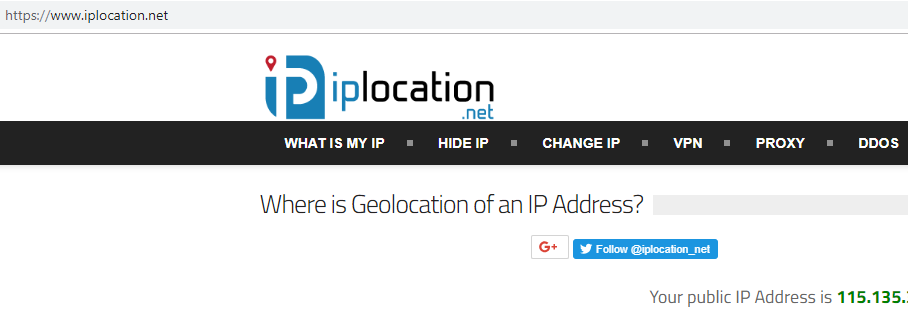 |
|
|
Feb 24 2019, 11:48 PM
Return to original view | Post
#6
|
|
Senior Member
1,882 posts Joined: Sep 2017
|
QUOTE(lorrydriverrocks @ Feb 24 2019, 11:25 PM) Apparently TM has been charging me on voice calls on my Unifi rm129 (the latest package), actually the package already included 600 min talk time. I raise a dispute with them via the Support Chat. if you call mobile number or premium number after 600min then it will be charge.So guys better check your bill |
|
|
|
|
|
Mar 6 2019, 07:46 PM
Return to original view | Post
#7
|
|
Senior Member
1,882 posts Joined: Sep 2017
|
QUOTE(JohnLai @ Mar 6 2019, 07:14 PM) That SPOILER aside, let enable RETPOLINE for WIN10 1809! 6rd generation use which one?https://techcommunity.microsoft.com/t5/Wind...ows/ba-p/295618 SSBD + SPECTRE V2 + MELTDOWN + RETPOLINE CODE reg add "HKLM\SYSTEM\CurrentControlSet\Control\Session Manager\Memory Management" /v FeatureSettingsOverride /t REG_DWORD /d 0x408 reg add "HKLM\SYSTEM\CurrentControlSet\Control\Session Manager\Memory Management" /v FeatureSettingsOverrideMask /t REG_DWORD /d 0x400 SPECTRE V2 + MELTDOWN + RETPOLINE CODE reg add "HKLM\SYSTEM\CurrentControlSet\Control\Session Manager\Memory Management" /v FeatureSettingsOverride /t REG_DWORD /d 0x400 reg add "HKLM\SYSTEM\CurrentControlSet\Control\Session Manager\Memory Management" /v FeatureSettingsOverrideMask /t REG_DWORD /d 0x400 Get-SpeculationControlSettings BTIKernelRetpolineEnabled : True BTIKernelImportOptimizationEnabled : True EDIT: Even though Retpoline will not be enabled for Skylake generation onwards = just add those registries, there is "Import optimization" available for Skylake generation onwards too.  Unless if Microsoft plans to write "Retpoline Underflow" for Skylake generation onwards...........  |
|
|
Mar 6 2019, 07:57 PM
Return to original view | Post
#8
|
|
Senior Member
1,882 posts Joined: Sep 2017
|
QUOTE(JohnLai @ Mar 6 2019, 07:54 PM) You probably don't want SSBD to be enabled system wide, so please use the second one with both 0x400 value. Okay Thanks. |
|
|
Mar 11 2019, 10:31 PM
Return to original view | Post
#9
|
|
Senior Member
1,882 posts Joined: Sep 2017
|
anyone facing shit routing to USA?
slow download from Nvidia...(Trying to download the latest driver) QUOTE(cpmlml @ Mar 11 2019, 10:21 PM) Hi, anyone protected thier unifi modem amd router with UPS? If during power black out the Unifi still working? Normally will still working,unless if the unifi exchange center also no power then confirm no network.I try it few years ago, it will work. This post has been edited by go626201: Mar 11 2019, 10:33 PM |
|
|
Mar 11 2019, 11:29 PM
Return to original view | Post
#10
|
|
Senior Member
1,882 posts Joined: Sep 2017
|
QUOTE(MasBoleh! @ Mar 11 2019, 11:21 PM) Recently not sure why my Unifi connection becomes so slow, like tonight i cant even load LYN, have to connect to my phone's hotspot. Did you guys face any such issue? Try disable your IPv6?TM IPv6 routing is very bad only can get good routing from Facebook/Google sometimes... Most of the time 95% of TM ipv6 connection will get shit routing and latency than ipv4. |
|
|
Mar 11 2019, 11:33 PM
Return to original view | Post
#11
|
|
Senior Member
1,882 posts Joined: Sep 2017
|
QUOTE(RicoT @ Mar 11 2019, 11:30 PM) Amy router you recommend for recent wireless standards? My wireless standards knowledge still at abgn. What's new and reasonable priced? IEEE 802.11ax should be start more deploy for high end device like router and phone this year i think.Now only few router got that thing. And WPA3 might also start deploy for some router this year or next year. |
|
|
Mar 11 2019, 11:57 PM
Return to original view | Post
#12
|
|
Senior Member
1,882 posts Joined: Sep 2017
|
QUOTE(MasBoleh! @ Mar 11 2019, 11:50 PM) Sorry, would like to know how to disable that. For Windows https://medium.com/@JockDaRock/disabling-ip...10-5fad010bca75 For Router U need to login to the admin management panel of the router and try to find the setting for ipv6. It should be an On or Off button to choose and save it. |
|
|
Mar 12 2019, 09:52 PM
Return to original view | Post
#13
|
|
Senior Member
1,882 posts Joined: Sep 2017
|
QUOTE(watabakiu @ Mar 12 2019, 07:13 PM) How do I check for the sites visited by the users accessing my network, or if it is at all possible? I am using stock Unifi hardwares modem/router Entry level router might not have the function for connection record. |
|
|
|
|
|
Mar 12 2019, 10:53 PM
Return to original view | Post
#14
|
|
Senior Member
1,882 posts Joined: Sep 2017
|
QUOTE(JohnLai @ Mar 12 2019, 10:08 PM) How about preparing a PC/netbook/pi for DNS resolving purpose, then set the router Primary + Secondary DNS to that PC/netbook/pi IP address? Can la,but actually that Pihole sometime block wrong thing..haha Using additional device for record connection not worth unless really want to check family browse history.. if use pc or notebook waste electric, Pi is a good device for this purpose,but need to know how to setup lo..  |
|
|
Mar 12 2019, 11:39 PM
Return to original view | Post
#15
|
|
Senior Member
1,882 posts Joined: Sep 2017
|
Anyone using mikrotik router and setup vpn within the router?
Any recommend that works well with the router and good connection with unifi to Singapore vpn? I just solve the fasttrack problem which will affect the vpn connection when the vpn setup in the mikrotik router. Wanna find a vpn that can run more than 100mbps with sg vpn connection. I am using Purvpn now,but their server very shit(Zenlayer,Secure internet LLC,NewMedia,Leaseweb)...Only browse extension's connect server better(They use different server set for browse extension-SoftLayer Server) Nordvpn just drop pptp support last year,so might not choose nord vpn,cause encryption method affect speed heavy. If possible the sg vpn can watch Toggle.SG Live Stream (Geo-Location Block) will be better for me to choose. Self-Setup VPN not so worth,since i only use once to two times per week. But if no better selection,then nevermind.. |
|
|
Mar 14 2019, 12:25 PM
Return to original view | Post
#16
|
|
Senior Member
1,882 posts Joined: Sep 2017
|
QUOTE(myteam94 @ Mar 14 2019, 11:53 AM) Truth to be told, So you want to use the router as access point or change your current router to that old router?When i first talk to UNIFI regarding the new speed they told either you can contract 2yrs or buy your own unit of course that time, my UNIFI still was not part of the first pilot speed upgrade so then, i talk again with UNIFI about the upgrade still no news, now i've tried to pressure them about the upgrade since my current unit can't cater for the new speed, i thought wanna buy a new unit thats where I wanna try to re-use my previous UNIFI (it was 30mbps plan) unit from my college time. sorry i'm not be familiar with terms the first method mention previously, bridge between Optic cable with Cat5e cable? is it workable? or i need to ask UNIFI technician to actually check about it? Actually i dont really know what you want to do with your old device from college? VDSL is not same to Fibre Optic. if you want to buy a new router for supporting the turbo speed, dont care about your old device, just buy new router. If you want to pull a cable from your current device to another room or what,then u can use your old dlink device as a access point. or you are saying subscribe for 2rd unifi line? That vdsl(silver one) didn't work for your current setup,so do not consider it for any usage. |
|
|
Mar 20 2019, 01:06 AM
Return to original view | Post
#17
|
|
Senior Member
1,882 posts Joined: Sep 2017
|
|
|
|
Mar 20 2019, 10:16 PM
Return to original view | Post
#18
|
|
Senior Member
1,882 posts Joined: Sep 2017
|
QUOTE(calvin_gsc @ Mar 20 2019, 08:35 PM)  Feel so cheated by TM Feel so cheated by TM  I have 2 Unifi 800 account under me. I got my upgrade early of last year, no issue with getting full speed with my current equipment. However recently did speed test with my Laptop via LAN, no equipment change. One location getting 100Mbps D/100Mbps U another 300Mbps D/ 100Mbps U. I contacted TM via Livechat and both location also did port reset but still same speed results. Now waiting for technical team to call me for site visit. Some more they will tell you, site visit if your fault then RM53 will be billed. Next if fiber equipment faulty, option1 free replacement but extend contract WTF option2 pay for yourself for the new equipment with no contract extension.Dont know how long i have been getting slow speed but still paying full bill amount. What a scam!  Try change new cable or new device or new browser to speedtest. (Example: my 2017 i77700hq laptop always cant get full speed with lan or wifi.I also dont know why,using power adapter also,but sometimes can get more than 500mbps)(With my desktop pc always full speed after format my pc) |
|
|
Mar 23 2019, 12:05 AM
Return to original view | Post
#19
|
|
Senior Member
1,882 posts Joined: Sep 2017
|
QUOTE(annoymous1234 @ Mar 22 2019, 11:54 PM) I'm using 100mbps and planning to get a new router. I see page 1 got a few recommendations, but are all those just plug and play? Or do I need to do setup? Which one should I get that can be straight use without configuration? all router need configuration before use. |
|
|
Mar 23 2019, 01:37 AM
Return to original view | Post
#20
|
|
Senior Member
1,882 posts Joined: Sep 2017
|
QUOTE(annoymous1234 @ Mar 23 2019, 12:41 AM) Which one is the easiest? I scare later don't know what to do. Lol For me,i prefer Asus brand.But Normally TPlink Or DLink also have easy setup for unifi. Just need Unifi Username and Password. Others is not so important. For others not so local brand,vlan setting might needed. (I only have exprience with Asus,Tplink and Dlink brand for easy setup,others brand i didn't use before,But now using more deeper skill required brand -Mikrotik,newbies dont recommended for use) |
|
Topic ClosedOptions
|
| Change to: |  0.0267sec 0.0267sec
 0.57 0.57
 7 queries 7 queries
 GZIP Disabled GZIP Disabled
Time is now: 5th December 2025 - 07:00 PM |
 Quote
Quote
