

QUOTE(sHawTY @ Nov 19 2018, 05:45 PM)
Just collected from DHL e-Commerce Puchong Center at 4.30PM today 
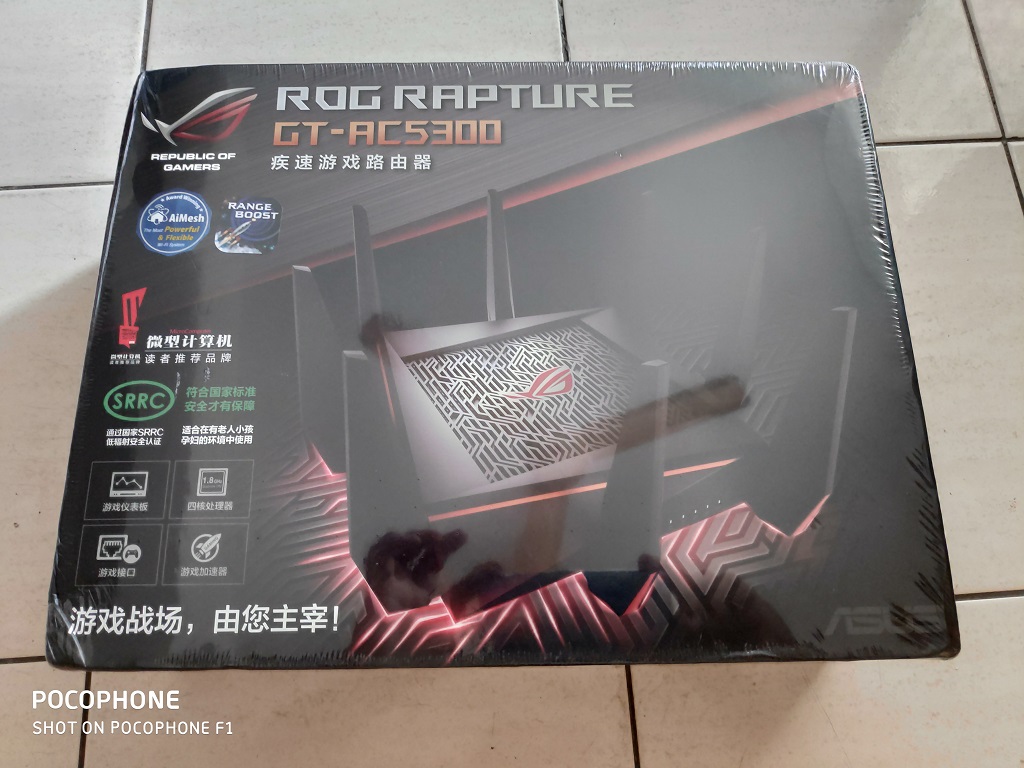
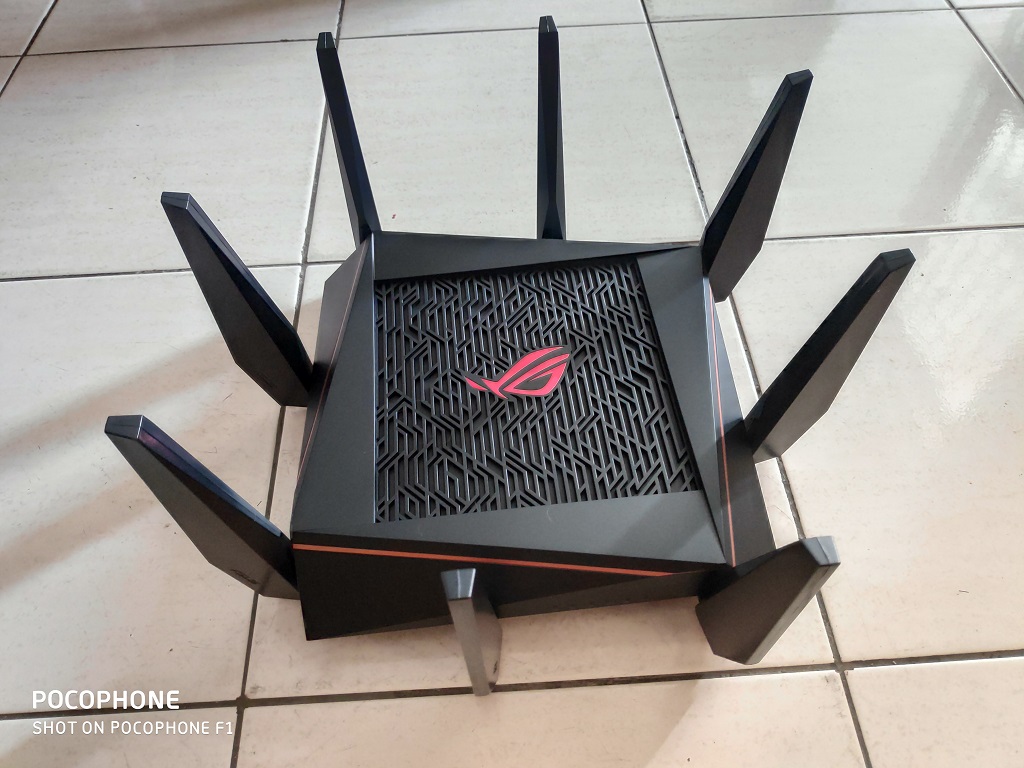

Why do you need this badass router? How to buy cheap ASUS RT-AC68U router, come have a look
|
|
 Nov 19 2018, 06:05 PM Nov 19 2018, 06:05 PM
Show posts by this member only | IPv6 | Post
#981
|
 
Senior Member
562 posts Joined: Feb 2009 From: klang valley   
|
QUOTE(sHawTY @ Nov 19 2018, 05:45 PM) Just collected from DHL e-Commerce Puchong Center at 4.30PM today Why do you need this badass router? |
|
|
|
|
|
Nov 19 2018, 06:10 PM
Show posts by this member only | IPv6 | Post
#982
|

All Stars
14,909 posts Joined: Jul 2005 
|
QUOTE(bsa12 @ Nov 19 2018, 06:05 PM) Why do you need this badass router? Kenot is it?  |
|
|
Nov 19 2018, 06:13 PM
|

Senior Member
2,551 posts Joined: Jan 2003 From: Cheras / Ampang
|
QUOTE(bsa12 @ Nov 19 2018, 06:05 PM) Why do you need this badass router? QUOTE(sHawTY @ Nov 19 2018, 06:10 PM) Kenot is it? Maybe he want to have some kickass lightning speed~  |
|
|
Nov 19 2018, 06:15 PM
|

Senior Member
4,549 posts Joined: Nov 2009
|
QUOTE(sHawTY @ Nov 19 2018, 05:45 PM) Just collected from DHL e-Commerce Puchong Center at 4.30PM today nice, still awaiting update on mine  |
|
|
Nov 19 2018, 06:55 PM
|

Senior Member
2,281 posts Joined: Feb 2012
|
QUOTE(sHawTY @ Nov 19 2018, 05:45 PM) Just collected from DHL e-Commerce Puchong Center at 4.30PM today how much u bought this model? |
|
|
Nov 19 2018, 07:11 PM
|

Newbie
19 posts Joined: Dec 2015
|

Sorry another issue.My internet is UNIFI 100mbps.But my all lan cable is cat 6 and above .WAN always show 100mbps.What is the problem? This post has been edited by window0722: Nov 19 2018, 07:12 PM |
|
|
|
|
|
Nov 19 2018, 07:28 PM
|
|
All Stars
14,909 posts Joined: Jul 2005
|
QUOTE(window0722 @ Nov 19 2018, 07:11 PM) Sorry another issue.My internet is UNIFI 100mbps.But my all lan cable is cat 6 and above .WAN always show 100mbps.What is the problem? The culprit might be the BTU itselfHow old is the BTU? |
|
|
Nov 19 2018, 07:31 PM
|
|
Newbie
19 posts Joined: Dec 2015
|
QUOTE(sHawTY @ Nov 19 2018, 07:28 PM) The culprit might be the BTU itself This year changed when i update 100mbps from unifi.Model is Huawei HG8240H.I have read the spec is support gigabit.So i think not the hardware issue.How old is the BTU? |
|
|
Nov 19 2018, 07:32 PM
|
|
All Stars
14,909 posts Joined: Jul 2005
|
Bought this AC adaptor from Lazada as well for spare in case the original AC adaptor craps out
https://www.lazada.com.my/-i212078976-s267110243.html Same voltage but higher amps Bought a different one from the same seller to use with RT-AC68U & RT-AC86U, been using the AC adaptor for more than 6 months and it's really stable Also same voltage but higher amps than the original AC adaptor |
|
|
Nov 19 2018, 07:33 PM
|
|
All Stars
14,909 posts Joined: Jul 2005
|
QUOTE(window0722 @ Nov 19 2018, 07:31 PM) This year changed when i update 100mbps from unifi.Model is Huawei HG8240H.I have read the spec is support gigabit.So i think not the hardware issue. Have you tried using a different ethernet cable?Also, try and plug back the original TM router to see if you can get gigabit ethernet on the WAN port or not |
|
|
Nov 19 2018, 07:51 PM
|
|
All Stars
14,909 posts Joined: Jul 2005
|
Just sold my RT-AC86U for RM600
Whereas I bought it at RM569.10  |
|
|
Nov 19 2018, 08:07 PM
|
|
Newbie
19 posts Joined: Dec 2015
|
QUOTE(sHawTY @ Nov 19 2018, 07:33 PM) Have you tried using a different ethernet cable? Change already , no point.And the original router not show wan status.Also, try and plug back the original TM router to see if you can get gigabit ethernet on the WAN port or not |
|
|
Nov 19 2018, 08:41 PM
Show posts by this member only | IPv6 | Post
#993
|
|
Senior Member
4,549 posts Joined: Nov 2009
|
QUOTE(window0722 @ Nov 19 2018, 08:07 PM) Change already , no point.And the original router not show wan status. Huawei HG8240H has gigabit port, very likely is cable problem, get some high quality one, don used those free from router try directly from PC to ONU? This post has been edited by vernon91: Nov 19 2018, 08:46 PM |
|
|
|
|
|
Nov 19 2018, 08:47 PM
|
|
Newbie
19 posts Joined: Dec 2015
|
QUOTE(vernon91 @ Nov 19 2018, 08:41 PM) Huawei HG8240H has gigabit port, AMP Cat 6 i think is enought high quality already right?very likely is cable problem, get some high quality one, don used those free from router try directly from PC to PNU? Your mean is PC to Modem?How to check the Connection status?Because i have try access modem but not work. |
|
|
Nov 19 2018, 08:48 PM
|
|
Senior Member
2,551 posts Joined: Jan 2003 From: Cheras / Ampang
|
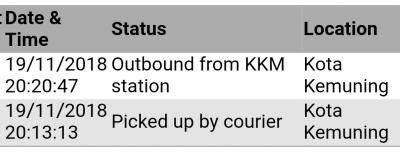
At last Gdex website got update ady... Anyone know has the parcel arrive at Gdex facilities? If so, maybe I try to call them and arrange pickup from them... |
|
|
Nov 19 2018, 08:48 PM
|
|
All Stars
14,909 posts Joined: Jul 2005
|
QUOTE(window0722 @ Nov 19 2018, 08:07 PM) Change already , no point.And the original router not show wan status. As Vernon91 mentioned above, try to disconnect the ethernet cable from the WAN port on your router then connect your BTU directly to a PCSee if it's showing 100Mb or 1Gb |
|
|
Nov 19 2018, 08:51 PM
Show posts by this member only | IPv6 | Post
#997
|
|
Senior Member
4,549 posts Joined: Nov 2009
|
QUOTE(window0722 @ Nov 19 2018, 08:47 PM) AMP Cat 6 i think is enought high quality already right? sure be no problem,Your mean is PC to Modem?How to check the Connection status?Because i have try access modem but not work. just connect ur pc to the modem and then check the network status from PC 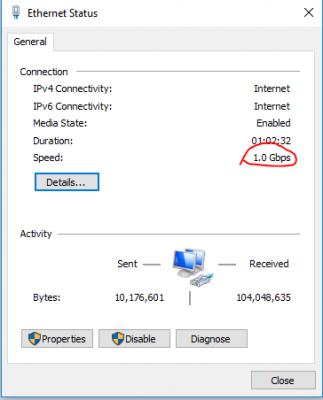
but since u mentioned that ur internet is only 100mbps, why need 1gbps wan to router  if still the same, maybe TM has configured ur ONU Ethernet port to be 100mbps? This post has been edited by vernon91: Nov 19 2018, 08:52 PM |
|
|
Nov 19 2018, 08:53 PM
|
|
Newbie
13 posts Joined: Nov 2018
|
QUOTE(window0722 @ Nov 19 2018, 05:06 PM) [attachmentid=10113772] Not in home,just can remote by phone now. 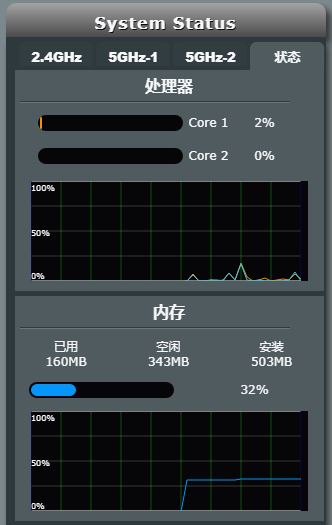 |
|
|
Nov 19 2018, 08:56 PM
|
|
Newbie
19 posts Joined: Dec 2015
|
QUOTE(sHawTY @ Nov 19 2018, 08:48 PM) As Vernon91 mentioned above, try to disconnect the ethernet cable from the WAN port on your router then connect your BTU directly to a PC Now downloading,later will try.See if it's showing 100Mb or 1Gb |
|
|
Nov 19 2018, 08:59 PM
|
|
Newbie
19 posts Joined: Dec 2015
|
QUOTE(vernon91 @ Nov 19 2018, 08:51 PM) sure be no problem, Ok understand.Because Lan can show 1gbps.Why wan dont show?My friend RT1200G+ show me picture below.You say is bug or what?just connect ur pc to the modem and then check the network status from PC
but since u mentioned that ur internet is only 100mbps, why need 1gbps wan to router if still the same, maybe TM has configured ur ONU Ethernet port to be 100mbps? 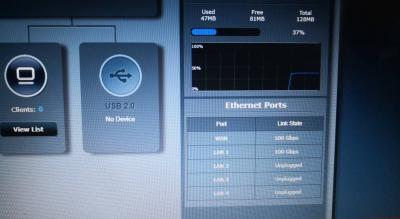
|
| Change to: |  0.0214sec 0.0214sec
 0.56 0.56
 6 queries 6 queries
 GZIP Disabled GZIP Disabled
Time is now: 8th December 2025 - 03:00 PM |
 Quote
Quote