

 Feb 6 2024, 09:52 PM


QUOTE(pokemon @ Feb 6 2024, 12:31 PM)
Update : The installer came and change the lnb to dcss and the problem is resolved now.
In short, it is better to get dcss lnb if you are having ultrabox to watch 4K channels.
Universal LNB is possible if you are using ultibox or older decoder boxes.

Glad to hear that. In short, it is better to get dcss lnb if you are having ultrabox to watch 4K channels.
Universal LNB is possible if you are using ultibox or older decoder boxes.
 So now the DCSS LNB on the satellite dish, is in blue colour, like this picture below, right?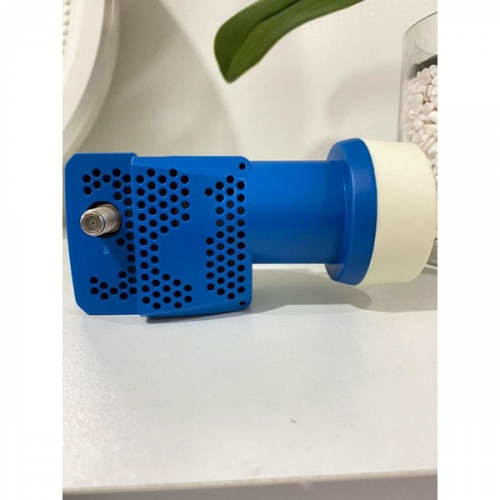
Now, the LNB Input setting for both of your auntie's Ultra Box and PVR box are now set to "DCSS", correct?
So far do you encounter any SCNA on any of the channels for the PVR box?
Since it's now using DCSS LNB, then doing these scenarios below shouldn't cause SCNA or signal conflict issue on either of your auntie's Astro boxes:
Example A:
Ultra Box - Tune to 4K channels like CH549, CH805
PVR Box - Tune to channels like CH122, CH124, CH305
Example B:
Ultra Box - Tune to either CH549/805
PVR Box - Try record any 2 different TV channels at the same time for just a few seconds, and then stop recording for both channels. Then check if you can playback the 2 programme recordings on your My Library without issue/error.
QUOTE
In short, it is better to get dcss lnb if you are having ultrabox to watch 4K channels.
Universal LNB is possible if you are using ultibox or older decoder boxes.
Universal LNB is possible if you are using ultibox or older decoder boxes.
The more exact answer should be:
Use DCSS LNB if you are connecting multiple Astro boxes from the same satellite dish, especially when you want the Ultra Box to be able to receive 4K UHD channels.
Universal LNB (single output) is okay to use if it is only connected only to one Astro box (one tuner), such as Ulti Box or the older HD box models.
 Quote
Quote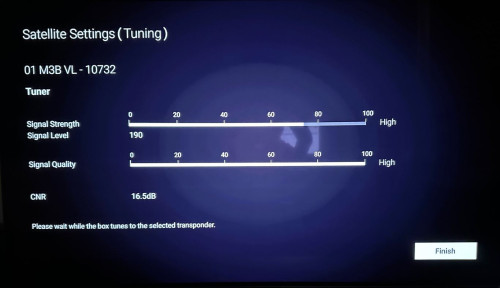
 What are they thinking?
 the installer said that if can receive signal, then no issue
  , should this even be acceptable?



 0.0561sec
 1.35
1.35
 7 queries
 GZIP Disabled