Outline ·
[ Standard ] ·
Linear+
Astro Version 13A, All about Astro Malaysia offerings
|
Zot
|
 Feb 17 2020, 05:26 PM Feb 17 2020, 05:26 PM
|

|
QUOTE(pokchik @ Feb 17 2020, 05:18 PM) had a chance to use Ultra Box at my sis' house, damn the UI feels fluid vs. existing PVR that is extra clunky and sloowwwww.. i'm really eager to change to Ultra Box but home minister a.k.a finance minister says that she prefer hdisk-based recording in case internet down then still can watch. How often internet is down. I cannot recall when mine was down the last time ... a year ... no ...two years ago  |
|
|
|
|
|
Zot
|
Feb 18 2020, 04:57 AM
|
|
|
QUOTE(Iconoclast @ Feb 17 2020, 08:01 PM) Owh..I see. I thought my ultra box picked up that Google DNS from my router.. So there is no way I can change that DNS la right? If you change manually the DNS in the router, anything connected to the router will use the router DNS. If the DNS cannot be resolved, it will revert to DNS provided by the BTU set by service provider. Note that it will not go to the secondary DNS set in the router. Say that you have a PC connected to the router and you configure the DNS manually on the PC. THe PC will use the DNS set on it and only the PC will use this DNS. The rest of the devices connected to the router will use the router DNS. This is what I know. |
|
|
|
|
|
Zot
|
Feb 18 2020, 10:24 AM
|
|
|
QUOTE(khainiz94 @ Feb 18 2020, 10:17 AM) I also thinking, what if I block the Google DNS in the router? Because I am using 4 Chromecasts and using it to access Hulu, The CW and Disney+ which is US based paired with Getflix DNS on the router, so have to block the Google DNS, does it will affect the performance of the Astro Ultra Box? I am not having problems so far on Ultra Box with Getflix DNS. What you meant by blocking it? Deleted it? DNSes around the world sync with each other. The addresses list get updated around the clock with exception of those black-listed address on that specific DNS. Therefore, those black-listed address will not be resolved by that specific DNS. That's all. |
|
|
|
|
|
Zot
|
Feb 18 2020, 10:36 AM
|
|
|
QUOTE(khainiz94 @ Feb 18 2020, 10:29 AM) I dunno, I have to put the Google DNS in Static Routes setting in my Asus router in order to make sure the Chormecast works. If I did not do that, it will not load any video even use Getflix DNS. Dunno much about Getflix. I read about Getflix DNS-over-VPN. I guess this DNS do not provide path to external access through it. That is why it doesn't work. |
|
|
|
|
|
Zot
|
Feb 19 2020, 09:46 AM
|
|
|
QUOTE(yongtjunkit @ Feb 19 2020, 09:41 AM) I wonder what are the removed features other than the missing timeshift function and no local storage and no support for IPTV I cannot find mute button  Well, I keep using old remote since with new remote I need to go menu>sub-menu>sub-menu to get what I want  |
|
|
|
|
|
Zot
|
Feb 19 2020, 10:01 AM
|
|
|
QUOTE(yongtjunkit @ Feb 19 2020, 09:57 AM) Sounds like the remote control needs a redesign to fix that, also cannot use the mute button on the TV remote ? New remote is simplistic concept. Small, looks good and less buttons. You just need to navigate the on screen menu more. That's all. As I said I still don;t know how to get instant mute unless continue pressing Vol-  |
|
|
|
|
|
Zot
|
Feb 19 2020, 10:14 AM
|
|
|
QUOTE(zeone @ Feb 19 2020, 10:06 AM) Hi Bro... So sorry... But cld yu pls advise how to go to Bootloader Page of our Ultrabox in order 2do a Forced Sware Update? Thks a meg lo... 🙏❤️👍✌️ I think you need to power off the UBox. Then once power on the UBox, keep pressing the power button on remote just like you want to trap the boot menu on PC Something like that if not mistaken. It will show the bootloader menu. There are several option there. I cannot recall. One is update the firmware. Will take time to download and install. I hope I remember this right. Maybe joshhd know the correct method.  |
|
|
|
|
|
Zot
|
Feb 19 2020, 10:30 AM
|
|
|
QUOTE(yongtjunkit @ Feb 19 2020, 10:27 AM) If Astro allows reprogrammable hotkey like for example pressing and holding 0 would be mute I looked at the menu cover, there is Mute word at the Volume button. I tries to press both button like pressing in center but did not work |
|
|
|
|
|
Zot
|
Feb 19 2020, 04:09 PM
|
|
|
QUOTE(joshhd @ Feb 19 2020, 03:46 PM) What I know is, software is like the Operating System and the firmware of the STB. Bootloader is "a program that loads an operating system when a computer is turned on" (according to Google). The one that has "manual tuning" one and "Advanced Bootloader" ones, just ignore. That is likely for super technical/engineer persons to use only. I think the bootloader is more like the firmware. Firmware is more like the program that bridge the hardware with software. The interface and everything that enable human to talk to machine is software (OS). The BIOS on the PC is the firmware which must be loaded first before the OS can talk to the machine. |
|
|
|
|
|
Zot
|
Feb 19 2020, 04:50 PM
|
|
|
QUOTE(stasio @ Feb 19 2020, 04:39 PM) Holding Power button on Astro remote control ( and box itself) more then 1 minute...nothing happen....  Edit: Same old software v10.1(SFH1).....Oct.24 2019. Edit1: Must constant pressing...NOT hold. Yes..I think need to press, press, press, ...., press, until you get the boot page. And on the box? No need on the box Did you get to the boot page and managed to download new software? This post has been edited by Zot: Feb 19 2020, 04:51 PM |
|
|
|
|
|
Zot
|
Feb 19 2020, 05:18 PM
|
|
|
QUOTE(stasio @ Feb 19 2020, 05:15 PM) Yes ,I got boot page and press option 1. Software update 100% and self reboot....after boot...again old software...... Software update on LAN cable...now I trying by WIFI.... why not try firmware too |
|
|
|
|
|
Zot
|
Feb 19 2020, 05:25 PM
|
|
|
QUOTE(stasio @ Feb 19 2020, 05:21 PM) Which firmware..? I pressed only option 1.... 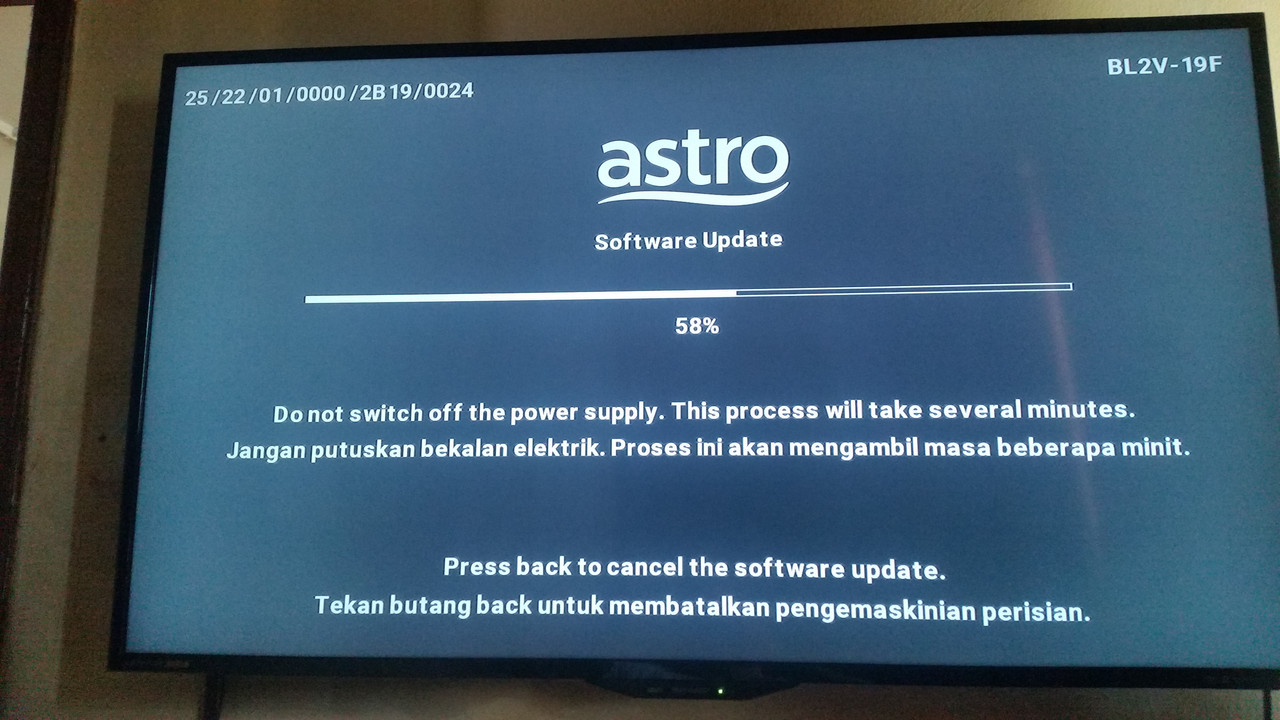 I meant bootloader. I think the upgrade is through satellite. |
|
|
|
|
|
Zot
|
Feb 19 2020, 05:36 PM
|
|
|
QUOTE(stasio @ Feb 19 2020, 05:33 PM) Will try now..so go for option 2..? One more thing I don't like....every time change LAN to WIFI must type password again (for WIFI)...  I see. Never use WiFi |
|
|
|
|
|
Zot
|
Feb 19 2020, 05:39 PM
|
|
|
QUOTE(yongtjunkit @ Feb 19 2020, 05:38 PM) User settings/ preferences such as favorites still intact? I believe so. Nothing change as far as I remember |
|
|
|
|
|
Zot
|
Feb 21 2020, 09:29 AM
|
|
|
QUOTE(stasio @ Feb 21 2020, 09:26 AM) So, anybody had installed (or updated) newest software then from 24.Oct 2019..? Except joshhd of course.... I don't even know what version is mine I just assume it will be automatically updated. So, should be the latest. I need to check what version it is now. |
|
|
|
|
|
Zot
|
Feb 21 2020, 09:35 AM
|
|
|
QUOTE(stasio @ Feb 21 2020, 09:32 AM) Yea,please check....joshhd is on "Jan 27 2020" version. Hope I can remember when I get home today  |
|
|
|
|
|
Zot
|
Feb 21 2020, 12:22 PM
|
|
|
QUOTE(joshhd @ Feb 21 2020, 12:19 PM) Want to hear a silly story? I tried force update earlier, it reverts back my version to Oct 24 2019I was like..... Wtf? You need to Go Back to the Past. Press Undo button |
|
|
|
|
|
Zot
|
Feb 21 2020, 08:41 PM
|
|
|
QUOTE(zeone @ Feb 21 2020, 01:17 PM) S/Ware version is still the SAME... 🤔👌✌️ So...most probably, as guessed by some1 earlier...the Jan 2020 copy is a Beta test version... 🤔😀😀😀✌️ Mine also Oct 24, 2019 |
|
|
|
|
|
Zot
|
Feb 22 2020, 07:46 PM
|
|
|
QUOTE(yongtjunkit @ Feb 22 2020, 05:48 PM) Some set up only use 1 cable but dual tuner like satCR and DCSS Universal requires 2 RG6 cables from the satellite dish, splitter can be used last time but due to a frequency change, it needs 2 RG6 cable for universal( not sure about now, since my aunt switched to satCR as it's easier to install than laying another RG6 cable) I remembered Astro used the 2nd cable when upgrade to HD, but then with UBox, go back to one as the other cable is used to stacking channel only which is not required in UBox. Yes, you are right |
|
|
|
|
|
Zot
|
Feb 22 2020, 08:35 PM
|
|
|
QUOTE(yongtjunkit @ Feb 22 2020, 07:57 PM) HD PVR box? HD dmt4 uses only 1 cable Ultra box uses satCR/DCSS Not required at the moment until there’s an option to store recording locally If plug in 1 RG6 cable( universal LNB) to HD PVR box sat in 1, you’ll get signal but a bit unstable( like some channel can watch, some channel cannot ) and can only record/watch 1 channel at a time Yes PVR. Yes if only one channel can only only record the channel it was logged on only. The Ubox now only have 1 port. So, you are saying need to be changed? How can the box has dCSS? Probably not at the moment. Unless the box is changed, the dCSS could be on the LNA side. |
|
|
|
|





 Quote
Quote
 0.0372sec
 0.18
0.18
 7 queries
 GZIP Disabled