Welcome Guest ( Log In | Register )

12 Pages « < 2 3 4 5 6 > » Bottom

Outline · [ Standard ] · Linear+

 Skyworth TV, Any User/Review

views
     
puchongite
post Jul 17 2019, 04:02 PM

20k VIP Club
*********
All Stars
33,591 posts

Joined: May 2008
QUOTE(dehantu @ Jul 17 2019, 03:56 PM)
I just bought the TV... which does not come with pre install netflix... so I downloaded Netflix apk... installed in.... error pop up... 1st Your account cant use in this device.... later device not compatible.

so... what version of Netflix u are using or any idea how to run netflix?
*
You have tried the Android TV version ( which as white background in the logo ).

Oh boy looks like you have been short-changed already.

From this video, I see that they are installing the mobile phone version of netflix onto the TV, not the Android TV version ! That version of netflix, can be installed in almost all devices. All the best !


I guess this is where a Widevide L1 and Netflix certified TV box can rescue you !

This post has been edited by puchongite: Jul 17 2019, 04:07 PM
dehantu
post Jul 17 2019, 04:31 PM

New Member
*
Junior Member
14 posts

Joined: May 2009
QUOTE(puchongite @ Jul 17 2019, 04:02 PM)
You have tried the Android TV version ( which as white background in the logo ).

Oh boy looks like you have been short-changed already.

From this video, I see that they are installing the mobile phone version of netflix onto the TV, not the Android TV version ! That version of netflix, can be installed in almost all devices. All the best !


I guess this is where a Widevide L1 and Netflix certified TV box can rescue you !
*
It seems that the solution does not work... I tried. I faced the same issue as in youtube comment. netflix app can run... but the movie wont play - either you get "your acct cant be used on this device" or "device not compatible"
puchongite
post Jul 17 2019, 04:41 PM

20k VIP Club
*********
All Stars
33,591 posts

Joined: May 2008
QUOTE(dehantu @ Jul 17 2019, 04:31 PM)
It seems that the solution does not work... I tried. I faced the same issue as in youtube comment. netflix app can run... but the movie wont play - either you get "your acct cant be used on this device" or "device not compatible"
*
Please post your link to the apk. The black background netflix apk should be installable on most devices.
dehantu
post Jul 18 2019, 12:49 AM

New Member
*
Junior Member
14 posts

Joined: May 2009
QUOTE(puchongite @ Jul 17 2019, 04:41 PM)
Please post your link to the apk.  The black background netflix apk should be installable on most devices.
*
able to run netflix now after install netflix version 4.4.2 .... but now the netflix icon doesn't show on the home screen. in order to play netflix, I've to go APPs list in system - run /open from there. very troublesome.

anybody can help on this? how to enable or create netflix shortcut icon on andriod Tv home... thanks
puchongite
post Jul 18 2019, 07:37 AM

20k VIP Club
*********
All Stars
33,591 posts

Joined: May 2008
QUOTE(dehantu @ Jul 18 2019, 12:49 AM)
able to run netflix now after install netflix version 4.4.2 .... but now the netflix icon doesn't show on the home screen. in order to play netflix, I've to go APPs list in system - run /open from there. very troublesome.

anybody can help on this? how to enable or create netflix shortcut icon on andriod Tv home... thanks
*
That is probably not your main problem.

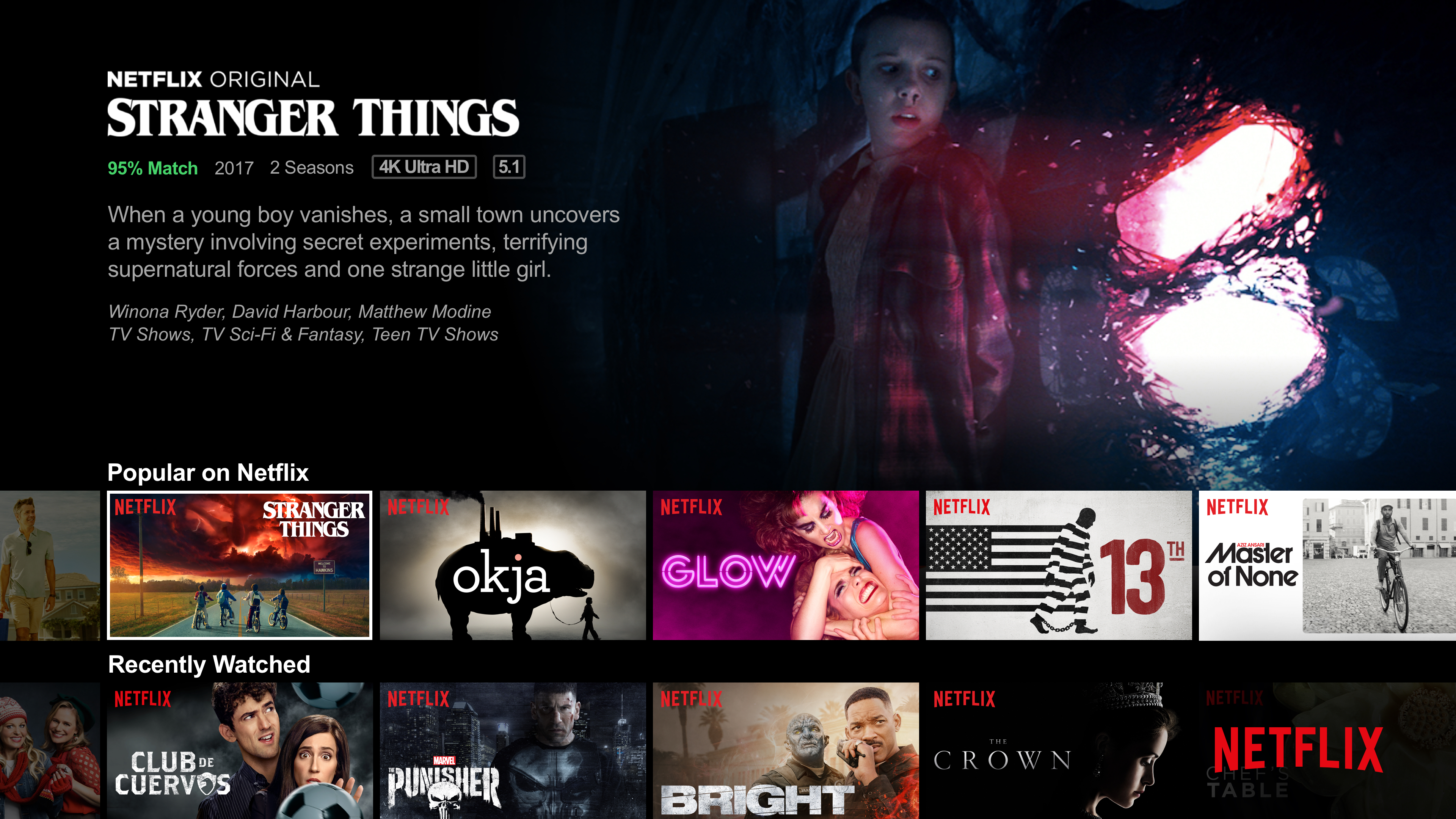
If you try to use the 'search' function and type '4k' into it, and then click on one of the movies, do you '4k ultra UHD' on it ?

user posted image


sahman
post Jul 18 2019, 09:41 AM

Getting Started
**
Junior Member
111 posts

Joined: Oct 2008
QUOTE(dehantu @ Jul 17 2019, 03:56 PM)
I just bought the TV... which does not come with pre install netflix... so I downloaded Netflix apk... installed in.... error pop up... 1st Your account cant use in this device.... later device not compatible.

so... what version of Netflix u are using or any idea how to run netflix?
*
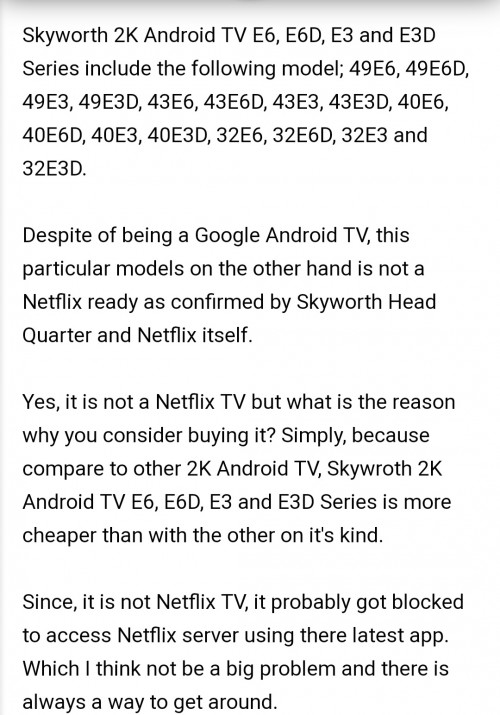
What model TV you are using ? There is some model that are not Netflix certified.
sahman
post Jul 18 2019, 09:50 AM

Getting Started
**
Junior Member
111 posts

Joined: Oct 2008
user posted image
AVFAN
post Jul 18 2019, 10:11 AM

20k VIP Club
*********
All Stars
24,453 posts

Joined: Nov 2010
QUOTE(dehantu @ Jul 18 2019, 12:49 AM)
able to run netflix now after install netflix version 4.4.2 .... but now the netflix icon doesn't show on the home screen. in order to play netflix, I've to go APPs list in system - run /open from there. very troublesome.

anybody can help on this? how to enable or create netflix shortcut icon on andriod Tv home... thanks
*
yr tv is not true netflix certified - that's why u have to sideload the common SD version.

any app sideloaded (meaning not direct from playstore) will not appear in the home UI of ATV.

the best thing u can do is install a sideload launcher app from playstore.

then u can see this app at homescreen - all apps will be found there.
dehantu
post Jul 18 2019, 10:12 AM

New Member
*
Junior Member
14 posts

Joined: May 2009
QUOTE(sahman @ Jul 18 2019, 09:50 AM)
user posted image
*
Mine 32e6... so netflix is not compatible...
so ... back to help needed ... how to create app on adroid tv home page
puchongite
post Jul 18 2019, 10:17 AM

20k VIP Club
*********
All Stars
33,591 posts

Joined: May 2008
QUOTE(dehantu @ Jul 18 2019, 10:12 AM)
Mine 32e6... so netflix is not compatible...
so ... back to help needed ... how to create app on adroid tv home page
*
I might have a possible answer to your problem, but you must do some tests as I suggested first.

The apk is not creating an ICON because in the manifest.xml (inside the apk) does not allow it to be started by a leanback launcher ( an Android TV launcher ). So the apk needs to be modified.

This post has been edited by puchongite: Jul 18 2019, 10:20 AM
dehantu
post Jul 18 2019, 12:12 PM

New Member
*
Junior Member
14 posts

Joined: May 2009
QUOTE(puchongite @ Jul 18 2019, 10:17 AM)
I might have a possible answer to your problem, but you must do some tests as I suggested first.

The apk is not creating an ICON because in the manifest.xml (inside the apk) does not allow it to be started by a leanback launcher ( an Android TV launcher ). So the apk needs to be modified.
*
I found this on YOUTUBE... https://youtu.be/e9ZU7Rky5TM
I'll give a try on this.
puchongite
post Jul 18 2019, 12:38 PM

20k VIP Club
*********
All Stars
33,591 posts

Joined: May 2008
QUOTE(dehantu @ Jul 18 2019, 12:12 PM)
I found this on YOUTUBE... https://youtu.be/e9ZU7Rky5TM
I'll give a try on this.
*
Ok, that's another way of doing it, it actually create another apk which is a "proxy" to the original apk, and use it to launch the original apk. That will work too.

But still you want to check if you could get 4k from your original apk. That's the bigger problem. I heard that the original apk from netflix ( the phone version ) only allows resolution slightly better than 480 SD or slightly better.

Anyway your model, I just checked, it is only a FHD TV, so no issue. You can't get better than FHD anyway.

This post has been edited by puchongite: Jul 18 2019, 12:44 PM
calvin_ng
post Jul 30 2019, 08:41 AM

TeamCity | HCC | Insighters
******
Senior Member
1,583 posts

Joined: Mar 2007
From: KEPONG


QUOTE(lucaswjk @ May 5 2018, 02:57 PM)
just got the tv today, still playing around
few note that u might interested

1. dvb-t can't use, mayb i dont hv the antenna

2. second remote, aka voice remote is actually bluetooth remote.
u need to pair it before can use

3. i read this tv only support hdmi v1.3,
so only limited to 4k 30fps.
anyway i suspect the tv support 30fps only.
i hvnt found ways to test it... msg me if u know any trick.

4. i can't set the brightness on astro.
there is a brightest setting on LiveTV, but that only affect youtube video.
ps: extreme bright, i hate this...

5. i hv bluetooth controller, tested can play on tv.
later gonna try retroarch to play some wii game.
ps: dolphin need sideload, so i temporary gv up.

6. no vga support, i can't use my htpc.
mayb next week gonna upgrade my graphic card. (low profile)
cheapest 4k card i found zotac gt710 2gn ddr3,  rm179
but there is another sapphire r5 230, rm149... but dont think can blast 4k video

7. no audio in also, so i hv to buy spdif optical connect to my amp 😒
*
Manage to set Brightness on all Input

Each Input you need to select Menu and adjust each input manually
Google Play TV also set for Android TV menu and stuff

the rest need to set individually so far works for me

my G2 I suspect is VA panel not IPS
Colour accuracy seems off a little need calibration which I will take time to slowly adjust

HDR works on all video file including 4K... can read NTFS format

HDR dont work on input HDMI (not detected HDMI even HDR10) dammit!

4K only work for HDMI 2.0 and above makesure htpc has hdmi 2.0

Speaker is quite powerfull , no bass but clear


areankim
post Aug 18 2019, 06:54 PM

"Live Life Cool"
*******
Senior Member
3,705 posts

Joined: Jan 2003
From: Planet Earth


G6 has Android 8 d?
acmilan01
post Aug 18 2019, 07:01 PM

Getting Started
**
Junior Member
173 posts

Joined: Jan 2009
QUOTE(lucaswjk @ May 11 2018, 10:52 PM)
so far so good
except few thing that need to workout

1. i finally found the washout, the Black color font is splitting out the Red shadow.
this only happen when the resolutions is set to pc 4K resolution. (4096 × 2160).
fyi the standard 4K resolutions for tv is actually 3840 × 2160, so not a problem...

but i still managed to correct this problem, in HDMI2.0 settings the default "Chroma Subsampling"
is set to 4:2:2/4:4:4... which is obviously is not support by the tv.
after i correct it to 4:2:0, the washout is gone at the resolutions (4096 x 2160)

2. in Android TV Home Screen and all the google apps,
the default resolutions is set to FHD (1920 x 1080).
This cannot be corrected currently....
because the tv need to be ROOTed so we can edit the build.prop to enable 4K
... mean i cant watch youtube/kodi in 4K!!!~  ranting.gif  ranting.gif  ranting.gif

3. the voice remote control buildin's mic is not really good compared to phone.
i installed Google TV Remote Control on my phone
and test the speech recognition, i able to get 9/10 accuracy...
ps: i also tested on Cantonese speech recognition, not bad  :thumbsup:

4. unable to set HDMI brightness, it only affect the brightness at Google Apps... eg YouTube/Kodi/iflix/netflix
my Astro channel is very bright  vmad.gif
*
Hi can you teach me how u settings for the cantonese ? I buy tcl android tv, and installed Android tv remote control, but unable to set Cantonese.

lucaswjk
post Aug 19 2019, 10:38 AM

~im coming~
*******
Senior Member
3,817 posts

Joined: May 2008
From: The other side...
QUOTE(acmilan01 @ Aug 18 2019, 07:01 PM)
Hi can you teach me how u settings for the cantonese ? I buy tcl android tv, and installed Android tv remote control, but unable to set Cantonese.
*
if not mistaken, u need to set the voice recognition to
Hong Kong (Cantonese)
acmilan01
post Aug 19 2019, 08:57 PM

Getting Started
**
Junior Member
173 posts

Joined: Jan 2009
QUOTE(lucaswjk @ Aug 19 2019, 10:38 AM)
if not mistaken, u need to set the voice recognition to
Hong Kong (Cantonese)
*
U mean in the phone google settings right? I tried but fail zzZ
yitjoon
post Aug 20 2019, 04:23 PM

New Member
*
Junior Member
22 posts

Joined: Apr 2008


QUOTE(calvin_ng @ Jul 30 2019, 08:41 AM)
Manage to set Brightness on all Input

Each Input you need to select Menu and adjust each input manually
Google Play TV also set for Android TV menu and stuff

the rest need to set individually so far works for me

my G2 I suspect is VA panel not IPS
Colour accuracy seems off a little need calibration which I will take time to slowly adjust

HDR works on all video file including 4K... can read NTFS format

HDR dont work on input HDMI (not detected HDMI even HDR10) dammit!

4K only work for HDMI 2.0 and above makesure htpc has hdmi 2.0

Speaker is quite powerfull , no bass but clear
*
Hi bro, how much you bought your G2? And how long the warranty? Thanks
Skrudrebar P
post Aug 22 2019, 12:46 PM

New Member
*
Probation
4 posts

Joined: Aug 2019


QUOTE(calvin_ng @ Jul 30 2019, 08:41 AM)
Manage to set Brightness on all Input

Each Input you need to select Menu and adjust each input manually
Google Play TV also set for Android TV menu and stuff

the rest need to set individually so far works for me

my G2 I suspect is VA panel not IPS
Colour accuracy seems off a little need calibration which I will take time to slowly adjust

HDR works on all video file including 4K... can read NTFS format

HDR dont work on input HDMI (not detected HDMI even HDR10) dammit!

4K only work for HDMI 2.0 and above makesure htpc has hdmi 2.0

Speaker is quite powerfull , no bass but clear
*
G2? 50 55 or 58? Im intend to buy 50 inch g2 today.. Hows ur overall review bout g2? N yes its va not ips with pure hdr

lucaswjk
post Aug 22 2019, 01:28 PM

~im coming~
*******
Senior Member
3,817 posts

Joined: May 2008
From: The other side...
QUOTE(acmilan01 @ Aug 19 2019, 08:57 PM)
U mean in the phone google settings right? I tried but fail zzZ
*
u set the speech recognisation at the TV->Settings, NOT at the phone

The phone app "Android TV" will record your voice and transmit to TV and do the processing there

12 Pages « < 2 3 4 5 6 > » Top
 

Change to:
| Lo-Fi Version
0.0221sec    0.47    6 queries    GZIP Disabled
Time is now: 1st December 2025 - 09:02 PM