Welcome Guest ( Log In | Register )

Outline · [ Standard ] · Linear+

 Configuring modem/router as modem only, Configuring modem/router as modem only

views
     
TSAmimin
post Dec 27 2017, 02:48 PM, updated 8y ago

New Member
*
Newbie
12 posts

Joined: Dec 2017


I have just bought a new router and I would like to configure my tmnet netis dl4480v modem router as modem only. Is it possible? Is it safe? Should I buy a new modem?
Anyone who had this setup before and can share with me the screenshots of the ocnfiguration?
patricktoh
post Dec 27 2017, 05:11 PM

Casual
***
Junior Member
490 posts

Joined: Jan 2006
From: Kuala Lumpur


QUOTE(Amimin @ Dec 27 2017, 02:48 PM)
I have just bought a new router and I would like to configure my tmnet netis  dl4480v modem router as modem only. Is it possible? Is it safe? Should I buy a new modem?
Anyone who had this setup before and can share with me the screenshots of the ocnfiguration?
*
Suggest you read this thread. https://forum.lowyat.net/topic/4452440 . The steps or configuration should be similar.

Disclaimer: I do not own DL4480V. Do at your own risk but I am willing to assist you if hit any issues.
TSAmimin
post Dec 27 2017, 10:47 PM

New Member
*
Newbie
12 posts

Joined: Dec 2017


QUOTE(patricktoh @ Dec 27 2017, 05:11 PM)
Suggest you read this thread.  https://forum.lowyat.net/topic/4452440 . The steps or configuration should be similar.

Disclaimer: I do not own DL4480V. Do at your own risk but I am willing to assist you if hit any issues.
*
At Internet > WAN > DSL tab > DSL Connection
1. Create new item (Internet bridge VLAN)
- Connection name: BR_VLAN_500
- DSL Transfer mode: PTM
- VLAN: On
- VLAN ID: 500
- Apply


2. PPPoE set to Off

3. Click VLAN Trunk tab
- LAN1 set to On
- Supported VLAN number: 1
- VLAN ID1: 500
- PVID: N/A
- Apply

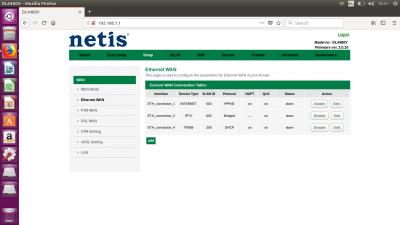
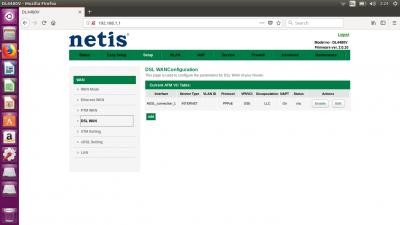
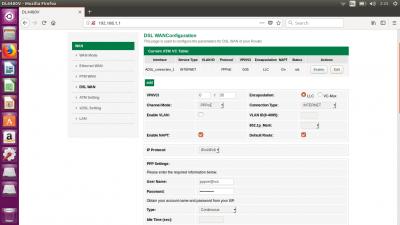
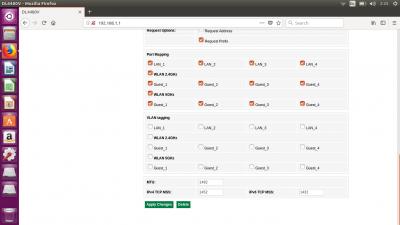
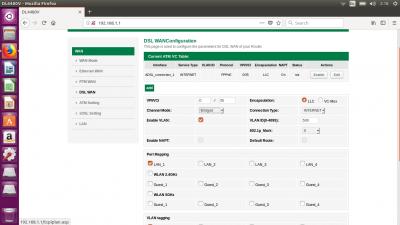
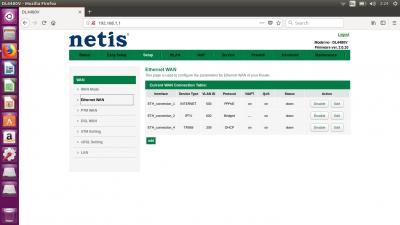
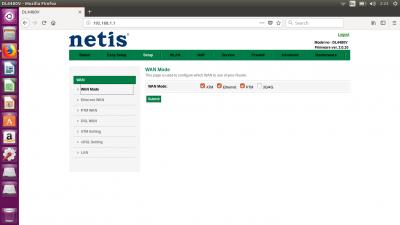
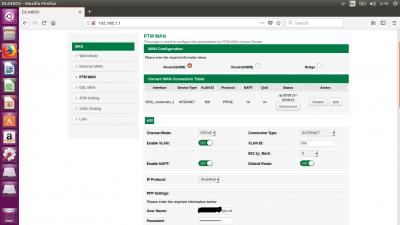
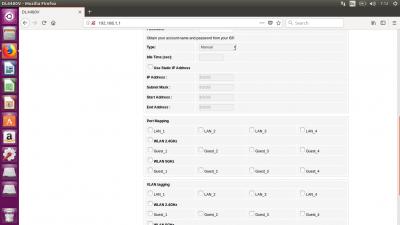
Hi SIfu Patrick, thank you for your reply. I followed your two steps as above but it says "Connection already exists"

I tried to set PPPoE connection off first but my problem still exists? The netis modem router seems to have more options to configure than the zte modem/router?

Attached are the screenshots.

Would appreciate your opinions..


Attached thumbnail(s)
Attached Image Attached Image Attached Image Attached Image
niakulah
post Dec 28 2017, 08:56 AM

Senior Artisan
******
Senior Member
1,276 posts

Joined: Jun 2012
QUOTE(Amimin @ Dec 27 2017, 02:48 PM)
I have just bought a new router and I would like to configure my tmnet netis  dl4480v modem router as modem only. Is it possible? Is it safe? Should I buy a new modem?
Anyone who had this setup before and can share with me the screenshots of the ocnfiguration?
*
Yes it is possible. Yes it is safe. No you don't need to buy a new 'modem' (BTU).

Turn off the wifi on the Netis.

Plug in a cable from your new router to any port on the Netis that is already working for internet (test with a laptop and cable or something if you're not sure).

Configure wifi on the new router. Turn OFF DHCP on the new router (you can turn off DHCP on the Netis instead, but need to know what you're doing. I have experienced sometimes my HyppTV STB gets IP from my router's DHCP... doh.gif )
patricktoh
post Dec 28 2017, 12:36 PM

Casual
***
Junior Member
490 posts

Joined: Jan 2006
From: Kuala Lumpur


QUOTE(Amimin @ Dec 27 2017, 10:47 PM)
At Internet > WAN > DSL tab > DSL Connection
1. Create new item (Internet bridge VLAN)
- Connection name: BR_VLAN_500
- DSL Transfer mode: PTM
- VLAN: On
- VLAN ID: 500
- Apply
2. PPPoE set to Off

3. Click VLAN Trunk tab
- LAN1 set to On
- Supported VLAN number: 1
- VLAN ID1: 500
- PVID: N/A
- Apply

Hi SIfu Patrick, thank you for your reply. I followed your two steps as above but it says "Connection already exists"

I tried to set PPPoE connection off first but my problem still exists? The netis modem router seems to have more options to configure than the zte modem/router?

Attached are the screenshots.

Would appreciate your opinions..
*
Hi Amimin,
1. You're on VDSL or fibre unifi? From the last screenshot looks like you're on BTU <WAN port> Netis

2. If above is fibre (Ethernet connection) then need to make the configuration in Ethernet WAN section

3. Can you screencap the ETH_connection_1 page? You may hide the login name

4. I also want to see the original settings for
- WAN Mode
- Ethernet WAN
- PTM WAN
- DSL WAN
patricktoh
post Dec 28 2017, 12:40 PM

Casual
***
Junior Member
490 posts

Joined: Jan 2006
From: Kuala Lumpur


QUOTE(niakulah @ Dec 28 2017, 08:56 AM)
Yes it is possible. Yes it is safe. No you don't need to buy a new 'modem' (BTU).

Turn off the wifi on the Netis.

Plug in a cable from your new router to any port on the Netis that is already working for internet (test with a laptop and cable or something if you're not sure).

Configure wifi on the new router. Turn OFF DHCP on the new router (you can turn off DHCP on the Netis instead, but need to know what you're doing. I have experienced sometimes my HyppTV STB gets IP from my router's DHCP... doh.gif )
*
You're running own router in AP mode. In this case better buy a wifi AP or extender which is cheaper and simpler than a full feature router.
niakulah
post Dec 28 2017, 02:26 PM

Senior Artisan
******
Senior Member
1,276 posts

Joined: Jun 2012
QUOTE(patricktoh @ Dec 28 2017, 12:40 PM)
You're running own router in AP mode. In this case better buy a wifi AP or extender which is cheaper and simpler than a full feature router.
*
It was an AP actually. Just using the word router to not confuse the TS. I agree that an AP would better suit his needs.

In any case, it's a moot point since TS stated he already bought a router.

This post has been edited by niakulah: Dec 28 2017, 02:27 PM
TSAmimin
post Dec 28 2017, 02:37 PM

New Member
*
Newbie
12 posts

Joined: Dec 2017


QUOTE(patricktoh @ Dec 28 2017, 12:36 PM)
Hi Amimin,
1. You're on VDSL or fibre unifi? From the last screenshot looks like you're on BTU <WAN port> Netis

2. If above is fibre (Ethernet connection) then need to make the configuration in Ethernet WAN section

3. Can you screencap the ETH_connection_1 page? You may hide the login name

4. I also want to see the original settings for
- WAN Mode
- Ethernet WAN
- PTM WAN
- DSL WAN
*
Hi Sifu Patrick thanks for your prompt reply..

1. I use the DSL with PPPOE

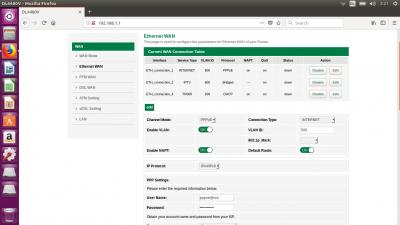
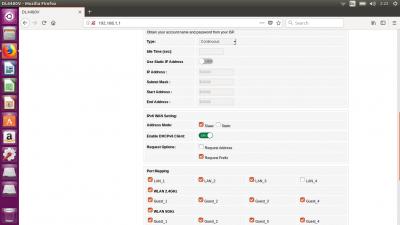
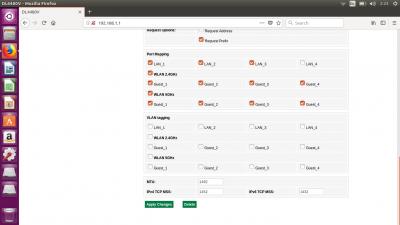
2. I have attached the screenshot of the configuration that I have tried that resulted in 'connection already exists' and the original setting.

3. What I can't get around is that what is the username pppoe@ccs ? I have the xxx@unifi username and password.. Why is the original setting has the pppoe@ccs ?

Please let me know if you need anymore screenshots

This post has been edited by Amimin: Dec 28 2017, 02:38 PM


Attached thumbnail(s)
Attached Image Attached Image Attached Image Attached Image Attached Image Attached Image Attached Image Attached Image Attached Image Attached Image Attached Image Attached Image
TSAmimin
post Dec 28 2017, 02:39 PM

New Member
*
Newbie
12 posts

Joined: Dec 2017


QUOTE(niakulah @ Dec 28 2017, 02:26 PM)
It was an AP actually. Just using the word router to not confuse the TS. I agree that an AP would better suit his needs.

In any case, it's a moot point since TS stated he already bought a router.
*
Thanks for the suggestion. I have just a small house so the built in AP of my new router is actually working fine..
niakulah
post Dec 28 2017, 02:55 PM

Senior Artisan
******
Senior Member
1,276 posts

Joined: Jun 2012
QUOTE(Amimin @ Dec 28 2017, 02:39 PM)
Thanks for the suggestion. I have just a small house so the built in AP of my new router is actually working fine..
*
That's fine. I wasn't suggesting you buy anything, save your hard-earned money for something else. Although the reasoning for going for an AP rather than a router is not about signal strength but rather reliability and (most of the time) cheaper price. Edit: Oh and flexibility of placement.

I am confused though, about what your question really is. It now looks like you want to configure your Netis to be your modem? Your original question implied that the Netis was the modem you got from TM and (again my assumption) would have already been configured by TM during installation?

This post has been edited by niakulah: Dec 28 2017, 02:58 PM
patricktoh
post Dec 28 2017, 04:03 PM

Casual
***
Junior Member
490 posts

Joined: Jan 2006
From: Kuala Lumpur


QUOTE(Amimin @ Dec 28 2017, 02:37 PM)
Hi Sifu Patrick thanks for your prompt reply..

1. I use the DSL with PPPOE

2. I have attached the screenshot of the configuration that I have tried that resulted in 'connection already exists' and the original setting.

3. What I can't get around is that what is the username pppoe@ccs ? I have the xxx@unifi username and password.. Why is the original setting has the pppoe@ccs ?

Please let me know if you need anymore screenshots
*
1. I could see the VDSL internet is configured in PTM WAN section. Disable this connection and create Internet bridge VLAN in DSL WAN.

2. Do you having issue watching HyppTV?

3. Can I see VDSL_connection_1 details?

================
Configuration.
1. Go to PTM WAN page. Disconnect then disable VDSL_connection_1

2. Go to DSL WAN page. Edit ADSL_connection_1. Change the channel mode to "Bridged". Port mapping LAN_1, VLAN_tagging LAN_1

3. Enable ADSL_connection_1

This post has been edited by patricktoh: Dec 28 2017, 04:24 PM
TSAmimin
post Dec 28 2017, 09:22 PM

New Member
*
Newbie
12 posts

Joined: Dec 2017


QUOTE(patricktoh @ Dec 28 2017, 04:03 PM)
1. I could see the VDSL internet is configured in PTM WAN section. Disable this connection and create Internet bridge VLAN in DSL WAN.

2. Do you having issue watching HyppTV?

3. Can I see VDSL_connection_1 details?

================
Configuration.
1. Go to PTM WAN page. Disconnect then disable VDSL_connection_1

2. Go to DSL WAN page. Edit ADSL_connection_1. Change the channel mode to "Bridged". Port mapping LAN_1, VLAN_tagging LAN_1

3. Enable ADSL_connection_1
*
1. Attached are the screenshots of VDSL_connection_1 internet PTM WAN section.

2. I do not use HyppTV.

3. Do I need to do anything with the PTM WAN page before I start doing the configuration?


Attached thumbnail(s)
Attached Image Attached Image Attached Image
patricktoh
post Dec 28 2017, 09:28 PM

Casual
***
Junior Member
490 posts

Joined: Jan 2006
From: Kuala Lumpur


QUOTE(Amimin @ Dec 28 2017, 09:22 PM)
1. Attached are the screenshots of VDSL_connection_1  internet PTM WAN section.

2. I do not use HyppTV.

3. Do I need to do anything with the PTM WAN page before I start doing the configuration?
*
Based on the PTM WAN page, it is confirmed the Internet connection is configured here. smile.gif

Now follow below steps.

Part 1
1. Go to PTM WAN page. Disconnect then disable VDSL_connection_1

2. Go to DSL WAN page. Edit ADSL_connection_1. Change the channel mode to "Bridged". Port mapping LAN_1, VLAN_tagging LAN_1

3. Enable ADSL_connection_1

Part 2
4. Connect Netis LAN_1 to your own router WAN port

5. In your router, configure PPPoE connection. (What's your router brand / model? Any Unifi profile can be selected from setup wizard?)

This post has been edited by patricktoh: Dec 28 2017, 09:34 PM
patricktoh
post Dec 30 2017, 02:05 PM

Casual
***
Junior Member
490 posts

Joined: Jan 2006
From: Kuala Lumpur


Found a simpler solution.

Make sure you backup current Netis settings before making any changes. So that you could go back to original condition if needed. Anyway do at your own risk. I hold no responsibility biggrin.gif

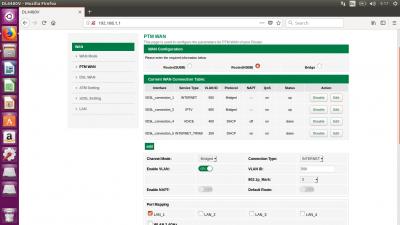
1. Go to Setup > PTM WAN

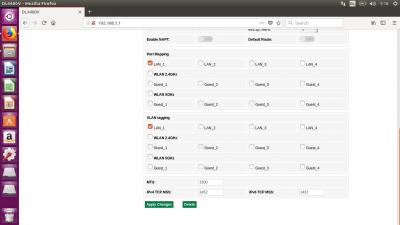
2. Disconnect VDSL_connection_1 then edit according to below settings (refer attached picture)
- Channel mode: Bridged
- Connection Type: INTERNET
- Enable VLAN: ON
- VLAN ID: 500
- 802.1p_Mark: 0
- Un-ticked all the Port mapping & VLAN tagging. Then "ticked" only LAN_1 in both

3. Save then reboot Netis

4. Login Netis to confirm the changes registered

4. Connect Netis LAN_1 to your router WAN port

You're ready to configure PPPoE and VLAN in own router. Most standard routers on the shelves come with Unifi profile so configuration is a breeze icon_rolleyes.gif

This settings confirmed by Amimin

This post has been edited by patricktoh: Dec 30 2017, 02:08 PM


Attached thumbnail(s)
Attached Image
TSAmimin
post Dec 30 2017, 04:29 PM

New Member
*
Newbie
12 posts

Joined: Dec 2017


QUOTE(patricktoh @ Dec 30 2017, 02:05 PM)
Found a simpler solution.

Make sure you backup current Netis settings before making any changes. So that you could go back to original condition if needed. Anyway do at your own risk. I hold no responsibility biggrin.gif

1. Go to Setup > PTM WAN

2. Disconnect VDSL_connection_1 then edit according to below settings (refer attached picture)
    - Channel mode: Bridged
    - Connection Type: INTERNET
    - Enable VLAN: ON
    - VLAN ID: 500
    - 802.1p_Mark: 0
    - Un-ticked all the Port mapping & VLAN tagging. Then "ticked" only LAN_1 in both

3. Save then reboot Netis

4. Login Netis to confirm the changes registered

4. Connect Netis LAN_1 to your router WAN port

You're ready to configure PPPoE and VLAN in own router. Most standard routers on the shelves come with Unifi profile so configuration is a breeze icon_rolleyes.gif

This settings confirmed by Amimin
*
Thanks sifu Patrick for your help! Very much appreciated!

Here are the screenshots for PTM and DSL WAN.


Attached thumbnail(s)
Attached Image Attached Image Attached Image Attached Image
TSAmimin
post Dec 30 2017, 04:31 PM

New Member
*
Newbie
12 posts

Joined: Dec 2017


QUOTE(niakulah @ Dec 28 2017, 02:55 PM)
That's fine. I wasn't suggesting you buy anything, save your hard-earned money for something else. Although the reasoning for going for an AP rather than a router is not about signal strength but rather reliability and (most of the time) cheaper price. Edit: Oh and flexibility of placement.

I am confused though, about what your question really is. It now looks like you want to configure your Netis to be your modem? Your original question implied that the Netis was the modem you got from TM and (again my assumption) would have already been configured by TM during installation?
*
I mean I want to convert my netis dl4480v modem/router combo into modem only, because I want to use my new mikrotik router.
safuan11
post May 5 2020, 08:53 PM

New Member
*
Junior Member
6 posts

Joined: Jan 2012
Hi @patricktoh and @Amimin,

I believe until 2020, Netis DL4480V has not stop giving headache to users haha. I face the same problem and now i want to configure it as modem only and want to cucuk a new router into it. I have been googling around on how to configure and i find that these steps are the most technical and reliable/ clear u can find. I just want to know, if i follow these steps, can i still use the hypptv/ unifitv?

QUOTE(patricktoh @ Dec 30 2017, 02:05 PM)
Found a simpler solution.

Make sure you backup current Netis settings before making any changes. So that you could go back to original condition if needed. Anyway do at your own risk. I hold no responsibility biggrin.gif

1. Go to Setup > PTM WAN

2. Disconnect VDSL_connection_1 then edit according to below settings (refer attached picture)
    - Channel mode: Bridged
    - Connection Type: INTERNET
    - Enable VLAN: ON
    - VLAN ID: 500
    - 802.1p_Mark: 0
    - Un-ticked all the Port mapping & VLAN tagging. Then "ticked" only LAN_1 in both

3. Save then reboot Netis

4. Login Netis to confirm the changes registered

4. Connect Netis LAN_1 to your router WAN port

You're ready to configure PPPoE and VLAN in own router. Most standard routers on the shelves come with Unifi profile so configuration is a breeze icon_rolleyes.gif

This settings confirmed by Amimin
*
patricktoh
post May 5 2020, 09:50 PM

Casual
***
Junior Member
490 posts

Joined: Jan 2006
From: Kuala Lumpur


QUOTE(safuan11 @ May 5 2020, 08:53 PM)
Hi @patricktoh and @Amimin,

I believe until 2020, Netis DL4480V has not stop giving headache to users haha. I face the same problem and now i want to configure it as modem only and want to cucuk a new router into it. I have been googling around on how to configure and i find that these steps are the most technical and reliable/ clear u can find. I just want to know, if i follow these steps, can i still use the hypptv/ unifitv?
*
Yes, you could still enjoy hyppty/unifitv service. You only bridged the Internet VLAN 500 to router while TV VLAN 600 still run at same Netis port.
Goneraz
post May 12 2020, 12:25 PM

Casual
***
Junior Member
432 posts

Joined: Oct 2006


This netis modem is a real pain the a@@. I too am trying to change to a new router but facing the same issue. Now they blank out the ppoe password and user name.. Real pain.. The technical support is no help at all
basSist
post May 16 2020, 10:25 AM

Don't look at my stars
*******
Senior Member
3,567 posts

Joined: Jan 2003
From: Paradise


anyone know how to setup hypptv using this netis router via wireless?

This post has been edited by basSist: May 16 2020, 10:26 AM

2 Pages  1 2 >Top
 

Change to:
| Lo-Fi Version
0.0234sec    0.69    6 queries    GZIP Disabled
Time is now: 3rd December 2025 - 09:50 AM