

 Aug 1 2017, 07:14 PM


QUOTE(ajoi57 @ Aug 1 2017, 07:04 PM)
i just follow these step :
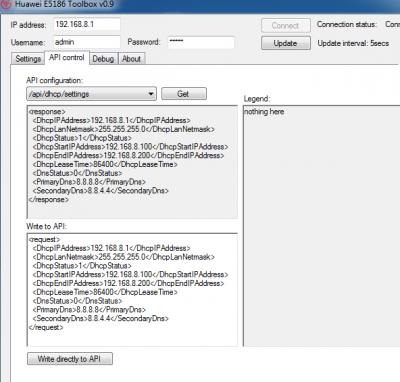
connect toolbox, go API Control, choose api/dhcp/settings then click get, then i edit the PrimaryDns and SecondaryDns at Write to API box and then click Write directly to API.
Poof dns changed

I also did in this way, but after reboot the router and click get DHCP again, nothing changes.connect toolbox, go API Control, choose api/dhcp/settings then click get, then i edit the PrimaryDns and SecondaryDns at Write to API box and then click Write directly to API.
Poof dns changed
 Quote
Quote







 0.0576sec
 0.36
0.36
 6 queries
 GZIP Disabled