

 Nov 28 2016, 08:56 PM, updated 5y ago


New changes:
1. Z5 has a new palm rest design with full aluminium material, and matte (non reflective) screen bezel. Z7 design remains the same.
2. Nvidia GeForce GTX 1060 6GB GDDR5.
3. Adapter is now 230W, the weight doesn't increase much compared to 180W.
4. 2x USB Type C + 2x USB 3.1 Gen 1.
5. VR Ready
6. M.2 PCIe slot
===========================================================================
ILLEGEAR OFFICIAL PRODUCT PAGE
Facebook | Instagram | Twitter | YouTube
Previous discussion:
ILLEGEAR Z5 Discussion Thread V1
ILLEGEAR Z5 Discussion Thread V2
Drivers and BIOS:
Skylake - Intel® Core™ i7-6700HQ (6MB Smart Cache, 2.60GHz)
» Click to show Spoiler - click again to hide... «
Windows 7 & 10
http://www.illegear.com/downloads/zskylake7and10.zip (with one-click installer)
Windows 8.1
http://www.illegear.com/downloads/zskylake81.zip
Latest BIOS for SKYLAKE Z5 960M and 970M, this BIOS fix Shift+7 with Numlock issue.
http://www.illegear.com/downloads/z5skylakebiosupdate.zip
Steps (DOS method):
1. Prepare a USB pendrive and make a bootable USB pendrive with Rufus, download Rufus from https://rufus.akeo.ie/
2. Open Rufus, file system choose "FAT32", create a bootable disc using "MS-DOS", format the pendrive.
3. Extract and transfer the downloaded BIOS files to the bootable USB pendrive.
4. Make sure the AC adapter is connected. Press F2 to enter into BIOS control panel upon boot up, set the pendrive as the highest boot priority, save and restart.
5. Flash BIOS, type "dos.bat", computer will restart by itself, after restart the computer will start flashing BIOS *warning do not remove the USB pendrive and power source during flashing*.
6. Enter F2 BIOS again, click "load default settings", done.
http://www.illegear.com/downloads/zskylake7and10.zip (with one-click installer)
Windows 8.1
http://www.illegear.com/downloads/zskylake81.zip
Latest BIOS for SKYLAKE Z5 960M and 970M, this BIOS fix Shift+7 with Numlock issue.
http://www.illegear.com/downloads/z5skylakebiosupdate.zip
Steps (DOS method):
1. Prepare a USB pendrive and make a bootable USB pendrive with Rufus, download Rufus from https://rufus.akeo.ie/
2. Open Rufus, file system choose "FAT32", create a bootable disc using "MS-DOS", format the pendrive.
3. Extract and transfer the downloaded BIOS files to the bootable USB pendrive.
4. Make sure the AC adapter is connected. Press F2 to enter into BIOS control panel upon boot up, set the pendrive as the highest boot priority, save and restart.
5. Flash BIOS, type "dos.bat", computer will restart by itself, after restart the computer will start flashing BIOS *warning do not remove the USB pendrive and power source during flashing*.
6. Enter F2 BIOS again, click "load default settings", done.
Haswell - Intel® Core™ i7-4720HQ (6MB L3 Cache, 2.60GHz)
» Click to show Spoiler - click again to hide... «
Macro keys driver:
http://www.illegear.com/downloads/MacroKeys.zip
Windows 7 drivers: http://www.illegear.com/downloads/z5win7.zip
Windows 8 drivers: http://www.illegear.com/downloads/z5win8.zip
Windows 10 bios and drivers (for the bios, do it at your own risk)
Windows 10 BIOS for Z5 GTX960M & 970M
http://www.illegear.com/downloads/bios/z5win10.zip
(*Warning Z5 GTX860M isn't compatible with this BIOS, if you are already using BIOS version 193 then you are able to update to Windows 10 without any flashing needed*)
Steps (DOS method):
1. Make a bootable USB pendrive with Rufus, choose MS-DOS.
2. Transfer the ME, BIOS and LOGO files to the USB pendrive part by part after finishing each step.
3. Make sure the AC adapter is connected. Press F2 to enter into BIOS control panel upon boot up, set the pendrive as the highest boot priority.
4. Flash ME->DOS folder first, type "pre1487.bat", computer will restart by itself. Type "1487.bat", computer will restart by itself.
5. Flash BIOS->DOS folder, type "bios.bat", computer will restart by itself, after restart the computer will start flashing BIOS *warning do not remove the USB pendrive and power source during flashing*.
6. Flash Logo, type "logo.bat", after flashing computer will restart by itself.
7. Enter F2 BIOS again, click "load default settings", done.
Windows 10 drivers (compatible to GTX860M, 960M and 970M versions)
http://www.illegear.com/downloads/z5win10.zip
http://www.illegear.com/downloads/MacroKeys.zip
Windows 7 drivers: http://www.illegear.com/downloads/z5win7.zip
Windows 8 drivers: http://www.illegear.com/downloads/z5win8.zip
Windows 10 bios and drivers (for the bios, do it at your own risk)
Windows 10 BIOS for Z5 GTX960M & 970M
http://www.illegear.com/downloads/bios/z5win10.zip
(*Warning Z5 GTX860M isn't compatible with this BIOS, if you are already using BIOS version 193 then you are able to update to Windows 10 without any flashing needed*)
Steps (DOS method):
1. Make a bootable USB pendrive with Rufus, choose MS-DOS.
2. Transfer the ME, BIOS and LOGO files to the USB pendrive part by part after finishing each step.
3. Make sure the AC adapter is connected. Press F2 to enter into BIOS control panel upon boot up, set the pendrive as the highest boot priority.
4. Flash ME->DOS folder first, type "pre1487.bat", computer will restart by itself. Type "1487.bat", computer will restart by itself.
5. Flash BIOS->DOS folder, type "bios.bat", computer will restart by itself, after restart the computer will start flashing BIOS *warning do not remove the USB pendrive and power source during flashing*.
6. Flash Logo, type "logo.bat", after flashing computer will restart by itself.
7. Enter F2 BIOS again, click "load default settings", done.
Windows 10 drivers (compatible to GTX860M, 960M and 970M versions)
http://www.illegear.com/downloads/z5win10.zip
Illegear Users After Sales Feedback
» Click to show Spoiler - click again to hide... «
@xcxa23 (Illegear RS-17 EVO)
» Click to show Spoiler - click again to hide... «
*appreciation post*
I jz rma my gc
As mine is old version, no longer available and I am busy working with my laptop, i unable to send my laptop to them so i only send them the gc and illegear generously send back the gc to clevo at Taiwan yo, without charging me, and I only needed to pay for postage only. (To illegear and back to me)
And I must say they, clevo and illegear is damn fast
Cos I was inform that there's no ready stock for the card at clevo and I was expecting at least 30 to 60 working days to get repair.
To my surprise, it takes less than 20 working arrive at my house. From Taiwan yo.. and no readily spare parts. This is fast.
To illegear and clevo, thanks so much for the good service and special thanks to prince j for the generous offer and such good parcel protection triple protection yo.. bubble wrap 2x and a hard cover box
Really appreciate it.
And highly recommended illegear
High quality product with high quality service,
Definely will have a lot satisfying customer.
@willaw (Illegear Z5 V3)
» Click to show Spoiler - click again to hide... «
So I went to Illegear today to get my laptop fixed. I thought I'll have to leave the laptop there and come back later to get it (maybe after work or later in the week).
But no, I was asked to have a seat, and then the boss moved on to take out a new screen and change it on the spot. It only took about 15 minutes I think.
After that, all is well! I am impressed with the great service!
I highly recommend Illegear!
PS. Maybe this should be in the front page review as well.

Top Secret Keys
» Click to show Spoiler - click again to hide... «
FN + 0 => On/Off backlight
FN + 1 => Max fan speed
FN + 9 => On/Off Intel Turbo Boost
FN + Esc => On/Off touch pad
Other FN keys are pretty much self explanatory from the keyboard itself.
It is good to mention the keyboard back light is controlled with FN-Space, as it is not so obvious.
FN + 1 => Max fan speed
FN + 9 => On/Off Intel Turbo Boost
FN + Esc => On/Off touch pad
Other FN keys are pretty much self explanatory from the keyboard itself.
It is good to mention the keyboard back light is controlled with FN-Space, as it is not so obvious.
Reviews & News
» Click to show Spoiler - click again to hide... «
Huislaw.com
Discover Your Gadget (Dygadget)
CHIP Magazine Malaysia
@Andrewtst's Review

My short review of Illegear Z5 Skylake laptop & Windows 10.
@willaw's review
This is my short review on Z5 v3. My laptop was ready within 2 working days after I ordered it (No OS). I bought this laptop mainly for coding (I'm a programmer) and I don't really game a lot nowadays.
I have 2 mSata 256GB and installed Windows 10 Pro on the first drive, and Linux Mint 17.2 on the 2nd drive. So, for you folks thinking about running Linux, this laptop works well. Just install Nvidia proprietary drivers (if you want maximum performance) and you're good to go.
Keyboard. This is the number 1 priority for me when choosing a laptop. I type a lot (especially when I'm coding) and I own few mechanical keyboards (this shows how important the keyboard is to me). It does NOT flex at all, and feels really solid (perhaps the aluminum helps). I do feel Macbook Pro keyboards are better. I'm totally disappointed with Alienware laptop keyboards though!
Screen. I'm used to IPS screen at home (I have 2 Dell UltraSharp), so having IPS on a laptop screen is a definite welcome. However, the backlight bleed is quite obvious. But then again, you don't really notice it on everyday usage. The hinge is quite strong/solid. It's quite stiff to open and close the laptop lid. However, it's wobbly compared to Dell Latitude E6540. I suspect it's due to the hinge being placed closed to each other, where as the Dell's hinge is quite far apart in between. With that being said, it doesn't feel like it's going to break anytime soon. The black bezel is made of thick glossy plastic. It could scratch easily if you're not careful.
Storage. A laptop that allows 3 storage device? Awesome! The only downside is that m2 is replacing mSata (or so I heard), and I only realize this after I bought it. That's why I just get 2 mSata drive straight. No more worries. I can add a 2.5" 1TB drive for data storage.
This laptop runs really quiet. I can hardly hear the fan noise (compared to a Dell Latitude E6540).
I seriously dislike the trackpad. The buttons are stiff, and cursor movements are not smooth. But then again, not many laptop have really good trackpads anyway (Macbooks are the best!). It's worse if you run Linux. So I just use my Logitech bluetooth mouse. Given that gamers will be using their own gaming mouse anyway, this might not be a problem at all.
Battery is built-in, but can be removed. However, there's just so many screws to remove! I think there's at least 12 screws? The problem is if you're on the go, you can't easily swap battery. Now why is this an issue? Because the power supply (150W) is quite heavy. The 8-cell battery can last 4.5 hours on normal use.
Overall, I love this Z5. For the price, you're getting a lot compared to well-known brands such as Asus, Acer, MSI or Alienware.
Pros:
Solid keyboard. No flex.
Can install up to 3 HDD. (1 x 2.5", 2 x mSata)
Beautiful IPS screen. (There's backlight bleeding though, which is common.)
Feels solid overall.
LED lights on top cover and trackpad.
The anodized aluminum cover is really nice!
Charging USB port (I haven't test the output current though.)
Spdif digital output. (This is great as I have an external DAC/Amp.)
Ethernet, HDMI and VGA ports at the back. (Good for cable management.)
Runs cool and quiet!
Cons
Though the hinges are solid, the screen panel wobbles more compared to other laptops such as Dell Latitude E6540.
Thick black glossy plastic bezel could scratch easily.
Trackpad buttons are stiff, and cursor movements are not smooth. (But then again, good trackpad are rare. Macbook still dominates in this area.)
Discover Your Gadget (Dygadget)
CHIP Magazine Malaysia
@Andrewtst's Review
» Click to show Spoiler - click again to hide... «
My short review of Illegear Z5 Skylake laptop & Windows 10.
- Illegear Z5 Skylake - 9/10
- Windows 10 Home - 5/10
- The 15.6" Full HD Anti-glare AHVA IPS sRGB 100% Color & Wide View LCD screen is extremely gorgeous! After digging around notice the AVHA (Advanced Hyper-Viewing Angle) panel is manufacture by AU Optronics which is a high refresh rate IPS-type panels. The best panel I ever use for PC.
- Intel Core i7-6700HQ with 6MB CPU is far than enough for everything in my opinion. I never ever though I will buy i7 ever in my life! Haha!
- Nvidia Geforce GTX 970M 6GB is a great choice, I can play all games in the highest Ultra Quality with AA setting. No regret fork out some buds for this instead of 960M.
- 16GB DDR4 RAM is highly recommended for Windows 10 especially you aim it for gaming. Yes! the highest RAM I ever load in my PC.
- The build in speaker seems not powerful enough possible due to Realtek sound setting, the sound is just ok only, loywat members recommended the Razer Surround application which mention will highly change the sound quality but I haven't test yet. It cost RM 70 for Pro edition - http://www.razerzone.com/sg-en/surround
- The Z5 is a bit heavy especially that power adapter is unbelievable big and heavy.
- In short Extremely no regret pickup this high quality build well done laptop from local Illegear brand! Highly recommended Illegear for it top notch build quality and extremely great customer service.
- I love it flat look, everything look far better than Windows 8 or 8.1.
- I love the way it can easier switch in between normal mode and tablet mode, tablet mode give different view and especially great for it Windows Store Apps.
- Latest build change slighly on the design which more clean and neat look.
- The new Microsoft Edge Browser is in fact really well done, I find it load internet smoother and faster than Google Chrome.
- But!!! Windows 10 is some sort of BETA? A lot of bugs as user report in internet.
- Sound may missing after few times wake up from sleep mode (not sure it get fixed or not in latest build).
- The new way Windows 10 scalling is terrible! Any apps not utilize high DPI will get bad blur wording which look like zoom out include nearly everything in Administrator Tools. Lucky they is a fixed for the moment where you can pick custom DPI scalling like previous windows - http://betanews.com/2015/10/05/how-to-fix-...y-font-problem/
- You may face latest Windows 10 apps not working, which include Microsoft Edge, Windows Apps Store, Calendar, Calculator and etc. This may occured due to short timing change of Microsoft authentication, windows will inform you to restart the PC and you need to do so to solved the issue!
- The two different interface settings like Windows 8 still look dumb. Why separate the settings to two different interface. This is unnecessory and dumb.
- In short if you don't have tech knowledge and don't like digging around, stay away from Windows 10 until it does't look that beta time then just try out, I dunno I will still facing any problems or not, so far only 3 days already given me so many issues, lucky all is fixable.
@willaw's review
» Click to show Spoiler - click again to hide... «
This is my short review on Z5 v3. My laptop was ready within 2 working days after I ordered it (No OS). I bought this laptop mainly for coding (I'm a programmer) and I don't really game a lot nowadays.
I have 2 mSata 256GB and installed Windows 10 Pro on the first drive, and Linux Mint 17.2 on the 2nd drive. So, for you folks thinking about running Linux, this laptop works well. Just install Nvidia proprietary drivers (if you want maximum performance) and you're good to go.
Keyboard. This is the number 1 priority for me when choosing a laptop. I type a lot (especially when I'm coding) and I own few mechanical keyboards (this shows how important the keyboard is to me). It does NOT flex at all, and feels really solid (perhaps the aluminum helps). I do feel Macbook Pro keyboards are better. I'm totally disappointed with Alienware laptop keyboards though!
Screen. I'm used to IPS screen at home (I have 2 Dell UltraSharp), so having IPS on a laptop screen is a definite welcome. However, the backlight bleed is quite obvious. But then again, you don't really notice it on everyday usage. The hinge is quite strong/solid. It's quite stiff to open and close the laptop lid. However, it's wobbly compared to Dell Latitude E6540. I suspect it's due to the hinge being placed closed to each other, where as the Dell's hinge is quite far apart in between. With that being said, it doesn't feel like it's going to break anytime soon. The black bezel is made of thick glossy plastic. It could scratch easily if you're not careful.
Storage. A laptop that allows 3 storage device? Awesome! The only downside is that m2 is replacing mSata (or so I heard), and I only realize this after I bought it. That's why I just get 2 mSata drive straight. No more worries. I can add a 2.5" 1TB drive for data storage.
This laptop runs really quiet. I can hardly hear the fan noise (compared to a Dell Latitude E6540).
I seriously dislike the trackpad. The buttons are stiff, and cursor movements are not smooth. But then again, not many laptop have really good trackpads anyway (Macbooks are the best!). It's worse if you run Linux. So I just use my Logitech bluetooth mouse. Given that gamers will be using their own gaming mouse anyway, this might not be a problem at all.
Battery is built-in, but can be removed. However, there's just so many screws to remove! I think there's at least 12 screws? The problem is if you're on the go, you can't easily swap battery. Now why is this an issue? Because the power supply (150W) is quite heavy. The 8-cell battery can last 4.5 hours on normal use.
Overall, I love this Z5. For the price, you're getting a lot compared to well-known brands such as Asus, Acer, MSI or Alienware.
Pros:
Solid keyboard. No flex.
Can install up to 3 HDD. (1 x 2.5", 2 x mSata)
Beautiful IPS screen. (There's backlight bleeding though, which is common.)
Feels solid overall.
LED lights on top cover and trackpad.
The anodized aluminum cover is really nice!
Charging USB port (I haven't test the output current though.)
Spdif digital output. (This is great as I have an external DAC/Amp.)
Ethernet, HDMI and VGA ports at the back. (Good for cable management.)
Runs cool and quiet!
Cons
Though the hinges are solid, the screen panel wobbles more compared to other laptops such as Dell Latitude E6540.
Thick black glossy plastic bezel could scratch easily.
Trackpad buttons are stiff, and cursor movements are not smooth. (But then again, good trackpad are rare. Macbook still dominates in this area.)
Unboxing Video by Arvin Ghostrider (Z5 V1)
» Click to show Spoiler - click again to hide... «
BENCHMARK BY cstkl1 *970m* z5
» Click to show Spoiler - click again to hide... «
Settings

Result

Took at when gpu hit over 90% from the beginning for audi r8 race.
Z5 pictures V3
» Click to show Spoiler - click again to hide... «


Z5 pictures V2 & V1 (credits to huislaw)
» Click to show Spoiler - click again to hide... «

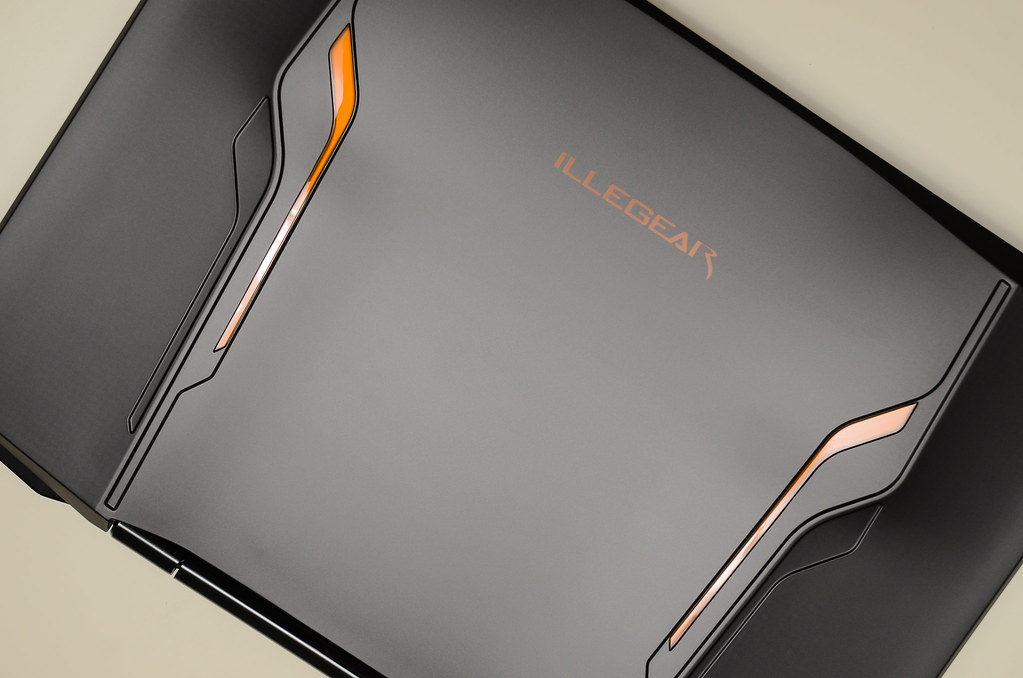
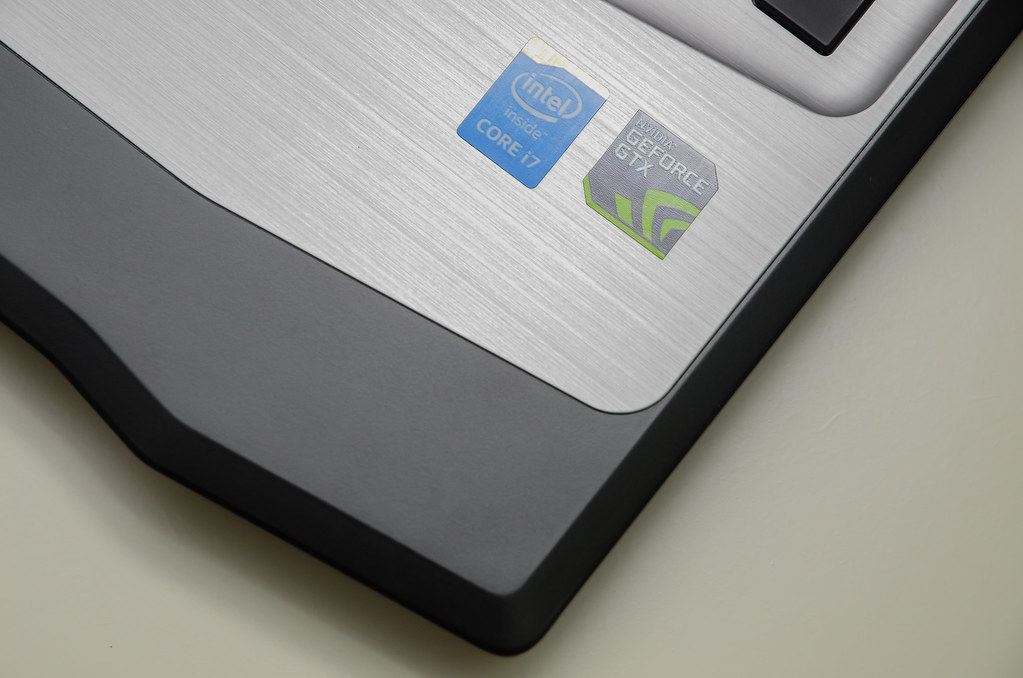
Inside ILLEGEAR Z5
» Click to show Spoiler - click again to hide... «
This post has been edited by huislaw: Nov 28 2016, 09:17 PM
 Quote
Quote




 0.0350sec
 1.54
1.54
 6 queries
 GZIP Disabled