Guys know any current best deal for MSI GTX1060? Or any 1060?
NVIDIA GeForce Community V17 (welcum pascal), ALL HAIL NEW KING TITAN NOT OUT YET ARGH
NVIDIA GeForce Community V17 (welcum pascal), ALL HAIL NEW KING TITAN NOT OUT YET ARGH
|
|
 Aug 13 2016, 12:53 PM Aug 13 2016, 12:53 PM
|
 
Senior Member
967 posts Joined: Apr 2009  
|
Guys know any current best deal for MSI GTX1060? Or any 1060?
|
|
|
|
|
|
Aug 13 2016, 01:07 PM
|

Senior Member
11,305 posts Joined: Jan 2003
|
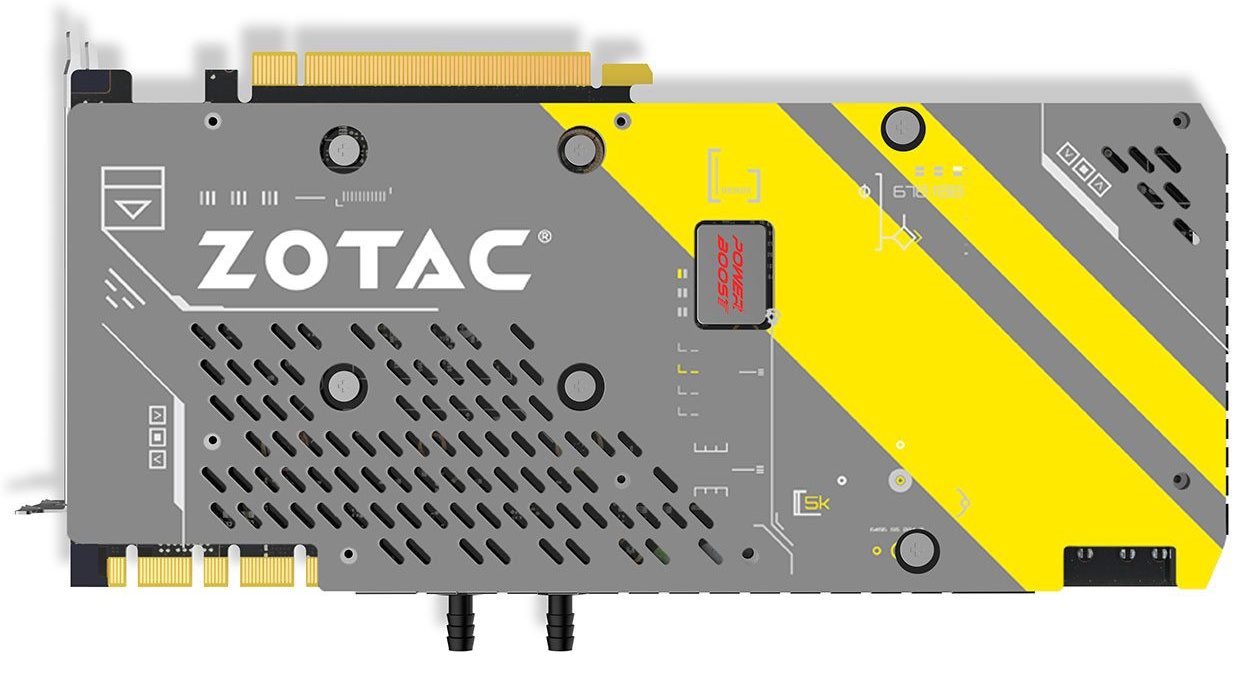
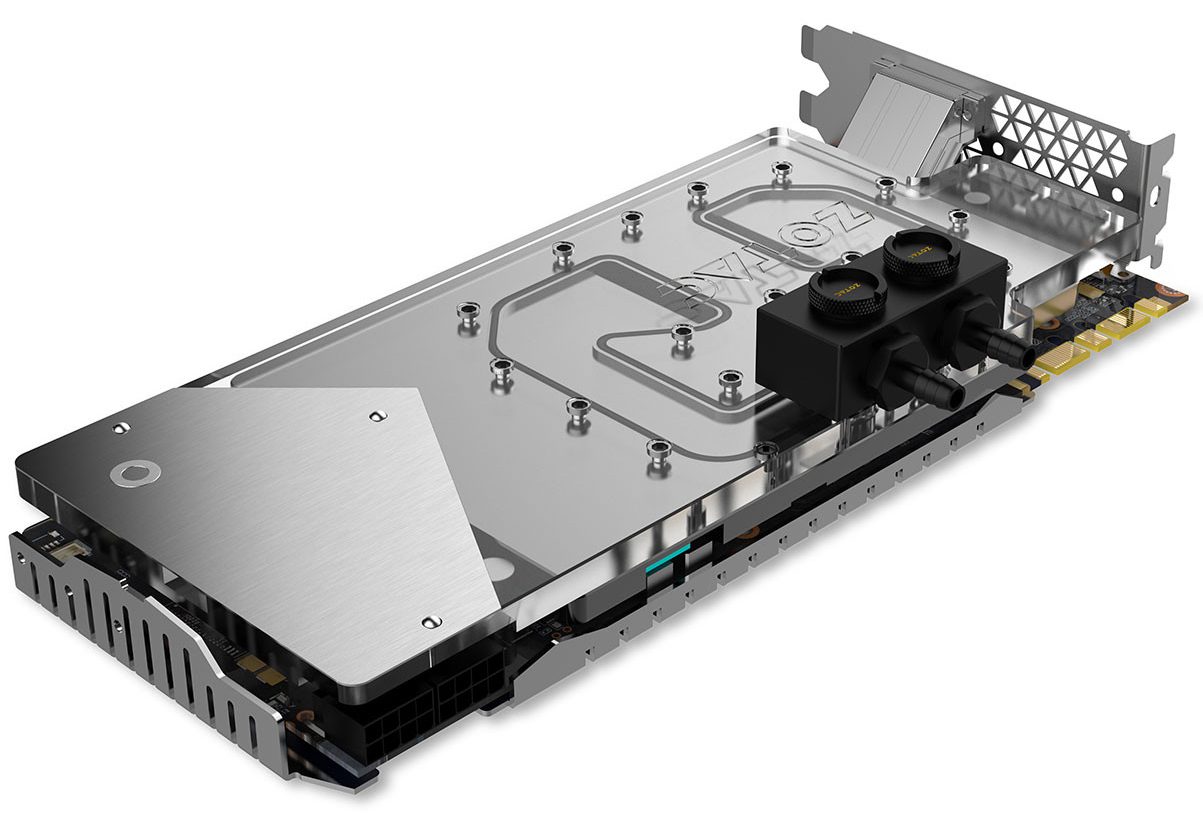
QUOTE(Moogle Stiltzkin @ Aug 13 2016, 12:43 PM) Zotac Outs Liquid-Cooled GeForce GTX 1080 ArcticStorm Graphics Card, Coming To Malaysia This Month Urgh, barb fittings on the waterblock coolant in and out. Those who wants to use PETG hard tubing will be out of luck.https://www.lowyat.net/2016/111582/zotac-ou...-graphics-card/ » Click to show Spoiler - click again to hide... «  |
|
|
Aug 13 2016, 01:38 PM
|

Senior Member
657 posts Joined: Mar 2016
|
stringfellow try use fast sync
|
|
|
Aug 13 2016, 05:04 PM
Show posts by this member only | IPv6 | Post
#464
|

Senior Member
4,476 posts Joined: Jan 2003
|
[quote=stringfellow,Aug 13 2016, 01:07 PM]Urgh, barb fittings on the waterblock coolant in and out. Those who wants to use PETG hard tubing will be out of luck.
[/quote] ah i didn't know that  good tip good tipanyway i just collected my A8g asus strix 1080  non oc < Advanced < OC. Mines the advanced http://videocardz.com/nvidia/geforce-1000/geforce-gtx-1080 https://www.asus.com/us/Compare/ [quote]ROG STRIX-GTX1080-8G-GAMING GPU Boost Clock : 1733 MHz GPU Base Clock : 1607 MHz ROG STRIX-GTX1080-A8G-GAMING OC Mode - GPU Boost Clock : 1835 MHz , GPU Base Clock : 1695 MHz Gaming Mode (Default) - GPU Boost Clock : 1809 MHz , GPU Base Clock : 1670 MHz *Retail goods are with default Gaming Mode, OC Mode can be adjusted with one click on GPU Tweak II[/quote] ROG STRIX-GTX1080-O8G-GAMING in the comparison page it shows blank however from other sources they said it's OC Mode - GPU Boost Clock : 1936 MHz , GPU Base Clock : 1784 MHz Gaming Mode (Default) - GPU Boost Clock : 1898 MHz , GPU Base Clock : 1759 MHz *Retail goods are with default Gaming Mode, OC Mode can be adjusted with one click on GPU Tweak II [/quote] https://www.asus.com/us/Graphics-Cards/ROG-...pDesk_Download/ Gonna install it another day when the water cooling place is open  but essential A8G vs 08G seems for all intents and purposes the same, just with adjusted factory settings... Makes one wonder then if you use the tweak tool to clock it to the same, does that mean there won't be an issue or what? Any expert know *meaning that instead of using the default OC mode, i instead adjust it to be same as the OC mode settings for the 08G, any downside or issues doing that?This post has been edited by Moogle Stiltzkin: Aug 13 2016, 08:09 PM |
|
|
Aug 13 2016, 05:43 PM
|
|
Senior Member
11,305 posts Joined: Jan 2003
|
QUOTE(g104 @ Aug 13 2016, 01:38 PM) stringfellow try use fast sync  I did.  And the result? 59-60fps rock solid. But there is a catch, I had to disable my custom OC profile on MSI Afterburner on the GTX1080, the game becomes unstable with that OC once I set it to Fast Sync. I got "crash to desktop" a couple of times from within the game, never had a single crash with OC on V-Sync. Even with normal Boost 3.0 auto-OC, the game is still rock solid 59-60fps. A simple reset profile to default on MSI Afterburner and it's done.  |
|
|
Aug 13 2016, 06:31 PM
|

Senior Member
4,255 posts Joined: Nov 2011
|
zzzz well done, all the more sweeter that the branch office is just 2-4km away from my house and yet they couldnt deliver by today
 » Click to show Spoiler - click again to hide... « |
|
|
|
|
|
Aug 13 2016, 07:38 PM
|

Senior Member
1,821 posts Joined: Jun 2009 From: 3°7'59"N 101°37'49"E
|
QUOTE(Moogle Stiltzkin @ Aug 13 2016, 05:04 PM) ah i didn't know that Hmmmm..... in your quote, comparing 1080 A8G with 1070 O8G? good tipanyway i just collected my A8g asus strix 1080 non oc < Advanced < OC. Mines the advanced http://videocardz.com/nvidia/geforce-1000/geforce-gtx-1080 https://www.asus.com/us/Compare/ https://www.asus.com/us/Graphics-Cards/ROG-...pDesk_Download/ Gonna install it another day when the water cooling place is open PS: why is the 08G and A8G got difference in the memory and number of cuda cores ?EDIT: If there is no news of the 1080Ti by November, my choice will be between the Asus Strix 1080 O8G and EVGA 1080 FTW, not bangsawan enough for a Titan XP This post has been edited by richard912: Aug 13 2016, 07:47 PM |
|
|
Aug 13 2016, 07:58 PM
Show posts by this member only | IPv6 | Post
#468
|
|
Senior Member
4,476 posts Joined: Jan 2003
|
QUOTE(richard912 @ Aug 13 2016, 07:38 PM) Hmmmm..... in your quote, comparing 1080 A8G with 1070 O8G? i double checked, yes your right. i misclick comparison the 1070 not 1080 for the 08g. i check again, i'll update the original post thx.EDIT: If there is no news of the 1080Ti by November, my choice will be between the Asus Strix 1080 O8G and EVGA 1080 FTW, not bangsawan enough for a Titan XP but yeah.... the current price for 1080 is already a bit.... so not even gonna hold breath for 1080ti the only product that may be finally able to 60fps+ for 4k at ultra will most likely be volta generation. So if people want that performance for presumably same price of a 1080 now (cause i doubt the pricing will improve, unless the volta 1070 equivalent can achieve that performance level for a more reasonable price). |
|
|
Aug 13 2016, 08:28 PM
|

All Stars
11,266 posts Joined: Jul 2005
|
Haha i awaiting volta here
 who is with me who is with me |
|
|
Aug 13 2016, 08:38 PM
|
|
Senior Member
1,821 posts Joined: Jun 2009 From: 3°7'59"N 101°37'49"E
|
QUOTE(skylinelover @ Aug 13 2016, 08:28 PM) Haha i awaiting volta here The "waiting" will never stop. Volta is expected to make its appearance next year and after that? In any case, my 980Ti serves me well for the time being. It's only when I ascend to a 34" 1440p monitor, the need for a better GPU will be more relevant who is with me |
|
|
Aug 13 2016, 08:52 PM
|

Senior Member
1,177 posts Joined: Apr 2005 From: Sg petani Kedah 
|
QUOTE(stringfellow @ Aug 13 2016, 05:43 PM) I did. And the result? 59-60fps rock solid. But there is a catch, I had to disable my custom OC profile on MSI Afterburner on the GTX1080, the game becomes unstable with that OC once I set it to Fast Sync. I got "crash to desktop" a couple of times from within the game, never had a single crash with OC on V-Sync. Even with normal Boost 3.0 auto-OC, the game is still rock solid 59-60fps. A simple reset profile to default on MSI Afterburner and it's done. |
|
|
Aug 13 2016, 08:53 PM
|

Junior Member
575 posts Joined: Feb 2013
|
QUOTE(lucidlts @ Aug 13 2016, 06:56 AM) With the Titan X now making most of the enthusiasts happy, it's time to focus on the budget gamers. I'll call it first, AMD, well atleast AMD Malaysia, will face ggwp situation..  Looks like NVIDIA will be launching the GTX 1060 3GB afterall: http://www.tech-critter.com/2016/08/nvidia...x-1060-3gb.html And GTX 1050 will be coming soon on October (if there's no delay): http://www.tech-critter.com/2016/08/nvidia...eforce-gtx.html :V if both of those GTX1060 3GB and GTX1050 pricing close or under RM1k, bye2 AMD malaysia.. |
|
|
Aug 13 2016, 08:57 PM
|

Senior Member
5,648 posts Joined: Mar 2011 From: Jalan Tijani
|
QUOTE(skylinelover @ Aug 13 2016, 08:28 PM) Haha i awaiting volta here for me I wating for 1050 who is with me  |
|
|
|
|
|
Aug 13 2016, 09:18 PM
|

Junior Member
147 posts Joined: Oct 2009
|
sigh to match your graphics card power u also need a suitable monitor which costs you almost same as your graphics card :/
|
|
|
Aug 13 2016, 09:20 PM
|
|
Senior Member
11,305 posts Joined: Jan 2003
|
No you dont. If you take a 1060, all you need is a 1080p monitor and FastSync.
|
|
|
Aug 13 2016, 09:23 PM
|
|
Junior Member
147 posts Joined: Oct 2009
|
i mean 1070 and above haha
|
|
|
Aug 13 2016, 09:36 PM
Show posts by this member only | IPv6 | Post
#477
|
|
Senior Member
4,476 posts Joined: Jan 2003
|
QUOTE(stringfellow @ Aug 13 2016, 09:20 PM) No you dont. If you take a 1060, all you need is a 1080p monitor and FastSync. but i heard that fastsync is only suitable for games where you have excess fps usually in older games with 100+ fps those you can safely use fastsync.however for more modern titles that really test performance, and is closer to 60 fps, fastsync might not work :/ or at least that was the explanation i saw on youtube about what it was. |
|
|
Aug 13 2016, 09:54 PM
|

Junior Member
267 posts Joined: Oct 2007 From: Kuala Lumpur, Malaysia
|
QUOTE(stringfellow @ Aug 13 2016, 05:43 PM) » Click to show Spoiler - click again to hide... « From Linustechtips "the game's engine will run in the same conditions as it would with VSync OFF - it would render scenes as fast as the system canbut the main difference is that this will add some latency - the front buffer will only contain a completely rendered scene, where in the case of VSync OFF it will be displayed no matter the completion status" From Anandtech I highly recommend this article if want to understand what all this Vsync Input Lag hu haaa is all about "The end result of Fast Sync is that in the right cases we can have our cake and eat it too when it comes to v-sync and input lag. By constantly rendering frames as if v-sync was off, and then just grabbing the most recent frame and discarding the rest, Fast Sync means that v-sync can still be used to prevent tearing without the traditionally high input lag penalty it causes. With all of the above said, I should note that Fast Sync is purely about input lag and doesn’t address smoothness. In fact it may make things a little less smooth because it’s essentially dropping frames, and the amount of simulation time between frames can vary. But at high framerates this shouldn’t be an issue. Meanwhile Fast Sync means losing all of the power saving benefits of v-sync; rather than the GPU getting a chance to rest and clock down between frames, it’s now rendering at full speed the entire time as if v-sync was off. Finally, it’s probably useful to clarify how Fast Sync fits in with NVIDIA’s other input lag reduction technologies. Fast Sync doesn’t replace either Adaptive V-Sync or G-Sync, but rather compliments them. Adaptive V-Sync: reducing input lag when framerates are below the refresh rate by selectively disabling v-sync G-Sync: reducing input lag by refreshing the screen when a frame is ready, up to the display’s maximum refresh rate Fast Sync: reducing input lag by not stalling the GPU when the framerate hits the display’s refresh rate" Will definately check out fast sync when I get back home. The thing about fast sync based on the above article, which to me personally is a drawback is that it will let my GPU run at 100%, and I have 2 of them. I like Vsync (game or Nvidia adaptive) because my GPUs dont need to run 100% to give me that 60 fps I'm want (the very reason why I knew I will go SLI when I got the first GTX 1080, though initially I thought maybe after 6 months, but ended up SLI within a month). Shadow of Mordor at 4K ultra around 50-60% utilization, means less electricity and heat compared to letting both GPU run maxed out. If fast sync benefit any of the game I play, guess I can enabled it per application. So it will be adaptive as my global vsync settings, and fast sync to games that benefit from it. What do you guys think? Good comprimise between both? stringfellowI think you're better than me when it comes to this input lag thing (like i said my brain lags worst than my PC). So maybe you can try out some if those games you said that input lag were noticeable (FPS or fighting games was it?) and tell us if fast sync helps with the input lag. Also my opinion why the game crashed when you on Fast sync with your custom OC profile was because the GPU was maxing out, unlike when you had the normal Vsync. This post has been edited by adilz: Aug 13 2016, 10:14 PM |
|
|
Aug 13 2016, 10:32 PM
|
|
Senior Member
11,305 posts Joined: Jan 2003
|
QUOTE(Darksorrow3010 @ Aug 13 2016, 09:23 PM) i mean 1070 and above haha It's a matter of scaling. If you only have 1080p monitor, then punish your 1070 so that you get the best settings at 1080p 60 fps. That means raising the settings up to Very high and see if you get that frame rate and monitor refresh rate to match. QUOTE(Moogle Stiltzkin @ Aug 13 2016, 09:36 PM) but i heard that fastsync is only suitable for games where you have excess fps usually in older games with 100+ fps those you can safely use fastsync. however for more modern titles that really test performance, and is closer to 60 fps, fastsync might not work :/ or at least that was the explanation i saw on youtube about what it was. QUOTE(adilz @ Aug 13 2016, 09:54 PM) I did not notice that Fast Sync option until today ha ha ha. Too bad out of town to check it out on my PC. Did some reading though from a few sources and one thing caught my attention I guess in my case, Adaptive V-Sync is more useful. I miss my main rig already, so spoiled with G-Sync. 2 days back I played SFV versus with another friend who visited. That was with V-Sync ON. No issues there, we were throwing Hadoukens and Shoryukens without missing a beat. Input lag also cumulatively includes how your monitor/TV treats them as well. My 4K TV is the JS8000 locally, JS8500 in UK/USA, and that's at the bottom of the 4K TV heap at 36ms, and we didnt feel any lag that impeded into out fighting game matches. http://www.displaylag.com/display-database/From Linustechtips "the game's engine will run in the same conditions as it would with VSync OFF - it would render scenes as fast as the system canbut the main difference is that this will add some latency - the front buffer will only contain a completely rendered scene, where in the case of VSync OFF it will be displayed no matter the completion status" From Anandtech I highly recommend this article if want to understand what all this Vsync Input Lag hu haaa is all about "The end result of Fast Sync is that in the right cases we can have our cake and eat it too when it comes to v-sync and input lag. By constantly rendering frames as if v-sync was off, and then just grabbing the most recent frame and discarding the rest, Fast Sync means that v-sync can still be used to prevent tearing without the traditionally high input lag penalty it causes. With all of the above said, I should note that Fast Sync is purely about input lag and doesn’t address smoothness. In fact it may make things a little less smooth because it’s essentially dropping frames, and the amount of simulation time between frames can vary. But at high framerates this shouldn’t be an issue. Meanwhile Fast Sync means losing all of the power saving benefits of v-sync; rather than the GPU getting a chance to rest and clock down between frames, it’s now rendering at full speed the entire time as if v-sync was off. Finally, it’s probably useful to clarify how Fast Sync fits in with NVIDIA’s other input lag reduction technologies. Fast Sync doesn’t replace either Adaptive V-Sync or G-Sync, but rather compliments them. Adaptive V-Sync: reducing input lag when framerates are below the refresh rate by selectively disabling v-sync G-Sync: reducing input lag by refreshing the screen when a frame is ready, up to the display’s maximum refresh rate Fast Sync: reducing input lag by not stalling the GPU when the framerate hits the display’s refresh rate" Will definately check out fast sync when I get back home. The thing about fast sync based on the above article, which to me personally is a drawback is that it will let my GPU run at 100%, and I have 2 of them. I like Vsync (game or Nvidia adaptive) because my GPUs dont need to run 100% to give me that 60 fps I'm want (the very reason why I knew I will go SLI when I got the first GTX 1080, though initially I thought maybe after 6 months, but ended up SLI within a month). Shadow of Mordor at 4K ultra around 50-60% utilization, means less electricity and heat compared to letting both GPU run maxed out. If fast sync benefit any of the game I play, guess I can enabled it per application. So it will be adaptive as my global vsync settings, and fast sync to games that benefit from it. What do you guys think? Good comprimise between both? stringfellowI think you're better than me when it comes to this input lag thing (like i said my brain lags worst than my PC). So maybe you can try out some if those games you said that input lag were noticeable (FPS or fighting games was it?) and tell us if fast sync helps with the input lag. Also my opinion why the game crashed when you on Fast sync with your custom OC profile was because the GPU was maxing out, unlike when you had the normal Vsync. |
|
|
Aug 13 2016, 10:40 PM
|
|
Junior Member
267 posts Joined: Oct 2007 From: Kuala Lumpur, Malaysia
|
QUOTE(stringfellow @ Aug 13 2016, 10:32 PM) It's a matter of scaling. If you only have 1080p monitor, then punish your 1070 so that you get the best settings at 1080p 60 fps. That means raising the settings up to Very high and see if you get that frame rate and monitor refresh rate to match. Thanks man. I have not played any combat fighting game since mortal kombat on playstation 1 ha ha ha. Looks like high chance I'll stick to adaptive vsync. My 2 GPUs are not underwater, and around 60-70C temp with Vsync is the limit for me. Do not want to see them reaching that toasty 86C when I did the 3DMark bench. I guess in my case, Adaptive V-Sync is more useful. I miss my main rig already, so spoiled with G-Sync. 2 days back I played SFV versus with another friend who visited. That was with V-Sync ON. No issues there, we were throwing Hadoukens and Shoryukens without missing a beat. Input lag also cumulatively includes how your monitor/TV treats them as well. My 4K TV is the JS8000 locally, JS8500 in UK/USA, and that's at the bottom of the 4K TV heap at 36ms, and we didnt feel any lag that impeded into out fighting game matches. http://www.displaylag.com/display-database/ But still will check out fast sync, maybe do frametime analysis and add it to my earlier SLI analysis topic. |
|
Topic ClosedOptions
|
| Change to: |  0.0277sec 0.0277sec
 1.07 1.07
 6 queries 6 queries
 GZIP Disabled GZIP Disabled
Time is now: 25th December 2025 - 12:24 AM |
 Quote
Quote