

 Nov 18 2016, 08:31 AM


QUOTE(deathnube @ Nov 17 2016, 11:08 PM)
Plugged in my dashcam while installing it onto my windscreen. After installation was done, roughly 30 mins after being plugged in, I noticed the USB charger was hot to the touch!!
I have been using Mi-Charger all the while and it didn't heat up so easily. Can I use the Mi-Charger instead of the USB charger which was provided? Bought the dashcam from you dFaro!! I demand an explanation since you're in this thread.. kekeke
Another thing I've noticed after installing the GPS mount, I can't readjust the position anymore! The adhesive pad is strongly stuck to the windscreen. Any ideas what to do? Wish to do minor repositioning

Any USB charger is fine as long as there is enough power to the dashcam. I'm using Aukey 4 port USB charger with Quick Charge3.0 to power my dashcams and charge my S7.I have been using Mi-Charger all the while and it didn't heat up so easily. Can I use the Mi-Charger instead of the USB charger which was provided? Bought the dashcam from you dFaro!! I demand an explanation since you're in this thread.. kekeke
Another thing I've noticed after installing the GPS mount, I can't readjust the position anymore! The adhesive pad is strongly stuck to the windscreen. Any ideas what to do? Wish to do minor repositioning
You can try heating up the 3m tape and slow pull it off and reposition again. Maybe can work. The video from Jetz212 is a good tutorial.
QUOTE(Jetz212 @ Nov 18 2016, 01:18 AM)
It just need an usb port for power , any usb port will do . I am using Roidmi 2 and it works fine . And yes the 3M adhesive tape that comes with it is very strong , check out this video on how to remove them safely .
https://www.youtube.com/watch?v=DwPonTALYPo
Nice vid https://www.youtube.com/watch?v=DwPonTALYPo

QUOTE(deathnube @ Nov 18 2016, 07:40 AM)
Thanks!! Btw, do any of you remove your dash cam from your cars if you park under the sun?
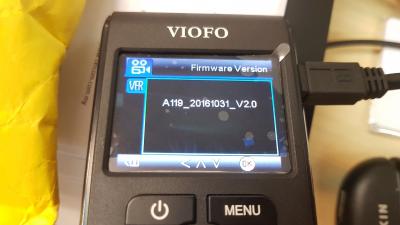
Never for most of my dashcams. A119 is quite discreet so no need to take down when park. I scared the mount get loose... LOL! Quote
Quote



 Hahahha...
 Limited unit.

 0.0225sec
 0.56
0.56
 6 queries
 GZIP Disabled