

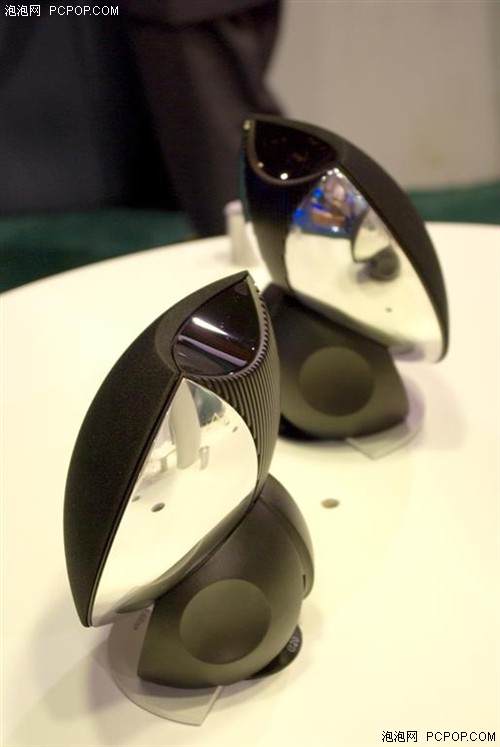


This post has been edited by Edifier: Jan 10 2008, 09:30 PM
 Lowyat.NET -> Price & Dealers Guide -> Inter-Asia (Edifier, Noctua, Bitfenix, Silverstone, Seasonic, Box2s, Doss, Filco)
PC Audio Edifier Fan Club V3, where great sound comes to life =)
|
|
 Jan 10 2008, 03:29 PM Jan 10 2008, 03:29 PM
Return to original view | Post
#201
|
 
Store Representative
9,143 posts Joined: Jan 2003 From: Edifier, Stax, Noctua and AirPulse  
|
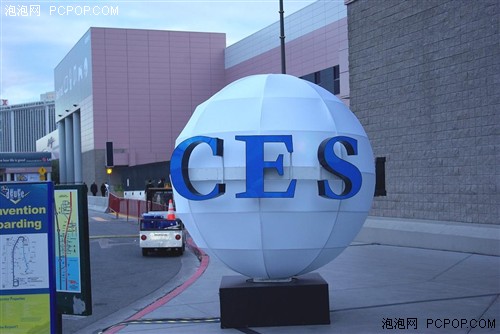
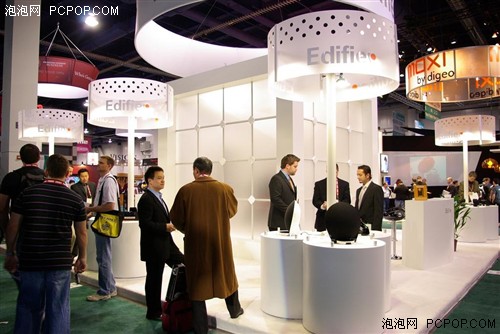
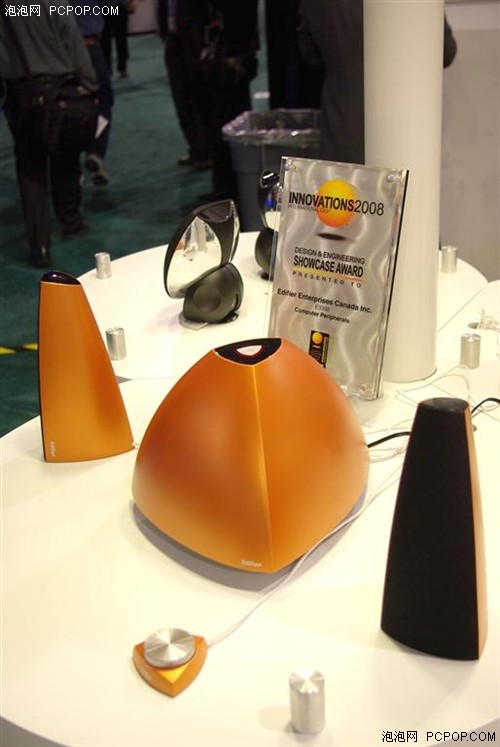
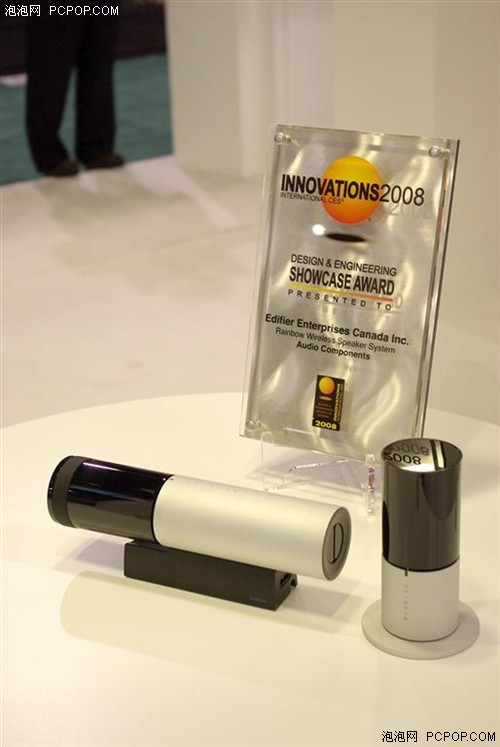
Edifier participate CES
This post has been edited by Edifier: Jan 10 2008, 09:30 PM |
|
|
|
|
|
Jan 14 2008, 11:48 AM
Return to original view | Post
#202
|
|
Store Representative
9,143 posts Joined: Jan 2003 From: Edifier, Stax, Noctua and AirPulse
|
QUOTE(ddww @ Jan 14 2008, 12:12 AM) RM600, may i ask what model can i get if i want a 5.1 setup? For RM600, i recom u try the DA5000. Added on January 14, 2008, 2:54 pmS730D - available soon          This post has been edited by Edifier: Jan 14 2008, 02:54 PM |
|
|
Jan 16 2008, 02:44 PM
Return to original view | Post
#203
|
|
Store Representative
9,143 posts Joined: Jan 2003 From: Edifier, Stax, Noctua and AirPulse
|
QUOTE(ulric @ Jan 16 2008, 09:03 AM) Hi all, Subwoofer: 274(W)×309(H)×468(D)mmI am considering on purchasing the S530D. However, I need to know the height of the satellites, as I am using a split level table for my PC. Need to put the satellites on the lower level.  Tried searching for the info but no luck.  Thanx in advance.  Satellite:116(W)×203(H)×160(D)mm Weight:Approx 20.7kg |
|
|
Jan 18 2008, 11:18 AM
Return to original view | Post
#204
|
|
Store Representative
9,143 posts Joined: Jan 2003 From: Edifier, Stax, Noctua and AirPulse
|
Bad news
During the last two quarters of 2007 Edifier experienced a significant increase in costs associated with the ever increasing raw and finished material costs from our suppliers as too increased pressure due currency appreciation / US Dollar depreciation and the inevitable increase in labor costs as too the new labor laws and regulations imposed on all business and manufacturing operations by the Chinese Government. During the last two quarters of 2007 the company experienced a significant increase in costs associated with the ever increasing raw and finished material costs from our suppliers as too increased pressure due currency appreciation / US Dollar depreciation and the inevitable increase in labor costs as too the new labor laws and regulations imposed on all business and manufacturing operations by the Chinese Government. Edifier China have worked to control these costs - absorbing internally all costs through the second half of 2007 while looking at use of alternate materials and alternate designs or parts assembled in-house such as power supplies as a means of minimizing the cost increases. As a result of the effort undertaken, the material cost increases seen initially have been reduced somewhat - still higher than the material cost seen mid-2007. Currency and labor costs - which are affected by external factors and outside the team's control continue to increase. This inevitably leads to a price increase for nearly all Edifier models at between 5% and 10% depending on the model. Price of models affected 1. C3 - New SRP is RM399 2. M2300 - New SRP is RM169 Thanks for supporting Edifier This post has been edited by Edifier: Jan 18 2008, 11:21 AM |
|
|
Jan 20 2008, 10:08 PM
Return to original view | Post
#205
|
|
Store Representative
9,143 posts Joined: Jan 2003 From: Edifier, Stax, Noctua and AirPulse
|
QUOTE(QuickFire @ Jan 19 2008, 10:08 AM) guys I bought the e3100 around two weeks ago and placed the satellite speakers next to my monitor and now my monitor image is all stretched horizontally. I thought the e3100 is magnetically shielded??? wtf? Hope this can helpQ: My Edifier system is magnetically shielded, what does this mean? A: It is impossible to completely eliminate all the stray magnetic fields from a moving coil speaker. The reason for this is the permanent magnets used in the motor systems of moving coil drivers cause stray magnetic fields that can extend at significant strengths beyond the walls of the enclosures. If the speaker is placed close to a normal TV or computer monitor (not a plasma or LCD screen), these stray fields can distort the picture on the screen. To prevent this happening, the individual magnets of each driver must be shielded. In the most common type of structure, using a ring magnet, this involves gluing an extra magnet on the back plate of the main magnet, magnetized in the opposite polarity. A steel cup is placed over the whole magnet structure, the inside of the base being glued to the rear of the second magnet, and the sides extending close to the top plate, thus reducing the stray magnetic fields to an acceptable level. If you do suffer picture distortion from stray magnetic fields, the only option is to place the speaker a little further from the TV or PC monitor, as some screens are more sensitive than others. This post has been edited by Edifier: Jan 20 2008, 10:08 PM |
|
|
Jan 31 2008, 09:38 AM
Return to original view | Post
#206
|
|
Store Representative
9,143 posts Joined: Jan 2003 From: Edifier, Stax, Noctua and AirPulse
|
QUOTE(darkskies @ Jan 29 2008, 01:49 AM) This a review to pple who want to buy S530D 2.1 series Speaker. Sorry for the problem cause. we will send the remote to Edifier China for QC test. There tend to be some wierd problem that happens to the lcd panel for the wired remote. I've used it for 5 days and the problem started out where the lcd keep flashing even when it's switched off. At day 5 the problem started with only a few flash once in a while. At day 7 the problem worsen and it turns into a mini disco equipment. I've currently exchange with the shop a new wired control and waiting to see 5 days later to see the result. Anyone who have this problem pls share it here. This post has been edited by Edifier: Jan 31 2008, 11:22 AM |
|
|
|
|
|
Feb 3 2008, 09:34 PM
Return to original view | Post
#207
|
|
Store Representative
9,143 posts Joined: Jan 2003 From: Edifier, Stax, Noctua and AirPulse
|
QUOTE(KoYuKii @ Feb 3 2008, 01:28 PM) can i connect c3 to my plasma ? Yes, u can connect the C3 to ur Plasma TV |
|
|
Feb 12 2008, 09:11 AM
Return to original view | Post
#208
|
|
Store Representative
9,143 posts Joined: Jan 2003 From: Edifier, Stax, Noctua and AirPulse
|
QUOTE(b.n.c.k. @ Feb 12 2008, 04:30 AM) hmmm..look like edifier never exist in penang. For Penang, u can get Edifier and Silverstone fr Pristine Wireless Technology.maybe time to think for other brand that available here.... Prestine Wireless Technology |
|
|
Feb 19 2008, 11:24 PM
Return to original view | Post
#209
|
|
Store Representative
9,143 posts Joined: Jan 2003 From: Edifier, Stax, Noctua and AirPulse
|
EDIFIER S530D AWARDED THE BEST 2.1 SPEAKER IN 2007 BY PC World UKRAINE
       |
|
|
Feb 20 2008, 03:26 PM
Return to original view | Post
#210
|
|
Store Representative
9,143 posts Joined: Jan 2003 From: Edifier, Stax, Noctua and AirPulse
|
Another award for S530D
  |
|
|
Feb 20 2008, 03:49 PM
Return to original view | Post
#211
|
|
Store Representative
9,143 posts Joined: Jan 2003 From: Edifier, Stax, Noctua and AirPulse
|
QUOTE(blessedvillain @ Feb 20 2008, 03:46 PM) so, what's the difference in S2.1M and S530D again? S530D Spec Power output : RMS 35W x 2 + 70W (THD=10%) Signal to noise ratio : 85dBA Input sensitivity : PC: L/R: 600mV +/- 30mV SW: 200mV +/- 30mV CD: L/R: 720mV +/- 30mV SW: 330mV +/- 30mV Frequency response : L/R: 158Hz ~ 20kHz SW: 20Hz ~ 130Hz FEATURES Luxurious 2.1 speaker system with 8 inch subwoofer Wooden MDF housing for all speakers Magnetically shielded drivers for all speakers Switchable dual input ports for audio source with di erent output power Multifunctional wired controller with 2.5 inch LCD display (dimmer included) Headphone output on wired remote controller Master volume controls both speaker output and headphone output Volume booster for extra power output Separate bass and treble adjustments Multifunctional wireless remote controller included Coaxial and optical inputs S2.1M Specifications: * Total Power Output: RMS 18W x 2 + 40W * Frequency Response: 30Hz~20KHz Features: * 2.1 speaker system with 6.5 inch subwoofer * Wooden MDF housing for all speakers * 2-way satellites piano finished wooden housing * Headphone output on wired remote controller S2.1M is entry level speaker of S series |
|
|
Feb 22 2008, 10:17 AM
Return to original view | Post
#212
|
|
Store Representative
9,143 posts Joined: Jan 2003 From: Edifier, Stax, Noctua and AirPulse
|
interview and discussion with Edifier's President Wendong Zhang
 |
|
|
Mar 1 2008, 12:19 PM
Return to original view | Post
#213
|
|
Store Representative
9,143 posts Joined: Jan 2003 From: Edifier, Stax, Noctua and AirPulse
|
|
|
|
|
|
|
Mar 5 2008, 09:56 AM
Return to original view | Post
#214
|
|
Store Representative
9,143 posts Joined: Jan 2003 From: Edifier, Stax, Noctua and AirPulse
|
Edifier in Cebit 2008
 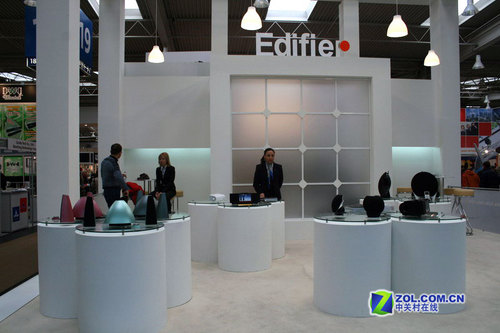 The Rainbow wireless and S730D awarded IF Design Award        |
|
|
Mar 6 2008, 12:55 AM
Return to original view | Post
#215
|
|
Store Representative
9,143 posts Joined: Jan 2003 From: Edifier, Stax, Noctua and AirPulse
|
QUOTE(xk2 @ Mar 5 2008, 10:05 PM) yi? still need nego skill ar? i tot the price is fixed ? OMG u can contact him at this no. - 21452745 Added on March 5, 2008, 10:07 pmanybody know how to get contact with the staff in edifier showroom at 4th floor lowyat plaza? and wat is his name in forum ? i need his help |
|
|
Mar 6 2008, 10:14 PM
Return to original view | Post
#216
|
|
Store Representative
9,143 posts Joined: Jan 2003 From: Edifier, Stax, Noctua and AirPulse
|
More about Cebit
          |
|
|
Mar 11 2008, 10:53 PM
Return to original view | Post
#217
|
|
Store Representative
9,143 posts Joined: Jan 2003 From: Edifier, Stax, Noctua and AirPulse
|
QUOTE(blessedvillain @ Mar 11 2008, 10:16 PM) hi guys... The SRP in Edifier showroom is higher compare to dealer. is it cheaper to get edifier speakers straight from Inter-Asia at Lowyat Plaza compared to other shops? any advantage buy from them?  This post has been edited by Edifier: Mar 11 2008, 10:56 PM |
|
|
Mar 14 2008, 03:17 PM
Return to original view | Post
#218
|
|
Store Representative
9,143 posts Joined: Jan 2003 From: Edifier, Stax, Noctua and AirPulse
|
S550 - 280w RMS
          Spec Sat: 32W x 5 (THD+N=10%,f=1kHz) Woofer: 120W x 2 (10 inches) (THD+N=10%,f=80Hz) Mid: 3.5 inches Tweete: 25mm silk dome S/N: >=90dbA distortion(%) <= 0.05 |
|
|
Mar 15 2008, 11:54 AM
Return to original view | Post
#219
|
|
Store Representative
9,143 posts Joined: Jan 2003 From: Edifier, Stax, Noctua and AirPulse
|
Few new models will reach Malaysia next month, including the upgrade version C2 and also the S730.
By the feedback from forumer, we already modify the bass and the SQ of C2. The previous version have 30w RMS but later will be ><50w. The woofer is 30-32w (not very sure yet) which is more powerful than before so please drop by our booth in coming fair. |
|
|
Mar 17 2008, 10:23 AM
Return to original view | Post
#220
|
|
Store Representative
9,143 posts Joined: Jan 2003 From: Edifier, Stax, Noctua and AirPulse
|
QUOTE(Shufflerz @ Mar 17 2008, 09:45 AM) M2300 when on with Zero volume also got static sound, is that normal? Q: My Edifier System can sometimes make some unwanted noises, why?A: "Noise" is a general term referring to any sound a speaker system makes that is not part of the original source material. There are many different types and sources of noise, each with its own solutions. Below is an explanation of the most common types of noise, what causes them, and how to minimize their occurrence and effects. Hum or Buzz There are four common causes of humming and buzzing: 1. Sound card If the humming or buzzing gets louder or softer with changes in the volume setting, this is an indication of noise coming from the sound card. In this case, check all of the connections to the sound card to make sure they are all completely plugged in and secure. Then, adjust the level setting of the sound mixer to obtain the best performance. Generally, you should leave your CD volume settings in the mixer at full and reduce the sound card's master output level down. For information on doing this, please refer to your sound card manufacturer's documentation. 2. Unused input cables If you are not using all of the source inputs to your speaker system (such as using a 5.1 speaker system with a 4 channel sound card), the unused input cables will tend to pick up noise. 3. High-power devices If you are using other high powered devices on the same electrical circuit, they may be causing hum or buzz. If so, discontinue their use while you are using your speaker system. Examples of such devices include microwave ovens, halogen lamps, power tools, etc. Also note that high-power devices with dimmer switches (such as halogen torchiere lamps) will cause an especially pronounced buzzing effect. To minimize hum or buzz, make sure that the dimmer switch on these products is either all the way on or off. 4. Electric Polarity In many countries, the US being one, the electrical power grid is polarized. In these countries, the power plugs are designed so they can only be inserted into the wall socket in a single direction. For example, in the US one of the plug blades is larger than the other. To avoid humming and buzzing, both your computer and speaker system must be properly plugged into polarized outlets. If your wall outlets do not have polarized plugs, as in the case of many older homes, and you are using adapters to plug these power cords into the wall, it is possible that the polarity of either your computer or your speaker system is reversed. In many other countries, such as most of the European Continent, wall sockets are not polarized at all - making it even more difficult to properly match the computer and speaker system. To solve the problem you will need to remove the power plug from the wall outlet, rotate the plug 180°, and re-insert it into the wall. Try this for your speaker system power cord, your computer power cord, or both. You should be able to find a combination that will eliminate the humming and buzzing Pops and Clicks There are three main causes of pops and clicks: 1. Sound Card Many pops and clicks are created by the sound card. There are two common causes: sound card quality, and older or mismatched drivers. If the overall volume level of the pops and clicks goes up and down as you change the volume on the speaker system, the noise is being generated by your sound card. Lower quality sound cards don't include the necessary circuitry to cleanly remove noise from the sound output. If you are using an older or lower quality sound card, it is suggested upgrading your sound card. The other primary cause is older or mismatched drivers. Make sure you are using the latest drivers for your sound card usually available from the manufacturer's website. 2. Multi-tasking If you are running more than one program on your computer that accesses the sound system at the same time, small pops and clicks can be common. This is a function of your computer and/or sound card. A common example is using a program that generates occasional audio feedback (such as beeps or other sound effects) while listening to an MP3 track in the background. The solution is to turn off audio feedback in the first application so that the background MP3 track is uninterrupted. Stutter A stuttering sound track is an indication of either insufficient or conflicting computer resources. Check to make sure that your computer has sufficient processor power and memory to handle the applications you are running, especially if you are using a software DVD player. De-fragmenting your hard drive may also help. If you are sure you have sufficient resources, check to make sure that you don't have any conflicting IRQ or DMA channels. Hiss All high-powered amplification devices - everything from multimedia systems to home theater systems to movie theater sound systems -- generate some level of background noise, or hiss. In addition, low quality sound cards with poor signal-to-noise ratios can generate a significant amount of steady hiss that is reproduced on the speakers. Under normal conditions at a normal listening distance, the hiss coming from the sound system should not be noticeable. In a very quiet room, or if you place your ear very close to the speaker, you may hear a very low level hiss. This is normal, but should be completely masked by normal music and game sounds. Also, note that the satellites in most Edifier speaker products are designed to be wall-mounted. Wall mounting the speakers provides two benefits: 1) it moves the all of the satellites further away from your listening position, making any hiss less noticeable and 2) it moves all of the satellites further away from each other, providing better channel separation and surround sound ambiance. |
|
Topic ClosedOptions
|
| Change to: |  0.0485sec 0.0485sec
 0.34 0.34
 7 queries 7 queries
 GZIP Disabled GZIP Disabled
Time is now: 3rd December 2025 - 08:24 PM |
 Quote
Quote