

Windows 10 Insider Preview Build 14342
https://blogs.windows.com/windowsexperience...ew-build-14342/
https://twitter.com/WZorNET
This post has been edited by stasio: May 11 2016, 12:51 PM
Microsoft Windows 10 (V.2)
Microsoft Windows 10 (V.2)
|
|
 May 11 2016, 12:44 PM May 11 2016, 12:44 PM
|
 
All Stars
18,505 posts Joined: Oct 2007 From: P.Jaya 
|
Windows 10 Insider Preview Build 14342
https://blogs.windows.com/windowsexperience...ew-build-14342/ https://twitter.com/WZorNET This post has been edited by stasio: May 11 2016, 12:51 PM |
|
|
|
|
|
May 17 2016, 05:45 PM
|

Newbie
5 posts Joined: May 2015
|
Hi! Just wanna enquire on the laptop that i bought not long ago. It's installed with Windows 10 home.
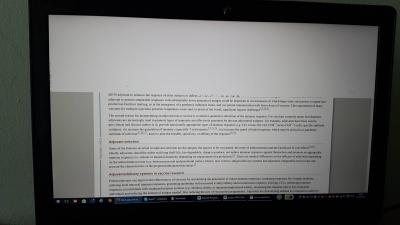
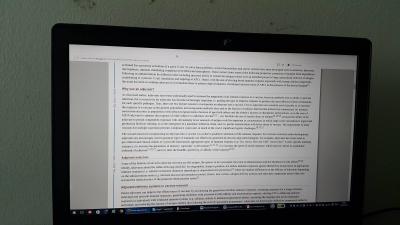
I have 2 minor issues that sometimes irritate me.. one of them is that the battery indicator show low battery eventhough is fully charged. Then within 5-10 seconds, it will revert back to original battery state. This happens occassionally and im wondering izzit windows 10 problem.. Next is when i browse mozilla, half of the screen went white.. the other half looks normal.. I refreshed the page, most of the page looks normal but some still white... I updated my firefox, graphic card and changed setting for the white screen problem (untick hardware acceleration).. it still occur.. izzit windows 10 issue? Or is just my laptop? T.T  Thank you guys... Attached thumbnail(s) 
|
|
|
May 17 2016, 07:01 PM
|

Senior Member
1,242 posts Joined: Sep 2013 From: Quantum Universe
|
QUOTE(miaofen22 @ May 17 2016, 05:45 PM) Hi! Just wanna enquire on the laptop that i bought not long ago. It's installed with Windows 10 home. What laptop model? Can you check whether there's any preinstalled battery programs ? As for the white screen, does this happen when you open firefox only?I have 2 minor issues that sometimes irritate me.. one of them is that the battery indicator show low battery eventhough is fully charged. Then within 5-10 seconds, it will revert back to original battery state. This happens occassionally and im wondering izzit windows 10 problem.. Next is when i browse mozilla, half of the screen went white.. the other half looks normal.. I refreshed the page, most of the page looks normal but some still white... I updated my firefox, graphic card and changed setting for the white screen problem (untick hardware acceleration).. it still occur.. izzit windows 10 issue? Or is just my laptop? T.T Thank you guys...  |
|
|
May 17 2016, 07:08 PM
|
|
Newbie
5 posts Joined: May 2015
|
QUOTE(Mr.7 @ May 17 2016, 07:01 PM) What laptop model? Can you check whether there's any preinstalled battery programs ? As for the white screen, does this happen when you open firefox only? It's Lenovo Ideapad 700.. So far there's no preinstalled battery programme. But i did call lenovo customer service. they ask to install these battery programme but the programme does not appear on my apps page.. so just wondering what's going on..Not sure.. so far u use only firefox.. I will try other browser soon to test if this occurs.. Thanks =) |
|
|
May 17 2016, 07:12 PM
|
|
Senior Member
1,242 posts Joined: Sep 2013 From: Quantum Universe
|
QUOTE(miaofen22 @ May 17 2016, 07:08 PM) It's Lenovo Ideapad 700.. So far there's no preinstalled battery programme. But i did call lenovo customer service. they ask to install these battery programme but the programme does not appear on my apps page.. so just wondering what's going on.. ok you might want to try these steps for your batteryNot sure.. so far u use only firefox.. I will try other browser soon to test if this occurs.. Thanks =) 1. Disconnect the A/C power supply. 2. Shut down the computer. 3. Remove the battery 4. Connect the A/C power supply 5. Start the computer. 6. Go to Control Panel, then System, then Device Driver, then Battery) 7. Click on Battery (at the top), and then right click on all entries that say Microsoft ACPI Compliant Control Method Battery, and select uninstall. 8. Shut the computer down. 9. Disconnect the A/C power supply. 10. Insert the battery. 11. Insert the A/C power supply. 12. Start the computer. 13. It should be fixed. |
|
|
May 17 2016, 08:37 PM
|
|
Newbie
5 posts Joined: May 2015
|
QUOTE(Mr.7 @ May 17 2016, 07:12 PM) ok you might want to try these steps for your battery Oh okay thanks.. but if i remove the battery. the warranty will void.. it's not removable battery1. Disconnect the A/C power supply. 2. Shut down the computer. 3. Remove the battery 4. Connect the A/C power supply 5. Start the computer. 6. Go to Control Panel, then System, then Device Driver, then Battery) 7. Click on Battery (at the top), and then right click on all entries that say Microsoft ACPI Compliant Control Method Battery, and select uninstall. 8. Shut the computer down. 9. Disconnect the A/C power supply. 10. Insert the battery. 11. Insert the A/C power supply. 12. Start the computer. 13. It should be fixed. |
|
|
|
|
|
May 17 2016, 08:42 PM
|
|
Senior Member
1,242 posts Joined: Sep 2013 From: Quantum Universe
|
QUOTE(miaofen22 @ May 17 2016, 08:37 PM) Oh okay thanks.. but if i remove the battery. the warranty will void.. it's not removable battery I see, ignore the steps.Try download this and try.  |
|
|
May 17 2016, 09:04 PM
|
|
Newbie
5 posts Joined: May 2015
|
QUOTE(Mr.7 @ May 17 2016, 08:42 PM) Thanks a bunch! I will try and see how hehe |
|
|
May 27 2016, 09:42 AM
|
|
All Stars
18,505 posts Joined: Oct 2007 From: P.Jaya
|
Windows 10 Insider Preview Build 14352
https://blogs.windows.com/windowsexperience...ew-build-14352/ Official .ISO's have been updated to 14342 https://www.microsoft.com/en-us/software-do...previewadvanced This post has been edited by stasio: May 27 2016, 09:49 AM |
|
|
May 27 2016, 04:39 PM
|
|
Senior Member
2,334 posts Joined: May 2007 From: Kuching 
|
OK question:
1, how do I change the font type & size of the entire Windows 10 environment? And no, I'm not talking about that 100%, 125% scaling. Specifically - font type and size ONLY, especially start menu font size that seems no body have a solution at the moment...  This post has been edited by M1X: May 27 2016, 05:17 PM |
|
|
May 27 2016, 09:12 PM
|
|
Junior Member
12 posts Joined: Apr 2011
|
Clean install vs window 10 build in factory reset?
same or clean install better? |
|
|
May 27 2016, 11:11 PM
|
|
Senior Member
1,242 posts Joined: Sep 2013 From: Quantum Universe
|
QUOTE(DrDk @ May 27 2016, 09:12 PM) Clean install vs window 10 build in factory reset? Clean install better.same or clean install better? |
|
|
May 28 2016, 01:18 PM
|

All Stars
17,844 posts Joined: Dec 2007 From: Bandar Baru Bangi , Malaysia 
|
QUOTE(DrDk @ May 27 2016, 09:12 PM) Clean install vs window 10 build in factory reset? i done clean installsame or clean install better? |
|
|
|
|
|
Jun 4 2016, 09:20 AM
|

Senior Member
3,038 posts Joined: Nov 2009
|
Windows 10, Version 1511 (Updated April 2016) build 10586.162.th2_release_sec.160223-1728
the latest iso is available at techbench, https://www.microsoft.com/en-us/software-download/techbench be sure to get the correct edition based on your current os. the common ones are w10 (including core and pro edition) and w10 single language. |
|
|
Jun 9 2016, 03:15 AM
|
|
All Stars
18,505 posts Joined: Oct 2007 From: P.Jaya
|
MS Windows 10 Insider Preview Build 14361
14361.0.160603-1700.rs1_release https://blogs.windows.com/windowsexperience...ew-build-14361/ |
|
|
Jun 15 2016, 10:36 AM
|
|
All Stars
18,505 posts Joined: Oct 2007 From: P.Jaya
|
MS Windows 10 Insider Preview Build 14366
10.0.14366.0.rs1_release.160610-1700 https://blogs.windows.com/windowsexperience...le-build-14364/ Windows 10 Cumulative Update KB3163018 Build 10586.420 http://windows.microsoft.com/en-us/windows...tory-windows-10 x86 http://download.windowsupdate.com/d/msdown...17167a1d560.msu x64 http://download.windowsupdate.com/d/msdown...e61615c22e6.msu |
|
|
Jun 15 2016, 04:25 PM
|

Senior Member
515 posts Joined: Jun 2010 From: SoME pLAcE
|
QUOTE(DrDk @ May 27 2016, 09:12 PM) Clean install vs window 10 build in factory reset? Prefer clean installsame or clean install better?  |
|
|
Jun 17 2016, 09:27 AM
|
|
All Stars
18,505 posts Joined: Oct 2007 From: P.Jaya
|
MS Windows 10 Insider Preview Build 14367
https://blogs.windows.com/windowsexperience...-pc-and-mobile/ Note: It's available via MS update. |
|
|
Jun 17 2016, 11:30 AM
|
|
Senior Member
3,038 posts Joined: Nov 2009
|
QUOTE(stasio @ Jun 17 2016, 09:27 AM) MS Windows 10 Insider Preview Build 14367 damn it's a bug. no wonder whenever i right-clicked to get command prompt the explorer crashed.https://blogs.windows.com/windowsexperience...-pc-and-mobile/ Note: It's available via MS update. QUOTE * We fixed an issue resulting in Explorer.exe crashing if you selected “Open Command window here” from File Explorer’s context menu. |
|
|
Jun 17 2016, 04:24 PM
|
|
Junior Member
309 posts Joined: Mar 2015
|
QUOTE(DrDk @ May 27 2016, 09:12 PM) Clean install vs window 10 build in factory reset? same, but windows 10 recovery can preserve your file if u want.same or clean install better? |
| Change to: |  0.0198sec 0.0198sec
 0.38 0.38
 6 queries 6 queries
 GZIP Disabled GZIP Disabled
Time is now: 15th December 2025 - 02:48 AM |
 Quote
Quote