Welcome Guest ( Log In | Register )

Outline · [ Standard ] · Linear+

 Microsoft Windows 10 (V.2)

views
     
miaofen22
post May 17 2016, 05:45 PM

New Member
*
Newbie
5 posts

Joined: May 2015
Hi! Just wanna enquire on the laptop that i bought not long ago. It's installed with Windows 10 home.

I have 2 minor issues that sometimes irritate me.. one of them is that the battery indicator show low battery eventhough is fully charged. Then within 5-10 seconds, it will revert back to original battery state. This happens occassionally and im wondering izzit windows 10 problem..

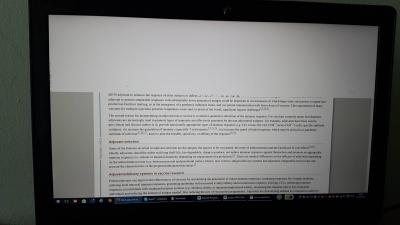
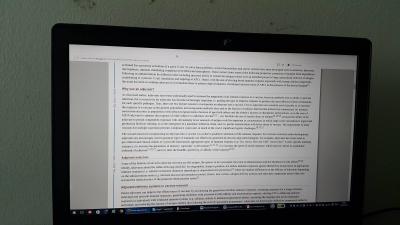
Next is when i browse mozilla, half of the screen went white.. the other half looks normal.. I refreshed the page, most of the page looks normal but some still white... I updated my firefox, graphic card and changed setting for the white screen problem (untick hardware acceleration).. it still occur.. izzit windows 10 issue?

Or is just my laptop? T.T cry.gif

Thank you guys...


Attached thumbnail(s)
Attached Image Attached Image Attached Image
miaofen22
post May 17 2016, 07:08 PM

New Member
*
Newbie
5 posts

Joined: May 2015
QUOTE(Mr.7 @ May 17 2016, 07:01 PM)
What laptop model? Can you check whether there's any preinstalled battery programs ? As for the white screen, does this happen when you open firefox only?
*
It's Lenovo Ideapad 700.. So far there's no preinstalled battery programme. But i did call lenovo customer service. they ask to install these battery programme but the programme does not appear on my apps page.. so just wondering what's going on..
Not sure.. so far u use only firefox.. I will try other browser soon to test if this occurs.. Thanks =)
miaofen22
post May 17 2016, 08:37 PM

New Member
*
Newbie
5 posts

Joined: May 2015
QUOTE(Mr.7 @ May 17 2016, 07:12 PM)
ok you might want to try these steps for your battery

1. Disconnect the A/C power supply.
2. Shut down the computer.
3. Remove the battery
4. Connect the A/C power supply
5. Start the computer.
6. Go to Control Panel, then System, then Device Driver, then Battery)
7. Click on Battery (at the top), and then right click on all entries that say Microsoft ACPI Compliant Control Method Battery, and select uninstall.
8. Shut the computer down.
9. Disconnect the A/C power supply.
10. Insert the battery.
11. Insert the A/C power supply.
12. Start the computer.
13. It should be fixed.
*
Oh okay thanks.. but if i remove the battery. the warranty will void.. it's not removable battery
miaofen22
post May 17 2016, 09:04 PM

New Member
*
Newbie
5 posts

Joined: May 2015
QUOTE(Mr.7 @ May 17 2016, 08:42 PM)
I see, ignore the steps.

Try download this and try.  icon_rolleyes.gif
*
Thanks a bunch! I will try and see how hehe


Change to:
| Lo-Fi Version
0.0201sec    0.40    7 queries    GZIP Disabled
Time is now: 11th December 2025 - 05:02 PM