QUOTE(simmarjit @ Aug 16 2023, 07:34 PM)
Yeah its very versatile. Currently i have used this “hack” for my alarm output and this rain sensor. Can even make things like bed/chair sensor and amongst others. I saw it in the HA forums thread
Smart Home, Let's discuss
|
|
Aug 17 2023, 09:00 AM
Return to original view | Post
#81
|
![]() ![]()
Junior Member
229 posts Joined: Sep 2009 |
QUOTE(simmarjit @ Aug 16 2023, 07:34 PM) Yeah its very versatile. Currently i have used this “hack” for my alarm output and this rain sensor. Can even make things like bed/chair sensor and amongst others. I saw it in the HA forums thread simmarjit liked this post
|
|
|
|
|
|
Aug 17 2023, 02:29 PM
Return to original view | Post
#82
|
![]() ![]()
Junior Member
229 posts Joined: Sep 2009 |
QUOTE(alucard89 @ Aug 17 2023, 09:18 AM) Use it also for toilet seat detection, this was before mmwave entered the market I just used the electrical junction box that people commonly use to wall/ceiling mount cctvs. TC or PVC Link brand are all ok, they have a gasket inside for water ingress protectionBtw, what casing do you use with the rain sensor? |
|
|
Aug 25 2023, 09:32 AM
Return to original view | Post
#83
|
![]() ![]()
Junior Member
229 posts Joined: Sep 2009 |
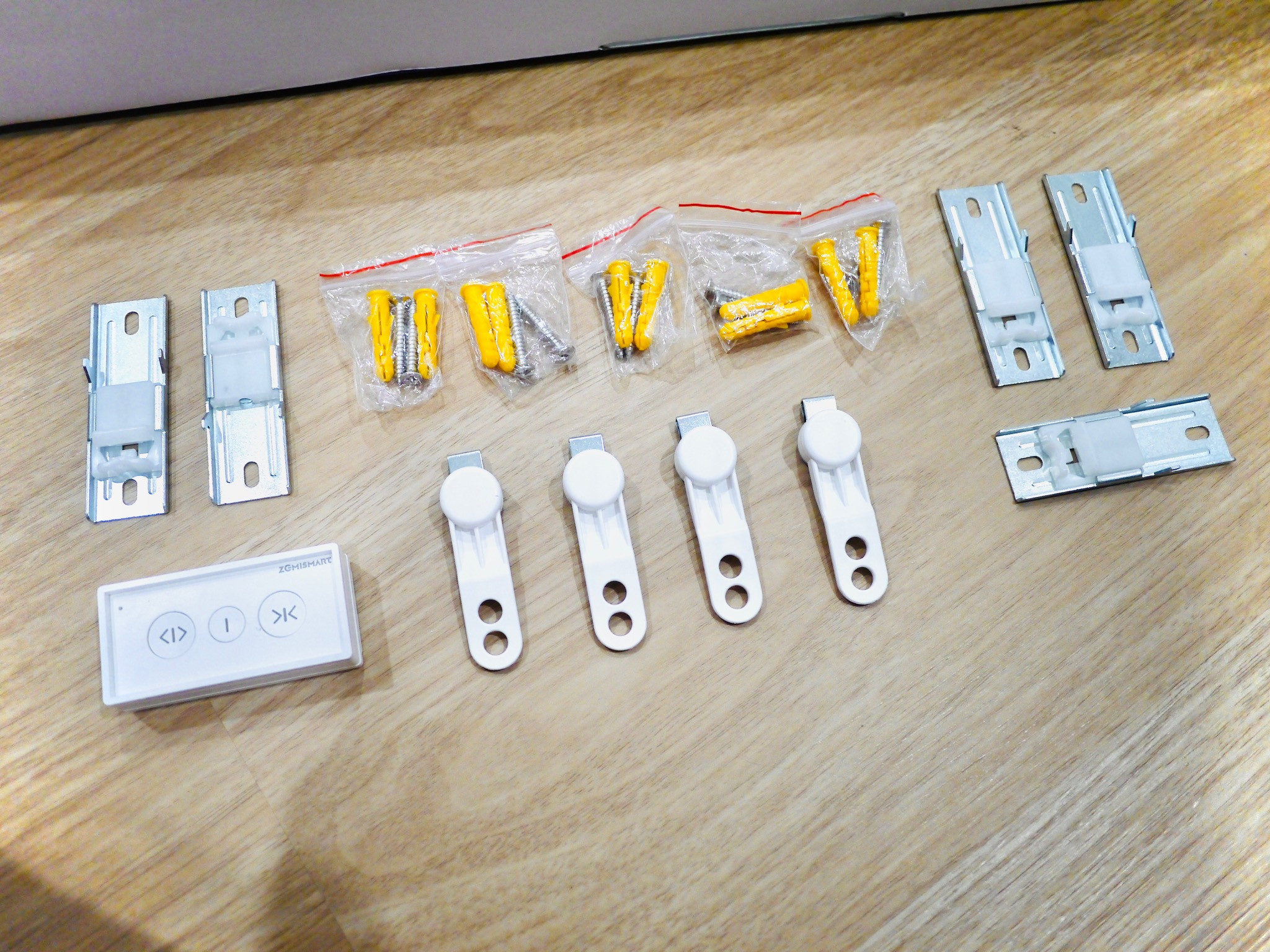
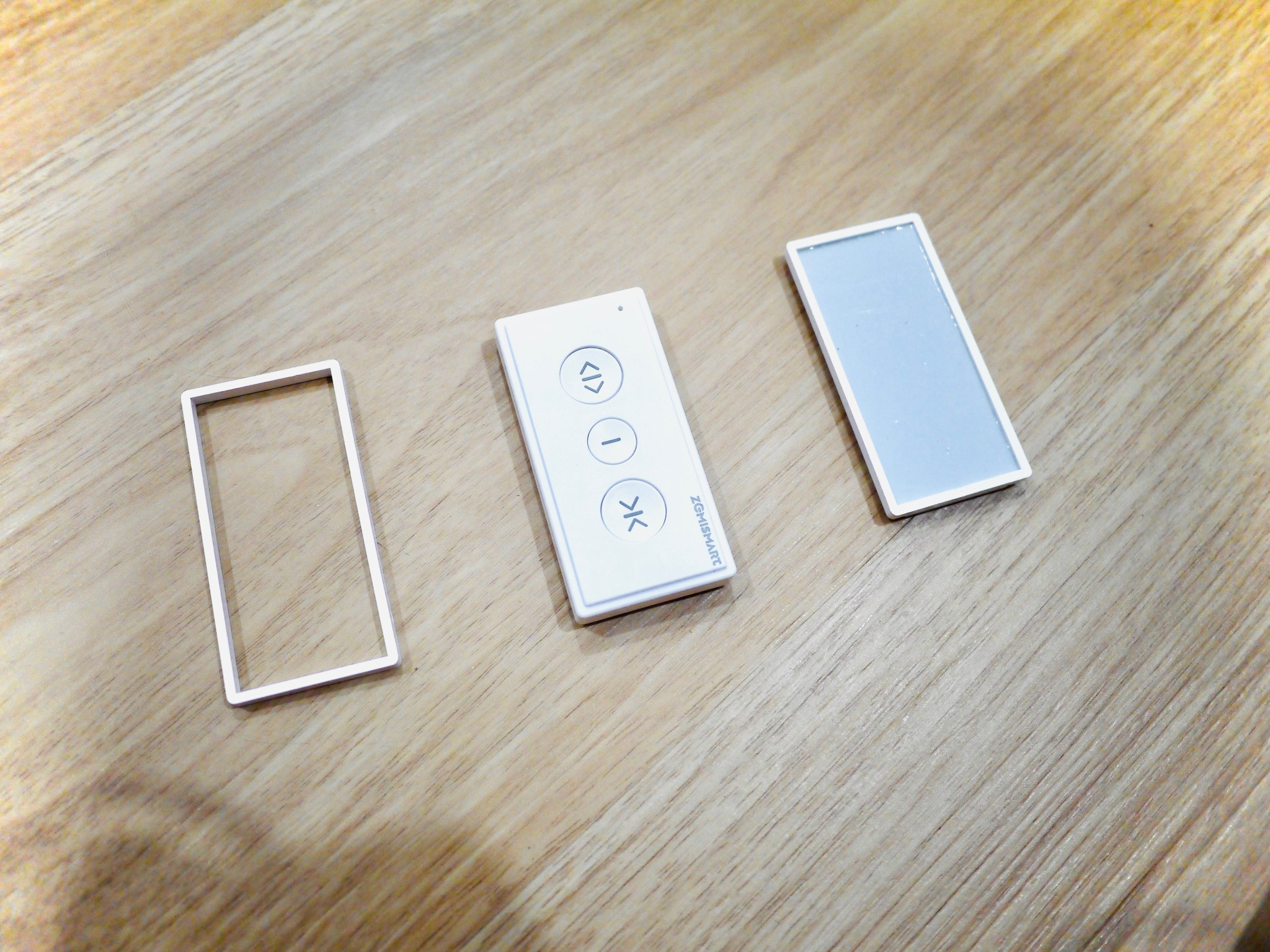
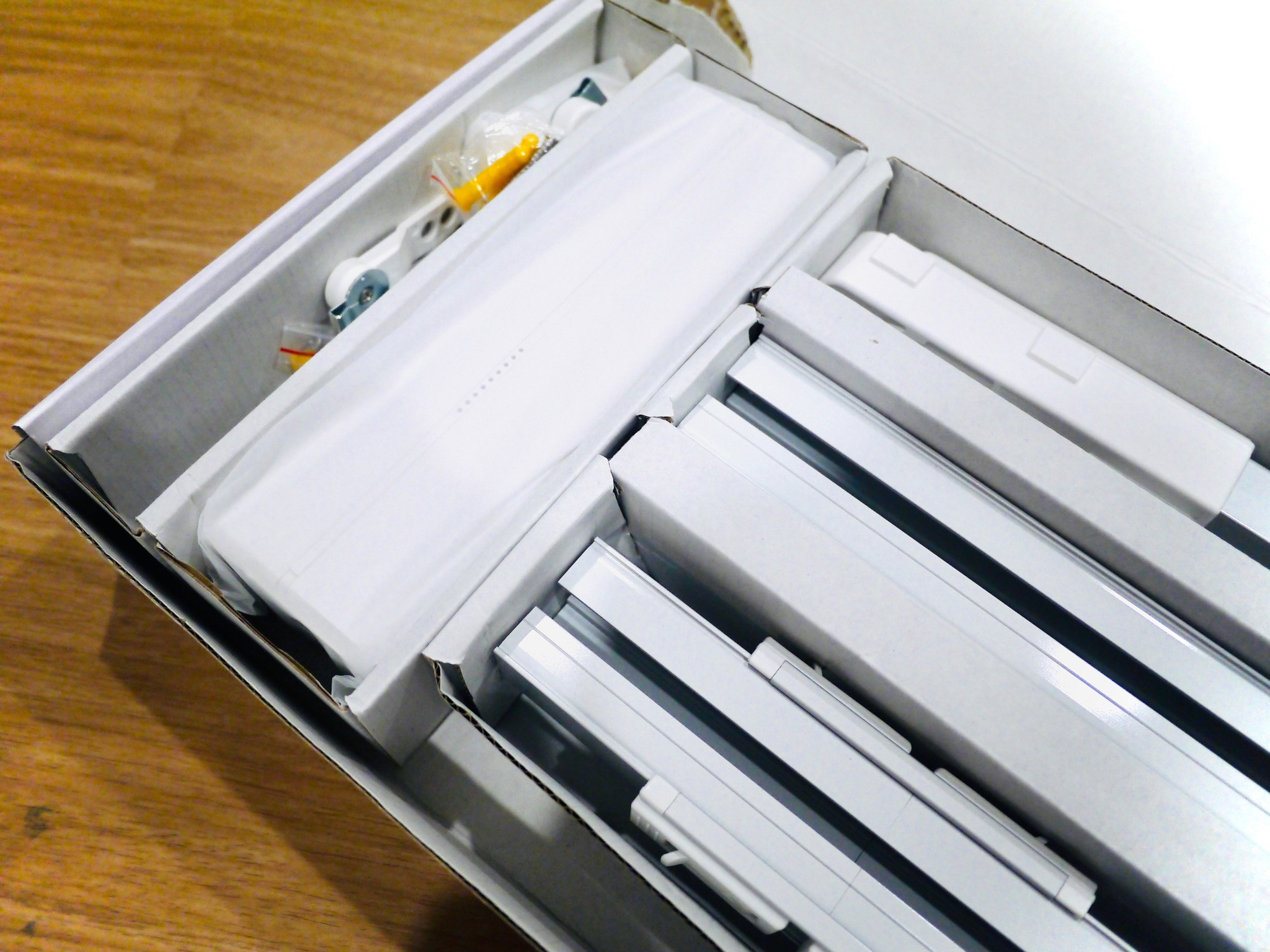
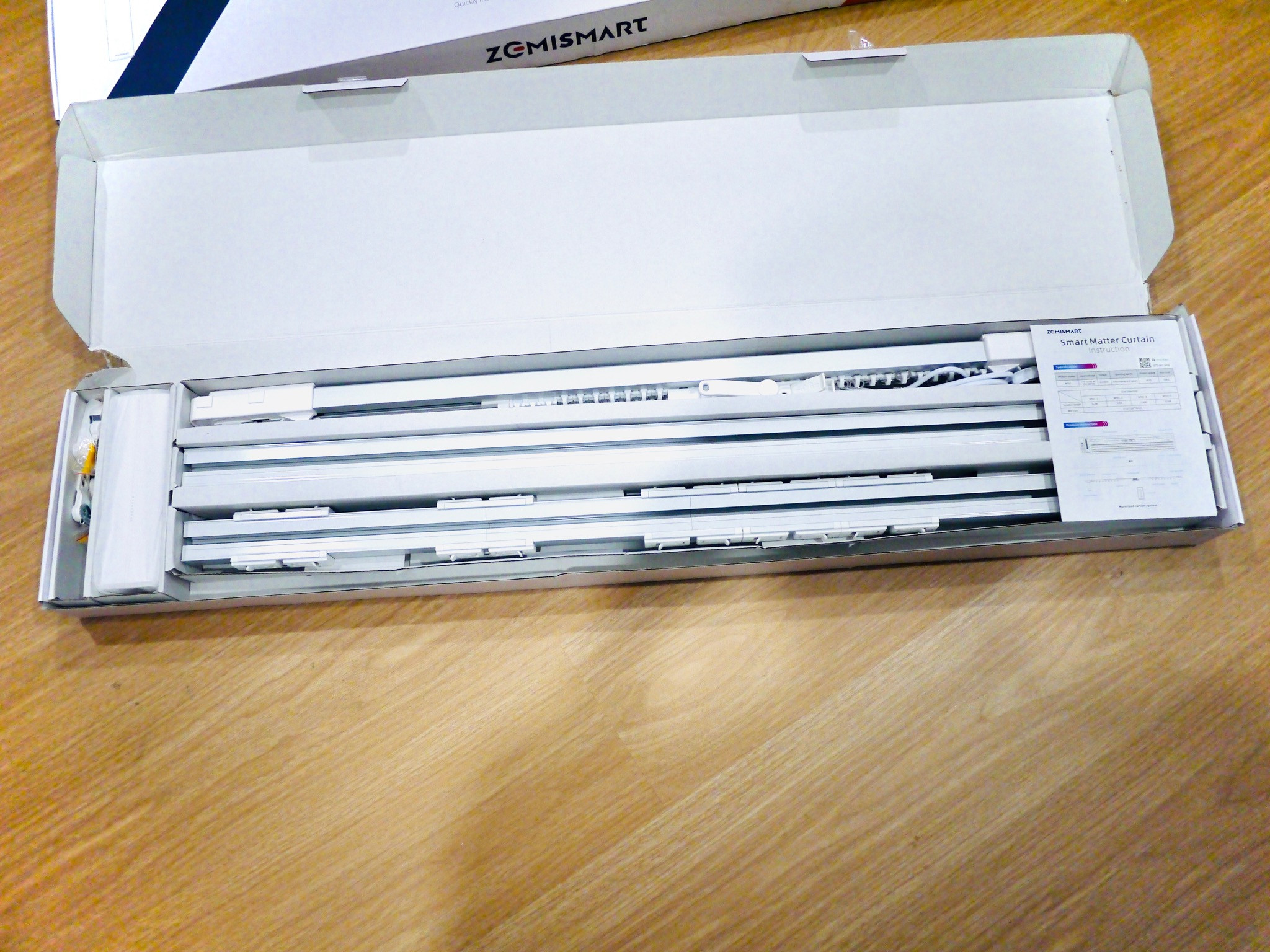
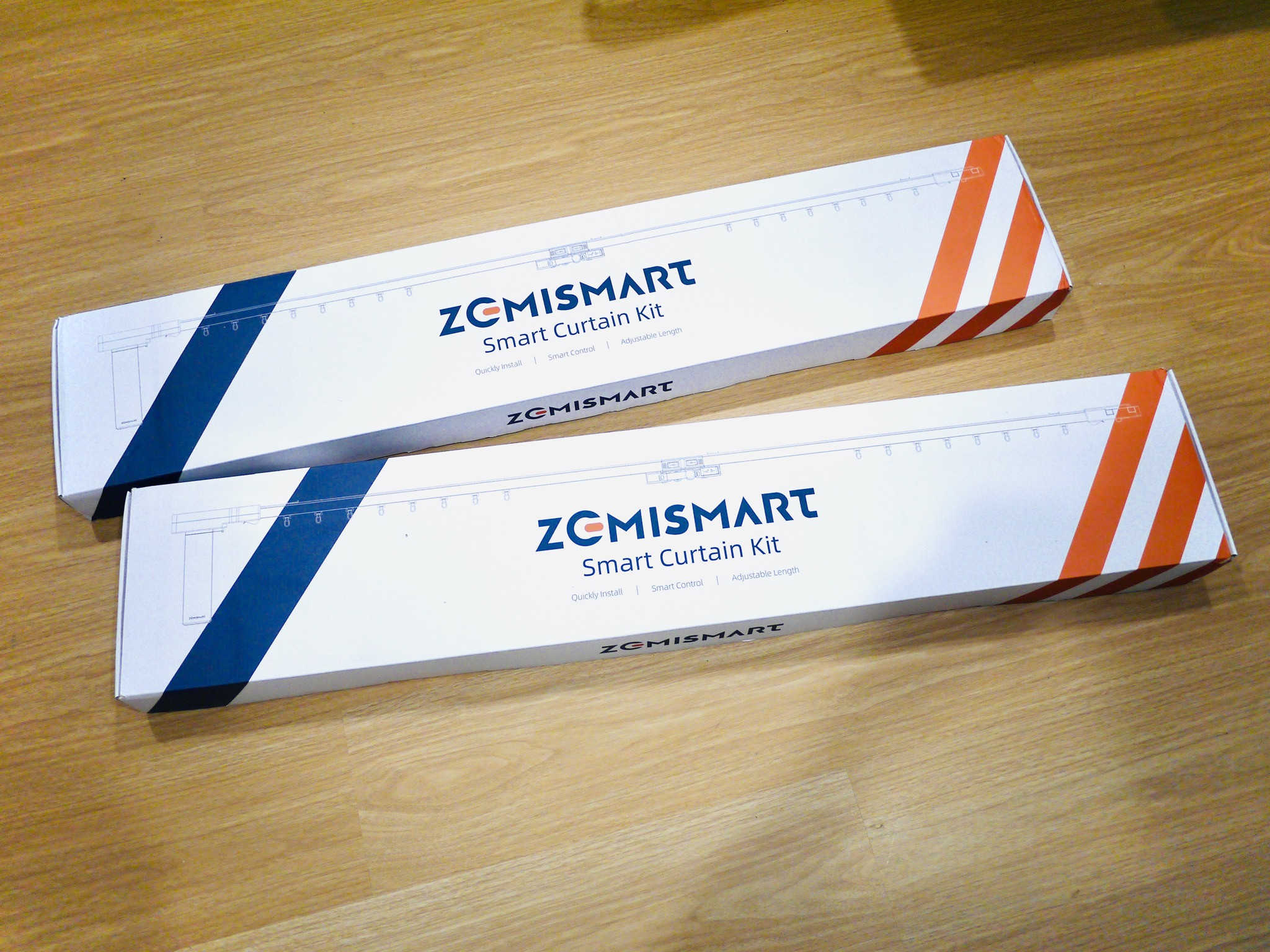
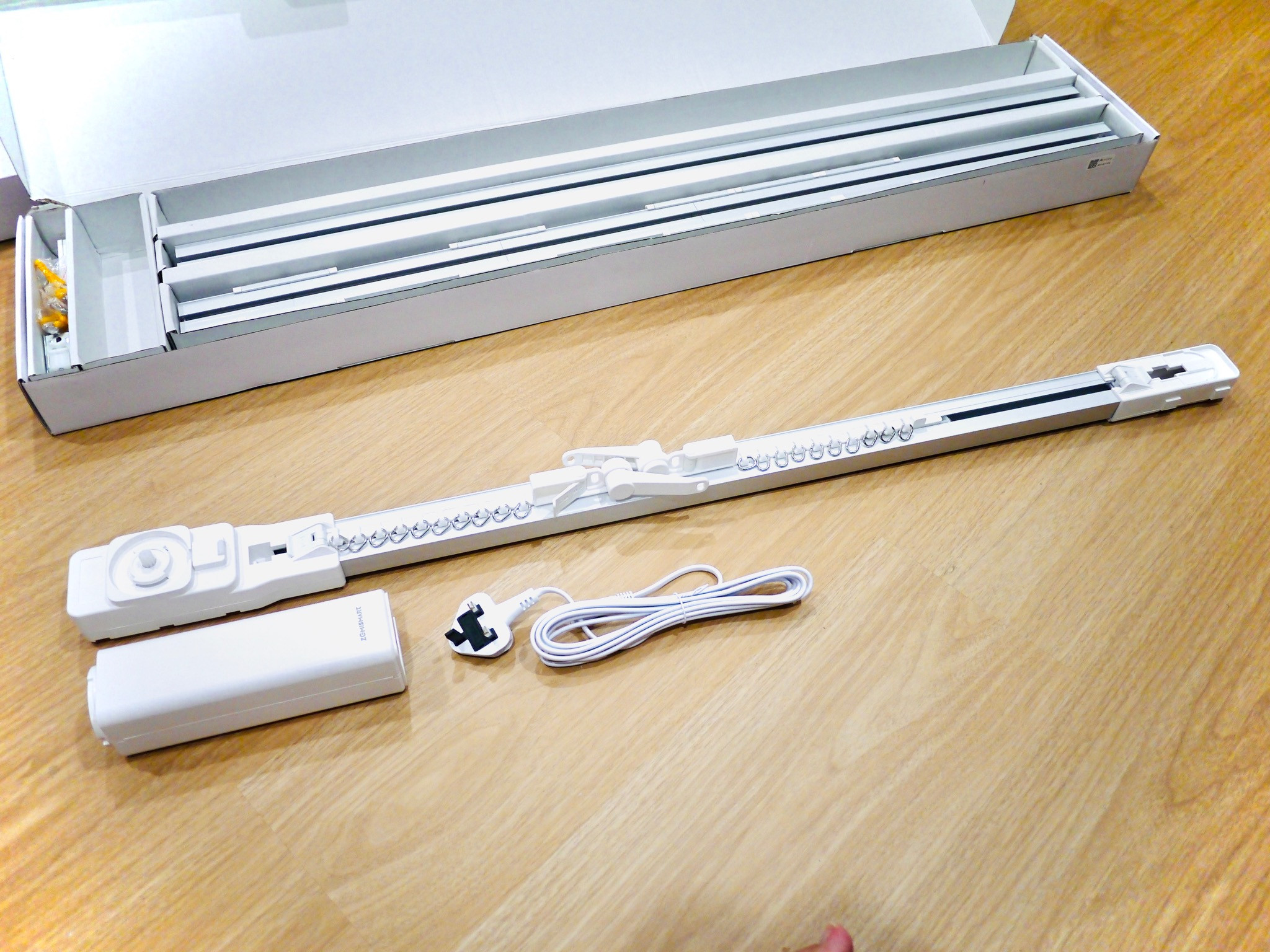
Zemismart Curtains review
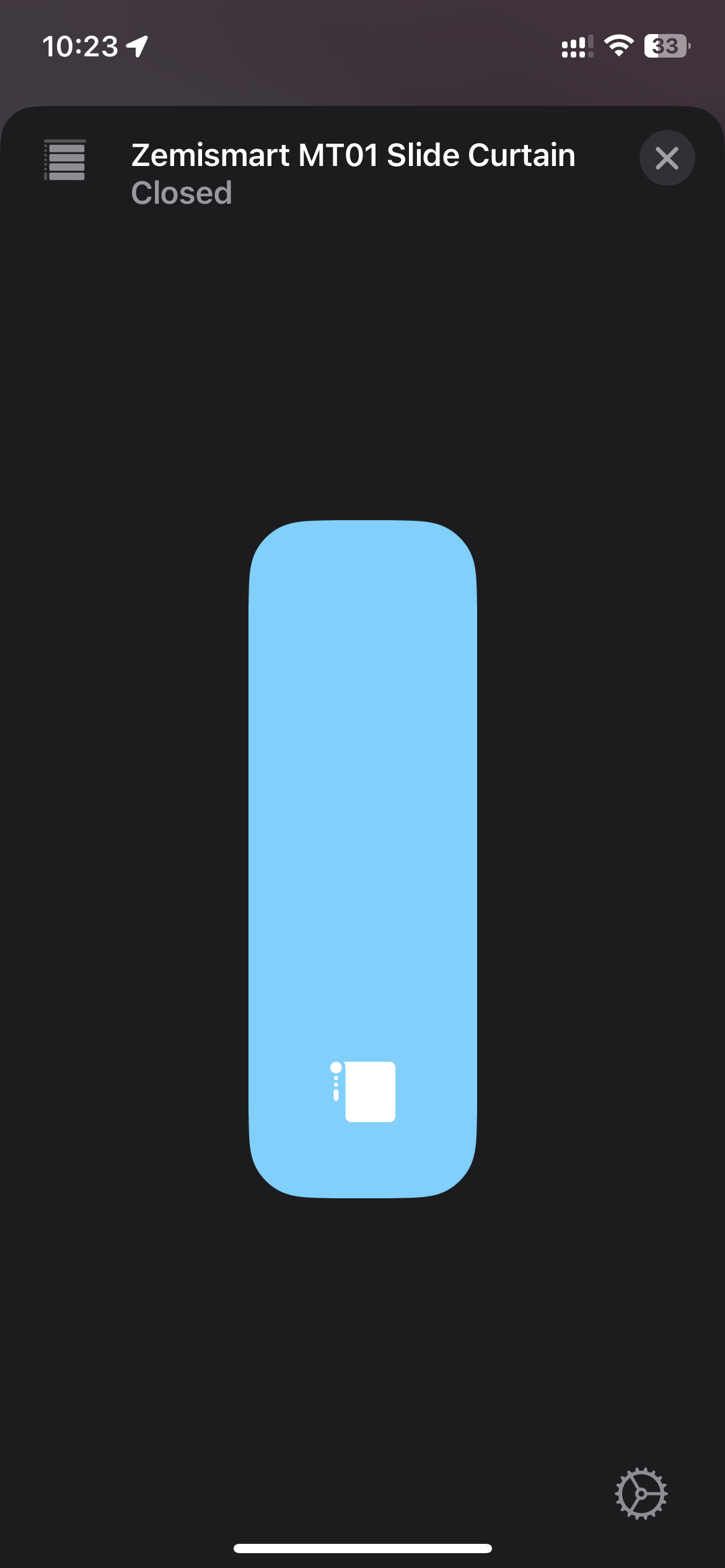
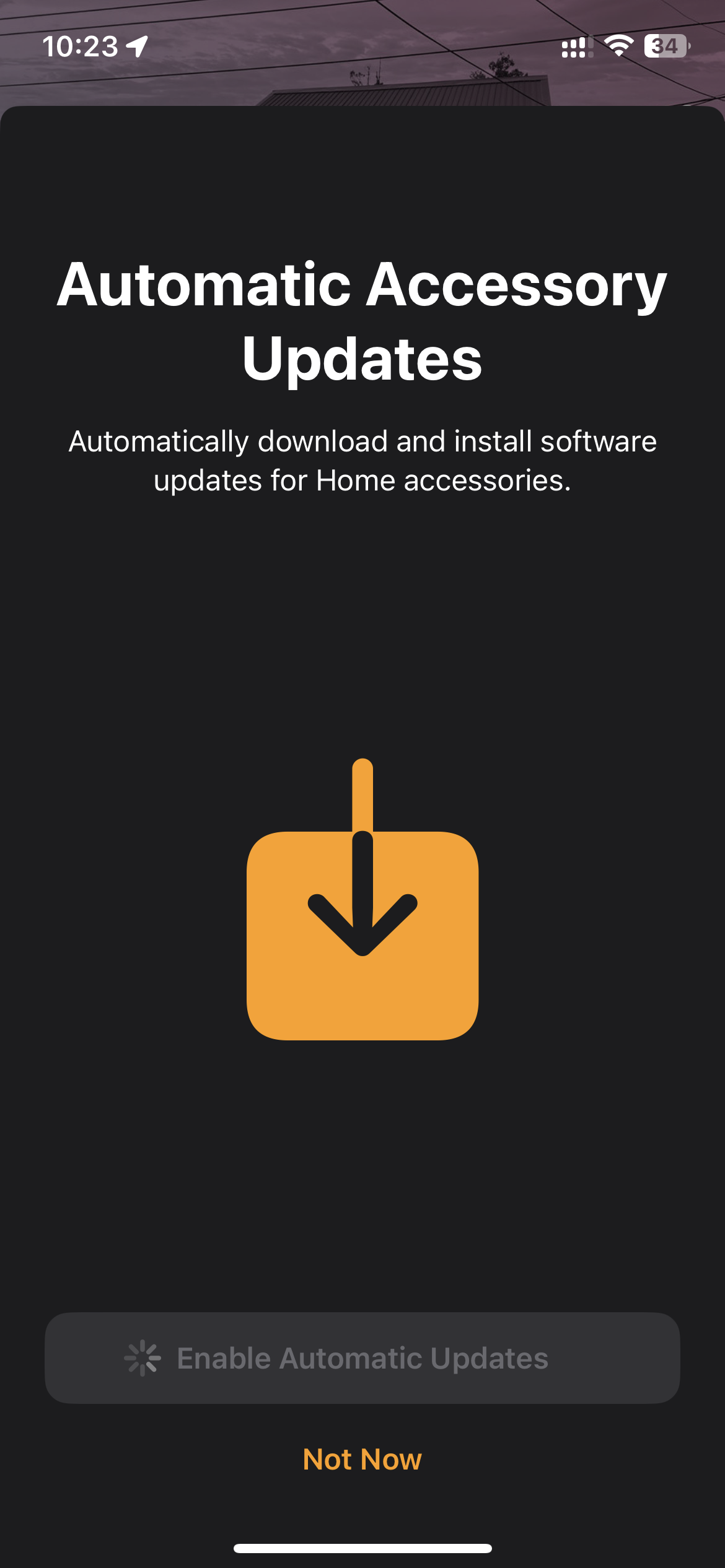
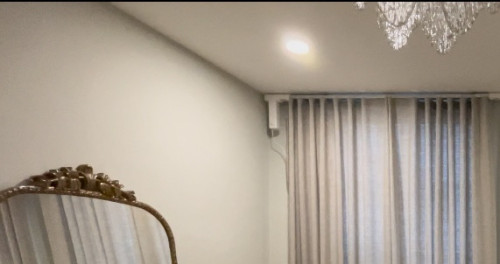
Just received Zemismart’s Matter curtains not too long back. Managed to unbox it and had a first impressions of the device. 1. The unboxing experience was good, no fluff. All the items inside the box were laid out in a presentable manner. 2. I got the 3 meter length curtain rails. In the Box, you will get 3 rails, one of which is the rail that mounts to your curtain motor. The other 2 are the extension rails. Theres one rail that is partitioned to short lengths that are tied together with clips. This allows you to fine tune the length that you need for the curtains. I found that the materials used for the rails to be solid and firm. Definitely not flimsy at all. Thumbs up for that. 3. The other items were the motor itself, which has an AC 2 prong input for power, which is connected to (in my case) a 3 pin 13A plug top. There’s also some screws with wall inserts, clips, a remote (CR2032 battery not included for shipping purposes), and an instruction manual. Theres a matter QR code on the motor, and also a QR code in the manual. Definitely take a photo of the QR code for safekeeping, and better yet, put it into a 3rd party app for posterity. 4. The installation was dead simple. Clip the extensions together to the desired length, and then twist the motor into its socket. Plug in the 13A supply to the motor, and your set. Once its powered up, just press the little button on the motor (named Set) and then click on the remote to pair. Note: prior to using the remote, make sure that you unclip the curtain lock latch, and pull both sides to the extreme ends of the rail, then lock it. This will ensure that the curtain motor will recognize the length of the curtains. 5. Pairing to your Home ecosystem. This being matter, it’s dead simple. You must have a Thread Border Router in your home, so in my case, it was a Apple Homepod Mini. To pair, just triple click the SET button on the motor, and then use your iPhone to scan the QR code. Note that you should update your iPhone’s software to the latest software at the time of this first look review, which is 16.6. The Homepod should also be updated to the latest firmware. I’m also on Homekit’s new architecture. Once i scanned the QR code, Apple Home app launched, and it showed the Zemismart as blinds. Then it just takes a minute or 2, and you’re able to select the room that you want to put it into, and rename the device. So so simple. 6. Once setup, you’re ready to use it. So simple. It’s like any other remote, but it operates without a 3rd party hub. So, click the remote, to open, close or to stop. Correspondingly, drag the slider in the Home app to whatever position you want it to open or close to. Couldn’t be simpler. All in all, I’m pretty happy with these curtains. A must buy for the price that they’re charging, which is around a little over USD100. Recommended. ![]() ![]() ![]() ![]() ![]() ![]() ![]() ![]() This post has been edited by epicure: Aug 25 2023, 09:33 AM |

|
|
Aug 25 2023, 12:57 PM
Return to original view | Post
#84
|
![]() ![]()
Junior Member
229 posts Joined: Sep 2009 |
|
|
|
Aug 25 2023, 12:58 PM
Return to original view | Post
#85
|
![]() ![]()
Junior Member
229 posts Joined: Sep 2009 |
QUOTE(alucard89 @ Aug 25 2023, 11:43 AM) Thanks epicure Its pretty silent, won’t be loud enough to wake me.. but everyone’s sensitivity to noise whilst sleeping is different tho.. How's the noise when the curtains are running? Silent enough to not wake you up when still sleeping? I initially wanted to try the robot one that you just add to the rail but looks like it can a bit noisy. As for the installation, when replacing the existing curtain, need to add plug new holes or anything else? I reused the same brackets that held my original curtains. But its ok to add more if worried about the extra weight, due to the motor |
|
|
Sep 11 2023, 04:31 PM
Return to original view | IPv6 | Post
#86
|
![]() ![]()
Junior Member
229 posts Joined: Sep 2009 |
QUOTE(alucard89 @ Aug 25 2023, 04:03 PM) Just remove the old ones and install the new curtain without drilling any new holes? Unfortunately not that simple for mounting. Because I have dual rails, one linen and one curtains, the original mounts weren't usable. I had to custom make new mounts to install the rails, and then they could be mounted. But I used back the original wall plugs so no new drilling needed in the walls. Can post demo video when it's running? Just to listen how silent it gets The curtains are very very quiet. Not sure how to post a video but I'll be making a review to post on YouTube soon. This post has been edited by epicure: Sep 12 2023, 09:42 AM |
|
|
|
|
|
Sep 11 2023, 04:32 PM
Return to original view | IPv6 | Post
#87
|
![]() ![]()
Junior Member
229 posts Joined: Sep 2009 |
QUOTE(WildChai @ Sep 10 2023, 06:41 PM) Here you go broCan order on Lazada https://s.lazada.com.my/s.6lYrb |
|
|
Sep 11 2023, 04:34 PM
Return to original view | IPv6 | Post
#88
|
![]() ![]()
Junior Member
229 posts Joined: Sep 2009 |
|
|
|
Sep 12 2023, 08:58 AM
Return to original view | Post
#89
|
![]() ![]()
Junior Member
229 posts Joined: Sep 2009 |
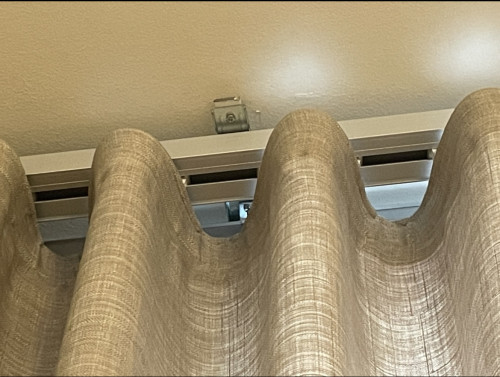
QUOTE(celciuz @ Sep 11 2023, 08:00 PM) Nice rails, are they 1 piece or connected to make a longer curtain? Side note can show the motor mounting portion? Sorry I don't have a close up photo of the motor , but it looks just like any other curtain motor. I attach a cropped photo of a wide angle photo ya ![]() |
|
|
Sep 12 2023, 09:05 AM
Return to original view | Post
#90
|
![]() ![]()
Junior Member
229 posts Joined: Sep 2009 |
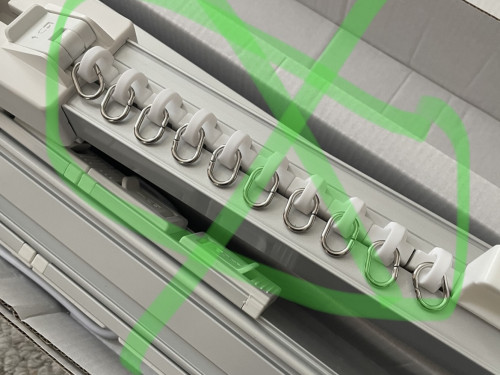
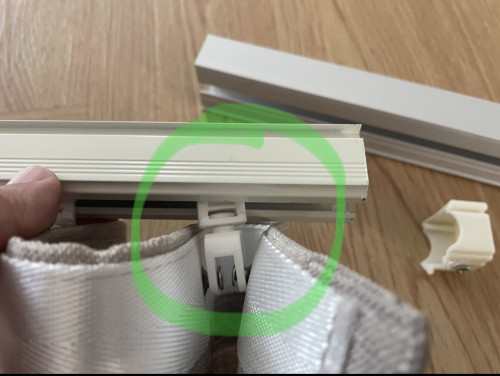
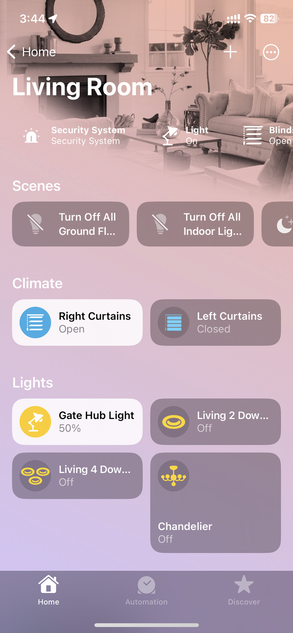
QUOTE(WildChai @ Sep 12 2023, 08:40 AM) This curtain fold... Isn't the eyelets of the rails different from the one sold? S fold needs a strap for the curtains? You're right, very keen eye.I bought a 3 meter length rail, that can be adjusted to different lengths, short pieces that clip together. The Zemismart and other manufacturers provide the same rollers to be used with conventional hooks Since my curtains are button-hook type, I just transferred the rollers with their corresponding clips over to the Zemismart. So didn't need the ones that came with the Zemismart And I took off the end fitting that overlaps each curtains cos my curtains are cut to length and to overlap would make them very ugly and stretch and not fold nicely Everything is working nicely in Homekit, as these are matter over thread, and I've got the homepod mini as my matter thread border router. Can't control them in Google home cos I don't have a border router in Google home yet ![]() ![]() ![]() This post has been edited by epicure: Sep 12 2023, 09:44 AM |
|
|
Sep 12 2023, 09:14 AM
Return to original view | Post
#91
|
![]() ![]()
Junior Member
229 posts Joined: Sep 2009 |
|
|
|
Sep 14 2023, 02:03 PM
Return to original view | Post
#92
|
![]() ![]()
Junior Member
229 posts Joined: Sep 2009 |
QUOTE(WildChai @ Sep 14 2023, 12:50 AM) Ahh.. No wonder. They so happen fits or your already checked? Good to know can just swap them out if it fits the rails. Oh no, my one did not fit,i had to buy new brackets that were longer, and install my veil and curtain rails on to them. But used back the same wall plugs. I just bought a generic zigbee smart curtain and fiddling with it. Not bad. Just need to get it to work with HA. Pretty stoked with my first matter over thread device. Now i need to get another thread border router for my google home setup. |
|
|
Sep 14 2023, 02:04 PM
Return to original view | Post
#93
|
![]() ![]()
Junior Member
229 posts Joined: Sep 2009 |
|
|
|
|
|
|
Oct 5 2023, 03:02 PM
Return to original view | Post
#94
|
![]() ![]()
Junior Member
229 posts Joined: Sep 2009 |
QUOTE(simmarjit @ Oct 5 2023, 12:22 PM) You can think of it as another wifi but instead of using your wifi router, it uses zigbee router, and some zigbee devices act as repeaters to repeat the signal to other devices and you can mesh your zigbee stuff. By the way off topic, I just bought a new usb zigbee repeater to extend the mesh on the ground floor. Plugged it in, and then realized that it didnt extend the mesh. Its working of course, but nothing seems to be using it to extend. And coincidentally, the one that i had plugged in up stairs also wasnt extending anything anymore, even though it used to. So, i rebooted the hub, and both repeaters, but still nothing. Whats happening? Does it need time to figure it out on its own and then route traffic accordingly? Its been a few days, but the network doesnt seem to be using the repeaters, but the child devices all connect to the hub, and some of them say bad network/reception. Really funny i cant figure it out |
|
|
Oct 10 2023, 09:10 AM
Return to original view | Post
#95
|
![]() ![]()
Junior Member
229 posts Joined: Sep 2009 |
QUOTE(simmarjit @ Oct 5 2023, 04:56 PM) I'm using tuya hub, and both ZigBee Repeaters paired to it. Not using ZigBee mqttThe first repeater used to extend network but not doesn't. The new one doesn't too. Just is online. I've rebooted the hub before but still doesn't extend the mesh. No updates for the hub nor the repeaters. Not sure what's going on |
|
|
Oct 10 2023, 10:45 AM
Return to original view | Post
#96
|
![]() ![]()
Junior Member
229 posts Joined: Sep 2009 |
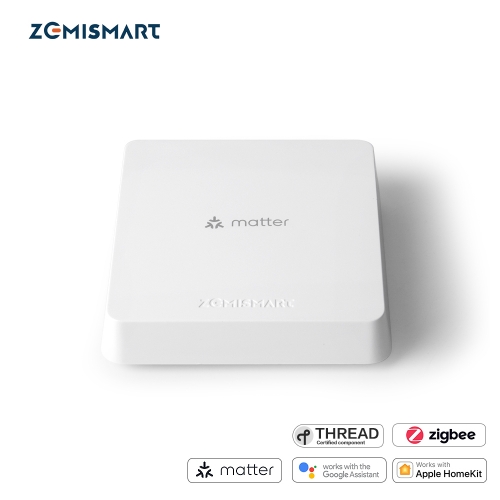
QUOTE(simmarjit @ Oct 10 2023, 09:46 AM) Ah noted, you can recycle your home power first and see if that makes a difference, if not probably have to repair whatever devices that is close to those repeaters. Reset the end devices first, then pair all the routers so whatever mains powered ones and then those repeaters then only pair the end devices like sensors and what not. omg. Too much hassle. Cos all the end devices besides have their own automations in homekit Hmm. Maybe i will just power cycle just to see what happens. Not intending to re-pair everything cos upon doing that, have to rewrite my automations. Thanks for the reply! Edit: i probably will end up re-pairing some of the devices soon, as im getting the Zemismart Matter M1 Zigbee hub soon to use for my ground floor. Then the Neo Tuya hub will serve the first floor. We’ll see how it goes once i receive the new hub. Side note: my original Zemismart homekit hub no longer functioning in homekit. I guess you win some you lose some for these china devices. One of my aqara door and window sensors also Kong. Smart home life is a life of trial and error and repeat purchases haha This post has been edited by epicure: Oct 10 2023, 10:48 AM |
|
|
Oct 10 2023, 01:55 PM
Return to original view | Post
#97
|
![]() ![]()
Junior Member
229 posts Joined: Sep 2009 |
QUOTE(alucard89 @ Oct 10 2023, 11:09 AM) It works within tuya app. Just doenst maintain connection to homekit. Always no response. The Neo is rock solid, even though i suspect they’re the same hub, just rebranded. I just got a rotten one i suppose |
|
|
Oct 10 2023, 01:57 PM
Return to original view | Post
#98
|
![]() ![]()
Junior Member
229 posts Joined: Sep 2009 |
QUOTE(Oltromen Ripot @ Oct 10 2023, 01:44 PM) I just recalled why did I bought zigbee repeaters. I dont have any dropoffs.. just bad signals. They never ever drop off / go offline.. so i wanted to give them better signal. the zigbee door sensor, and zigbee presence sensor at the far end of house keep getting notification as being too far and weak inside smartlife app. after adding the repeater "halfway" in-between, such notification stopped. if you want to test out your repeater, maybe, i suggest to temporarily switch repeater off, then put a spare zigbee device so far away until you get error about its signal being weak, for few days just to establish a pattern. then switch the repeater back online, see if that makes a difference. now you will know whether your repeater is actually doing anything. Last time, the first repeater that i got, halfway i put it, and then it managed to reroute the traffic, extended the mesh. Now nothing happening for both. Haha. Funny these things |
|
|
Oct 17 2023, 09:10 AM
Return to original view | Post
#99
|
![]() ![]()
Junior Member
229 posts Joined: Sep 2009 |
QUOTE(alucard89 @ Oct 16 2023, 06:31 PM) If you get matter devices like these, just google nest hub is enough. There’s a few now but the list is growing I’m impatiently waiting for my Zemismart M1 hub![]() The zemismart matter hub is basically if you have tuya zigbee devices like sensors, switches etc and the hub exposes them over matter. Essentially a bridge for non matter devices Technically that’s what matter is marketed, works locally without internet. With homekit, smartthings they do work offline but i read that’s still ongoing with google home? Anyone can clarify Tryna hit few birds with one stone Features:- 1. Matter Hub - brings all child-devices over to google. (Some of my tuya smart devices dont work in google, only amazon) 2. Zigbee Hub - can connect to tuya zigbee devices 3. Thread border router - apparently it works as one. So, it can extend the thread network - im looking to add more thread coverage too - currently have 2 zemismart matter over thread curtain motors. I notice that thread devices may go offline in homekit from time to time. The remedy is to reboot the curtains. But with the M1 hub, it will allow me to control the curtains (thread devices) in Tuya app, so if it goes offline in Homekit, then i can still have another option. Will post up a short first impression once i get it and set it up |
|
|
Oct 17 2023, 12:25 PM
Return to original view | IPv6 | Post
#100
|
![]() ![]()
Junior Member
229 posts Joined: Sep 2009 |
|
| Change to: | 0.0496sec
0.25
7 queries
GZIP Disabled
Time is now: 18th December 2025 - 06:05 PM |