QUOTE(enriquelee @ Jul 13 2015, 02:39 PM)
A separate stand alone app?
Yup, its an app which gives you battery life report on the watch.
QUOTE(andyting @ Jul 13 2015, 05:39 PM)
Finally got my watch, this thing is such a beauty in real life~

but I notice that when I see the screen especially when the background is bright, the outer surrounding of the glass of the screen will have like "rainbow effect" like that? Is that normal? Or it is just me haven't get used to it?
Yup, that is normal.

QUOTE(andyting @ Jul 13 2015, 05:59 PM)
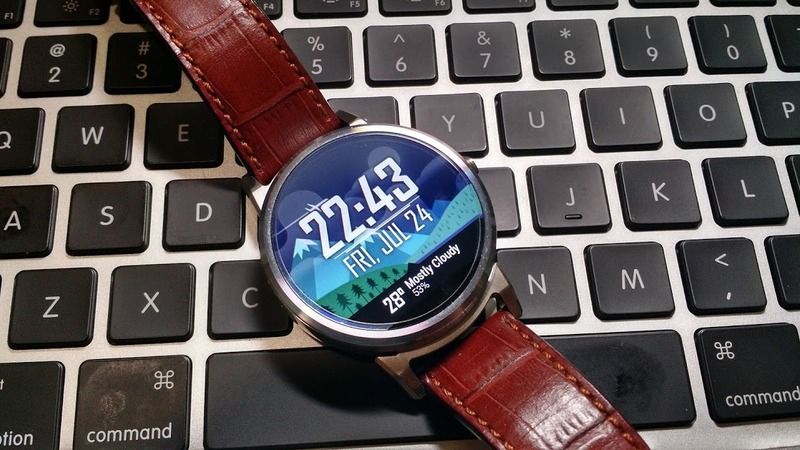
I see.. Sounds logic enough.. Haha! Btw, if I install a new app for the watch, will the apps auto sync to my watch? Or I need to go to Android wear app and click the resnyc all apps? Any good apps to recommend? So far I only install watchmaker premium and battery stats for wear
If you want Motorola stock watchfaces, you can get the Moto Connect app and customize from there. And yes, the app will auto-sync, and it will take some time for the app to appear on the watch. Watchmaker premium is already good enough to satisfy all your watchface needs, check out facerepo.com or Watchmaker Google+ community (50,000+ members strong), with new watchfaces almost every hour.
Basically for Android Wear, not many apps specifically for the watch only. The main features are "extensions" of your usual apps, i.e. replying message via voice or canned response (or even draw emoji), viewing maps on the watch via Google maps, check-in to places via swarm, etc.
And of course, the best part, "Ok Google".
QUOTE(ic-klass @ Jul 13 2015, 10:08 PM)
Got my champagnes + cognac moto360.
Any tips/tricks to optimised this watch?
Battery life will be terrible for the first few charging cycle. Make sure you update to the latest firmware, then go through 3-4 full charging cycles first before having decent battery life.
QUOTE(waka14 @ Jul 14 2015, 12:17 AM)
Guys i wanna ask your suggestion, i currently have a Samsung galaxy S5, and if i did get the moto 360, what can i actually do with it besides swiping the notification and reading them? any way to reply them via voice or sth? and for you guys, what will you miss if u forgot to take along your 360?
Thanks in advance!
You can reply via voice, depending on whether the app supports Android Wear or not. So far I tried replying via Whatsapp, Textra, Gmail, no problem. Basically to check just simply swipe left when you receive a message, see whether got the "reply via voice" feature or not.
Besides replying, another super cool feature (very useful as well) is the "Ok Google" voice search. Just via the watch you can get information on the weather, general knowledge, make calls (via bluetooth headset), even information on foreign currency etc, anything you would search for on Google. But only general information will display on watch, eg: "How long is Penang Bridge?", "What is the capital of Malaysia?", "What is the tallest building in the world?" etc etc...
What will I miss? Call notifications. The smartwatch has made me a very reliable person when people call me, which is a good thing, especially if you are in sales/business, and your client calls, its quite frustrating if they call you, but you didn't notice it and missed the call.


 Jul 9 2015, 01:53 PM


 Quote
Quote
 I still got shock when occasionally some uncle's Nokia phone rings



 0.0548sec
 0.53
0.53
 7 queries
 GZIP Disabled