QUOTE(Clement177 @ Feb 11 2022, 06:39 PM)
did you open a new steam account or making purchase to change your region?
Yea, I opened a new US account.
Don't wanna risk my main account being ban for whatever reason.
Had a bit of hiccup when creating Steam account cause it detect my VPN.
These are the step I took:
1. start VPN, select US as the location.
2. create a new account at Steam website using new email, it should auto detect location as US.
3. when submitting the request, it will show VPN detected. stop VPN and submit again.
4. after the verification email is sent, START VPN again (US).
5. IMPORTANT!! ensure VPN is on when you verify the new account.
6. your new Steam account is now based in US. Steam Store shows $ pricing.
7. login to Steam app, search Lost Ark, pre-load. MUST BE DONE WITH VPN ON.
8. once it start to download, you can pause, off VPN and proceed download after.
This is how I managed to pre load yesterday night.
As I mentioned, I initially used ExitLag free trial but it doesn't work.
Windscribe did the trick for me, you could try with your own VPN 1st and see.
Hope this helps
This post has been edited by kuganes_g: Feb 11 2022, 07:17 PM 

 Feb 11 2022, 09:58 AM


 Quote
Quote


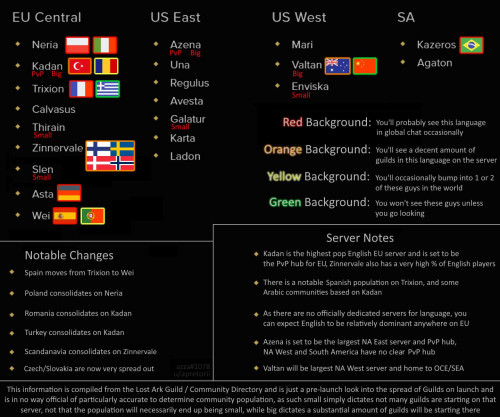


 . but you can prolly find more discord/facebook page at other place.


 0.0204sec
 0.54
0.54
 5 queries
 GZIP Disabled