Welcome Guest ( Log In | Register )

Bump Topic Topic Closed RSS Feed
9 Pages « < 4 5 6 7 8 > » Bottom

Outline · [ Standard ] · Linear+

 illegear z5 discussion thread, anything and everything about the beast

views
     
MgrSagaaboyz
post Apr 24 2015, 09:11 PM

Getting Started
**
Junior Member
101 posts

Joined: Dec 2014
QUOTE(Cloud2322 @ Apr 24 2015, 09:01 PM)
Open your Nvidia GeForce Experience.. See the game lists? Choose gta v press optimize, before you do press the "wrench button" adjust the to optimize section then launch game. It should be better that way.. Don't do the setting yourself if you're not so sure your gpu can handle it or not.. Let the AI do it for you smile.gif It shud be fine reaching about 5xfps and above
*
Nvidia Experience is not recognizing ahem ahem (pirated) version of GTA V. But no probs at all. whistling.gif
MgrSagaaboyz
post Apr 24 2015, 09:13 PM

Getting Started
**
Junior Member
101 posts

Joined: Dec 2014
QUOTE(killerl @ Apr 24 2015, 08:32 PM)
It fixed already, I set the Compatibility Mode to windows 7 .
*
you can make it launch fullscreen by default from the 3dm.script file beside gtav.exe type in "-fullscreen".
MgrSagaaboyz
post Apr 27 2015, 09:18 PM

Getting Started
**
Junior Member
101 posts

Joined: Dec 2014
QUOTE(Adil@ILLEGEAR @ Apr 27 2015, 07:33 PM)
its fine. smile.gif
*
So is that mean you are providing the wallpaper of illegear for our z5 laptop?? Or try to give the download link so we can download.
MgrSagaaboyz
post Apr 27 2015, 09:20 PM

Getting Started
**
Junior Member
101 posts

Joined: Dec 2014
It can't be that you don't have your own illegear wallpaper for customers.
MgrSagaaboyz
post Apr 29 2015, 11:17 PM

Getting Started
**
Junior Member
101 posts

Joined: Dec 2014
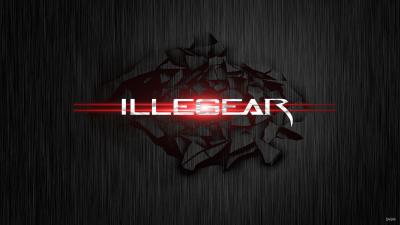
Hi Guys i have did Full HD 1080p with Z5 and illegear logo for z5 laptop. I would like to receive comments from you guys.
Enjoy thumbup.gif


Attached thumbnail(s)
Attached Image
MgrSagaaboyz
post Apr 30 2015, 08:27 AM

Getting Started
**
Junior Member
101 posts

Joined: Dec 2014
QUOTE(killerl @ Apr 30 2015, 07:55 AM)
How to play battlefield 4 offline (Ehem... Ehem... version) in z5 and is windows 8.1? I downloaded and installed in z5 but when i launch it will not responding and force close the game. I tried to search the solution online but they said it was the game is not compatible with windows 8.1. I want to ask did you all have solution ?
*
Battlefield 4 has not cracked yet since EA using Denuvo DRM security for checking the activation which is a powerful security tool to protect all EA games. So that games will not able to crack fast. So it will take some time to crack FIFA 15 game. So wait for a few months until the game got cracked.
MgrSagaaboyz
post Apr 30 2015, 02:09 PM

Getting Started
**
Junior Member
101 posts

Joined: Dec 2014
QUOTE(angel-girl @ Apr 30 2015, 08:42 AM)
but i am playing it on my z5... ahem one..... but in window 7. unsure.gif
*
but the torrents page still saying crack not available yet. Are you playing the beta version? Or the full ahem ahem version
MgrSagaaboyz
post Apr 30 2015, 11:25 PM

Getting Started
**
Junior Member
101 posts

Joined: Dec 2014
deleted

This post has been edited by MgrSagaaboyz: Apr 30 2015, 11:27 PM
MgrSagaaboyz
post Apr 30 2015, 11:26 PM

Getting Started
**
Junior Member
101 posts

Joined: Dec 2014
Guys about the previous wallpaper that you guys asking, I can't find the hd file of the z5 so im not able to make it hd. While that I have also made 2 other custom classic gaming company (like lenovo, msi...) wallpaper for Illegear. Have a try and comment below. Enjoy thumbup.gif

This post has been edited by MgrSagaaboyz: Apr 30 2015, 11:29 PM


Attached thumbnail(s)
Attached Image Attached Image
MgrSagaaboyz
post May 1 2015, 05:51 PM

Getting Started
**
Junior Member
101 posts

Joined: Dec 2014
Enjoy thumbup.gif


Attached thumbnail(s)
Attached Image Attached Image Attached Image
MgrSagaaboyz
post May 1 2015, 09:51 PM

Getting Started
**
Junior Member
101 posts

Joined: Dec 2014
QUOTE(miong93 @ May 1 2015, 06:13 PM)
Nicely done rclxms.gif
May I have the non watermarked version (No SAGAA at the bottom) ? Is it possible for you ? hmm.gif
*
Ya sure, which one you want without the watermark.
MgrSagaaboyz
post May 1 2015, 11:23 PM

Getting Started
**
Junior Member
101 posts

Joined: Dec 2014
QUOTE(Arvinaaaaa @ May 1 2015, 11:11 PM)
Thanks bro..love this wallpaper alot
*
icon_rolleyes.gif Welcome
MgrSagaaboyz
post May 2 2015, 10:19 PM

Getting Started
**
Junior Member
101 posts

Joined: Dec 2014
Added some more wallpaper. Enjoy guys thumbup.gif

This post has been edited by MgrSagaaboyz: May 9 2015, 06:54 PM


Attached thumbnail(s)
Attached Image Attached Image Attached Image Attached Image Attached Image
MgrSagaaboyz
post May 3 2015, 03:08 PM

Getting Started
**
Junior Member
101 posts

Joined: Dec 2014
QUOTE(angel-girl @ May 3 2015, 12:15 PM)
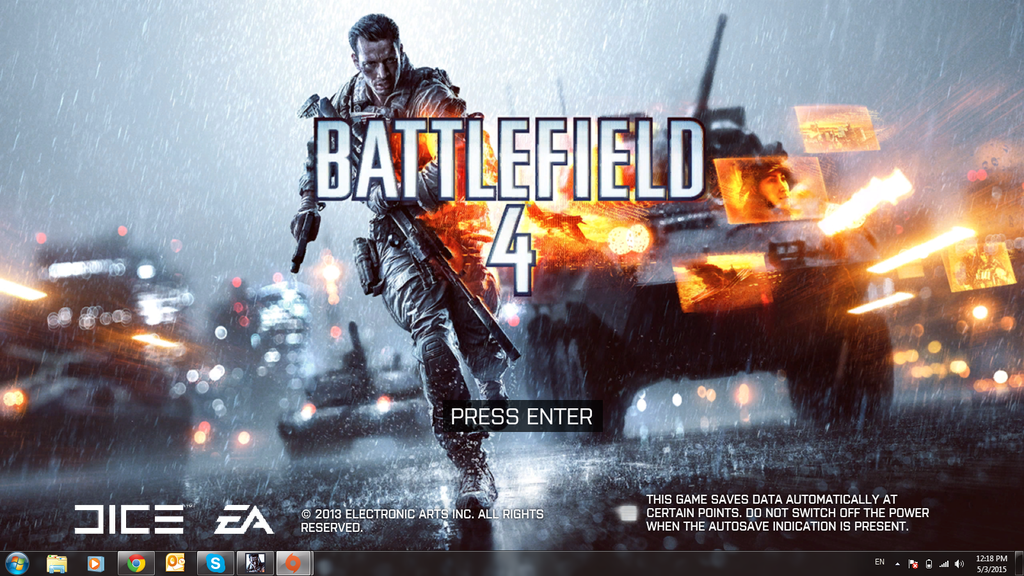
im sure its full game. rclxms.gif

» Click to show Spoiler - click again to hide... «

*
oH BATTLEFIELD 4 I thought it is Battlefield 5. But Battlefield 5 not yet cracked
MgrSagaaboyz
post May 3 2015, 03:54 PM

Getting Started
**
Junior Member
101 posts

Joined: Dec 2014
QUOTE(angel-girl @ May 3 2015, 03:27 PM)
Battlefield 5 release already? blink.gif
*
Ya already release 2 months ago. But not able to crack it fast. Will take some months for crack it.
MgrSagaaboyz
post May 6 2015, 09:37 AM

Getting Started
**
Junior Member
101 posts

Joined: Dec 2014
QUOTE(AquaTriAce @ May 5 2015, 07:56 PM)
I am interested in Z5 however I can only purchased the DOS version.Anyone can teach or pm me on how to install windows.
*
Step 1: Ready the disk or pendrive with the Os that you wanted to install (Ori or maybe ahem ahem version).
Step 2: Before installing get a portable dvd reader (Also can buy from illegear at bottom of website when ordering). <-- this step only for installing using disk.
Step 3: Power up Z5.
Step 4: Insert disk or pendrive.
Step 5: Installation windows will initialize setup and setup page will pop out.
Step 6: Select Installation Os directory on the primary hard disk that shown on the setup.
Step 7: Install Os.
Step 8: Once Install, get to the windows and activate the windows.
Step 9: Install the drivers that given by Illegear.
Step 10: Restart Z5 and there you go, you have installed Os.

All the best.
MgrSagaaboyz
post May 18 2015, 12:13 PM

Getting Started
**
Junior Member
101 posts

Joined: Dec 2014
PrinceJ one of the right USB 3.0 of my Z5 has low power I think. My Windows not detecting/not powering my external hard disk when plug in into one of the 3.0 port on right side. But that port working fine with 2.0 pendrive but not working for my external hard disk. My external hard disk will work fine with both 2.0 and 3.0.v Previously was working fine. But suddenly having this issue from yesterday, but the other ports working fine. Any fix? Or is this a Mobo fault?
MgrSagaaboyz
post May 20 2015, 09:08 PM

Getting Started
**
Junior Member
101 posts

Joined: Dec 2014
https://www.youtube.com/watch?v=vB1FAjIXQMY&feature=youtu.be


sorry for limited minutes guys. my internet speed is slow as hell.

This post has been edited by MgrSagaaboyz: May 20 2015, 10:17 PM
MgrSagaaboyz
post May 21 2015, 02:28 PM

Getting Started
**
Junior Member
101 posts

Joined: Dec 2014
QUOTE(angel-girl @ May 21 2015, 09:31 AM)
anyone playing the witcher 3? 970m can use ultra setting? drool.gif
*
I'm getting 30FPS under Medium Settings on GTX860m
MgrSagaaboyz
post May 21 2015, 02:29 PM

Getting Started
**
Junior Member
101 posts

Joined: Dec 2014
QUOTE(miong93 @ May 21 2015, 01:20 PM)
I don't think so. Even gtx980 struggle to get 60fps in Witcher 3 ultra settings FHD.

P.S: Do note it is gtx980, not 980m
*
I'm getting 30FPS under Medium Settings on GTX860m


9 Pages « < 4 5 6 7 8 > » Top
Topic ClosedOptions
 

Change to:
| Lo-Fi Version
0.0410sec    0.76    7 queries    GZIP Disabled
Time is now: 5th December 2025 - 07:49 AM