

 Feb 5 2016, 12:16 AM


QUOTE(krel89 @ Feb 5 2016, 12:05 AM)
1. nope.. need to press yellow button each time change channel
2. it will stay in satellite feed, but for iptv, the box will check multicast status, if it is up, then they will get the feed from the internet
3. it will try to get feed from the internet, but if the internet down, it will either pop up the error text, or just take satellite feed if you haven't changed the channel.
4. that channel doesn't appear also on satellite feed
5. for me, internet so much better picture quality, and of course it depends on the connection itself. sometimes the picture can be heavily pixilated, but that is very very very rare for me.

Thanks for the reply.2. it will stay in satellite feed, but for iptv, the box will check multicast status, if it is up, then they will get the feed from the internet
3. it will try to get feed from the internet, but if the internet down, it will either pop up the error text, or just take satellite feed if you haven't changed the channel.
4. that channel doesn't appear also on satellite feed
5. for me, internet so much better picture quality, and of course it depends on the connection itself. sometimes the picture can be heavily pixilated, but that is very very very rare for me.
1) I'm sorry to ask this, do you mind to record a video and upload to YouTube, shows us that you turn off the modem, press Yellow button to change to satellite mode, and if you change any other channel, it shows "Network connection not available" message again and need to press Yellow button again even your modem is still turn off. Please record the video in horizontal/landscape position instead of vertical. Thanks a lot, and I really appreciate that

2) Is there any hidden settings for it to permanently change to Satellite mode?
Mind if you do me a favor? I want to see how actually Astro IPTV works.
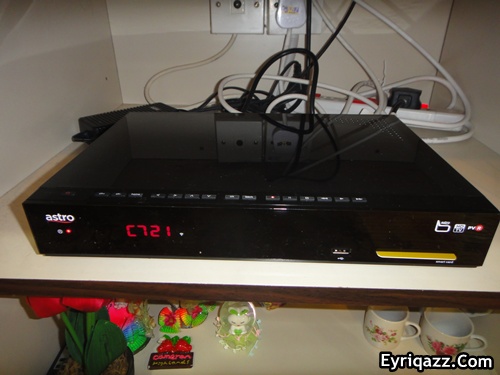
3) Power on your Astro IPTV decoder and watch the channels (IPTV mode) as usual, then disconnect the 2 satellite cables at the back of the decoder. Will it show any error message?
4) What you did on the video you provided is, you turn off the modem and then it shows "Network connection not available", at the end of the error message, it shows "(H-NCNA)"? I know NCNA stands for Network connection not available, but what is that "H" stands for?
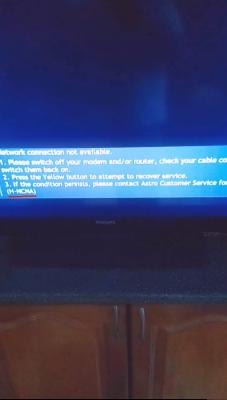
After that, turn off all related modems to watch Astro IPTV temporarily, making it unable to receive any channels on neither on IPTV nor satellite mode. See if the error message changes or not, or will it still tells you to press Yellow button to attempt recover service. Do provide a photo/video of the error message shown on your TV.
Thanks a lot.
This post has been edited by joshhd: Feb 5 2016, 01:43 PM
 Quote
Quote



 0.0322sec
 0.42
0.42
 7 queries
 GZIP Disabled