Welcome Guest ( Log In | Register )

113 Pages « < 30 31 32 33 34 > » Bottom

Outline · [ Standard ] · Linear+

 Xiaomi Redmi 1S Discussion Thread V2, THE MID-END GODPHONE

views
     
iRonTech
post Sep 11 2014, 08:31 AM

Access Denied
*******
Senior Member
8,621 posts

Joined: Nov 2004
seem like its a copy job

forget previous crab AOSP. [s] yes, you can forget miui kitkat for 1s too

Ladies & Gentlemen, CM 11 is available biggrin.gif

Encryption, fast 2g/3g switch, opps... doh.gif I don't need mention much, its CM 11, kitkat 4.4 !!! rclxm9.gif [/s], url removed

» Click to show Spoiler - click again to hide... «


p/s - if anyone found ART enable, do tell me how biggrin.gif


hmm.gif seem like unable register 2g/3g network bug exist

This post has been edited by iRonTech: Sep 11 2014, 08:47 PM
vostro78
post Sep 11 2014, 08:47 AM

Look at all my stars!!
*******
Senior Member
6,804 posts

Joined: Sep 2010


QUOTE(iRonTech @ Sep 11 2014, 08:31 AM)
forget previous crab AOSP. yes, you can forget miui kitkat for 1s too

Ladies & Gentlemen, CM 11 is available  biggrin.gif full credit by cofface blog, http://blog.cofface.com/archives/924.html

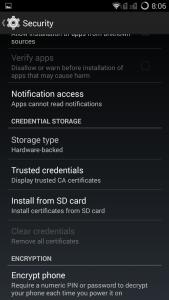
Encryption, fast 2g/3g switch, opps... doh.gif I don't need mention much, its CM 11, kitkat 4.4 !!!  rclxm9.gif

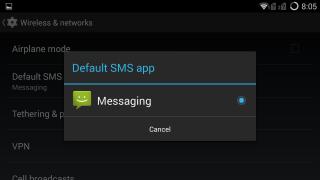
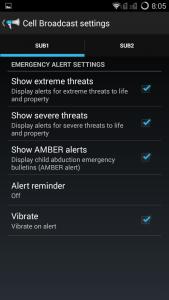
Attached Image Attached Image Attached Image Attached Image Attached Image Attached Image Attached Image Attached Image
p/s - if anyone found ART enable, do tell me how biggrin.gif
*
thats great, as i jsut order 1s waiting arrive.
imbibug
post Sep 11 2014, 08:48 AM

Regular
******
Senior Member
1,700 posts

Joined: Jan 2013


QUOTE(iRonTech @ Sep 11 2014, 08:31 AM)
forget previous crab AOSP. yes, you can forget miui kitkat for 1s too

Ladies & Gentlemen, CM 11 is available  biggrin.gif full credit by cofface blog, http://blog.cofface.com/archives/924.html

Encryption, fast 2g/3g switch, opps... doh.gif I don't need mention much, its CM 11, kitkat 4.4 !!!  rclxm9.gif
.......
*
How did it come out so quickly? Does this pass antivirus/malware checks?
hongchai888
post Sep 11 2014, 09:31 AM

You Are Not Alone
******
Senior Member
1,497 posts

Joined: Jun 2009
From: Kuala Lumpur

QUOTE(imbibug @ Sep 11 2014, 07:57 AM)
I don't follow, if you are afraid of degrading the mmc why did you use the 8Gb mmc for the swap?
*
8 GB MMC = less cost if anything happen to the mmc tongue.gif

QUOTE(imbibug @ Sep 11 2014, 07:56 AM)
There is no such thing as adding ram. What he is doing is adding swap space on an Android which is similar to configuring the paging file settings on Windows.

And its no big secret on how to do it. Theres a guide on the official website:
[Tools, Tips & Tutorials] [HowTo] Expand your RAM using SWAP partition on SD card
*
Nobody say it was a secret sweat.gif sweat.gif . Yes I notice the tutorial above but I found it a bit complicated for a beginner Android user like me. Below is what I did in "easier" way. Source : shared by my expert friend

I am not responsible in any way for damaging your device. Although this is fully tested method do it at your own risk.

Step 1) Root your 1s and buy a class 10 memory card. I am using 8GB for the swap because I feel +1GB memory is more than enough for my usage.

Step 2) Download Roehsoft Ram Expander, it cost RM 15 in Playstore, pay or download the xxxx version from this website : http://9androidapps.com/, your choice.

Step 3) Install and open the software, first adjust the SWPFILE value to the memory size you would like to "add", you can see my value is set to 1000MB because I think it is good enough for my phone. Max you could go is 4000MB. Next set the SWAPPINESS value between 40 - 99. The higher the value the faster the Swap process, hence more chance to damage your sd card sweat.gif . I am using 70 here, so far so good.
user posted image

Step 4) Take a look at the RAM FREE value, it shown your current ram information. Finally touch the SWAP ACTIV at the top, wait for it to process. You're done , now refer to the bottom TOTAL FREE value and see your phone fly thumbup.gif

The software also come with a widget that display memory infor. Just go to your widget screen and drag it out to the home screen.
user posted image

This is not a full solution for our phone ram issue, still hope Xiaomi could rectify it soonest possible. Thanks for reading.

This post has been edited by hongchai888: Sep 11 2014, 11:43 AM

imbibug
post Sep 11 2014, 09:39 AM

Regular
******
Senior Member
1,700 posts

Joined: Jan 2013


QUOTE(hongchai888 @ Sep 11 2014, 09:31 AM)
8 GB MMC = less cost if anything happen to the mmc  tongue.gif
.......
Are you using an 8Gb sd card or the 8Gb internal storage for swap?
bluecat68
post Sep 11 2014, 09:41 AM

Casual
***
Junior Member
361 posts

Joined: Dec 2008


QUOTE(GodJesterZ @ Sep 11 2014, 06:45 AM)
What I did is reinstall the drivers.
*
Mmm the thing is i dont know how to re-install driver. Some more software like "MyPhoneExplorer" or "Mobogenie" can detect my phone but cannot connect .. so i decide just send to repair or they will give me a new one drool.gif

QUOTE(hongchai888 @ Sep 11 2014, 09:31 AM)
8 GB MMC = less cost if anything happen to the mmc  tongue.gif
Nobody say it was a secret  sweat.gif  sweat.gif . Yes I notice the tutorial above but I found it a bit complicated for a beginner Android user like me. Below is what I did in "easier" way. Source : shared by my expert friend

I am not responsible in any way for damaging your device. Although this is fully tested method do it at your own risk.

Step 1) Buy a class 10 memory card. I am using 8GB for the swap because I feel +1GB memory is more than enough for my usage.

Step 2) Download Roehsoft Ram Expander, it cost RM 15 in Playstore, pay or download the xxxx version from this website : http://9androidapps.com/, your choice.

Step 3) Install and open the software, first adjust the SWPFILE value to the memory size you would like to "add", you can see my value is set to 1000MB because I think it is good enough for my phone. Max you could go is 4000MB. Next set the SWAPPINESS value between 40 - 99. The higher the value the faster the Swap process, hence more chance to damage your sd card  sweat.gif . I am using 70 here, so far so good.
user posted image

Step 4) Take a look at the RAM FREE value, it shown your current ram information. Finally touch the SWAP ACTIV at the top, wait for it to process. You're done , now refer to the bottom TOTAL FREE value and see your phone fly  thumbup.gif

The software also come with a widget that display memory infor. Just go to your widget screen and drag it out to the home screen.
user posted image

This is not a full solution for our phone ram issue, still hope Xiaomi could rectify it soonest possible. Thanks for reading.
*
Looks promising enough for light user like me drool.gif Many many thanks for the sharing thumbup.gif
By the way how fast is the degradation of the card if we swap like this ?? the card die in one month ?? hmm.gif

This post has been edited by bluecat68: Sep 11 2014, 09:42 AM
hongchai888
post Sep 11 2014, 09:45 AM

You Are Not Alone
******
Senior Member
1,497 posts

Joined: Jun 2009
From: Kuala Lumpur

QUOTE(imbibug @ Sep 11 2014, 09:39 AM)
Are you using an 8Gb sd card or the 8Gb internal storage for swap?
*
8gb sd card....

hongchai888
post Sep 11 2014, 09:49 AM

You Are Not Alone
******
Senior Member
1,497 posts

Joined: Jun 2009
From: Kuala Lumpur

QUOTE(bluecat68 @ Sep 11 2014, 09:41 AM)
Mmm the thing is i dont know how to re-install driver. Some more software like "MyPhoneExplorer" or "Mobogenie" can detect my phone but cannot connect .. so i decide just send to repair or they will give me a new one  drool.gif
Looks promising enough for light user like me  drool.gif Many many thanks for the sharing  thumbup.gif
By the way how fast is the degradation of the card if we swap like this ?? the card die in one month ??  hmm.gif
*
You can go to play store and read the software review, so far no user complain about mmc die, the developer say he is using for 3 years without any problem.
Sky0ne
post Sep 11 2014, 10:01 AM

Getting Started
**
Junior Member
108 posts

Joined: Sep 2005


Hi,

Just want to ask about battery life. Is it reasonable and can last up until evening after office hour? Because my current phone (S3 mini, changed to 2000mAh battery) only can stand up until 2-3pm, then have to plug in powerbank.

I'm moderate-to-heavy user btw

This post has been edited by Sky0ne: Sep 11 2014, 10:02 AM
verz84
post Sep 11 2014, 11:25 AM

On my way
****
Senior Member
592 posts

Joined: Nov 2006


QUOTE(hongchai888 @ Sep 11 2014, 09:49 AM)
You can go to play store and read the software review, so far no user complain about mmc die, the developer say he is using for 3 years without any problem.
*
Won't this drain the battery very fast? Because it is like an app which is keep on running on the background..
boonsheng
post Sep 11 2014, 11:32 AM

Getting Started
**
Junior Member
275 posts

Joined: Nov 2012


Wooooow.. impressive !!!!


Attached thumbnail(s)
Attached Image
hongchai888
post Sep 11 2014, 11:37 AM

You Are Not Alone
******
Senior Member
1,497 posts

Joined: Jun 2009
From: Kuala Lumpur

QUOTE(verz84 @ Sep 11 2014, 11:25 AM)
Won't this drain the battery very fast? Because it is like an app which is keep on running on the background..
*
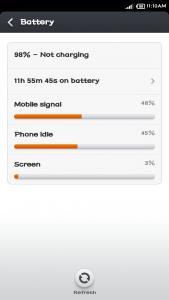
No at all, try chk battery usage
xperiaVuser
post Sep 11 2014, 11:50 AM

Regular
******
Senior Member
1,201 posts

Joined: Jul 2013
...

This post has been edited by xperiaVuser: Oct 17 2014, 10:21 PM
imbibug
post Sep 11 2014, 12:26 PM

Regular
******
Senior Member
1,700 posts

Joined: Jan 2013


QUOTE(Sky0ne @ Sep 11 2014, 10:01 AM)
Hi,

Just want to ask about battery life. Is it reasonable and can last up until evening after office hour? Because my current phone (S3 mini, changed to 2000mAh battery) only can stand up until 2-3pm, then have to plug in powerbank.

I'm moderate-to-heavy user btw
*
After using the phone, I can safely say that the 1S is poor-fair on battery life in general.
Browsing mostly text/pics and gps apps on wifi I can get about a little over 5 hours continuous, on 3g about 3.5hours. I don't believe a poster on the official forums who said that he got 1.5 days of battery life for normal use which included browsing over 3g for a few hours, 1hour of gaming etc.

This review said the video loop test gave slight over 5hours.
http://www.digit.in/mobile-phones/xiaomi-r...view-23739.html

Turning on/off wifi/data manually helps and I can get through a day without charging which is just about good enough for me.
rykarin
post Sep 11 2014, 12:55 PM

Getting Started
**
Junior Member
258 posts

Joined: Sep 2009
ram expander..phone must be rooted or not?
rykarin
post Sep 11 2014, 12:55 PM

Getting Started
**
Junior Member
258 posts

Joined: Sep 2009
double post

This post has been edited by rykarin: Sep 11 2014, 12:56 PM
hongchai888
post Sep 11 2014, 01:26 PM

You Are Not Alone
******
Senior Member
1,497 posts

Joined: Jun 2009
From: Kuala Lumpur

QUOTE(rykarin @ Sep 11 2014, 12:55 PM)
ram expander..phone must be rooted or not?
*
Yes need to be rooted. Added in my guide at step 1.

Listening two of my favoutire songs with Kuwo and TTpod while playing Fifa 14 tongue.gif

user posted image
yvliew
post Sep 11 2014, 01:33 PM

Listening to IU - Strawberry Moon
*******
Senior Member
3,918 posts

Joined: Nov 2004
QUOTE(hongchai888 @ Sep 11 2014, 01:26 PM)
Yes need to be rooted. Added in my guide at step 1.

Listening two of my favoutire songs with Kuwo and TTpod while playing Fifa 14  tongue.gif

user posted image
*
can use what to root the phone? geohot app can ka? make it rain

This post has been edited by yvliew: Sep 11 2014, 01:34 PM
bluecat68
post Sep 11 2014, 02:18 PM

Casual
***
Junior Member
361 posts

Joined: Dec 2008


QUOTE(hongchai888 @ Sep 11 2014, 09:49 AM)
You can go to play store and read the software review, so far no user complain about mmc die, the developer say he is using for 3 years without any problem.
*
Ic. Then thats very good already la. I can accept if card die after one year as long as the method do speed up & smoother the phone.
Just get a Samsung 16GB Class 10 48MB/s in Low Yat plaza .. will try this swap method once i get my phone back from service centre icon_idea.gif
verz84
post Sep 11 2014, 02:27 PM

On my way
****
Senior Member
592 posts

Joined: Nov 2006


QUOTE(hongchai888 @ Sep 11 2014, 01:26 PM)
Yes need to be rooted. Added in my guide at step 1.

Listening two of my favoutire songs with Kuwo and TTpod while playing Fifa 14  tongue.gif

user posted image
*
Battery can last for how long?

113 Pages « < 30 31 32 33 34 > » Top
 

Change to:
| Lo-Fi Version
0.0337sec    0.58    6 queries    GZIP Disabled
Time is now: 10th December 2025 - 11:32 AM