QUOTE(wajahebat @ Nov 9 2014, 08:14 PM)
Download this :
BetterBatteryStats v2.0 [Google Drive]Download and install BetterBatteryStats above, install, when you open it the first time it will prompt to install as System app, just proceed and Reboot.
Once you installed the apps above, let your phone idle for as long as you can, overnight is better. Then after long hours, open the app and check all pages for wakelocks or any.
In my assumptions, this could be:
1)Phone wakelocks
2)Wifi wakelocks
3)Google Play Service
Have you tried playing with Privacy Guard?
Hi bro, below is the betterbattstat screenshot after overnight sleep.
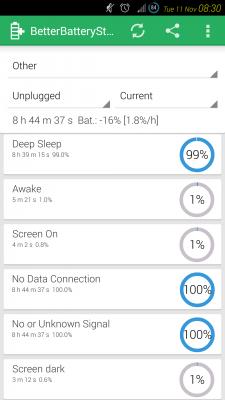

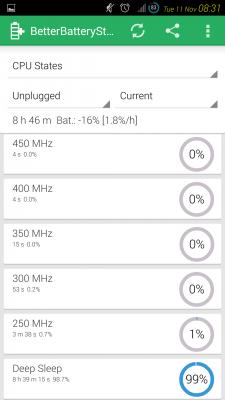

Damn bad the batt consumption
Sunday night I tried reboot the phone and let it sleep overnight, just -5% over same period. So i can say reboot, sleep, better battery, if continuous use without reboot, bad battery consumption in sleep.
Anyway, carbon ROM is missing long press home button to see the background program, isn't it?


 Nov 10 2014, 12:58 PM


 Quote
Quote

 duno
duno


 don't know what is DDLY...


 0.0384sec
 0.44
0.44
 6 queries
 GZIP Disabled