Welcome Guest ( Log In | Register )

172 Pages « < 143 144 145 146 147 > » Bottom

Outline · [ Standard ] · Linear+

 LCD Monitor Thread v13.

views
     
Andrewtst
post Jul 11 2023, 04:56 PM

Forgiveness is Happiness
*********
All Stars
29,764 posts

Joined: Jan 2009
From: Johor, Malaysia.


user posted image

OMG! LG did it perfectly! The HDR is perfect, no washed out like Asus did on ROG Swift OLED PG42UQ. The default profile preset is already good. The only I change at the moment is disable the Power Saving mode.

LG OLED Flex - 42LX3QPSA 1st Impression
  • Perfect HDR preset, no washed-out issue.
  • Perfect games optimized mode.
  • Consistency brightness when set as PC mode, no ABL kick-in.
  • The curve 50% just nice for productivity.
  • Unbelievable great sound, not like my LG C9 which sound terrible.
  • Great screen coating use, it still glossy but well blocking the reflections.
The cons
  • Freaking heavy!
  • No idea why they need revert to flat when you power off or they return to standby mode. This seems increase the bending if you use curve always.


This post has been edited by Andrewtst: Jul 11 2023, 06:44 PM
quadcube
post Jul 12 2023, 01:15 PM

Regular
******
Senior Member
1,924 posts

Joined: May 2009
From: Yokohama, JP


QUOTE(lolzcalvin @ Jul 10 2023, 11:31 PM)
because all the listed monitors (U3219Q, U2723QE, U2720Q, U2720QM) don't actually support showing HDR biggrin.gif
what they do is that they are HDR 400, and all HDR 400 monitors are only capable of receiving HDR input, but then during the output it basically cranks up the backlight to 400 nits and without considering that black must be black, and bright must be bright, each speck has different brightness with it, and the dim/brightness range should be high, hence the HDR, which explains why u felt weird when using said monitor on HDR.

true HDR can only be shown by using OLED panels (ur high end smartphone and OLED TVs), mini-LED panels (500 local dimming zones minimum, 1000+ zones recommended), and in the future, micro-LED. all of which delivers up to 700 nits peak brightness, while some mini-LED panels may hit close to 2000 nits peak.

additionally, I don't think u actually able to crank the SDR brightness to beyond 1000 nits. the max brightness of said monitors are all around 350-400+ nits peak. very difficult to find a monitor which can crack its SDR brightness over 1000 nits. not even samsung odyssey g9 can do that (its SDR peak is 900+ nits)

the more u know icon_idea.gif
*
If memory served me right, full screen media viewing was fine at that time, but in other cases, probably the auto HDR setting is buggy or something, it kinda always keep the external display in HDR, so the color and brightness all look odd.

ah, regarding the >1000 nits, that's my main display (Pro Display XDR with 3rd party app to push >500 nits), not the dell ultrasharp laugh.gif
Andrewtst
post Jul 13 2023, 01:31 AM

Forgiveness is Happiness
*********
All Stars
29,764 posts

Joined: Jan 2009
From: Johor, Malaysia.


QUOTE(Andrewtst @ Jul 11 2023, 04:56 PM)
user posted image

OMG! LG did it perfectly! The HDR is perfect, no washed out like Asus did on ROG Swift OLED PG42UQ. The default profile preset is already good. The only I change at the moment is disable the Power Saving mode.

LG OLED Flex - 42LX3QPSA 1st Impression
*
After two days tested of LG OLED Flex.

Below are my preferable settings as its best suite me. 😊
  • Mode - Game Optimiser (the best mode and this mode did basically everything you need for use as a monitor, including ABL off)
  • Colour Temperature - Warm 5 (default is 0 for Game Optimiser mode, I love this setting pretty much, easier to adjust what you prefer)
  • AI Brightness Settings - OFF (I never like auto adjust brightness follow environment conditions)
  • AI Sound Pro - ON (the best internal speaker sound, I used this for my Apple TV box)
  • Curvature Setting - 75% (I find the best curve level for productivity and gaming in 16:9 aspect ratio display)
  • Energy Saving Step - OFF (this should be off to maximize the image quality, especially on its brightness output)
  • HDMI Deep Colour - 4K (only two options, off or 4K, sound weird LG label this as 4K now instead of previous in my C9 which is label as ON)
  • Always Ready - OFF (this additional wallpaper is waste time if you want immediate off the monitor power)
  • OLED Panel Care - Default Setting (Screen Move - ON, Adjust Logo Brightness - Low and Care Recommendations - ON)
  • Home Auto Launch - OFF (my main usage is as monitor for PC not main feature as Smart TV but the add-on is benefits when I want to use it)


This post has been edited by Andrewtst: Jul 15 2023, 10:02 AM
Andrewtst
post Jul 14 2023, 01:04 AM

Forgiveness is Happiness
*********
All Stars
29,764 posts

Joined: Jan 2009
From: Johor, Malaysia.


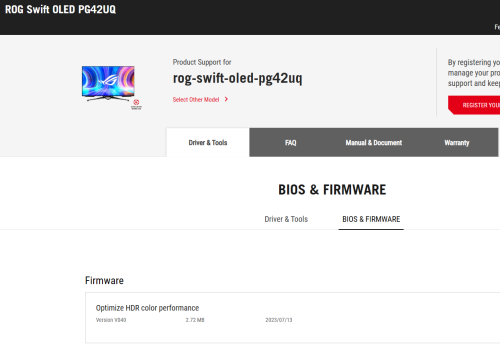
Good news for whoever still own this monitor - Asus ROG Swift OLED PG42UQ.

V040 firmware changes - Optimize HDR color performance.
https://rog.asus.com/my/monitors/above-34-i.../helpdesk_bios/

user posted image

This post has been edited by Andrewtst: Jul 14 2023, 01:07 AM
mois
post Jul 20 2023, 08:39 AM

Enemy Territory
*******
Senior Member
3,625 posts

Joined: Nov 2007
From: Hornbill land


QUOTE(Andrewtst @ Jul 13 2023, 01:31 AM)
After two days tested of LG OLED Flex.

Below are my preferable settings as its best suite me. 😊

  • Mode - Game Optimiser (the best mode and this mode did basically everything you need for use as a monitor, including ABL off)
  • Colour Temperature - Warm 5 (default is 0 for Game Optimiser mode, I love this setting pretty much, easier to adjust what you prefer)
  • AI Brightness Settings - OFF (I never like auto adjust brightness follow environment conditions)
  • AI Sound Pro - ON (the best internal speaker sound, I used this for my Apple TV box)
  • Curvature Setting - 75% (I find the best curve level for productivity and gaming in 16:9 aspect ratio display)
  • Energy Saving Step - OFF (this should be off to maximize the image quality, especially on its brightness output)
  • HDMI Deep Colour - 4K (only two options, off or 4K, sound weird LG label this as 4K now instead of previous in my C9 which is label as ON)
  • Always Ready - OFF (this additional wallpaper is waste time if you want immediate off the monitor power)
  • OLED Panel Care - Default Setting (Screen Move - ON, Adjust Logo Brightness - Low and Care Recommendations - ON)
  • Home Auto Launch - OFF (my main usage is as monitor for PC not main feature as Smart TV but the add-on is benefits when I want to use it)

*
Wait you just bought asus 42 oled and now you are on 42 LG oled flex already? This LG expensive wo. RM12k?
Andrewtst
post Jul 20 2023, 10:41 AM

Forgiveness is Happiness
*********
All Stars
29,764 posts

Joined: Jan 2009
From: Johor, Malaysia.


QUOTE(mois @ Jul 20 2023, 08:39 AM)
Wait you just bought asus 42 oled and now you are on 42 LG oled flex already? This LG expensive wo. RM12k?
*
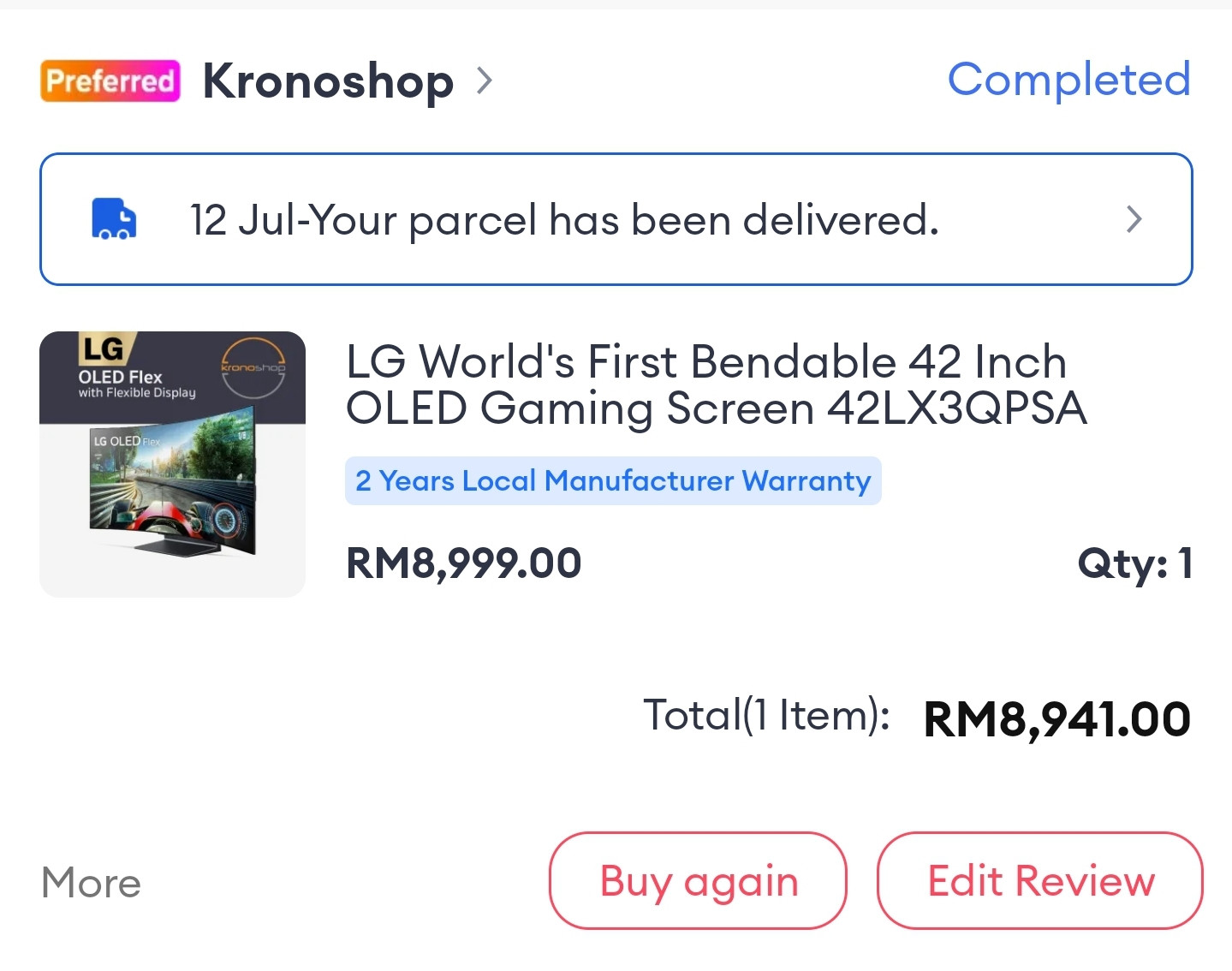
I am waiting somebody buy my Asus PG42UQ OLED. 😅

This original is RM 13k but I buy during 7.7 Lazada promotion. I paid only RM 8.9k. Super promotion. 😊

user posted image

This post has been edited by Andrewtst: Jul 20 2023, 10:42 AM
PJng
post Jul 20 2023, 12:49 PM

10k Club
********
All Stars
12,039 posts

Joined: Oct 2017


QUOTE(Andrewtst @ Jul 14 2023, 01:04 AM)
Good news for whoever still own this monitor - Asus ROG Swift OLED PG42UQ.

V040 firmware changes - Optimize HDR color performance.
https://rog.asus.com/my/monitors/above-34-i.../helpdesk_bios/

user posted image
*
hmm. now monitor also can update, later every component on pc also need update firmware
Andrewtst
post Jul 20 2023, 03:06 PM

Forgiveness is Happiness
*********
All Stars
29,764 posts

Joined: Jan 2009
From: Johor, Malaysia.


QUOTE(PJng @ Jul 20 2023, 12:49 PM)
hmm. now monitor also can update, later every component on pc also need update firmware
*
Now monitor if cannot firmware update better don't buy as many had issue especially on HDR configuration. 😅

I don't might every component had firmware update, I actually prefer. 😊

Basically now most things in PC support firmware update.
- Monitor
- GPU
- Motherboard
- Sound Card
- Keyboard
- Mouse
- SSD
- Printer
- Webcam

The only no firmware update I think is RAM and HDD. 😅

This post has been edited by Andrewtst: Jul 20 2023, 03:18 PM
180sx
post Jul 20 2023, 04:53 PM

Getting Started
**
Junior Member
119 posts

Joined: Jan 2003
From: Already Given
QUOTE(Andrewtst @ Jul 20 2023, 03:06 PM)
Now monitor if cannot firmware update better don't buy as many had issue especially on HDR configuration. 😅

I don't might every component had firmware update, I actually prefer. 😊

Basically now most things in PC support firmware update.
- Monitor
- GPU
- Motherboard
- Sound Card
- Keyboard
- Mouse
- SSD
- Printer
- Webcam

The only no firmware update I think is RAM and HDD. 😅
*
Even my shoes also need update firmware sometimes. Really pening.
Andrewtst
post Jul 20 2023, 06:48 PM

Forgiveness is Happiness
*********
All Stars
29,764 posts

Joined: Jan 2009
From: Johor, Malaysia.


QUOTE(180sx @ Jul 20 2023, 04:53 PM)
Even my shoes also need update firmware sometimes. Really pening.
*
You buy smart Nike shoes, so it is good to have firmware update. 😅
WaNaWe900
post Jul 21 2023, 02:14 AM

చąហ ąచҽ™
******
Senior Member
1,397 posts

Joined: Feb 2012
From: sOuL SoCiETY.. iSKaNDaRPuTeRi.. JB.. JDT


QUOTE(Andrewtst @ Jul 20 2023, 03:06 PM)
Now monitor if cannot firmware update better don't buy as many had issue especially on HDR configuration. 😅

I don't might every component had firmware update, I actually prefer. 😊

Basically now most things in PC support firmware update.
- Monitor
- GPU
- Motherboard
- Sound Card
- Keyboard
- Mouse
- SSD
- Printer
- Webcam

The only no firmware update I think is RAM and HDD. 😅
*
HDD got firmware update too rclxub.gif rclxub.gif rclxub.gif
Andrewtst
post Jul 21 2023, 05:48 AM

Forgiveness is Happiness
*********
All Stars
29,764 posts

Joined: Jan 2009
From: Johor, Malaysia.


QUOTE(WaNaWe900 @ Jul 21 2023, 02:14 AM)
HDD got firmware update too  rclxub.gif  rclxub.gif  rclxub.gif
*
Oh! Then left only RAM. When RAM going to have firmware update. 😅
AthrunIJ
post Jul 21 2023, 08:24 AM

Look at all my stars!!
*******
Senior Member
2,992 posts

Joined: Feb 2015

Hmm, checked the review regarding Acer X27 OLED.

Seems OK for the price.

Any sifu comment?

👀🍿🍷
Andrewtst
post Jul 21 2023, 11:12 AM

Forgiveness is Happiness
*********
All Stars
29,764 posts

Joined: Jan 2009
From: Johor, Malaysia.


QUOTE(AthrunIJ @ Jul 21 2023, 08:24 AM)
Hmm, checked the review regarding Acer X27 OLED.

Seems OK for the price.

Any sifu comment?

👀🍿🍷
*
I suggest don't buy the Acer X27 OLED as this is the only model that don't provide ABL control.

Without ABL Off is nightmare for OLED to use as a PC monitor.
AthrunIJ
post Jul 21 2023, 11:28 AM

Look at all my stars!!
*******
Senior Member
2,992 posts

Joined: Feb 2015

QUOTE(Andrewtst @ Jul 21 2023, 11:12 AM)
I suggest don't buy the Acer X27 OLED as this is the only model that don't provide ABL control.

Without ABL Off is nightmare for OLED to use as a PC monitor.
*
Hmm, ABL.

Will read up on it thanks.

Most probably go back to mini LED then. Takut burn in of OLED.

Acer tarak burn in warranty like others haah. Thus the price I presume
Andrewtst
post Jul 21 2023, 11:42 AM

Forgiveness is Happiness
*********
All Stars
29,764 posts

Joined: Jan 2009
From: Johor, Malaysia.


QUOTE(AthrunIJ @ Jul 21 2023, 11:28 AM)
Hmm, ABL.

Will read up on it thanks.

Most probably go back to mini LED then. Takut burn in of OLED.

Acer tarak burn in warranty like others haah. Thus the price I presume
*
I think only Corsair and Dell provide burn-in warranty, the rest all no.

Without the ABL off, the brightness will not consistent, for example when you enlarge paint to maximum will became darker than smaller screen. This is very annoying and with ABL Off, the screen brightness is consistent, but it will slightly dimmer than with on, this I no worried as it is still very bright. ABL only happen in SDR, ABL is not required in HDR.

The mini-LED got many cons like blooming, hallow effect and need to on off the local dimming as local dimming work bad in productivity. Certain model like Samsung Odyssey Neo series do make local dimming auto and only kick in when in HDR content.

After used mini-LED, it is better than no mini-LED but still OLED is my most preferable display now.

Burn-in issue is over exaggerating, in normal usage without turn off those prevention, basically nothing to worried.

This post has been edited by Andrewtst: Jul 21 2023, 11:45 AM
AthrunIJ
post Jul 21 2023, 11:57 AM

Look at all my stars!!
*******
Senior Member
2,992 posts

Joined: Feb 2015

QUOTE(Andrewtst @ Jul 21 2023, 11:42 AM)
I think only Corsair and Dell provide burn-in warranty, the rest all no.

Without the ABL off, the brightness will not consistent, for example when you enlarge paint to maximum will became darker than smaller screen. This is very annoying and with ABL Off, the screen brightness is consistent, but it will slightly dimmer than with on, this I no worried as it is still very bright. ABL only happen in SDR, ABL is not required in HDR.

The mini-LED got many cons like blooming, hallow effect and need to on off the local dimming as local dimming work bad in productivity. Certain model like Samsung Odyssey Neo series do make local dimming auto and only kick in when in HDR content.

After used mini-LED, it is better than no mini-LED but still OLED is my most preferable display now.

Burn-in issue is over exaggerating, in normal usage without turn off those prevention, basically nothing to worried.
*
Well, budget is around the Acer OLED pricing. So yea still thinking.

I mainly use it for gaming and Web scrolling.

Not much productivity work.

Still got time to think. Hehe

Thanks for the heads up

🍿👀🍷
Andrewtst
post Jul 21 2023, 12:04 PM

Forgiveness is Happiness
*********
All Stars
29,764 posts

Joined: Jan 2009
From: Johor, Malaysia.


QUOTE(AthrunIJ @ Jul 21 2023, 11:57 AM)
Well, budget is around the Acer OLED pricing. So yea still thinking.

I mainly use it for gaming and Web scrolling.

Not much productivity work.

Still got time to think. Hehe

Thanks for the heads up

🍿👀🍷
*
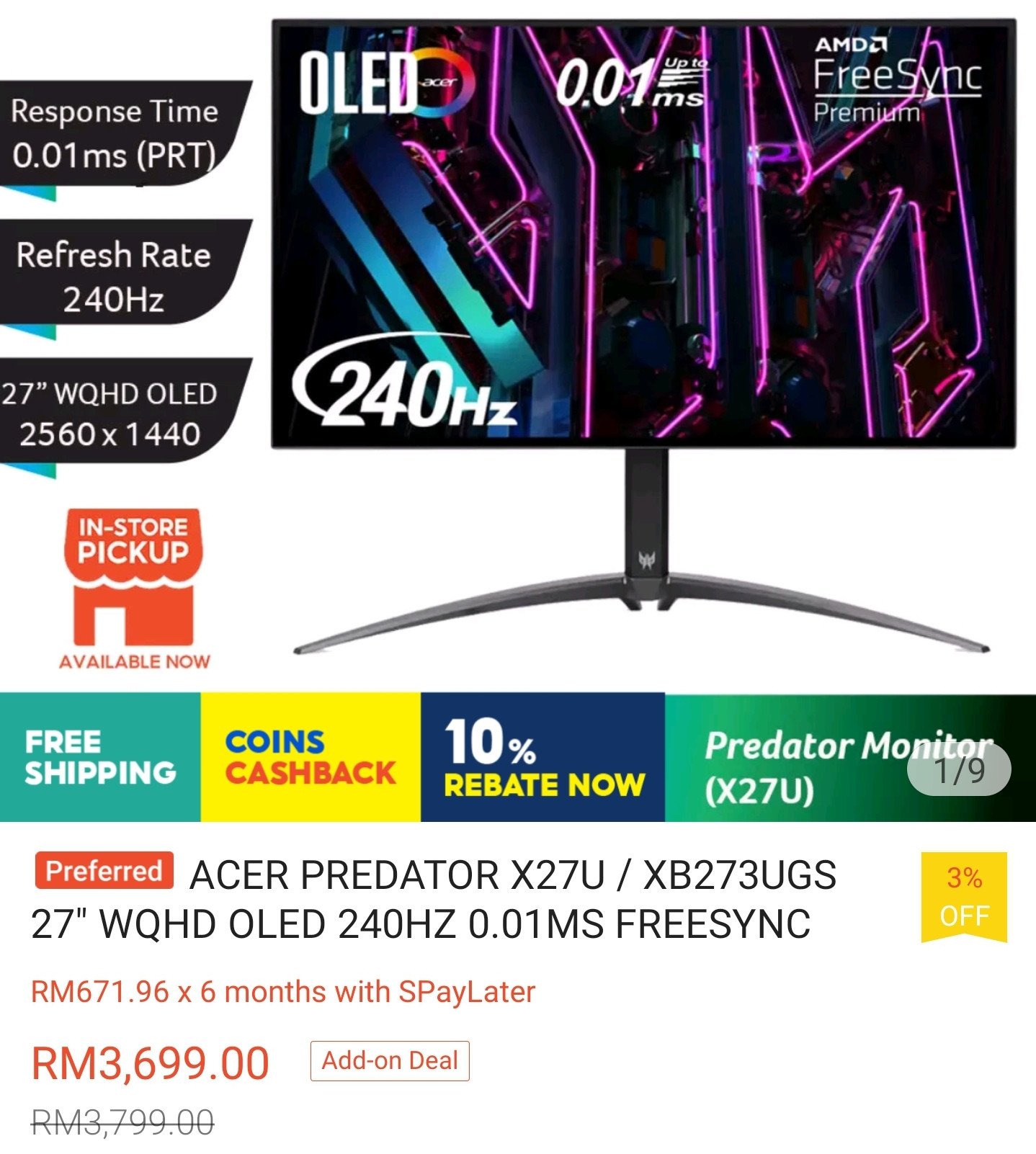
Just check the price
Ok it is damn cheap, the cheapest so far.
Too bad Acer didn't provide ABL control, else this will be selling like hot cake. 😅

user posted image

This post has been edited by Andrewtst: Jul 21 2023, 12:05 PM
AthrunIJ
post Jul 21 2023, 12:12 PM

Look at all my stars!!
*******
Senior Member
2,992 posts

Joined: Feb 2015

QUOTE(Andrewtst @ Jul 21 2023, 12:04 PM)
Just check the price
Ok it is damn cheap, the cheapest so far.
Too bad Acer didn't provide ABL control, else this will be selling like hot cake. 😅

user posted image
*
Ma point exactly.

🤭🍿👀🍷
quadcube
post Jul 24 2023, 12:58 PM

Regular
******
Senior Member
1,924 posts

Joined: May 2009
From: Yokohama, JP


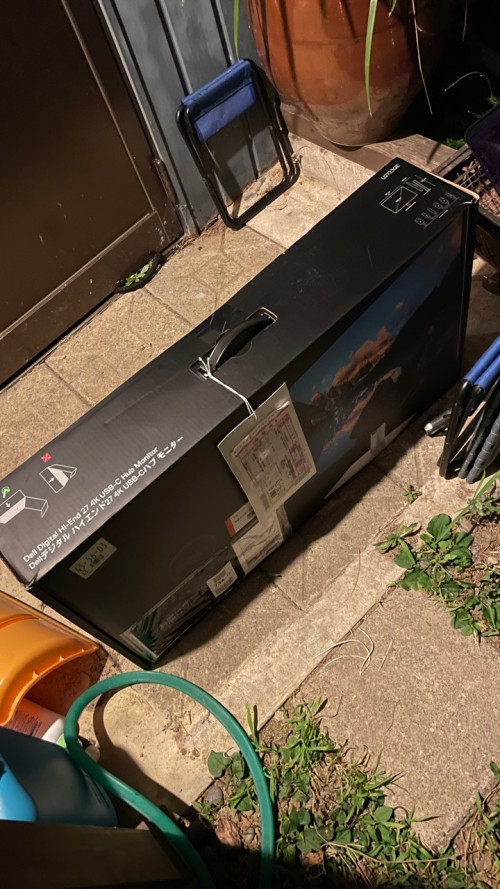
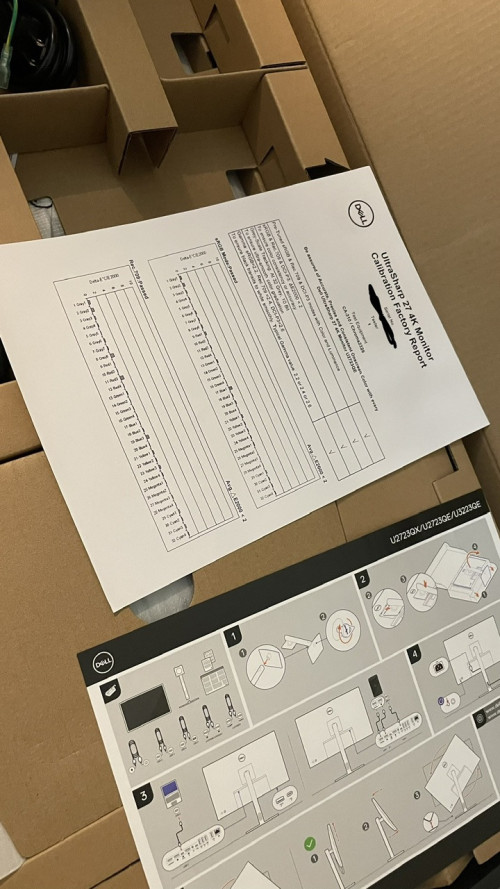
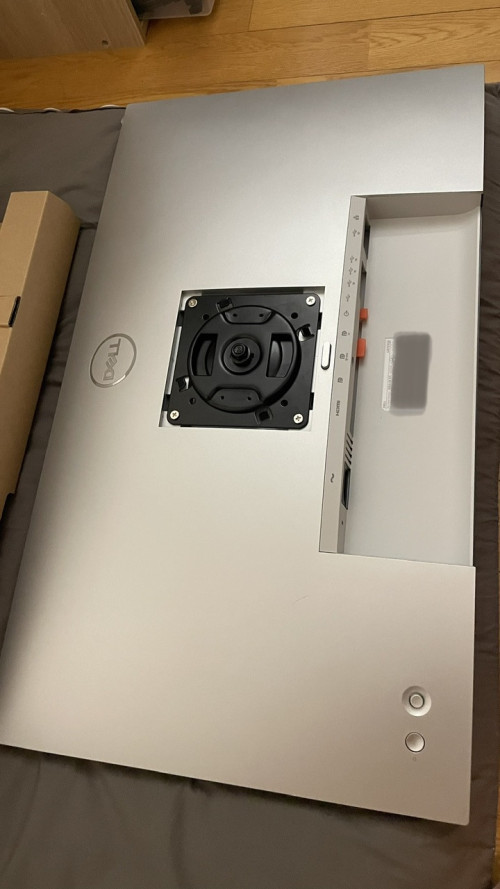
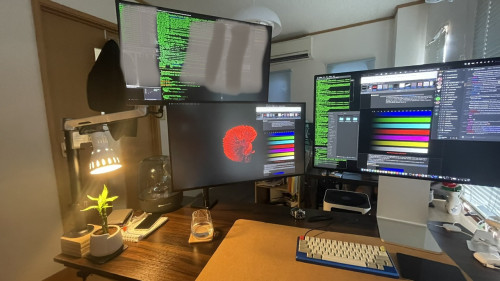
The U2723QE finally arrived. Wasn’t at home yesterday, luckily it was still there when I came back.
user posted image

user posted image

Attaching the VESA mount
user posted image

user posted image

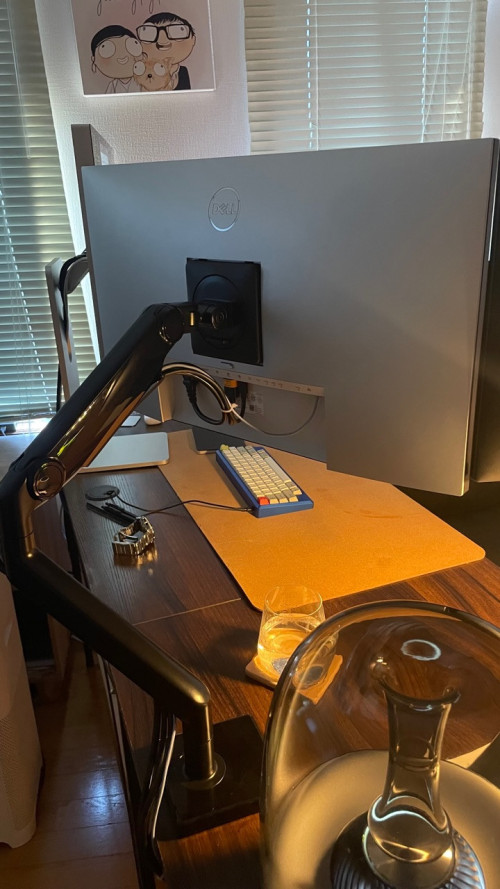
Work desk from the back
user posted image

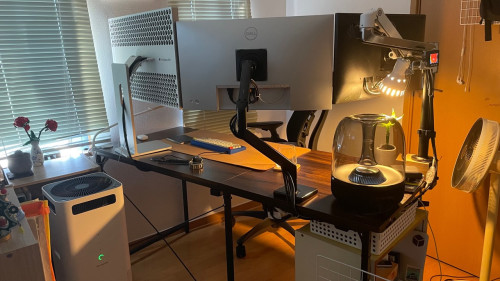
Alternate layout
user posted image


This post has been edited by quadcube: Jul 24 2023, 01:05 PM

172 Pages « < 143 144 145 146 147 > » Top
 

Change to:
| Lo-Fi Version
0.0267sec    0.45    6 queries    GZIP Disabled
Time is now: 4th December 2025 - 04:31 AM