Welcome to TP-LINK 3G modems discussion thread
MR3420, MR3020, MR3040, 703N etc
Useful Links| 3G/4G Internet Tips! | Link | More useful information compiled for enhancing your connection. |
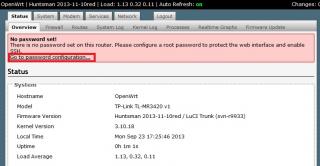
| OpenWRT Rooter | Link | A customized build of OpenWRT with enhanced 3G/LTE modem support. |
| DD-WRT | Link | A custom firmware also for our routers |
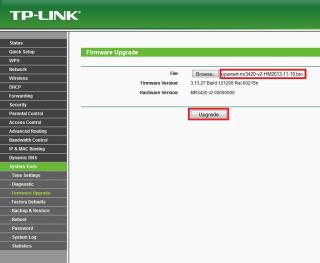
| Stock Firmware Update | Link | Firmware Update is available here. |
| Stock Firmware Compatibility List | Link | If your modem model is not supported, you can always use a custom firmwre to make it work |
LTE Modem Compatibility List : | Stock Firmware + Rooter | Rooter Only |
| E398 | E3276 |
| E392 | K5006Z |
| 320U | MF821 |
Modification Available : Use a better power brick.
» Click to show Spoiler - click again to hide... «
- Many suggest a minimum of 2A output (voltage depending on your router's requirement)
- Some routers like MR3420V2 have circuit board that filter the power output of the USB port to 900mA/1A, using higher output power adapter might not help.
- Router like MR3020/WR703N (not sure about MR3040) should be the best option as it doesn't filter the power output and the modem toggle works as expected.
Thanks Maxcheam
Use a better power supply for the USB modem especially power hungry modem.
» Click to show Spoiler - click again to hide... «
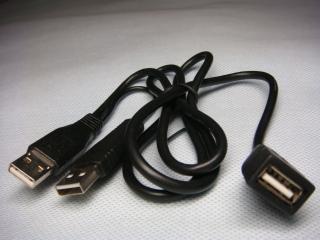
- Consider getting a Y-Dual power USB adapter or a powered USB Hub.
- It helps in most cases especially when you're in a very good signal area, but when a fluctuate of signal below a certain threshold, the modem will go into a state that doesn't allow it to reconnect
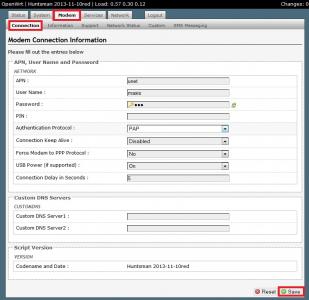
- Usually this will automatically be resolved by the ROOter firmware if you've "Enabled with Modem Toggle" select in the "Connection Keep Alive" option under Modem > Connection page
- Since the modem is connected to a powered hub, the power toggle doesn't really happen. The only way is to unplug and plug back in the modem.
» Click to show Spoiler - click again to hide... «
Thanks Maxcheam
Use a USB extension cable to reduce interference.
» Click to show Spoiler - click again to hide... «
Use an extension cable to hunt for good signal reduce the interference and prevent the modem from blocking the 3G modem.
WARN : Get a good one with thick cable and ferrite core is a plus!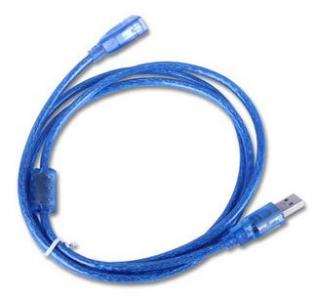
Use another router for better Wireless and better Network.
» Click to show Spoiler - click again to hide... «
This post has been edited by blacktubi: Nov 21 2013, 05:20 PM 

 Nov 18 2013, 08:24 PM, updated 10y ago



 Quote
Quote











 0.0262sec
 0.66
0.66
 6 queries
 GZIP Disabled