Welcome Guest ( Log In | Register )

Outline · [ Standard ] · Linear+

Home Networking ASUS Malaysia Networking User & Technical Support, Managed by ASUS Malaysia Representative

views
     
afif92
post Apr 29 2022, 10:59 PM

Casual
***
Junior Member
374 posts

Joined: Mar 2010
QUOTE(jianwei87 @ Apr 29 2022, 04:03 PM)
Ya I think the QOS problem, I set dl speed 500 and upload speed 100 and will get 250mbps in speedtest
*
Just disable the QOS.. you do not need it for connection more than 300Mbps and upload more than 50Mbps.. Those who need usually have upload less than 10Mbps.
afif92
post Jun 23 2022, 11:02 PM

Casual
***
Junior Member
374 posts

Joined: Mar 2010
QUOTE(Oltromen Ripot @ Jun 23 2022, 09:40 AM)
i remember seeing this page, but can't recall what is the menu link label for it. can remind me how to get this page?
*
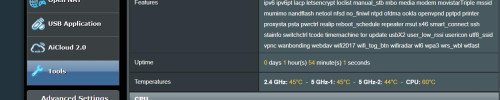
In Tools section but only if using AsusWRT Merlin firmware.

user posted image
afif92
post Jul 13 2022, 01:43 AM

Casual
***
Junior Member
374 posts

Joined: Mar 2010
QUOTE(yhsiau @ Jul 12 2022, 07:30 PM)
I am looking for helps on blocking facebook videos & tiktok website.

I am using RT-AX86U. I tried "URL filter" feature but it failed to work.
*
The easiest way:

1) register opendns

2) in there, you can block specific service and domain

3) you must update your ip address everytime you reconnect your pppoe and ip changing occur.

4) use dnsfilter to set that opendns to only specific device that want to be blocked.

The complicated way:

1) Install Asus Merlin firmware

2) Install Adguard Home addon

This post has been edited by afif92: Jul 13 2022, 06:57 AM
afif92
post Dec 22 2022, 08:18 AM

Casual
***
Junior Member
374 posts

Joined: Mar 2010
QUOTE(trishala21 @ Dec 21 2022, 03:12 PM)
HI Asus support,

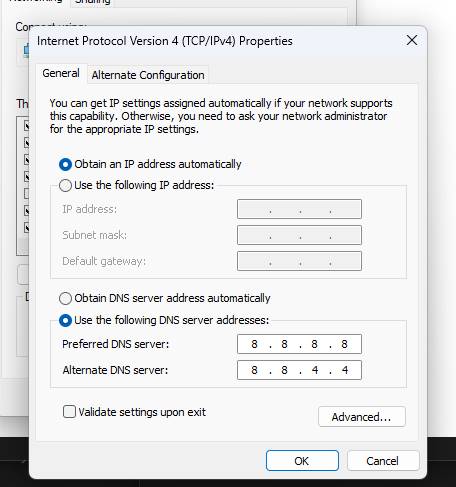
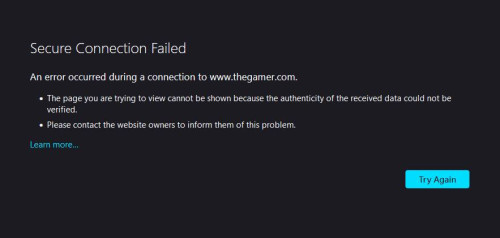
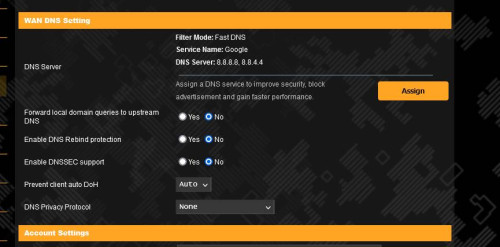
i'm having a weird issue whereby i can't access certain websites, i tried using google DNS and cloudflare DNS same, tried turning off AI protection same, turned off firewall same, tried adding website into allowed exception list no luck, same goes with mobile device and any other computer in my home can't access some website. this persist in both LAN & Wifi, i've even gone ahead and performed a full reset of the router as well. FW is updated as well

i tried using personal hotspot and access website, no issues.

Model: TUF Gaming AX5400

user posted image
user posted image
user posted image
*
Which ISP are you using? (TM Unifi, Maxis, Digi, Celcom, Time, Allo)
afif92
post Feb 23 2024, 01:26 AM

Casual
***
Junior Member
374 posts

Joined: Mar 2010
QUOTE(skzzi @ Feb 22 2024, 09:27 PM)
I tried disable the 5ghz-1 radio on the xt8. Didnt work, not sure why since 5ghz-2 is used for backhaul.
*
If I am not mistaken, you can bind specific device to specific router in Aimesh section..
afif92
post Jul 7 2024, 06:46 AM

Casual
***
Junior Member
374 posts

Joined: Mar 2010
Hello, is any of these 3 wireless routers support Opportunistic Wireless Encryption (OWE)?

-XT8
-RT-AX86U
-GT-AX11000

If not, could someone recommend me which model that support it? Thanks.
afif92
post Jul 10 2024, 02:04 AM

Casual
***
Junior Member
374 posts

Joined: Mar 2010
QUOTE(ASUSmy @ Jul 9 2024, 03:49 PM)
Hi afif92,

You will need to look for those router that support 6GHz.

Models below that currently support OWE.

GT-BE98
GT-AXE16000

Thank you
*
Oh I see.. Thanks for your reply..
afif92
post Oct 2 2024, 05:11 PM

Casual
***
Junior Member
374 posts

Joined: Mar 2010
QUOTE(krofal @ Oct 2 2024, 02:55 PM)
Hey guys, I'm currently running AX-11000 with XT8 on wired backhaul. I decided to update everything to the latest firmware recently and its been hell. Now every few hours, WAN gets disconnected and checking syslog it says WAN_Connection: Fail to connect with some issues.

I tried running AsusWRT-Merlin but same issue happening as well. Can anyone recommend what is a stable firmware for AX-11000 and XT-8?
*
I also have same setup with you but I'm running wireless backhaul.. WAN is stable unless I disconnect myself or Unifi have maintenance..Usually the disconnect always occur your fiber optic cable have problem/loose itself or at the port..

user posted image

This post has been edited by afif92: Oct 2 2024, 05:12 PM
afif92
post Jun 2 2025, 10:02 AM

Casual
***
Junior Member
374 posts

Joined: Mar 2010
QUOTE(neekun @ May 30 2025, 07:33 AM)
Yes the speed is still good. During troubleshooting I used another Asus zen wifi xt8 as primary router also same slow upload. 

Unifi elite team will be coming over again in mid June. This time they wanna bring over tplink router to test. I am guessing tplink router should be ok as so far only both my Asus gt-ax11000 and xt8 MAC address were somehow "blacklisted" by tm network.

Some security concern https://9to5mac.com/2025/05/29/psa-thousand...ised-by-botnet/
*
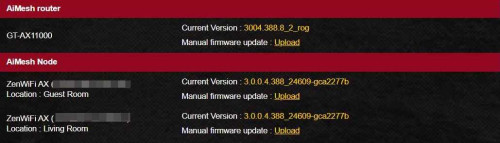
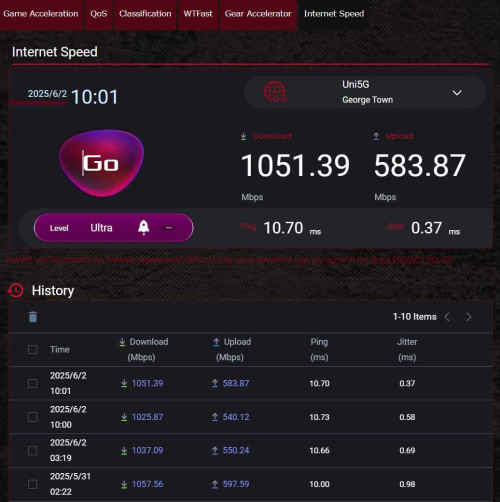
Mine using same setup like you, AX11000 as main and XT8 as node.. Can get full speed upload and download.. Hope your problem will be solved soon.

user posted image
afif92
post Jun 13 2025, 08:14 PM

Casual
***
Junior Member
374 posts

Joined: Mar 2010
QUOTE(neekun @ Jun 4 2025, 06:39 PM)
Can ask a favor from you? I am thinking to give you my ASUS WAN port MAC and you use that at your WAN Mac clone, and test the upload speed is restricted like mine?
*
okay, i can try. you may dm'ed me
afif92
post Aug 28 2025, 12:58 PM

Casual
***
Junior Member
374 posts

Joined: Mar 2010
QUOTE(sam240 @ Aug 27 2025, 06:00 PM)
I have some questions on my AiMesh setup :
1) Main Router in living room (ground floor)
2) 2nd router as node (1st floor)
Connected by wired.

Connection is very stable, but when I check the details on node, my phone always connect to node instead of main router although I stand very close to my main router (I'm at ground floor), my phone still "love" connect to node which at upstairs.  blink.gif

Under node > Clients > only can see "bind" and "Optimization", if I choose "bind", so it will "locked" to the main router, once I go upstairs, it will not connect to my "node" which is closer  blink.gif
Is there a way to fix this ?
Is there a way to set priority router that I want my phone connect to?

I notice the mesh function is not "intelligent" and create seamless wifi for my case.
*
The best way is by separating 2.4GHz and 5 GHz.. If still connect to your unpreferred, you must reduce the TX power adjustment either 2.4GHz or 5GHz from Performance to Balance.

afif92
post Aug 30 2025, 09:06 AM

Casual
***
Junior Member
374 posts

Joined: Mar 2010
QUOTE(sam240 @ Aug 28 2025, 02:05 PM)


Well, all the while separated, bcoz it confused to some of my 2.4Ghz smart devices.
"Reduce the TX", good tip, will try adjust it and see  notworthy.gif
It only allow to adjust for the main router, so node will follow the level of TX as well?
*
LIKE mine, the node also follow the main routersetting..

5 Pages « < 3 4 5Top
 

Change to:
| Lo-Fi Version
0.0579sec    0.53    7 queries    GZIP Disabled
Time is now: 11th December 2025 - 01:26 PM