

Official by TP link the customized firmware supports Unifi http://www.tp-link.com.my/Resources/softwa...1_121106_my.zip
Unifi UNIFI with TP-Link N750 TL-WDR4300, Any advise on how to setup this router
Unifi UNIFI with TP-Link N750 TL-WDR4300, Any advise on how to setup this router
|
|
 Dec 5 2012, 08:45 PM Dec 5 2012, 08:45 PM
|
 
Junior Member
7 posts Joined: Mar 2006  
|
Official by TP link the customized firmware supports Unifi http://www.tp-link.com.my/Resources/softwa...1_121106_my.zip
|
|
|
|
|
|
Dec 6 2012, 11:13 AM
|

Junior Member
257 posts Joined: Dec 2007
|
QUOTE(Gabriel_Angel @ Jul 30 2012, 12:17 PM) Broadband provider New release Firmware now can support Unifi ISP/package: VIP5 Location: Puchong Have you called your ISP's helpline?: yes. Personal equipment Modem: Default from Unifi Router: TP-Link N750 TL-WDR4300 Firewall used: nope Problem details First occurence of problem: Problem frequency: Problem description: wanted to replace the default unifi router (orange-white box.) Modem dafault, white tower like. Any one tried to config this router with unifi? My problem is, when i try to setup thru the wizard setup, it keep on showing the WAN setting is wrong. WAN type only has 3 option; - dynamic - static - pppoe Choosing 'dynamic', it requires me to insert the MAC address. Choosing the 'pppoe', needs me to keyin the unifi account. Both failed. I have confirmed the unifi account with the call center, nothing wrong. Internet no issue, as when i plugin the default router back to modem, all is ok.   Pls refer to ...http://www.tp-link.com.my/support/download/?model=TL-WDR4300&version=V1#tbl_j Credit to peterkoay Thank you.  This post has been edited by kaisam: Dec 6 2012, 11:13 AM |
|
|
Feb 20 2013, 10:03 PM
|

Junior Member
12 posts Joined: Nov 2007
|
QUOTE(kaisam @ Dec 6 2012, 11:13 AM) New release Firmware now can support Unifi Hi all, Pls refer to ...http://www.tp-link.com.my/support/download/?model=TL-WDR4300&version=V1#tbl_j Credit to peterkoay Thank you. First Gabriel thanks for opening this thread. Have you managed to get the tplink router to work? Guys, I'm now facing the same problem right now. Modem is the 850 Huawei, and router is l7. When using tp link router above iptv can use. But not Internet! Using the wizard to setup - still no Internet. Using manual setup courtesy klseet still no Internet! Called tp link tech support seems they are not familiar with Unifi. Appreciate if any body can help. A gazillion thanks in advance. |
|
|
Feb 20 2013, 10:05 PM
|
|
Junior Member
12 posts Joined: Nov 2007
|
One more thing, using the latest firmware on the net.
This post has been edited by memini: Feb 20 2013, 10:06 PM |
|
|
Feb 21 2013, 08:48 PM
|
|
Junior Member
257 posts Joined: Dec 2007
|
QUOTE(memini @ Feb 20 2013, 10:03 PM) Hi all, sorry, i'm not use this model.First Gabriel thanks for opening this thread. Have you managed to get the tplink router to work? Guys, I'm now facing the same problem right now. Modem is the 850 Huawei, and router is l7. When using tp link router above iptv can use. But not Internet! Using the wizard to setup - still no Internet. Using manual setup courtesy klseet still no Internet! Called tp link tech support seems they are not familiar with Unifi. Appreciate if any body can help. A gazillion thanks in advance. Thank you. |
|
|
May 21 2013, 09:10 PM
|

Junior Member
126 posts Joined: Mar 2012
|
hurm...i'm planning to use this router but from what i see here, still a lot of problem, can i still have iptv if i were to use this router?
|
|
|
|
|
|
May 24 2013, 02:21 AM
|

Senior Member
2,281 posts Joined: Feb 2012
|
hi guys. i just bought tp-link wdr4300 and using the 850 modem as well. i plugged in all the cables etc and setup the router.
stock firmware is 121226. i couldnt connect to the internet. but then i flash it with 121106 .login my unifi id, setup 2.4ghz and 5ghz, wait a few minutes and voila. iptv and internet works like charm. wifi range and speed increased. im happy with this router. there's no need for you to flash custom firmware. hope this helps  |
|
|
May 26 2013, 06:16 PM
|
|
Junior Member
257 posts Joined: Dec 2007
|
QUOTE(firdausbhari @ May 24 2013, 02:21 AM) hi guys. i just bought tp-link wdr4300 and using the 850 modem as well. i plugged in all the cables etc and setup the router. Thank you for ur sharing..... stock firmware is 121226. i couldnt connect to the internet. but then i flash it with 121106 .login my unifi id, setup 2.4ghz and 5ghz, wait a few minutes and voila. iptv and internet works like charm. wifi range and speed increased. im happy with this router. there's no need for you to flash custom firmware. hope this helps |
|
|
May 27 2013, 04:38 PM
|
|
Senior Member
2,281 posts Joined: Feb 2012
|
either 121126 or 121106 both are working. confirmed by today 27th May 2013
the only problem is 5ghz band wifi signal is weak to penetrate walls etc compared to 2.4ghz. other than that, wdr4300 works perfect |
|
|
May 29 2013, 10:54 AM
|

Junior Member
159 posts Joined: Dec 2009
|
not working for me... is there anything to do with Clone MAC for Wan?
|
|
|
May 29 2013, 10:59 AM
|
|
Junior Member
159 posts Joined: Dec 2009
|
QUOTE(firdausbhari @ May 24 2013, 02:21 AM) hi guys. i just bought tp-link wdr4300 and using the 850 modem as well. i plugged in all the cables etc and setup the router. where to get firmware 121106 ? thanks b rostock firmware is 121226. i couldnt connect to the internet. but then i flash it with 121106 .login my unifi id, setup 2.4ghz and 5ghz, wait a few minutes and voila. iptv and internet works like charm. wifi range and speed increased. im happy with this router. there's no need for you to flash custom firmware. hope this helps |
|
|
May 29 2013, 08:21 PM
|
|
Senior Member
2,281 posts Joined: Feb 2012
|
QUOTE(dat_chong @ May 29 2013, 10:59 AM) where to get firmware 121106 ? thanks b ro here you go bro. but anyways, the latest 121226 firmware works for me now. im using the latest firmware which is 121226,no problems occurred http://www.tp-link.com.my/Resources/softwa...1_121106_my.zipThis post has been edited by firdausbhari: May 29 2013, 08:21 PM |
|
|
May 29 2013, 10:10 PM
|
|
Junior Member
159 posts Joined: Dec 2009
|
QUOTE(firdausbhari @ May 29 2013, 08:21 PM) here you go bro. but anyways, the latest 121226 firmware works for me now. im using the latest firmware which is 121226,no problems occurred 122226 not working for me, router status shown connected but no data received . can share you setting ?tq http://www.tp-link.com.my/Resources/softwa...1_121106_my.zip |
|
|
|
|
|
May 29 2013, 10:56 PM
|
|
Senior Member
2,281 posts Joined: Feb 2012
|
QUOTE(dat_chong @ May 29 2013, 10:10 PM) 122226 not working for me, router status shown connected but no data received . can share you setting ?tq first of all, u need your unifi id and default password. login to the router web management. just click quick setup and choose unifi mode. enter your unifi id and password. next next next next and you are done. |
|
|
May 30 2013, 12:21 AM
|
|
Junior Member
159 posts Joined: Dec 2009
|
hi i am not able to run on the latest firmware downloaded from TPlink website. but the one you given to me.. 121106 really work like a cham... thanks bro
|
|
|
May 30 2013, 01:13 AM
|
|
Senior Member
2,281 posts Joined: Feb 2012
|
QUOTE(dat_chong @ May 30 2013, 12:21 AM) hi i am not able to run on the latest firmware downloaded from TPlink website. but the one you given to me.. 121106 really work like a cham... thanks bro  |
|
|
May 30 2013, 10:09 PM
|
|
Junior Member
159 posts Joined: Dec 2009
|
tq bro
|
|
|
May 31 2013, 11:31 AM
|
|
Senior Member
3,544 posts Joined: Sep 2008
|
So that means newer firmware doesn't work with unifi anymore?
 |
|
|
Jun 30 2013, 09:12 AM
|
Senior Member
1,200 posts Joined: Jan 2009
|
Hi,
I bought TP-Link TL-WDR4300 last week, replacing the aging but still nicely working TP-Link TD-W8960N; which being used since Streamyx era.  In addition, I am also using 3x TP-Link's 8dB antennas, and TP-Link HomePlug TL-PA211Kit. The Huawei HG850a unit is at upstair's living area, and the HyppTV decoder and Panasonic SmartTV Plasma are at downstair's living hall. The HomePlugs work nicely in my setup. TM *fiber* HG850 -RJ45- PA211 ++house electrical wiring (3phase)++ PA211 -RJ45- WDR4300 Both 5GHz (11an) and 2.4GHz (11n) are enabled. Smartphone and laptop are using the 5GHz network. BTW, the 5GHz range is limited and the coverage is not as wide as the 2.4GHz. Wish it has more TX power. I upgraded firmware version to 3.13.32 Build 130612 Rel.83937n, few hours ago. The latest firmware updates add Maxis HomeFiber support. http://www.tp-link.com.my/support/download...4300&version=V1 Comments and wishlists. 1) More TX power, for wider coverwage. 2) VPN link feature which is available in TD-W8960N. At least. basic PPTP is enough 3) The LED's blinking indicators are not as 'accurate' as TD-WD8960N 4) SSH administration. 5) Performance wise, seem to be better than TD-W8960N and easier to configure. 6) OpenWRT and DDWRT firmwares are available for the unit, and hope someday I want to try them . For now, I am satisfied with the factory's firmware.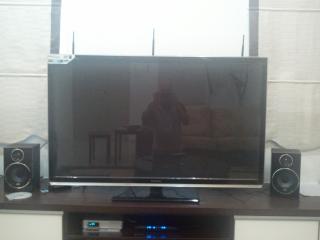
Notice where I put the antennas Thank you. This post has been edited by bahathir: Jun 30 2013, 11:02 AM |
|
|
Jul 2 2013, 01:53 AM
|

Senior Member
1,009 posts Joined: Aug 2012 From: The Legend of the Mysterious Pokémon Island 
|
QUOTE(bahathir @ Jun 30 2013, 09:12 AM) Hi, Hi, can you help me a bit with TL-WDR4300 ? I bought TP-Link TL-WDR4300 last week, replacing the aging but still nicely working TP-Link TD-W8960N; which being used since Streamyx era. In addition, I am also using 3x TP-Link's 8dB antennas, and TP-Link HomePlug TL-PA211Kit. The Huawei HG850a unit is at upstair's living area, and the HyppTV decoder and Panasonic SmartTV Plasma are at downstair's living hall. The HomePlugs work nicely in my setup. TM *fiber* HG850 -RJ45- PA211 ++house electrical wiring (3phase)++ PA211 -RJ45- WDR4300 Both 5GHz (11an) and 2.4GHz (11n) are enabled. Smartphone and laptop are using the 5GHz network. BTW, the 5GHz range is limited and the coverage is not as wide as the 2.4GHz. Wish it has more TX power. I upgraded firmware version to 3.13.32 Build 130612 Rel.83937n, few hours ago. The latest firmware updates add Maxis HomeFiber support. http://www.tp-link.com.my/support/download...4300&version=V1 Comments and wishlists. 1) More TX power, for wider coverwage. 2) VPN link feature which is available in TD-W8960N. At least. basic PPTP is enough 3) The LED's blinking indicators are not as 'accurate' as TD-WD8960N 4) SSH administration. 5) Performance wise, seem to be better than TD-W8960N and easier to configure. 6) OpenWRT and DDWRT firmwares are available for the unit, and hope someday I want to try them . For now, I am satisfied with the factory's firmware.
Notice where I put the antennas Thank you.  I just got my N750 TL-WDR4300 today and I spent a few hours configuring it up But I still can't find the Guest Newtork options  Cause in official Malaysia Tp-Link site wrote: 5. The firmware supports Guest Network and IPv6 function. |
| Change to: |  0.0270sec 0.0270sec
 0.41 0.41
 6 queries 6 queries
 GZIP Disabled GZIP Disabled
Time is now: 5th December 2025 - 08:03 AM |
 Quote
Quote