Welcome Guest ( Log In | Register )

Outline · [ Standard ] · Linear+

 Best movie player, With subtitle

views
     
cstkl1
post Jul 8 2012, 11:47 PM

Look at all my stars!!
Group Icon
Elite
6,799 posts

Joined: Jan 2003

hmm

Ios default video


Added on July 8, 2012, 11:53 pm
QUOTE(darosha @ Jul 8 2012, 07:36 PM)
I'm torn between AnyPlayerHD, TTPlayer, GoodPlayer, and AVPlayerHD. Which is the best app to view movie file with subtitle that can easily drag drop the file into itunes?

Btw, anybody tried yxplayer? Apparently can play any video file shared in the network without a need to open server. Is it true? Can it play directly from NAS without any computer on? Can it copy directly from the shared? Can it play subtitle and also keep video file to watch later like those 4 programs i said?
*
the problem with ipad and streaming is
when ure using h.264 high level profile.. like example at 4.1 pure bdrip from master source .. u will get spikes up to 50mbps bitrate... ure ipad max internet wifi speed is only at 60mbps at N.
with overhead etc..

can forget it. ipad 3 although it has a 1gb mem.. the cache buffering still the same as ipad 2.

btw when u have coded ure m4v properly from a good mkv source.. ( doesnt take that long..lord of the rings trilogy 56gb took only 30 mins) with subtitles and optimize the tagging etc...
its faster than mkv on loading etc.

try it.


This post has been edited by cstkl1: Jul 8 2012, 11:55 PM
cstkl1
post Jul 10 2012, 09:45 AM

Look at all my stars!!
Group Icon
Elite
6,799 posts

Joined: Jan 2003

QUOTE(darosha @ Jul 10 2012, 06:33 AM)
ios default video? now that's a bad choice
didnt support a lot of type of video
the hell with converting
and no subtitle

yeah, i need to forget yxplayer. none server player like it, cant play high def h264 1020p or even 720p video. i better stick with airvideo for streaming which can do that smoothly. and now i got a new NAS with UPnP, it might work for ttplayer

yeah, i think goodplayer might be good but heard it have gesture that can't disabled. any thought, preducer?
*
Lol..
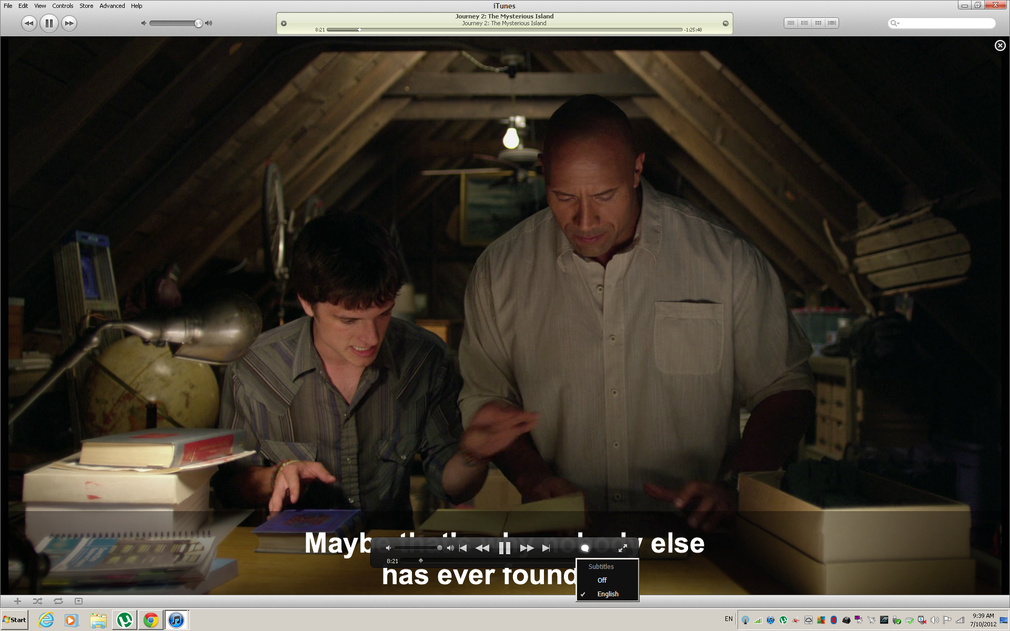
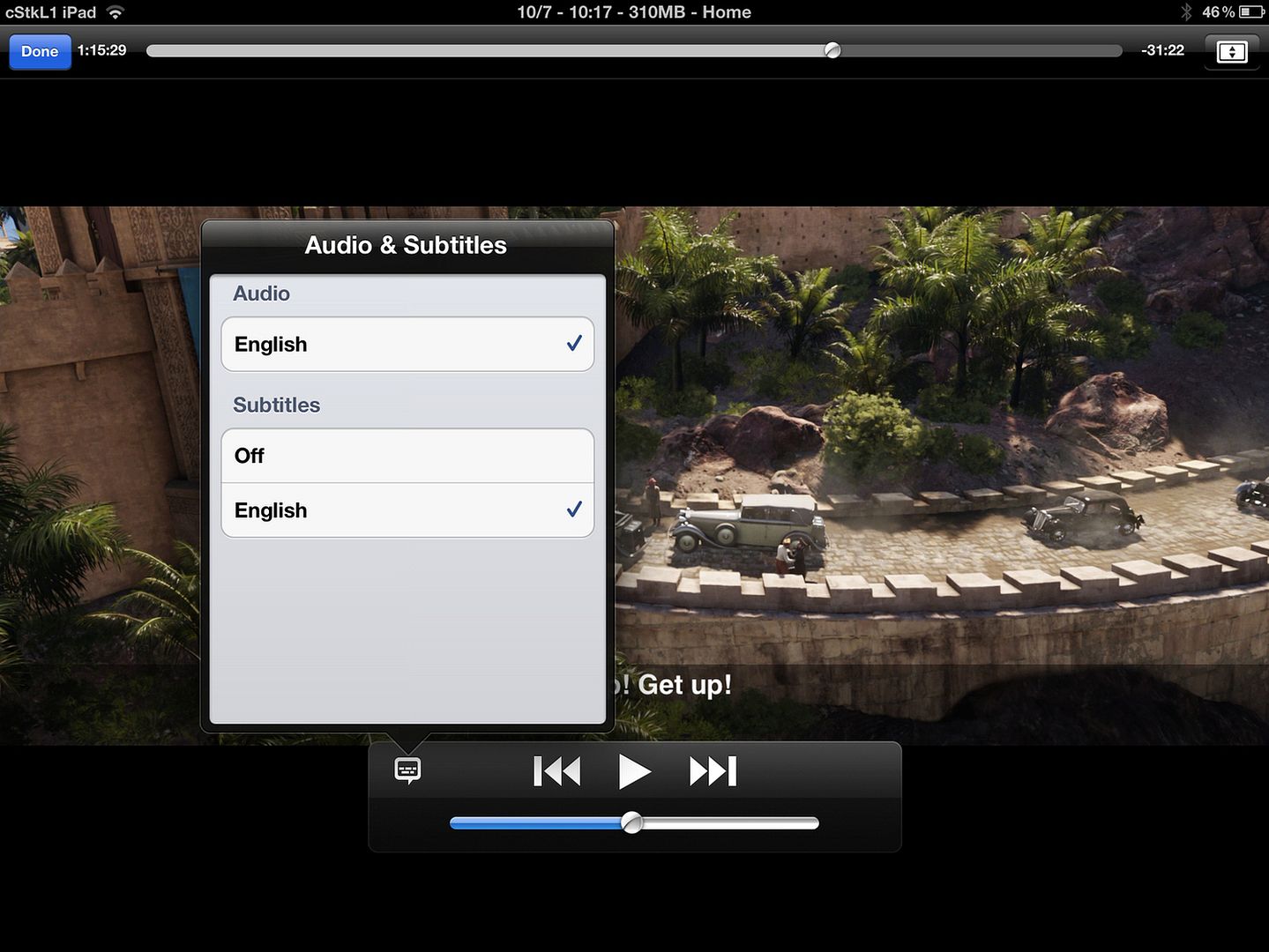
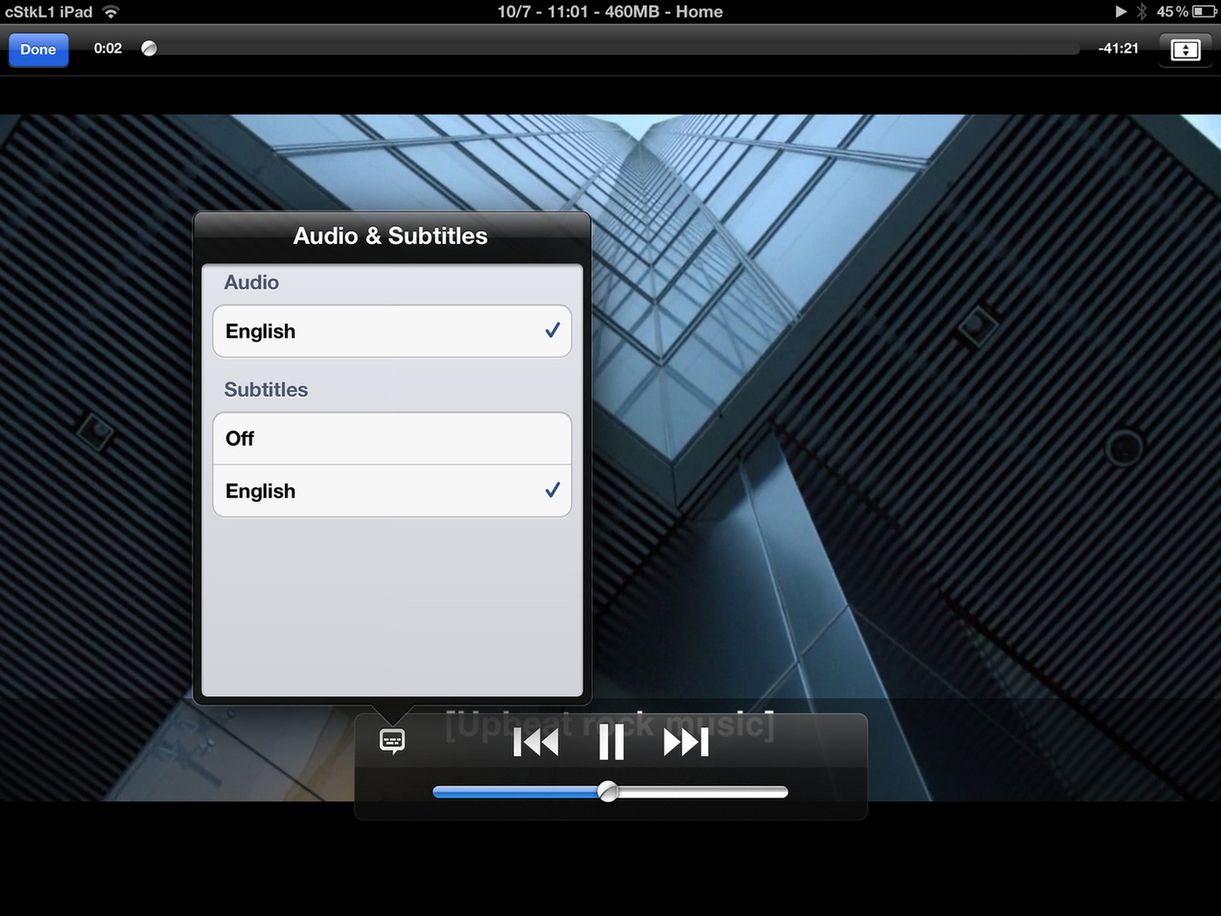
1.It supports subtitles, closed captioning,
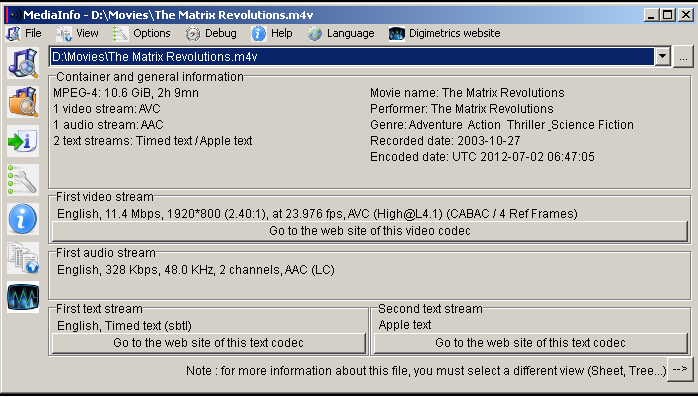
2.U only have to change the audio as most mkv's vids are already in AVC.
3.It can player higher bitrates perfectly fine unlike ure third party players.
4.For those who meta tag.. its much nicer too look at. The problem is everybody has been conned by this third party converters etc.. It only takes a few minutes if u know which programs to do it with. Heck theres this one totally free that converts all multiple, metatags it even the whole series etc.

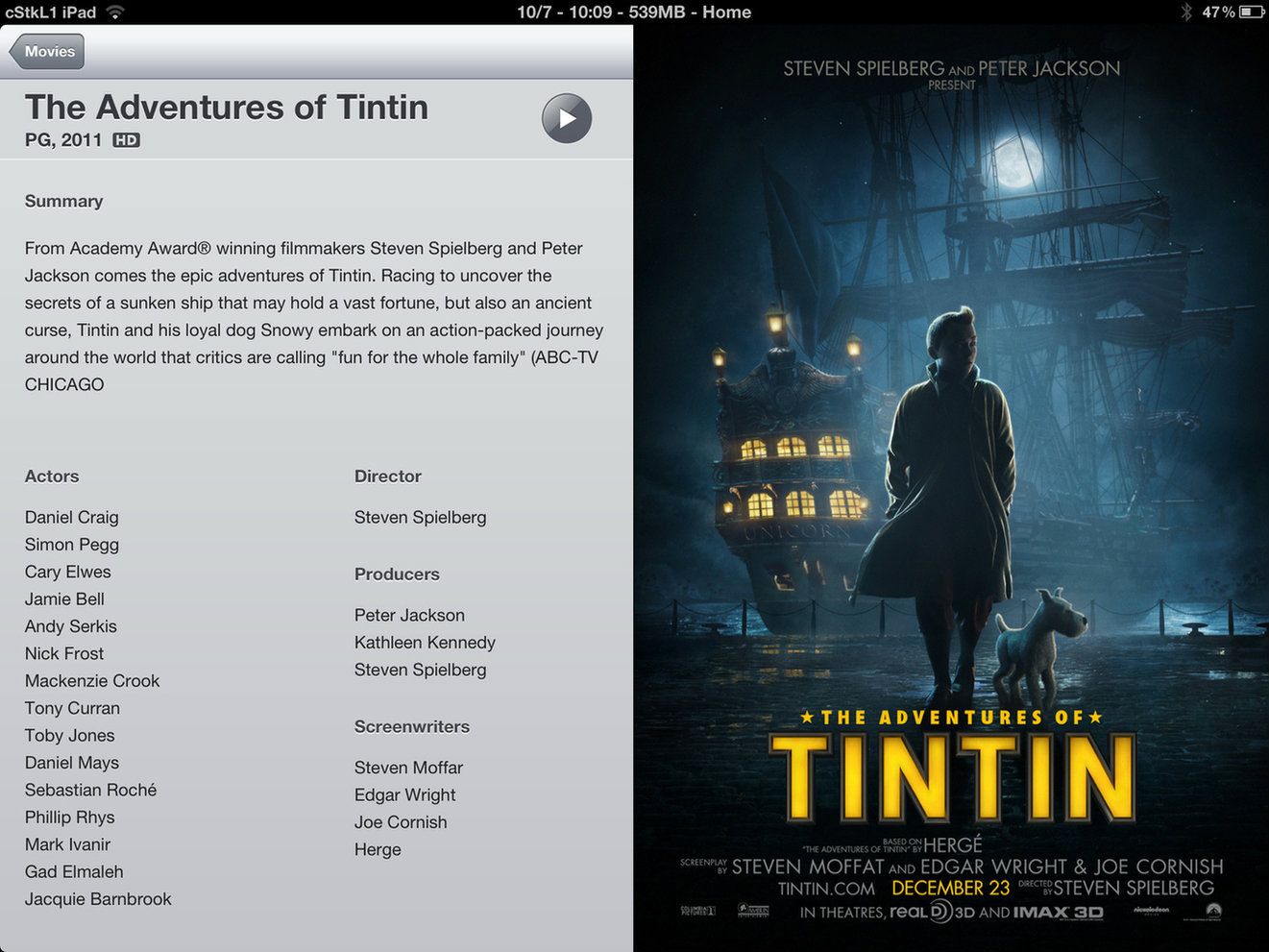
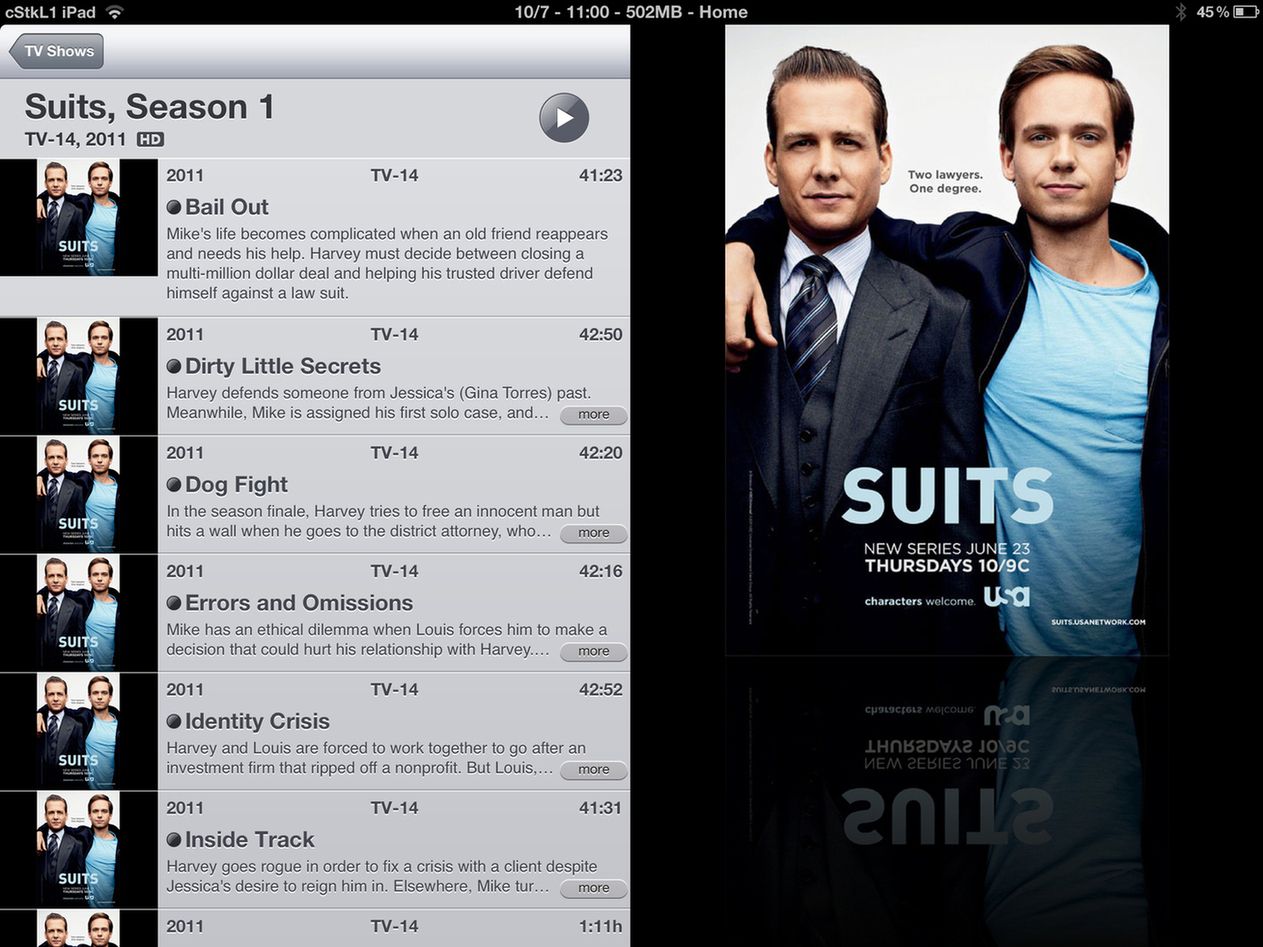
example of itunes with proper metatag (external) with ios video with subtitles. it will look like exactly like the movies u download from itunes store except u wont have some of the movie extra part.. if u want that can be done but u need to create a html pages.

Warning 1920x1200 etc
» Click to show Spoiler - click again to hide... «
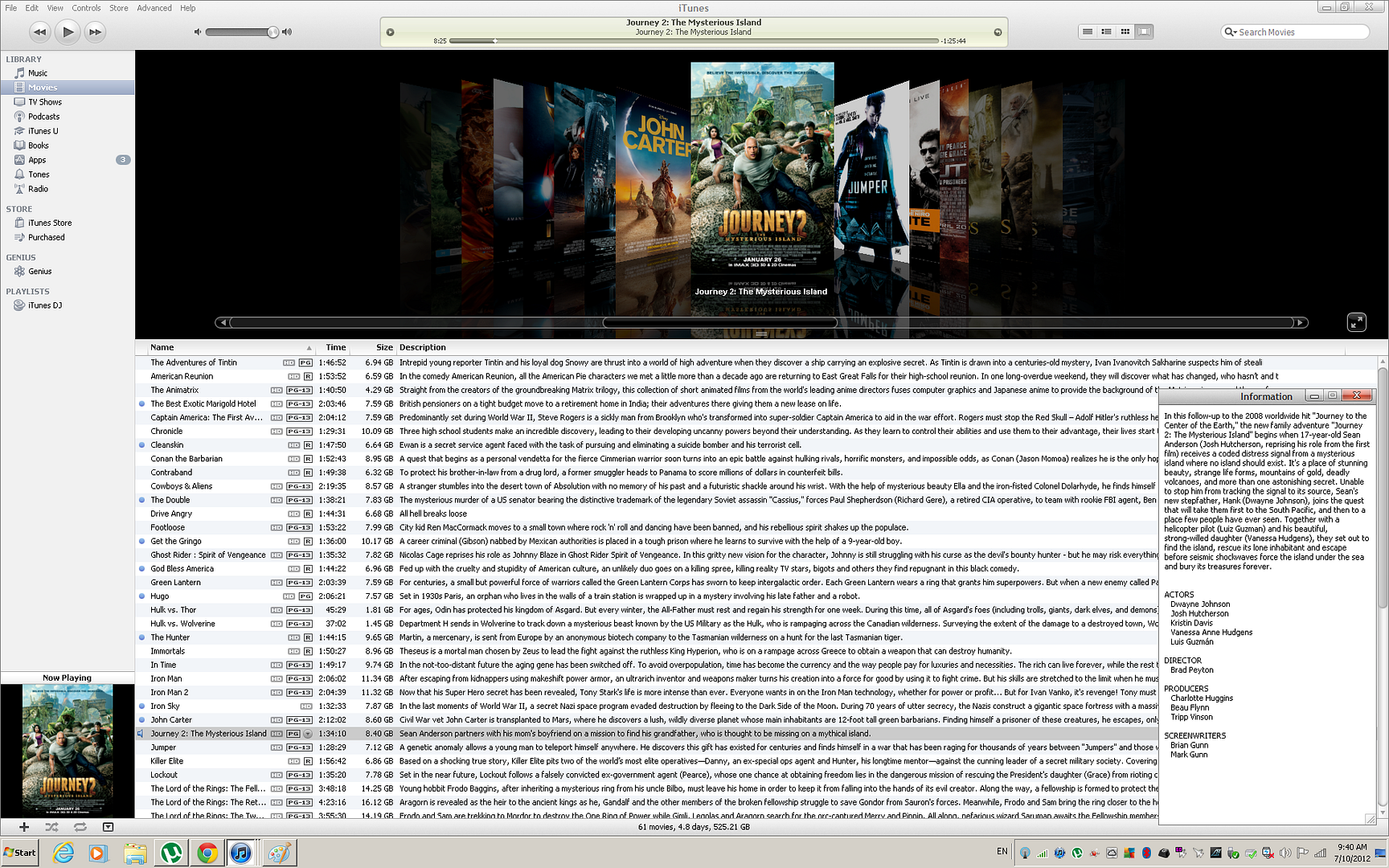
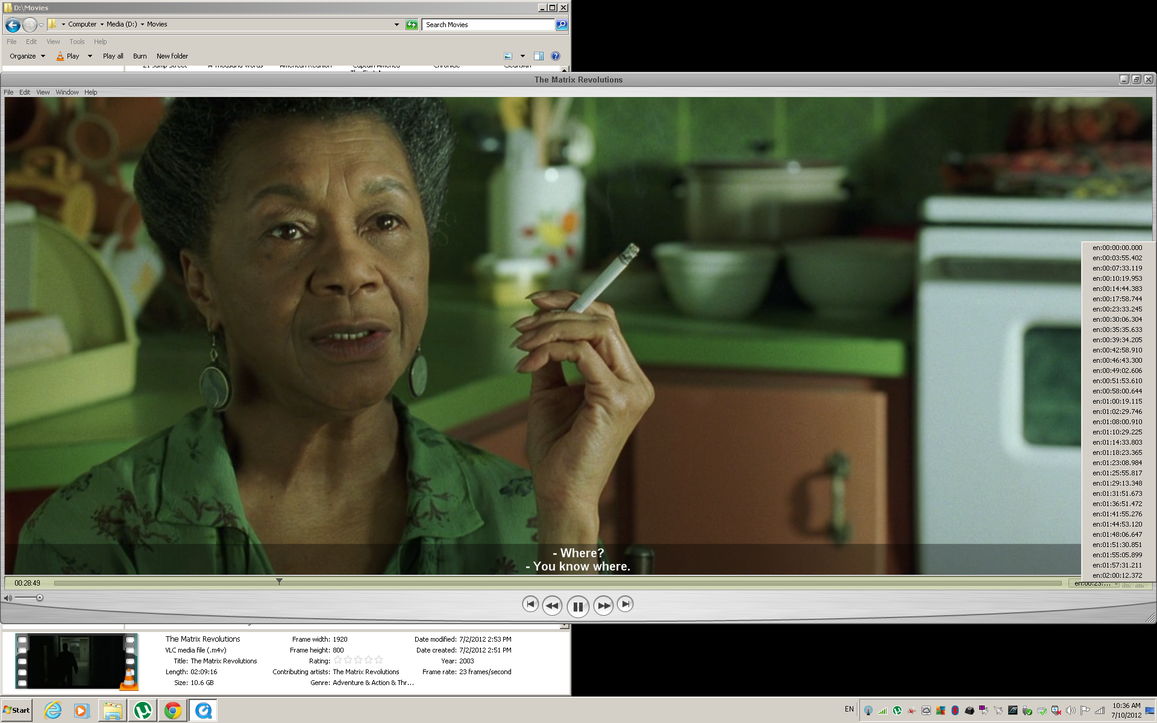
U tell me. I say worth it. All clean and organize in One file only. BTW in windows explorer u only see the coverarts at thumbnails for Mac OSX and windows if u didnt use VLC and only windows FFDSHOW codecs etc.. same.

So far nobody asked me how to do this .. I can post a tutorial or show u links if u like and how to fix files etc.
Theres some silly companies online that even charge ppl for this. When u can do it ureself pretty quickly.

BTW Dont be CONNED by third party apps etc that makes u pay to to do this.. Its all Free and much faster than their apps. Longest Movie here to Tag, Covert the MKV DTS to MP4 AAC was Lord of the rings cause the audio is was around 2-3gb. was 17 mins. For series etc only takes like 50 secs for a 720p 2gb file. 50 secs to reencode the audio, organize the streams, and lol it will also search online and tag ure file with the artwork and all the metainfo.

Disclaimer on my part for Time Given
Hardware Spec:
» Click to show Spoiler - click again to hide... «


This post has been edited by cstkl1: Jul 10 2012, 11:30 AM

cstkl1
post Jul 10 2012, 11:25 AM

Look at all my stars!!
Group Icon
Elite
6,799 posts

Joined: Jan 2003

QUOTE(KelJun @ Jul 10 2012, 11:17 AM)
Bro, can pm me the tutorial. Thanks
*
ok Later. Need to do a step by step example and make it complete with pics etc. Taught a few ppl already but found out they have questions always by calling me/smsing me.

Want to see whether more ppl realize this or not.

This post has been edited by cstkl1: Jul 10 2012, 11:31 AM
cstkl1
post Jul 10 2012, 11:53 AM

Look at all my stars!!
Group Icon
Elite
6,799 posts

Joined: Jan 2003

QUOTE(mintgadget @ Jul 10 2012, 11:30 AM)
If you have the backend storage, the easiest method would be running a Plex Media Server, no hassle at all and all done automatically. Using the Plex app and myPlex you could stream easily (yes even on 3g). Everything can be transcoded on the fly or even direct stream.
*
Been there. Done that.

Tested on my Sysnology 410. Thats where my 4x1tbs are in. Read/Write around 60mbps over the Ethernet.

Has tones of issue on high level profile on h.264 streaming... very jaggy. Tested with the MKV's i had before i reencode it.

Same thing via itunes no issue on homesharing.

Both times new ipad at full bar.
again y Pay for something when u already have a inbuilt app that works better, faster etc. Just need some work to get it sorted.

btw ppl i am just telling u guys my experience.. tested all the players etc.. in the end for ios video is the best.

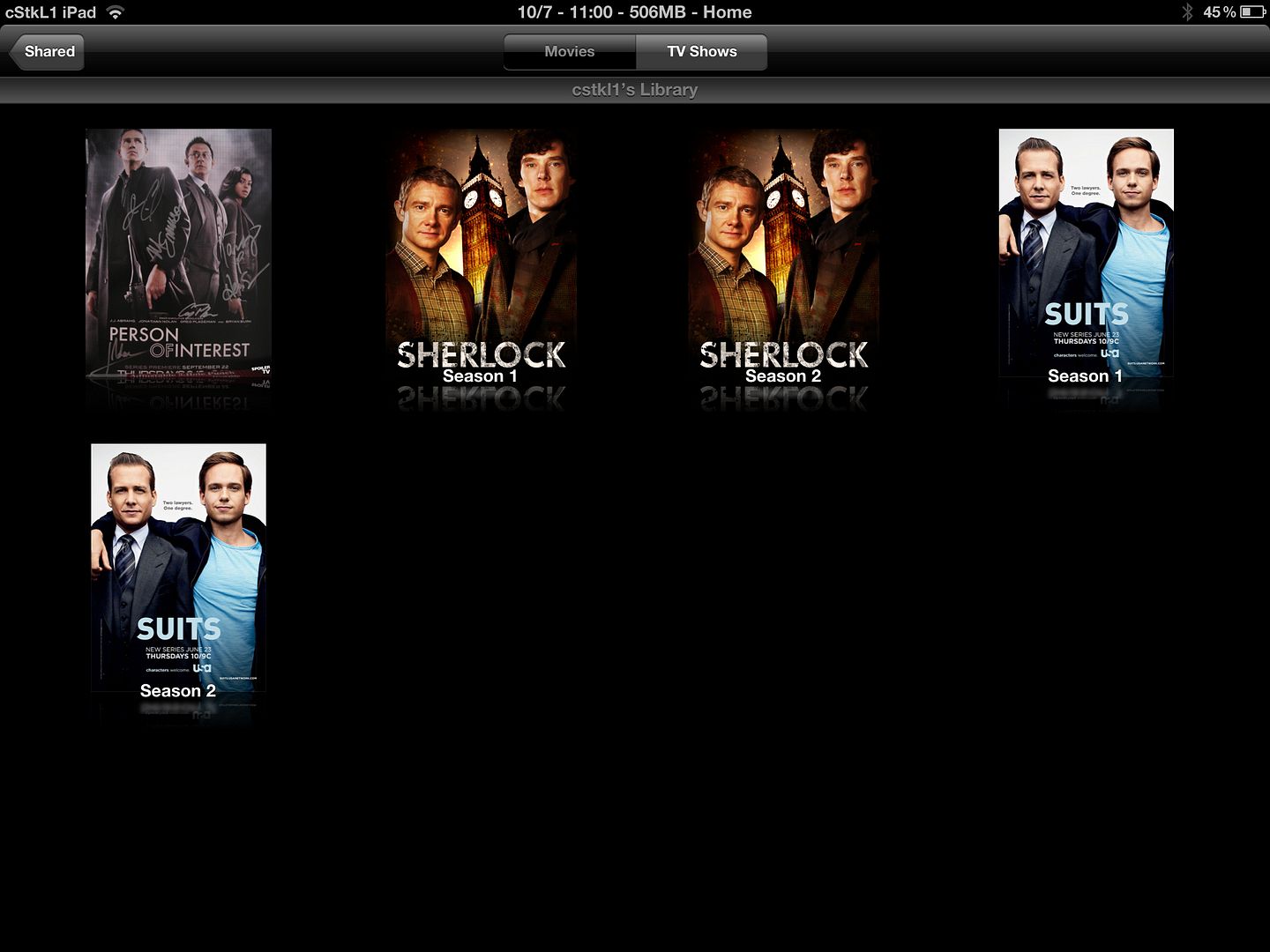
btw i just realize that on homesharing tv shows are organized by title name instead of episode id. Corrected with this program tag that did the whole 40 episodes. in 1 Min.

This post has been edited by cstkl1: Jul 10 2012, 12:04 PM
cstkl1
post Jul 10 2012, 01:08 PM

Look at all my stars!!
Group Icon
Elite
6,799 posts

Joined: Jan 2003

QUOTE(mintgadget @ Jul 10 2012, 12:53 PM)
I suggest you revisit it, Plex is probably the best media server/organizer around today. Sorry to say its your hardware issue. Personally, I hate to re-encode and its a waste of time, we have the capabilities to do it on the fly. I am running PMS on my computer and grabbing from my Synology box without any issues. Everything is automatic with Sickbeard and Sabnzbd. I will leave it at that.
*
def not a hardware issue. It just depends how far u tested it.

not intending to waste time again after everything is already streamlined. again paying for something that i dont have to pay to achieve something. It will never stream and play in ipad as perfect as a m4v encoded the way apple wanted it to be.

again ure just reencoding the audio and changing the container and tagging it. One program. Does it all. The others is just to fix issues with ppl on different coding methods and correcting headlines on mkv's or srt's. If not its just a matter of mins for movies at 1080p at 10mbps bit rate with average time length and mainly secs for tv shows on 720p

I doubt it will stream 1080p at high profile 4.1 that has been encoded from a bd or master copy perfectly at all. Tested and wasted so much time and dough with so many solutions. All of them has issues with it. only seems to be ok with 3.1. So suspect cant handle high bitrate spikes which is common. How high .. ive seen close to 40-50's at the liimit.

personally i can see y apple mp4's are better than mkvs. They are more cleaner. Check the hex coding for the handlers. Mp4's are cleaner. No need images like matroska.

Most ppl issues are with the DTS coding of the audio. not the container. I've encoded mine with AAC stereo/multichannel or Dolby ProLogic II with no issue.

This post has been edited by cstkl1: Jul 10 2012, 01:16 PM
cstkl1
post Jul 10 2012, 01:19 PM

Look at all my stars!!
Group Icon
Elite
6,799 posts

Joined: Jan 2003

QUOTE(mintgadget @ Jul 10 2012, 01:16 PM)
i agree with your comment, if it aint broke don't fix it.... hehe

i believe i am just as buff of a media enthusiast like yourself, if quality is bad, forget it. so that tells you how far i would have tested it.

i had a 410 before its too slow for a NAS. When you unrar within the box everything comes to a grinding halt. Granted a hobby like this aint cheap with all the equipment/software you need to purchase.

even tried Plexbmc on RPi (probably cheapest media player you can find) definitely more interesting than ATV2.

sorry i am such a Plex freak but love sharing that idea to people coz its just amazing.
*
Agreed. I tested it.
As for the Nas 410.. thinking of changing it but seriously whats the point. All of them are too freaking slow and the fast ones are costing a ton... but 60mb write/read so far still above the average i have seen.

Hence y on my new build hehehe.. All coming from my computer direct. Its faster on the gigabit switch hitting 100mb/s easy. Still waiting for the watercooling parts for that.

apple tv.. totally sux. Its not even a media player.
HTPC is def the way to go. No audio, firmware nonense. With all the new 3rd gen proccessors running at multiple low states and so cool the touch.. y bother.


This post has been edited by cstkl1: Jul 10 2012, 01:22 PM
cstkl1
post Jul 10 2012, 01:55 PM

Look at all my stars!!
Group Icon
Elite
6,799 posts

Joined: Jan 2003

QUOTE(mintgadget @ Jul 10 2012, 01:43 PM)
like i say, aint cheap but once you have invested is awesome what synology box can do. team both the nic ports and you can get close to 200mb/s that is super fast when you transfer files... hehe

i beg to differ, put Plex in ATV, it rocks any HTPC. small footprint and does wonders, wish they get Plex installable without the need for JB on ATV. ATV2 only 720p sad.gif. its already available on Appstore. MyPlex is genius for noobs, best idea they have came up with.
*
i am actually considering trying out on to do list during the weekends.

200mb/s that aint possible over a NAS unless u have a 10gigbit switch or running dual lan mux on ure computer. max therotically is at 125mb/s. Or are u misquoting at mbps. Cause i am talking about mb/s. Just to clarify here.Also afaik ATV2 is running at 100mbps max on network.

from what i can see min requirement for good streaming is close to 50mb/s. This is because of overheads and caching and buffering. Although the mp4/mkvs bitrates are all around 10-15mb/s with spikes but because it needs to buffer and cache u need more. The problem with all this media solutions. They have too little MEM. 512 to 1gb?? common..
The Ipad i reckon caches around 300mb of video. Thats ok for a 720p. but for a 1080p high bit rate better if it can do it at 1gb for smooth play. and also its better if it does at the ram. Avidemux is one of my fav's. Not the software i use most but i kindda like it. Reason is it caches ure mem. Trust me 2133 C7 8gb.. is plenty fast.

Y htpc. U spend one time. It will still outbeat the rest and last longer, and totally not dependent on firmware updates etc.

as for synology.. lol been down that marvel road.. get some highpoint rocket raid cards lol. U will show ure middle finger to NAS. Again its back to the problem of the switch and lan ports. so back to the 1gbps limit to be more cost effective and multi compataible.

This post has been edited by cstkl1: Jul 10 2012, 02:00 PM
cstkl1
post Jul 10 2012, 02:21 PM

Look at all my stars!!
Group Icon
Elite
6,799 posts

Joined: Jan 2003

QUOTE(mintgadget @ Jul 10 2012, 02:11 PM)
http://www.synology.com/products/performan...ang=enu#tabs-10. check out the 5-12 bay nas section, can be done, i have setup before unfortunately i don't have a link aggregated switch to support it here to show you a screenshot.

and i agree in terms of good streaming, i can't push more than what unifi offers now for remote streaming to get good 1080p playback. 720p is fine.

htpc is good for "somewhat technically incline" person aka CONEHEAD... hahaha, not for our parents or newbies. if something happens then what. do u like to be remote support? hence ATV was built to be idiot proof. if cannot work off/on. don't you agree?
*
hmm interesting

nah its same as using a load balancer. same like when u use multiple unifi accounts etc. Samething thing. Must be using vlan ports.
curious part is they must connect to two ports on ure computer. Wonder how will this task the computer cpu.

but think u hit the spot on this issue lol.. I am going to try this. From my main rig to my streaming pc.
so far max i can do 102mb via a switch. Never thought of doing it this way or never knew i could.

cstkl1
post Jul 10 2012, 02:41 PM

Look at all my stars!!
Group Icon
Elite
6,799 posts

Joined: Jan 2003

QUOTE(eclipsejee @ Jul 10 2012, 02:35 PM)
Try RushPlayer+ in your ipad 2/3 to play MKV and RMVB, you will surprise how good your ipad 2/3 in playing these... smile.gif no need any conversion... but at least 150mbps N router.. and you can put all your mkv / rmvb in NAS, no need PC/iTune smile.gif
*
one quick google
player fails on highbitrate
again they all do.

cstkl1
post Jul 10 2012, 02:56 PM

Look at all my stars!!
Group Icon
Elite
6,799 posts

Joined: Jan 2003

QUOTE(eclipsejee @ Jul 10 2012, 02:43 PM)
I trust my own eye smile.gif... 1080p MKV no problem.. smooth like hell smile.gif
*
Download 2.99 for test
uploading
Man on a ledge mkv 10 sub video bitrate at 16.8mbps with audio at 1.5mbps 6 channel dts with chapters ( since everybody say dont waste time encoding this part)
got a the same
m4v at same bit rate with audio at aac 320 VBR 2 channel 10 sub with chapters. Ipad video chews this for breakfast. Heck it had no problem with a bd rip at 30mbps average with max still at 50mbps for 4.1 spec


Added on July 10, 2012, 3:02 pmFirst Issue never had this problem with itunes sync..
Transfering file at 4gb stopped. Some error saying not connected. But can sync.

so to be clear that nothing running in background
run iwipecache with iclean.. total mem free 700mb

This post has been edited by cstkl1: Jul 10 2012, 03:04 PM
cstkl1
post Jul 10 2012, 03:04 PM

Look at all my stars!!
Group Icon
Elite
6,799 posts

Joined: Jan 2003

QUOTE(eclipsejee @ Jul 10 2012, 03:04 PM)
Bro... Please don't download the RushPlayer from AppStore, I mean the RushPlayer+, RushPalyer+ can only be downloaded from Cydia.. As Apple does not approved it's native H264 hardware API called...
*
oh ok
np
downloading from cydia now also.
there goes another 2.99


Added on July 10, 2012, 3:10 pmcrash
LOL

My eyes witness the awesomeness

Next??


This post has been edited by cstkl1: Jul 10 2012, 03:11 PM
cstkl1
post Jul 10 2012, 03:13 PM

Look at all my stars!!
Group Icon
Elite
6,799 posts

Joined: Jan 2003

QUOTE(mintgadget @ Jul 10 2012, 03:11 PM)
tried it, lags sad.gif with default settings
*
darn it atleast ures lag
mine loading the pyramid logo at the start of the movie
straight crash and exit
lets see how my ahem ipad video ios handles it..

lol chapters, subtitles, high speed scrubbing.. flawless.
hence y i go back to my original stand. m4v for ipad. nothing else

This post has been edited by cstkl1: Jul 10 2012, 03:14 PM
cstkl1
post Jul 10 2012, 03:15 PM

Look at all my stars!!
Group Icon
Elite
6,799 posts

Joined: Jan 2003

wish icleaner had a 32 pass gaussian method. this app deserves thorough removal from my ipad. heck atleast av player will show something.


Added on July 10, 2012, 3:18 pmwas about to download plex until i saw
lol
Limitations
1. DRm protected content.. eh this is a big thing
2. PGS subtitles not supported.. Half of mkv's out there are using PGS since its a bd native.

nvrmind 4.99 kaching.. up for the test.

1 con
create account


This post has been edited by cstkl1: Jul 10 2012, 03:22 PM
cstkl1
post Jul 10 2012, 03:24 PM

Look at all my stars!!
Group Icon
Elite
6,799 posts

Joined: Jan 2003

QUOTE(mintgadget @ Jul 10 2012, 03:22 PM)
make sure u setup the media server too, to enjoy full experience. hehe
*
so the media centre no need??just media server?? ok this is direct from my computer to my router to ipad
1gigabit to 60mpbs n on ipad

This post has been edited by cstkl1: Jul 10 2012, 03:26 PM
cstkl1
post Jul 10 2012, 03:31 PM

Look at all my stars!!
Group Icon
Elite
6,799 posts

Joined: Jan 2003

QUOTE(mintgadget @ Jul 10 2012, 03:26 PM)
plex media center is the player. media server does the scrapping and all the good stuff. the account creation is for myplex, a lot has been discussed about this over their forums, you don't like it don't use it. but they assured nothing is passed to their servers. like bank lor, u don't like put your money somewhere else.
*
lol
lagging 1080p
suspect streaming issue with ipad limitation at only 60mbps.
but i was very fast on go encoding at lower

hmm think gonna keep this program.. can see how its useful.
very fast on searching and tagging and sorting..

but again this is only for media sharing

itunes 720p streaming to plex.. smooth. no captioning support on m4v

This post has been edited by cstkl1: Jul 10 2012, 03:34 PM
cstkl1
post Jul 10 2012, 03:42 PM

Look at all my stars!!
Group Icon
Elite
6,799 posts

Joined: Jan 2003

QUOTE(mintgadget @ Jul 10 2012, 03:36 PM)
hmmm must be your hardware, i encode at 20MBps no issue. run smoothly on the iPad. no lag whatsoever streaming off my NAS. its as good as watching in on tv with a media player.
*
again np with hardware. theres actually nothing better than what i have lol.. unless its a gold plated cat 6 cable.

it doesnt work like that when u say encoding on 20mbps. if plex reduces those bitrates at limits it at 20.. thats gonna be a problem. u use high profile 4.1 to get better compression with better quality hence the vbr

when it says 20mbps it means the bandwidth. it uses 20mbps on the max spikes
http://en.wikipedia.org/wiki/H.264/MPEG-4_AVC

thats y it was smooth on my 720p at h3.1
when they encode a 1080p at 4.1 although ure average is a 16 ++ mbps example on the movie just now
it uses more on high detail enviroments.. so it has a max of 50mbps.
thats what i have been saying all this players has issue with 4.1. heck even quicktime pro. while IOS default video eats it easily.. Androids until today has issues with tegra 3


keeping this for as i download to watch series and delete etc..
pretty niffy

This post has been edited by cstkl1: Jul 10 2012, 03:49 PM
cstkl1
post Jul 10 2012, 04:03 PM

Look at all my stars!!
Group Icon
Elite
6,799 posts

Joined: Jan 2003

QUOTE(mintgadget @ Jul 10 2012, 03:49 PM)
see, you agree right. this is probably the best media organizer around. might not be able to handle some of your requirements but i am happy got another plex supporter... hahaha. now to get u converted to auto grabbing and renaming with sick beard, you will love it.
*
wait till i head back home and write that tutorial
lol

ure way is caching the metatags
i am talking about having it permanently on each file. down to even ure Itunes account on it, Yes u can tag each mp4 with ure itunes account.

cstkl1
post Jul 10 2012, 06:10 PM

Look at all my stars!!
Group Icon
Elite
6,799 posts

Joined: Jan 2003

QUOTE(eclipsejee @ Jul 10 2012, 05:16 PM)
Wow.. you all really push your ipad to the limit by loading so huge file...  laugh.gif 
I'm using New Ipad 3 to play 1080p MKV about 6GB of file size, it is very smooth, and it won't crash. Please isolate the wireless bandwidth issue if it is the root causes...

And it is the best player for RMVB as well.. with very high quality pictures rendering and very smooth up to 1.2GB of RMVB file size which i've tested...

BTW... i'm not selling this software smile.gif just to share only...
*
this is still basic
ipad ios video app can handle even bigger. ive gone up to 30mbps around 50gb just one movie just to test the limits
it just chewed it.

so when apple advertises 30fps level 4.1 they really mean it.

cstkl1
post Jul 13 2012, 04:45 PM

Look at all my stars!!
Group Icon
Elite
6,799 posts

Joined: Jan 2003

QUOTE(stream4341 @ Jul 13 2012, 04:12 PM)
cstkl1 can you PM me your method step by step?
Appreciate that bro..
*
Yeah need to really write it down. Cause there is actually more like setting dual audio one in AAC stereo and Dolby Digital 5.1.

That makes it a complete like itunes like movie. Only difference is u have a higher quality in picture.

Tested.. New ipad Streaming from Homesharing with AV kit to tv.. Dolby Digital 5.1 supported.
Hence makes Apple TV sux all time since its limited with high profile 4.0

But doesnt look like lyn folks here really want to do it lol. A thread with no followers after so much work to write and explain etc.. hmm again need more feedback.


This post has been edited by cstkl1: Jul 13 2012, 04:46 PM
cstkl1
post Aug 6 2012, 12:10 AM

Look at all my stars!!
Group Icon
Elite
6,799 posts

Joined: Jan 2003

still will say and advocate iPad native video kick ass any 3rd party apps on video playback. Heck it handles cabac 16 frames no issues.

2 Pages  1 2 >Top
 

Change to:
| Lo-Fi Version
0.0257sec    0.85    6 queries    GZIP Disabled
Time is now: 23rd December 2025 - 11:07 PM