Outline ·
[ Standard ] ·
Linear+
(True 4G) LTE 100-150Mbps 2013-2014 Malaysia V1, LTE is going to replace 3G in future
|
yujin86
|
 Oct 9 2014, 03:08 PM Oct 9 2014, 03:08 PM
|

|
QUOTE(adiyon84 @ Oct 9 2014, 02:45 PM) This is the highest I can get for Celcom 4G in my area.. which is in Kota Damansara, Seksyen 5 (near mosque). I think it is 2600 Mhz spectrum and can go higher than this.  Device : iPhone 5S (only capable till 100 Mbps. CAT3) 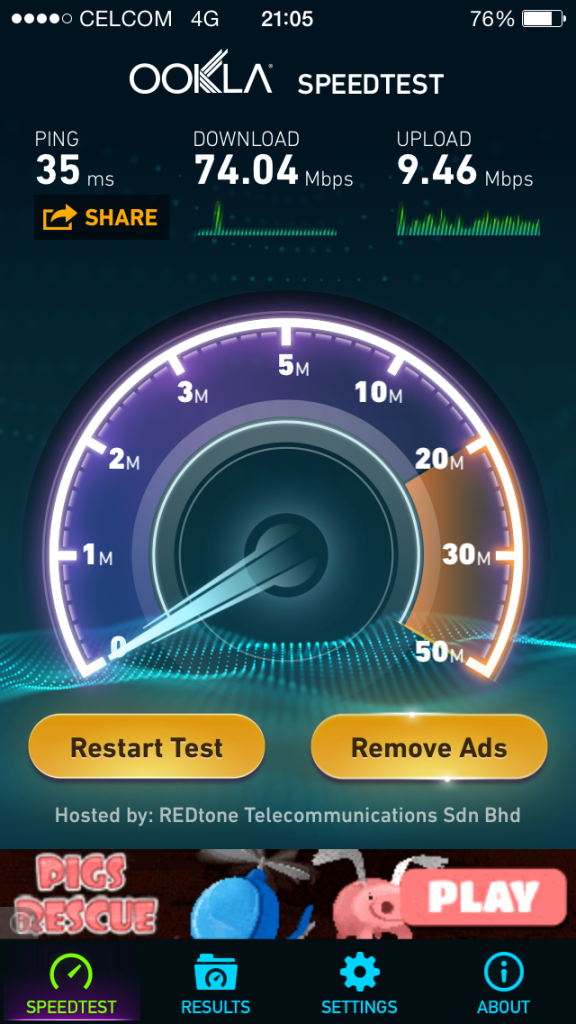 Device : iPad mini (same goes to this device. CAT3) 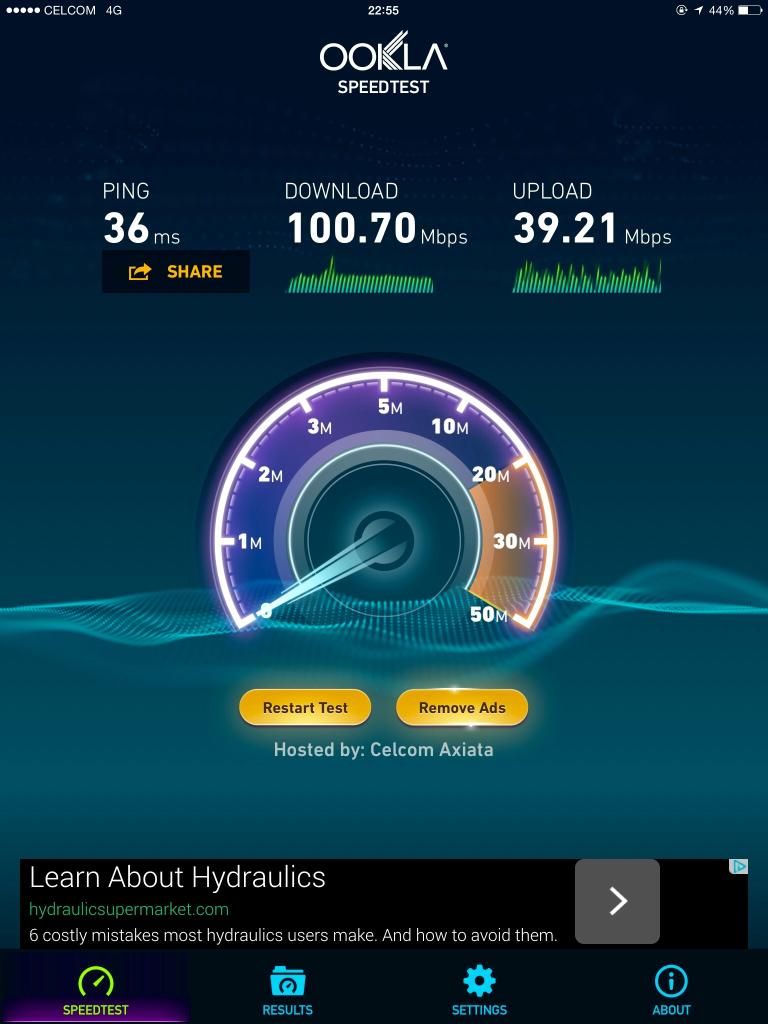 wow! my 4g celcom band3 speed only same as hspa =.= btw celcom seems like have very limited band 7 coverage compare to maxis.... |
|
|
|
|
|
adiyon84
|
Oct 9 2014, 04:05 PM
|
|
|
QUOTE(yujin86 @ Oct 9 2014, 03:08 PM) wow! my 4g celcom band3 speed only same as hspa =.= btw celcom seems like have very limited band 7 coverage compare to maxis.... Is it really limited? Well, I saw some forumers posted their speed test at their location and it is really outstanding what speed their got. It means Celcom already activated their CAT 4 speed.  Someone posted this: Speedtest made at Terminal One Seremban 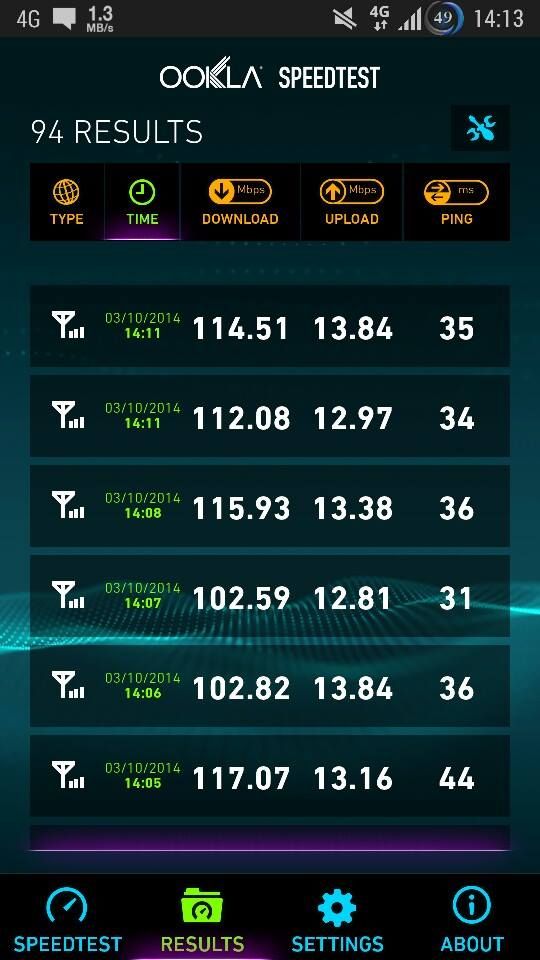 Speedtest made at Pantai Dalam KL 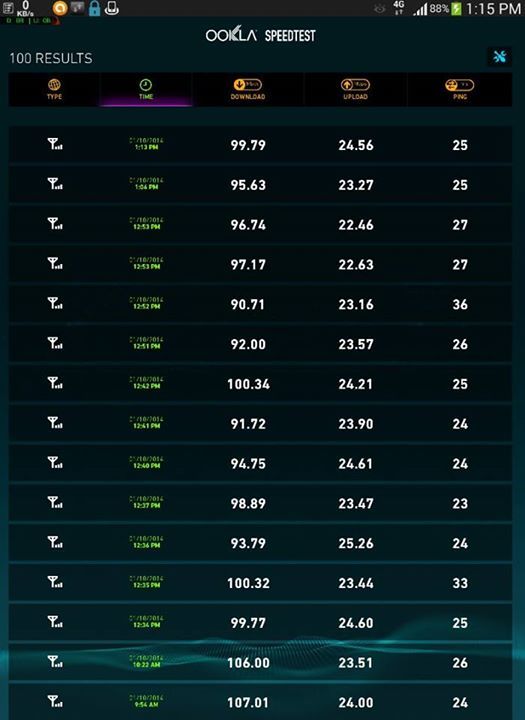 This post has been edited by adiyon84: Oct 9 2014, 04:05 PM This post has been edited by adiyon84: Oct 9 2014, 04:05 PM |
|
|
|
|
|
yujin86
|
Oct 9 2014, 04:16 PM
|
|
|
QUOTE(adiyon84 @ Oct 9 2014, 04:05 PM) Is it really limited? Well, I saw some forumers posted their speed test at their location and it is really outstanding what speed their got. It means Celcom already activated their CAT 4 speed. Someone posted this: Speedtest made at Terminal One Seremban Speedtest made at Pantai Dalam KL In Johor bahru i only noticed 1 place with band 7 coverage with very weak signal. other than that, all band 3 coverage. overall i think celcom 4g coverage is quite good in jb.... at least for the place i stay. but maxis band7 coverage is far more wider than celcom. cos i just ported over from maxis |
|
|
|
|
|
TScoolstore
|
Oct 11 2014, 11:43 AM
|
|
|
QUOTE(haturaya @ Sep 18 2014, 10:14 PM) I've been using Huawei E5776s-32 with Celcom LTE. So far, solid rock with 4-5 devices connected. It even perform well in moving vehicle. E5776 is really a good gadget. Even Digi bundled MobiFi promotion also seeing the e5776 out of stock from their centre, got to wait new stock. |
|
|
|
|
|
haturaya
|
Oct 11 2014, 03:26 PM
|
Look at all my stars!!

|
QUOTE(coolstore @ Oct 11 2014, 11:43 AM) E5776 is really a good gadget. Even Digi bundled MobiFi promotion also seeing the e5776 out of stock from their centre, got to wait new stock. And the battery life is superb. Can carry all day long without having to worry of running out of battery. |
|
|
|
|
|
wideawake
|
Oct 28 2014, 10:19 AM
|
Getting Started

|
So I got the Digi USIM simcard at KLCC for RM10 on Saturday and the dude said it will be activated in 2 hours.
Monday morning nothing happened, so I gave them a call (ridiculous helpline). Gave them the simcard number and they said will be activated in 4 hours.
24 hours passed by and still no signal when I put in the USIM card... called them again and they passed me to the Technical Support queue. Waiting time was 30 minutes. I hang up.
How hard is it to get a simcard activated?
|
|
|
|
|
|
prosibu
|
Oct 28 2014, 03:05 PM
|
|
|
QUOTE(wideawake @ Oct 28 2014, 10:19 AM) So I got the Digi USIM simcard at KLCC for RM10 on Saturday and the dude said it will be activated in 2 hours. Monday morning nothing happened, so I gave them a call (ridiculous helpline). Gave them the simcard number and they said will be activated in 4 hours. 24 hours passed by and still no signal when I put in the USIM card... called them again and they passed me to the Technical Support queue. Waiting time was 30 minutes. I hang up. How hard is it to get a simcard activated? 10 minutes... Go to digi centre to change ur sim next time. I used 10 minites to get my sim activated, after they upgraded their server last few weeks |
|
|
|
|
|
benji
|
Nov 5 2014, 11:48 AM
|
|
|
hi all.. anyone can share what's the recommend antena to be used with huaweh e5776? outside my house get 3 bar, inside got 1 bar lte.. hehehe..
|
|
|
|
|
|
TScoolstore
|
Nov 5 2014, 12:11 PM
|
|
|
QUOTE(Pulltea88 @ Nov 5 2014, 12:06 PM) i would like to know who is the oem factory for aztech...  |
|
|
|
|
|
ynnek85
|
Nov 6 2014, 12:06 PM
|
New Member
|
Can somebody help me on my Celcom LTE broadband.
I am currently using a D-Link dongle DWM-221 plugged into a D-Link router DWR-116 but the speed that I am getting is way too slow (2G speed) and the connection is very unstable.
When I connect the dongle into my PC and not the router, I am getting a 4G speed. I am suspecting that there's something to do with my router setting.
|
|
|
|
|
|
TScoolstore
|
Nov 6 2014, 12:20 PM
|
|
|
choose network mode: 4g LTE only (or other similar terms) in router setting
|
|
|
|
|
|
ynnek85
|
Nov 6 2014, 01:52 PM
|
New Member
|
QUOTE(coolstore @ Nov 6 2014, 12:20 PM) choose network mode: 4g LTE only (or other similar terms) in router setting There is no option for me to choose 4g LTE only or similar. The setting page is something like this  |
|
|
|
|
|
TScoolstore
|
Nov 6 2014, 02:02 PM
|
|
|
u can test 'auto detection' first.
if not satisfied, back to 'Manual'
country: malaysia
telecom: celcom
3g/4g network: 'LTE mode' should appear in the drop down box
then key in the APN name, dial up number at below.
|
|
|
|
|
|
ynnek85
|
Nov 6 2014, 02:07 PM
|
New Member
|
QUOTE(coolstore @ Nov 6 2014, 02:02 PM) u can test 'auto detection' first. if not satisfied, back to 'Manual' country: malaysia telecom: celcom 3g/4g network: 'LTE mode' should appear in the drop down box then key in the APN name, dial up number at below. I went auto detection first but I can only see 2G connection. In the dropdown list, there are only 2 options: WCDMA/HSPA and CDMA2000/EV-DO may i know what is the setting for Celcom LTE? |
|
|
|
|
|
TScoolstore
|
Nov 6 2014, 02:24 PM
|
|
|
already select> Malaysia> Celcom: still only got wcdma/hspa and cdma only?
if so, this router firmware not updated, need to update the firmware.
else, easy way juz pick other telco name (not important), maybe from malaysia, maybe from singapore, as long as it show a LTE mode for u to select under the drop down box.
and then remember key in correct celcom apn name & dial up number, save it, should be fine already.
|
|
|
|
|
|
ynnek85
|
Nov 6 2014, 02:38 PM
|
New Member
|
QUOTE(coolstore @ Nov 6 2014, 02:24 PM) already select> Malaysia> Celcom: still only got wcdma/hspa and cdma only? if so, this router firmware not updated, need to update the firmware. else, easy way juz pick other telco name (not important), maybe from malaysia, maybe from singapore, as long as it show a LTE mode for u to select under the drop down box. and then remember key in correct celcom apn name & dial up number, save it, should be fine already. Do I need to setup the DNS server or DHCP server as well for faster internet speed? |
|
|
|
|
|
TScoolstore
|
Nov 6 2014, 08:22 PM
|
|
|
dhcp server is router itself, no need modify. just enable.
dns server, if don want use celcom one, can put google dns: primary 8.8.8.8 secondary: 8.8.4.4
|
|
|
|
|
|
ynnek85
|
Nov 7 2014, 11:07 AM
|
New Member
|
QUOTE(coolstore @ Nov 6 2014, 08:22 PM) dhcp server is router itself, no need modify. just enable. dns server, if don want use celcom one, can put google dns: primary 8.8.8.8 secondary: 8.8.4.4 I've tried everything that you advised but the internet connection is still unstable and slow. I guess it might be the firmware or signal. Thanks anyway for your great help! |
|
|
|
|
|
arimii
|
Nov 7 2014, 02:35 PM
|
|
|
4G LTE in a nutshell
D/L: 38MB U/L: 19MB
RM58 : 4GB ???!!!!!
Speedtest 10 times used up almost 10 % quota
WTF ??!!!!
|
|
|
|
|



 Quote
Quote




 0.0507sec
 0.83
0.83
 6 queries
 GZIP Disabled