

Sign up with telco only provided you used up the data package. Under utilized it you will be paying extra unnecessary monthly
SAMSUNG GALAXY NOTE™ | V9, Phone? Tablet? It's Note!!!
SAMSUNG GALAXY NOTE™ | V9, Phone? Tablet? It's Note!!!
|
|
 Mar 30 2012, 09:32 PM Mar 30 2012, 09:32 PM
Return to original view | Post
#41
|
 
Elite
27,801 posts Joined: Jun 2007 From: Johor  
|
Sign up with telco only provided you used up the data package. Under utilized it you will be paying extra unnecessary monthly
|
|
|
|
|
|
Mar 30 2012, 11:09 PM
Return to original view | Post
#42
|
|
Elite
27,801 posts Joined: Jun 2007 From: Johor
|
QUOTE(keanoppy @ Mar 30 2012, 10:48 PM) auto shutdown during charging is normal? Abnormal. Never happen to me since using phone last nov |
|
|
Mar 31 2012, 12:08 AM
Return to original view | Post
#43
|
|
Elite
27,801 posts Joined: Jun 2007 From: Johor
|
QUOTE(Superman7 @ Mar 31 2012, 12:04 AM) it is possible to access the Note directories using Mac? Yes definitely . As long as is still on gingerbread |
|
|
Mar 31 2012, 12:40 AM
Return to original view | Post
#44
|
|
Elite
27,801 posts Joined: Jun 2007 From: Johor
|
QUOTE(Superman7 @ Mar 31 2012, 12:15 AM) found out that it is possible but have to press a lot of steps.. No need. Just pull down taskbar select usb connection. One step onlyPlug in USB -> Settings -> WiFi & Settings -> USB Ultilities -> Unplug USB -> Tap on USB Storage -> Plugin USB again Any simple method? |
|
|
Mar 31 2012, 12:44 AM
Return to original view | Post
#45
|
|
Elite
27,801 posts Joined: Jun 2007 From: Johor
|
QUOTE(Superman7 @ Mar 31 2012, 12:41 AM) it only shows USB Connected, MTP connected. Than is your mac. Have no issue since 10.6.2 till now 10.7.3When I tap on it I don't see the drive on my Finder (I don't have an external SD Card) |
|
|
Mar 31 2012, 12:48 PM
Return to original view | Post
#46
|
|
Elite
27,801 posts Joined: Jun 2007 From: Johor
|
QUOTE(christina1 @ Mar 31 2012, 11:23 AM) looks like HTC One X is better phone then this. Watch out for my review comparison next weekI m getting htc one x next monday |
|
|
|
|
|
Mar 31 2012, 01:02 PM
Return to original view | Post
#47
|
|
Elite
27,801 posts Joined: Jun 2007 From: Johor
|
QUOTE(christina1 @ Mar 31 2012, 12:50 PM) wow..cool u plan to trade in ur note? No plan to dump note cos nothing can match its 5.3 displayBought htc just to test only. Probably sell off after enough play with it maybe 1-3 months |
|
|
Mar 31 2012, 01:30 PM
Return to original view | Post
#48
|
|
Elite
27,801 posts Joined: Jun 2007 From: Johor
|
QUOTE(xyber9 @ Mar 31 2012, 01:23 PM) I have upgraded my phone to LC2 Malaysia version using Mobile Odin Pro. Restore it from titanium backup or google for apk file at xdaI notice that I have root but I cannot do a ROM backup after that. My CWM application is missing too? How do I enable this again. You can manually boot to recovery power+home+vol up to do backup |
|
|
Mar 31 2012, 04:05 PM
Return to original view | Post
#49
|
|
Elite
27,801 posts Joined: Jun 2007 From: Johor
|
QUOTE(xyber9 @ Mar 31 2012, 04:03 PM) I have managed to restore back CWM but when I run it the following message appears:- What is your kernel n firmwareThis version of CWM Manger should be use with CF-Root v5.0 or newer. It appears you are running a different kernel. Various features have been disabled. I have tried manually boot but I can not see the item list to do a full backup. Words are in blue and the top most shows Android system recovery <3e> I can reboot, apply update, wipe data, wipe cache and test redbend in the menu list. Thank You Looks like you need flash kernel again Added on March 31, 2012, 4:06 pm QUOTE(Superman7 @ Mar 31 2012, 03:46 PM) by the way, what's the best method to backup the data in Android? Use titanium backupvia Kies? Throw away kies hopeless software This post has been edited by benny888: Mar 31 2012, 04:06 PM |
|
|
Mar 31 2012, 05:33 PM
Return to original view | Post
#50
|
|
Elite
27,801 posts Joined: Jun 2007 From: Johor
|
[quote=xyber9,Mar 31 2012, 04:17 PM]
[quote=benny888,Mar 31 2012, 04:05 PM] What is your kernel n firmware Looks like you need flash kernel again Kernel: 2.6.35.7-N7000DXLC2-CL1039404 Build Number: GINGERBREAD.DXLC2 [/quote] Use mobile odin flash kernel only fm2.0. Download the tar format http://forum.xda-developers.com/showthread.php?t=1342807 You will get back cf recovery with full menu Manually boot to recovery n you can do backup n flash any other kernel/or custom rom if you so wish This post has been edited by benny888: Mar 31 2012, 06:24 PM |
|
|
Mar 31 2012, 06:28 PM
Return to original view | Post
#51
|
|
Elite
27,801 posts Joined: Jun 2007 From: Johor
|
Vehicle dock no need to buy Samsung original. Just buy any of those cheap generic type will do fine. I am using such and it can even turn to landscape mode. Brand is ARKON. Important the 2 side claps must be extendable. Go to LowYat , look around so many choices now available
This post has been edited by benny888: Mar 31 2012, 06:28 PM |
|
|
Mar 31 2012, 06:33 PM
Return to original view | Post
#52
|
|
Elite
27,801 posts Joined: Jun 2007 From: Johor
|
QUOTE(s2000c @ Mar 31 2012, 04:37 PM) anyone use skype one this phone , which version is stable , cos latest is crashed and force close... tq I am using ver 2.7.0.907 - it never crashed at all in all versions of cook roms I have used including latest various ICS roms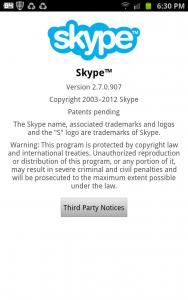
Added on March 31, 2012, 6:34 pm QUOTE(vin39 @ Mar 31 2012, 06:32 PM) but will i get back the home screens which i deleted lastime?as in in the same 1 which i had whn i 1st switched on my phone. Hard reset will bring phone back to its default homescreen settings even if you have deleted or changed any of itThis post has been edited by benny888: Mar 31 2012, 06:34 PM |
|
|
Mar 31 2012, 06:50 PM
Return to original view | Post
#53
|
|
Elite
27,801 posts Joined: Jun 2007 From: Johor
|
QUOTE(vin39 @ Mar 31 2012, 06:43 PM) how do i do hard reset uncle benny? Settings/Privacy - select Factory data reset |
|
|
|
|
|
Mar 31 2012, 07:09 PM
Return to original view | Post
#54
|
|
Elite
27,801 posts Joined: Jun 2007 From: Johor
|
QUOTE(vin39 @ Mar 31 2012, 07:06 PM) nt really sell bro.i just wna chnge my white gnote to black.lol!! In that case , remember to delete manually all your stuffs in the internal SDcard as these will remain after factory reset. factory reset only remove all apps in the hidden 2GB partition |
|
|
Mar 31 2012, 07:19 PM
Return to original view | Post
#55
|
|
Elite
27,801 posts Joined: Jun 2007 From: Johor
|
QUOTE(vin39 @ Mar 31 2012, 07:13 PM) haha.nola bro.will never change my note.i dn really like android.just like note oni. YES - everything - your supporting apps data eg games data, dictionary, gps data etc etc. So copy all of these to your PC and copy it back to the new phone Added on March 31, 2012, 7:15 pm owh means my pics n videos all still remain la?? Added on March 31, 2012, 7:15 pm owh means my pics n videos all still remain la?? |
|
|
Mar 31 2012, 09:56 PM
Return to original view | Post
#56
|
|
Elite
27,801 posts Joined: Jun 2007 From: Johor
|
QUOTE(vin39 @ Mar 31 2012, 09:42 PM) got anybody rooted their phone with the latest method which nonid to downgrade and no yellow triangle issue? This has been answered many times - infact latest was yesterday/Just flash any deodexed prerooted rom using Odin example: no need downgrade and no triangle http://forum.xda-developers.com/showthread.php?t=1535025 |
|
|
Mar 31 2012, 10:31 PM
Return to original view | Post
#57
|
|
Elite
27,801 posts Joined: Jun 2007 From: Johor
|
QUOTE(Baronic @ Mar 31 2012, 10:28 PM) Night fury. Press hold the centre button and see task manager what u have running in background. Just 4 hours on Midnote 2.2 - no 3G issues ( i am on Maxis). Sometimes is due to telco line problems. Monitor it a few more daysAnyone on maxis with midnote2.2? My 3g is working but seems to be having some issues. Sometimes can connect sometimes cannot. Pretty bad. Anyone found any solutions? |
|
|
Mar 31 2012, 10:44 PM
Return to original view | Post
#58
|
|
Elite
27,801 posts Joined: Jun 2007 From: Johor
|
QUOTE(spurs ultras @ Mar 31 2012, 10:37 PM) my note keep samsung animation screen so on after i root my note??why eh?? What method you use ?Switch off phone. Boot to recovery ( power+volup+home ) and wipe cache partition and reboot Added on March 31, 2012, 10:45 pm QUOTE(sarf2k4 @ Mar 31 2012, 10:42 PM) guys, wanna ask, can i flash rom using odin with my note having 20% battery left? Better have it at at least 50% to be safe. If flash successful, 20 % still OK but if you run into continual bootloop habis -lah ! So be safeThis post has been edited by benny888: Mar 31 2012, 10:45 PM |
|
|
Mar 31 2012, 10:52 PM
Return to original view | Post
#59
|
|
Elite
27,801 posts Joined: Jun 2007 From: Johor
|
QUOTE(Night Fury @ Mar 31 2012, 10:40 PM) Tried that previously.. but non is running @.@ NO need to use such memory booster apps or task killer apps. It will only make phone worse. Allow the phone system to manage memory. 250 MB free is still a comfortable figure. This is NOT windows so don't think of using it like you are using windowsSometimes I tried using the task killer in memory booster to kill all apps.. immediately once I did that, free ram is back to 400mb. (I actually wondering what used up the remaining 400mb..) but after a while the free ram is back to around 250mb to 300mb... Helpppppp This is a debatable topic. Personally I don't use any Task Killers. The official stand from Google is Task Killers are unnecessary for Androids. I quote from Google : By default, every application runs in its own Linux process. Android starts the process when any of the application's code needs to be executed, and shuts down the process when it's no longer needed and system resources are required by other applications. A content provider is active only while it's responding to a request from a ContentResolver. And a broadcast receiver is active only while it's responding to a broadcast message. So there's no need to explicitly shut down these components. Activities, on the other hand, provide the user interface. They're in a long-running conversation with the user and may remain active, even when idle, as long as the conversation continues. Similarly, services may also remain running for a long time. So Android has methods to shut down activities and services in an orderly way. Refer here for more information: http://forum.xda-developers.com/showthread.php?p=6426198 http://geekfor.me/faq/you-shouldnt-be-usin...r-with-android/ Watch this video and brief summary of it : |
|
|
Mar 31 2012, 10:55 PM
Return to original view | Post
#60
|
|
Elite
27,801 posts Joined: Jun 2007 From: Johor
|
QUOTE(SkyHermit @ Mar 31 2012, 10:50 PM) Is it ok to charge my Note if the battery is just half full? Will it spoil the battery? Refer this website to understand battery behaviour: http://batteryuniversity.com/Simply, you can : - charge it any levels . Infact do not charge it till 100 % full - stop at say 90+ % - charge it as often as you like Added on March 31, 2012, 10:57 pm QUOTE(Superman7 @ Mar 31 2012, 10:54 PM) what's the best data monitoring app? Free app : data counter widget or My Data ManagerIt gives you good reports on daily, weekly and monthly usage This post has been edited by benny888: Mar 31 2012, 10:57 PM |
|
Topic ClosedOptions
|
| Change to: |  0.6211sec 0.6211sec
 0.43 0.43
 7 queries 7 queries
 GZIP Disabled GZIP Disabled
Time is now: 9th December 2025 - 07:26 AM |
 Quote
Quote