Outline ·
[ Standard ] ·
Linear+
Sony Ericsson Xperia™ Pro and Neo Official Thread, :)
|
SiuYi
|
 Apr 11 2012, 02:45 PM Apr 11 2012, 02:45 PM
|

|
QUOTE(smokymcpot @ Apr 11 2012, 02:42 PM) In terms of price and the S2 was the flagship from Samsung awhile back and everyone is using it  I would prefer ori sets or used sets but ori. What's the pro and con? I always wanna try our qwerty phones as it looks so much easier to type authorized sets u might as well go to any authorized centres to get ur unit. it is a standard price, unless the shop give u special discounts. pro, less hassle. firmware no problem, no key map issues, rooting and unlocking and reflashing will give u less issues. con, expensive, warranty is one of the issue as well if u are aware. if u are a modder, u prefer authorized sets yet warranty not ur case, a 2nd hand unit is much better. pay less, same quality, warranty not required.  |
|
|
|
|
|
SiuYi
|
Apr 11 2012, 02:51 PM
|
|
|
QUOTE(smokymcpot @ Apr 11 2012, 02:50 PM) I don't really like to root and play with custom ROM. What's the con about the warranty? Rooting MIGHT void ur warranty. |
|
|
|
|
|
SiuYi
|
Apr 11 2012, 02:56 PM
|
|
|
QUOTE(smokymcpot @ Apr 11 2012, 02:54 PM) Oh okay, cool. What's the price for a second hand pro now and what's the price for a brand new set? if im not wrong, new authorized sets are rm9xx, without freebies. and 2nd hand should be around rm7xx-8xx. |
|
|
|
|
|
SiuYi
|
Apr 11 2012, 03:06 PM
|
|
|
QUOTE(smokymcpot @ Apr 11 2012, 02:59 PM) Oh okay cool. Will be considering it then What's the difference I will feel if I change? Smaller screen size. Other than that?  starting typing with keyboard, very careful with sliders, different interface as SE facelifted the interface..i duno much liaw coz i never use touchscreen hp before, my hp always comes with keyboards or buttons. hahahaha. previous also with x10 mini pro.  |
|
|
|
|
|
SiuYi
|
Apr 12 2012, 04:36 PM
|
|
|
i just installed papago mobile last month, anyone got latest map source for papago mobile? mind PM me?
|
|
|
|
|
|
SiuYi
|
Apr 13 2012, 02:28 PM
|
|
|
QUOTE(knight_kriss @ Apr 12 2012, 11:46 PM) latest i got MFM-PPG-111004C download from this blog http://surewine.blogspot.comcredit to blog owner  fuyoo...suitable for m3gps in my car gps also~ downloading it now~  eh, final or extended better? |
|
|
|
|
|
SiuYi
|
Apr 14 2012, 04:56 PM
|
|
|
QUOTE(Snoe II @ Apr 14 2012, 04:27 PM) haha .. u right dude .. when sony will make their smartphone with tegra 3 ?  or am i just dream on ??  sony is cheapskate brand-sist. they wont.they wont be futuristic, and will be just sekadar up-to-date, boleh pakai for current market, they just issue it out. |
|
|
|
|
|
SiuYi
|
Apr 14 2012, 07:20 PM
|
|
|
i will stick this on my car window soon~ lalalala » Click to show Spoiler - click again to hide... «
Added on April 14, 2012, 8:07 pmQUOTE(knight_kriss @ Apr 13 2012, 04:01 PM) if i not mistaken, extended need more graphic power coz it view more poi and polygon i just use the latest one.....dont know whether final or extended bro bro, i want ask u. i found that my car gps can use the extended 1, but my PRO cannot use. my PRO using X5, not m3gps. the files names are way too different. the downloaded one is R51, but those in my PRO is R21. urs is m3gps or just normal X5? This post has been edited by SiuYi: Apr 15 2012, 12:12 AM |
|
|
|
|
|
SiuYi
|
Apr 15 2012, 12:34 AM
|
|
|
QUOTE(knight_kriss @ Apr 15 2012, 12:21 AM) i'm using X5 too...got no problem when install it try this one MFM-PPG-111004Cbut seriously, i love garmin more than papago...although the gui not really nice but the function is more simple to use and it give better routing alternative compare to papago Tats the file I download lor..the file comes with an installer,right?then I extract evything on the desktop,then start copy n paste into my PRO sdcard.under navisea>maps>malaysia,correct? But wheni start papago,it pop out 'cant locate map'.adehhhhhhhhh |
|
|
|
|
|
SiuYi
|
Apr 15 2012, 11:40 AM
|
|
|
QUOTE(kayro @ Apr 15 2012, 05:58 AM) hey guys and girls, i can make a custom rom for our beloved xperia pro.. right now, im waiting ics update.. after ics update, i will rip the rom from my phone and cook it.. edit= need unlocked bootloader and nandroid backup of official ics rom.. cwm recovery also needed.. the rom is stock based rom.. xda will come out with 1 real soon~ QUOTE(knight_kriss @ Apr 15 2012, 08:45 AM) u need to install it first, then u copy the MFM-PPG-111004C folder from installation folder to navisea>maps....... that's the way i do it  means i copy the whole folder into NaviSEA>Maps? but in my hp, it was NaviSEA>Maps>Malaysia>the docs for gps maps... so? |
|
|
|
|
|
SiuYi
|
Apr 15 2012, 04:43 PM
|
|
|
QUOTE(knight_kriss @ Apr 15 2012, 04:03 PM) dont mind the malaysia folder, becoz u cannot overwrite the file inside that folder so just copy and paste that whole MFM-PPG-111004C folder from installation file in ur pc, and put it inside NaviSEA>Maps folder....so it will be 2 folder inside it i.e MALAYSIA and MFM-PPG-111004C so to make ur papago read the new map, open PAPAGO>SETTINGS>SOFTWARE VERSION>MAP VERSION> CHOOSE MFM-PPG-111004C OOOOOOOOOOOOOOOOOOoOOOOOOHHHHHHHHHHHHHH!!!! will try that nao~  add-on: got problem liaw. my map version inside only got the previous 1, no option for the new 1 i just c&p inside wor...adesssssssssssssssssssssssssssssssssssssss This post has been edited by SiuYi: Apr 15 2012, 04:52 PM |
|
|
|
|
|
SiuYi
|
Apr 15 2012, 05:38 PM
|
|
|
QUOTE(knight_kriss @ Apr 15 2012, 05:15 PM) wahaha...i think u need to delete and recopy ur navisea folder....maybe corrupt already i found this blog.....hope it will help u papago tutorialOooooooooooooo~ doing from the tutorial's way now.working~. lalala~ thanks mate! working already. morale: it is not about copy and paste, it is about extracting it into the sdcard and selecting it to x5 android. adesss~ |
|
|
|
|
|
SiuYi
|
Apr 15 2012, 10:00 PM
|
|
|
eh wanna ask, u guys can use any default app to take screenshot or not? or need some kind of app to take screenshot?
|
|
|
|
|
|
SiuYi
|
Apr 16 2012, 12:03 AM
|
|
|
QUOTE(Snoe II @ Apr 15 2012, 10:19 PM) use default one here . no apps . eh? what is the default 1? howcome i turn over the whole hp liaw still tak nampak ler? |
|
|
|
|
|
SiuYi
|
Apr 16 2012, 12:37 PM
|
|
|
QUOTE(pac1 @ Apr 16 2012, 12:51 AM) press the power button several seconds and you'll have the option for screen shot. Patutlah...thanks. |
|
|
|
|
|
SiuYi
|
Apr 16 2012, 05:18 PM
|
|
|
QUOTE(VictorKeong @ Apr 16 2012, 04:55 PM) lol sure u dint watch the tutorial videos in ur phone watch liaw. i saw that option plenty times already but ar..when i wanna take screenshot, tak tau mau pi mana cari pula..shiiiiitttt..  |
|
|
|
|
|
SiuYi
|
Apr 16 2012, 09:20 PM
|
|
|
QUOTE(VictorKeong @ Apr 16 2012, 07:12 PM) i wonder. XD when u off ur phone u never noticed the menu? haha just asking no harm kay i dun off phone anymore. i got reboot option in my taskbar....  This post has been edited by SiuYi: Apr 16 2012, 09:23 PM
 |
|
|
|
|
|
SiuYi
|
Apr 16 2012, 09:56 PM
|
|
|
QUOTE(waie @ Apr 16 2012, 09:47 PM) I do not know whether this question asked by other forumers before, but... are you using Custom Rom? look like it stock rom customized with root and CWM recovery along. 0.58 fw based.. |
|
|
|
|
|
SiuYi
|
Apr 17 2012, 12:21 PM
|
|
|
just installed 2 apps to try with.
battery full alarm
battery full notification
both should work like an alarm to sound when battery is fully charged and disable when disconnected from charger. just to try which 1 is better. u guys can install to try and review here as well.
|
|
|
|
|
|
SiuYi
|
Apr 17 2012, 01:59 PM
|
|
|
QUOTE(proff89 @ Apr 17 2012, 01:32 PM) I think I'm going to give it a try. i just activated 'battery full alarm", reviews says that it is not consistent. so i need to try it over and over few times...duh..but there's a paid version... |
|
|
|
|





 Quote
Quote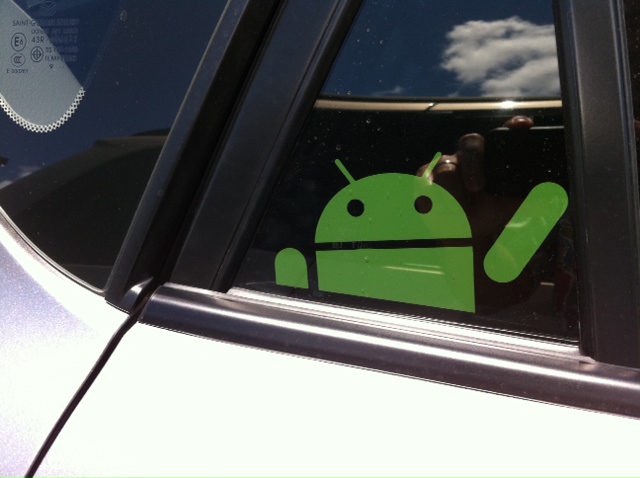

 0.0589sec
 1.48
1.48
 7 queries
 GZIP Disabled