QUOTE(Darkz01 @ Jan 3 2012, 11:20 PM)
wait...
u still didnt root ur phone??
just follow the instruction in 1st post link...(i learned from that website too)
takes less than 5 minutes to root the phone...
just a reminder...
it cannot transfer all ur games data files...
transferable only in gameloft and data folder...
if the games data folder not in either those two folders...
then it its just gonna sit in ur internal memory...
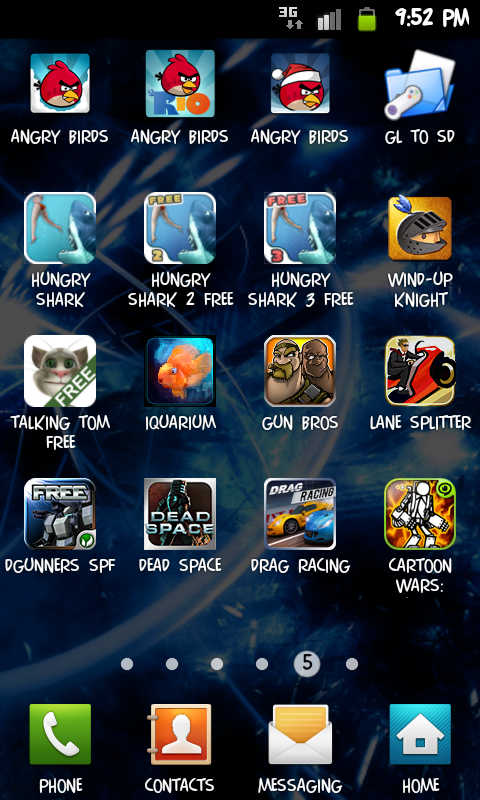
example like these games...
» Click to show Spoiler - click again to hide... «
i cant move the games as the data files is not in sdcard/gameloft/games/ or sdcard/android/data
This tool is using the mount bind technique I post earlier:
http://forum.lowyat.net/topic/2098558/+1740#entry46865404If you have rooted your phone, and would like to 'transfer' other folder to external sd card, you can simply follow the steps in the link to "mount bind" any folder.
I don't have other games, but for Gun Bros, to move games data to your external sd card, during download, simply select to download data files into your Internal Memory.
Then, move your downloaded files to your external sd card. You can find those files in /data/data/com.glu.gunbros_free/app_save (175mb). Say, you move this to /sdcard/external_sd/data/com.glu.gunbros_free/app_save
Then, u can remove the original folder (/data/data/com.glu.gunbros_free/app_save)
Finally, simply create a softlink to point to the new folder:
CODE
su
cd /data/data/com.glu.gunbros_free/
ln -s /sdcard/external_sd/data/com.glu.gunbros_free/app_save app_save
This post has been edited by cowithgun: Jan 4 2012, 12:06 AM 

 Dec 31 2011, 06:21 PM


 Quote
Quote



 0.0466sec
 0.80
0.80
 7 queries
 GZIP Disabled