


This post has been edited by LinTao: Nov 26 2011, 12:37 PM
FUJIFILM X10
|
|
 Nov 26 2011, 12:37 PM Nov 26 2011, 12:37 PM
|
 
Senior Member
717 posts Joined: Nov 2009  
|
how do we get shutter speed of 30seconds on this? can't seem to figure it out haha. on manual, aperture priority and shutter priority can only get it to 4seconds
This post has been edited by LinTao: Nov 26 2011, 12:37 PM |
|
|
|
|
|
Nov 26 2011, 02:31 PM
|
 
VIP
23,414 posts Joined: Jan 2003 From: Taipei
|
Anyone know how the af speed and shutter lag compares with the xz-1?
|
|
|
Nov 26 2011, 03:55 PM
|
 
Staff
30,730 posts Joined: Jan 2003
|
QUOTE(LinTao @ Nov 26 2011, 12:37 PM) how do we get shutter speed of 30seconds on this? can't seem to figure it out haha. on manual, aperture priority and shutter priority can only get it to 4seconds only 1 way - set DR 100%, ISO 100. couple spam shots SOOC.  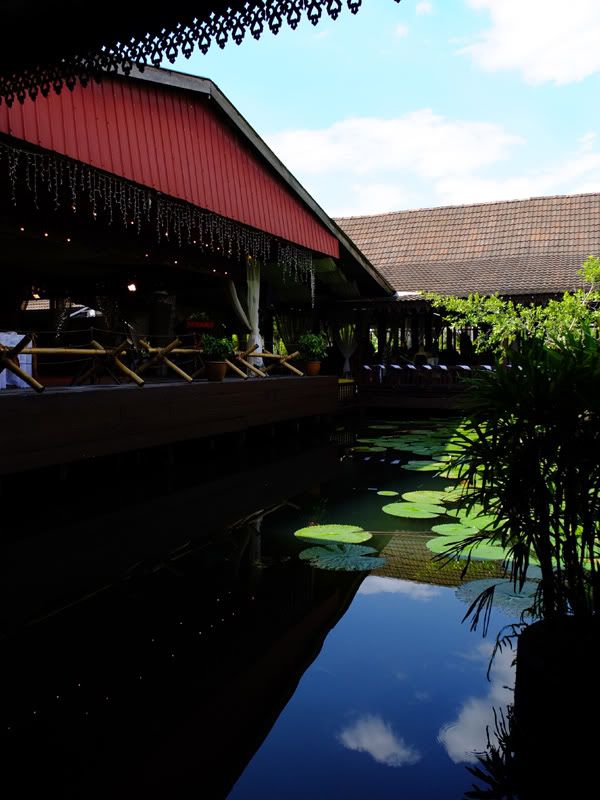 |
|
|
Nov 26 2011, 05:02 PM
|

Junior Member
215 posts Joined: Nov 2010
|
Tip I found out. If you press menu button from any mode it will go straight to
ISO so it can be used as a sort of direct button. The Fn button can be assigned other function. I set it to tracking focus. Try and see |
|
|
Nov 26 2011, 05:09 PM
|
|
Staff
30,730 posts Joined: Jan 2003
|
QUOTE(aquos @ Nov 26 2011, 05:02 PM) Tip I found out. If you press menu button from any mode it will go straight to no.ISO so it can be used as a sort of direct button. The Fn button can be assigned other function. I set it to tracking focus. Try and see thats only on a fresh start. once u start going thru the menus, it remembers the last position until u switch it off again. |
|
|
Nov 26 2011, 06:05 PM
|
|
Junior Member
215 posts Joined: Nov 2010
|
QUOTE(Everdying @ Nov 26 2011, 05:09 PM) no. select iso before back. I find this useful. anyway I am mostly on auto iso. Found this tipthats only on a fresh start. once u start going thru the menus, it remembers the last position until u switch it off again. on overseas forum. Can I check with you which IS mode you use 1 or 2 ? When I select IS2 the focus square still jump around when shutter is half press and green. IS1 mode focus square always steady. Most users set to IS2. Any harm if leave in mode 1? battery drain and faster wear and tear maybe? For me if the square jump around quite eye strain. Regards |
|
|
|
|
|
Nov 26 2011, 06:27 PM
|
|
Senior Member
717 posts Joined: Nov 2009
|
in super macro mode, it only works when its at its widest (28mm)? whenever i zoom a bit also show the red AF!
okay thanks, was planning to go try and shoot light trails by the road tonight  . then i almost got a heart attack when i could only set it at shutter speed 4s the slowest! . then i almost got a heart attack when i could only set it at shutter speed 4s the slowest!btw the raw files cannot be edited with Digital Photo Professional (the one that came with my 60D) ..? when i asked the fotokem staff they said it can!  Fujifilm X10 by Colin Tay, on Flickr  a few test shots in my garden after charging it overnight!  x10 test shot #1  x10 test shot #2  x10 test shot #3 by Colin Tay, on Flickr really love the super macro on this! and the b&w as well! This post has been edited by LinTao: Nov 26 2011, 07:00 PM |
|
|
Nov 26 2011, 07:02 PM
|
|
Staff
30,730 posts Joined: Jan 2003
|
QUOTE(aquos @ Nov 26 2011, 06:05 PM) select iso before back. I find this useful. anyway I am mostly on auto iso. Found this tip IS2.on overseas forum. Can I check with you which IS mode you use 1 or 2 ? When I select IS2 the focus square still jump around when shutter is half press and green. IS1 mode focus square always steady. Most users set to IS2. Any harm if leave in mode 1? battery drain and faster wear and tear maybe? For me if the square jump around quite eye strain. Regards dont really need IS1, for video perhaps, but not for pictures. |
|
|
Nov 26 2011, 09:00 PM
|
|
Junior Member
215 posts Joined: Nov 2010
|
The x10 manual state:
" be sure to reformat all memory cards after using them in a computer or other device" Is this necessary ? I normally keep the originals on the card itself after storing copies on the pc using the pc card reader. Later when I insert it back into the x10 it takes a while to start up again. Also sometime use the card to print from photo kiosk. Any harm, Can someone advice? Thanks |
|
|
Nov 27 2011, 01:30 AM
|
|
VIP
23,414 posts Joined: Jan 2003 From: Taipei
|
|
|
|
Nov 27 2011, 09:59 AM
|
|
Junior Member
215 posts Joined: Nov 2010
|
Tip not found in X10 manual - Press Fn button more than 1 second and Function
set menu will appear. You can select others if you wish. |
|
|
Nov 27 2011, 10:49 AM
|
|
Senior Member
717 posts Joined: Nov 2009
|
QUOTE(aquos @ Nov 27 2011, 09:59 AM) Tip not found in X10 manual - Press Fn button more than 1 second and Function Yeah I found that out by accident haha. But I prefer to keep it as the iso button. Kinda annoying to have to open up menu to change the iso. set menu will appear. You can select others if you wish. Btw do you often get stuff like the camera seems to be "lagging"? It's like the yellow/orange LED light will flash, then can't do anything. Can't open menu etc etc until it goes off. |
|
|
Nov 27 2011, 03:12 PM
|
|
Junior Member
215 posts Joined: Nov 2010
|
QUOTE(LinTao @ Nov 27 2011, 10:49 AM) Yeah I found that out by accident haha. But I prefer to keep it as the iso button. Kinda annoying to have to open up menu to change the iso. Your answer is on page 21 and page 111 to 119 of camera manual.Btw do you often get stuff like the camera seems to be "lagging"? It's like the yellow/orange LED light will flash, then can't do anything. Can't open menu etc etc until it goes off. You can download from here: http://www.fujifilm.com/support/digital_cameras/manuals/ Hope you solve it. |
|
|
|
|
|
Nov 27 2011, 04:36 PM
|
|
Senior Member
717 posts Joined: Nov 2009
|
QUOTE(aquos @ Nov 27 2011, 03:12 PM) Your answer is on page 21 and page 111 to 119 of camera manual. I think I discovered the problem, shooting raw when the card is only class 4 haha. Takes too long to buffer. You can download from here: http://www.fujifilm.com/support/digital_cameras/manuals/ Hope you solve it. Btw another problem, there are times when I half click the shutter button for it to focus first, but the screen hangs for like 0.5-1 second then only it shows that it's in focus. Hang meaning the screen showing like I took a photo (when I didn't). |
|
|
Nov 27 2011, 07:15 PM
|
|
Junior Member
215 posts Joined: Nov 2010
|
QUOTE(LinTao @ Nov 26 2011, 12:37 PM) how do we get shutter speed of 30seconds on this? can't seem to figure it out haha. on manual, aperture priority and shutter priority can only get it to 4seconds Somebody worked this out :Just stuck mine in Manual, ISO100 DR100 and I can go to 30sec ISO 100 = 30sec ISO 200 = 15sec ISO 400 = 10sec ISO 800 = 4sec ISO1600 = 2sec 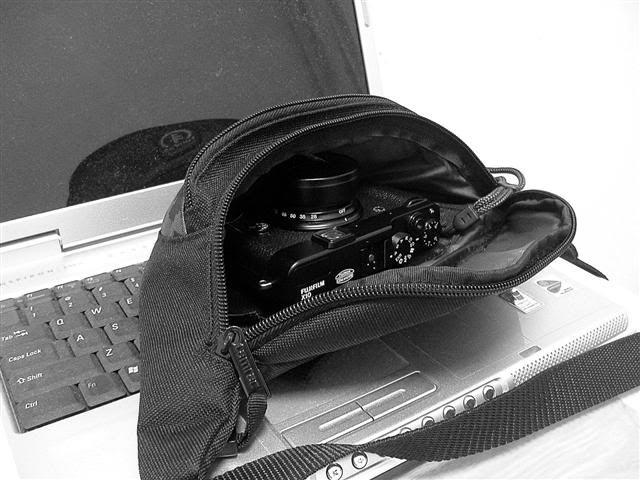 |
|
|
Nov 27 2011, 08:33 PM
|
|
Junior Member
291 posts Joined: Sep 2005
|
Got my X10 1week ago and so far, quite happy with it. I love the retro looks, the solid feel, and the very usable high ISO. Was using the Oly XZ1 before this. Do you guys face any issues whereby the camera actually focus(green box), but the image still blur? I kena this few times already. Anyway, here r some shots to share.
     More here... http://www.pbase.com/tsbok/fuji_x10 |
|
|
Nov 27 2011, 08:56 PM
|

Senior Member
1,238 posts Joined: Feb 2009 From: JB
|
|
|
|
Nov 27 2011, 09:54 PM
|
|
Staff
30,730 posts Joined: Jan 2003
|
one thing that bugs me is the command dial isnt sensitive enough.
sometimes when want to change aperture / shutter, the dial doesnt respond...zzz. |
|
|
Nov 27 2011, 10:02 PM
|

Senior Member
4,925 posts Joined: Jan 2003
|
QUOTE(sniper on the roof @ Nov 27 2011, 01:30 AM) Arghhhhh...why did i click that link  |
|
|
Nov 28 2011, 12:44 AM
|
|
Senior Member
717 posts Joined: Nov 2009
|
QUOTE(Blackbird @ Nov 27 2011, 08:33 PM) Got my X10 1week ago and so far, quite happy with it. I love the retro looks, the solid feel, and the very usable high ISO. Was using the Oly XZ1 before this. Do you guys face any issues whereby the camera actually focus(green box), but the image still blur? I kena this few times already. Anyway, here r some shots to share. QUOTE(Everdying @ Nov 27 2011, 09:54 PM) one thing that bugs me is the command dial isnt sensitive enough. @blackbird, yeah i got that quite a few times. happens mostly in low light conditions. i feel as nice as this camera is (it really is very good for a compact), there are quite a few annoying bugs in it that should be solved soon sometimes when want to change aperture / shutter, the dial doesnt respond...zzz. @everdying yeah have to agree with you on that. try using manual focus, a big pain in the butt lol. have to keep turning the command dial non stop. |
|
Topic ClosedOptions
|
| Change to: |  0.0291sec 0.0291sec
 0.54 0.54
 6 queries 6 queries
 GZIP Disabled GZIP Disabled
Time is now: 4th December 2025 - 07:59 PM |
 Quote
Quote