Outline ·
[ Standard ] ·
Linear+
FUJIFILM X10
|
TSaquos
|
 Nov 13 2011, 06:54 AM, updated 13y ago Nov 13 2011, 06:54 AM, updated 13y ago
|
Getting Started


|
Anyone bought the X10 recently? Please share your experience with us.
I am only reading the manual now. It is good that Fuji still provide paper
manual and not only CD. The manual is easy to understand and printed on soft type
paper including the covers and quite thin so forgetful people like me can easily carry
it around in the pocket.
My first impression of X10. Nice looks and solid built. can't help but admire
the workmanship and design plus nice size and weight.
It seem to have direct controls for all the important functions except video.
so hopefully will be easy to operate.
|
|
|
|
|
|
TSaquos
|
Nov 13 2011, 09:02 AM
|
Getting Started
|
QUOTE(piscesguy @ Nov 13 2011, 07:18 AM) Pictures speak louder than words, please show some sample pics taken.  X10 pictures are all over the internet and you guys are still requesting pictures? Go and get the real thing lah and shoot for yourself. Actually I am hoping some sifu will show up here so I can ask for tips and guidance LOL
Added on November 13, 2011, 9:13 amQUOTE(tanwenbing @ Nov 13 2011, 08:49 AM) ya man show us some picture !!!i'm still thinking of either buying X100 or X10  Wait for Feb 2012. X100 big brother coming some more headache for you.lol This post has been edited by aquos: Nov 13 2011, 09:13 AM |
|
|
|
|
|
TSaquos
|
Nov 13 2011, 03:49 PM
|
Getting Started
|
QUOTE(a.ihsan @ Nov 13 2011, 02:26 PM) if you're not bothered to share your own results then why open a new thread? might as well wait for your sifu's  Want to see picture at least let me learn how to use the bloody camera first.lol |
|
|
|
|
|
TSaquos
|
Nov 25 2011, 11:58 PM
|
Getting Started
|
QUOTE(naimaD @ Nov 13 2011, 06:20 PM) Just turn the zoom barrel to switch it on and shoot p/s: how much did you paid for the X10 and what's included with the price?  Shot with standard settings. Need to tweak to get better results. X10 actually has in camera Raw conversion software like slr. Quite rare for PnS . 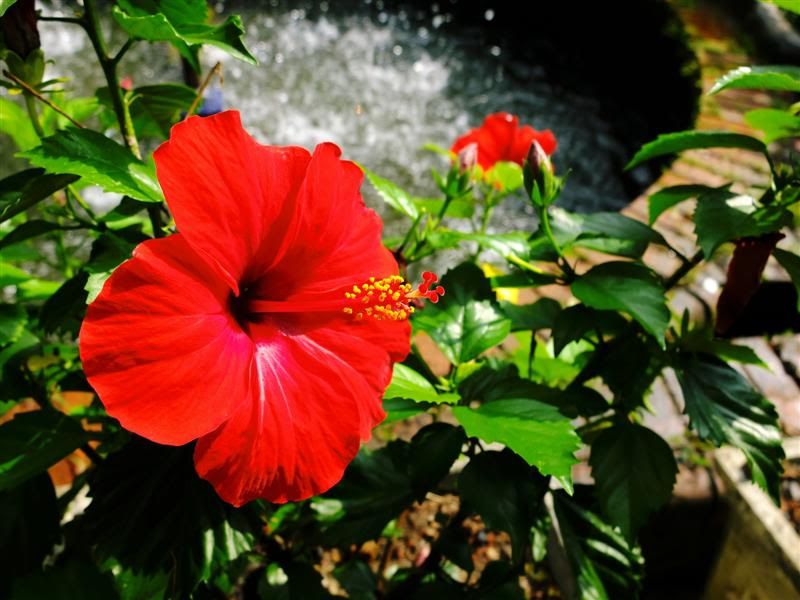  I paid a lot less than some people here ( > 2K with case,card and screen) Don't want to upset people who paid RRP. |
|
|
|
|
|
TSaquos
|
Nov 26 2011, 12:06 AM
|
Getting Started
|
QUOTE(LinTao @ Nov 26 2011, 12:01 AM) Did your camera come with a manual and some software to edit the raw files etc? I'm surprised mine didn't include one. I thought it was under the compartment where the camera and charger is put but when I got home it wasn't there. Was in a rush so didn't had the time to check. Yes I got a hardcopy manual and CD. The software and also PDF manual is on the CD. They are packed on top in the box. You probably left them at the shop. |
|
|
|
|
|
TSaquos
|
Nov 26 2011, 12:22 AM
|
Getting Started
|
QUOTE(LinTao @ Nov 26 2011, 12:14 AM) Oh at the top? I hope the shop will keep for me  . Must be the staff didn't put it back in, I also didn't realize lol. Did yours come with a case? The fotokem staff said Fuji didn't have stock, they'll call me to collect when it arrives. Hopefully they keep the manual for me so when I go to collect the case they'll pass it to me. Btw I wanna ask one thing, what's the yellow symbol of a camera with an exclamation mark beside it? And also a !AF symbol that keeps popping up. There are also some cases where when I half click the shutter button for the camera to focus, the screen sort of hangs for half a second instead of showing that it is focusing. Do you face this too? You should call the shop for the manual. Case could take weeks or months to come.
Added on November 26, 2011, 12:29 amQUOTE(Everdying @ Nov 26 2011, 12:15 AM) it would be nice if x10 can also edit jpg in-camera and not just raw only. myfinepix studio jpg software sucks. I use canon zoombrowzerEX but no full exif data. This post has been edited by aquos: Nov 26 2011, 12:29 AM |
|
|
|
|
|
TSaquos
|
Nov 26 2011, 05:02 PM
|
Getting Started
|
Tip I found out. If you press menu button from any mode it will go straight to
ISO so it can be used as a sort of direct button. The Fn button can be assigned other function.
I set it to tracking focus. Try and see
|
|
|
|
|
|
TSaquos
|
Nov 26 2011, 06:05 PM
|
Getting Started
|
QUOTE(Everdying @ Nov 26 2011, 05:09 PM) no. thats only on a fresh start. once u start going thru the menus, it remembers the last position until u switch it off again. select iso before back. I find this useful. anyway I am mostly on auto iso. Found this tip on overseas forum. Can I check with you which IS mode you use 1 or 2 ? When I select IS2 the focus square still jump around when shutter is half press and green. IS1 mode focus square always steady. Most users set to IS2. Any harm if leave in mode 1? battery drain and faster wear and tear maybe? For me if the square jump around quite eye strain. Regards |
|
|
|
|
|
TSaquos
|
Nov 26 2011, 09:00 PM
|
Getting Started
|
The x10 manual state:
" be sure to reformat all memory cards after using them in a computer or other device"
Is this necessary ? I normally keep the originals on the card itself after storing copies on the pc
using the pc card reader. Later when I insert it back into the x10 it takes a while to start up again.
Also sometime use the card to print from photo kiosk. Any harm, Can someone advice? Thanks
|
|
|
|
|
|
TSaquos
|
Nov 27 2011, 09:59 AM
|
Getting Started
|
Tip not found in X10 manual - Press Fn button more than 1 second and Function
set menu will appear. You can select others if you wish.
|
|
|
|
|
|
TSaquos
|
Nov 27 2011, 03:12 PM
|
Getting Started
|
QUOTE(LinTao @ Nov 27 2011, 10:49 AM) Yeah I found that out by accident haha. But I prefer to keep it as the iso button. Kinda annoying to have to open up menu to change the iso. Btw do you often get stuff like the camera seems to be "lagging"? It's like the yellow/orange LED light will flash, then can't do anything. Can't open menu etc etc until it goes off. Your answer is on page 21 and page 111 to 119 of camera manual. You can download from here: http://www.fujifilm.com/support/digital_cameras/manuals/Hope you solve it. |
|
|
|
|
|
TSaquos
|
Nov 27 2011, 07:15 PM
|
Getting Started
|
QUOTE(LinTao @ Nov 26 2011, 12:37 PM) how do we get shutter speed of 30seconds on this? can't seem to figure it out haha. on manual, aperture priority and shutter priority can only get it to 4seconds  Somebody worked this out : Just stuck mine in Manual, ISO100 DR100 and I can go to 30sec ISO 100 = 30sec ISO 200 = 15sec ISO 400 = 10sec ISO 800 = 4sec ISO1600 = 2sec 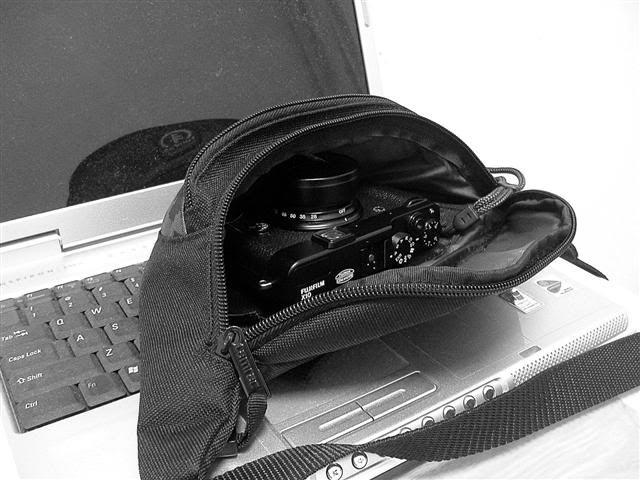 |
|
|
|
|
|
TSaquos
|
Nov 28 2011, 09:33 AM
|
Getting Started
|
QUOTE(Blackbird @ Nov 27 2011, 08:33 PM) Got my X10 1week ago and so far, quite happy with it. I love the retro looks, the solid feel, and the very usable high ISO. Was using the Oly XZ1 before this. Do you guys face any issues whereby the camera actually focus(green box), but the image still blur? I kena this few times already. Anyway, here r some shots to share. [img ]http://img21.imageshack.us/img21/8175/dscf0803a.jpg[/img] [img ]http://img208.imageshack.us/img208/1550/dscf0658a.jpg[/img]  [img ]http://img841.imageshack.us/img841/8342/dscf0813a.jpg[/img] [img ]http://img525.imageshack.us/img525/1637/dscf0782a.jpg[/img] More here... http://www.pbase.com/tsbok/fuji_x10Hi Blackbird, Nice shots by the way. Just want to ask is the cake photo shot using Adv.mode profocus? |
|
|
|
|
|
TSaquos
|
Nov 29 2011, 05:07 AM
|
Getting Started
|
nice colours is Fuji strength
Added on November 29, 2011, 1:41 pmSome X10 users are complaining of seeing white disc when photographing bright lights. I tried and can see the disc on the rear screen when framing a light bulb but actual photo turns out normal. Anyone experience white disc like in photo below? 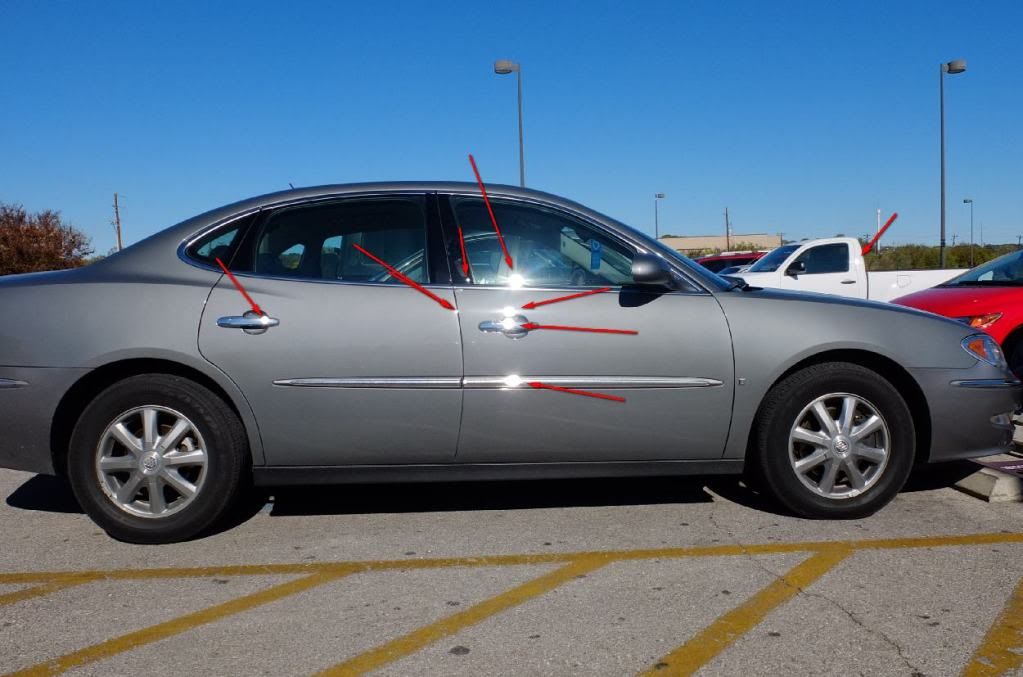 This post has been edited by aquos: Nov 29 2011, 01:41 PM This post has been edited by aquos: Nov 29 2011, 01:41 PM |
|
|
|
|
|
TSaquos
|
Nov 29 2011, 05:28 PM
|
Getting Started
|
QUOTE(LinTao @ Nov 29 2011, 04:59 PM) Isnt that just reflection from the sun? Look closer. The center are all round spots not star shape like normal reflections. |
|
|
|
|
|
TSaquos
|
Nov 30 2011, 05:15 AM
|
Getting Started
|
QUOTE(yuman @ Nov 29 2011, 07:16 PM) aquos, your angry birds are so cute! yuma, It is not by me but Blackbird. Check out page 2 for more of his photos. He is real good.
Added on November 30, 2011, 5:19 amQUOTE(Blackbird @ Nov 29 2011, 07:27 PM) aquos. nope. Its taken in the EXR mode. 1/60s f/2.8 at 28.4mm iso400. This is the angry bird cake btw. Blackbird, The background is real nice. I asked because the blur edge of the brown fence behind the birds are a bit odd looking. Like your work lol This post has been edited by aquos: Nov 30 2011, 05:19 AM |
|
|
|
|
|
TSaquos
|
Nov 30 2011, 06:11 PM
|
Getting Started
|
Can someone explain how to use Intelligent digital zoom? Manual does not go into details. Thanks
Added on December 1, 2011, 6:18 pmQUOTE(aquos @ Nov 30 2011, 06:11 PM) Can someone explain how to use Intelligent digital zoom? Manual does not go into details. Thanks Called Fujifilm Malaysia today and a Japanese answered the phone. Very expert and explained clearly. I was used to Canon and did not realise that when the blue magnifying glass appear at the end of the zoom bar the rear screen is showing 56mm - 224mm image. According to him there is a free workshop in Putrajaya this Saturday. Will focus on EXR. Interested can register with Fuji PJ  This post has been edited by aquos: Dec 1 2011, 06:18 PM This post has been edited by aquos: Dec 1 2011, 06:18 PM |
|
|
|
|
|
TSaquos
|
Dec 2 2011, 08:08 PM
|
Getting Started
|
QUOTE(DarthMaus @ Dec 2 2011, 05:09 PM) Mineminemine....  Just got it an hour ago   Btw, do u guys feel that the zoom ring is a little tight? Will it "loosen" in time? If you mean near the ON/OFF section then yes. It will feel much smoother after sometime. The compensation knob on mine is very tight. |
|
|
|
|
|
TSaquos
|
Dec 2 2011, 09:41 PM
|
Getting Started
|
Bought this Manfrotto Nano vi pouch today. Exact fit for x10 and can attach to belt. 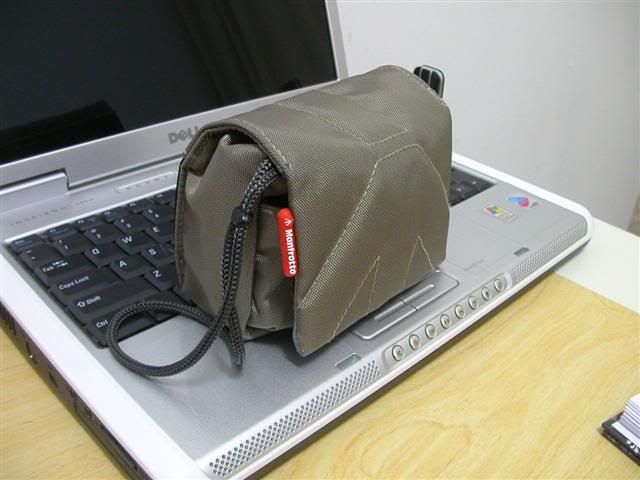 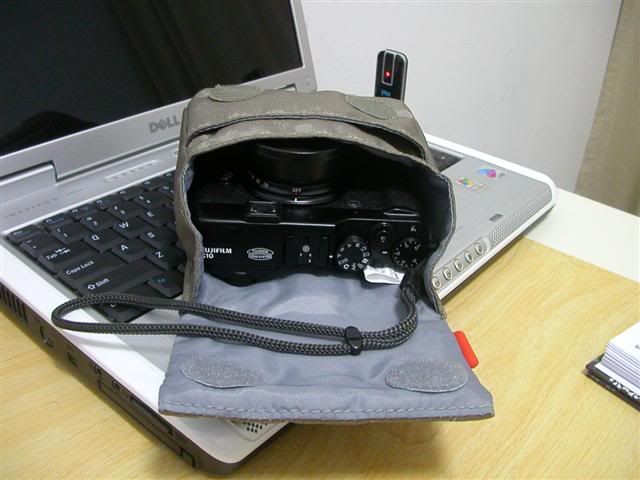
Added on December 2, 2011, 9:48 pmBlackbird, How come I cannot get the IQ you are getting?lol Are you shooting in RAW? Yeah today I experienced the focus problem. Turns green but image blur on the screen. I suppose have to wait for firmware upgrade then. Digital zoom for "better than nothing" situations ha ha. This post has been edited by aquos: Dec 2 2011, 09:55 PM |
|
|
|
|



 Quote
Quote


 0.0420sec
 0.45
0.45
 7 queries
 GZIP Disabled