Welcome Guest ( Log In | Register )

Bump Topic Topic Closed RSS Feed
147 Pages « < 53 54 55 56 57 > » Bottom

Outline · [ Standard ] · Linear+

 <<@>> (M)otorola *RAZR* <<@>>, Too powerful to fall in the wrong hands

views
     
princel
post Dec 3 2011, 11:17 AM

New Member
*
Junior Member
20 posts

Joined: Aug 2009
Hi guys, i've been following this forum since i got my Razr by 13th Nov 2011 at Penang Prangin Mall. Here is what i experienced with this phone for past a month using it.

1. Sometime it just freeze for 1-2 sec during some games - Ninjump, Lane Spliter, etc.

2. Overheating always happen when game like Defenders is being played for about hour plus. The overheating is causing the screen to stopped functioning and i had to reboots (force restart) the phone to use it again.

3. Found that there are always some programs (process?) running even i force shutdown it. It's consuming my RAM and make the phone slower than it should be. (currently using Android Assistant to kill the program and Fast Reboot to restart the phone for better RAM and performance)

4. The battery can barely sufficient for my daily usage without data plan. I'm not sure should i get a data plan for it. (battery wise)


I'm doubt do you guys face with same problem? BTW, I luv this phone so much!!!!! the problem i faced doesn't stopped me from using it!!! Thanks to my colleague to recommend me this phone on 11/11/11. Haha

ledoci
post Dec 3 2011, 05:38 PM

Getting Started
**
Junior Member
143 posts

Joined: Jun 2011
From: KEPONG
anyone looking for screen protector?

I have 1 from SKINOMI
Selling at RM60

Sold my phone and it just arrived after that.

http://www.skinomi.com/sk9581-motorola-dro...-protector.html

TSlingch
post Dec 4 2011, 03:40 PM

Master of the house
******
Senior Member
1,755 posts

Joined: Nov 2008
From: Land of the Free


Kholk just asked me to join his EternityProject team and I've become developer in DroidRzr.com forum tongue.gif icon_rolleyes.gif

I'm currently deodexing the system files for international version manually. Hope will get it done soon enough and custom roms will start flooding in. Stay tuned! thumbup.gif
~tera~
post Dec 4 2011, 05:43 PM

On my way
****
Junior Member
500 posts

Joined: Dec 2008
wow ... a malaysian developer!! pls update any advancement of the ROM project ...
i heard that droid bionic already got early alpha build for ICS .. can you port it to RAZR ???
http://rootzwiki.com/topic/10579-romalpha4...iew-12-02-2011/

-------------
i having a problem that i cant install any apk .. from external and internal sd ... cant press the install button ... some one can help me ??
AlphaBeta
post Dec 4 2011, 06:55 PM

I have stars, got problem?
*******
Senior Member
2,955 posts

Joined: Dec 2007
From: Perth Oz


how is this phone? smooth? no lag?
eveready
post Dec 4 2011, 07:03 PM

Getting Started
**
Junior Member
242 posts

Joined: Nov 2010


QUOTE(~tera~ @ Dec 4 2011, 05:43 PM)
wow ... a malaysian developer!! pls update any advancement of the ROM project ...
i heard that droid bionic already got early alpha build for ICS .. can you port it to RAZR ???
http://rootzwiki.com/topic/10579-romalpha4...iew-12-02-2011/

-------------
i having a problem that i cant install any apk .. from external and internal sd ... cant press the install button  ... some one can help me ??
*
Setting >> Application >> Unknown Sources?
villa07
post Dec 4 2011, 07:06 PM

Getting Started
**
Junior Member
225 posts

Joined: Nov 2007
From: Kuala Kangsar | Penang


new user reporting here!
xDjWanNabex
post Dec 4 2011, 09:16 PM

Enthusiast
*****
Senior Member
932 posts

Joined: Sep 2008
QUOTE(~tera~ @ Dec 4 2011, 05:43 PM)
wow ... a malaysian developer!! pls update any advancement of the ROM project ...
i heard that droid bionic already got early alpha build for ICS .. can you port it to RAZR ???
http://rootzwiki.com/topic/10579-romalpha4...iew-12-02-2011/

-------------
i having a problem that i cant install any apk .. from external and internal sd ... cant press the install button  ... some one can help me ??
*
From market can install? If from market can and other apk's u cant, do as what eveready said, Setting >> Application >> tick Unknown Sources
choonwai11
post Dec 4 2011, 09:42 PM

Casual
***
Junior Member
329 posts

Joined: Jun 2008
QUOTE(~tera~ @ Dec 4 2011, 05:43 PM)
wow ... a malaysian developer!! pls update any advancement of the ROM project ...
i heard that droid bionic already got early alpha build for ICS .. can you port it to RAZR ???
http://rootzwiki.com/topic/10579-romalpha4...iew-12-02-2011/

-------------
i having a problem that i cant install any apk .. from external and internal sd ... cant press the install button  ... some one can help me ??
*
ah ha....are u using the screen color adjuster? if u are using, u need to off the adjuster,then only can install external APKs....


Added on December 4, 2011, 11:15 pm
QUOTE(lingch @ Dec 4 2011, 03:40 PM)
Kholk just asked me to join his EternityProject team and I've become developer in DroidRzr.com forum  tongue.gif  icon_rolleyes.gif

I'm currently deodexing the system files for international version manually. Hope will get it done soon enough and custom roms will start flooding in. Stay tuned! thumbup.gif
*
Great! we are counting on u!

This post has been edited by choonwai11: Dec 4 2011, 11:15 PM
~tera~
post Dec 5 2011, 12:56 AM

On my way
****
Junior Member
500 posts

Joined: Dec 2008
QUOTE(eveready @ Dec 4 2011, 07:03 PM)
Setting >> Application >> Unknown Sources?
*
QUOTE(xDjWanNabex @ Dec 4 2011, 09:16 PM)
From market can install? If from market can and other apk's u cant, do as what eveready said, Setting >> Application >> tick Unknown Sources
*
QUOTE(choonwai11 @ Dec 4 2011, 09:42 PM)
ah ha....are u using the screen color adjuster? if u are using, u need to off the adjuster,then only can install external APKs....


Added on December 4, 2011, 11:15 pm

Great! we are counting on u!
*
PATUT LA ... i set it automatically on after boot ... dem ... i already factory reset + titanium backup restore .. waste time .. demmit .. by the way thx for sharing ... but .. why this thing happening ?? any screen changes .. block apk install ?? lold
choonwai11
post Dec 5 2011, 08:40 AM

Casual
***
Junior Member
329 posts

Joined: Jun 2008
QUOTE(~tera~ @ Dec 5 2011, 12:56 AM)
PATUT LA ... i set it automatically on after boot ... dem ... i already factory reset + titanium backup restore .. waste time .. demmit .. by the way thx for sharing ... but .. why this thing happening ?? any screen changes .. block apk install ?? lold
*
hei hei hei.....bro, u must be too happy with the screen adjust app and nv finish reading the post, the guy who post the app have stated it mah...

On the side note, installing third party apk file requires you to turn off the adjuster.
I don't know why but this happens. Not that big an issue for me though.
Turn it back on after installation complete

TSlingch
post Dec 5 2011, 12:04 PM

Master of the house
******
Senior Member
1,755 posts

Joined: Nov 2008
From: Land of the Free


I present to you first rom for Razr biggrin.gif

http://forum.xda-developers.com/showthread.php?t=1376053
azume
post Dec 5 2011, 12:36 PM

New Member
*
Junior Member
29 posts

Joined: Aug 2006


QUOTE(choonwai11 @ Nov 30 2011, 08:17 PM)
i assume u have all the necessary app and data/maps.

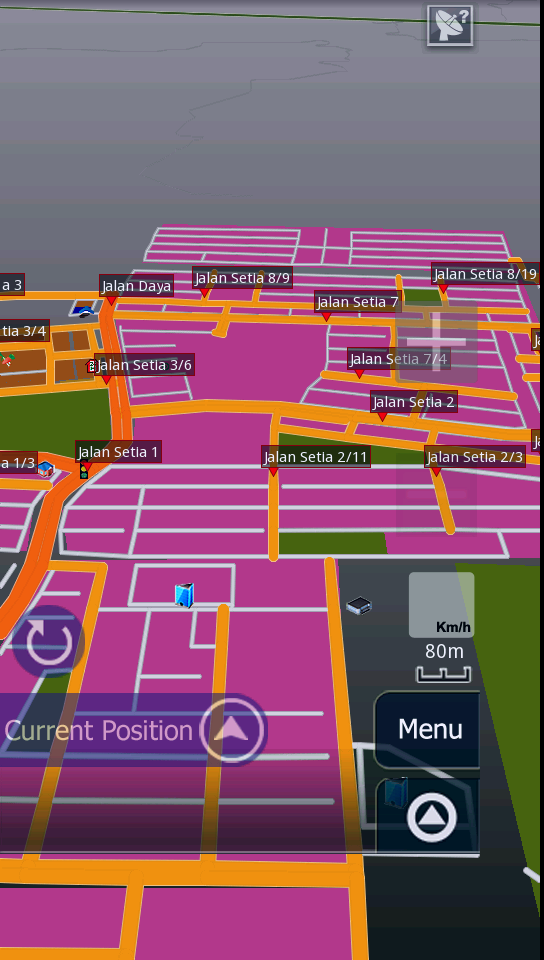
for map : it should be ok if you put it at the correct folder, Papago X5, navisea folder in "internal storage", not Ur external SD card.

for resolution:
-1st download spare parts from market, untick Compatibility mode and reboot(must reboot).
                   
-change the 480x854 folder to 540X960 in "organic" folder AND the "EN" folder. this enable the map in full screen but the menu interface is still in 480x854, this one i still not find any solution online yet.
user posted image

*if you not using spare parts app, then you need to rename folder to 480X720, but will have problem the half of the  bottom button in papago cannot see.
*
Voice command PAPAGO not available??
icon volume also appeared on right top display....
How to solve it??

My papago display still cut short (even using both ways above), argh maybe i mix up both ways....


D-Frog
post Dec 5 2011, 12:42 PM

Look at all my stars!!
*******
Senior Member
2,983 posts

Joined: Nov 2011
Thinking to buy this phone...any flaws guys?
villa07
post Dec 5 2011, 12:49 PM

Getting Started
**
Junior Member
225 posts

Joined: Nov 2007
From: Kuala Kangsar | Penang


QUOTE(azume @ Dec 5 2011, 12:36 PM)
Voice command PAPAGO not available??
icon volume also appeared on right top display....
How to solve it??

My papago display still cut short (even using both ways above), argh maybe i mix up both ways....
*
the shop that i bought this phone installed Aura..they said that papago not compatible with RAZR..dunno if they're right blink.gif
choonwai11
post Dec 5 2011, 01:09 PM

Casual
***
Junior Member
329 posts

Joined: Jun 2008
QUOTE(azume @ Dec 5 2011, 12:36 PM)
Voice command PAPAGO not available??
icon volume also appeared on right top display....
How to solve it??

My papago display still cut short (even using both ways above), argh maybe i mix up both ways....
*
that icon is not voice command, is the GPS locking signal, if the icon show up, means GPS location/signal not lock yet.
try again in outdoor,where ur phone GPS can easily lock your location.

if you not using spare part, u will nv get full screen. for 480X720 sure will have smaller display and half button issue. if you put in 540x960 using spare part, dun put 480x720 folder anymore.


Added on December 5, 2011, 1:13 pm
QUOTE(villa07 @ Dec 5 2011, 12:49 PM)
the shop that i bought this phone installed Aura..they said that papago not compatible with RAZR..dunno if they're right blink.gif
*
i cant get aura to work on my razr, dun know what step is wrong.
papago is not 100%compatible, u can see the menu is smaller then full screen in my post.


This post has been edited by choonwai11: Dec 5 2011, 01:13 PM
llthim
post Dec 5 2011, 03:35 PM

Getting Started
**
Junior Member
295 posts

Joined: Feb 2009
hallo every...^^
i just purchased my new Razr
i have somethings wanna ask...it's about the hd dock...any1 know that the HD dock is available in Mal?
azume
post Dec 5 2011, 04:07 PM

New Member
*
Junior Member
29 posts

Joined: Aug 2006


[quote=choonwai11,Dec 5 2011, 01:09 PM]
that icon is not voice command, is the GPS locking signal, if the icon show up, means GPS location/signal not lock yet.
try again in outdoor,where ur phone GPS can easily lock your location.

if you not using spare part, u will nv get full screen. for 480X720 sure will have smaller display and half button issue. if you put in 540x960 using spare part, dun put 480x720 folder anymore.


Added on December 5, 2011, 1:13 pm

Ok, i'll delete folder first 480X720...
After deleted folder 480X720, and performing spare parts (check and uncheck with reboot for both action), Papago! warning displayed "Unsupported resolution:480X720"
Plez help!!!! cry.gif cry.gif cry.gif


Sorry wrong description for voice command...
Papago voice direction actually, when navigate no voice heard from application and disable icon volume appeared...

This post has been edited by azume: Dec 5 2011, 04:28 PM
leng2
post Dec 5 2011, 04:43 PM

モデレーター
****
Senior Member
603 posts

Joined: Jun 2006
QUOTE(lingch @ Dec 4 2011, 03:40 PM)
Kholk just asked me to join his EternityProject team and I've become developer in DroidRzr.com forum  tongue.gif  icon_rolleyes.gif

I'm currently deodexing the system files for international version manually. Hope will get it done soon enough and custom roms will start flooding in. Stay tuned! thumbup.gif
*
that's awesome! think i'm gonna do something on sgs2 too...
choonwai11
post Dec 5 2011, 07:10 PM

Casual
***
Junior Member
329 posts

Joined: Jun 2008
QUOTE(azume @ Dec 5 2011, 04:07 PM)


Ok, i'll delete folder first 480X720...
After deleted folder 480X720, and performing spare parts (check and uncheck with reboot for both action), Papago! warning displayed "Unsupported resolution:480X720"
Plez help!!!! cry.gif  cry.gif  cry.gif
Sorry wrong description for voice command...
Papago voice direction actually, when navigate no voice heard from application and disable icon volume appeared...
*
try these steps, i found in the other forum:

reinstall spare parts and try
Open Spare Parts (download the blue color one and not the brown one);
- Launch “Spare Parts” and scroll down to “Compability Mode”. Un-tick the box and tick it back.
- Reboot the phone.
- Launch “Spare Parts” again, scroll down to “Compatibility Mode” and un-tick the box.
- Reboot the phone again.
- DONE


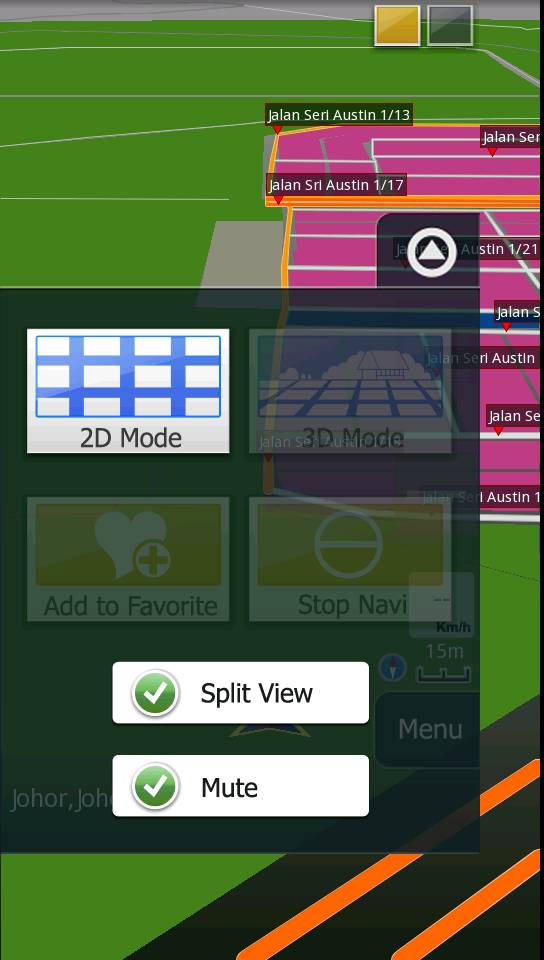
for the voice navigation, did you accidently "mute" the system?
user posted image

This post has been edited by choonwai11: Dec 5 2011, 07:30 PM

147 Pages « < 53 54 55 56 57 > » Top
Topic ClosedOptions
 

Change to:
| Lo-Fi Version
0.0215sec    0.43    6 queries    GZIP Disabled
Time is now: 1st December 2025 - 02:40 PM