Outline ·
[ Standard ] ·
Linear+
Tp Link TL-MR3420 3G/3.75G router owner club V1
|
digilife
|
 May 12 2012, 07:16 AM May 12 2012, 07:16 AM
|

|
QUOTE(chuahcs79 @ May 12 2012, 03:25 AM) Latest TL-MR3420 firmware is doing a lot better job, dialing E353 modem faster than old firmware  and wireless is much stable even though on auto channel  meaning, no Open WRT as for now?  btw, signal is low even on a Icon505M, but MF600 do the job well Icon505M tends to fall back to GPRS, green light but MF600 keep constant on HSDPA(mvpn-ing)........ 
|
|
|
|
|
|
digilife
|
May 12 2012, 09:20 AM
|
|
|
QUOTE(fruitie @ May 12 2012, 09:17 AM) Looks like I'm not alone, I cannot access since the first day I bought this router.  Others can.  I hide my proxy, then can access already. all these while u are using proxy? which proxy are u using? fast or not? thanks |
|
|
|
|
|
digilife
|
May 12 2012, 09:27 AM
|
|
|
both file is the same, Sg and Mal
but the Australia's one is the latest Nov 21 2011, the one in the maxis3G thread
|
|
|
|
|
|
digilife
|
May 12 2012, 09:33 AM
|
|
|
QUOTE(fruitie @ May 12 2012, 09:30 AM) I have been using the latest firmware since the first day I bought it. Works well until today. try flash it and and see if you can make it haywire and reflash it, maybe it works wonder, or try flash the MR3220 March 2012, the most latest on your mr3420 , dare or not?  |
|
|
|
|
|
digilife
|
May 12 2012, 09:43 AM
|
|
|
QUOTE(fruitie @ May 12 2012, 09:39 AM) Lazy. I don't see the purpose of doing it. pls tell me your FW version, i wan try it to mine thanks |
|
|
|
|
|
digilife
|
May 12 2012, 02:17 PM
|
|
|
QUOTE(iRonTech @ May 12 2012, 10:30 AM) mr3220v1_en_3_12_20_up(120309) latest firmware, 3g speed very bad if any usb cable between MR3220 & 3g modem  previous firmware no such thing. What modem is that? use a USB3.0 cable |
|
|
|
|
|
digilife
|
May 12 2012, 05:24 PM
|
|
|
QUOTE(iRonTech @ May 12 2012, 04:01 PM) e1762. no usb 3.0 cable  for E1762, use a cable that is not longer than 1meter (USB2.0) if its USB3.0 can use a 3 meter cable. but better dun use any usb cable but position the router N E W S and see which gives u a better signal , |
|
|
|
|
|
digilife
|
May 12 2012, 05:40 PM
|
|
|
QUOTE(chuahcs79 @ May 12 2012, 05:30 PM) yea totally correct, position of your 3G router really make a different  mine if facing E = 1.5Mbps and facing W = 6.8Mbps |
|
|
|
|
|
digilife
|
May 12 2012, 09:21 PM
|
|
|
QUOTE(fruitie @ May 12 2012, 09:12 PM) Firmware Version: 3.12.19 Build 110617 Rel.39329n okay, thanks tonite i will burn midnite oil to flash it again............. |
|
|
|
|
|
digilife
|
May 13 2012, 02:03 PM
|
|
|
QUOTE(Elvin7 @ May 13 2012, 10:58 AM) Can P1 or Yes USB modem support by this router? I have tried YES dongle but it just wont work, keep on connection, sincerely Wimax and 3G are 2 different frequency.. |
|
|
|
|
|
digilife
|
May 14 2012, 02:01 AM
|
|
|
QUOTE(chuahcs79 @ May 13 2012, 10:26 PM) oh, and icon 505 also can get 96%,.. [attachmentid=2838723] can teach how u tweak tweak? thanks |
|
|
|
|
|
digilife
|
May 14 2012, 02:11 AM
|
|
|
this time the Yagi is working for the E353?, becareful, dun let the antenna socket get ripped off........  if without the Yagi, how is the signal via MDMA? i mean how much the Yagi helped in the MDMA readings (RSSI) ? |
|
|
|
|
|
digilife
|
May 14 2012, 02:23 AM
|
|
|
QUOTE(chuahcs79 @ May 14 2012, 02:17 AM) yes it work due to my Yagi is support UMTS2100 only, so is great match with E353 before Yagi RSSI with E353 = : - 77~85dBm after Yagi RSSI with E353 = : - 55~65dBm my yagi is hanging uotside window over the roof with 8 shape hanger, ( will upload photo tomorrow morning, sicne is dark now outside can't see well ) do u have to point the Yagi towards the tower or just simply point? |
|
|
|
|
|
digilife
|
May 18 2012, 12:47 AM
|
|
|
QUOTE(ro9212 @ May 17 2012, 01:11 PM) Oh great! Actually haven't got the umg1831 yet, just wanted to know if its working. If yes i will get both item  i have a UMG1831 and E367 E367 beat UMG hands down, why u want to buy a second best modem  E367 is only abt rm165 now compared to UMG rm150 |
|
|
|
|
|
digilife
|
May 18 2012, 01:28 AM
|
|
|
QUOTE(ro9212 @ May 18 2012, 01:11 AM) How about E353? Just curious about these modems if UMG scored 8, E367 scored 9.5 and E353 scored 9.3 and E372 scored 9.9 out of a possible 10 btw, i have a E372,E367,UMG1831,MF691 and Icon505M (2#units) and i am qualified to grade them here abt Icon505M, this is a signal sucker but utilise too much power, hence the heat generated and MF691, have good ping , best is 35ms but sometimes hang for no reasons |
|
|
|
|
|
digilife
|
May 19 2012, 07:58 AM
|
|
|
MR3420 latest FW 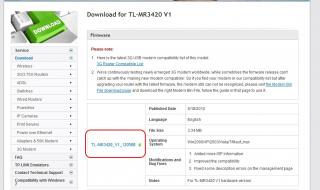
advatage, connection is faster, speed is smoother 
with E367  with E372  This post has been edited by digilife: May 19 2012, 08:21 AM This post has been edited by digilife: May 19 2012, 08:21 AM |
|
|
|
|
|
digilife
|
May 20 2012, 04:06 AM
|
|
|
tonite speed sucks on my mr3420(new fw)+e372 maybe too many footie fans are streaming on CL match now  |
|
|
|
|
|
digilife
|
May 20 2012, 04:33 AM
|
|
|
QUOTE(fruitie @ May 20 2012, 04:26 AM) you are one of them haha, 30mins of extra time on the way |
|
|
|
|
|
digilife
|
May 20 2012, 12:48 PM
|
|
|
QUOTE(logit85 @ May 20 2012, 12:29 PM) today i already bought TP-Link TL-MR3420 RM90 i saw the box showing Firmware version 1.0 its good ??? so i can do myseft firmware upgrade lates any problem for my router the box firmware version 1.0 can upgrade lates any problem hope u dun brick your router, good luck |
|
|
|
|
|
digilife
|
May 22 2012, 02:00 PM
|
|
|
QUOTE(fruitie @ May 22 2012, 01:15 PM) After all, it doesn't cost a lot lo.. So shouldn't have worried that much, in life there are more things to be worried about.for example ; |
|
|
|
|



 Quote
Quote

 0.0619sec
 0.35
0.35
 7 queries
 GZIP Disabled