Welcome Guest ( Log In | Register )

Bump Topic Topic Closed RSS Feed
131 Pages « < 2 3 4 5 6 > » Bottom

Outline · [ Standard ] · Linear+

 Tp Link TL-MR3420 3G/3.75G router owner club V1

views
     
TSchuahcs79
post Nov 6 2011, 02:15 AM

Look at all my stars!!
Group Icon
Elite
6,931 posts

Joined: Apr 2011
From: Bolehland for sure ^_^


QUOTE(miskol @ Nov 6 2011, 02:13 AM)
cant make this happen, whats the proper steps. i think some steps is missing... please help thank you.
*
i quote from this link

http://lgallardo.com/en/2010/02/02/comando...odem-zte-mf626/

the command to turn off auto run is working me ,..

hope it helps hmm.gif
radi0head
post Nov 6 2011, 06:43 PM

A Shocker
*******
Senior Member
2,759 posts

Joined: Jan 2009
bot de router... easy to setup... good! thumbup.gif

but sucky part is... de signal of my umobile is not that strong ler... 45% gets me 2.6mbps... acceptable but i got2 put de modem at my living room... put it deeper in, gets 19% signal nia and gets me ard 1mbps and sometimes under 1mbps... hmm...

1na get a looooonnngggg usb cable and hang the usb modem outside i wonder will it work?

wink.gif

radi0head
post Nov 6 2011, 06:44 PM

A Shocker
*******
Senior Member
2,759 posts

Joined: Jan 2009
btw.... using umobile's zte mf190 modem...

no regret buying the router... stable... but guys, wat's de QSS button for ar? i still don understand wat i meant tho... hehe... blush.gif

wink.gif

fruitie
post Nov 6 2011, 06:46 PM

Rise and Shine
Group Icon
Staff
72,809 posts

Joined: Sep 2005
From: KUL

QUOTE(radi0head @ Nov 6 2011, 06:44 PM)
btw.... using umobile's zte mf190 modem...

no regret buying the router... stable... but guys, wat's de QSS button for ar? i still don understand wat i meant tho... hehe...  blush.gif

wink.gif
*
Google and results me this: http://www.tp-link.com/mx/support/showfaq.asp?id=171
TSchuahcs79
post Nov 6 2011, 07:07 PM

Look at all my stars!!
Group Icon
Elite
6,931 posts

Joined: Apr 2011
From: Bolehland for sure ^_^


QUOTE(radi0head @ Nov 6 2011, 06:43 PM)
bot de router... easy to setup... good!  thumbup.gif 

but sucky part is... de signal of my umobile is not that strong ler... 45% gets me 2.6mbps... acceptable but i got2 put de modem at my living room... put it deeper in, gets 19% signal nia and gets me ard 1mbps and sometimes under 1mbps... hmm...

1na get a looooonnngggg usb cable and hang the usb modem outside i wonder will it work?

wink.gif
*
yea of course it will work,. using usb extension to places your modem,. your modem need to see the sky or somewhere near window,.. then your signal will be better and higher,..


Added on November 6, 2011, 7:09 pm
QUOTE(fruitie @ Nov 6 2011, 06:46 PM)
wow good stuff,.. nice one,.. will pin this to first post,. thanks fruitie,

This post has been edited by chuahcs79: Nov 6 2011, 07:09 PM
fruitie
post Nov 6 2011, 07:25 PM

Rise and Shine
Group Icon
Staff
72,809 posts

Joined: Sep 2005
From: KUL

Erm, plan to buy this router to use with my E1762. After started using E1762 with my Aztech HW550-3G, I noticed that it is difficult to get it connected. The blue LED on E1762 keeps blinking non-stop and I can't seem to get it connected.

However, when I was using ZTE MF622 such issue did not happen. It got connected easily... hmm.gif

For those using this router with E1762, is it difficult to get it connected? Or it takes long time to be connected?
TSchuahcs79
post Nov 6 2011, 07:30 PM

Look at all my stars!!
Group Icon
Elite
6,931 posts

Joined: Apr 2011
From: Bolehland for sure ^_^


QUOTE(fruitie @ Nov 6 2011, 07:25 PM)
Erm, plan to buy this router to use with my E1762. After started using E1762 with my Aztech HW550-3G, I noticed that it is difficult to get it connected. The blue LED on E1762 keeps blinking non-stop and I can't seem to get it connected.

However, when I was using ZTE MF622 such issue did not happen. It got connected easily... hmm.gif

For those using this router with E1762, is it difficult to get it connected? Or it takes long time to be connected?
*
nope, it connected very easily and fast too, same to SE phone,..


fruitie
post Nov 6 2011, 07:37 PM

Rise and Shine
Group Icon
Staff
72,809 posts

Joined: Sep 2005
From: KUL

QUOTE(chuahcs79 @ Nov 6 2011, 07:30 PM)
nope, it connected very easily and fast too, same to SE phone,..
*
Thanks for the update, until one day which I can't tolerate the slowness anymore, I'll get this router.
I foresee this day will come very soon. tongue.gif
TSchuahcs79
post Nov 6 2011, 08:18 PM

Look at all my stars!!
Group Icon
Elite
6,931 posts

Joined: Apr 2011
From: Bolehland for sure ^_^


QUOTE(fruitie @ Nov 6 2011, 07:37 PM)
Thanks for the update, until one day which I can't tolerate the slowness anymore, I'll get this router.
I foresee this day will come very soon. tongue.gif
*
yea one problems is with aztech 3G router, they dont dial fast enough,. and sometimes certain modem cannot connect even,..

yea, join us in TP LINK TL-MR3420 club then,. laugh.gif laugh.gif
fruitie
post Nov 6 2011, 08:21 PM

Rise and Shine
Group Icon
Staff
72,809 posts

Joined: Sep 2005
From: KUL

QUOTE(chuahcs79 @ Nov 6 2011, 08:18 PM)
yea one problems is with aztech 3G router, they dont dial fast enough,. and sometimes certain modem cannot connect even,..

yea, join us in TP LINK TL-MR3420 club then,.  laugh.gif  laugh.gif
*
I couldn't deny this point but surprisingly this wasn't an issue when I used it with ZTE MF622.
TSchuahcs79
post Nov 6 2011, 08:22 PM

Look at all my stars!!
Group Icon
Elite
6,931 posts

Joined: Apr 2011
From: Bolehland for sure ^_^


QUOTE(fruitie @ Nov 6 2011, 08:21 PM)
I couldn't deny this point but surprisingly this wasn't an issue when I used it with ZTE MF622.
*
yea so far out of so many brand 3G router,. tp link one is much more versatile and not that fussy when come to modem,... even SE phone can use too,. ( this is bonus point ) and dialing to connect is fast,..
knightltu
post Nov 10 2011, 11:03 AM

New Member
*
Junior Member
33 posts

Joined: Mar 2007

I sincerely want to thank all the forummers which have been contributing to this thread.

I signed up for the Maxis Wireless Broadband 6GB package with max speed quite some time ago and I have been troubleshooting for a very long time on how to get the ZTE MF190 usb stick working with any 3g router. It just won't recognize until I came across this thread on how to disable the USB Autorun feature via HyperTerminal

I done that and woola! Finally... i am able to utilize the ZTE MF190 usb stick on my TP-LINK 3.5/3.75G router. The speed is tremendous and I have updated my signature to show the current speed which I am running at!

Great jobs guys and gals!

Thanks.
fruitie
post Nov 10 2011, 11:18 AM

Rise and Shine
Group Icon
Staff
72,809 posts

Joined: Sep 2005
From: KUL

Great that it works well for you. smile.gif

I have observed that speed produced by plug-in does show little slowness compared to going through 3G router. smile.gif
TSchuahcs79
post Nov 10 2011, 05:02 PM

Look at all my stars!!
Group Icon
Elite
6,931 posts

Joined: Apr 2011
From: Bolehland for sure ^_^


@knightltu:

glad to know this thread able to help you ad solve your problems, via this router the connection will be much stable and consistent,.

sharing is caring
layr
post Nov 11 2011, 10:37 PM

New Member
*
Junior Member
9 posts

Joined: Nov 2011


Hey, as TP-LINK support was as useless as it can get, i believe you guys are more competent.
Problem: 3G connection gets randomly disconnected in every 20min - 1hour.
Router has only 3G connection; newest firmware.
Location: Estonia (north-eastern Europe); carrier EMT.
Modem ZTE MF636
Settings: link 1 and link 2
>Log containing the '3g link is down' part.
As time goes by, suddenly the connection drops, for a minute or so router's admin page says nothing about disconnection, then "3G USB Modem:" field goes "Identifying..." and status is "connecting..."
Also the dialing takes forever. The steady light on modem, indicating active 3.5g connection, comes alive long before the router gets connected. Modem identification isn't too quick either.

Signal strength is between 35-50%, never had similar problems with modem connected directly to computer.
Any suggestions?

Edit: following instructions found on this topic, I also disabled autorun on the modem.

This post has been edited by layr: Nov 11 2011, 11:31 PM
TSchuahcs79
post Nov 11 2011, 11:36 PM

Look at all my stars!!
Group Icon
Elite
6,931 posts

Joined: Apr 2011
From: Bolehland for sure ^_^


QUOTE(layr @ Nov 11 2011, 10:37 PM)
Hey, as TP-LINK support was as useless as it can get, i believe you guys are more competent.
Problem: 3G connection gets randomly disconnected in every 20min - 1hour.
Router has only 3G connection; newest firmware.
Location: Estonia (north-eastern Europe); carrier EMT.
Modem ZTE MF636
Settings: link 1 and link 2
>Log containing the '3g link is down' part.
As time goes by, suddenly the connection drops, for a minute or so router's admin page says nothing about disconnection, then "3G USB Modem:" field goes "Identifying..." and status is "connecting..."
Also the dialing takes forever. The steady light on modem, indicating active 3.5g connection, comes alive long before the router gets connected. Modem identification isn't too quick either.

Signal strength is between 35-50%, never had similar problems with modem connected directly to computer.
Any suggestions?

Edit: following instructions found on this topic, I also disabled autorun on the modem.
*
hi there

as zte mf 636 detail as :

HSDPA/HSUPA/UMTS 850/1900/2100 MHz
GSM/GPRS/EDGE 850/900/1800/1900 MHz
HSDPA DL 7.2Mbps HSUPA UL 2Mbps
Four colour LED status indicators.
Supports up to 4GB Micro SD Memory Card.
USB 2.0 Interface
USB 2.0 Interface
Compact size 69 x 26.5 x 12 mm
Weight 28g


so do u know what 3G band requency your carrier is using ? if Ur EMT carrier is using other 3G band frequency that the zte mf636 support, than it can slow your modem connection, or even slow down the router dialing process,..

did u disable the autorun first ? is your zte mf 636 modem firmware is original or u flash it before ?

fruitie
post Nov 11 2011, 11:43 PM

Rise and Shine
Group Icon
Staff
72,809 posts

Joined: Sep 2005
From: KUL

Just for your information, layr is located at Estonia. smile.gif So, our support needs to be in general form rather than Malaysialised. tongue.gif
layr
post Nov 11 2011, 11:56 PM

New Member
*
Junior Member
9 posts

Joined: Nov 2011


QUOTE(chuahcs79 @ Nov 11 2011, 06:36 PM)
so do u know what 3G band requency your carrier is using ?  if Ur EMT carrier is using other 3G band frequency that the zte mf636 support, than it can slow your modem connection, or even slow down the router dialing process,..

did u disable the autorun first ? is your zte mf 636 modem firmware is original or u flash it before ?
*
Whoa, fast reply.
I'm not 100% sure about the carrier band, but as i mentioned, modem worked fine when used with laptop (under Win XP and various Linux distros).
Nope, i disabled the autorun 10min ago or so.
Never modified the modem in any way whatsoever (except the autorun disabling part).

Edit: sometimes the admin page is inaccessible for some time when the connection has been lost; pinging 192.168.1.1 is successful though.

This post has been edited by layr: Nov 12 2011, 12:20 AM
mochachoke
post Nov 12 2011, 01:46 AM

PGB GPS
*****
Senior Member
766 posts

Joined: Mar 2009
From: Terengganu, Malaysia


QUOTE(fruitie @ Nov 6 2011, 06:46 PM)
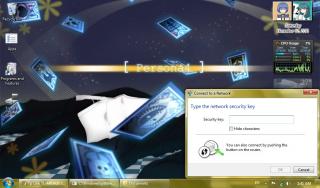
Attached Image

This shows the QSS function... laugh.gif

Just bought this modem yesterday.
TSchuahcs79
post Nov 12 2011, 02:20 AM

Look at all my stars!!
Group Icon
Elite
6,931 posts

Joined: Apr 2011
From: Bolehland for sure ^_^


QUOTE(mochachoke @ Nov 12 2011, 01:46 AM)
Attached Image

This shows the QSS function... laugh.gif

Just bought this modem yesterday.
*
QSS button is express set up for secure connection, super easy and user friendly function,..

u like this router ?

131 Pages « < 2 3 4 5 6 > » Top
Topic ClosedOptions
 

Change to:
| Lo-Fi Version
0.0207sec    0.36    6 queries    GZIP Disabled
Time is now: 8th December 2025 - 01:30 PM